3D-Printed Mega Sumo Robot 3DP Sisaku H: Modular, Durable Design With CNC Upgrades
by noclaf8810373 in Workshop > 3D Printing
1902 Views, 3 Favorites, 0 Comments
3D-Printed Mega Sumo Robot 3DP Sisaku H: Modular, Durable Design With CNC Upgrades

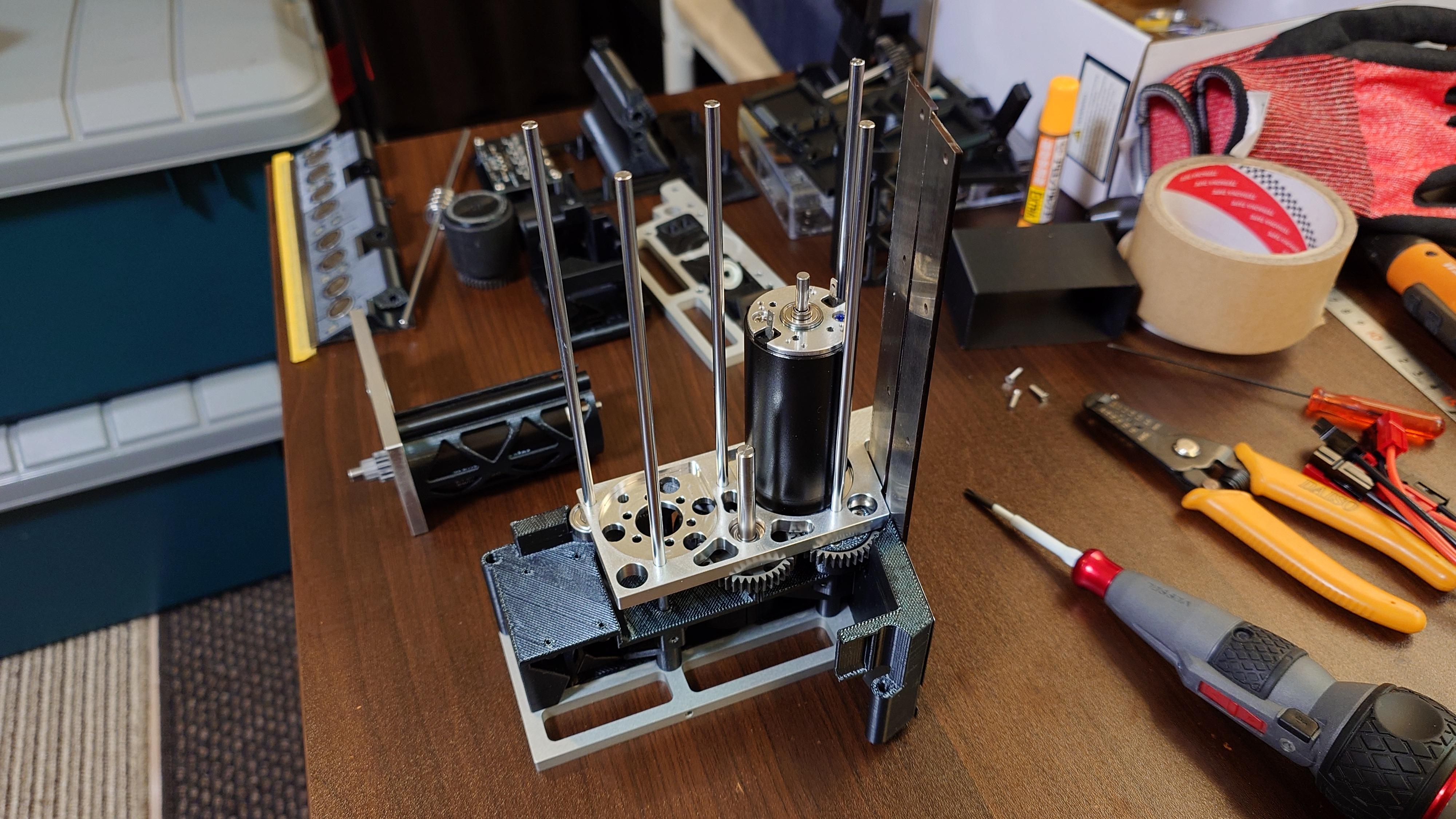

The goal of this project is to make building a competitive autonomous Mega Sumo Robot much more accessible — primarily using a consumer-grade FDM (FFF) 3D printer for most parts, while incorporating CNC-machined aluminum components (either made yourself or via online services) and laser-cut parts where extra strength is needed.
This robot is the successor to my 2023 project "FFF 3D-Print Mega Sumo Robot Autonomous Sisaku-E" .
In this new version, I've incorporated CNC-machined aluminum parts in key areas where the previous design was weak, dramatically improving overall durability and rigidity.
Key advantages of this structure
- By using through-shafts combined with a strong aluminum frame, we achieve very high rigidity.
- This allows us to safely use 3D-printed plastic parts for most of the structure without constantly worrying about strength.
→ The result is higher manufacturing efficiency, greater design freedom, and much better expandability/modularity.
Most of the body consists of many functional 3D-printed blocks to which magnets, sensors, and other components are attached. Thanks to this modular block design, you can easily swap out entire sections to change sensors, magnet placement, or other features — very handy for rapid experimentation!
Because of this approach, the robot is especially well-suited for prototype development and trial-and-error testing while keeping costs relatively low.
Important notes
This robot is still in the prototype stage — there are many areas for improvement and plenty of room for your own ideas and modifications.
Unfortunately, the current control board is a one-off universal-board prototype, so it would be quite difficult for others to exactly replicate it. If you decide to build a robot based on this project, you will most likely need to design your own control board to match your available components and needs.
Mega Sumo Robot is a very unique and demanding category in the robot competition world. It requires a huge amount of specialized know-how, and starting completely from scratch usually takes many years before you can build something competitive at a high level. This high barrier to entry is actually one of the biggest charms of the sport — but at the same time, it can be very intimidating for newcomers.
My hope is that this project can serve as useful inspiration and a starting point for people who want to begin designing their own Mega Sumo Robots.
If more people get interested in Mega Sumo through projects like this one, and the community grows even bigger and more exciting — nothing would make me happier!
Happy building, and who knows — maybe we'll meet at the Grand Final in December someday! 🤖🥊
Supplies
3D printer
- Print range of 200 x 200 x 200 (mm) or more.
- The printer must be able to print ABS or PETG filament.
Hand tools
- Drill Bit 1.6mm
- Drill Bit 2.3mm
- Drill Bit 2.5mm
- Drill Bit 3.0mm
- Drill Bit 3.1mm
- Drill Bit 3.2mm
- Drill Bit 4.0mm
- Drill Bit 4.05mm
- Drill Bit 4.1mm
- Hand Drill
- Screwdriver JIS Cross Head No0
- Screwdriver JIS Cross Head No1
- Screwdriver JIS Cross Head No2
- Screwdriver Hex 1.5mm
- Diamond Precision File
- Precision File
- Precision Side Cutter
- Pliers
- Snap-off Utility Knife
- Hot Melt Glue Gun
- Sand Paper
- Soldering Iron
- Machine Vise
- Scissors
- Stainless steel Scraper
- Cut-resistant gloves
Purchased parts
- 3D Printer Filament ABS or PETG
- Super glue
- Masking tape
- Double-sided Tape
- Brake Parts Cleaner
- PERMATEX Screw Lock Red
- Soldering Wire
- Parts described in Parts list
NOTE:
Before proceeding to the next steps, be sure to check the prerequisite project "3DP and CNC Create a Mega Sumo Robot With Mabuchi Motors" to gain the necessary background knowledge. This project intentionally skips detailed explanations of general Mega Sumo Robot basics and common elements across projects, as those are covered in the prior one (shared structural features like the CNC aluminum frame and through-shaft reinforcement).
The autonomous class of Mega Sumo Robot requires professional-level expertise in post-assembly tuning, competition program development/debugging, and safe handling of high-power components. Therefore, this project assumes that you already understand Mega Sumo Robot fundamentals and can independently interpret 3D data files, parts lists, and other materials to grasp the robot's structure, mechanisms, and build process. Subsequent steps focus only on the specific changes and additions in this autonomous version (3DP Sisaku H).
Fabricate the CNC Parts


Fabricate the following parts using CNC machining. If you don't have access to a CNC machine, consider using an online CNC machining service.
Parts List:
- Rear Cover: 1 pc ← CFRP (Carbon Fiber Reinforced Plastic, t=1.0 mm)
- Frame Out: 2 pcs ← A7075 Aluminum
- Frame IN_L: 1 pc ← A7075 Aluminum
- Frame IN_R: 1 pc ← A7075 Aluminum
NOTE:
- The threaded holes in the aluminum parts are for M3 taps, but in the 3D data files they are shown only as pilot holes (pre-drill holes). Make sure to add the proper tapping process after drilling.
- If you cannot achieve H7 tolerance for the 4.0 mm holes in the aluminum parts, you can approximate it by machining the hole slightly undersized first, then finishing it precisely with a 4.05 mm reamer or drill bit.
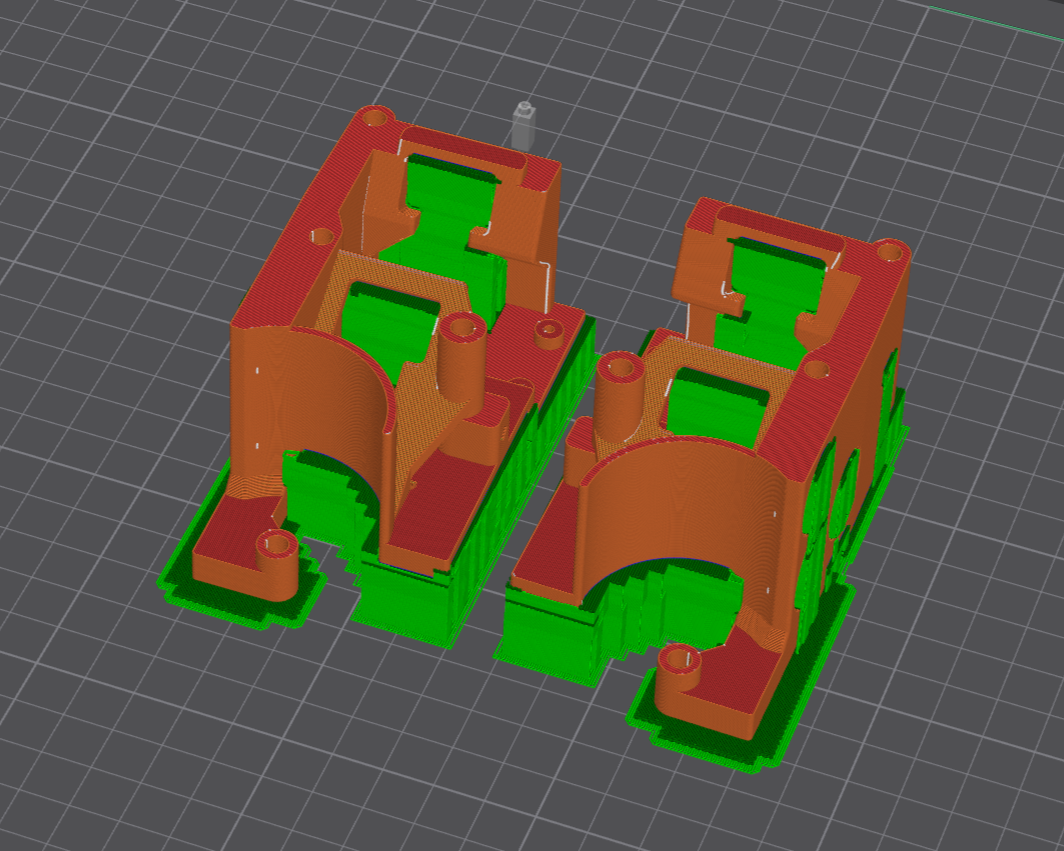
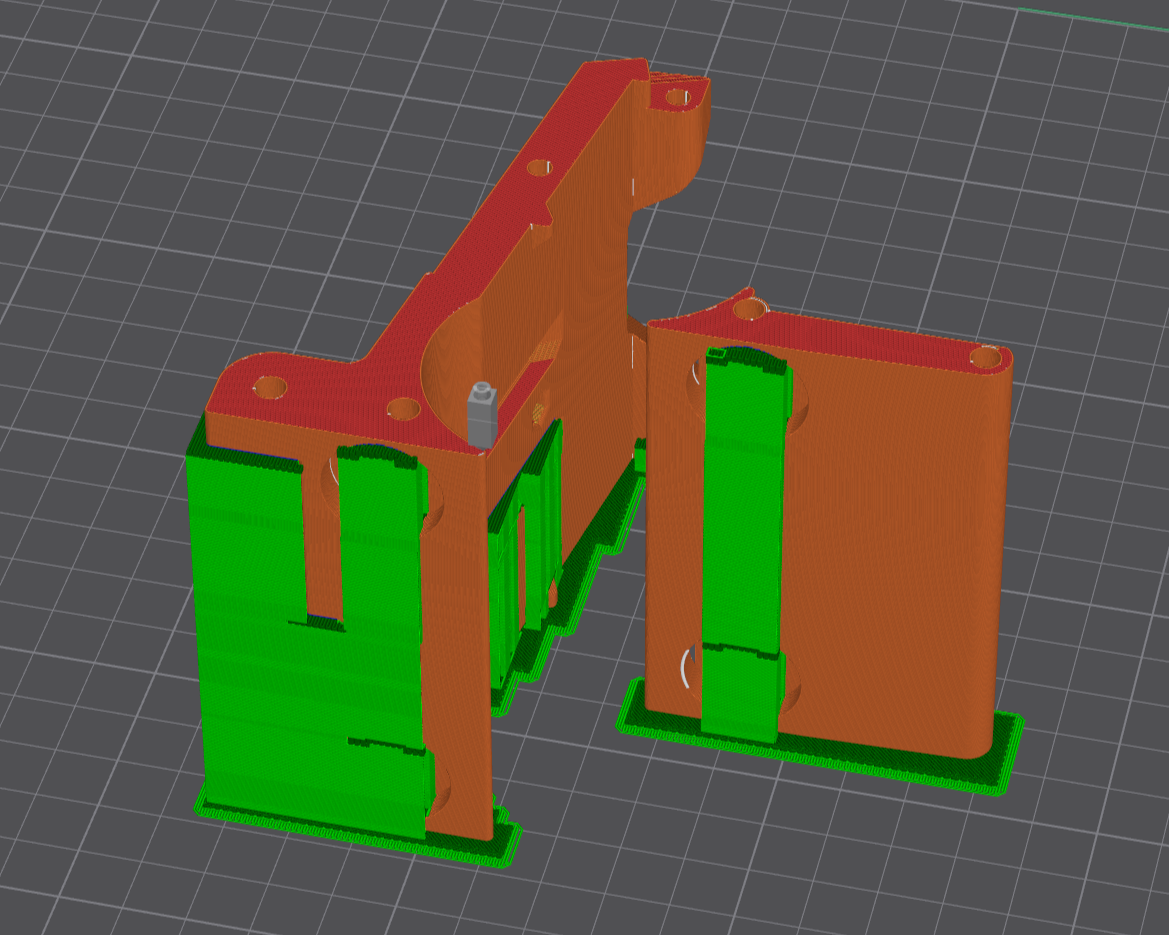
3D Print the Parts

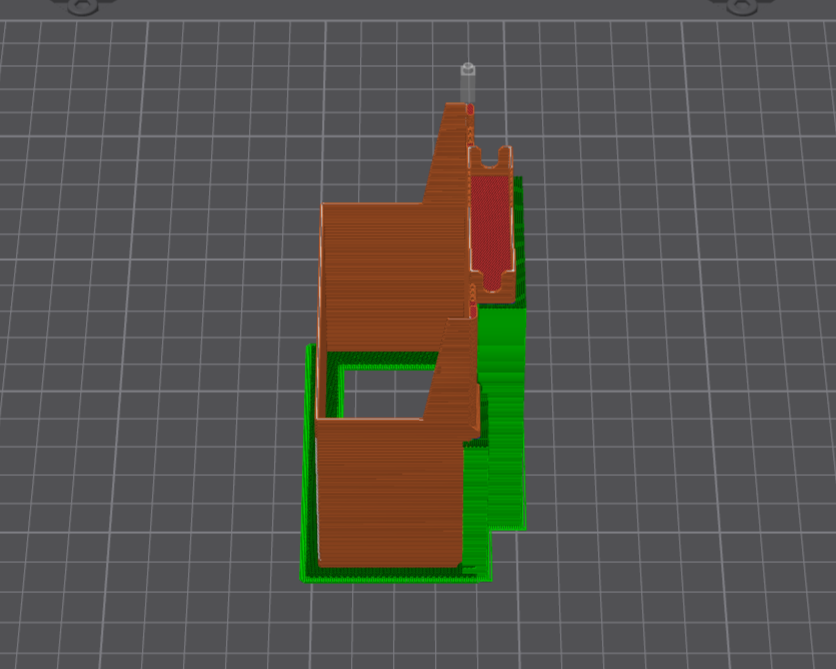
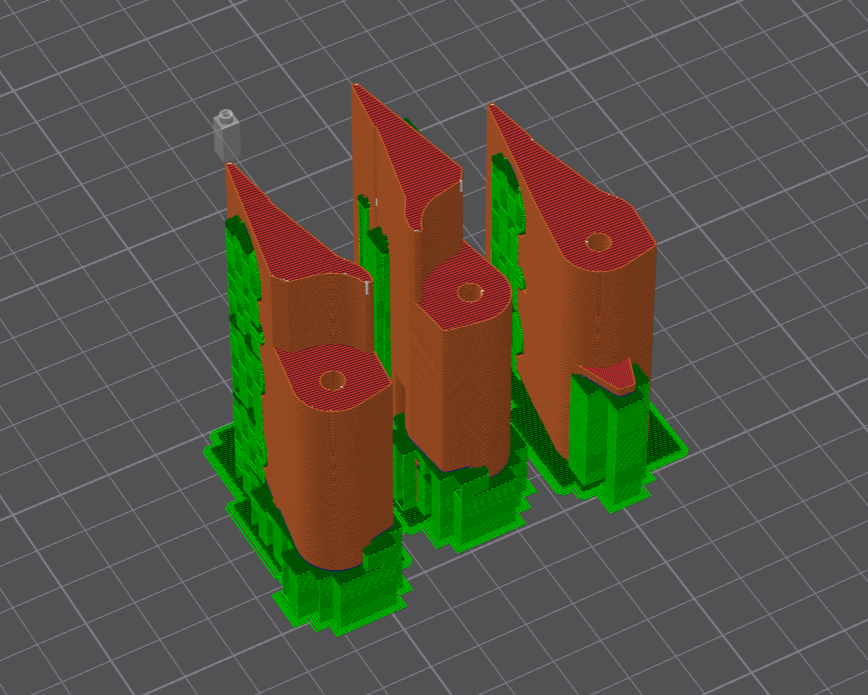
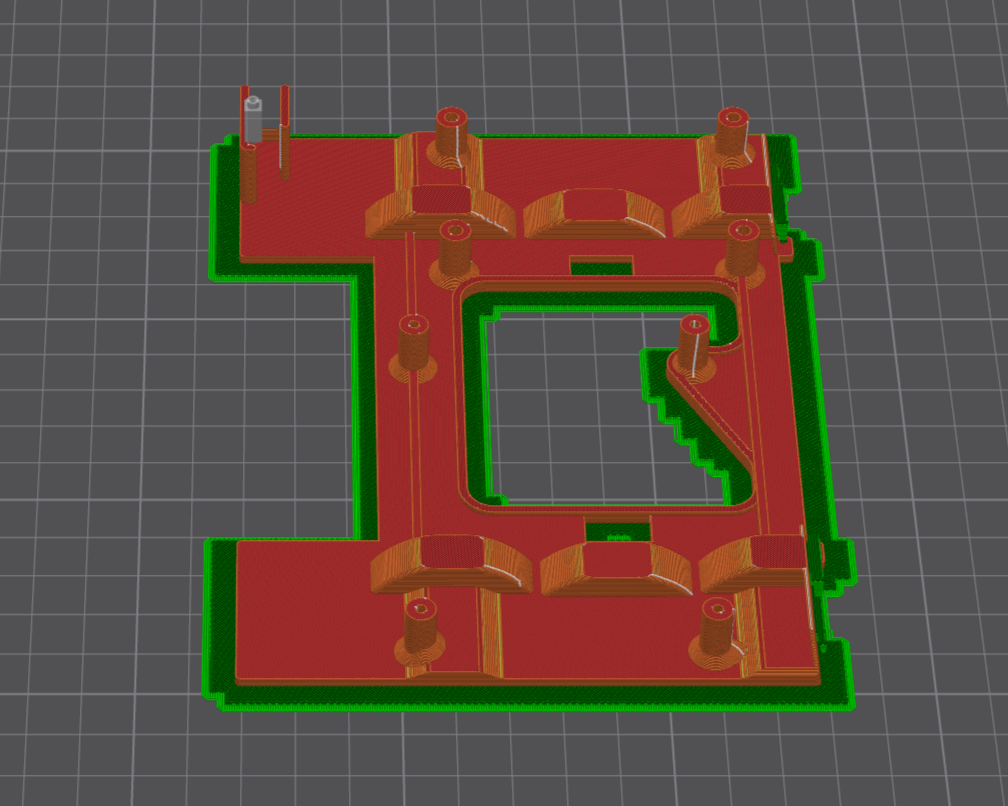


.png)
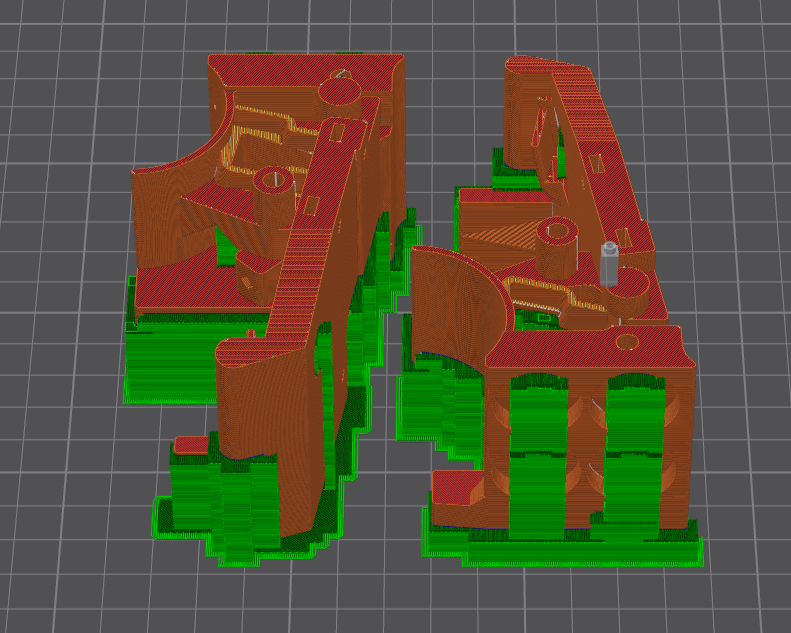
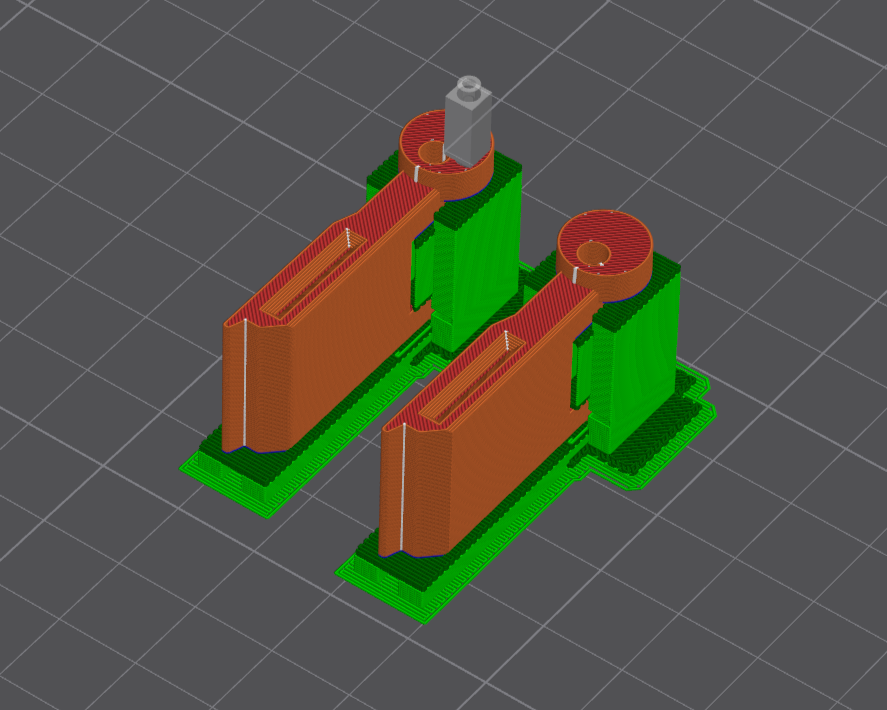
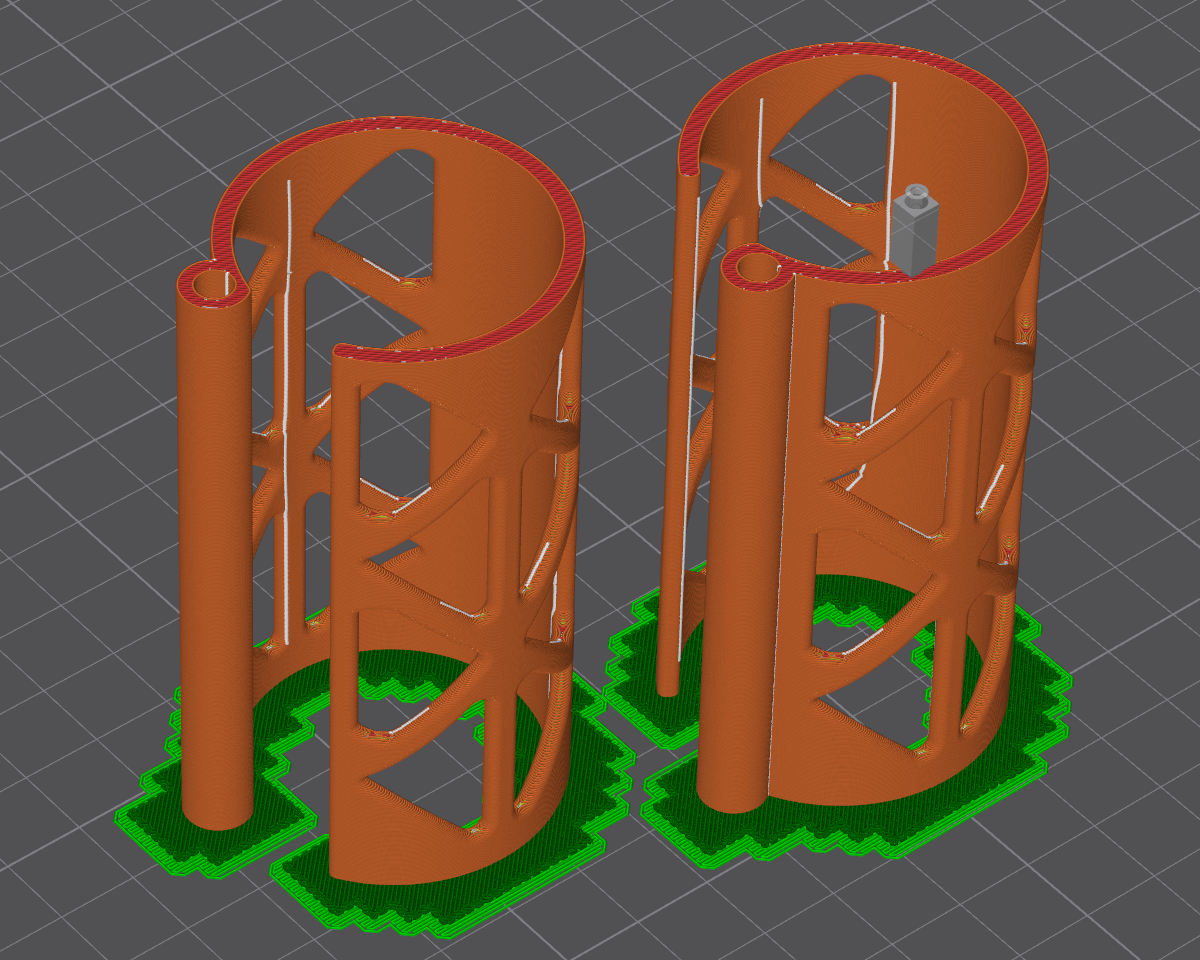
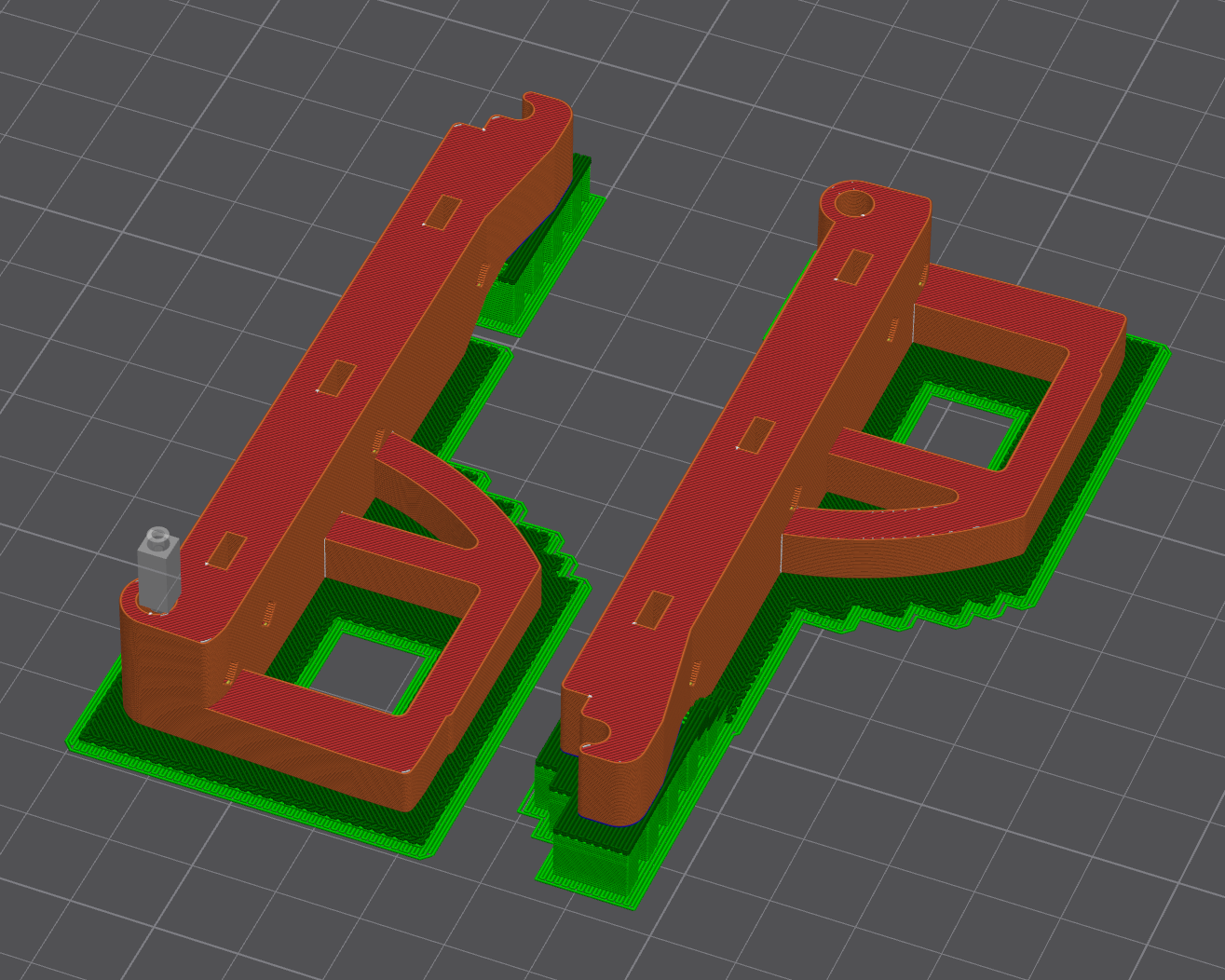
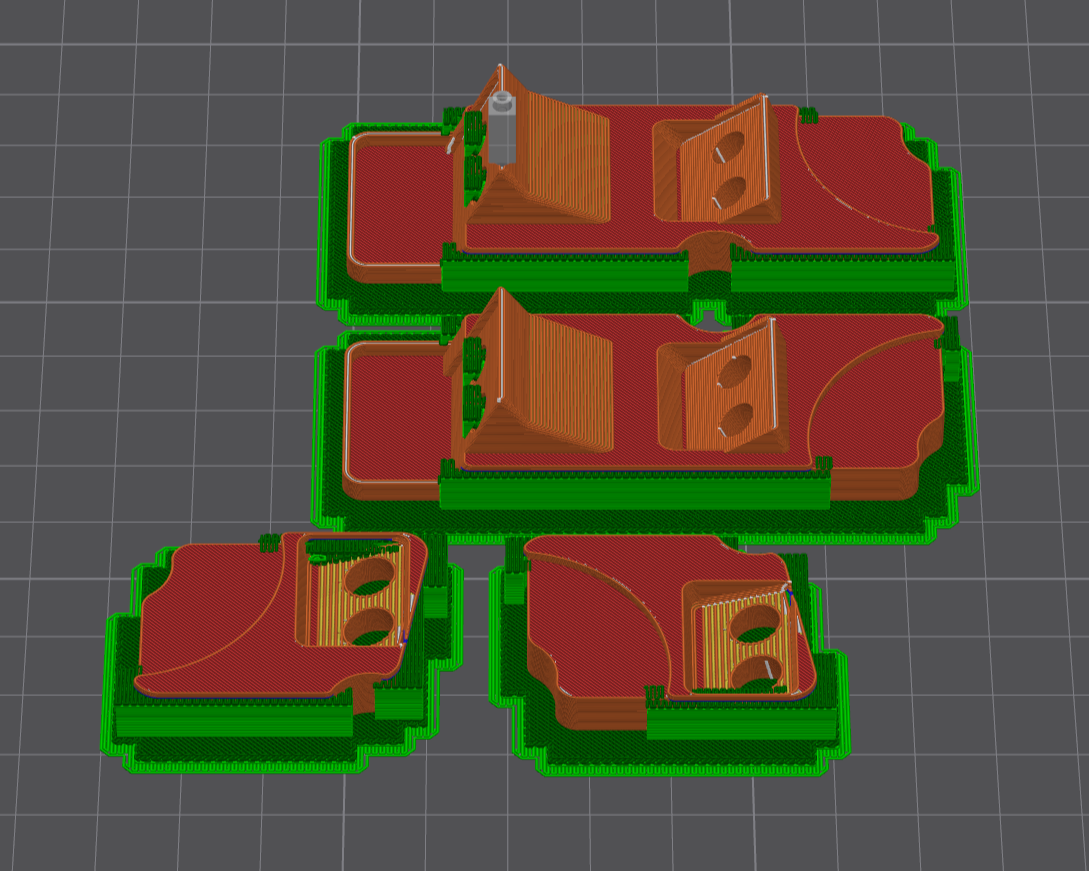
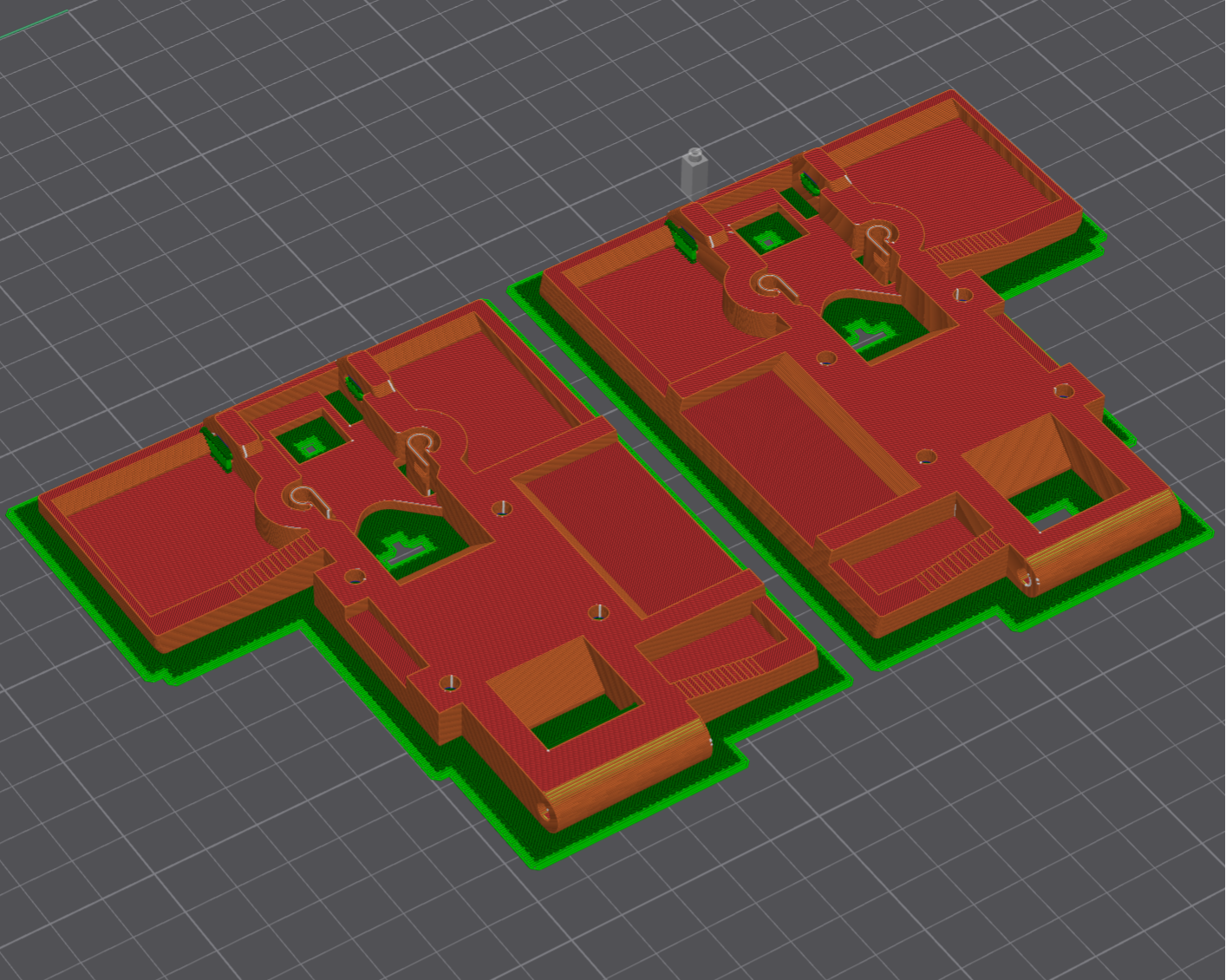
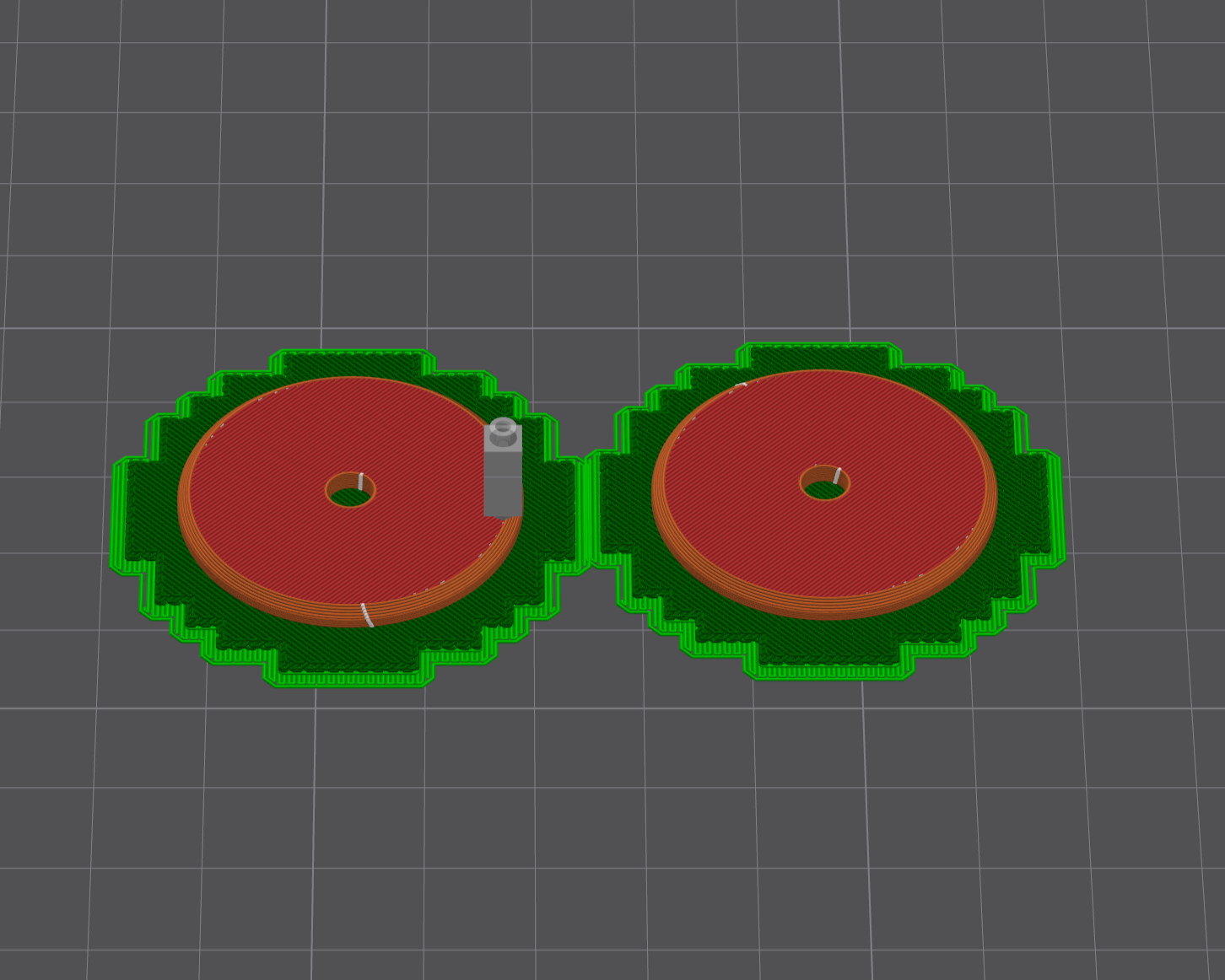
Print the following parts using an FDM (FFF) 3D printer.
Parts List:
- Blade base L: 1 pc
- Blade base C: 1 pc
- Blade base R: 1 pc
- Wheel cover: 2 pcs
- Rim: 2 pcs ← with self-tapping feature
- Dummy Rim: 2 pcs ← with self-tapping feature
- Lever: 2 pcs
- Inner CM_L: 1 pc
- Inner CM_R: 1 pc ← with self-tapping feature
- Magnet Holder (Pair): 2 pcs
- Top_Cover_L: 1 pc
- Top_Cover_R: 1 pc
- Battery case: 1 pc
- Inner CB: 1 pc
- Rear Cover Joint L: 1 pc
- Rear Cover Joint R: 1 pc
- Control Unit Base: 1 pc ← with self-tapping feature
- Inner FC_v2: 1 pc
- Inner FL: 1 pc ← with self-tapping feature
- Inner FR: 1 pc ← with self-tapping feature
- Inner BL: 1 pc ← with self-tapping feature
- Inner BR: 1 pc ← with self-tapping feature
- Sensor Mount BL: 1 pc
- Sensor Mount BR: 1 pc
- Sensor Mount FL: 1 pc
- Sensor Mount FR: 1 pc
- D12d4.2t1: 2 pcs
- Spacer_D10d6L3.6: 2 pcs
- Motor Spacer: 2 pcs
NOTE:
- Material: ABS is recommended, but if your 3D printer lacks an enclosure, ABS printing can be difficult due to warping. In that case, PETG is a better choice.
- Infill: I used 80%, but results vary depending on your printer and slicer settings. Adjust as needed. For high-impact areas (such as around the blades), increase infill density to ensure sufficient strength.
- Orientation: Refer to the provided images for the correct print orientation of each part.
- Dimensional Accuracy: Before starting printing, verify your 3D printer's dimensional accuracy. Due to shrinkage and other factors, printed parts may not match the 3D data dimensions exactly. If needed, calibrate your printer or slicer settings. Poor accuracy can make assembly impossible — especially critical is matching the shaft hole pitch between CNC parts and 3D printed parts. Misalignment here can cause fatal issues.
- Self-tapping pilot holes: The hole sizes for self-tapping vary depending on your printer and slicer. Test and adjust the pilot hole diameter as necessary for best results.
Post-Processing and Finishing the 3D Printed Parts
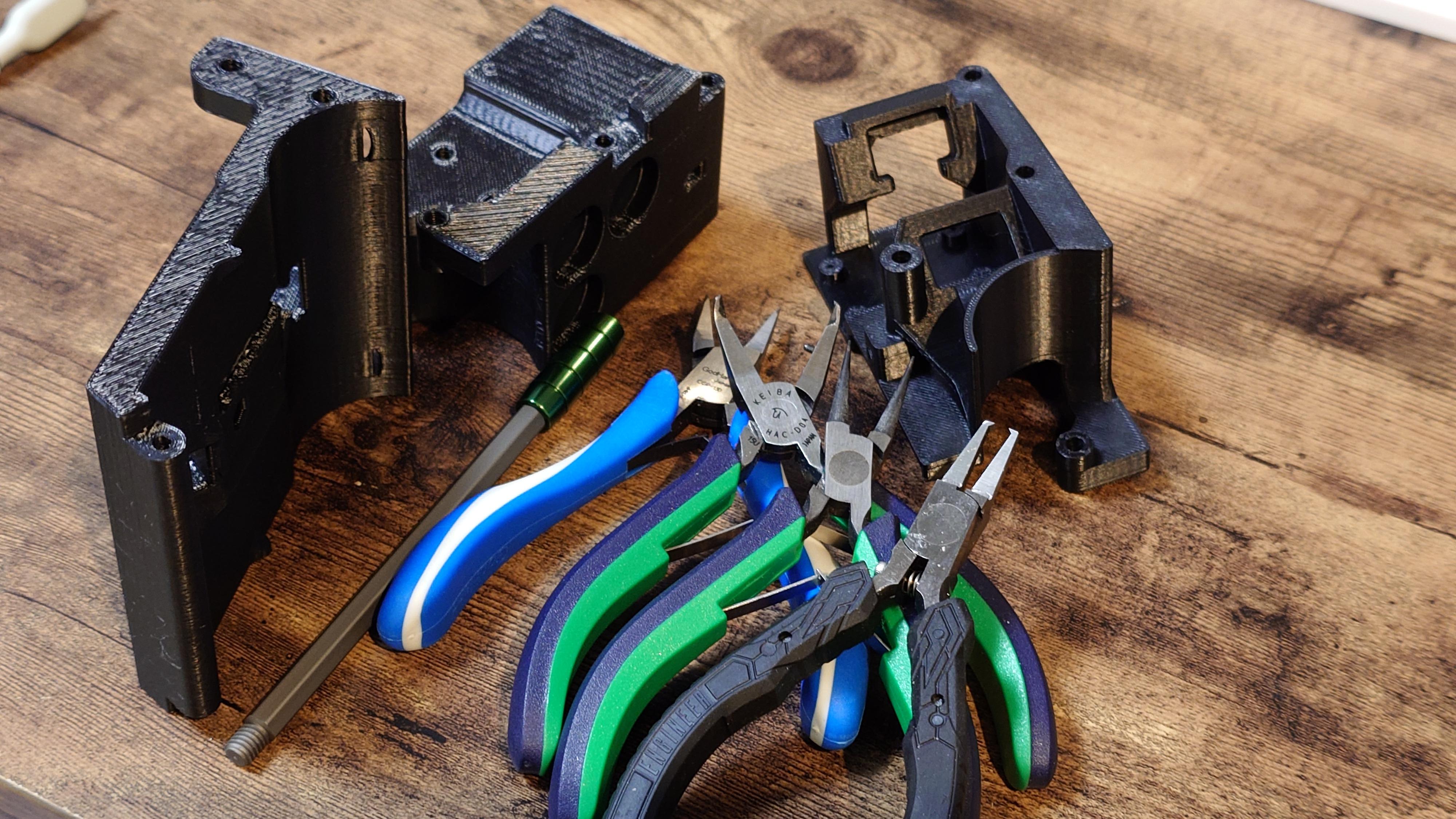
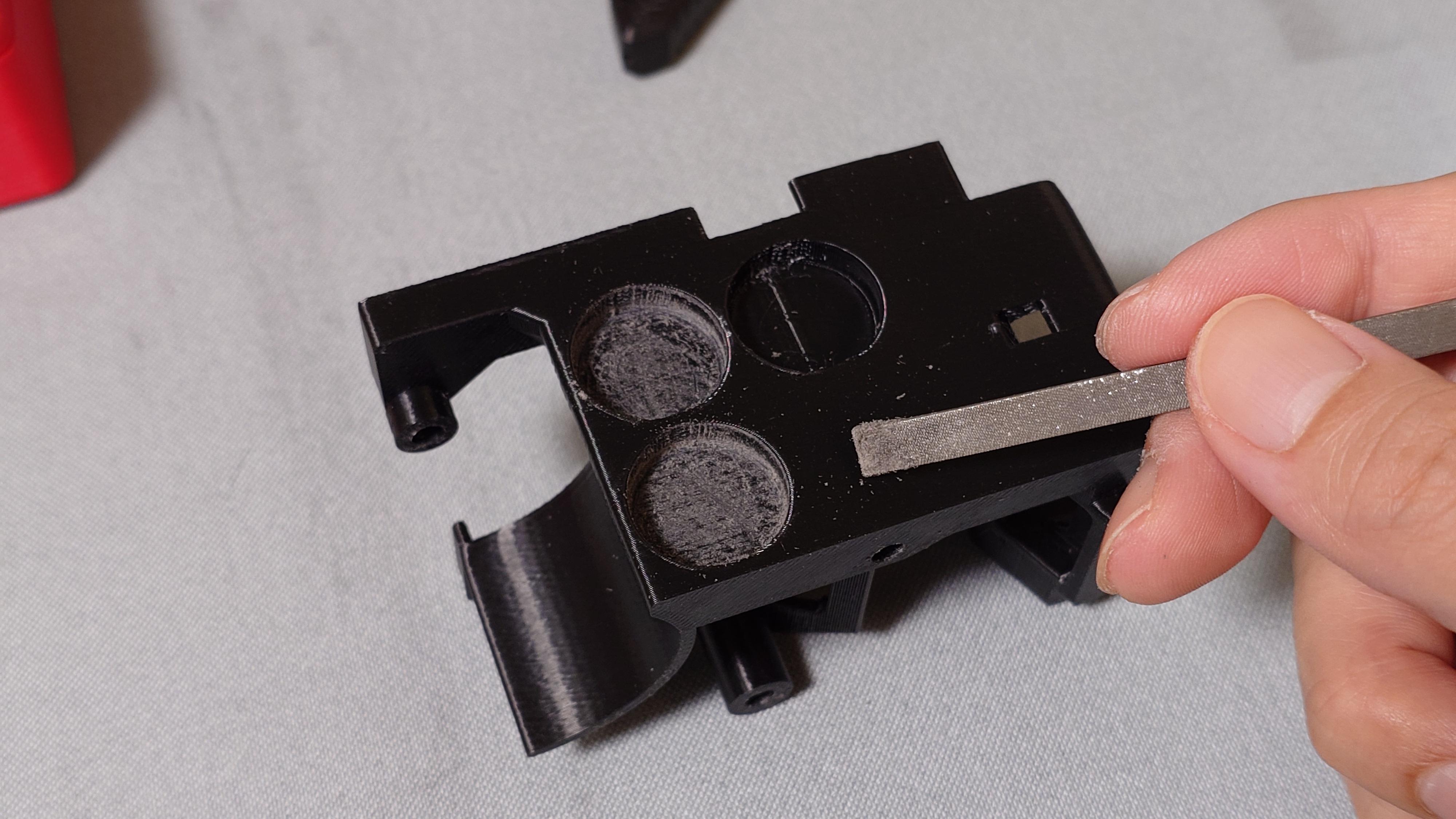
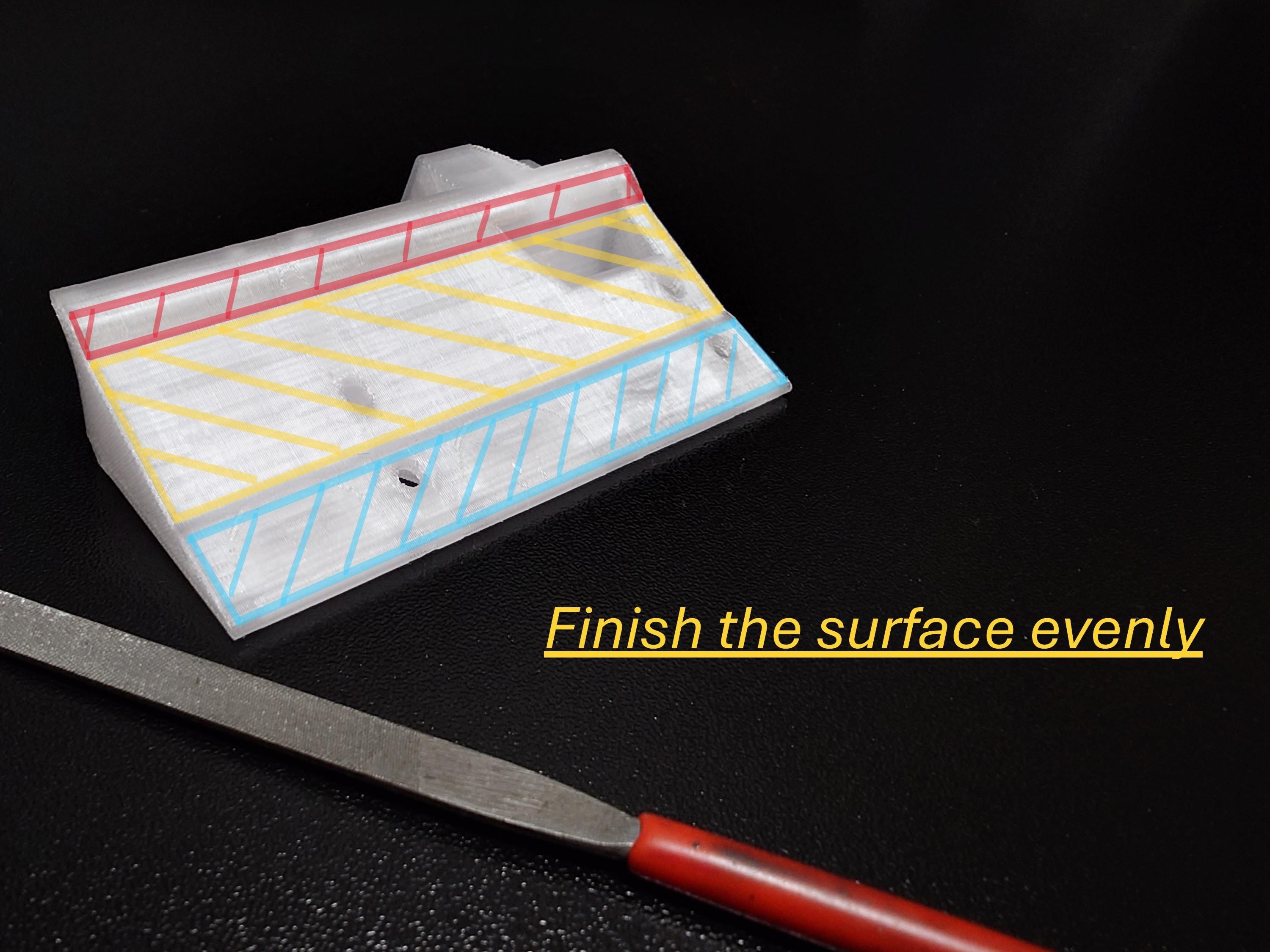
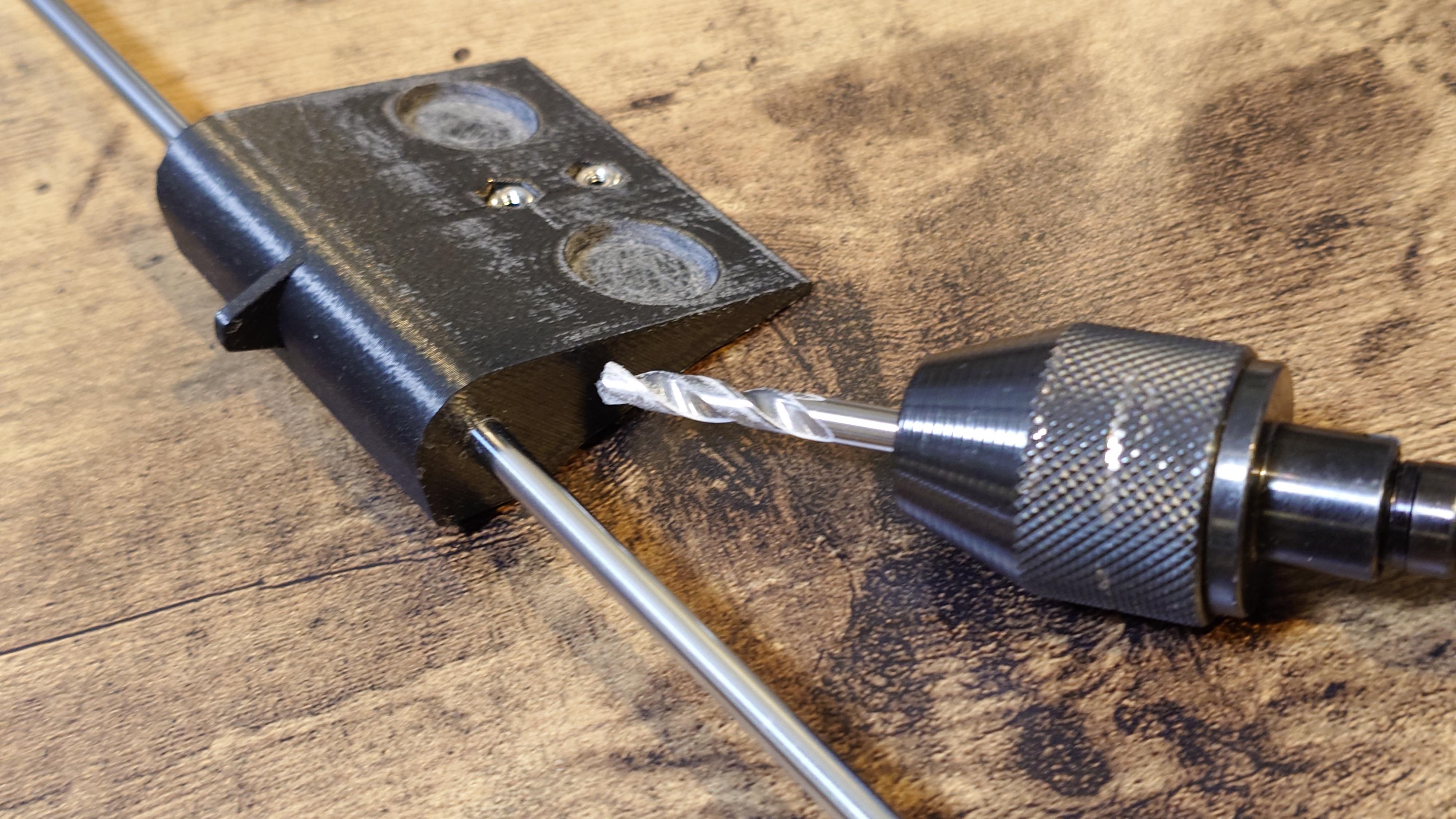
Perform post-processing and finishing on the completed 3D printed parts.
Procedure:
- Remove all support material from the 3D printed parts.
- Clean up the magnet pockets on the 3D printed parts with a file to prepare them for gluing.
- Flatten and smooth the blade base surfaces on the 3D printed parts.
- Check that the through-holes in the 3D printed parts allow the shafts to slide in smoothly. If not, ream or drill them to correct the fit.
NOTE:
When correcting the size of through-holes with a drill, for example, use a 4.05 mm precision drill bit for the 4 mm shaft holes — this makes the adjustment easy and accurate.
Fabricate the Armor Parts

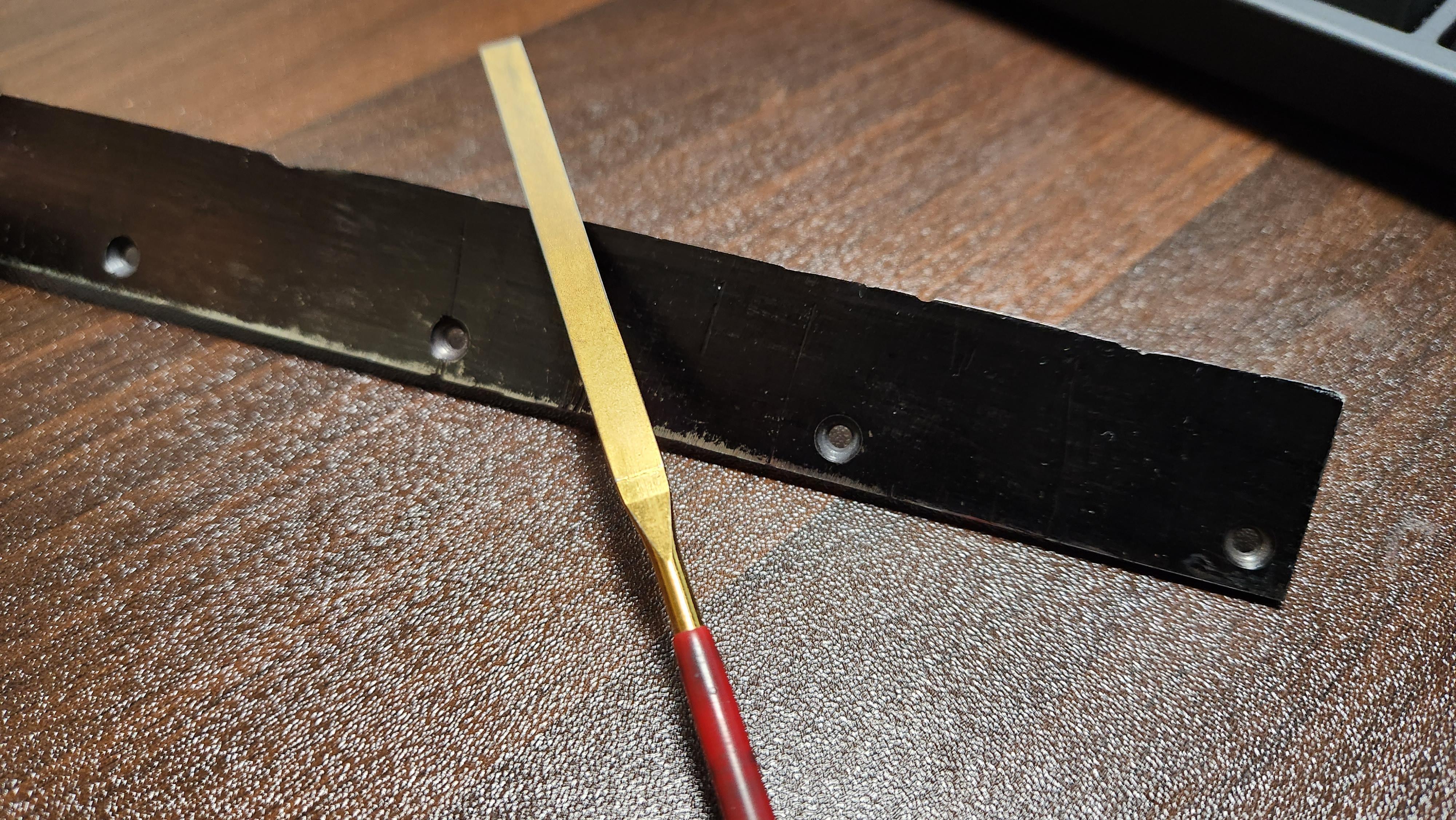
Fabricate the following armor parts using laser cutting. Alternatively, you can hand-fabricate them using tin snips, a disc grinder, router, or similar tools.
Parts List:
- Armor L: 1 pc
- Armor C: 1 pc
- Armor R: 1 pc
Round off the sharp edges of the used blades that will be attached to the armor parts.
- Blade No5 (used): 3 pcs
NOTE:
- Laser cutting provides the cleanest and most precise results, especially for thin metal sheets.
- When hand-processing, work slowly and carefully to avoid distortion or uneven edges. Use files or sandpaper afterward for final smoothing.
- Safety first: Always wear cut-resistant gloves and eye protection when handling sharp blades or using power tools.
Join the Gears and Shafts


Bond the gears and shafts together using retaining compound (anaerobic adhesive designed for slip-fit/cylindrical assemblies).
Parts List:
- MOTOR: 2 pcs
- 0.8 Module (32 Pitch) 14T Pinion Gear - Ø6mm: 2 pcs
- Shaft_D6L56: 2 pcs
- SG08M18T40TUL: 2 pcs
Procedure:
- Clean the bore of the gear and the surface of the shaft thoroughly with brake parts cleaner (or similar degreaser).
- Apply retaining compound evenly to the shaft (or inside the gear bore).
- Assemble the gear onto the shaft (the fit is loose/slip-fit, so it should slide on easily).
- Allow the retaining compound to fully cure before handling or applying any load (do not rotate or apply force during curing).
NOTE:
Retaining compound (such as Loctite 648, 638, etc.) is used here to achieve a strong, press-fit-like bond even though there is a slight clearance between the shaft and gear bore. Cure time varies depending on the specific adhesive, temperature, humidity, and gap size — always follow the manufacturer's instructions carefully. For optimal strength, ensure the surfaces are completely clean and dry, and apply the adhesive to both mating surfaces if the gap allows.
Insert Nuts Into 3D Printed Parts


Install the M2.6 nuts (Nut_M2.6 Type 3) into the designated 3D printed parts.
Parts List:
- Inner FL: 1 pc
- Inner FC_v2: 1 pc
- Inner FR: 1 pc
- Rear Cover Joint L: 1 pc
- Rear Cover Joint R: 1 pc
- Blade Base L: 1 pc
- Blade Base C: 1 pc
- Blade Base R: 1 pc
- Nut_M2.6 Type 3: 22 pcs
- Flat head screw M2.6×L5 No.0 Type 3 (used temporarily for fixing)
- Flat head screw M2.6×L10 No.0 Type 1 (used temporarily for fixing)
Procedure:
- Insert the M2.6 nuts into the nut pockets of the 3D printed parts.
- Temporarily secure each nut by threading in an M2.6 screw (use L5 or L10 screws as needed).
- Apply hot melt glue (hot bond) around the nut from the back side to permanently fix it in place.
- After the glue has fully cooled and hardened, carefully cut away any excess glue that protrudes.
- Remove the temporary screws.
NOTE:
- The nut pockets in the 3D printed parts are designed to hold the nuts with a slight interference fit. If the nut is too loose, add a tiny amount of super glue before inserting; if too tight, lightly file the pocket edges.
- Use the longer L10 screws for deeper pockets and shorter L5 for shallower ones — this helps pull the nut fully flush without damaging the print.
- Hot melt glue provides strong retention while remaining removable if needed later. Work quickly as it sets fast.
- Always ensure the nut face remains flat and flush with the part surface after gluing.
Install the Levers

Connect the Levers to Top_Cover_L and Top_Cover_R using the shafts to form the hinge mechanism.
Parts List:
- Lever: 2 pcs
- Top_Cover_L: 1 pc
- Top_Cover_R: 1 pc
- Shaft_D3L32: 2 pcs
Procedure: (Refer to the images and 3D data files for the correct assembly orientation and alignment.)
- Assemble one Lever and Top_Cover_L (or Top_Cover_R) in the correct position so that the hinge holes are properly aligned.
- Insert one Shaft_D3L32 through the aligned hinge holes of the Lever and Top_Cover_L (or Top_Cover_R).
- Repeat the process for the other side: assemble the remaining Lever with the other Top_Cover in the correct position, then insert the second Shaft_D3L32.
- After assembly, verify that the hinge pivots smoothly and freely without any binding or excessive play.
NOTE:
- If the shaft does not slide easily into the hinge holes, carefully enlarge the holes using a drill bit around 3.1 mm. Proceed gradually and test frequently to prevent over-enlarging.
- If the hinge connection feels loose after insertion, apply a very small amount of super glue to the shaft ends only if permanent fixation is desired. Always test the full range of motion first before applying adhesive — excess glue can restrict smooth rotation.
Install the Set Screws


Install set screws into the threaded holes of each aluminum frame and the self-tapping pilot holes of selected 3D printed parts. (This embeds the set screws directly into the components for later use.)
Parts List:
For Aluminum Frames (pre-tapped threads)
- Frame Out: 2 pcs
- Frame IN_L: 1 pc
- Frame IN_R: 1 pc
- Set screw M3×L4: 20 pcs
For 3D Printed Parts (self-tapping pilot holes)
- Inner FL: 1 pc
- Inner FR: 1 pc
- Inner BL: 1 pc
- Inner BR: 1 pc
- Set screw M3×L4: 4 pcs
Procedure: (Refer to the 3D data files and images in this step for the exact set screw positions and orientations.)
- Install M3×L4 set screws into the threaded holes of the aluminum frames (Frame Out, Frame IN_L, Frame IN_R). Finger-tighten them all at this stage (loose fit for embedding).
- Thread M3×L4 set screws directly into the self-tapping pilot holes of the designated 3D printed parts (Inner FL, Inner FR, Inner BL, Inner BR).
NOTE:
- Set screw installation positions are shown in the 3D data and attached images for this step.
- The pilot holes in the 3D printed parts are designed specifically for self-tapping. If too tight, adjust with a drill or reamer; if too loose, you may need to revise or reprint the 3D printed part for a better fit.
- these screws are embedded now for secure retention during final assembly — no full tightening needed yet.
Assemble Aluminum Frames With Sensor Mounts
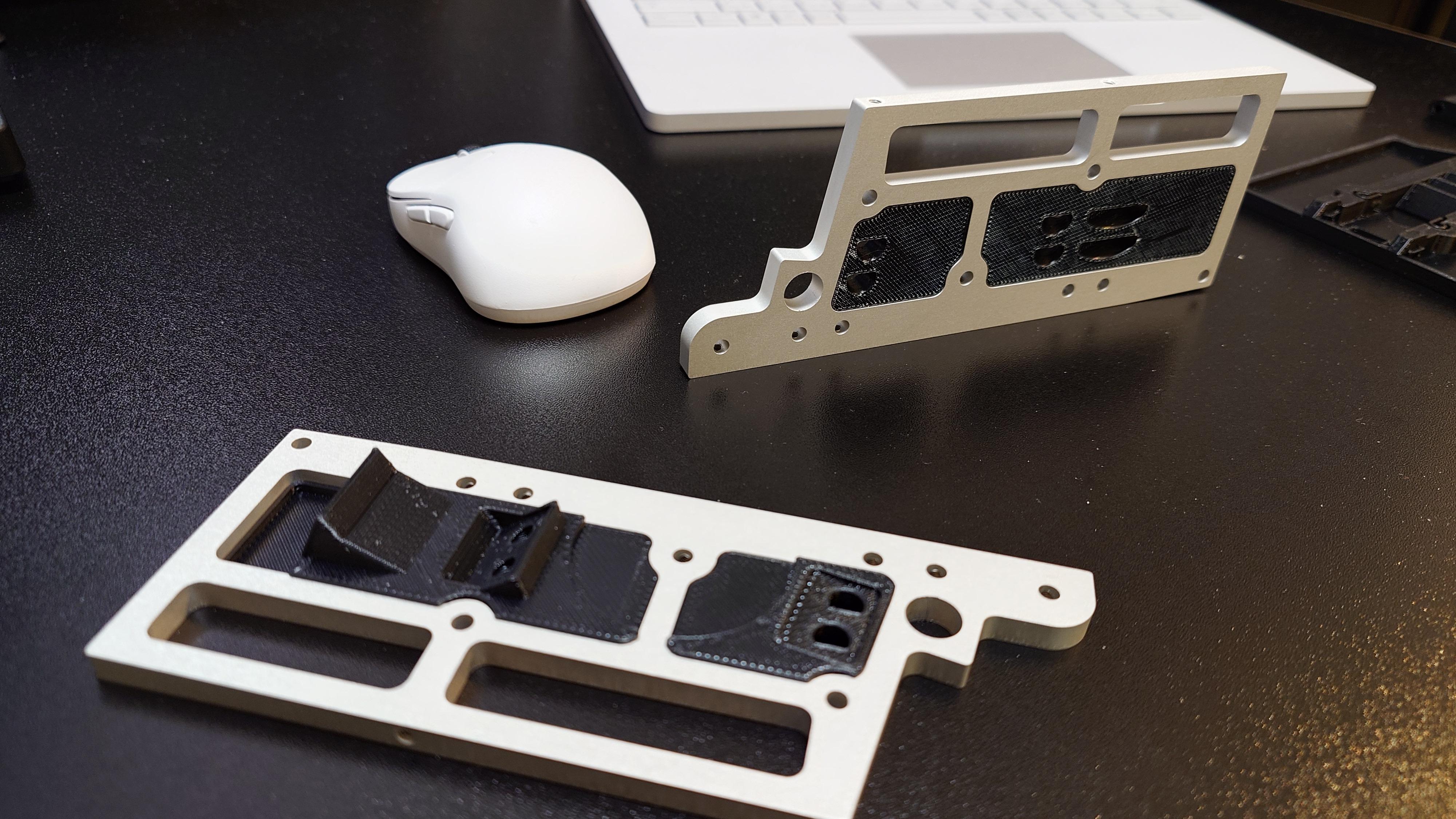
Combine the left and right aluminum frames (Frame Out) with the respective sensor mounts to form the front and rear sensor assemblies.
Parts List:
- Frame Out: 2 pcs
- Sensor Mount FL: 1 pc
- Sensor Mount BL: 1 pc
- Sensor Mount FR: 1 pc
- Sensor Mount BR: 1 pc
Procedure: (Refer to the images and 3D data in this step for the correct orientation, alignment, and pairing of parts.)
- Assemble one Frame Out with Sensor Mount FL (front left) and Sensor Mount BL (back left) in the correct positions.
- Apply super glue into the gaps between the Frame Out and the Sensor Mounts to bond them permanently.
- Once the super glue has fully cured, carefully remove any excess glue that has squeezed out of the gaps using a stainless steel scraper or similar tool.
- Repeat the same procedure for the other side (right side) to assemble the remaining Frame Out with Sensor Mount FR (front right) and Sensor Mount BR (back right).
NOTE:
- The exact fitting and alignment of the sensor mounts to the frames are shown in the attached images and 3D data files — use them as your primary reference.
- Apply super glue sparingly to avoid overflow; a thin layer is sufficient for a strong bond.
- Allow full cure time (usually 30 seconds to a few minutes depending on the glue type and humidity) before handling or scraping excess.
- Work in a well-ventilated area and wear gloves to protect your skin from super glue.
Assemble the Inner CM


First, assemble the Magnet Holder unit, then incorporate it into the Inner CM assembly.
Parts List:
For Magnet Holder Assembly
- Magnet Holder (Pair): 2 pcs
- Magnet 15×2: 1 pc
- 3DP_Filament_D1.75: 2 pcs (cut from 1.75 mm 3D printer filament to 17 mm length each)
For Inner CM Assembly
- Inner CM_L: 1 pc
- Inner CM_R: 1 pc
- Shaft_D3L32: 1 pc
- DDL-1030ZZ (bearing): 1 pc
- Flat head screw M2.6×L10 No.0 Type 1: 1 pc
Procedure: (Refer to the images and 3D data in this step for correct orientation and alignment.)
Magnet Holder Assembly
- Bond one Magnet Holder (Pair) with the two 3DP_Filament_D1.75 pieces using super glue.
- Sandwich the Magnet 15×2 between the first and second Magnet Holder (Pair).
- Bond the second Magnet Holder (Pair) with the remaining two 3DP_Filament_D1.75 pieces using super glue.
Inner CM Final Assembly
- Sandwich the completed Magnet Holder unit, DDL-1030ZZ bearing, and Shaft_D3L32 between Inner CM_L and Inner CM_R.
- Secure Inner CM_L and Inner CM_R together using the Flat head screw M2.6×L10 No.0 Type 1.
NOTE:
- The 3DP_Filament_D1.75 pieces are made by cutting standard 1.75 mm 3D printer filament to exactly 17 mm lengths. Use a sharp cutter for clean cuts.
Fabricate the Wheels
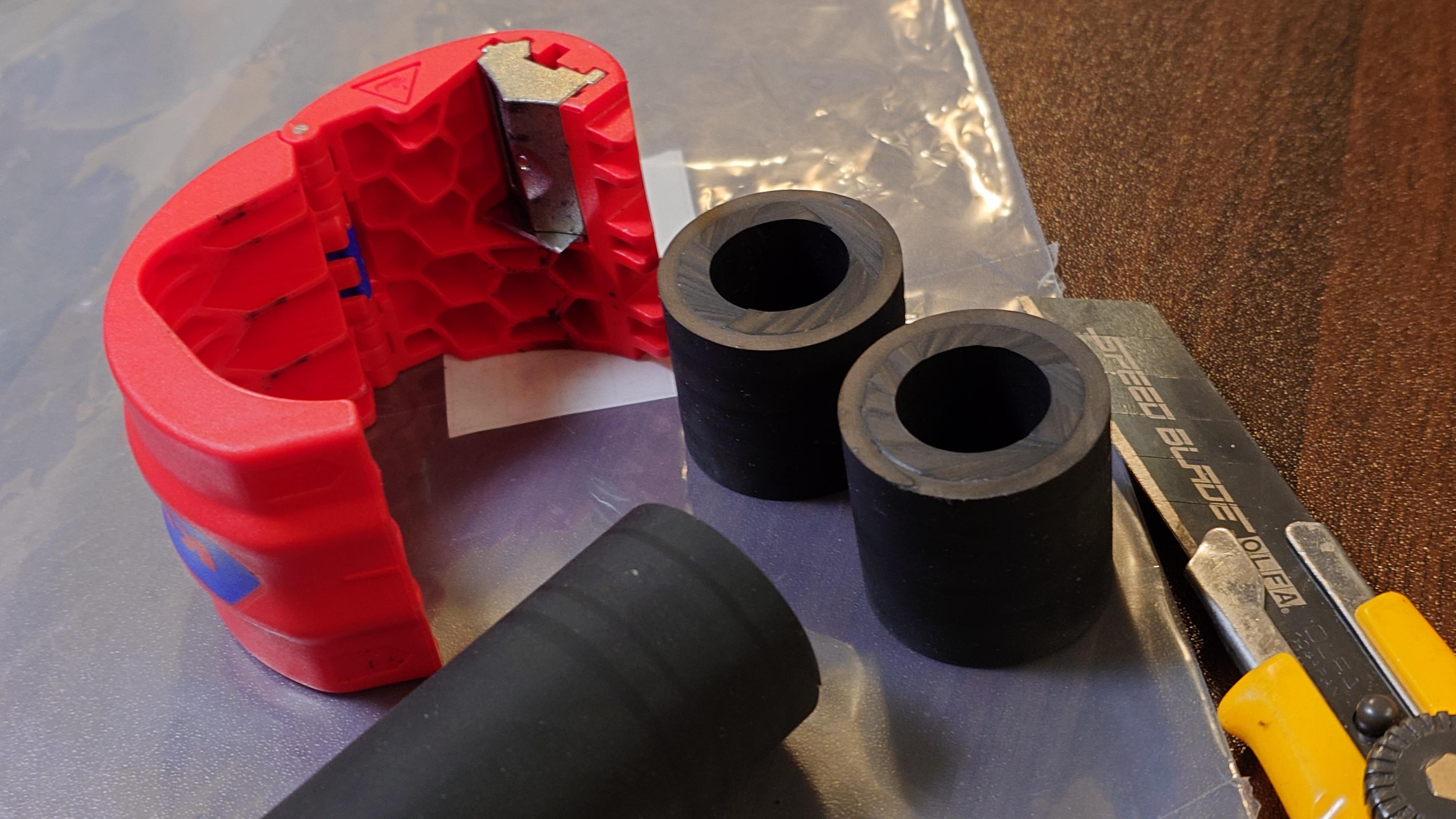
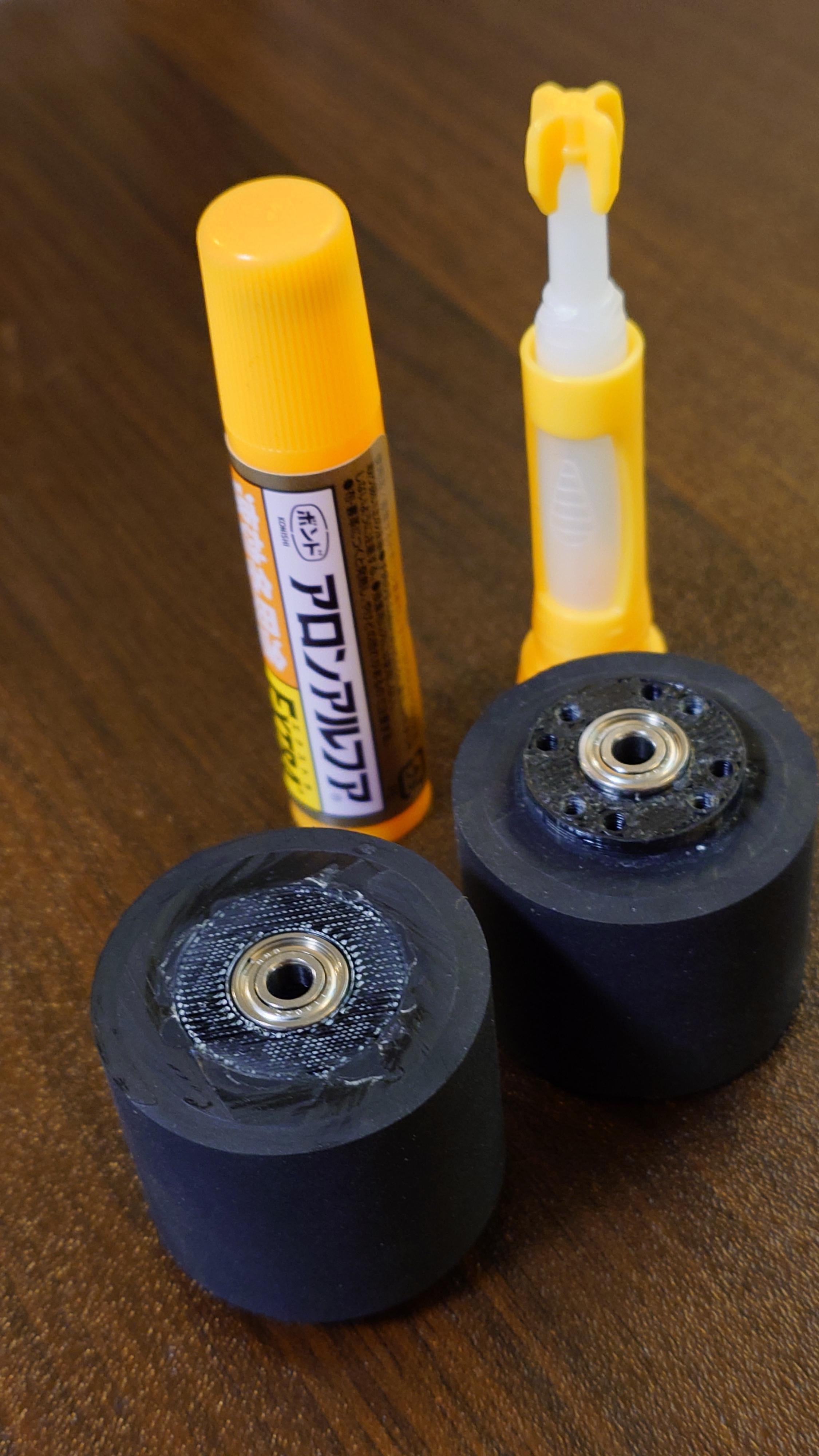
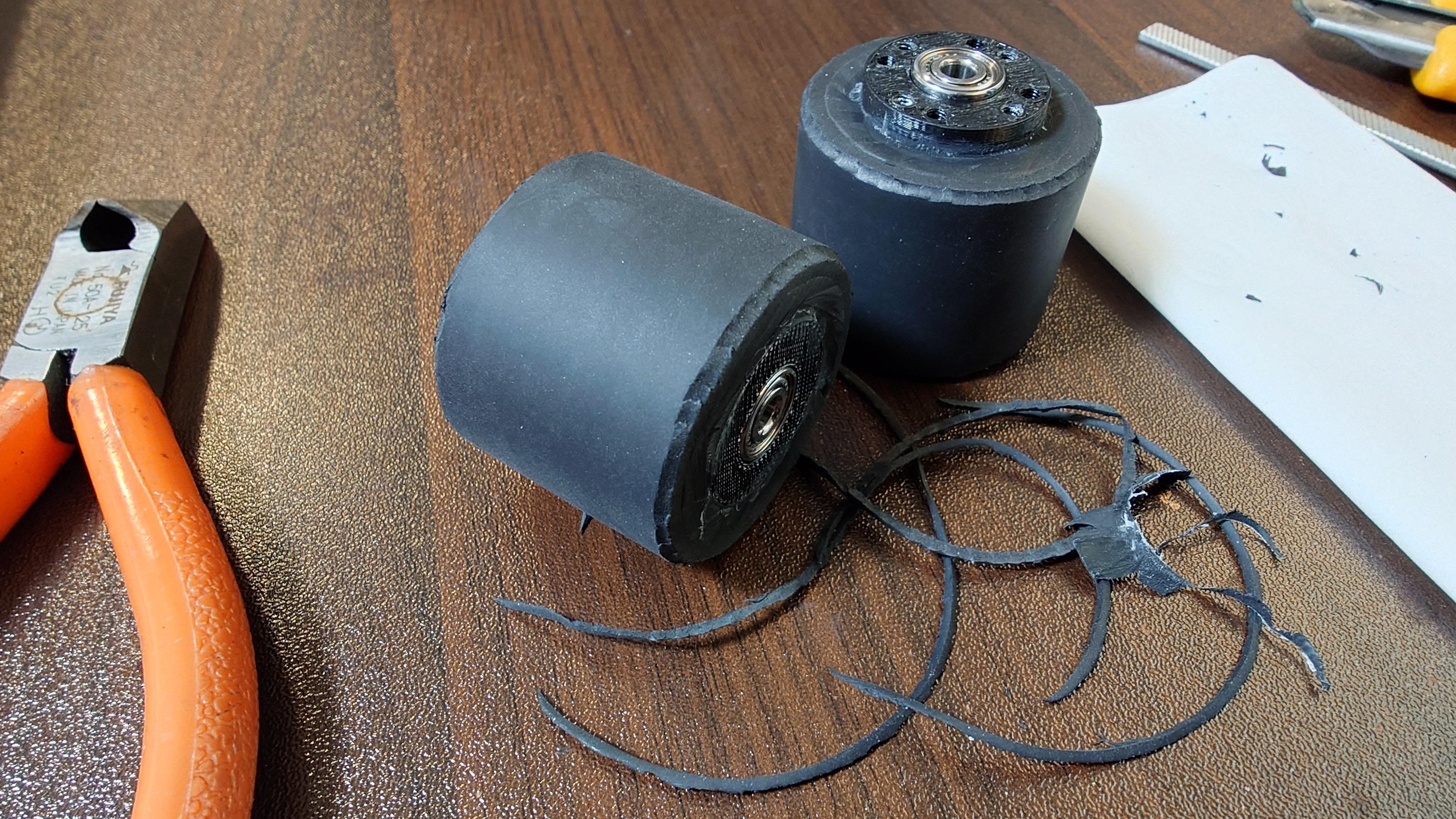
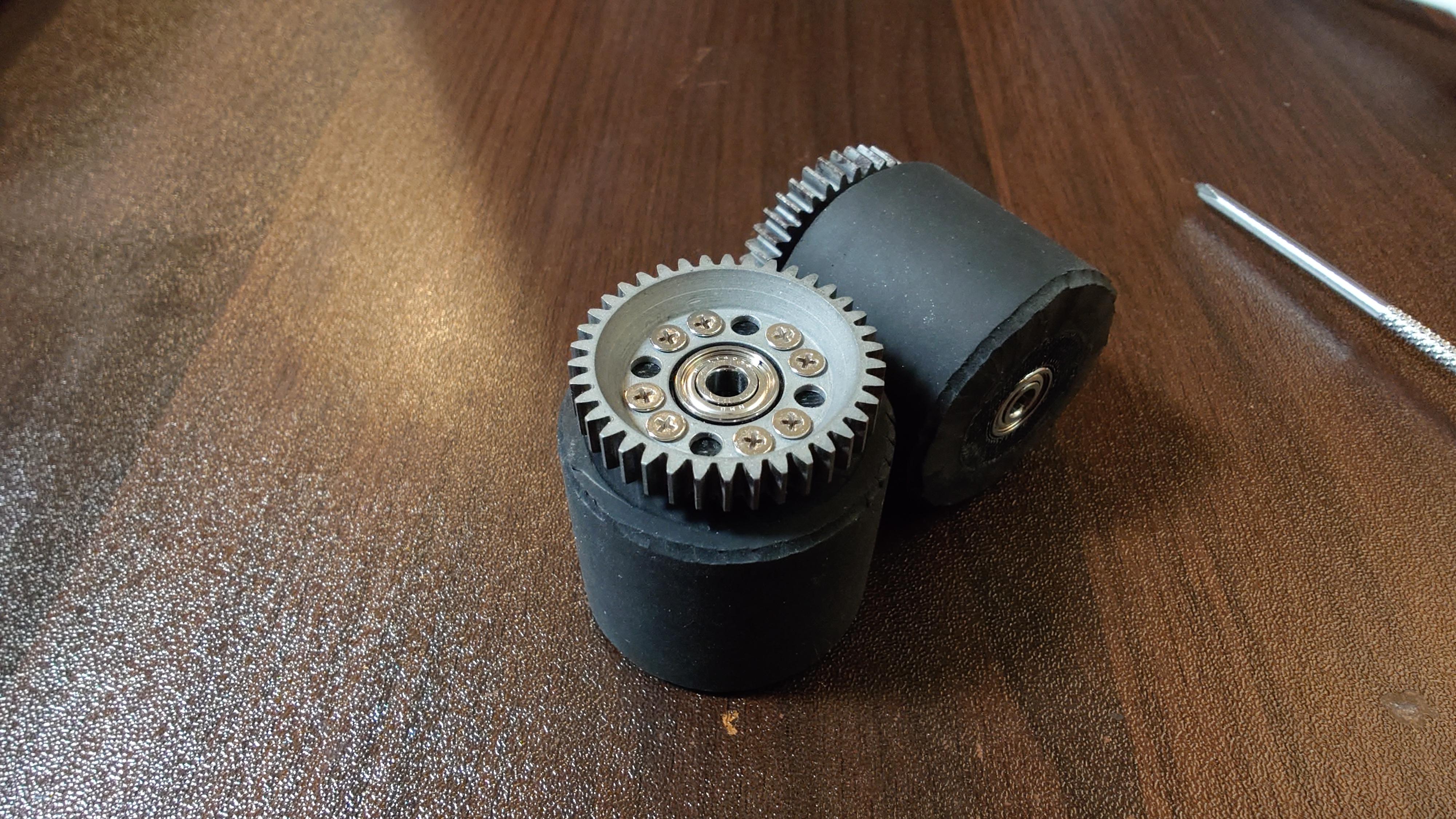
Assemble the wheels by combining the rims, bearings, tires, and gears.
This step follows the same procedure as detailed in the prerequisite project "3DP and CNC Create a Mega Sumo Robot With Mabuchi Motors". Please refer to the detailed photos, explanations, and tips in that project for full guidance.
Parts List:
- Rim: 2 pcs
- R-1140ZZ (bearing): 4 pcs
- Tire: 2 pcs
- SG08M38T (gear): 2 pcs
- Flat head screw M2.6×L10 No.0 Type 1: 16 pcs
Procedure: (Refer to the images in this step and the prerequisite project for exact assembly orientation and techniques.)
- Cut the tire rubber to the required length and clean the bonding surfaces thoroughly.
- Bond the tire rubber to the rim using appropriate adhesive (super glue as used in the previous project).
- Chamfer/bevel the edges of the tire after bonding for better performance and safety.
- Install the bearings (R-1140ZZ) into the rim.
- Secure the gear (SG08M38T) to the rim using the flat head screws M2.6×L10 (self-tapping into the rim's pilot holes).
NOTE:
- Since the gear is attached by self-tapping screws, before proceeding to tire bonding, please confirm that the pilot hole size in the Rim is appropriate (test with one screw if necessary — too tight may strip the plastic, too loose may not hold securely). Adjust the hole size with a drill if needed.
- Use the images in this step only for quick visual confirmation of the final assembled wheel appearance.
- Ensure the gear is centered and the screws are evenly tightened to avoid wobble or imbalance.
- Test wheel rotation for smoothness after assembly — any binding may require slight bearing adjustment or screw loosening.
Assemble the Gear ASSY (Dummy Wheel Units)


Combine the Dummy Rims, bearings, and gears to create the gear assemblies (dummy wheel units).
Parts List:
- Dummy Rim: 2 pcs
- R-1140ZZ (bearing): 4 pcs
- SG08M38T (gear): 2 pcs
- Flat head screw M2.6×L10 No.0 Type 1: 16 pcs
Procedure :(Refer to the images in this step for correct orientation, bearing press-fit direction, and screw positions.)
- Press the R-1140ZZ bearings into both sides of each Dummy Rim.
- Secure the SG08M38T gear to the Dummy Rim using the Flat head screws M2.6×L10 (self-tapping into the rim's pilot holes).
NOTE:
- The pilot holes in the Dummy Rim are designed for self-tapping — test fit one screw first to confirm hole size. Adjust with a drill if too tight or too loose.
- If the bearings feel loose after installation (e.g., they can be pushed out easily), reinforce them with a small amount of super glue or retaining compound around the bearing outer race. Apply sparingly to avoid getting adhesive inside the bearing.
- Ensure the gear is centered and screws are evenly tightened to prevent wobble.
- Test rotation for smoothness after assembly.
Attach the Connector Harness to the Motors


Attach the connector harness to the motors by soldering.
Parts List:
- MOTOR: 2 pcs
- Silicone cord 16AWG: 1 pc (cut to required lengths for harness)
- Anderson Connector 1327 Red: 2 pcs
- Anderson Connector 1327 Black: 2 pcs
Procedure:
- Fabricate the connector harness:
- Cut the 16AWG silicone cord to appropriate lengths (typically two wires per motor: positive and negative).
- Crimp the Anderson Connector 1327 Red to the positive wire end and Black to the negative wire end (ensure correct polarity).
- Prepare two harnesses (one for each motor) or one shared harness depending on your wiring plan.
- Solder the connector harness to the motor terminals:
- Strip the ends of the harness wires.
- Solder the positive wire (Red side) to the motor's positive terminal and the negative wire (Black side) to the negative terminal.
- Ensure clean, strong solder joints with no cold solder or short circuits.
- Use heat shrink tubing or electrical tape to insulate the soldered joints after cooling.
NOTE:
- Maintain strict polarity: Red for positive (+), Black for negative (-). Reverse polarity can damage the motor or electronics.
- Use sufficient heat when soldering to ensure good flow, but avoid overheating the motor terminals (use a heat sink if necessary).
Fabricate the Control Unit
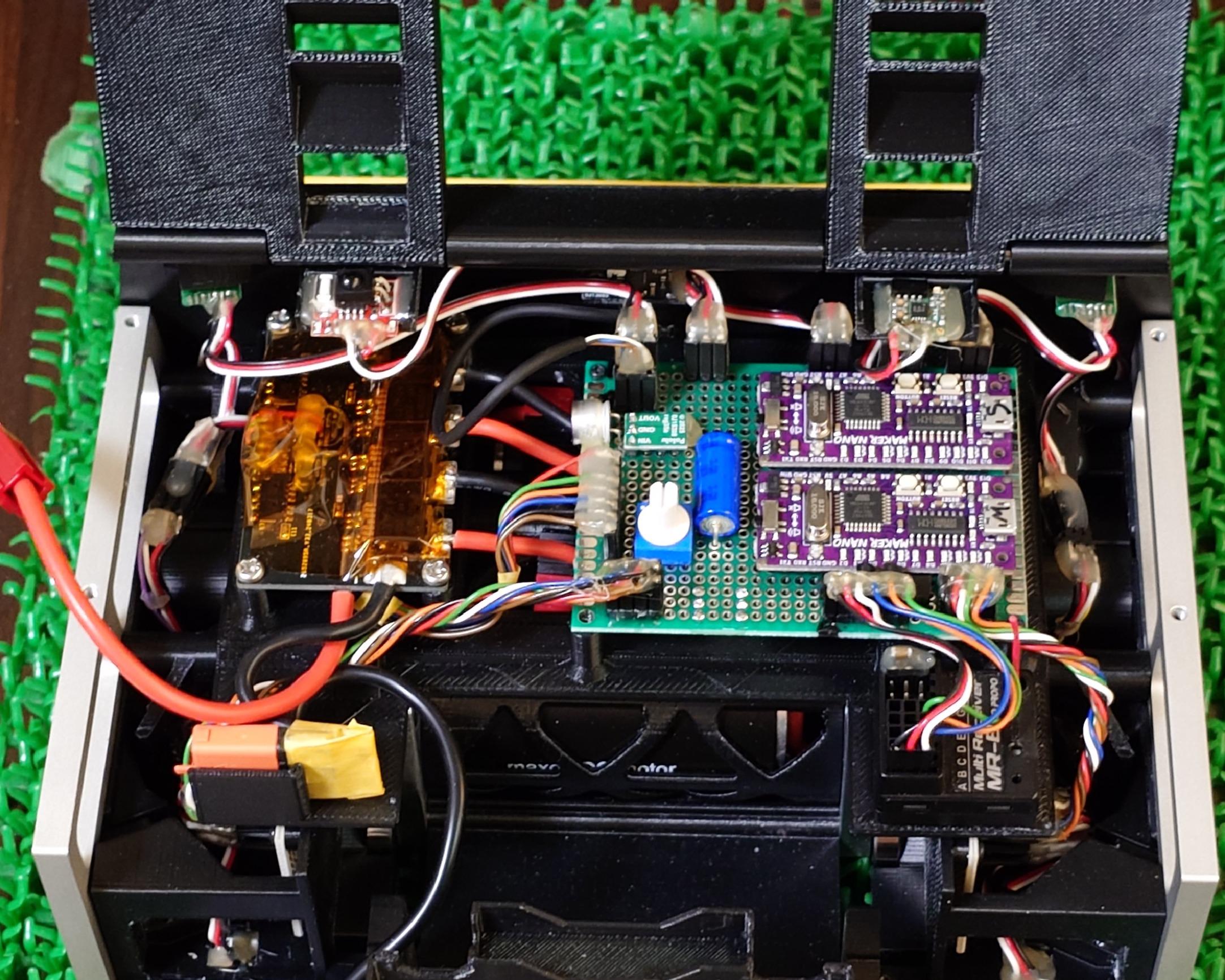
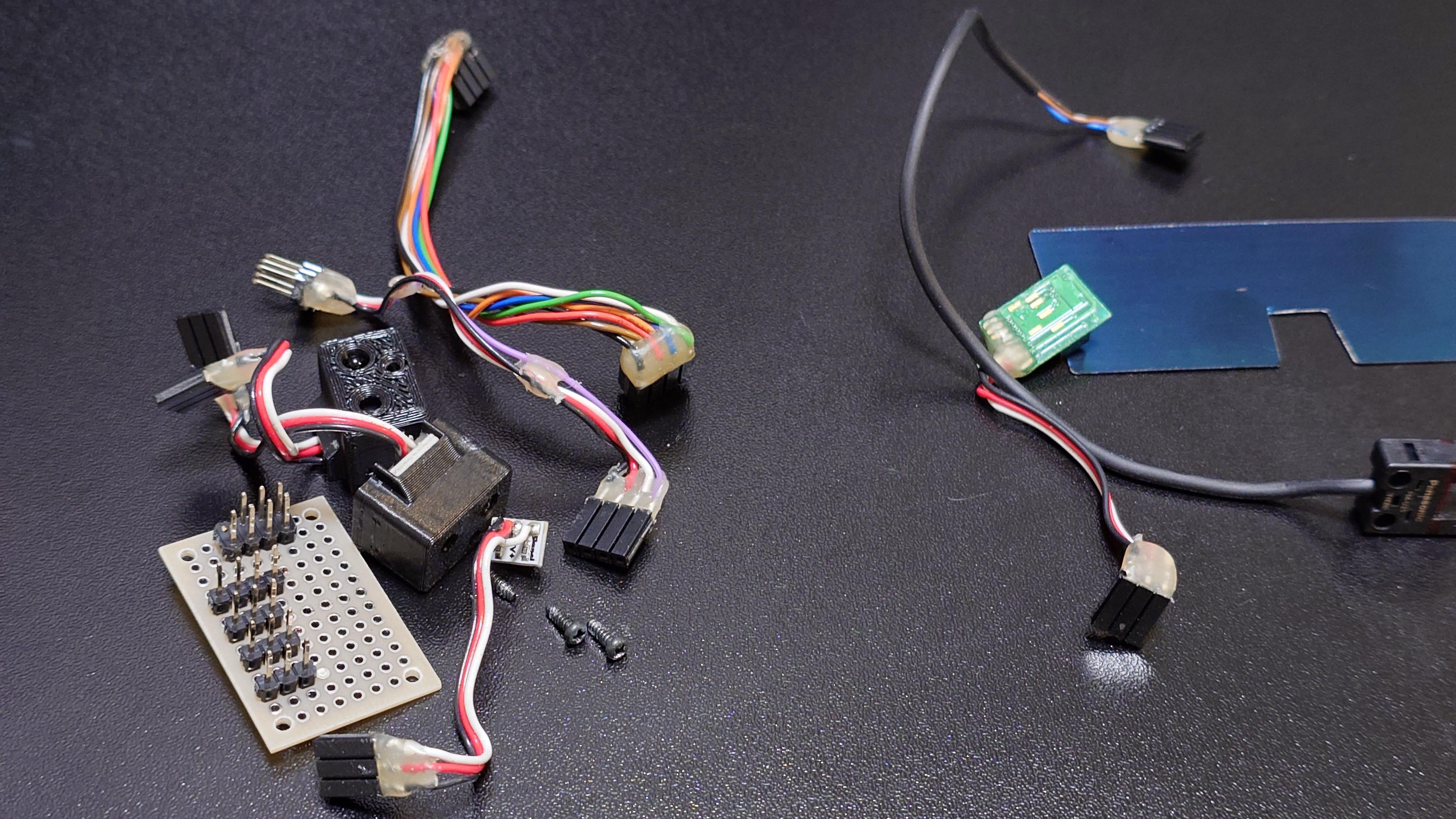

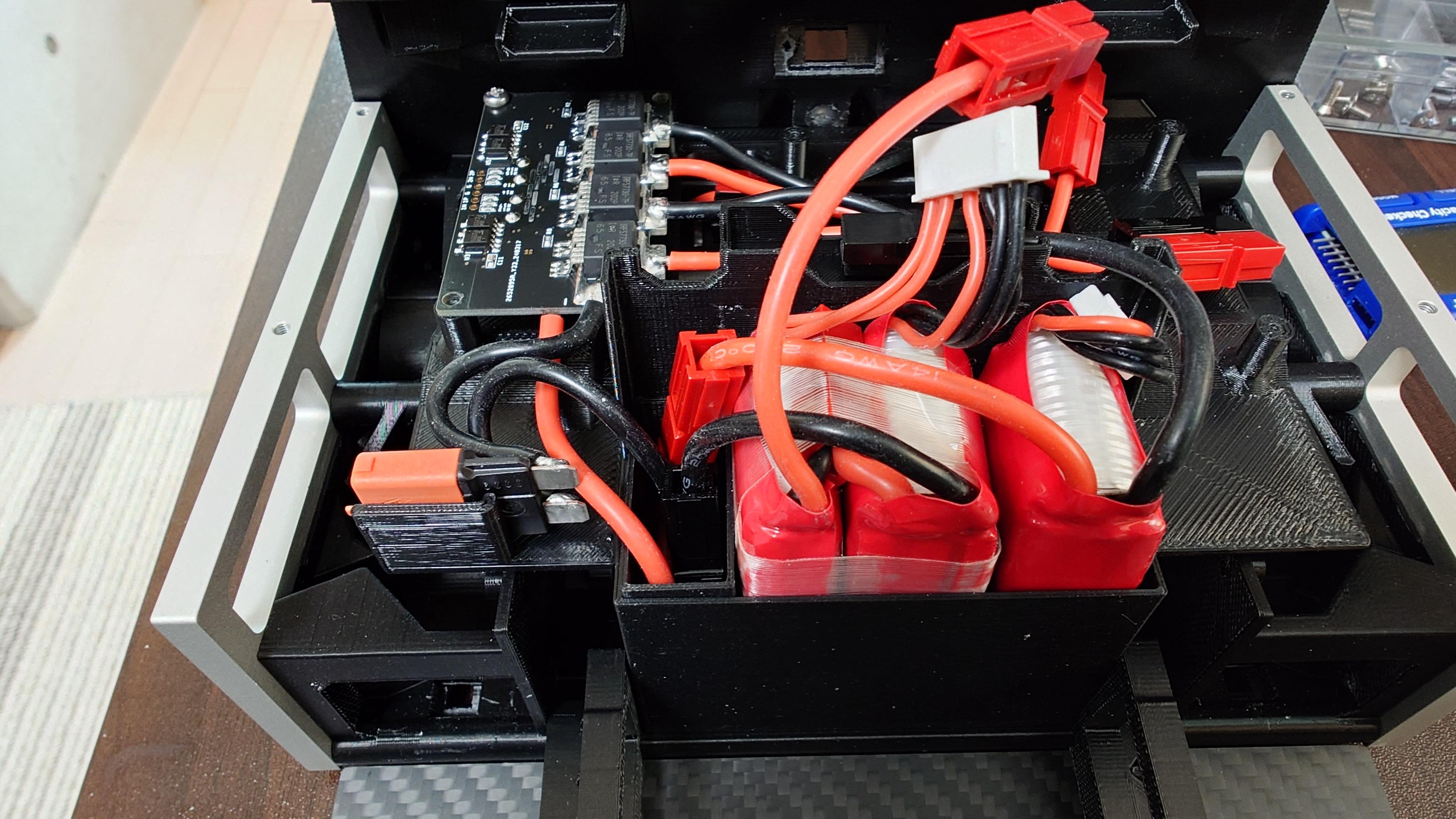
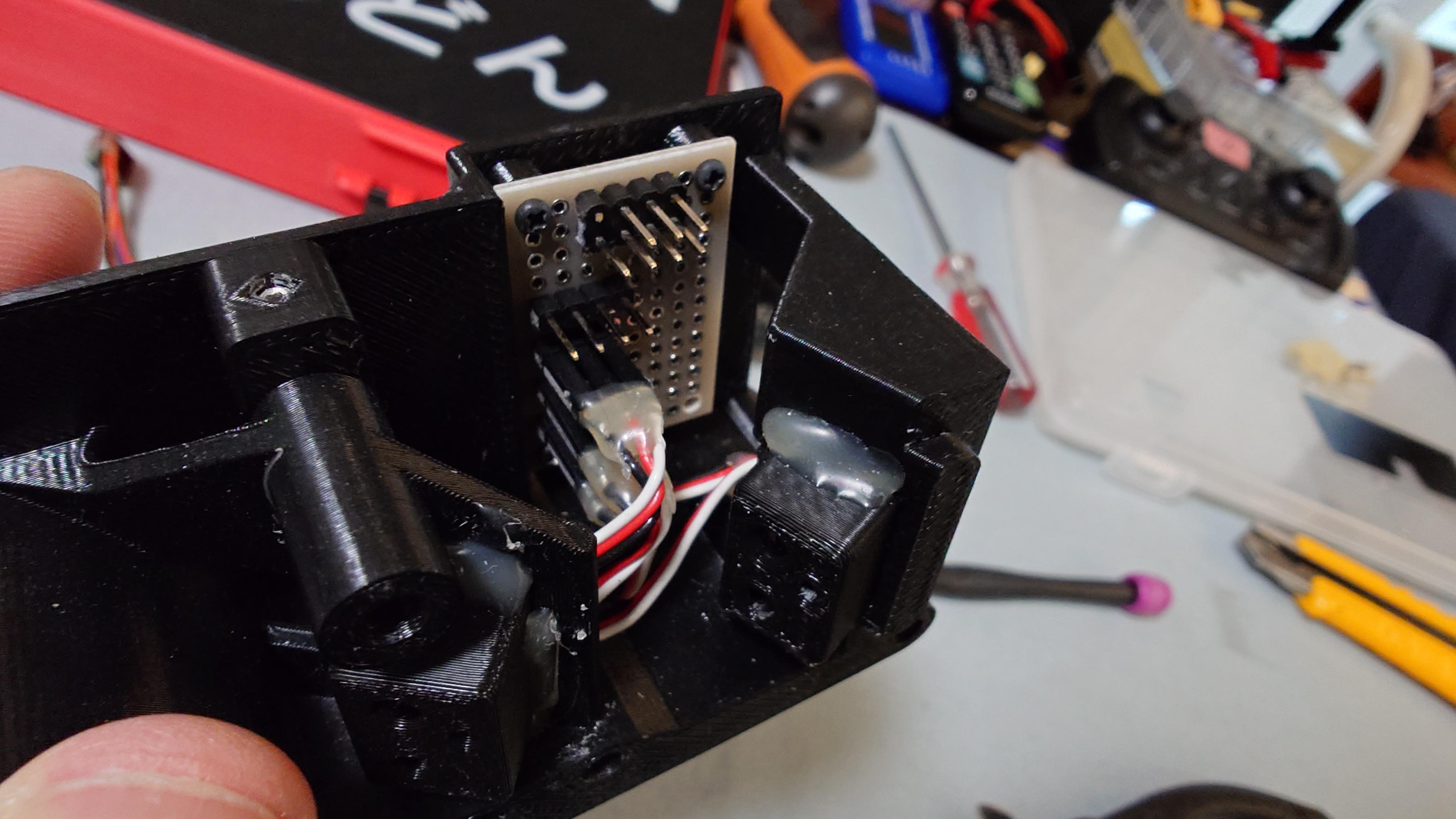
Create the control unit by referring to the circuit diagram and parts list. This step involves assembling the main control board, side boards, connector harnesses, programming the Arduino boards, wiring the motor driver, mounting everything on the Control Unit Base, and attaching the side boards to the Inner BL/BR.
Parts List:
Control Board
- Uni_Board_8x6: 1 pc
- Maker nano: 2 pcs
- ROTARY DIP SWITCH 0-F: 1 pc
- DC DC Converter: 1 pc
- DTC114E BJT: 4 pcs
- 0.1μF 50V MLCC: 21 pcs
- 1000μF 6.3V E-Cap: 1 pc
- 100μF 63V E-Cap: 1 pc
- 1x3 Pin Header: 6 pcs
- 1x6 Pin Header: 1 pc
- 1x7 Pin Header: 1 pc
- 2x4 Pin Header: 2 pcs
- Hook Up Wire: 1 pc
Side Boards (L and R)
- Sideboard_LR: 2 pcs
- 1x3 Pin Header: 6 pcs
- 1x4 Pin Header: 2 pcs
- 2x4 Pin Header: 2 pcs
- Hook Up Wire: 1 pc
- 0.1μF 50V MLCC: 10 pcs
Connector Harnesses (various)
- 1x3 Pin Socket: 4 pcs
- 1x6 Pin Socket: 1 pc
- 1x7 Pin Socket: 1 pc
- 2x3 Pin Header: 2 pcs
- 1x4 Pin Socket: 2 pcs
- 2x4 Pin Socket: 4 pcs
- Hook Up Wire: 1 pc
Connector Harness Breakdown
- Control Board → RC Controller Receiver (1x6 Pin Socket: 1 pc → 1x3 Pin Socket: 4 pcs)
- Control Board → Sideboard L (2x4 Pin Socket: 1 pc → 2x4 Pin Socket: 1 pc)
- Control Board → Sideboard R (2x4 Pin Socket: 1 pc → 2x4 Pin Socket: 1 pc)
- Control Board → Motor Driver Terai Ver (1x7 Pin Socket: 1 pc → through-hole)
- Sideboard L → Micro Line Sensor ML1 & Maker Object Sensor (1x4 Pin Socket: 1 pc → 2x3 Pin Header: 1 pc)
- Sideboard R → Micro Line Sensor ML1 & Maker Object Sensor (1x4 Pin Socket: 1 pc → 2x3 Pin Header: 1 pc)
Arduino Programming
- Arduino board (Main) ← 3DP_Sisaku_H_SPI_Master_Share_J_E.ino
- Arduino board (Sub) ← 3DP_Sisaku_H_SPI_Slave_Share_J_E.ino
Motor Driver Wiring
- Motor Driver Terai Ver: 1 pc
- Silicone cord 14AWG: 1 pc ← MD_BATT
- Silicone cord 16AWG: 1 pc ← M_OUT
- Anderson Connector 1327 Red: 3 pcs
- Anderson Connector 1327 Black: 3 pcs
- Anderson Connector Contact 15Amp: 4 pcs ← M_OUT
- Anderson Connector Contacts 30Amp: 2 pcs ← MD_BATT
Mounting on Control Unit Base
- Control Unit Base: 1 pc
- Control Board: 1 pc
- Motor Driver Terai Ver: 1 pc
- Pan head screw M3L6: 4 pcs
- Pan head screw B tight 2x6: 4 pcs
Side Board Attachment to Inner BL/BR
- Inner BL: 1 pc
- Inner BR: 1 pc
- Sideboard L: 1 pc
- Sideboard R: 1 pc
- Pan head screw B tight 2x6: 6 pcs
Procedure: (Refer to the circuit diagram, schematic images, 3D data, and photos in this step for exact component placement, soldering points, wire routing, pin assignments, and mounting orientation. This is a complex electronics step — follow the diagrams closely.)
- Assemble the Control Board Solder all components (Maker nano, rotary switch, DC-DC converter, transistors, capacitors, pin headers, etc.) onto the Uni_Board_8x6 according to the circuit diagram.
- Assemble the Side Boards (L & R) Solder the pin headers and capacitors onto the Sideboard_LR PCBs.
- Fabricate Connector Harnesses Cut and solder Hook Up Wire to create the listed harnesses with sockets and headers as per the breakdown.
- Program the Arduino Boards Upload 3DP_Sisaku_H_SPI_Master_Share_J_E.ino to the Main Arduino board (Maker nano). Upload 3DP_Sisaku_H_SPI_Slave_Share_J_E.ino to the Sub Arduino board.
- Wire the Motor Driver Terai Ver Solder/crimp the 14AWG silicone cord with 30Amp contacts for MD_BATT (power input). Solder/crimp the 16AWG silicone cord with 15Amp contacts for M_OUT (motor output). Connect the 1x7 pin socket harness from control board to the motor driver through-holes.
- Mount Components on Control Unit Base Secure the Control Board and Motor Driver Terai Ver to the Control Unit Base using the specified screws. Connect all harnesses to the appropriate pins/headers.
- Attach Side Boards to Inner BL/BR Mount Sideboard L to Inner BL and Sideboard R to Inner BR using the B tight 2x6 screws.
NOTE
- This control unit is a custom one-off prototype using universal boards — replication may require redesigning the PCB layout or using alternative boards (e.g., custom PCB or perfboard).
- Always double-check polarity, pin assignments, and continuity with a multimeter before powering on.
- Test each subsystem (power, sensors, motors, communication) incrementally after assembly to catch issues early.
Dry Fit / Temporary Assembly
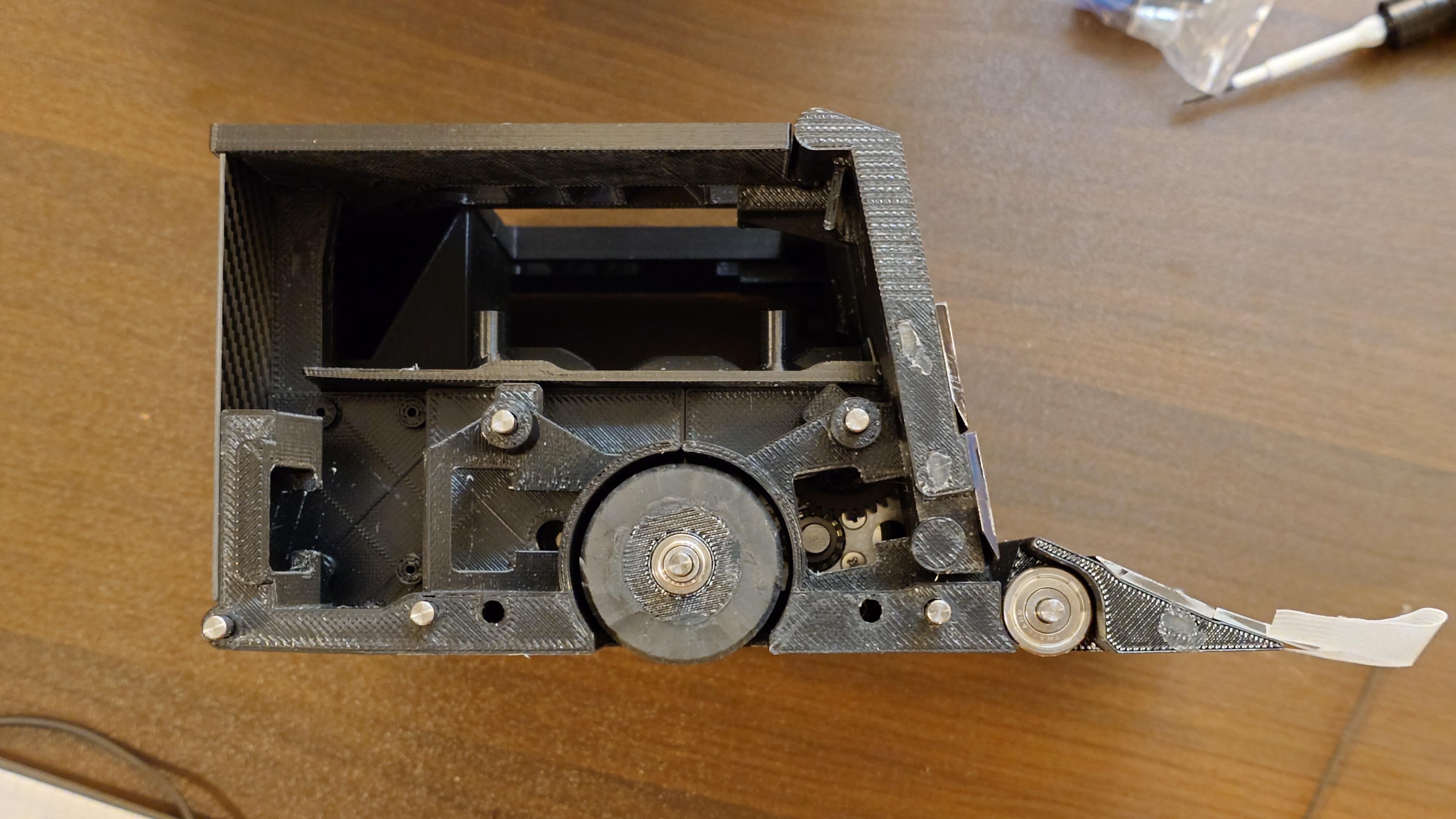

Before proceeding to magnet gluing, perform a complete dry fit (temporary assembly) using all currently available parts to verify fit, function, and any potential issues.
Temporarily attach the following armor parts to the main body using double-sided tape (or masking tape for easy removal).
Temporary Attachment:
- Armor L: 1 pc ← to Inner FL
- Armor C: 1 pc ← to Inner FC_v2
- Armor R: 1 pc ← to Inner FR
Procedure: (Refer to the images and 3D data in this step for correct placement and orientation during dry fit.)
- Assemble the robot as far as possible with all fabricated parts (frames, sensor mounts, wheels, levers, top covers, inner CM, control unit base, etc.).
- Temporarily mount the Armor L, C, R using double-sided tape or masking tape as shown.
- Perform thorough checks (detailed below) on all accessible functions and alignments.
- If any issues are found (binding, misalignment, interference, poor clearance, etc.), disassemble and correct them immediately.
NOTE: Perform a complete functional dry fit check now, because once the strong magnets are glued on, the magnetic force will make parts extremely difficult to handle, separate, or adjust — corrections will become very hard or impossible.
Key Items to Verify
- Overall assembly fit and rigidity
- Gear mesh and smooth rotation of wheels/motors
- Proper alignment and clearance of all sensors (front/rear line, object detection)
- Blade movement range and no interference
- Top cover opening/closing action
- Lever hinge operation and smoothness
- Any rubbing, binding, or excessive play in moving parts
- Clearance for wiring and harness routing
- Control unit base mounting stability and harness connections
If everything checks out and moves freely with no issues, you may proceed to magnet gluing. If problems are found, disassemble the affected area, fix them, and re-check before moving forward.
Glue the Magnets
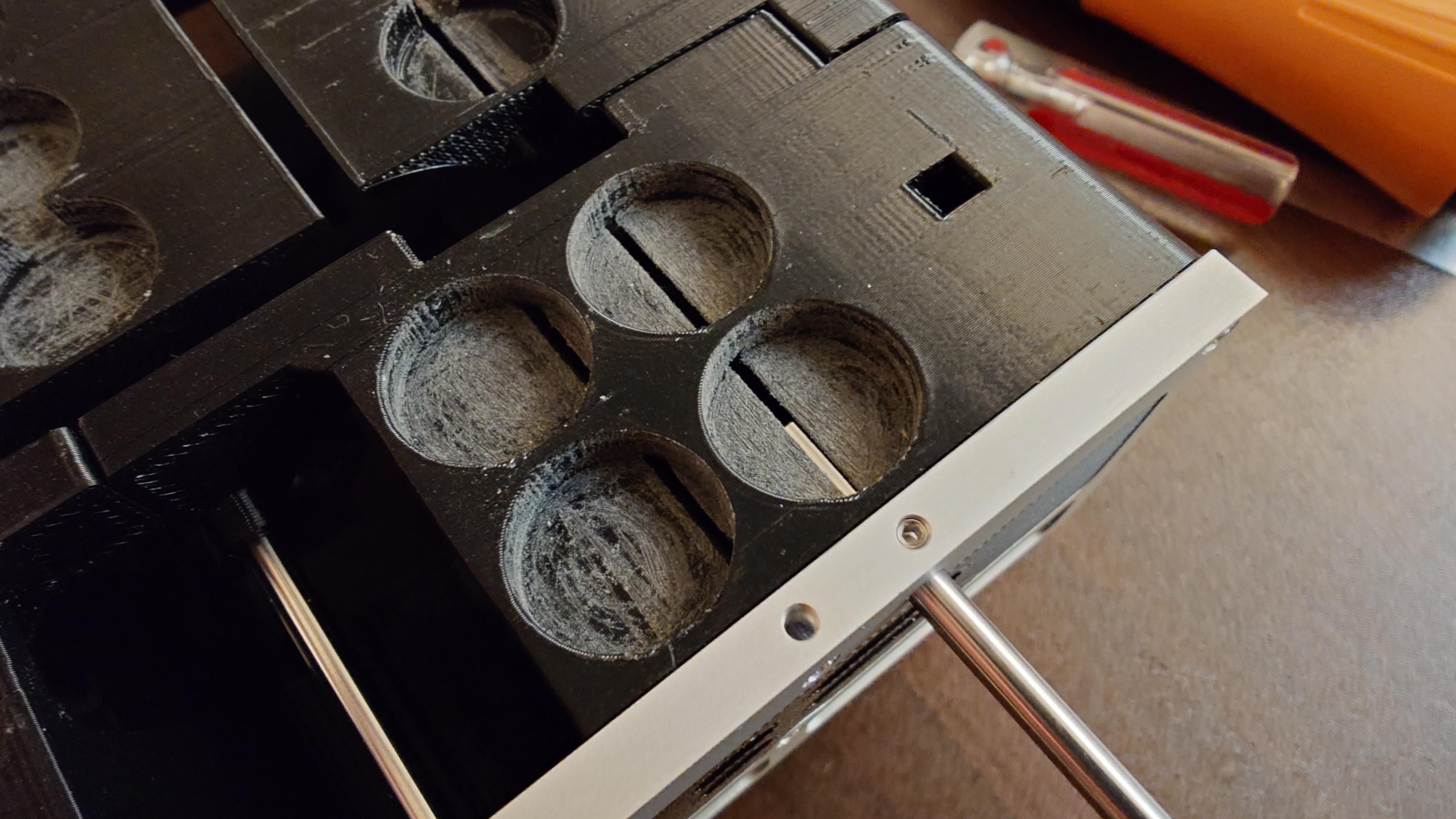
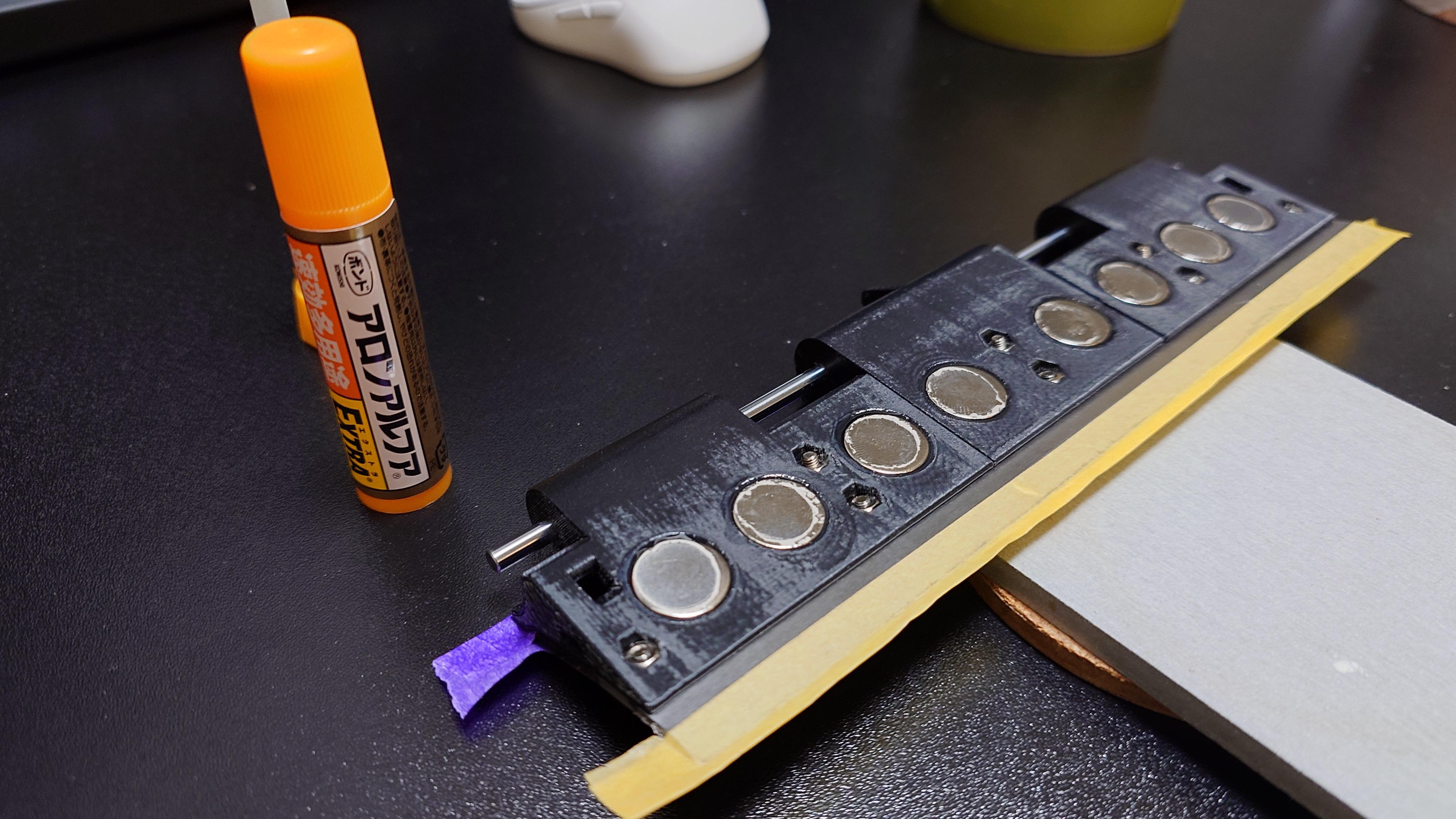
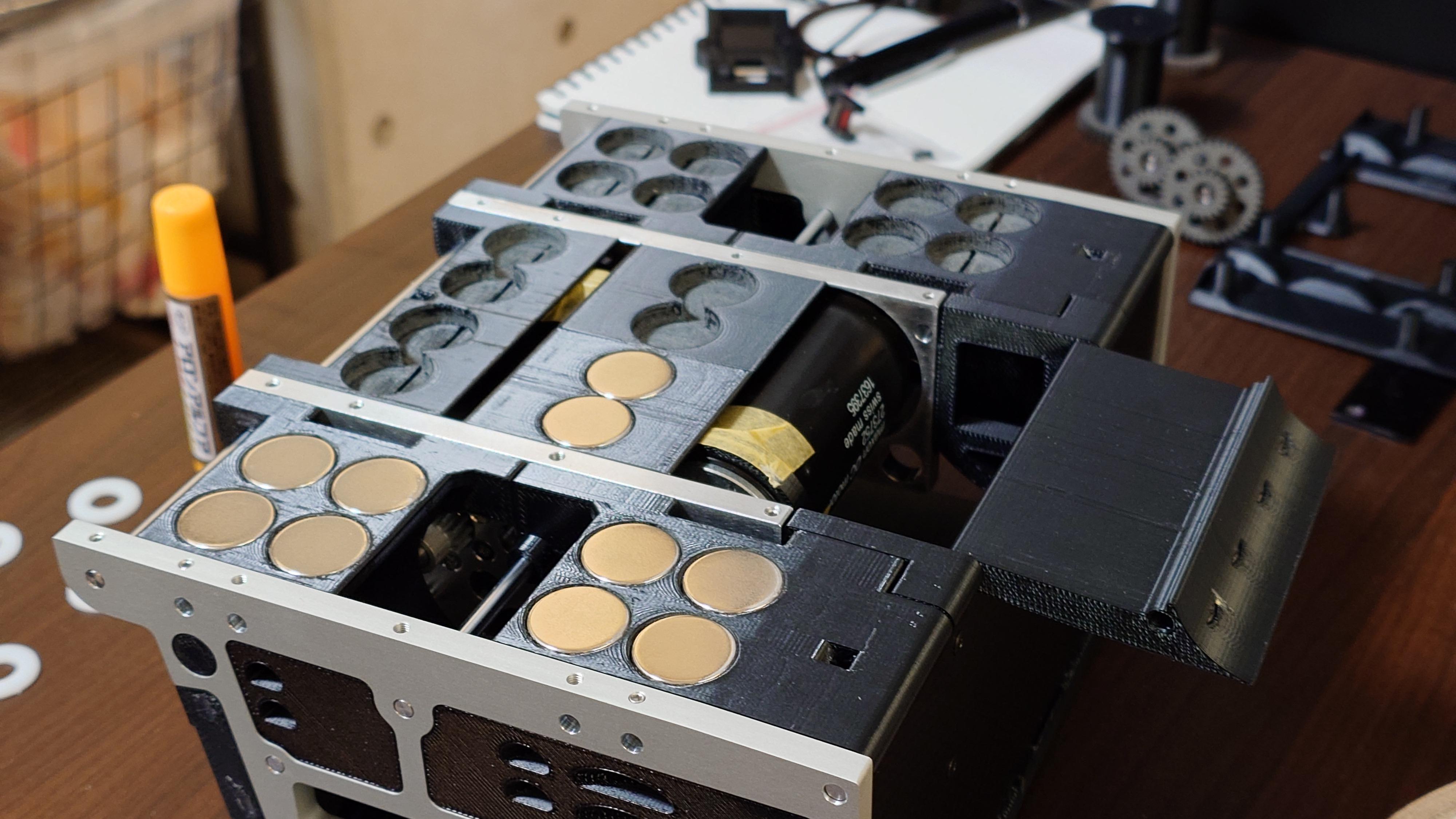

Attach the magnets to each designated part using adhesive.
Parts List
- Magnet 15×2: 8 pcs
- Magnet 18×5: 20 pcs
- Blade base L: 1 pc
- Blade base C: 1 pc
- Blade base R: 1 pc
- Inner CM_L: 1 pc
- Inner CM_R: 1 pc
- Inner CB: 1 pc
- Inner FC_v2: 1 pc
- Inner FL: 1 pc
- Inner FR: 1 pc
- Inner BL: 1 pc
- Inner BR: 1 pc
Procedure (Refer to the images and 3D data in this step for the exact magnet positions, polarity orientation, and quantity per part.)
- Lightly sand the bonding surfaces on both the magnets and the parts with sandpaper to improve adhesion (remove any oxidation, grease, or gloss).
- If a shaft is exposed in the magnet bonding area, remove the shaft beforehand to prevent it from being glued in place.
- Apply super glue (or your preferred strong adhesive) to the prepared surfaces and attach the magnets to the parts according to the layout. Press firmly and hold until initial set.
- Fill any remaining gaps between the magnet and the part by repeatedly applying small amounts of adhesive into the gaps and allowing it to cure (build up layers as needed for a flush, strong bond).
- After full cure, if adhesive has narrowed or blocked the shaft holes, carefully clean/reopen them using a precision drill bit (match the original shaft diameter, e.g., 3.0 mm or 4.0 mm as applicable).
- Remove any excess adhesive that has squeezed out around the magnets using a stainless steel scraper or similar tool, ensuring the part surface remains smooth, flat, and free of bumps or residue.
NOTE
- Magnet polarity is critical — ensure all magnets are oriented correctly for attraction/repulsion as per the design (refer to images or 3D data). Use a compass or test with another magnet if unsure.
- Work with one part at a time to avoid accidental magnetization or misalignment.
- Use minimal adhesive per application to prevent overflow; cyanoacrylate (super glue) cures quickly, so work fast.
- Allow full cure time (at least 24 hours for maximum strength) before handling or testing robot movement.
- Safety: Magnets are strong — keep fingers clear during placement, and work in a well-ventilated area with gloves and eye protection.
Install the Sensors

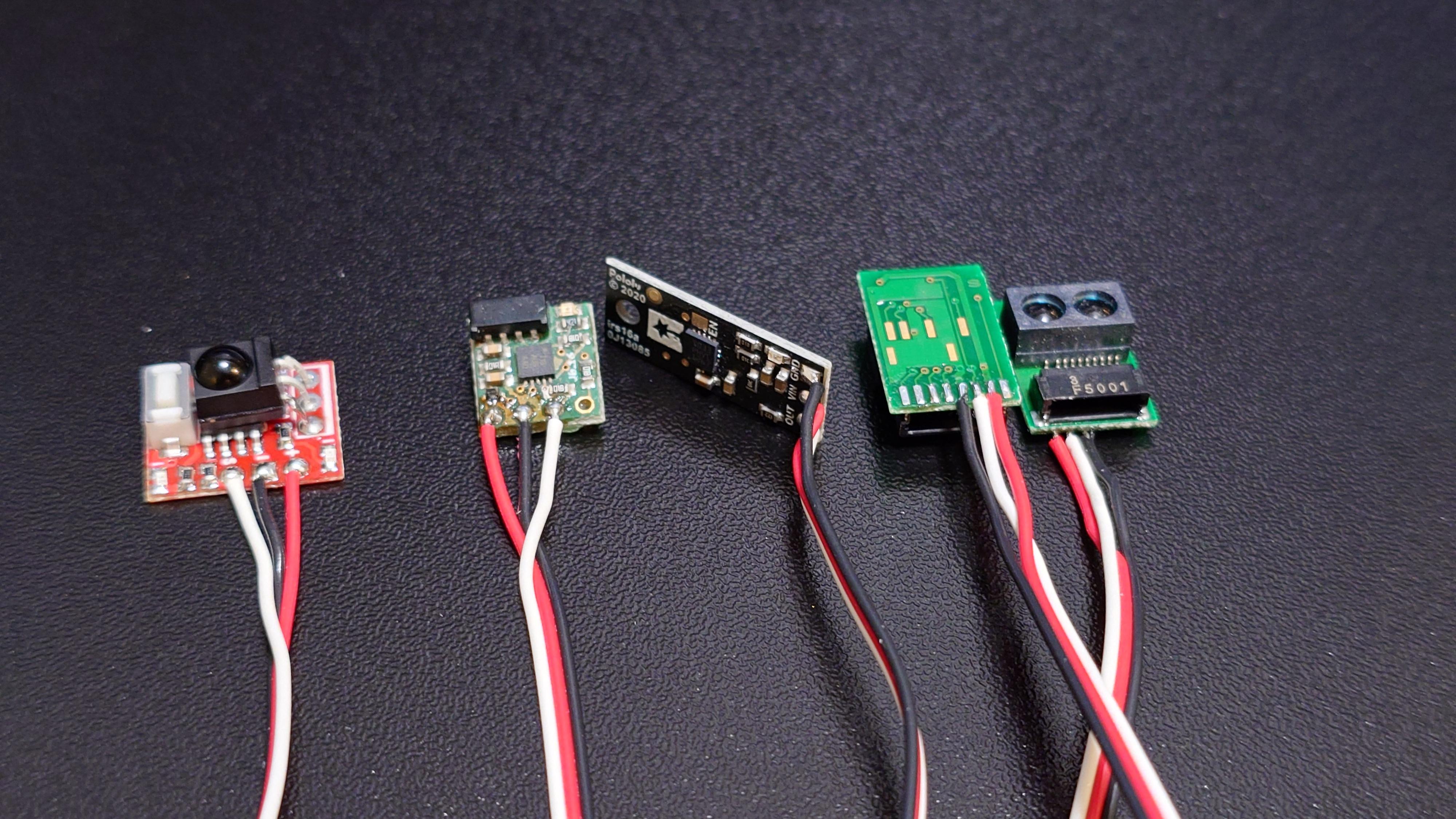
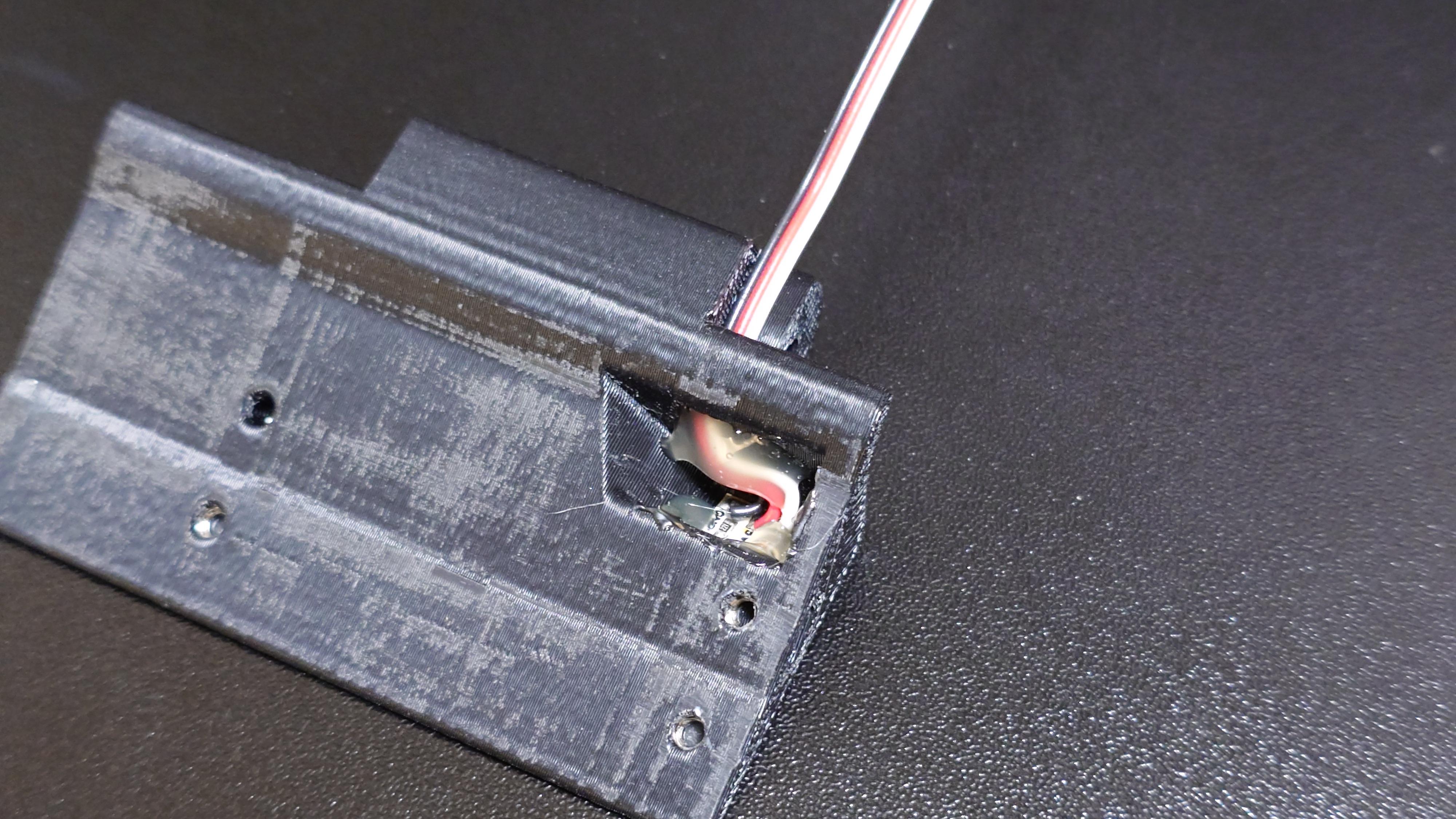

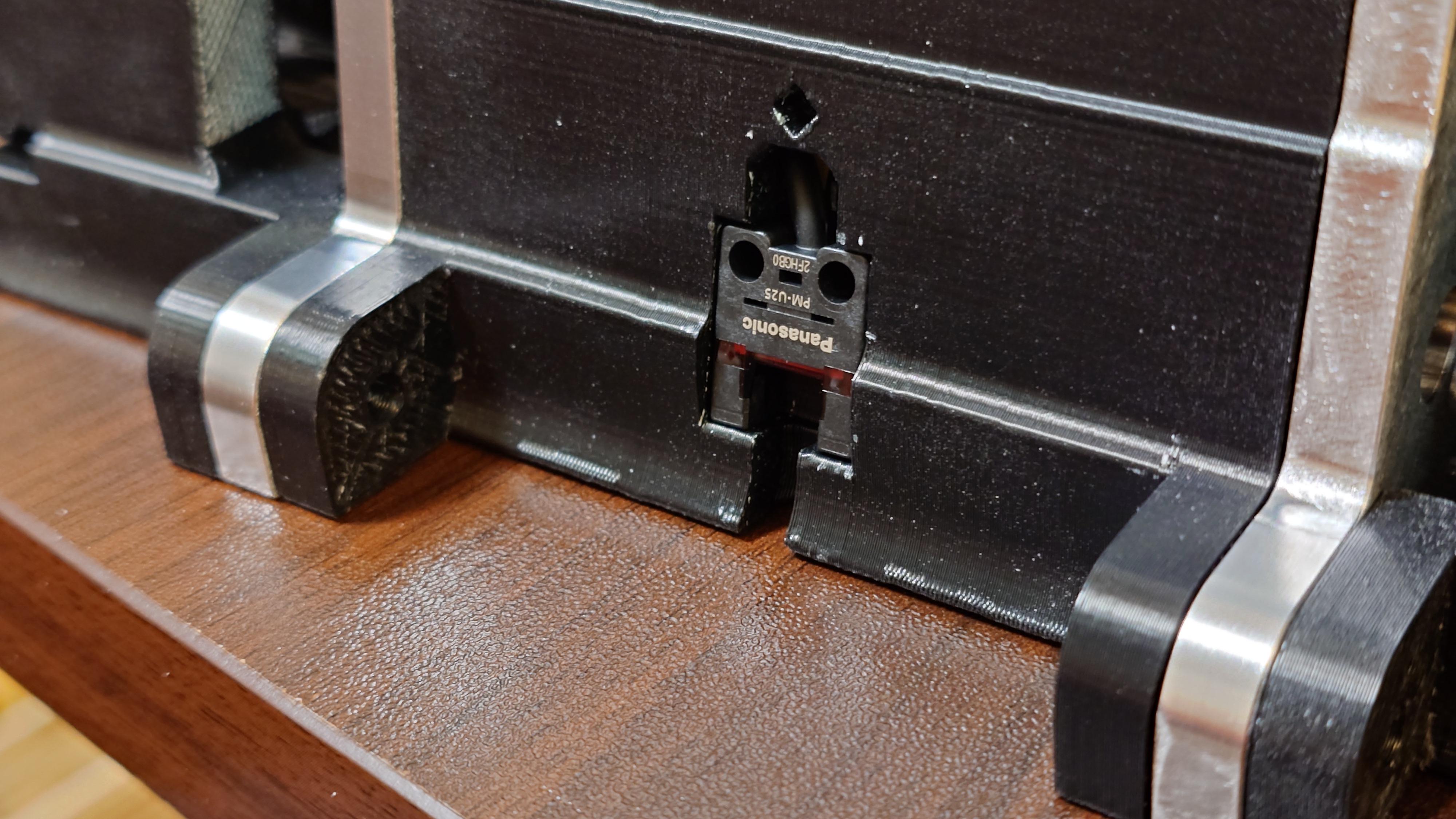
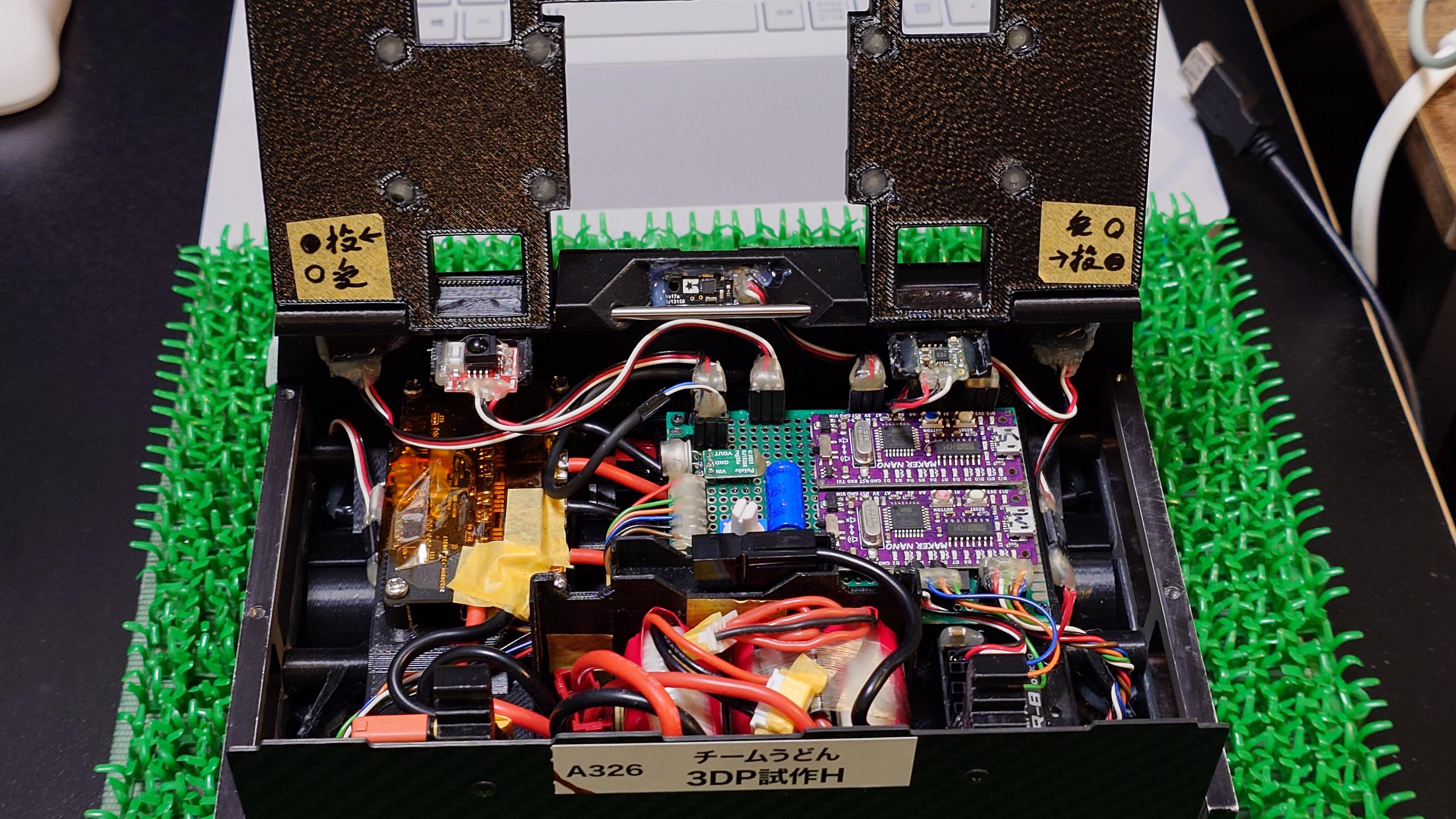
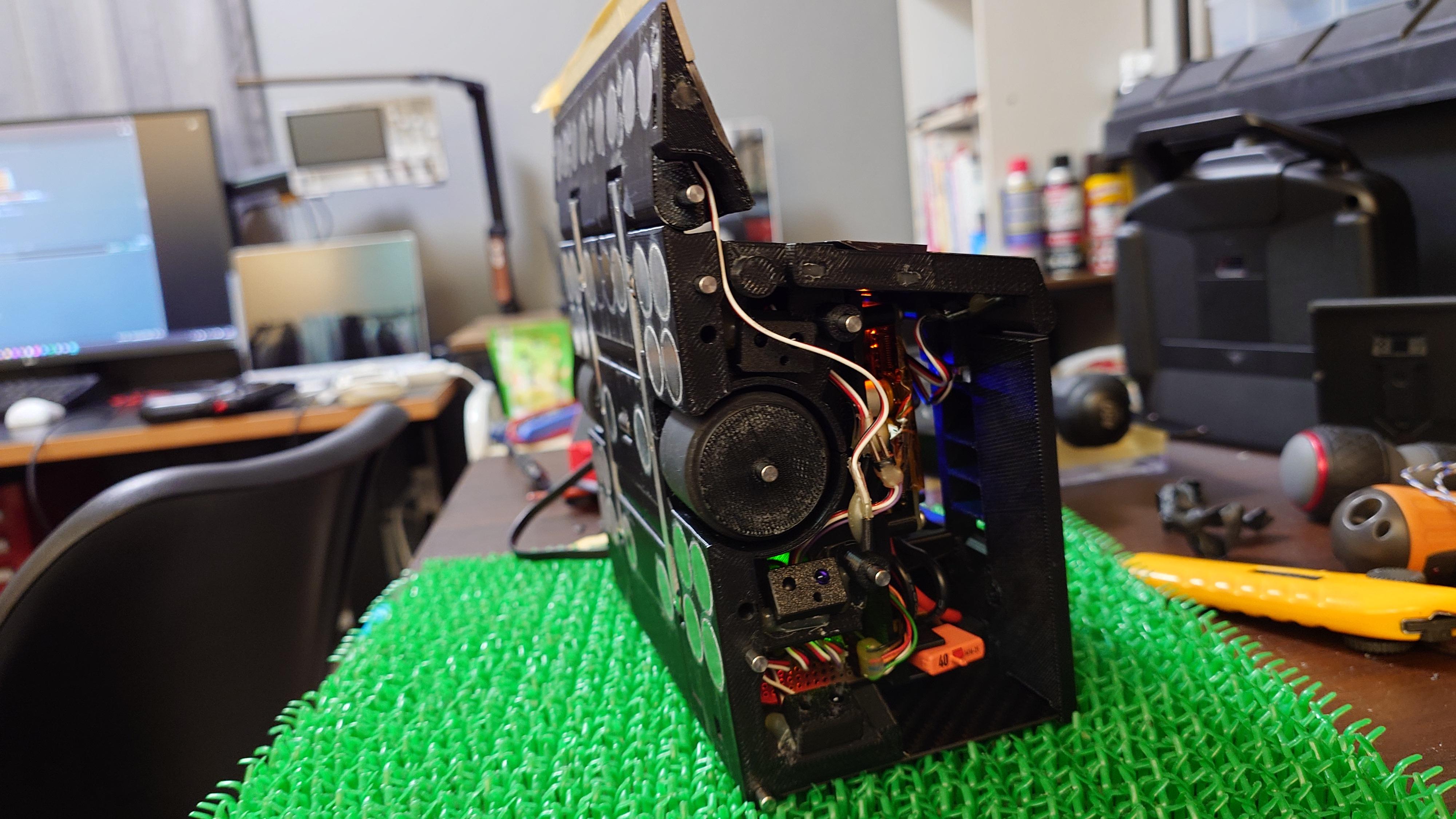
Attach Cable Wire and Pin Sockets to each sensor, then mount the sensors onto the designated parts using hot melt glue.
Parts List:
- PM-U25: 1 pc
- pololu-digital-distance-sensor-irs17a: 1 pc
- Micro Line Sensor ML1: 4 pcs
- GP2Y0E03: 2 pcs
- Maker Object Sensor: 6 pcs
- Robot Start Module JPN: 1 pc
- Robot Start Module ROM: 1 pc
- Servo Extension Cable Wire: 1 pc
- 1x3 Pin Socket: 16 pcs
Procedure: (Refer to the images and 3D data in this step for exact sensor mounting positions, orientation, polarity, and wire routing.)
- Prepare the Sensor Harnesses
- Confirm the mounting location of each sensor and the control board/side board connection point.
- Determine and cut the Servo Extension Cable Wire (or appropriate cable) to the required length for each sensor.
- Solder the wires to the sensor terminals and attach the 1x3 Pin Socket to the other end (ensure correct pinout: usually VCC, GND, Signal — refer to sensor datasheet and images).
- Mount the Sensors with Hot Melt Glue Use hot melt glue to securely fix each sensor to the specified part (apply glue to the sensor base/back, press firmly, and hold until set).
Sensor Mounting Locations:
- Inner FC_v2 ← PM-U25: 1 pc, pololu-digital-distance-sensor-irs17a: 1 pc
- Blade base L ← Micro Line Sensor ML1: 1 pc
- Blade base R ← Micro Line Sensor ML1: 1 pc
- Inner Front L ← GP2Y0E03: 1 pc, Maker Object Sensor: 2 pcs, Robot Start Module JPN: 1 pc
- Inner Front R ← GP2Y0E03: 1 pc, Maker Object Sensor: 2 pcs, Robot Start Module ROM: 1 pc
- Inner Rear L ← Maker Object Sensor: 1 pc, Micro Line Sensor ML1: 1 pc
- Inner Rear R ← Maker Object Sensor: 1 pc, Micro Line Sensor ML1: 1 pc
NOTE:
- Always double-check sensor polarity and pin assignments before soldering (VCC to VCC, GND to GND, Signal to correct input).
- Cut wires with some slack to allow for movement (e.g., blade base rotation, top cover opening) but avoid excess that could cause snagging.
- Hot melt glue provides strong, quick fixation but is removable with heat if needed later. Apply evenly and avoid covering sensor lenses or active areas.
- After mounting, test each sensor individually (power on and check output with multimeter or serial monitor) before full assembly.
- Work in a well-ventilated area when using hot glue gun — wear gloves to avoid burns.
Final Assembly

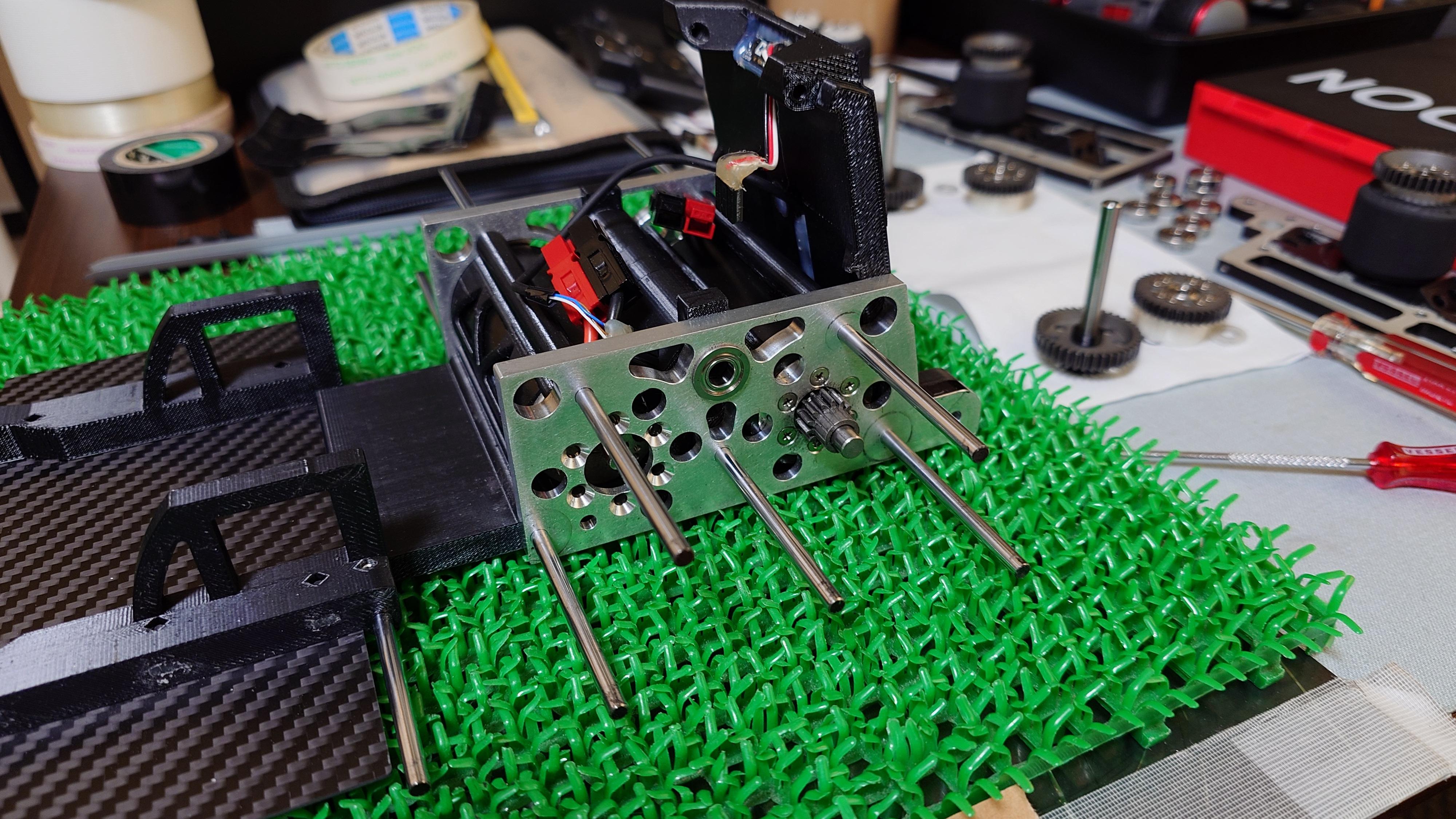
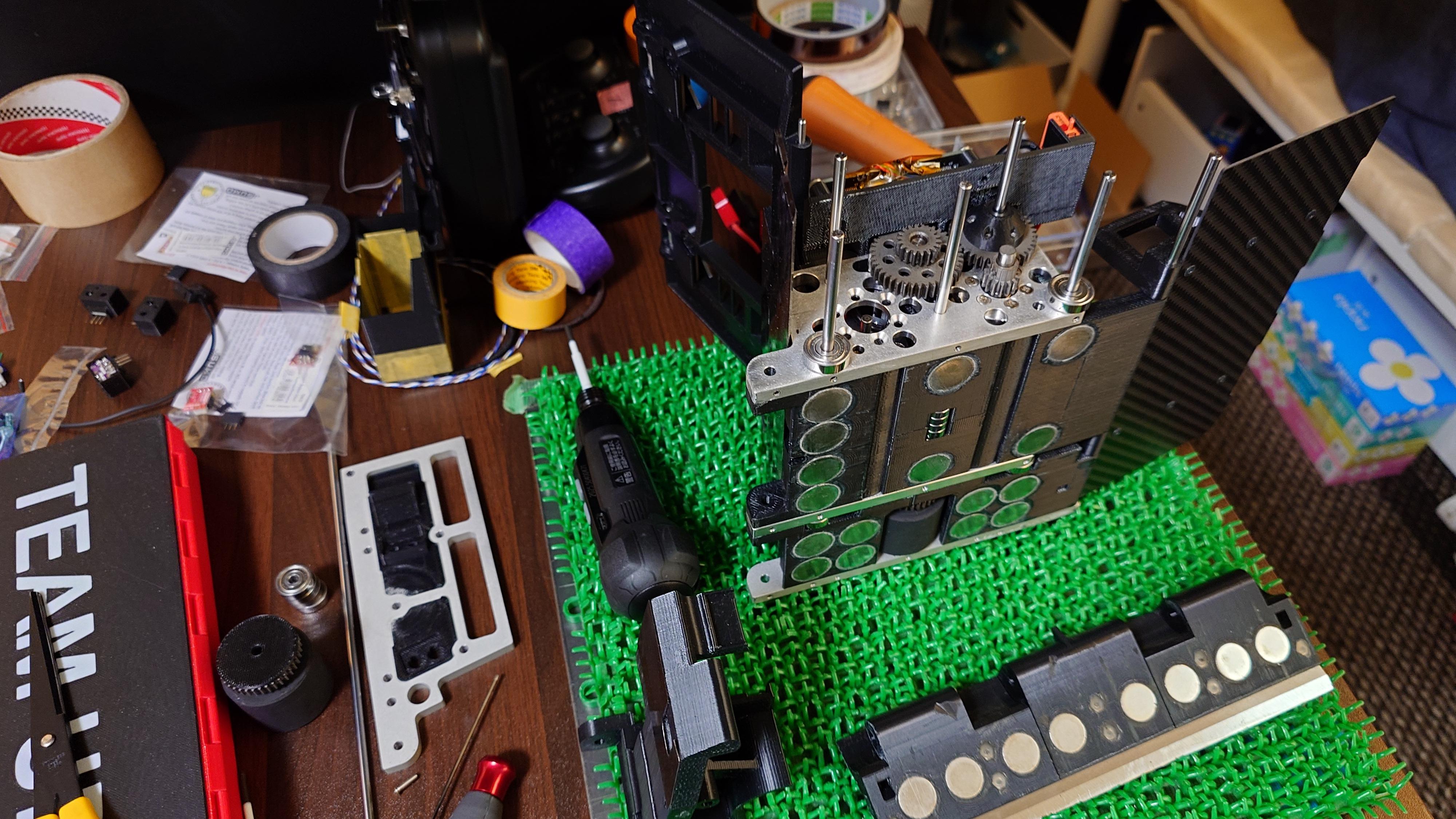
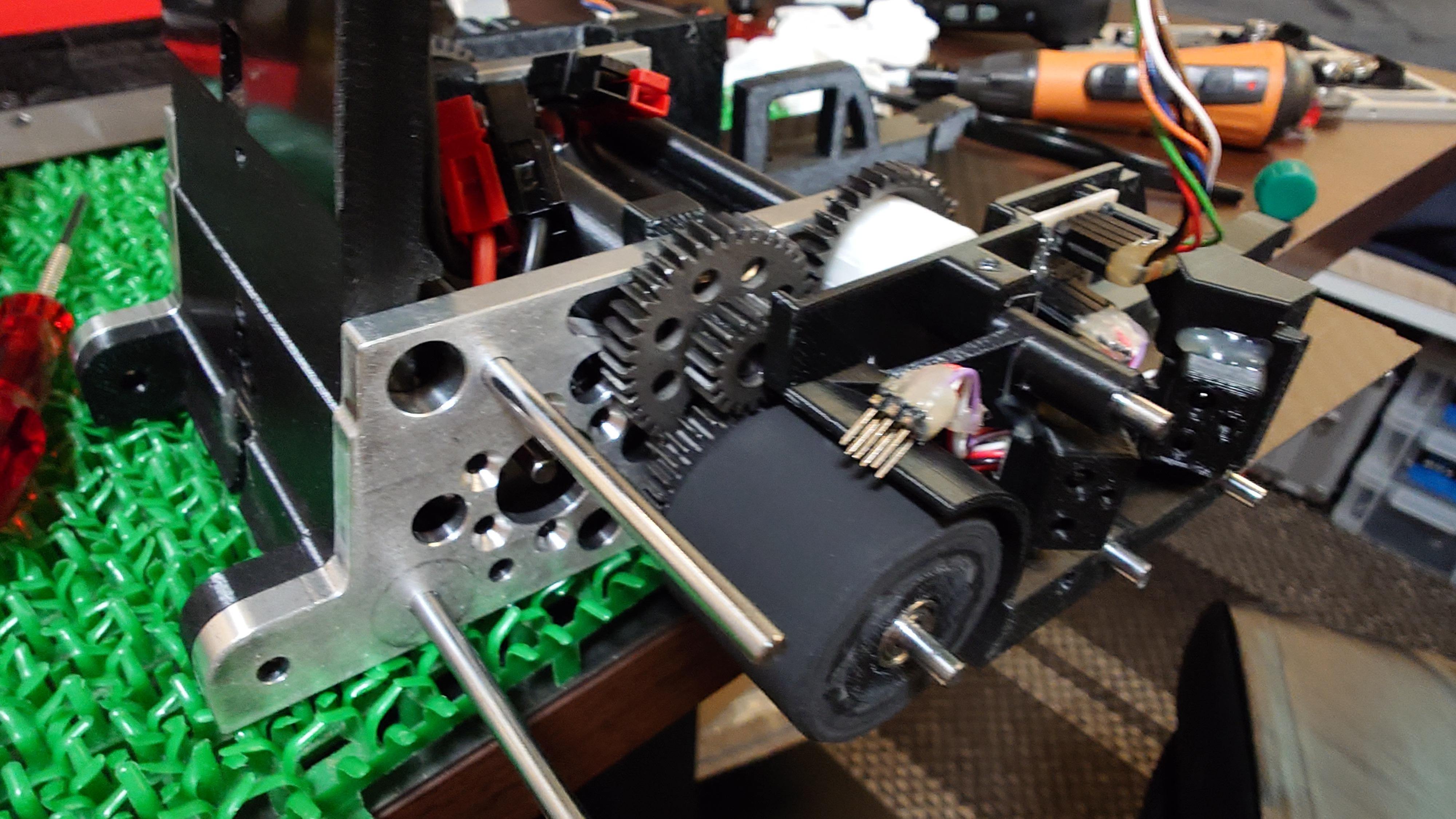
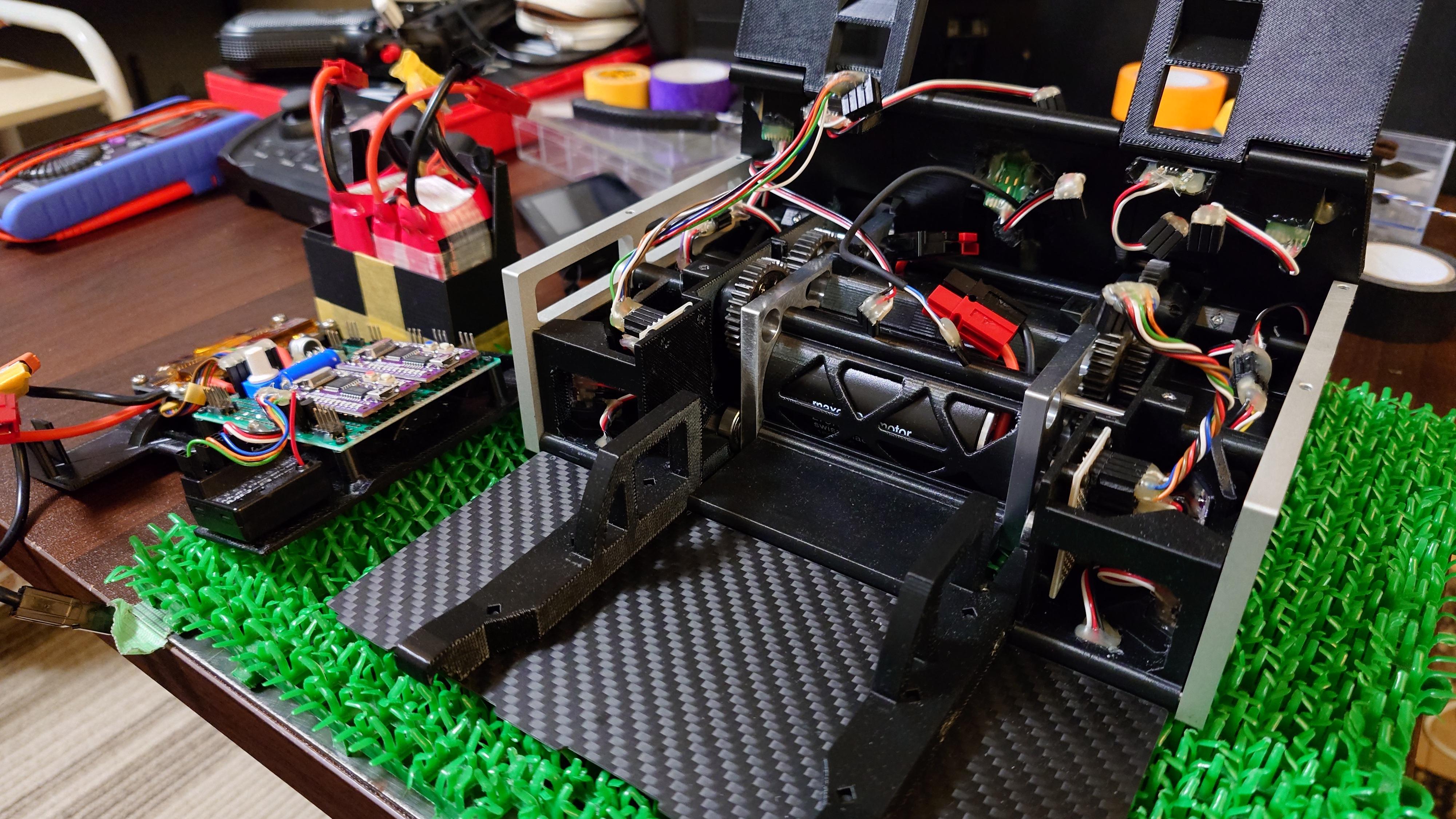
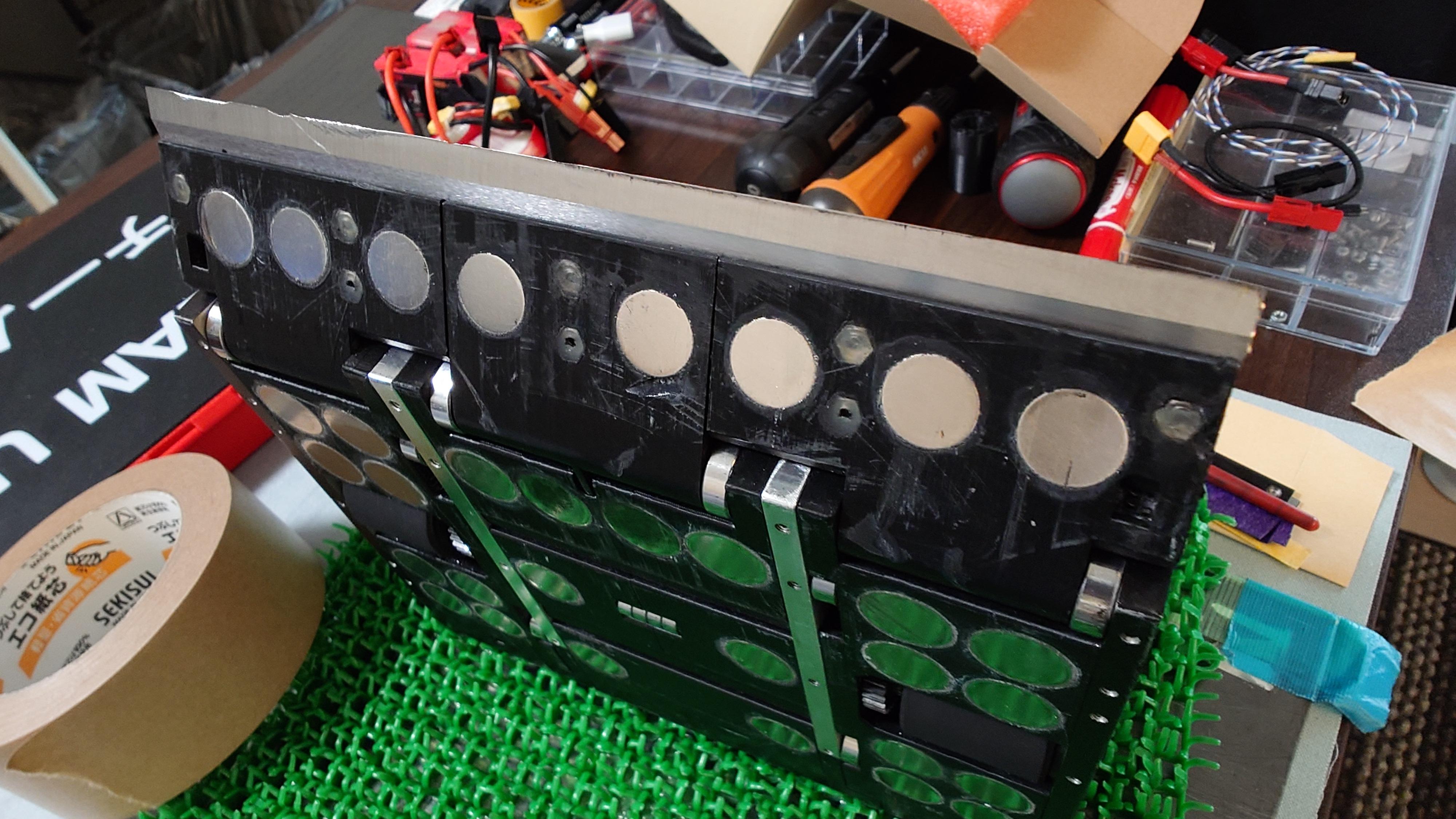
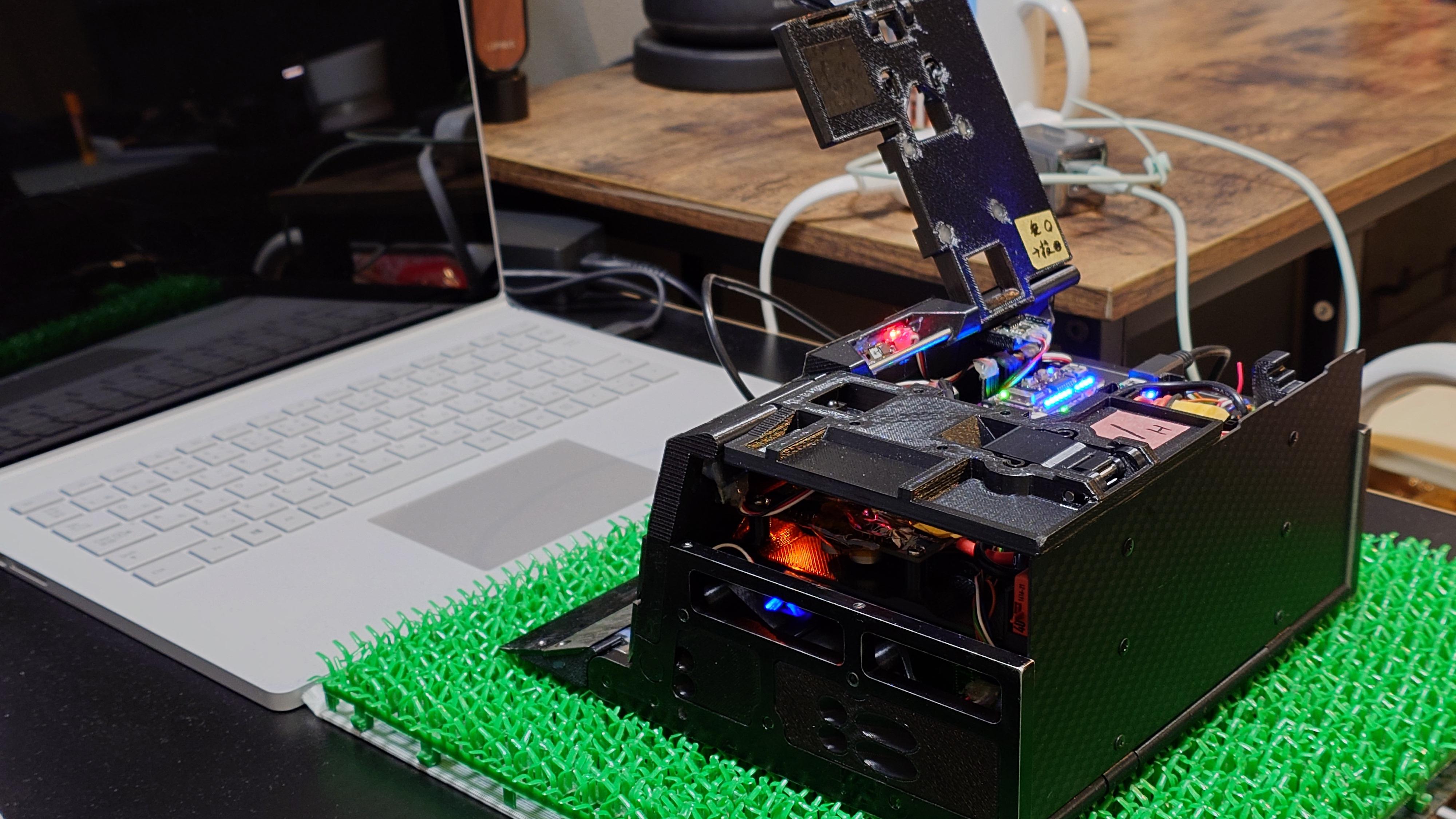
Assemble all fabricated parts into the complete robot, referring to the 3D data files.
Procedure: (Use the 3D data models as your primary reference for part orientation, screw positions, and assembly sequence. For detailed step-by-step visual guidance, watch the assembly video from the prerequisite project "3DP and CNC Create a Mega Sumo Robot With Mabuchi Motors". Many structural assembly steps are identical.)
- Assemble the main chassis using the aluminum frames, inner parts, motors, through-shafts, and bearings.
- Install the gears, then attach the outer parts and top covers, blade bases.
- Attach the aluminum frames to the outer side, then tighten the set screws to secure the shafts to the aluminum frames.
- Mount the control board, motor driver, and receiver onto the Control Unit Base.
- Connect all harnesses and route wires neatly to avoid interference.
- Attach the any remaining parts.
- Finally, fully tighten all screws that were previously finger-tightened.
NOTE:
- After completion, thoroughly test the following before powering on or running the robot:
- All sensors respond correctly (line detection, object detection, start module signals).
- Motors rotate in the correct directions and at expected speeds (check forward/backward and left/right independently).
- Always maintain the maximum possible safety margin during robot operation tests (keep people, objects, and fingers clear of the robot's path and blades).
- Before calibrating straight-line travel or turning angles, perform break-in running on the motors and gears. Run the robot slowly forward/backward and in circles for 10–20 minutes (low speed, no load). This helps seat the gears, reduce initial friction, and greatly improves reproducibility in straight-line and turning performance.
Enjoy Mega Sumo Robot!

Finally, have fun with your Mega Sumo Robot.
Watch the full journey: The Journey of 3DP Sisaku H MEGA SUMO ROBOT: Design, Assembly, Adjustment, and Competition Highlights
Get inspired. Build. Battle. Enjoy the ring.