A Pocket-Sized Anxiety & Stress Reliever
by Mr_Electronaut in Circuits > Assistive Tech
587 Views, 6 Favorites, 0 Comments
A Pocket-Sized Anxiety & Stress Reliever
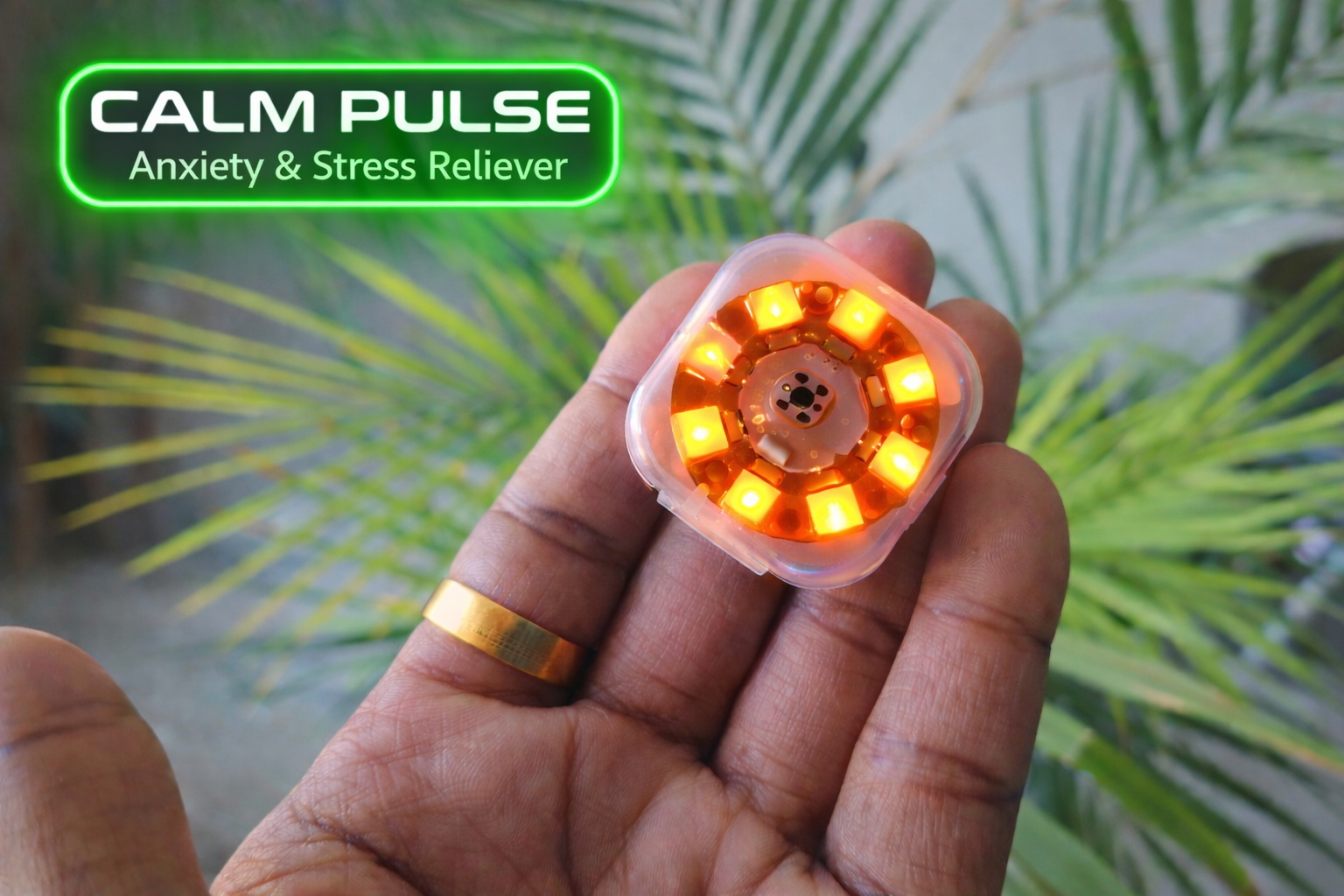
I’ve always felt nervous in situations like public speaking, presenting ideas in office meetings, or trying adventurous activities. In those moments, my heart starts racing and my breathing becomes fast and shallow, making it difficult to stay calm and focused.
Science shows that our breathing is closely connected to how our body responds to stress. When we are anxious, our body enters a “fight or flight” mode. However, slow and controlled breathing can activate the parasympathetic nervous system, helping the body relax and return to a calmer state.
Many breathing techniques are known to reduce anxiety, but during stressful moments it can be hard to remember the rhythm or stay focused long enough to follow them. This inspired me to create Calm Pulse — an Anxiety & Stress Reliever device. Using gentle light patterns and vibration, the device guides the user’s breathing rhythm and helps bring the body back to a calm and balanced state.
Supplies

- Seeed Studio XIAO ESP32-C6
- WS2812 8-bit Circular array
- Small Lipo Battery (3.7V, 250 mAh)
- Tactile Push Button
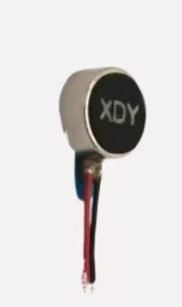
- Vibration Motor, 3V
- Plastic Case (5x5 cm)
- Glue Gun
Features
Calm Pulse is a small portable device designed to help manage anxiety and stress using guided breathing patterns. It combines light and vibration cues to gently guide the user into slower, controlled breathing.
Key Features
1. Guided Breathing with LED Patterns: An 8-LED circular array creates expanding and fading light patterns that visually guide the user through inhale, hold, and exhale phases.
2. Haptic Feedback for Immersive Guidance: A small vibration motor synchronizes with the LED patterns, giving subtle tactile feedback so the user can feel the breathing rhythm.
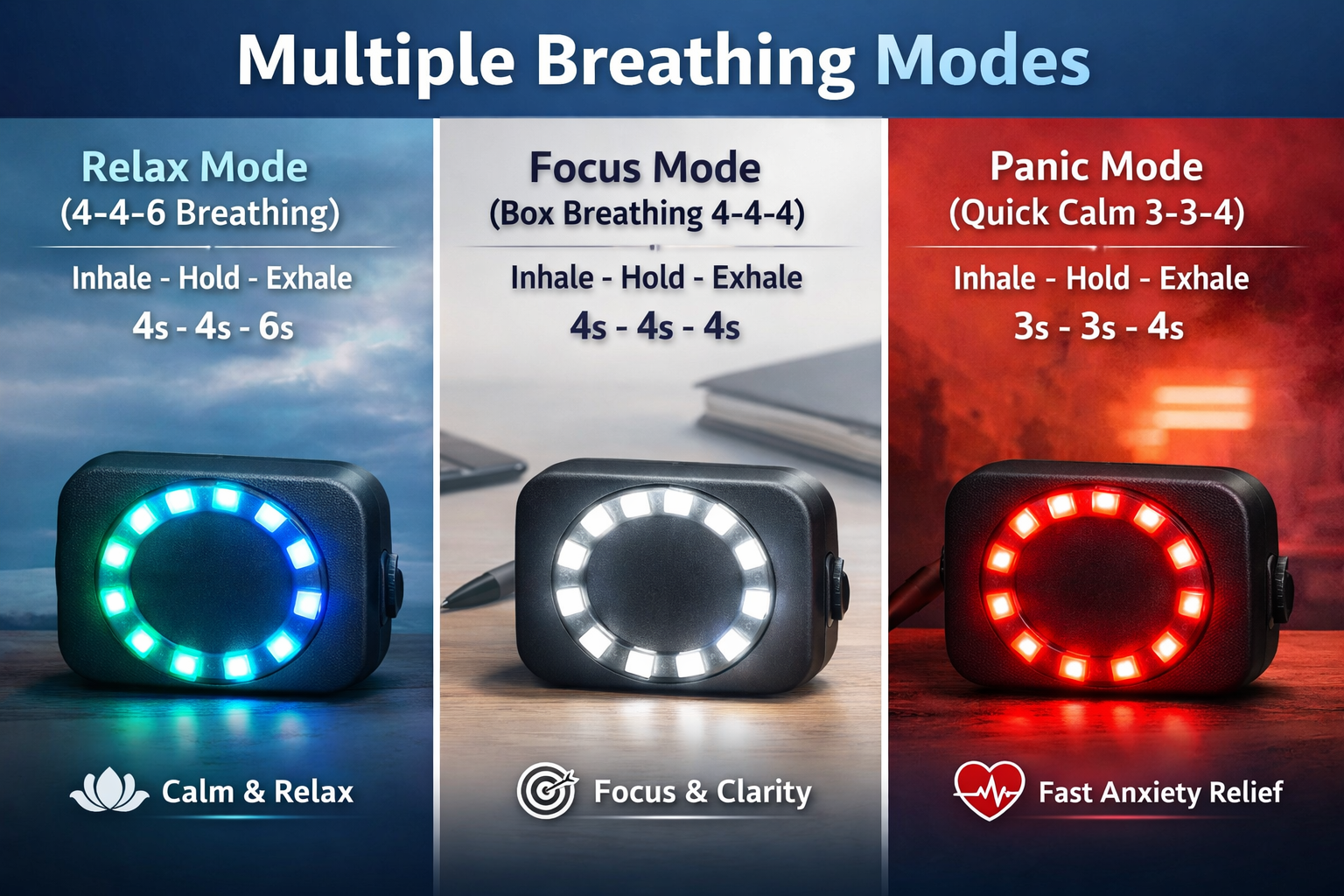
3. Multiple Breathing Modes
- Mode 1 – Relax Mode (4-4-6 breathing): Guides the user to inhale for 4 seconds, hold for 4 seconds, and exhale for 6 seconds. The longer exhale helps activate the parasympathetic nervous system, which signals the body to relax and reduce stress.
- Mode 2 – Focus Mode (Box Breathing 4-4-4): It follows a balanced pattern where inhale, hold, and exhale each last 4 seconds. This technique is commonly used to stabilize breathing, improve concentration, and maintain mental clarity during tasks that require focus.
- Panic Mode – Quick Calm (3-3-4): A shorter breathing cycle designed to quickly regulate breathing during anxiety spikes.
4. Simple One-Button Control
- Long Press: Turn device ON/OFF
- Single Press: Change breathing mode
- Double Press: Activate Panic Mode
5. Portable Pocket-Sized Design: The device fits inside a small plastic enclosure, making it easy to carry anywhere.
6. Rechargeable Battery Powered: A small 3.7V Li-Po battery powers the device, making it completely portable.
To keep the device compact and efficient, I chose the Seeed Studio XIAO ESP32-C6. Its extremely small form factor makes it ideal for fitting inside a small handheld enclosure. Additionally, the module includes a built-in battery charging circuit, which allows the Li-Po battery to be charged directly through the board, making it perfectly suited for this portable device.
Connections
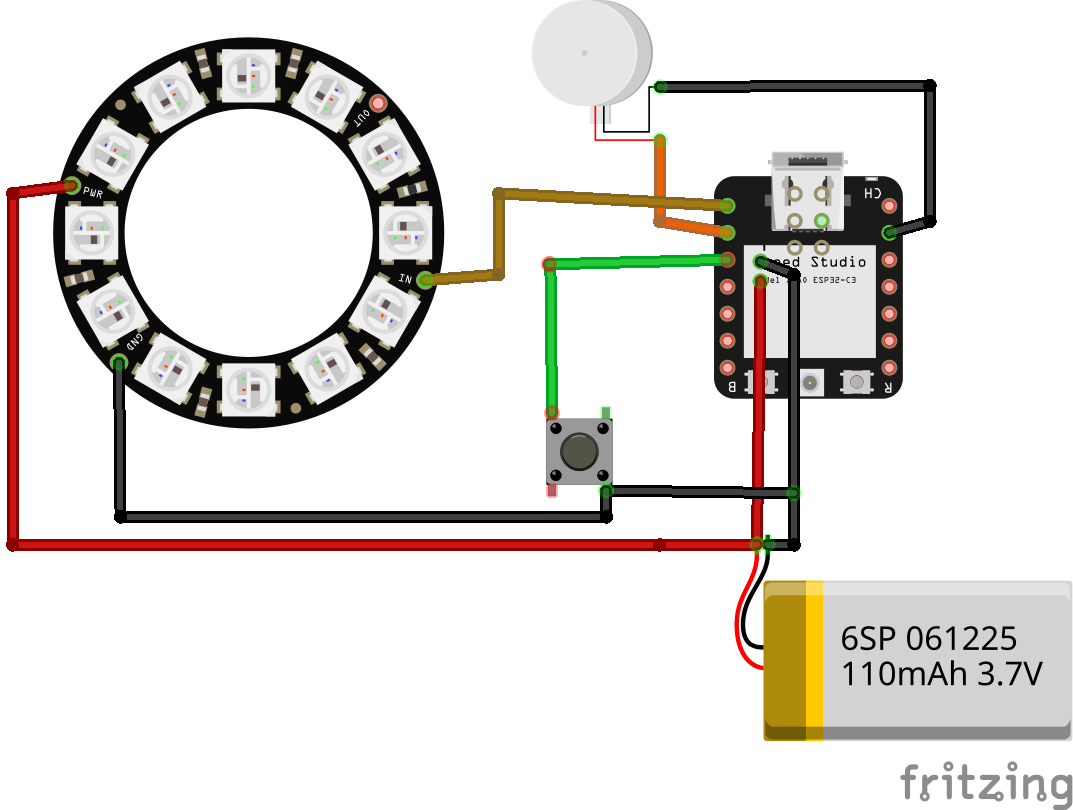
Now we connect all the components to the XIAO ESP32-C6.
WS2812 LED Ring
- VCC → 5V
- GND → GND
- DIN → D0
Push Button
- One leg → D2
- Other Diagonal leg → GND
- Button uses internal pull-up in code
Vibration Motor
- Positive → D1
- Negative → GND
- PWM signal controls vibration intensity
Battery
- 3.7V Li-Po battery → XIAO battery connector
The battery powers the board directly, making the device fully portable.
Mounting the Push Button
.jpeg)

Start by placing the push button on the top side of the enclosure, since this will be the main user control for switching modes and turning the device on or off.
- Place the push button on the top surface and drill hole that matches the diameter of the push button.
- Insert the push button through the hole from the outside of the case.
- Use a hot glue gun on the inside of the case to fix the button firmly in place. Apply glue around the button base so it stays stable during use.
- After mounting the button, solder two wires to the legs of the push button. These wires will later be connected to the microcontroller for detecting button presses.
Make sure the wires are long enough to reach the microcontroller comfortably once everything is placed inside the enclosure.
Mounting the Components

.jpeg)
- Mount the WS2812 LED Ring: Place the 8-LED circular array and fix it in place using a hot glue gun, making sure the LEDs face outward.
- Attach the Vibration Motor: Position the vibration motor along the inner wall of the case or on top of the XIAO module so the vibrations can be felt easily when holding the device. Secure it using hot glue.
- Place the XIAO ESP32-C6 Module: Finally, place the XIAO ESP32-C6 inside the enclosure with the USB port accessible for programming and charging. Fix the board using hot glue and route the wires from the LED ring, button, and vibration motor to the appropriate pins.
Final Assembly

.jpeg)

.jpeg)
- Carefully place the 3.7V Li-Po battery inside the enclosure in a position where it fits comfortably without putting pressure on other components.
- Solder all the required connections between the XIAO ESP32-C6, LED ring, vibration motor, and push button. Make sure the solder joints are clean and secure.
- Apply a small amount of hot glue over the soldered joints and wires to protect them and prevent accidental disconnections.
- Once everything is securely placed, close the enclosure. Your Calm Pulse device is now fully assembled and ready to be programmed.
Programming the Device
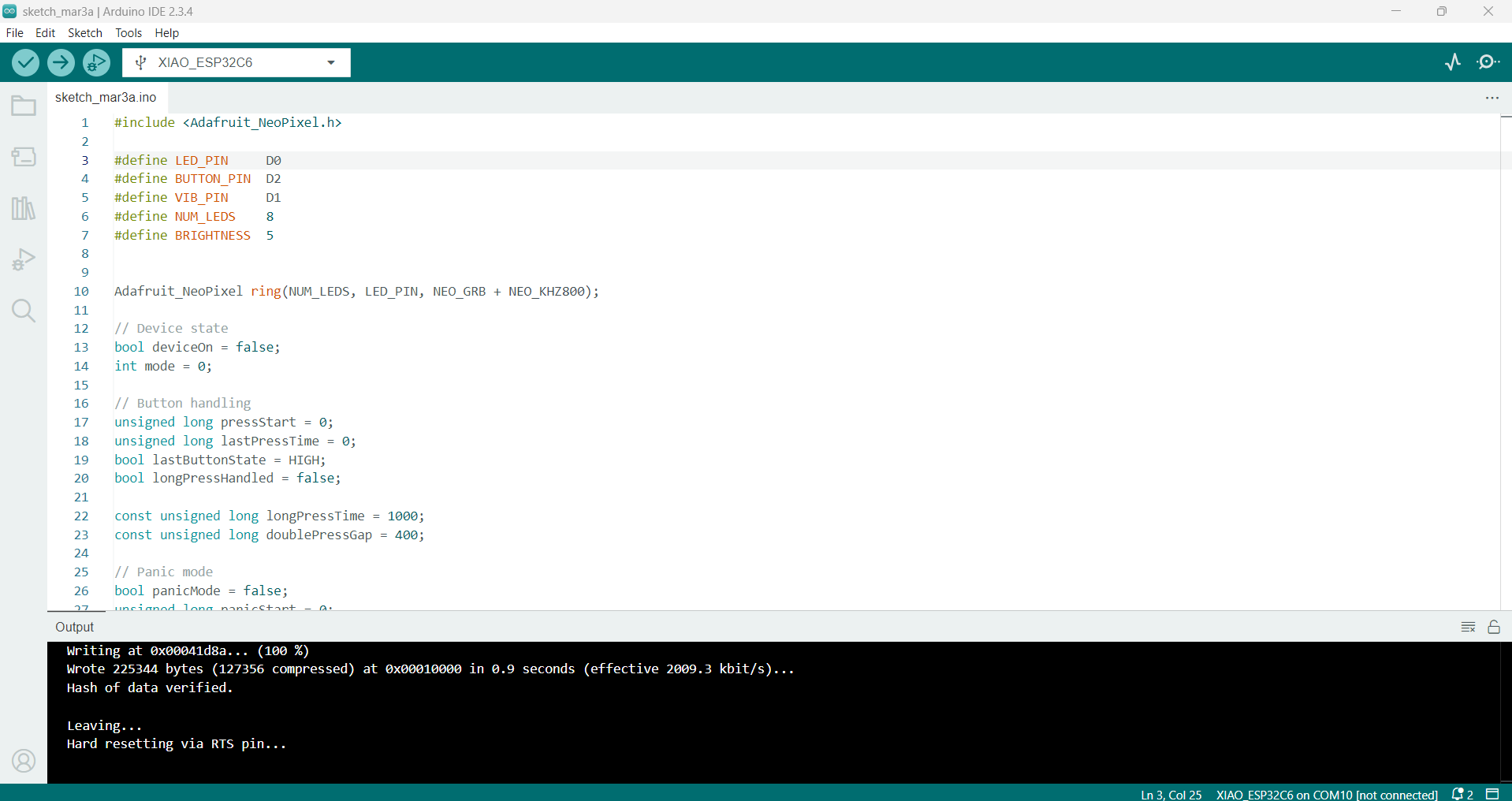

After assembling the hardware, the next step is to program the XIAO ESP32-C6 so it can control the LED ring, vibration motor, and button.
1. Install Arduino IDE
First, install the Arduino IDE if you don’t already have it.
- Download it from the official website:
- https://www.arduino.cc/en/software
- Install and open the Arduino IDE.
2. Install ESP32 Board Support
Since we are using an ESP32-based board, we need to install the ESP32 board package.
- Open Arduino IDE
- Go to File → Preferences
- In Additional Board Manager URLs, add:
- Click OK
Now install the board package:
- Go to Tools -> Board -> Boards Manager
- Search for ESP32
- Install the latest ESP32 package by Espressif Systems
3. Select the Correct Board
- Connect the XIAO ESP32-C6 to your computer using a USB-C cable.
- Go to Tools -> Board
- Select XIAO ESP32C6
- Choose the correct COM Port from Tools -> Port
Understanding the Main Functions in the Code
The program controls the LED ring and vibration motor to create breathing patterns while reading input from the push button.
handleButton()
This function monitors the push button and determines the type of press.
It detects:
- Long press: turns the device ON or OFF
- Single press: changes the breathing mode
- Double press: activates panic mode
This allows the entire device to be controlled using a single button.
updateBreathing()
This is the main function that controls the breathing animation.
It manages different breathing phases:
- Inhale
- Hold
- Exhale
- Rest
Each phase gradually increases or decreases LED brightness while adjusting the vibration intensity to guide the breathing rhythm.
runPanicMode()
This function activates a shorter breathing cycle designed to help calm the user quickly during sudden anxiety.
It uses a faster breathing pattern and stronger vibration feedback to help the user regain control of their breathing.
applyFrame()
This function updates both the LED ring and vibration motor.
- Adjusts LED brightness based on the breathing phase
- Changes vibration intensity using PWM
- Keeps the light and vibration perfectly synchronized
This synchronization helps create a more immersive breathing guide.
resetBreathing()
Whenever the mode changes or panic mode starts, this function resets the breathing cycle so the pattern begins from the inhale phase again.
After uploading the code to the XIAO ESP32-C6, your Calm Pulse device will start guiding breathing through light and vibration patterns, helping users manage stress and anxiety.
You can download the full code attached here.
Downloads
Demonstration

Building this device was a meaningful project that combines technology with a simple yet powerful idea: helping people regain calm through guided breathing. By using synchronized light patterns and gentle vibration feedback, the device provides an intuitive way to slow down breathing and manage stress or anxiety in everyday situations.
The compact design, powered by the XIAO ESP32-C6 and a rechargeable battery, makes the device portable and easy to use anywhere—whether before a presentation, during a stressful moment, or when trying to regain focus. This project also demonstrates how small embedded systems can be used to create assistive tools that support emotional well-being.
I hope this project inspires others to explore how technology can be used not just to solve technical problems, but also to create solutions that improve mental wellness and everyday life.
Happy Building!!