ATX-Dual Power Supply
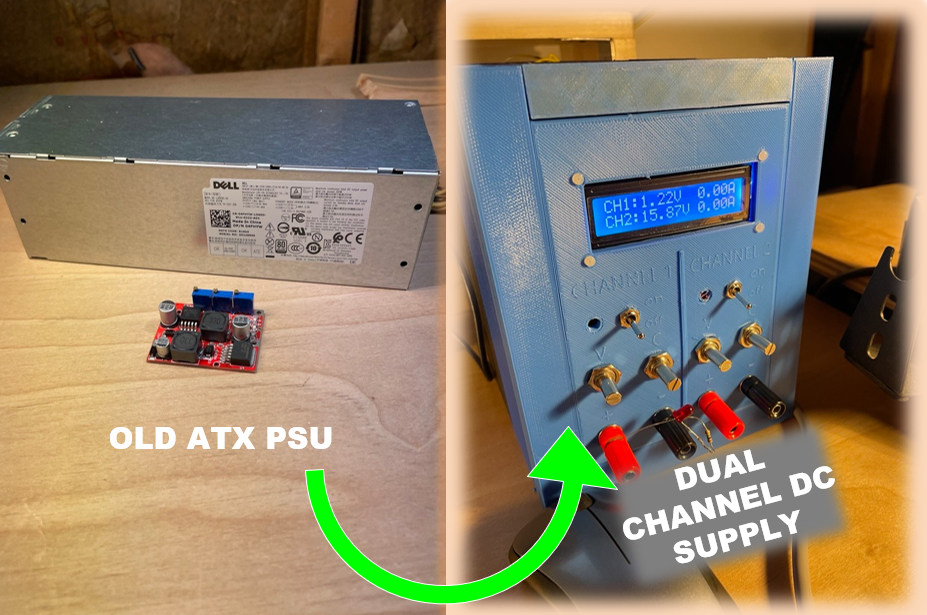
In my drawers and bins of electrical kit left behind from my university days (and garbage picking) lies the potential for greatness . . . or at least some fun hobbyist projects. While rummaging through an E-Waste bin
A wild ATX Power Supply appeared!
After knocking off some dust, it works!
The stand-alone ATX Power Supply sports :
- Dual Channels
- 12V, 3A
- Short Circuit Protection
- Slim form factor
I have a couple of buck-boost modules hanging around and gathering dust. These and the stray ATX beckoned me to get the creative juices flowing. Anyways, I have been lacking a benchtop power supply. . .
My requirements are as follows:
- Electronics and materials must be things in my possession (Putting old stuff to good use).
- Two channels.
- Voltage feedback monitoring.
- Current feedback monitoring.
- Enable/Disable channels via switch or buttons.
- Status indicators (Channel Enable/Disable)
- All sense/control circuitry must fit on top of the ATX PS's form factor.
Downloads
Supplies
ATX Power Supply
2x-Buck-Boost Converter Modules
LCD-I2C Screen (2x16 Char)
4x Multiturn Potentiometers (10kΩ)
2x SPDT Switches (Low Power)
1x SPDT Switch (120VAC Rated)
4x Banana Plugs (2 Red, 2 Black)
2x Red LEDs
Electronics
1x Quad JFET Op Amp IC
2x 741 Op Amp
2x ACS712 (20A Version)
Where needed:
Wires
Standoffs
Passives
Heat Shrink
Tools:
3D Printer (For Case)
Soldering Iron/Flux/Wick/Solder
Heat Gun or Lighter
Knippets
Wire Stripper
Design Concept

The sensing circuit is where most of the design work comes in, everything else is just plugging in components and getting them to fit in the required form factor.
I wanted a dual channel supply that has the following peripherals (1 per channel):
- Enable Switches
- Status Indication LEDs
- Relay Gates
- Voltage Adjustment Capability
- Current Limit Adjustment Capability
- Voltage measurements
- Current measurements
- Display for Voltage and Current
My first pass at a design concept can be viewed in the image above
Circuit Design [ATX Interfacing]
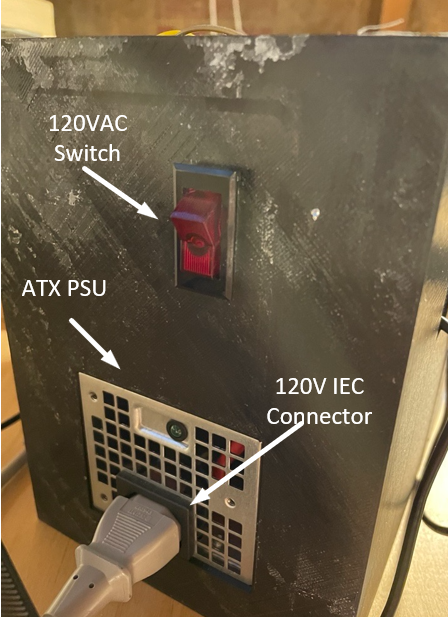

The ATX Power supply does most of the hard work for me.
It already has an IEC connector, short-circuit protection and provides me with 2x 12 Volt outputs. The 12V outputs were rock-solid with about ±10mV of ripple (good enough for me). The one feature I did want to add was a 120VAC rated switch so I don't have to unplug the ATX every time I want to turn it off.
- Popped open the ATX supply (Couple of screws)
- Drilled a hole in the cover for the wires to exit and enter
- Cut and Stripped the Hot wire
- Soldered and heat shrank
- IEC Hot -> Switch terminal #1
- Switch Terminal #2 -> Hot Input to ATX Power Card
Circuit Design [Buck-Boost Converters]
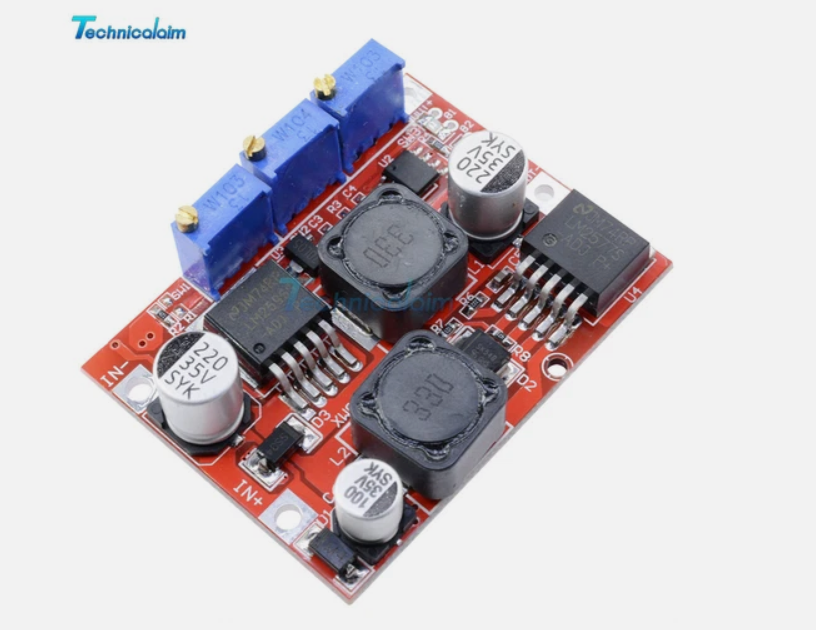
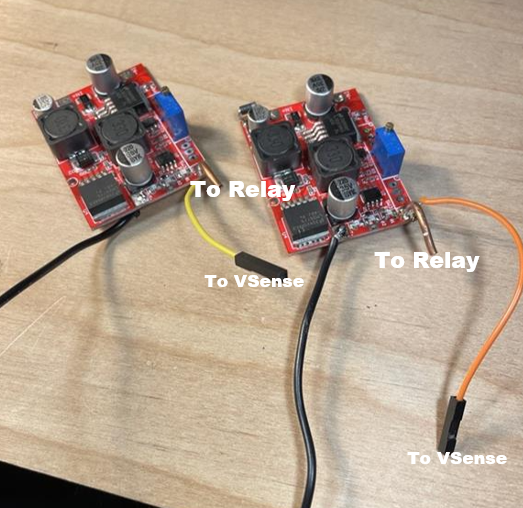
Following the power path, the next thing in line are the Buck-Boost converters. I got these a LONG time ago and couldn't find any official datasheets or anything (I made some questionable purchases back then). . . Luckily empirical data always wins, the voltage supplies out of the BBs swings from ~1.25V to ~26V. There are 2 potentiometers, one for voltage adjustment and one for current limiting.
The inputs to the BBs were connected to the ATX_output (12V) and the output nodes branched to:
- Input of a relay (Normally Open)
- Voltage Sense Circuit
To make the converters user friendly, I de-soldered the old 103 Pots and replaced them with some multiturn knobbed-pots.
Circuit Design [Relay Control and Status]
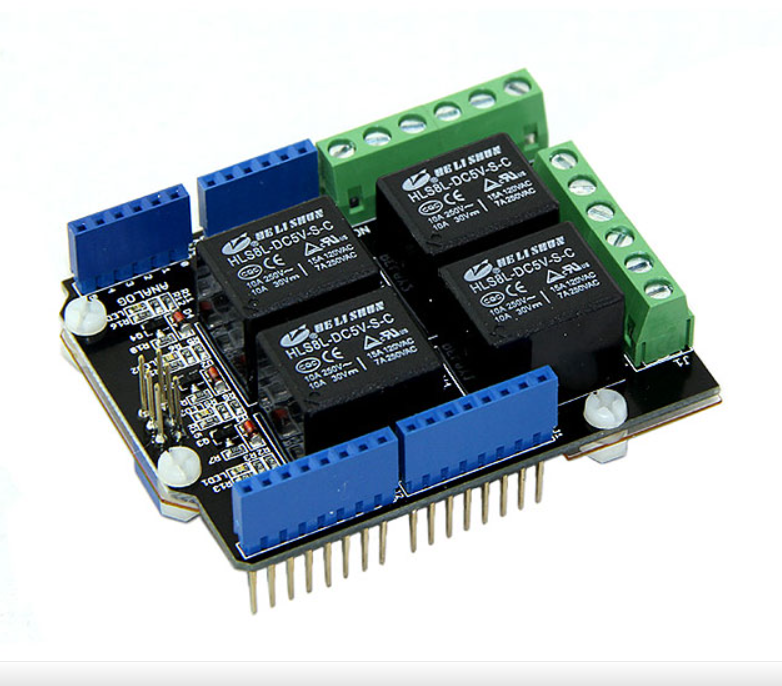
The relays used in this design are from a prepopulated relay shield that actually has 4 relays total. All rated for ~10ADC (More than I'll ever need).
The relay shield's IO headers are the same footprint as the Arduino Uno so it plugs right in.
The low-voltage switch on the relays are controlled via digital outputs on the Arduino board.
I am using digital inputs on the uC to read the enable switch status, then set the relay-control pin accordingly.
Finally because the relay-shield sits atop the Uno, it actually has male headers on the top to provide passthrough access to most of the Uno pins. So for the LEDs, I simply tapped on the relay-control pin to drive my enable LED as well.
The output of the relay is routed to the banana jacks of the face-plate! This is the DC Output that I will be using for the projects to come!
Circuit Design [Voltage Sense]

Lets take a step back and look at the other branch from the Buck-Boost converter. The voltage sense circuit!
This portion was pretty straight forward. Just a voltage divider tapped off the output of the Buck-Boost Converter.
R1 = 4.7kΩ
R2 = 1kΩ
So using the voltage divider equation. . . Vout = Vin(R2/R1+R2) the full span
Maximum = 26.0V , Vout = 4.56V
Minimum = 1.25V, Vout = 0.22V
**Handy Note - R2 is used 2 times in the voltage divider eqn.
**Handy Note (and me), have some 5V zener diodes handy for overvoltage protection on the analog pins.
Circuit Design [Housekeeping]

Now before we get into the nitty gritty of the current sense circuit we need to understand the Housekeeping Circuit first.
The main purpose of the this circuit is to "boost"/provide/route the voltage sources to other circuits and components.
The figure above is a quick draw up of the entire housekeeping circuit. It has 6 resistors, 1 JFET Input Quad Op Amp IC and a mating header.
Voltage Divider for the ATX output (12V -> 10V)
A simple voltage divider to cut the 12V ATX output to 10V. This was routed to a JFET Op Amp in a Voltage Follower configuration.
Voltage Divider (3-Tap)
The 10V coming from the voltage divider was fed into a 3-Tap Voltage Divider (4 equivalent resistors).This acted as the raw voltage sources to be used in the remaining portions of the current sense circuit.
Taps = 7.5V, 5V, 2.5V
Voltage Follower Circuit (High Input Impedance, Low output impedance)
When using a voltage divider that is used for driving a load, we need to ensure that we don't drag down the output voltage. This can be achieved by using JFET OP-Amps which have really great input impedance (won't load down your divider) and pretty good output impedance (can source a good bit of current). This is the method I used because, these were what I had on hand.
Using the a Quad JFET Op Amp IC, I created 3 voltage followers.
For 10V, 7.5V and 5 V, with the 12V connected to my positive rail, and GND connected to my negative rail.
If I reference +5V instead of 0V, then:
my +10V will look like +5V,
my +7.5V will look like +2.5V,
my +5V will look like 0V/GND,
and 0V will look like -5V.
These voltages with reference to +5V will come in handy for managing the swing of the current sense. (Note, any voltage that references 5V will be designated with a "_da" suffix.
Circuit Design [Current Sense Circuit]

The Circuit Sense Circuit can be broken up into 3 Stages
- Current Sensor
- Differential Amplifier(s)
- Voltage Divider
Current Sensor
My current sensor is the ACS712 (+/-20A) version. It maps the current (-20A to +20A) to an analog voltage (0V to 5V) My Buck-Boost Converters are only capable of ~3-4A. If I were to just use this thing as is, I would only get a full scale swing of 0.5 V (100mV/A, assuming only positive current being supplied).
I wanted higher resolution so I could get useful current data coming from the sensor and going to my uC.
Differential Amplifier
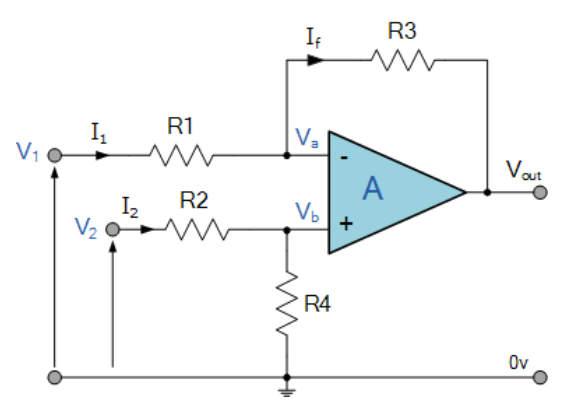
source : https://www.electronics-tutorials.ws/opamp/opamp_5.html
The Differential amplifier utilizes a 741 op amp (I know its not great but I have a lot of them that I'm trying to get rid of. Open to quick 'n' easy 741 project recommendations).
The differential config is chosen so I can:
- Get rid of the 2.5V_da offset coming from the sensor at 0A
- Amplify the current signals coming to the uC for better resolution on the ADCs
The current sensor is bi-directional but I really only care about positive current. So the amplification swing that I will be monitoring will be positive. The differential amplifier equation is as shown below (As long as R1 = R2 and R3 = R4.):
source : https://www.electronics-tutorials.ws/opamp/opamp_5.html
Using the 2.5V_da reference as V1 and my voltage sensor output as V2, the offset will be taken care of (0V_da = 0A from the sensor)
Then I want to expand my resolution so I threw in an gain of 10 (R3 = 10kΩ and R1 = 1kΩ). This way I get the same-ish scaling as the ACS712 5A version.
Voltage Divider (Crossing back into the original reference domain, aka 0V is really 0V)
Finally threw on a voltage divider where R1 = R2 = 10kΩ.
This brought us to the same 500mV/A resolution of the ASC219!!
Circuit Design [Assembly]
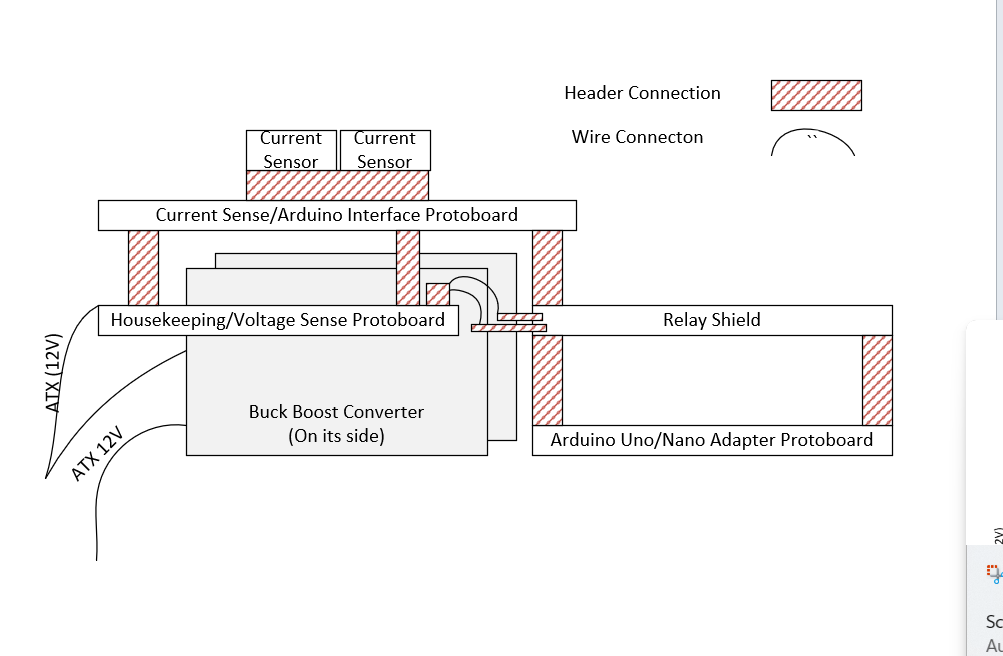

The assembly was fun because I wanted to fit it into an envelope that would sit atop the ATX supply. The general overview of the stack is shown in the figure above.
- Housekeeping (Header 1, mated with CS/AIB Protoboard)
- 12V Passthrough
- 10V
- 7.5V
- 5.0V
- GND
- Housekeeping (Header 2, mated with CS/AIB Protoboard)
- Voltage Sense (CH1)
- Voltage Sense (CH2)
- Current Sense/Arduino Interface Board (Header, mated with Relay Shield/Arduino Pins)
- 12V -> Vin
- GND -> GND
- Voltage Sense Ch1 -> A0)
- Voltage Sense Ch2 -> A1)
- Current Sense Ch1 -> A2)
- Current Sense Ch2 -> A3)
Door Assy!
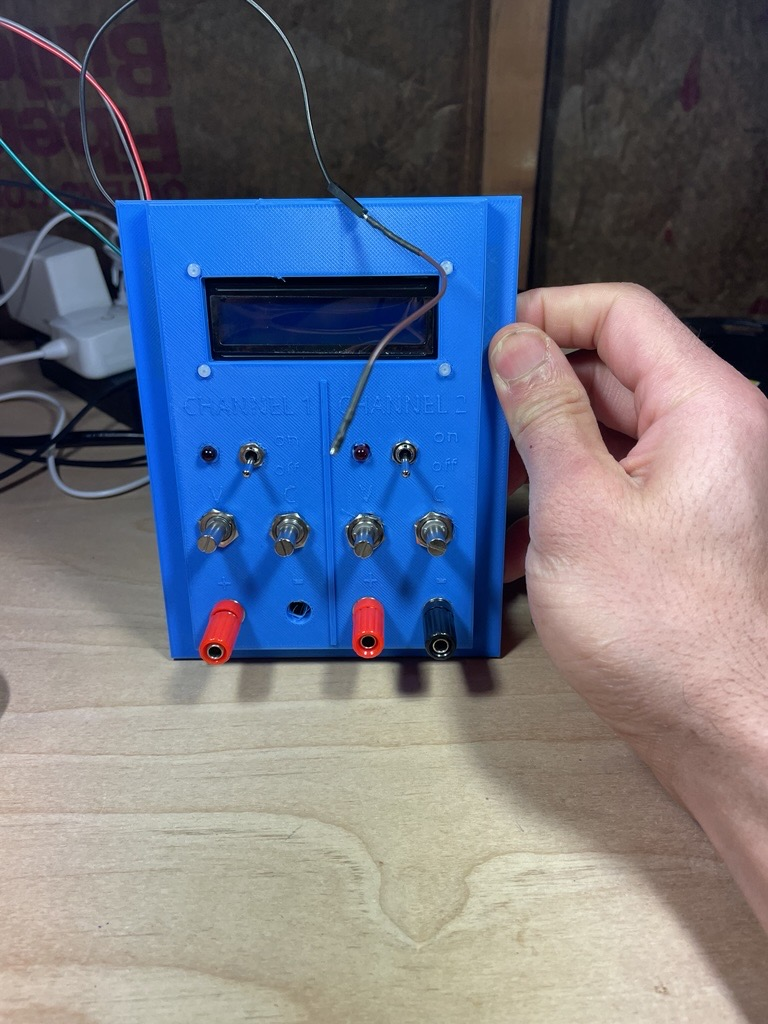

Door assembly was pretty straight forward.
4 Pots, 2 LEDs (Thought I had bigger ones...), 2 Switches, LCD, Banana Jacks
Putting It All Together
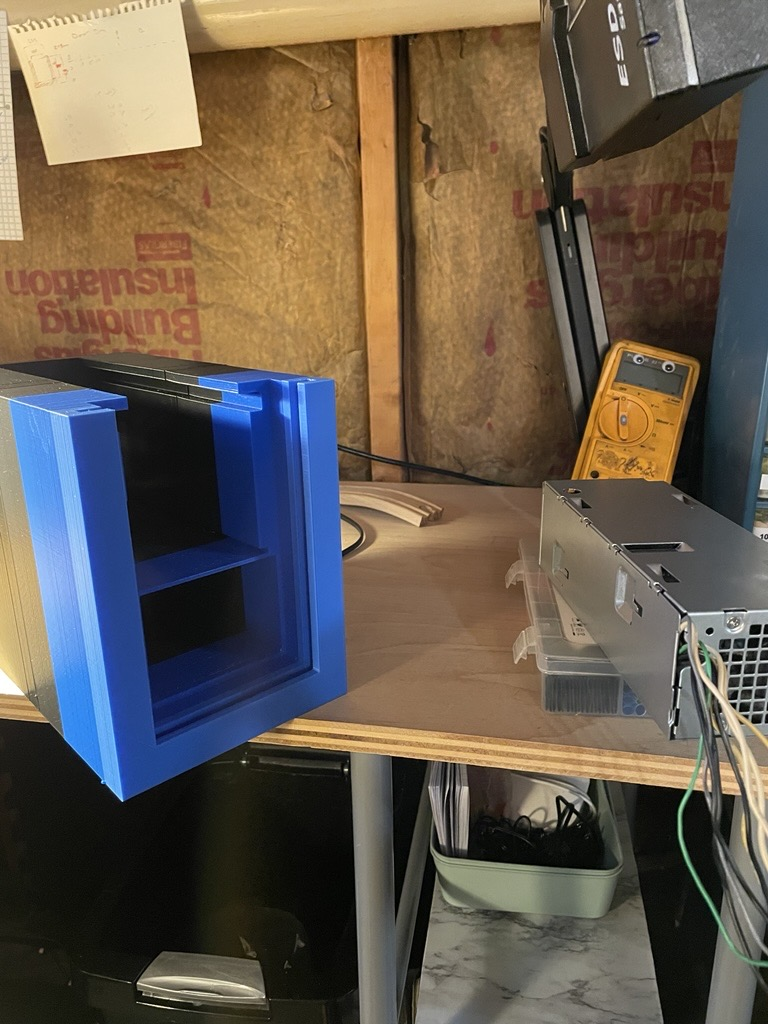
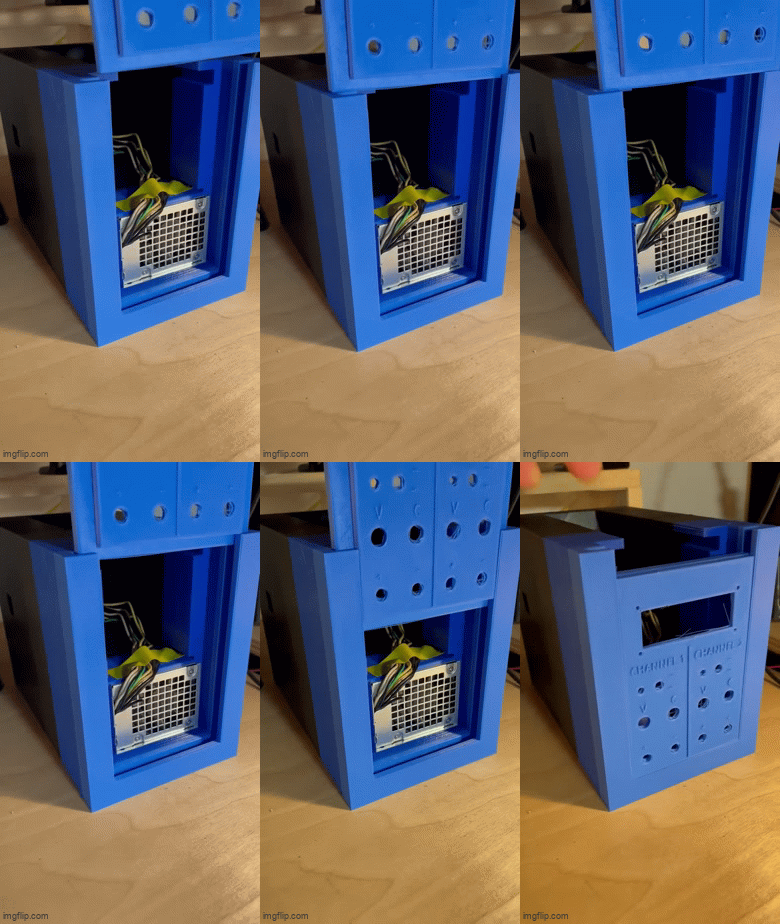

Finally Threw the whole thing in a box, slid the door in and powered it on! Just added a gif to show how the door slides in.
As always all notes, criticisms and tips are welcome and encouraged!