Accessible 2-Button Game Controller for Players With Cerebral Palsy
by troypappas in Circuits > Assistive Tech
19 Views, 0 Favorites, 0 Comments
Accessible 2-Button Game Controller for Players With Cerebral Palsy
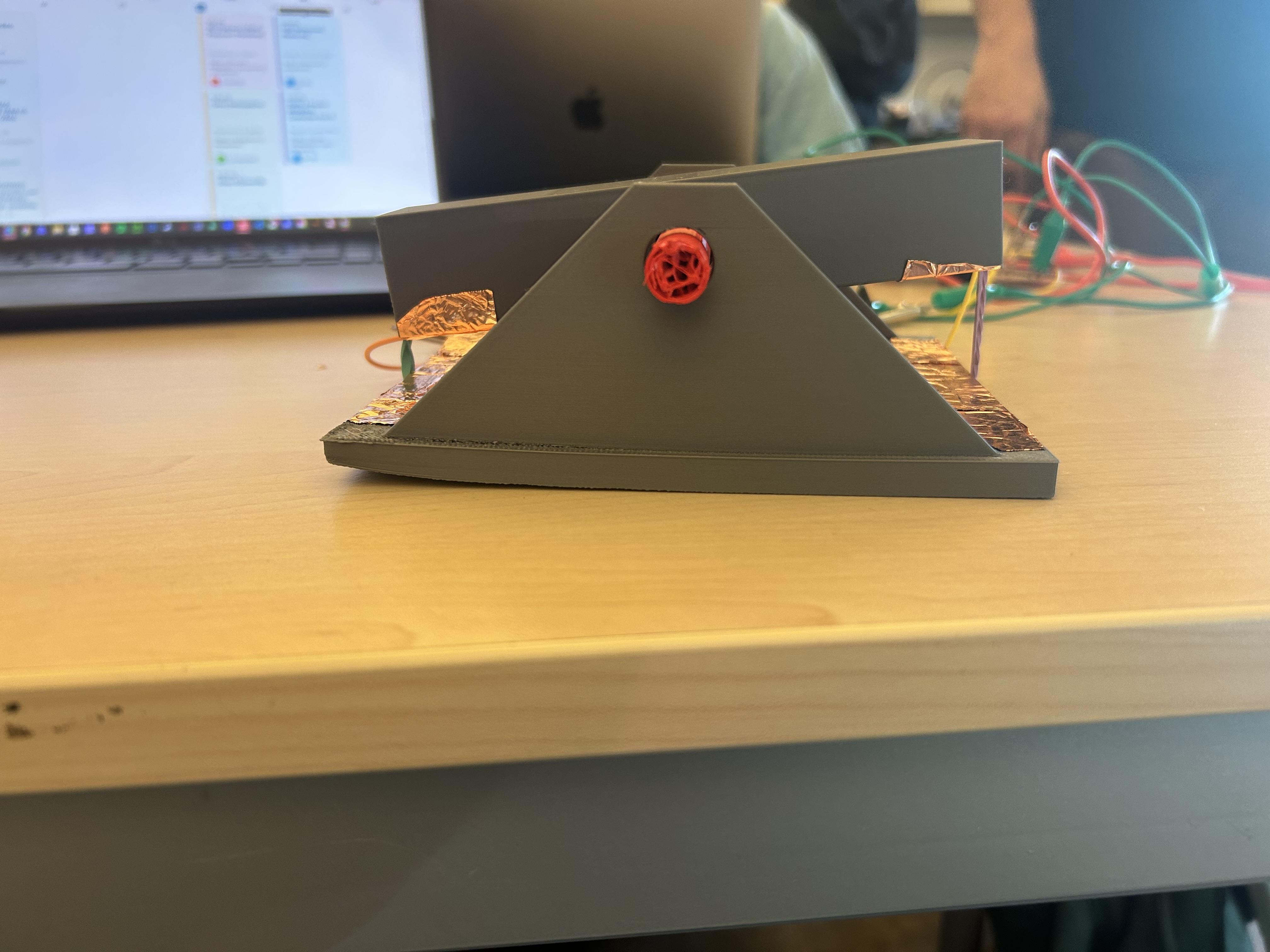
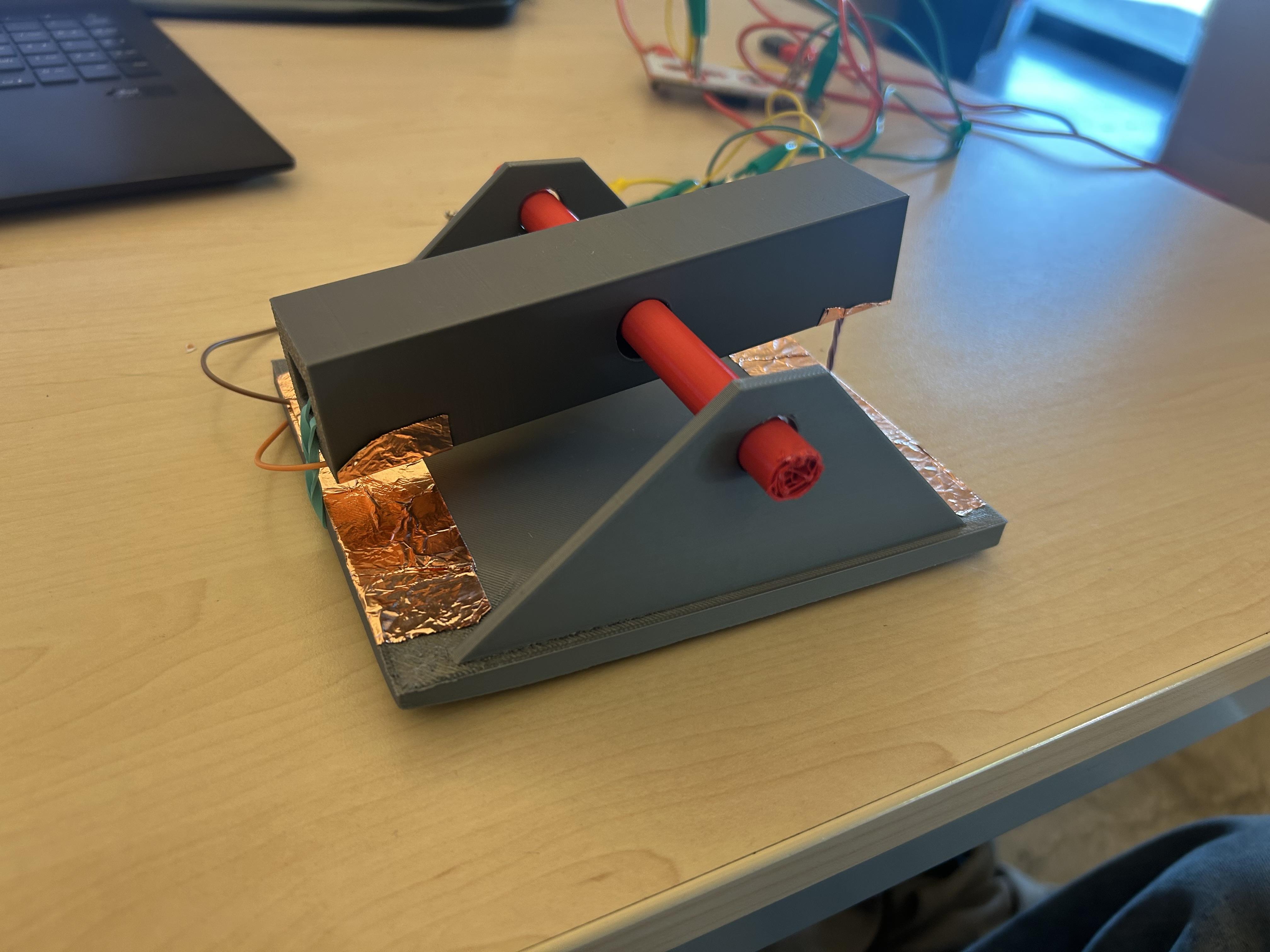
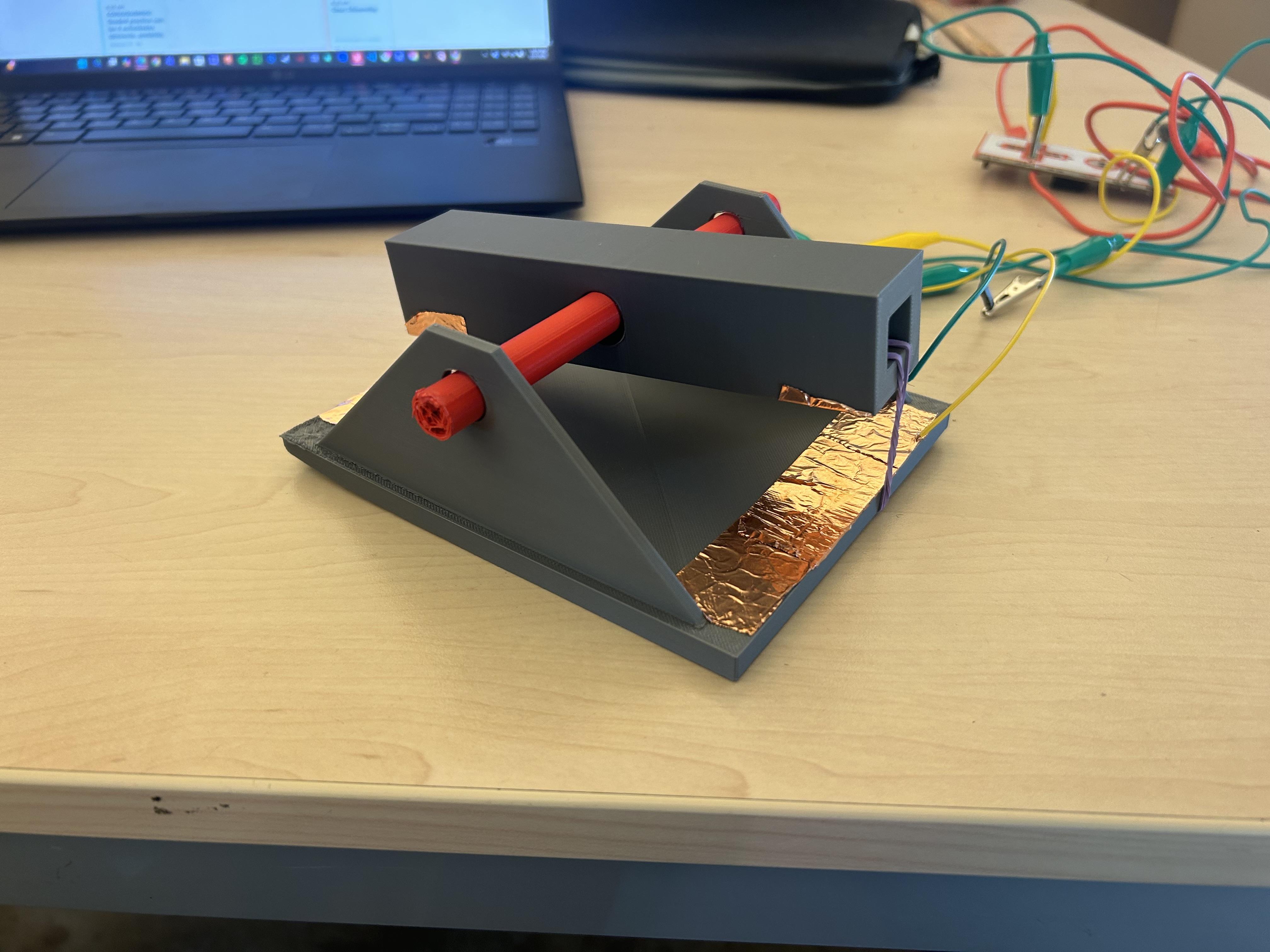
Gaming should be for everyone. In this project, I created a custom seesaw-style 2-button controller designed to make simple computer games more accessible for individuals with cerebral palsy and other motor challenges.
The controller works like a seesaw — pressing one side activates one key (such as the up arrow), and pressing the other side activates a different key (such as the down arrow). It connects using a Makey Makey, allowing it to control simple games like the Chrome Dinosaur Game.
This design focuses on simplicity, stability, and ease of use. By using a 3D-printed body, copper tape, and basic wiring, the controller provides a larger, more manageable input method compared to small traditional keyboard keys.
The goal of this project is to make gaming more inclusive, affordable, and customizable for people who need alternative input devices.
Supplies
Supplies
- Makey Makey Board
- Makey Makey USB Cable
- 4 Jumper Wires and 4 Alligator Clip Wires
- 1 Wire Stripper
- Copper Tape
- 2 Rubber Bands
- 3D Printer
- 3D Printing Filament (PLA recommended)
Print Out 3d Design
In this step, you will 3D print the main body of the controller using the attached STL file. This printed piece forms the structure of the seesaw mechanism and holds the button and contact points in place.
Download and Prepare the File
- Download the attached STL file from this step.
- Open the file in your slicer software (Cura, PrusaSlicer, Bambu Studio, etc.).
- Make sure the model is oriented flat on the build plate. The bottom surface should be fully touching the plate to ensure stability during printing.
If the file includes multiple parts (such as the base and the seesaw arm), position them flat and spaced slightly apart on the build plate.
Recommended Print Settings
For strength and durability (since this will be pressed repeatedly), use the following settings:
- Material: PLA (easy to print and strong enough for this project)
- Layer Height: 0.2 mm
- Infill: 20–30% (Grid or Gyroid pattern recommended)
- Top/Bottom Layers: 4–5 layers
- Brim: Optional, but helpful if your printer has adhesion issues
Because this is an assistive device, strength and reliability are important. Increasing infill slightly can help prevent cracking over time.
Start the Print
- Preheat your printer according to your filament settings (PLA is typically 200°C nozzle / 60°C bed).
- Make sure your bed is leveled.
- Start the print and monitor the first few layers to ensure proper adhesion.
Printing time will vary depending on your printer and settings, but expect approximately 1–3 hours.
Post-Processing
Once the print is complete:
- Carefully remove the parts from the build plate.
- Lightly sand rough edges, especially around:
- The pivot area of the seesaw
- Button mounting holes
- Wire channels
Make sure the seesaw arm moves freely inside the base without excessive friction. If it is too tight, gently sand the contact areas until it moves smoothly.
Downloads
Assemble Seasaw

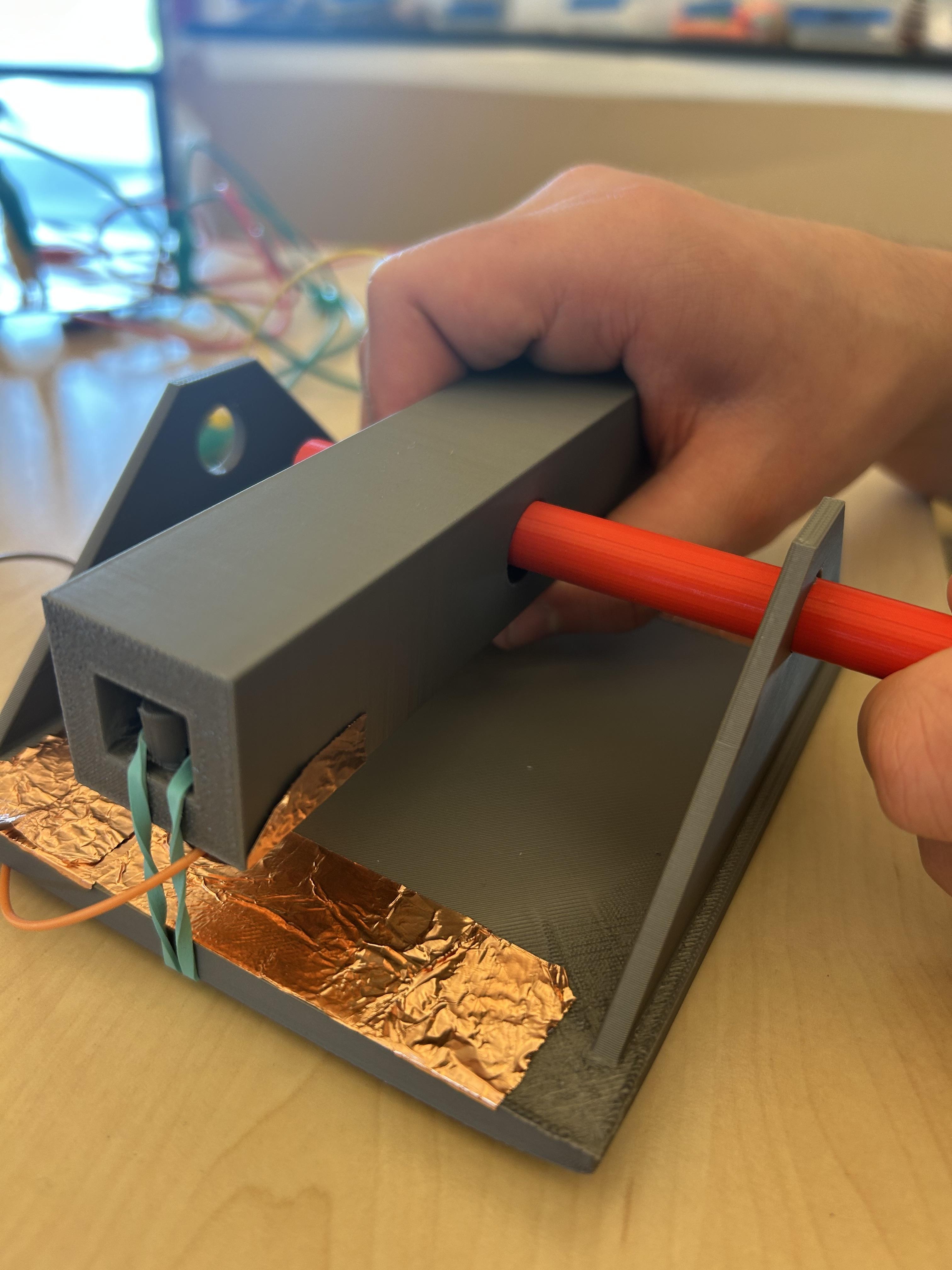
In this step, you will assemble the seesaw arm and pivot rod into the 3D-printed base so it can tilt freely. This ensures the mechanical part of your controller is ready before adding any wiring.
Reference Image: Use your reference image to check the placement of the rod and seesaw arm inside the base.
Gather Your Parts
- 3D-printed base and seesaw arm (from the previous print step)
- Pivot rod (metal or plastic rod included with your parts)
Insert the Pivot Rod
- Take the pivot rod and align it with the holes in the base and the seesaw arm.
- Slide the rod through the seesaw arm first, then into the holes in the base so the seesaw sits in the correct position.
- Make sure the arm can tilt freely from side to side without binding.
Test the Seesaw Movement
- Tilt the seesaw arm gently from side to side.
- Ensure it moves smoothly without sticking.
- Adjust the rod or lightly sand the pivot points if the arm is too tight.
At the end of this step, the seesaw mechanism should be fully assembled and moving smoothly inside the base, ready for the next step of attaching copper tape, wires, and alligator clips.
Attach Copper Tape and Wires
.jpeg)
.jpeg)
.jpeg)
In this step, you will make the seesaw electrically active by connecting copper tape, jumper wires, and alligator clips. Follow your reference image carefully for correct placement.
📸 Reference Image: Use the image below to guide the placement of copper tape and wires on the base and seesaw.
1️⃣ Gather and Prepare Your Wires
- You will need 4 jumper wires and 4 alligator clips.
- Use wire strippers to remove insulation from one end of each jumper wire.
- These stripped ends will later go under the copper tape for electrical contact.
2️⃣ Apply the Copper Tape
- Cut strips of copper tape to fit the paths shown in the reference image.
- Stick the tape along the planned paths on the base and seesaw.
- As you apply the tape, place the stripped ends of the jumper wires directly under the copper tape so the tape holds them in place and makes a secure connection.
- Smooth out any wrinkles or bubbles to ensure good contact.
- Fold tape neatly around corners or bends to maintain conductivity.
3️⃣ Attach Alligator Clips
- Take the free end of each jumper wire and attach it to an alligator clip.
- Make sure the connection is secure—this will allow easy connection to your computer or microcontroller.
- Check that wires and clips do not interfere with the seesaw’s movement.
4️⃣ Connect the Seesaw
- Attach the two wires on the seesaw to the Up and Down arrow contacts.
- Attach the two wires on the base to the ground connections.
- Use your reference image to verify the correct placement of all wires and clips.
5️⃣ Test the Connections
- Press the seesaw to ensure that pressing in each direction completes the circuit correctly.
- Adjust tape, wire, or clip placement if the circuit does not reliably close.
At the end of this step, your seesaw controller should be fully wired with jumper wires and alligator clips, ready to send signals to your computer or microcontroller.
Connecting to Computer

Connect to Your Device
- Attach the alligator clips from your jumper wires to the corresponding input pins on your computer or microcontroller.
- The two base wires go to ground connections.
- The two seesaw wires go to the Up and Down arrow inputs.
Test the Seesaw Movement
- Gently press the seesaw Up/Down or left/right.
- Observe whether each direction triggers the expected signal.
- If using a multimeter, check that pressing the seesaw completes the circuit for the corresponding direction.
Adjust if Necessary
- If pressing the seesaw does not complete the circuit, check:
- That the stripped wire ends are properly under the copper tape.
- That the copper tape is smooth and making good contact.
- That wires are not obstructing the seesaw movement.
- Make small adjustments as needed until each direction reliably activates the circuit.
Now have fun with it!
Play the Game!

Example: Playing the Chrome T-Rex Game
Once your seesaw controller is fully assembled and tested, it’s time to see it in action! Imagine sitting in front of your computer with the T-Rex game open in Chrome. With your feet lightly resting on the seesaw:
- Press forward/up: The seesaw tilts, sending a signal that makes the T-Rex jump over an incoming cactus.
- Press backward/down: The T-Rex ducks under a flying pterodactyl, all controlled seamlessly by the tilting motion of the seesaw.
The responsiveness of the seesaw gives the game a fun, physical twist—you’re not just pressing keys; you’re actively leaning and moving to guide the T-Rex. Each jump and duck feels intuitive and natural, turning a simple browser game into a mini interactive workout.
With a few minutes of practice, you can achieve longer runs and higher scores, all by mastering the rhythm of the seesaw. It’s a fun demonstration of how your DIY assistive controller turns simple movements into precise game inputs, showing both the mechanical and electrical design working perfectly together.