Accessible Programmable Button
by josephinehuber343 in Design > 3D Design
5 Views, 0 Favorites, 0 Comments
Accessible Programmable Button

This project is a custom-built programmable button designed to improve accessibility for individuals with physical or motor disabilities. While most devices rely on small switches, touchscreens, or precise finger movements, this button reimagines interaction by creating a large, easy-to-press control surface that requires minimal force and precision.
The device is housed in a durable, 3D-printed circular enclosure with an elevated press surface for clear tactile feedback. Inside, conductive copper contact plates complete a circuit when the button is pressed, sending a signal to a connected microcontroller. Because it is programmable, the button can be customized to perform virtually any digital action — such as turning on lights, calling for assistance, activating communication devices, controlling a computer, or triggering smart home systems.
The goal of this design is simple: reduce barriers and increase independence. By transforming a basic physical press into a flexible digital command, this adaptive button gives users more control over their environment in a way that is intuitive, reliable, and personalized to their needs.
This project demonstrates how engineering and design can be used not just to create technology, but to create opportunity, inclusion, and accessibility.
Supplies
- Copper Tape
- Wire Strippers
- MakeyMakey
- Thin Straws
- Electrical tape (optional but better)
- Foam
- Melting Stick
Bringing It to Life

You'll first want to 3D print this blueprint from tinkerCAD. The small oval piece should stick onto the bottom, do not take it out, push it in.
Downloads
Foam and Copper Inserts

You'll want to cut out an oval shape that fits inside the oval pocket on the main piece of print. Once the foam/cardboard is in, place two pieces of copper tape on two different sides of it; and make sure they're not touching. Add small cut pieces of straw on each side, this'll make the button push.
Heating Holes

After doing that, melt medium sized holes into the side of the main piece. This'll be for the wires to reach the inside copper tape. After that, strip two pieces of wire about 4 inches, then string it through the holes you previously made. Once through, fray the wires for the utmost spread.
Connecting Wires
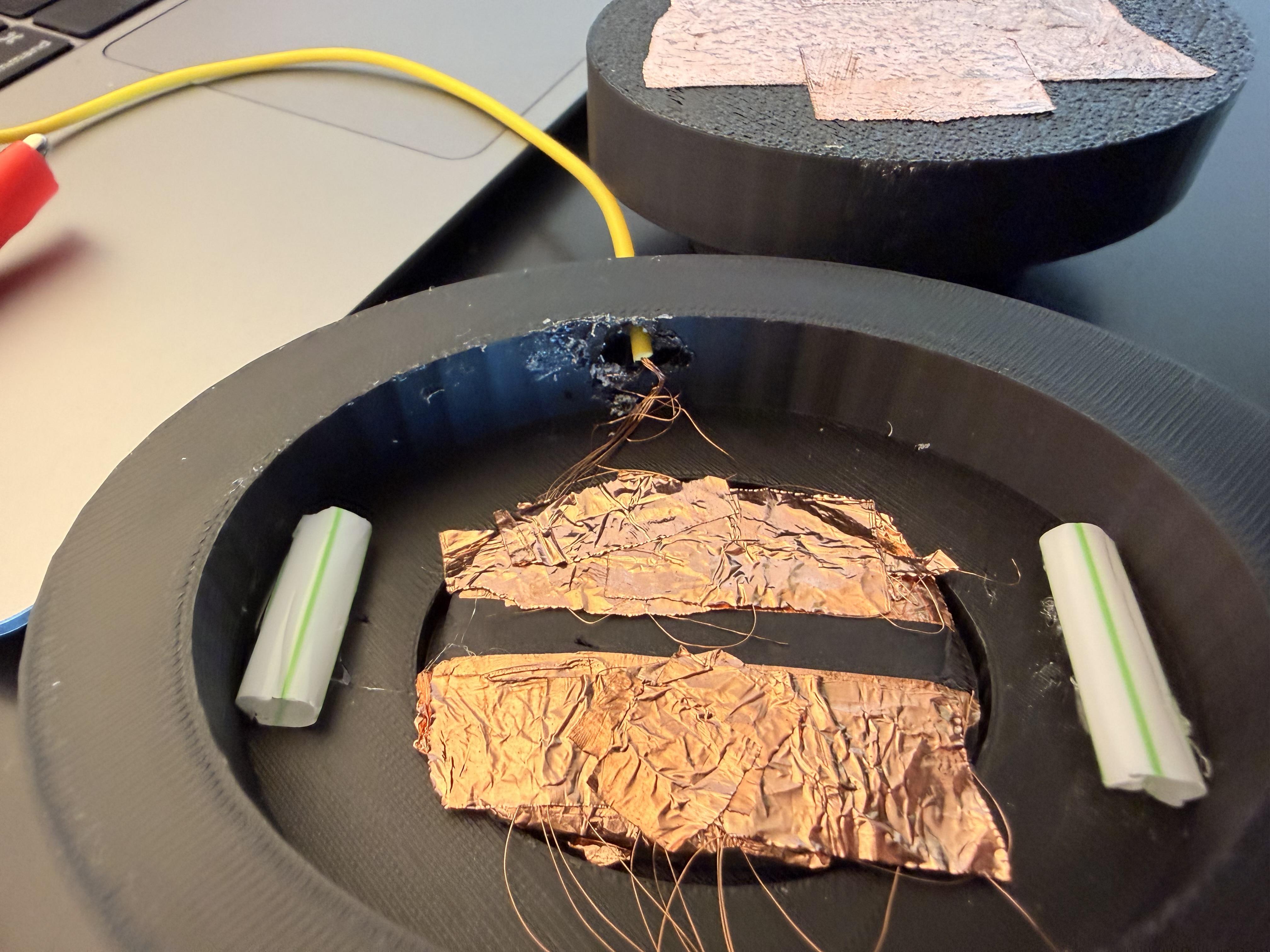

Once you have your wires frayed, add another layer of copper tape on top of the wires to connect the wires and the copper. Make sure one sides wires do NOT touch the other sides, this will ruin the effect. You can put electrical tape in the middle to make sure they do not touch if you prefer to do so. Add copper tape to the bottom of the upper piece of the 3D print, large enough to cover the copper tape on the main piece.
You're Done!

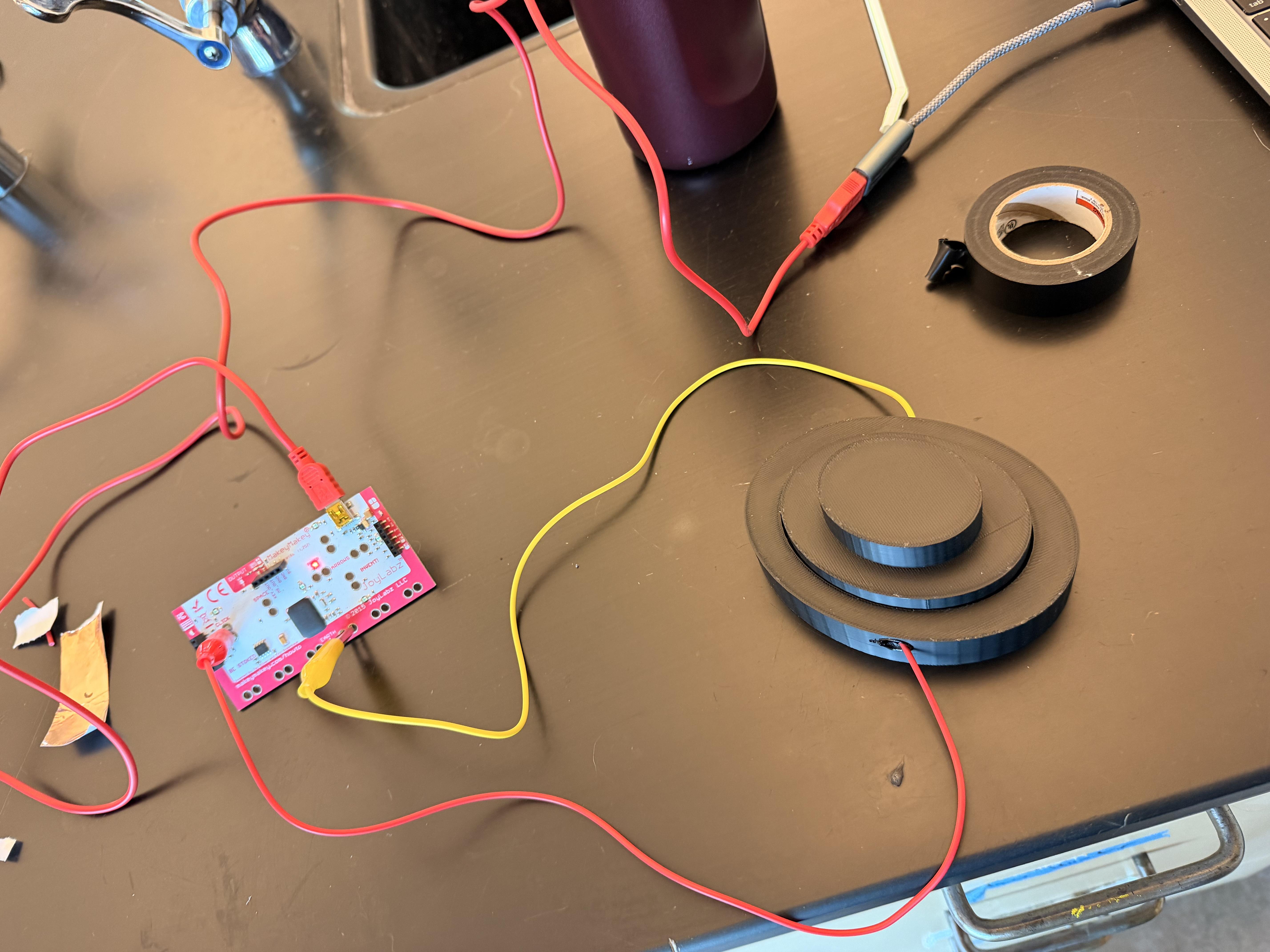
And you're done! You can choose what this button clicks and where you want it to rest.