Adaptive Circuit Press Controller
by charlottepeng in Circuits > Assistive Tech
21 Views, 0 Favorites, 0 Comments
Adaptive Circuit Press Controller

This project is an adaptive rocker switch designed to help children with cerebral palsy successfully play simple computer games, such as the Chrome T. rex game.
Children with cerebral palsy may experience limited fine motor control, muscle stiffness, involuntary movements, or difficulty with precise hand coordination. These challenges can make it difficult to use standard computer keyboards or the small buttons required for many games.
The adaptive switch features a large, easy-to-press surface that rocks in the direction of applied force and then returns to its original position using rubber bands as a restoring mechanism. When pressed, it completes the circuit connected to the Makey Makey, triggering the jump and duck functions in the game.
The switch aims to increase accessibility by providing a large, easy-to-press surface that rocks in the direction of applied force and returns to its original position. The design improves accessibility and allows children to participate more successfully in recreational computer activities.
This guide will provide step-by-step instructions for building a 3D-printed adaptive rocker switch that works with a Makey Makey, enabling digital play for children with limited motor control.
Supplies
- Design (linked below as an STL)
- 2 rubber bands (1/8")
- Copper tape
- Makey Makey + alligator clip cords
- Micro-USB to computer cable
- Computer adapter
- Hot glue
- Scissors
- 3D printer (Bambu reccomended)
Downloads
3D Print the Parts
This project includes an STL file for the design that is ready to print, located in Supplies. The STL file provides the 3D model for the adaptive rocker switch housing, designed to be large, durable, and easy to assemble.
Download the STL Files:
- Access the link from Supplies and download the STL file for the adaptive rocker switch. The file includes all components: the base frame, the circular press plate, and the pivot.
Print the Parts
- Base Frame: Provides the structure for the switch and the mounting points for the pivot and rubber bands.
- Press Plate: Large circular plate that the user will press.
- Pivot Rod: Prints as a cylinder that goes in the middle of the base frame. (in the prototype, I used a straw and taped it to the base frame). Use the hot glue to glue it to the middle of the base plate.
Apply Copper Tape

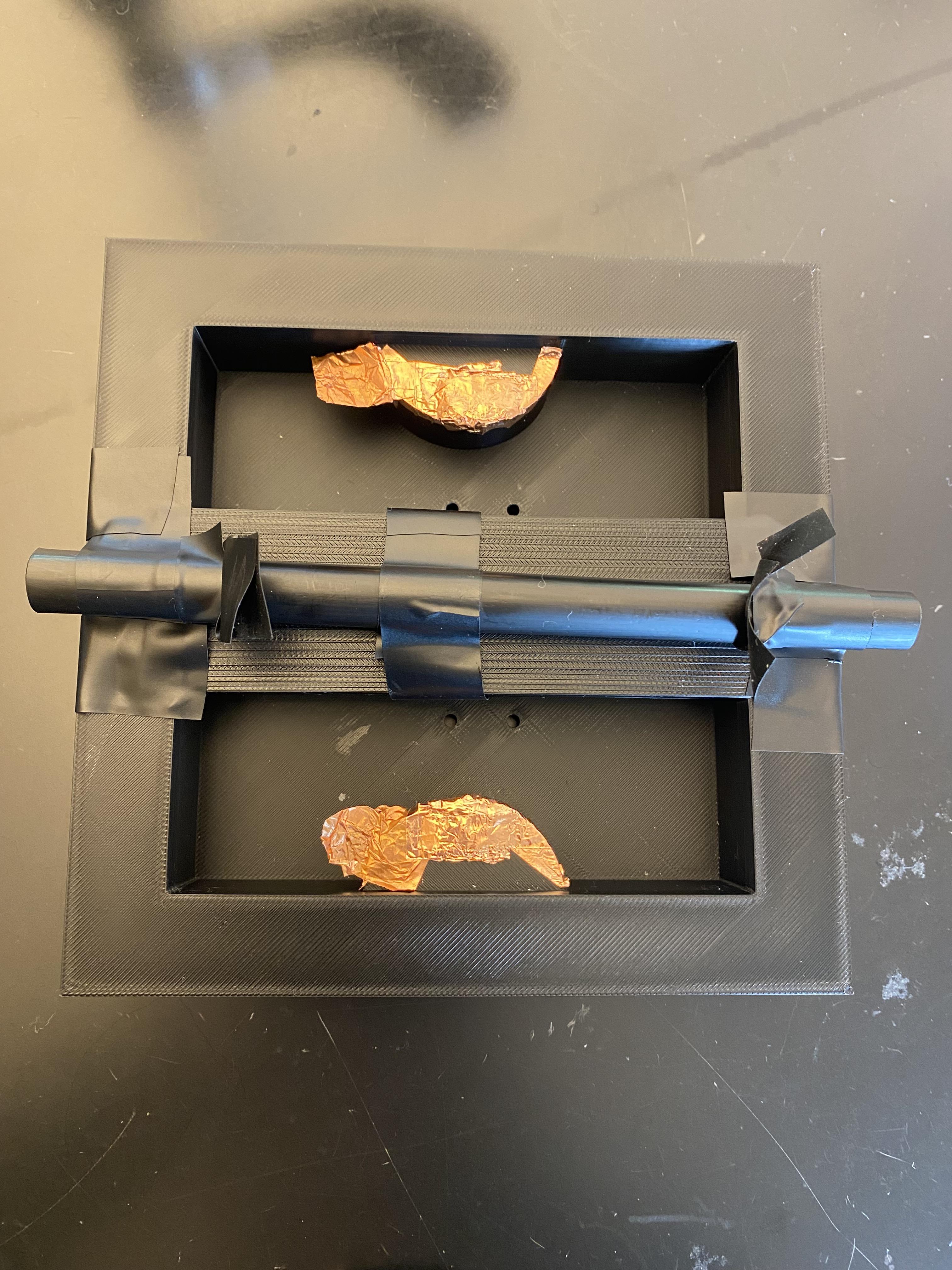

In this step, you will apply adhesive copper tape to the 3D-printed parts. The copper tape acts as a conductive surface, so careful placement is important to ensure solid electrical connections later.'
Press Plate
- Use scissors to cut small pieces of copper tape.
- Place the tape on either side of the circle, where each of the arrows are. Make sure you cover at least a quarter of an inch from each edge to ensure the clip can stay on the copper tape.
- Attach a strip of copper tape from the top to the bottom. Then add another strip on the side of the plate and connect that to the first strip.
Base Frame
- Place copper tape on each of the semicircle platforms on the top and bottom. It is optional, but you can put multiple layers of copper tape pieces to elevate the conductive space.
- Make seperate copper tape tabs on either the left or right sides of the semicircle platforms (I did it on the left) so there is a space where the alligator clips can fasten onto later.
Attach Alligator Clip Cords to Makey Makey
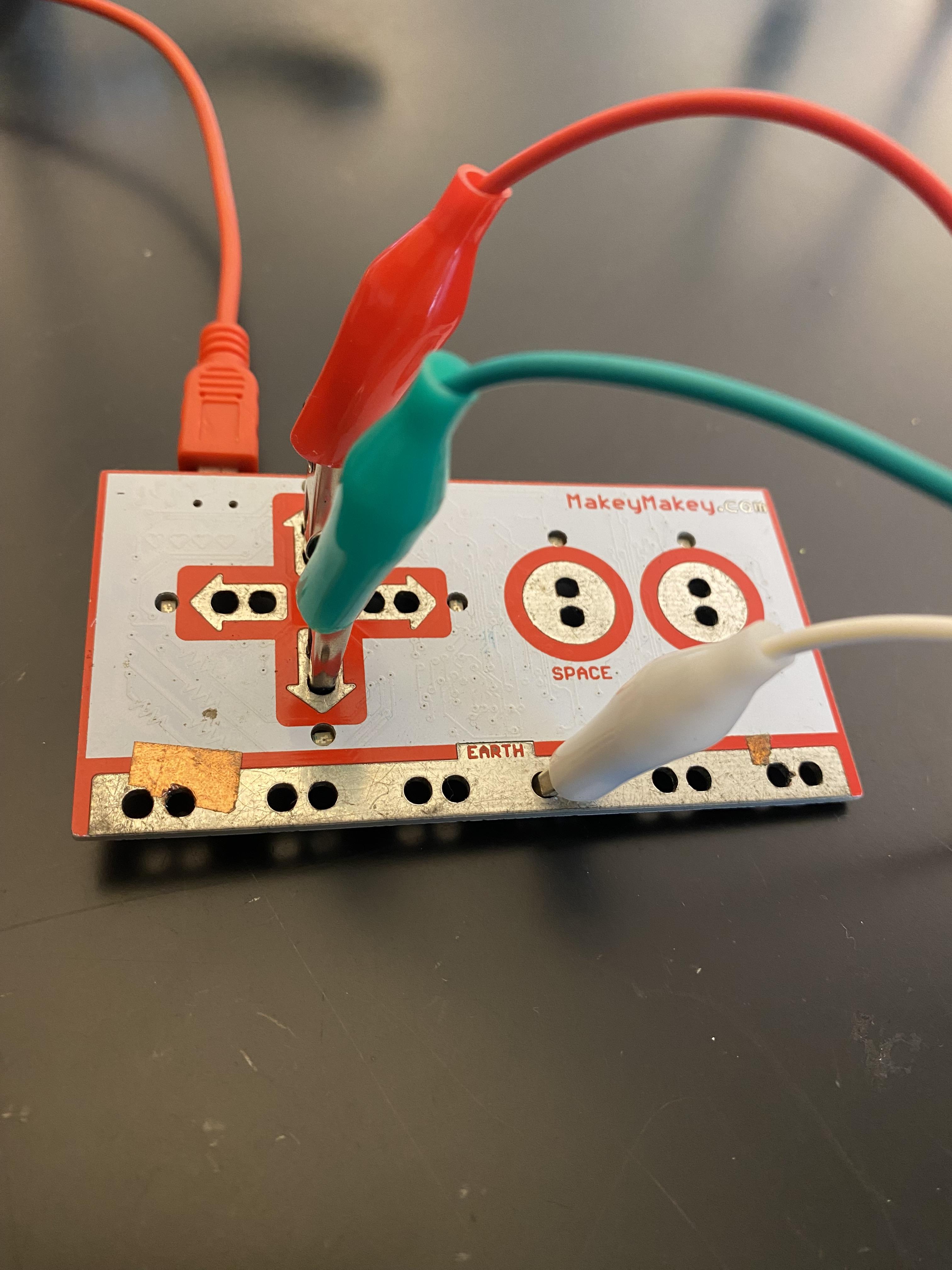
In this step, you will connect the free ends of the alligator clip cords to the Makey Makey board.
- Plug one alligator clip into the “Earth” (ground) connection on the Makey Makey. Connect the second and third alligator clips to the up and down arrow keys.
- Attach the free ends of both alligator clips to the copper contact points inside the adaptive rocker switch.
- Plug the Makey Makey into the computer using a USB cable. Press the adaptive switch to test the connection. When the switch is pressed and the circuit is completed, the indicator light on the Makey Makey should illuminate, confirming that the input has been successfully activated.
Rubber Bands

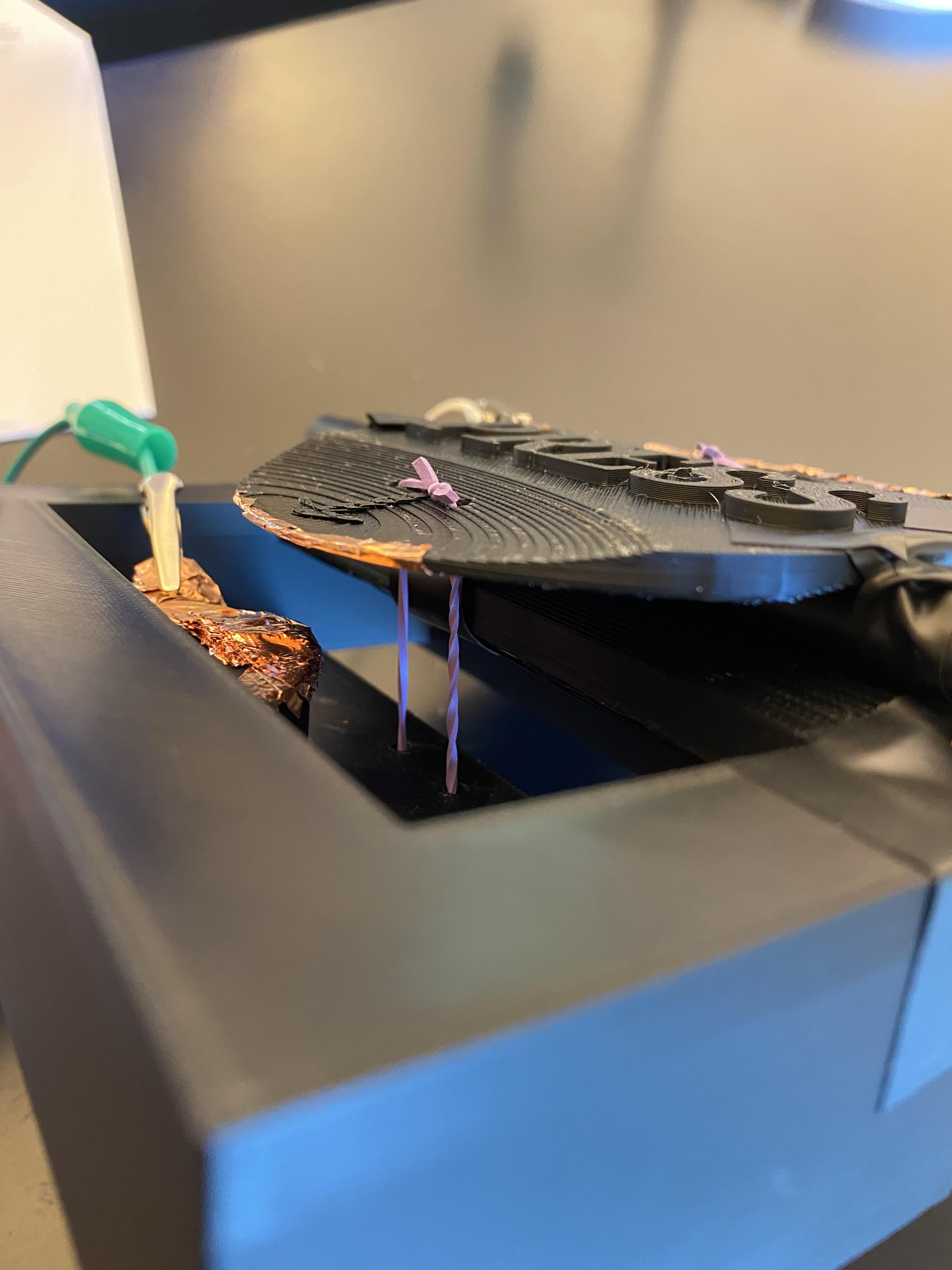


In this step, you will secure the top circular press piece to the base using rubber bands to create tension and make the press plate rock in the direction you press.
- Cut through two rubber bands.
- For one band, loop each end through one of the pairs of holes at the bottom, so the ends stick out when you flip the base frame rightside up.
- Loop each end through the pairs of holes on the press plate, depending on where you put your first rubber band.
- Tie a double knot to secure it to the plate.
- Do the same steps above for the other rubber band.
The rubber bands should be tight enough to pull the plate downward firmly, but not so tight that they warp or tilt it. The goal is to create steady downward pressure so that when the plate is pressed, the copper tape makes reliable contact with the conductive areas inside the base, and when the plate is released, it returns to its original position.
Once you finish putting the rubber bands, add tape to the left and right sides of the plate to secure and keep it stable while pressing.
Alligator Clips on Copper Tape

In this step, you will connect the alligator clips to the copper tape to complete the electrical connections for your press mechanism.
- Take the wire that is attached to the up arrow on the Makey Makey and connect the free alligator clip to the top copper tape tab.
- Do the same for the down arrow.
- Take the wire that is attached to the "Earth" and connect it to the copper tape strip on the side of the press plate (not the ones right in front of the arrows!)
The metal teeth of the clip should bite firmly into the copper surface—not onto plastic—so you get a strong electrical connection. If needed, reposition the clip to ensure it is fully gripping the tape.