Adaptive Gaming Button
by lucca_modica in Circuits > Assistive Tech
19 Views, 0 Favorites, 0 Comments
Adaptive Gaming Button


Adaptive gaming is about making games accessible to everyone, regardless of physical ability. For someone with dyskinesia, small and precise keyboard presses can be difficult. Sudden or involuntary movements can make it hard to hit a small key like the space bar.
This project creates a large, easy-to-press adaptive gaming button that connects to a computer using a Makey Makey. When pressed, it triggers the jump action in the Google Chrome Dinosaur game. The goal is to make gameplay more comfortable, more inclusive, and more fun.
This design focuses on simplicity, accessibility, and adjustability so it can work for different users.
Supplies
3D Printed Button Housing
A large button case that holds everything together and provides a stable surface to press.
Copper Tape
Conductive tape that allows electricity to flow when touched.
Alligator Clips
Wires with clips on both ends to connect copper tape to the Makey Makey.
Makey Makey Board
A device that turns everyday conductive materials into keyboard inputs.
Computer with Google Chrome
Used to run the Google Chrome Dinosaur game.

Use this file to print the adaptive button.
Downloads
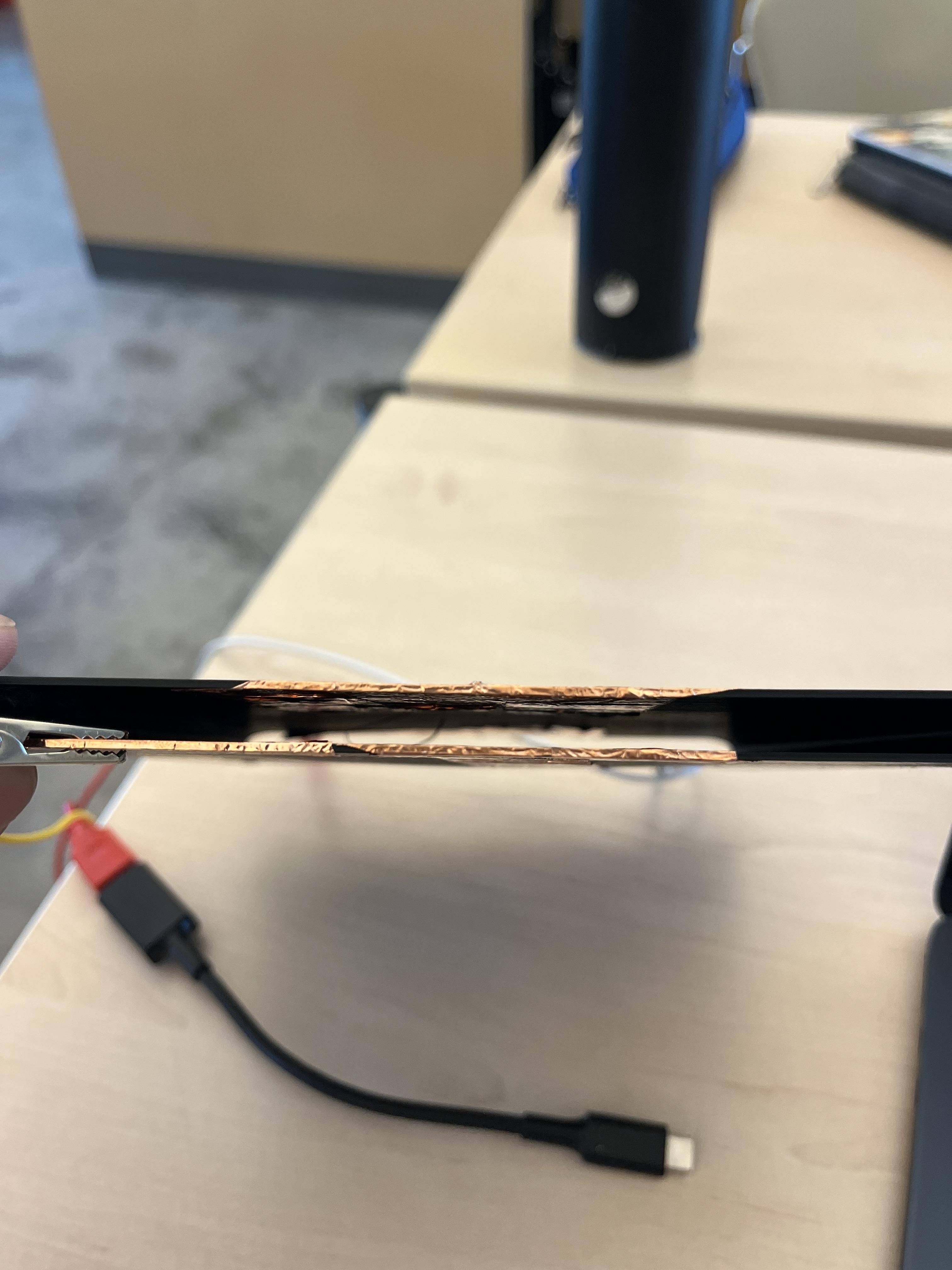
Line the underside of the button’s top surface with copper tape.
Make sure the tape is smooth and fully stuck down.
Why this matters:
Copper tape is conductive. When touched, it allows electricity to flow. This is what turns the physical press into a digital signal.
Leave a small tab of copper tape extending inside the housing so you can attach an alligator clip.


Place another piece of copper tape on the inside bottom of the housing.
This piece should not touch the top copper tape when the button is not being pressed.
Also make a path of copper tape on the bottom of the button so it can complete the circuit.
Why this matters:
The button works by completing a circuit. When pressed, the top and bottom copper surfaces touch. That contact tells the Makey Makey to send a key signal.
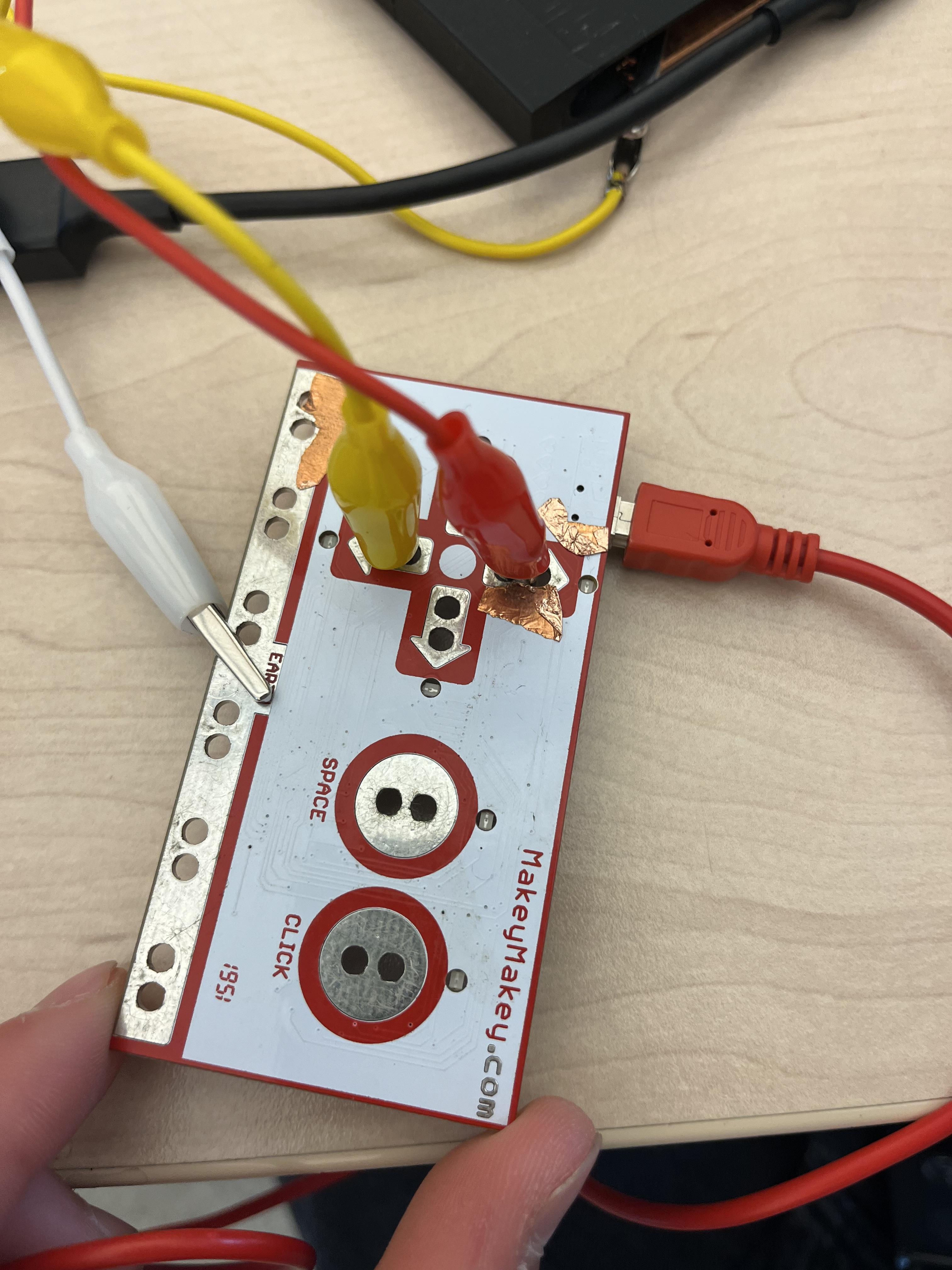
Clip one alligator wire from the top copper tape to the “Up Arrow” input on the Makey Makey.
Clip another alligator clip on the "Down Arrow" input on the Makey Makey
Clip another wire from the bottom copper tape to the “Earth” (ground) connection on the Makey Makey.
Why this matters:
The Makey Makey detects when the circuit is completed between a key input and ground. When the two copper pieces touch, it acts just like pressing the space bar.

Connect the Makey Makey to your computer using a USB cable.
Open the Google Chrome Dinosaur game.
You can start it by:
- Turning off WiFi and pressing the space bar
- or
- click here https://chromedino.com/
Press your adaptive button.
If everything is connected correctly, the dinosaur should jump.
Why this matters:
Testing ensures the circuit is working and the button sensitivity is correct.
Downloads
Testing and Adjustments
If the button is too sensitive:
- Add foam to create space between the copper pieces.
- Make sure the copper surfaces are not touching at rest.
If it’s not sensitive enough:
- Reduce the padding.
- Make sure the copper pieces fully touch when pressed.
To make it larger:
- Scale up the 3D print.
- Use a wider top plate.
To make it easier to press:
- Use softer foam.
- Reduce spring resistance.
- Increase the surface area.
Small adjustments can make a big difference in accessibility.