Alternative Button/joystick for People With Limited Hand Movements
by lukeyboats in Design > 3D Design
79 Views, 1 Favorites, 0 Comments
Alternative Button/joystick for People With Limited Hand Movements


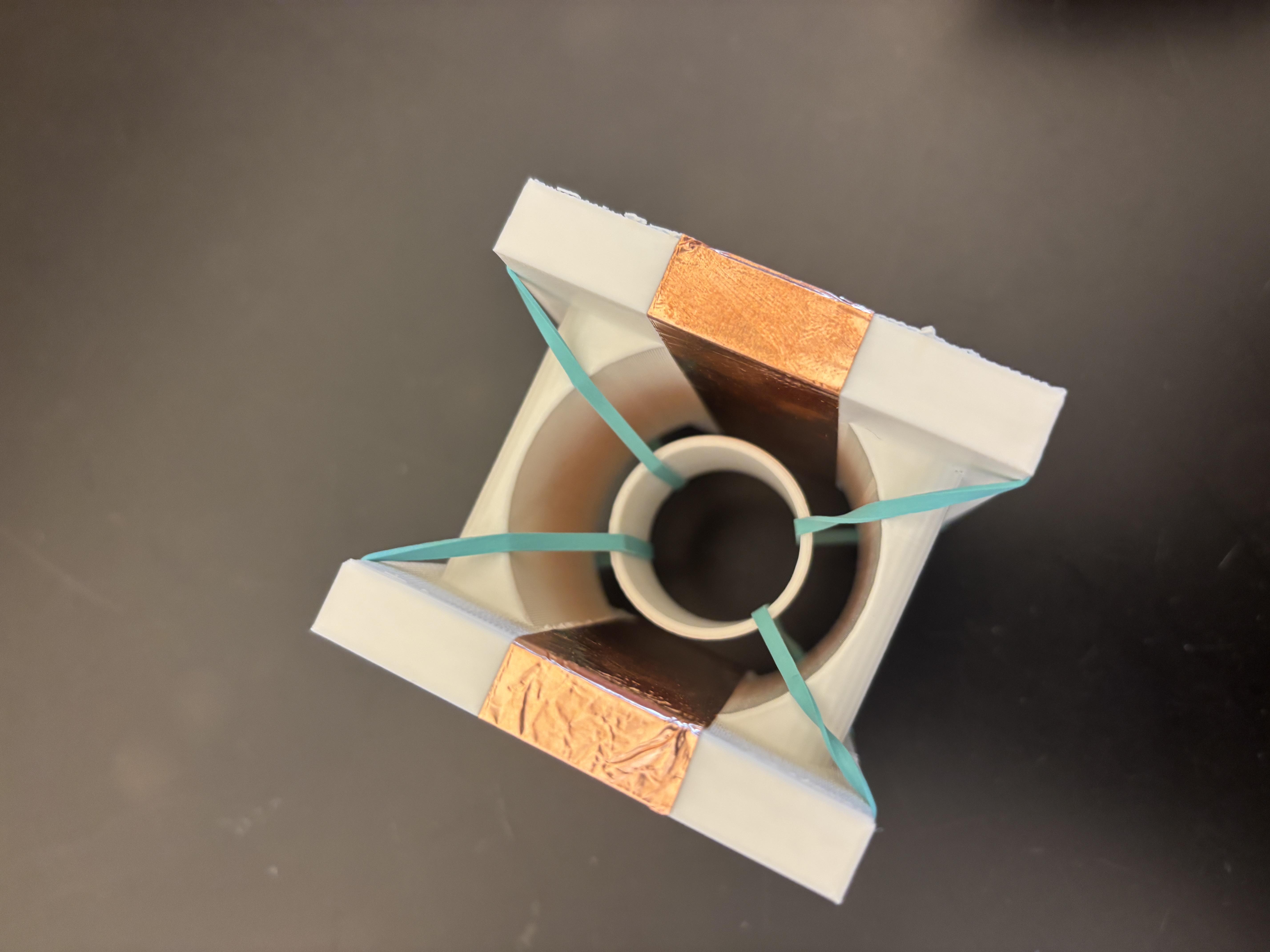


This product is an affordable, 3D-printed assistive technology device designed specifically for individuals with Cerebral Palsy or limited hand mobility. Traditional joysticks and buttons often have stiff springs that cause muscle fatigue or "snapping" centers that are difficult to navigate with tremors.
This design uses rubber band suspension to provide a soft, floating return-to-center and copper foil tape to act as capacitive touch sensors, allowing the user to trigger inputs with virtually zero physical resistance.
Supplies
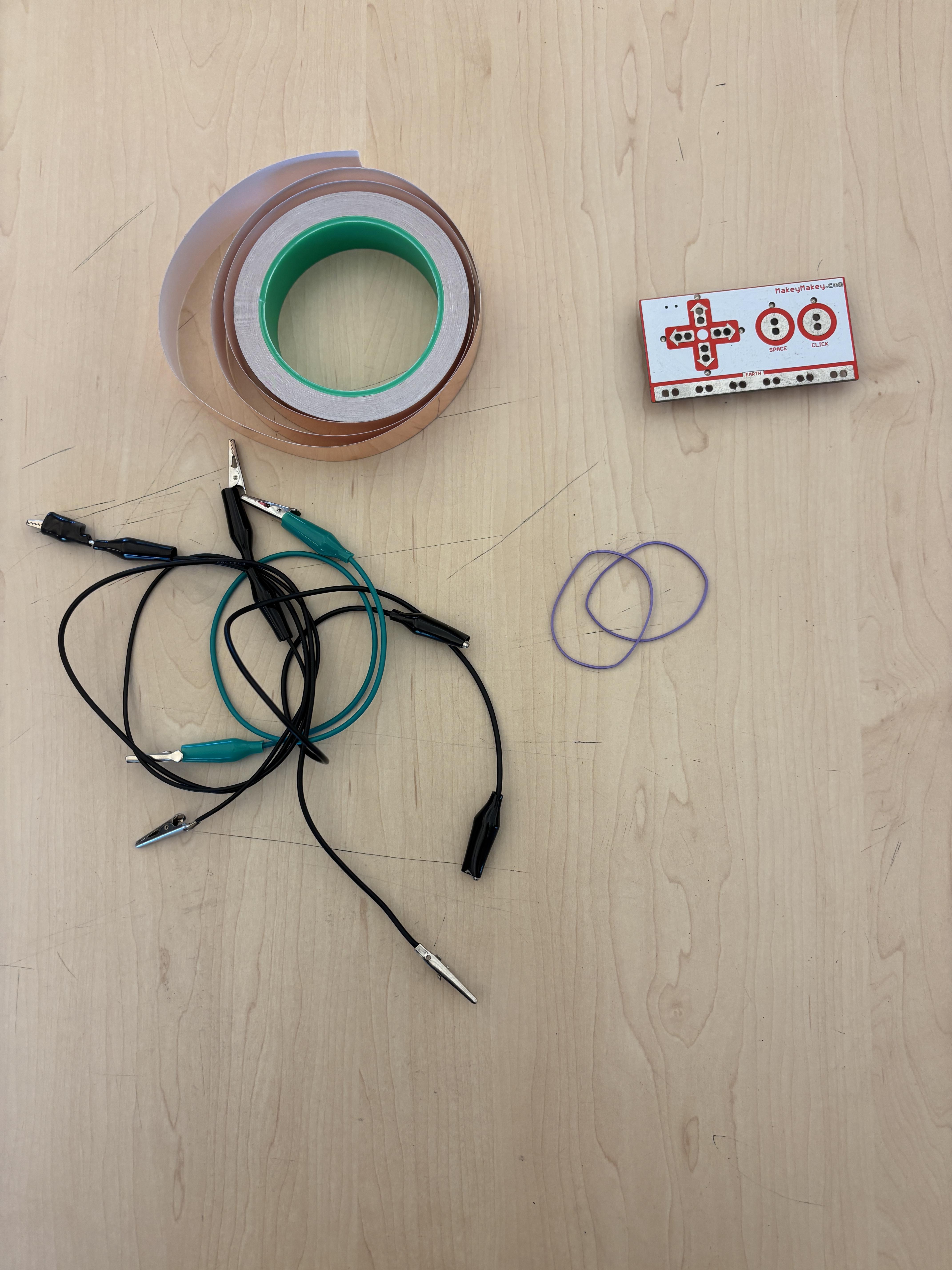
What thingyverse will print:
3D Printed Frame: A custom-designed "C-frame" or housing.
3D Printed Core: A small cylinder/puck that acts as the joystick handle.
Supplies you need:
Copper Foil Tape: Conductive adhesive tape for the sensor pads.
Rubber Bands: To provide the floating suspension.
Jumper Wires & MakeyMakey: to process capacitive touch.
Prepare the Frame and Core
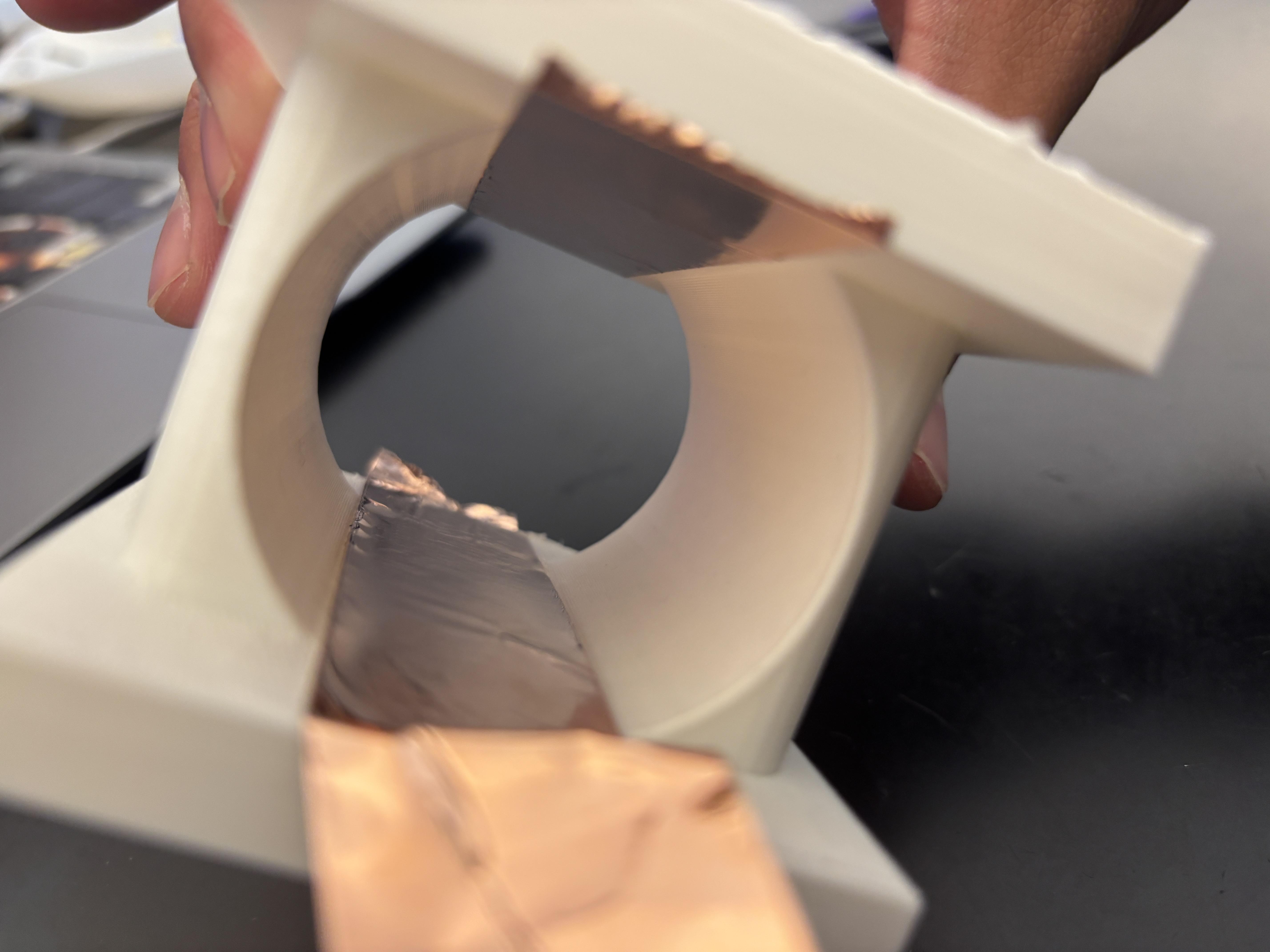
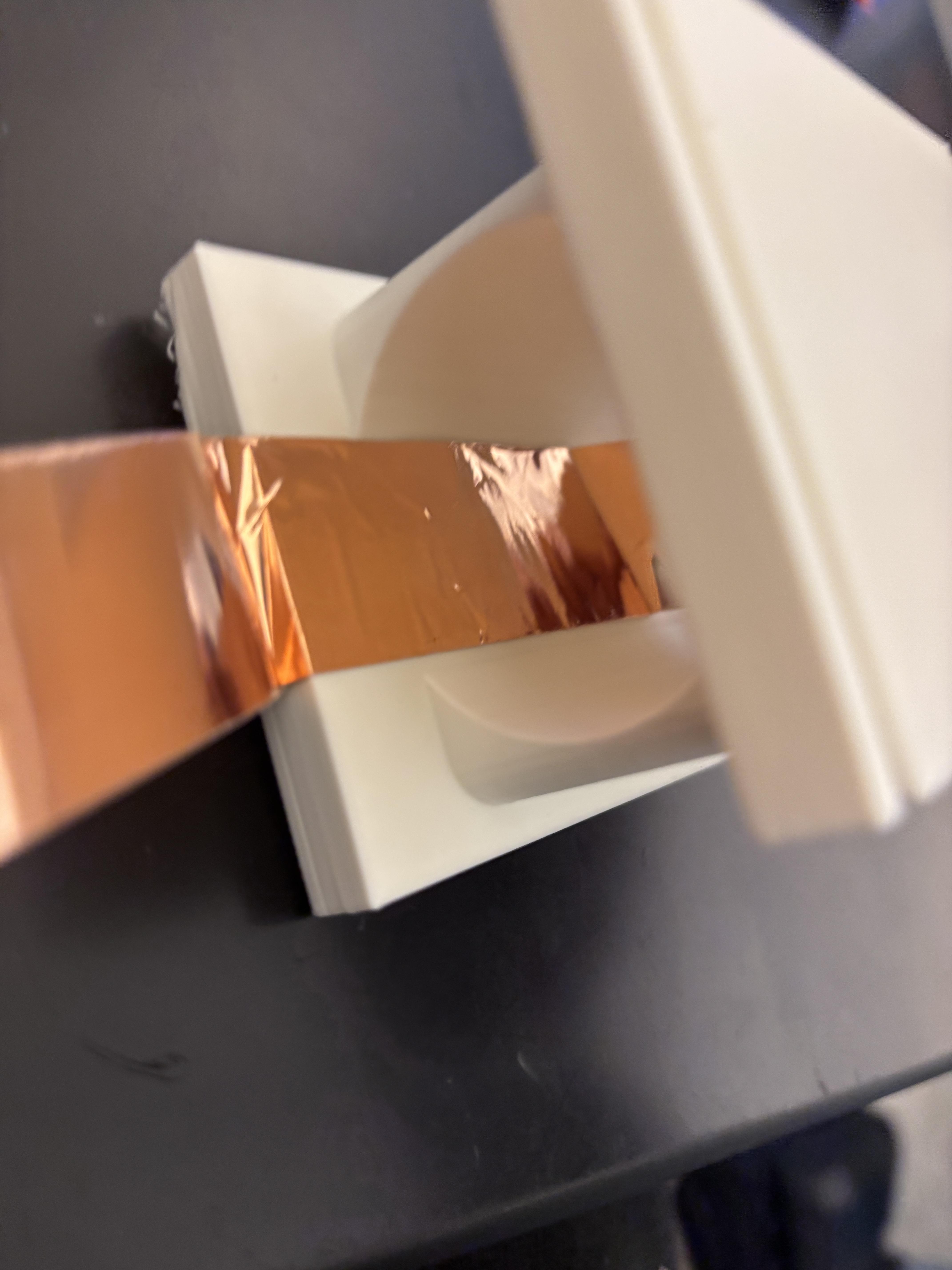

The housing consists of a sturdy outer frame with cutouts for copper tape placement.
- Apply strips of copper tape to as many faces of the frame as you want buttons, up to four max.
- Wrap the center core in copper tape as well.
- Ensure the edges of the tape on the frame wrap around to the outside and bunch them up so you can easily solder or clip wires to them later.
The Elastic Suspension System

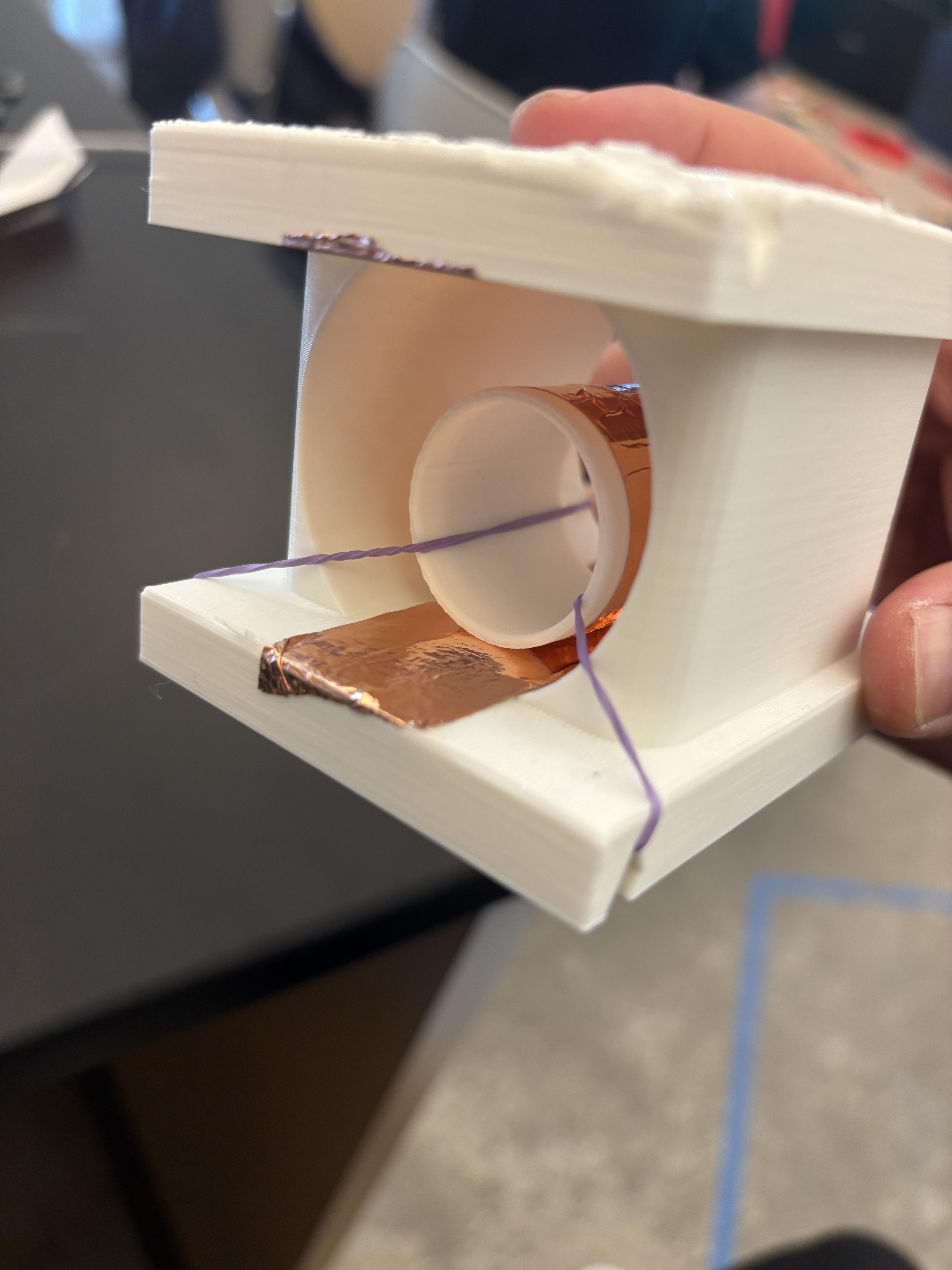


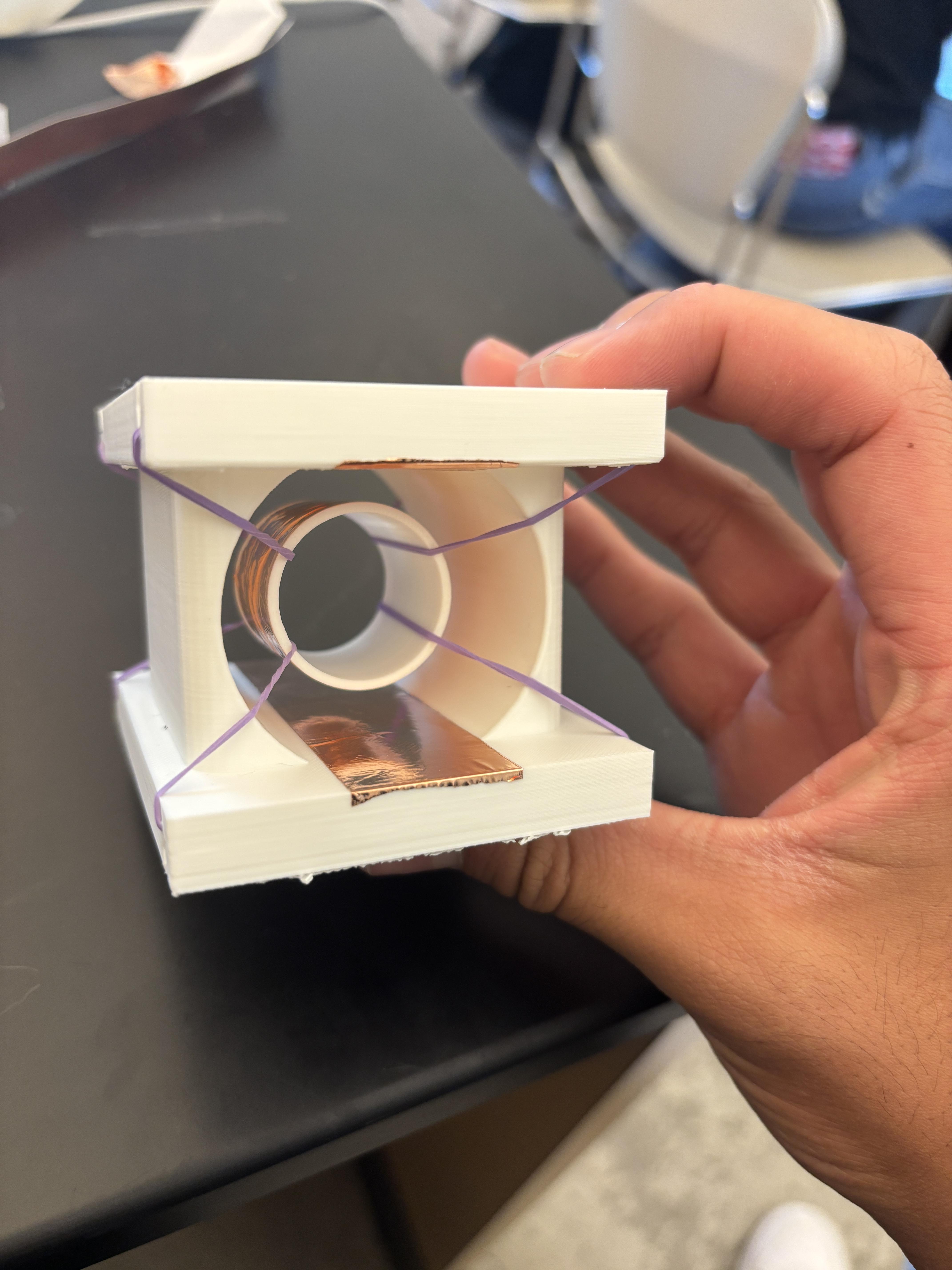
Instead of a mechanical gimbal, we use physics!
- Loop the rubber bands through the frame’s corner anchor points.
- Stretch them across to hold the center core in a "floating" position.
- Why this works: The elasticity is highly adjustable. For users with high muscle tone (spasticity), you can add more bands for more resistance; for users with low muscle tone, a single thin band allows the joystick to move with a feather-light touch.
Wiring for Capacitive Touch


Connect your microcontroller to the copper pads.
- The center core acts as the "common" or the "pointer."
- The four outer pads act as the directional inputs.
- When the user moves the joystick and the core's tape comes near or touches the frame's tape, the capacitance change triggers a "key press" on the computer or console.
Enjoy!


A simple two button dinosaur game being played with the adaptive console.