Attempt at Making a Single Motor Driven Four Legged Walker
by micah_ in Workshop > 3D Printing
53 Views, 0 Favorites, 0 Comments
Attempt at Making a Single Motor Driven Four Legged Walker
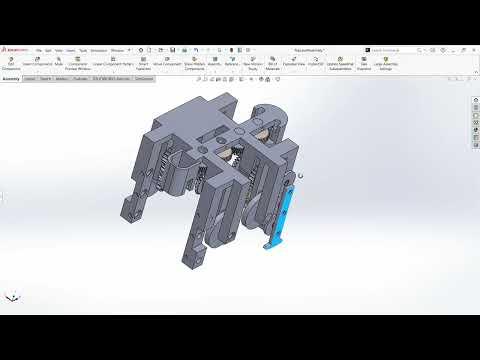
This project covers a robot that I designed to walk forward using the power of a single motor taken from a broken Ryobi reciprocating saw for the Make it Spin competition. I wanted to use this motor to figure out if I could use only it to move a robot in a more complex way than rolling motion. Although I was unsuccessful in physically creating the robot, this project was great practice in designing a complex system. This Instructable covers major parts of my design and their purpose towards the goal as well as failure points in the final design and possible future improvements.
Supplies
-Cad Software
-3D Printer
-Ryobi reciprocating saw motor, switch, and battery
-Super Glue
Power Transfer From Motor
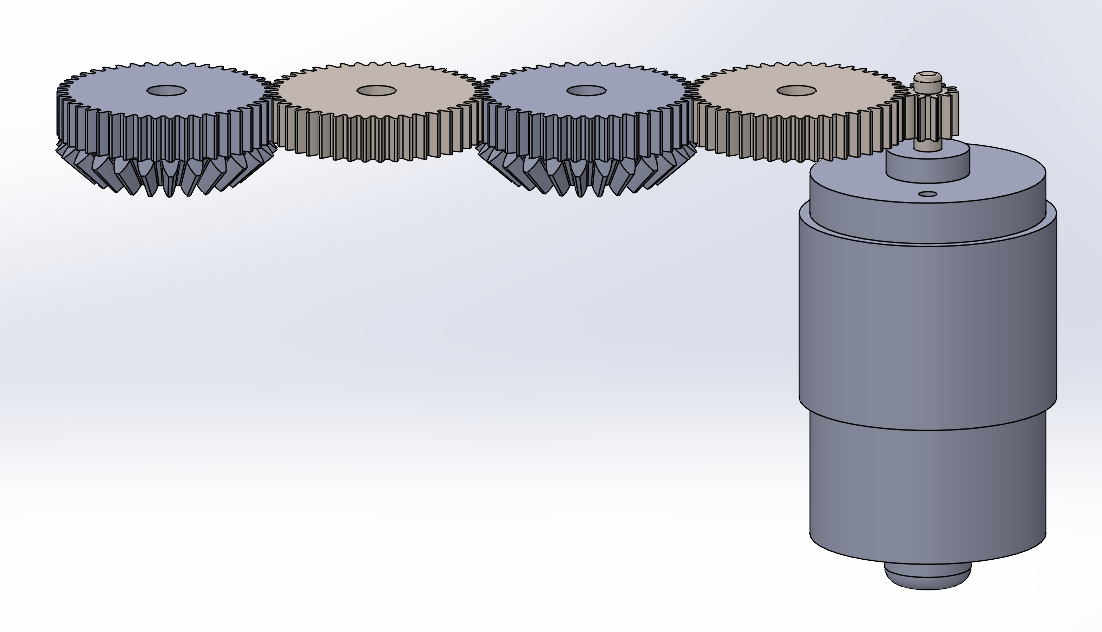
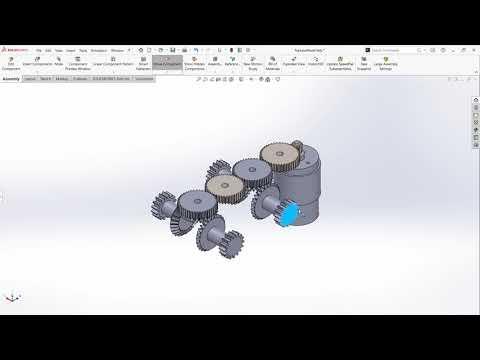
The method I used to transfer motion from the motor was to use simple horizontal gears and complex horizontal gears in a line. The simple gears were used as spacers between the motor and the first complex gear and between the two complex gears. The complex gears are identical to the simple gears on top but have a beveled gear on the bottom to interface with transfer rods that translate the rotation on the horizontal plane to rotation on the vertical planes on either side of the robot.
Aligning the Direction of Rotation
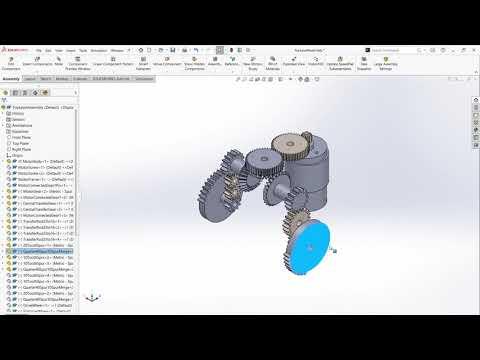
Due to connecting the transfer rods on opposite sides of the complex gears, their direction of rotation is different depending on which side of the robot the transfer rod is on. To fix this while keeping each side of the robot equivalent, I needed gearing to reverse the rotation on one side of the robot and spacer gears on the other side to keep both sides equivalent. Additionally, I needed to maintain the same gear ratio on either side of the robot.
To reverse the direction of rotation I meshed two gears between the transfer rod and the gear to be driven, and to maintain the space taken by the reversal gearing on the opposite side I meshed one idler gear between the transfer rod and the gear to be driven. To maintain the same distance on either side of the robot, I considered the relationship between a gears' number of teeth and its diameter compared to another gear of the same tooth size. A gear with half the number of teeth compared to another gear will also have half the diameter. This meant that if my spacer gear had 20 teeth, my two reversal gears had to each have 10 teeth for their added diameters to equal that of the spacer gear.
Independent Power Transfer to Legs

For the motion of the robot, I wanted to carry out the full motion of each leg, one at a time. To do this, I designed a sector gear with teeth on one fourth of its circumference. The number of teeth on that section equals the number of teeth on the next gear to be driven so that a quarter rotation of the sector gear would cause a full rotation of the next gear. The sector gears were to be positioned a quarter turn from each other so that at any given time only the teeth of one sector gear would be interfacing with the next gear. On the back end of the sector gear is a full gear that interfaces with the motor driven gears to maintain a constant rotation.
Leg Design
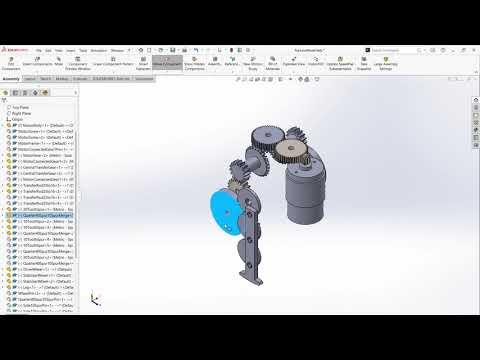
I modeled the legs after coupled train wheels. By connecting a gear on the central wheel to the sector gear, the coupling rod moves in a smooth circular motion given that there is a stabilizer wheel on either side. The stabilizer wheels on each side keep the coupling rod vertical and prevent it from binding up. To make the leg, I extended the coupling rod on one side past the stabilizer wheel.
Frame
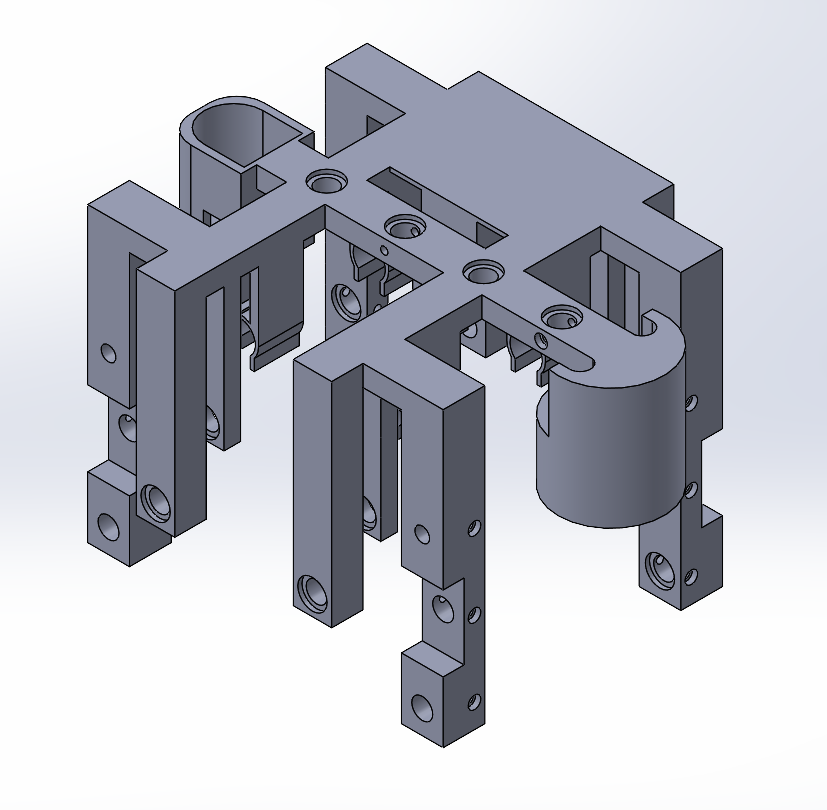
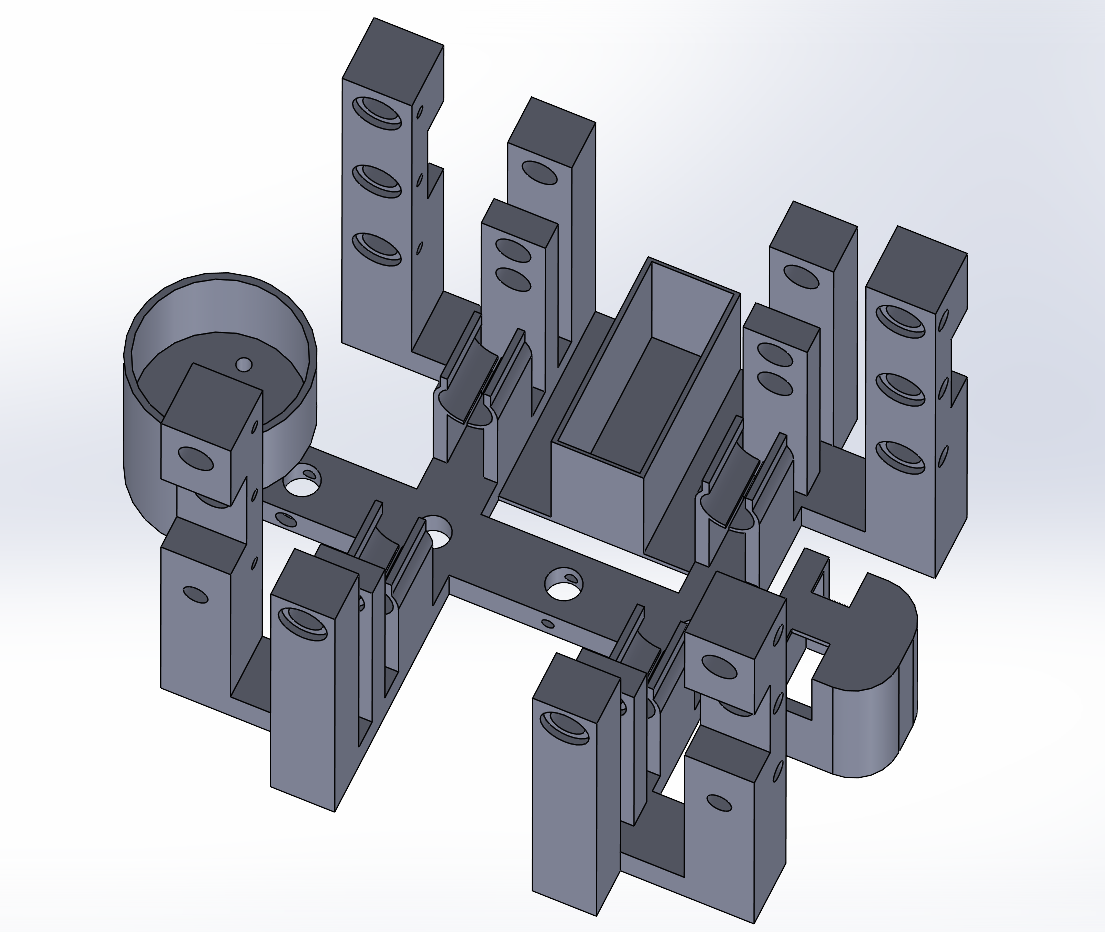
I designed the frame so that I could print it as one piece with minimal support and minimal assembly. Initially I designed it with built in pins for the gears to snap on to, but given the time the frame would take to print and the chance of breaking one of the pins during assembly, as well as the large amount of support material the pins would take to print, I chose to alter the design to incorporate replaceable pins.
Additionally due to time constraints, I made the switch and battery mounts as simple as possible to function. The switch that came with the tool is a trigger, so I used its built in spring to hold it in the rectangular cavity in a constant 'on' position so that the robot would start moving whenever the battery was placed in it.
The frame has spots to snap in the transfer rods which can be seen in the bottom view, but as I will discuss later, these are potentially a major reason the physical robot failed.
Assembly+Failure Points
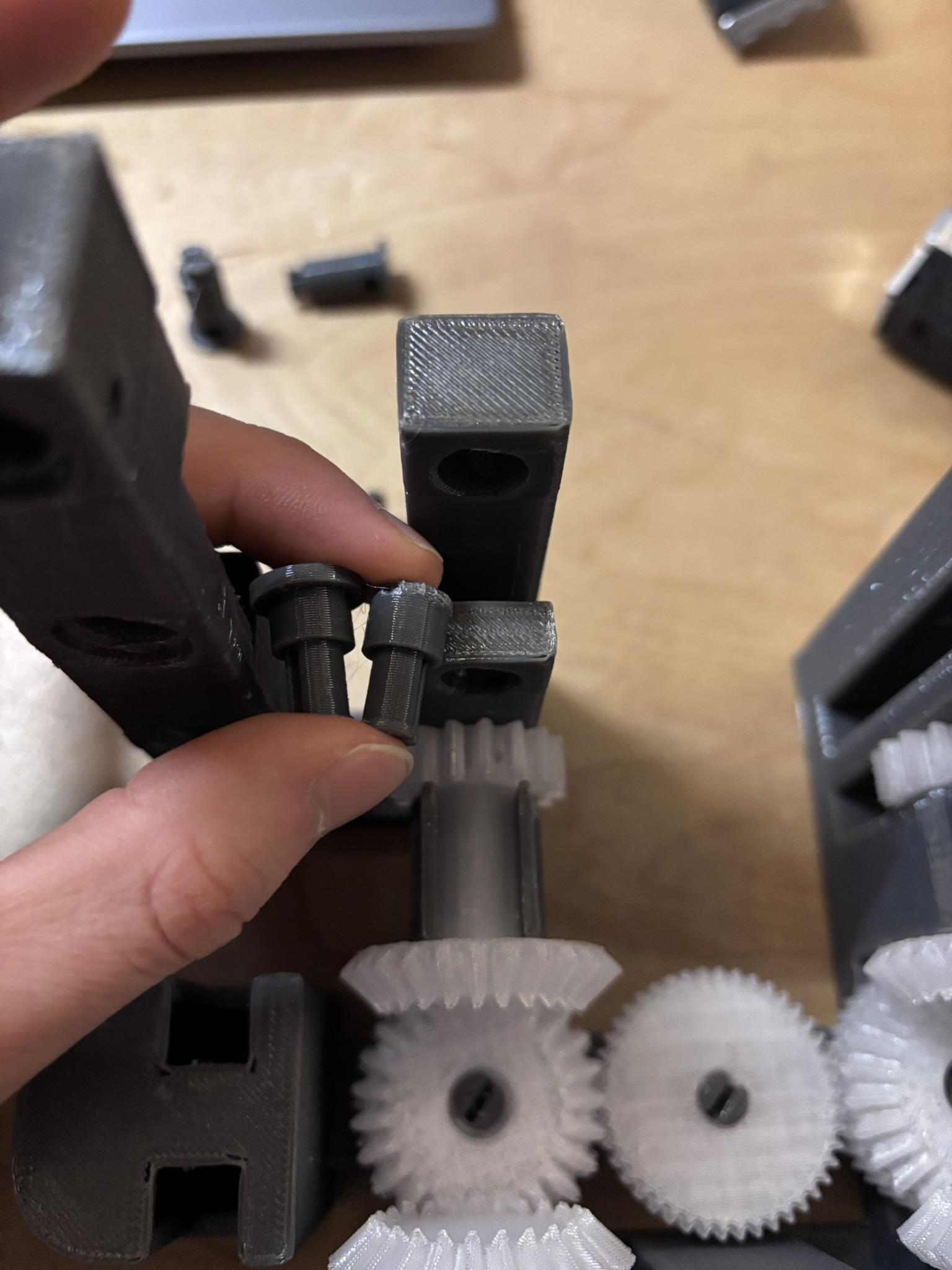
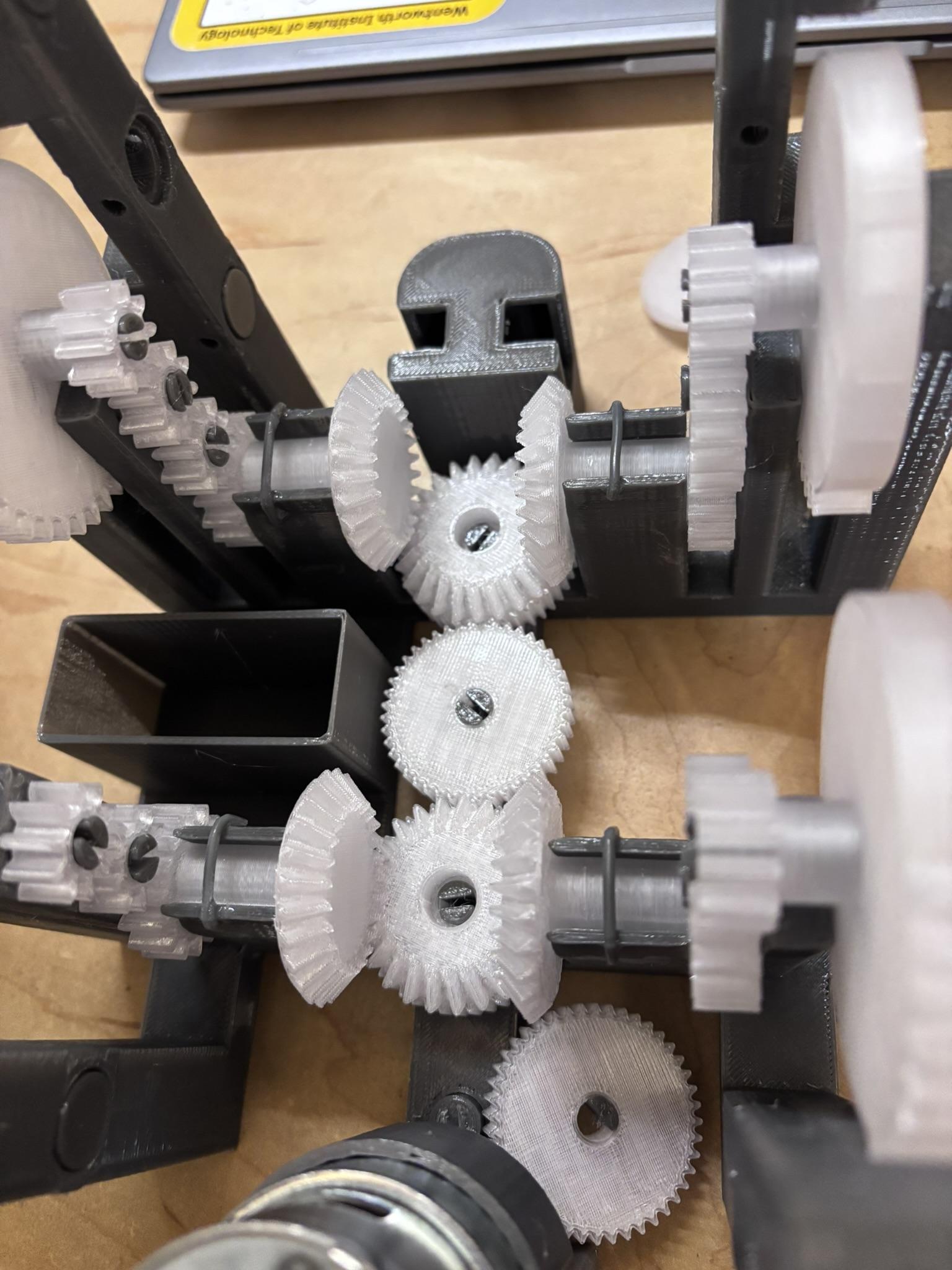

One of the first issues I discovered was that I forgot to consider how I would insert the pin that goes above the transfer rod in the first picture. It was designed to slide in from the outside of the robot, but I did not leave enough space to make that possible. For a quick fix, I clipped off the the edges of the cap that can be seen in the left pin in the first picture and glued the pin into place.
The second picture shows the result after testing the robot assembled up the sector gears with the motor. Quickly, the pin on the first gear directly connected to the motor broke due to the later gears binding up. A main reason I suspect the gears binded up was because the frame wasn't rigid enough. This became especially clear on the transfer rod mounts I mentioned earlier. During manual rotation of the first gear, there came a point where the lateral force on the transfer rod was bending the mount. I tried to quickly fix this by gluing strands of filament on the bottom side of the mounts as extra support, but I am unsure of how effective this was.
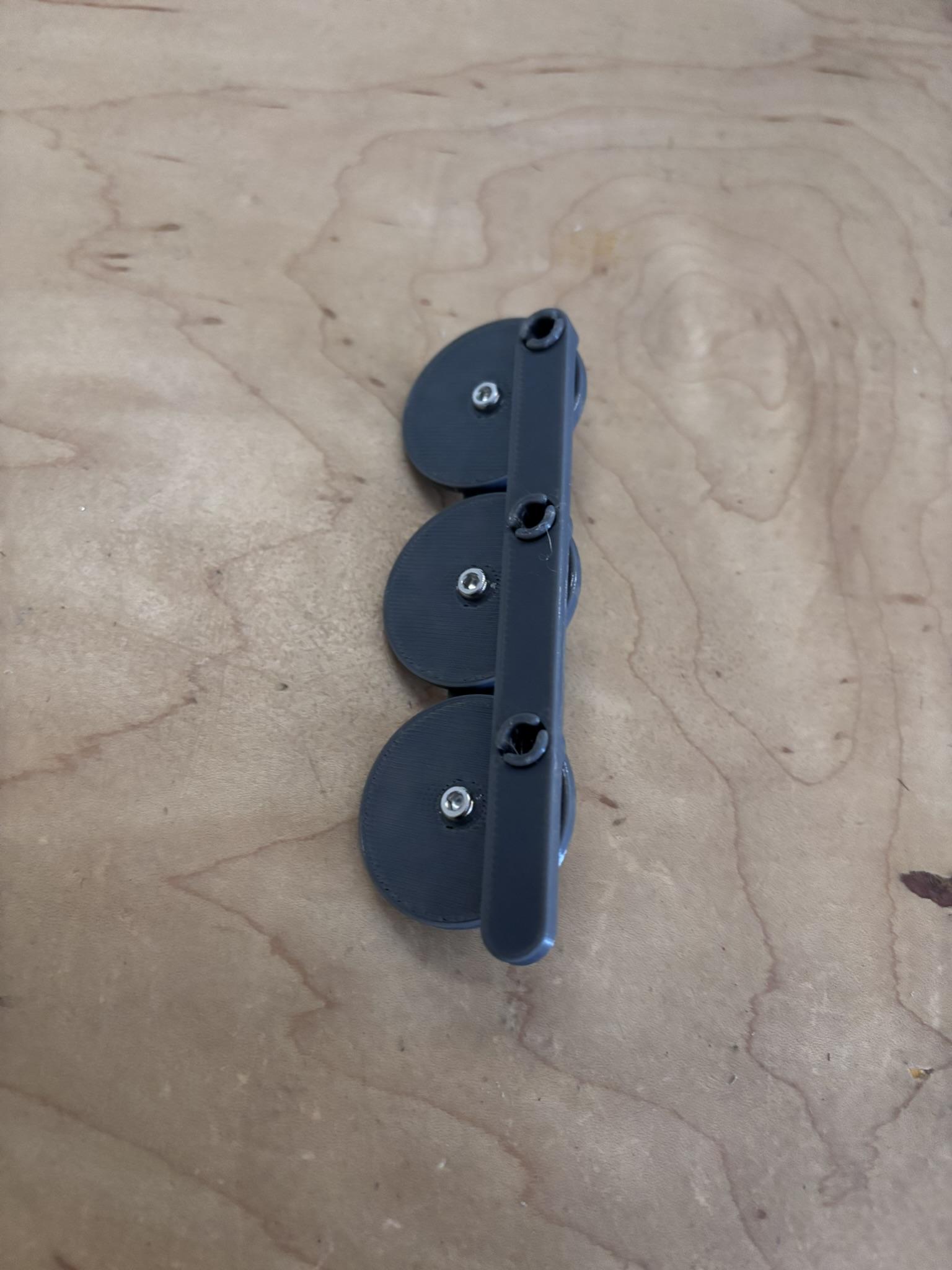
The third picture shows the underside of how the motor, switch, and battery terminals were to be mounted if I had been able to finish the robot.
Due to the problems in the robot's functionality early on in the assembly process, I was unable to finish the physical model. From my CAD assembly of the robot, I have verified the theoretical functionality up to and including the rotation reversal system. Additionally, I was able to verify the functionality of the leg design with a prototype that can be seen in the fourth photo. However, due to not having completed the robot I have not tested how well the sector gear would mesh with the next gear nor if the leg motion alone would be sufficient to actually make the robot walk.
If I was to continue working on this, I would begin by trying to model those two systems before moving on to a physical model and I would put more work into the frame so that it is not a point of failure. Additionally, because the first major failure in this version was the pins holding the gears, a future version could immediately be improved with a stronger mounting system.