Bake Jam Sandwich Cookies Using 3D-Printed Cookie Cutters
by EllaF24 in Cooking > Cookies
249 Views, 2 Favorites, 0 Comments
Bake Jam Sandwich Cookies Using 3D-Printed Cookie Cutters

Most people know Jam Sandwich Cookies, the classical Christmas cookies with a crumbly outside and a bright red jam filling in between two cookie halves. Most of these cookies look essentially identical with a round or flower shaped outside and a circular hole in the center for the red jam to peek out. As this design is not that really suitable for Christmas, I decided to change this and make Jam Sandwich Cookies featuring 3 different iconic festive designs : A snowflake, a Christmas tree and a star. The process involved designing and printing the specific cookie cutter shapes, handling delicate and cumbly dough and a lot of patience. The end result looks truly spectacular and tastes wonderful and in this instructable you'll learn how to make your very own batch of these.
Supplies


Supplies for the cookie cutter:
- Filament
- 3D Printer
Ingredients for the cookies:
- 375g Flour
- 250g Butter
- 125g Sugar
- 200g Strawberry-/ Raspberry Jam
- Powdered Sugar
Additional tools for the cookies:
- 1 Bowl
- 1 Spoon
- Oven
- Rolling Pin
Snowflake Sketch

I started off with designing the snowflake cookie cutter.
- To do this I first drew a hexagon as an outline and "bent" all the lines of the hexagon inward using a 3-point-circle which was then patterned around all the sides of the hexagon. This gave me the general outline for the cookie cutters
- Next to add holes in the center for the jam to be visible from the front, I firstly added a small circle in the middle of the sketch
- To make the cookie cutter look more like a snowflake, I added small oval shaped branches using an arc of a circle which was then mirrored to form a single branch
- Finally I used a circular pattern to form the 5 other branches in the snowflake
Finishing Off the Snowflake


- To create the walls of the cookie cutter I selected the desired outline from the previous sketch and used a thin wall extrude (not a normal one) and extruded everything up 10mm. I set the wall thickness to 0.8mm because that's twice the line width I used to print everything
- After that I used a regular extrude to form the connecting back wall of the cookie cutter and to let air out (that would otherwise get stuck while using the cookie cutter) I added some holes
- Now with the sharp corners the cookie batter would stick to the walls and the final cookies could easily chip so I rounded off the edges using fillets
- To further aid in using the cutter I aggressively chamfered the upper edge using the "distance and angle" chamfer
Star


To create the star I followed a similar procedure
- I started off by sketching two stars in each other using the circular pattern tool
- The resulting outline was then extruded using a 0.8mm thin wall extrude
- Next I added a back plate to the design and added triangular pressure relief holes
- Finally I filleted all sharp corners and chamfered the top edge again
Christmas Tree


- For the Christmas tree I uploaded a picture to use as a reference during the design process
- Other than that the design process was pretty much the same as the previous ones as I started off with the sketch of the outline of the cookie cutter
- For this I roughly traced the sketch, dimensioned everything and added some circles to form the Christmas baubles (where the jam would be visible).
- The resulting sketch was yet again extruded up using the thin wall extrude
- That then was followed up by adding a backplate with small pressure relief holes
- And finally I filleted all sharp edges and chamfered the top edge of the cutter
Exporting and Printing


For all of the cookie cutters I had to create one with the inner holes and a complimetary one without them (for the top and bottom halves of the cookie). To create these I simply just removed the inner parts using a cut extrude and exported all the resulting files. I printed them using my regular settings in PLA and after a few slight design changes I got then to look nice and work well.
To 3D print your own set just upload the provided stl files to your slicer of choice and choose any material (I used PLA). Use your regular slicer settings. In case you want to design a custom one to match your desires, you can use the steps above as a guide.
Time for the Cookies
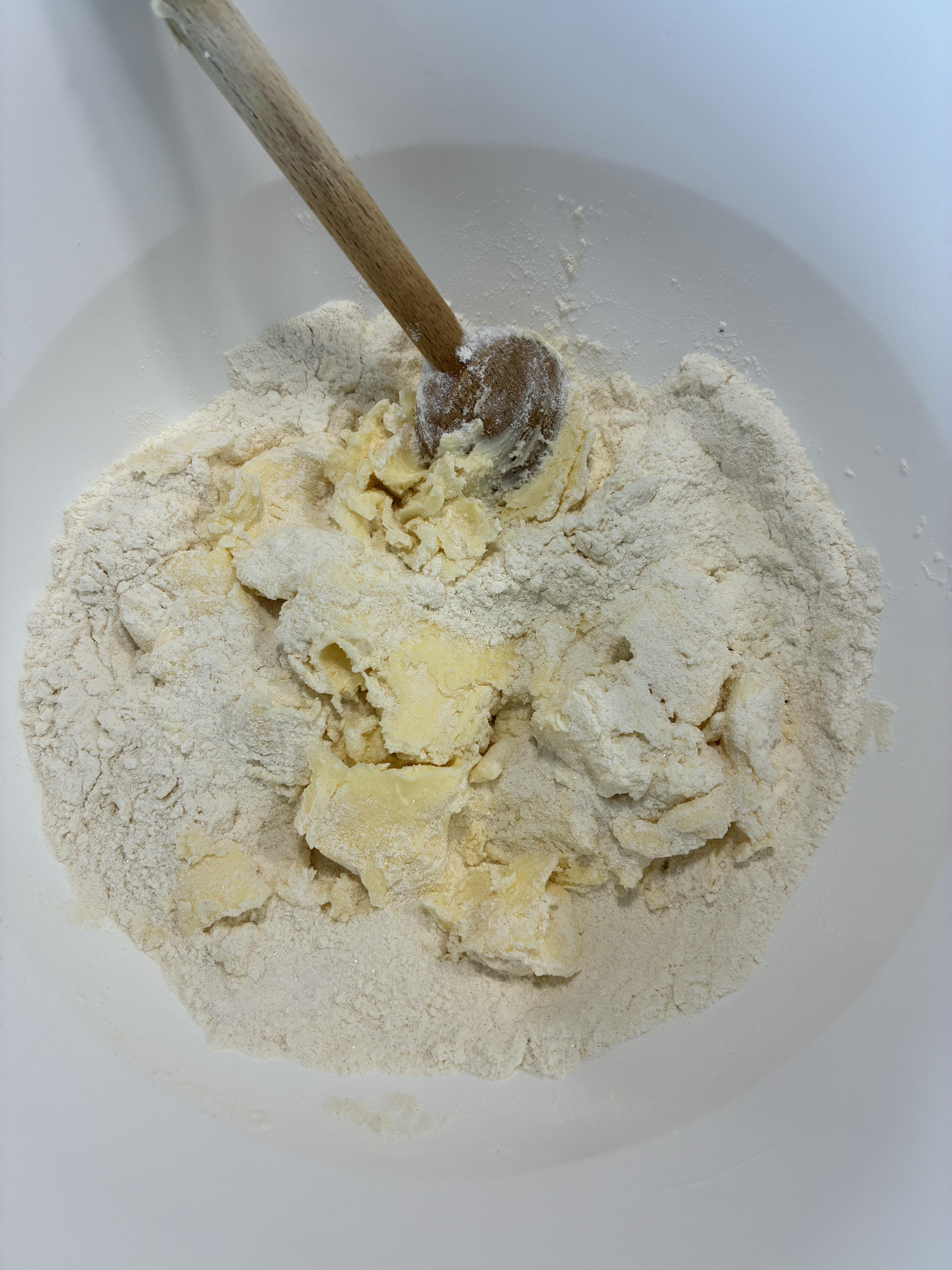

Now let’s begin with the cookies. Start by mixing the flour, sugar, and the butter. Make sure the butter is at room temperature before adding it. You can decide if you want to use a spoon or your hands. I like to start with a spoon and then switch over to my hands. After you have mixed the dough, roll it into a ball and let it sit in the fridge for 1 hour.
Cutting the Cookies


After one hour take the dough out of the fridge. Now comes the tricky part. Put a little bit of flour on the table so that the dough doesn’t stick. Roll it out so that it is roughly 3mm (1/8 inch) thick. Try putting some flour on your rolling pin if the dough also sticks to it. Don’t forget to put the baking sheet on the baking tray. Then get your personalised cookie cutters. Gently cut into your dough. If it sticks to your cutter then just get a toothpick to poke out the details and then plop it onto to your tray. If it sticks to your table slowly and gently use a bench scrapper to get it of, and again use a toothpick to refine the outline. This dough is extremely hard to work with because of its crumbly texture so make sure to be careful and take your time. Preheat your oven to 375°Fahrenheit (190° Celsius). Put the cookies in the oven for 3-5 minutes.
Assembling the Cookies
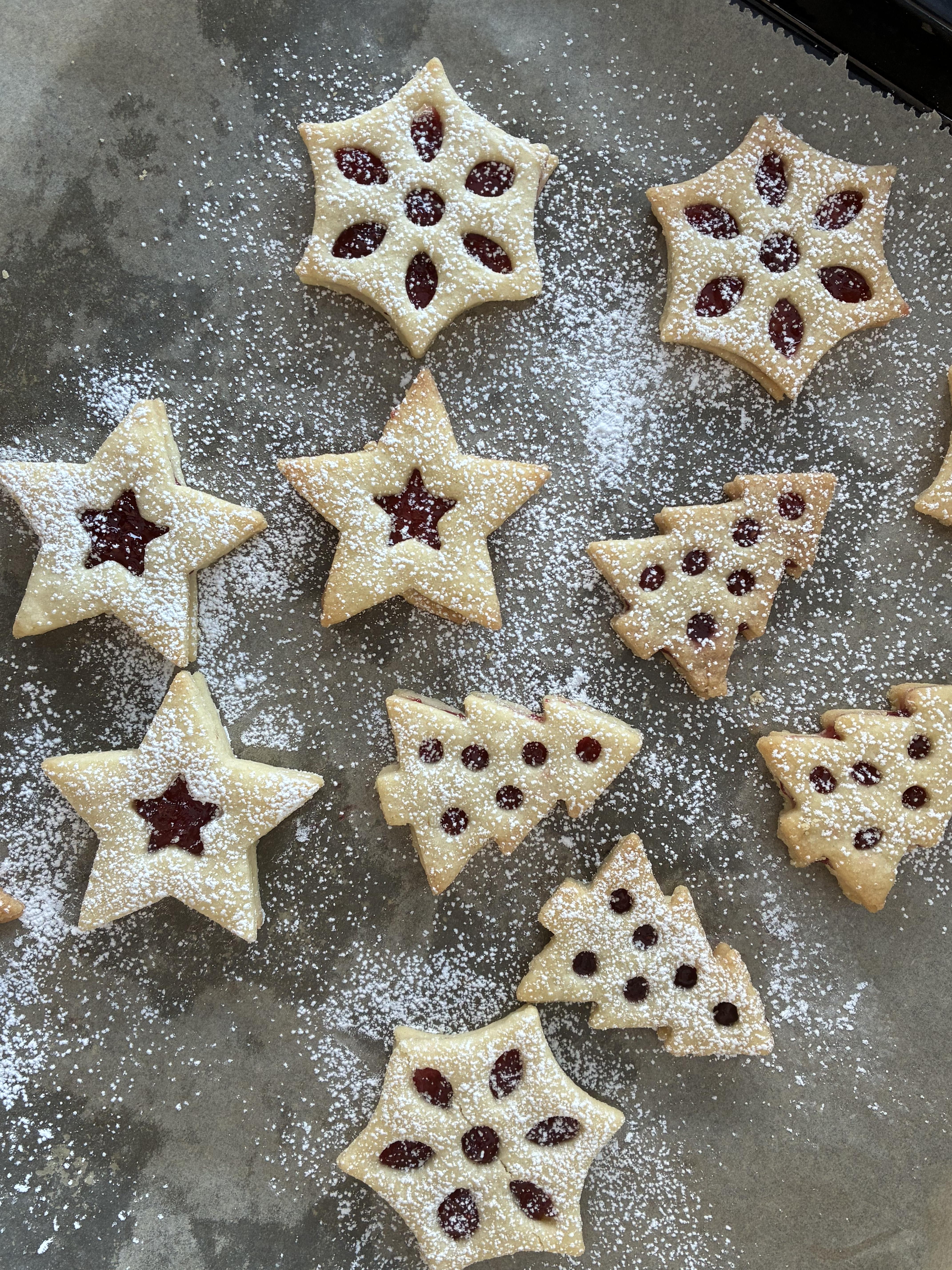

Once they are golden brown, take them out of the oven and let them cool off for around 10 minutes. After that, pair the top and the bottom parts together. Then get your jam and put some in the middle of the bottom cookie and spread it evenly. Now take the top and gently put it on the jam. Repeat this with every cookie. Lastly if you like lightly sift some confectionery sugar on top.
Results


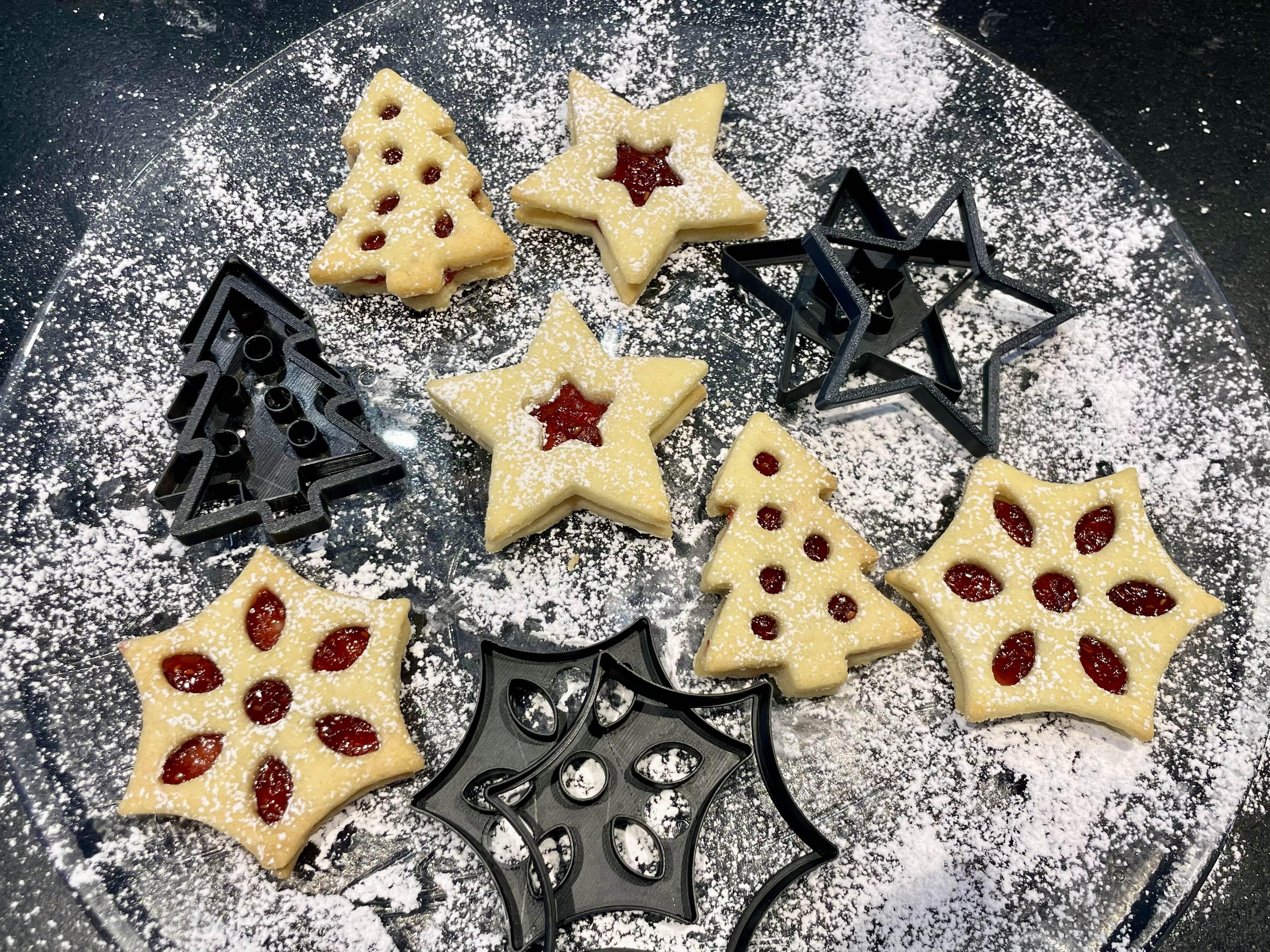

Now comes the last and arguably most important step: Enjoy!