Brain Builders Academy - an Exploration on Accesability and Spacmaking
by portsrule24 in Design > Architecture
187 Views, 0 Favorites, 0 Comments
Brain Builders Academy - an Exploration on Accesability and Spacmaking

The BrainBuilder Academy is an elementary school designed to tackle the challenges of accessibility and eliminate barriers so that any and all students can enjoy a space that feels like it was meant to work for them, not despite them.
This Instructable will take you through the process of utilizing this building's exterior to change space in a way that allows for accessible movement between inside and out.
Supplies
Software:
- Rhino8 - CAD software compatible with Grasshopper
- Grasshopper - a parametric and computational design tool
- Adobe Illustrator - for graphic representation
- Slicer program of choice
Hardware
- Laser Cutter
- 1/8" thickness chipboard
- Xacto Knife
- Craft Glue
- Cardstock
- Architect scale
- 3D Printer
- PLA 1.75 mm filament (I chose white)
- Styrofoam blocks
Find Your Site

.jpg)
.jpg)
.jpg)
.jpg)
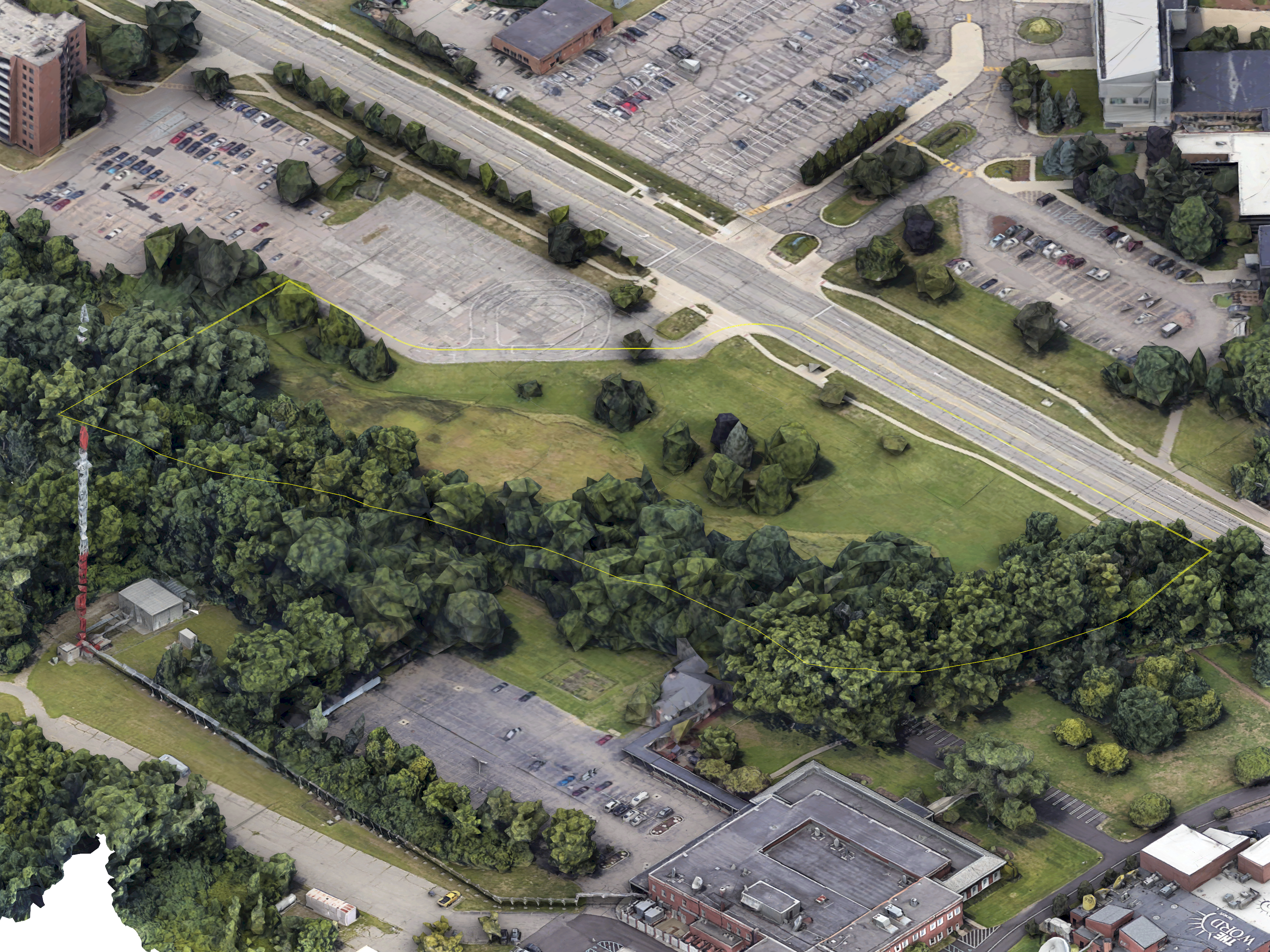
The site of the project is in Southfield, MI, off of Ten Mile, next to a local university. The site is nestled next to an existing parking lot and the Rouge River. This is the perfect site for this project for a specialty education center, the Brain Builder Academy, due to the access to the local university resources, as well as the access to nature to provide a well-rounded learning experience.
Site History


The chosen site borders the historic Rouge River as it cuts through Southfield. The river flows all the way to the Detroit River, where Henry Ford built his historic Rouge River Plant in the 1920s, which helped vault the Ford Motor Company into the economic powerhouse that it is today.
What Are the Driving Factors?
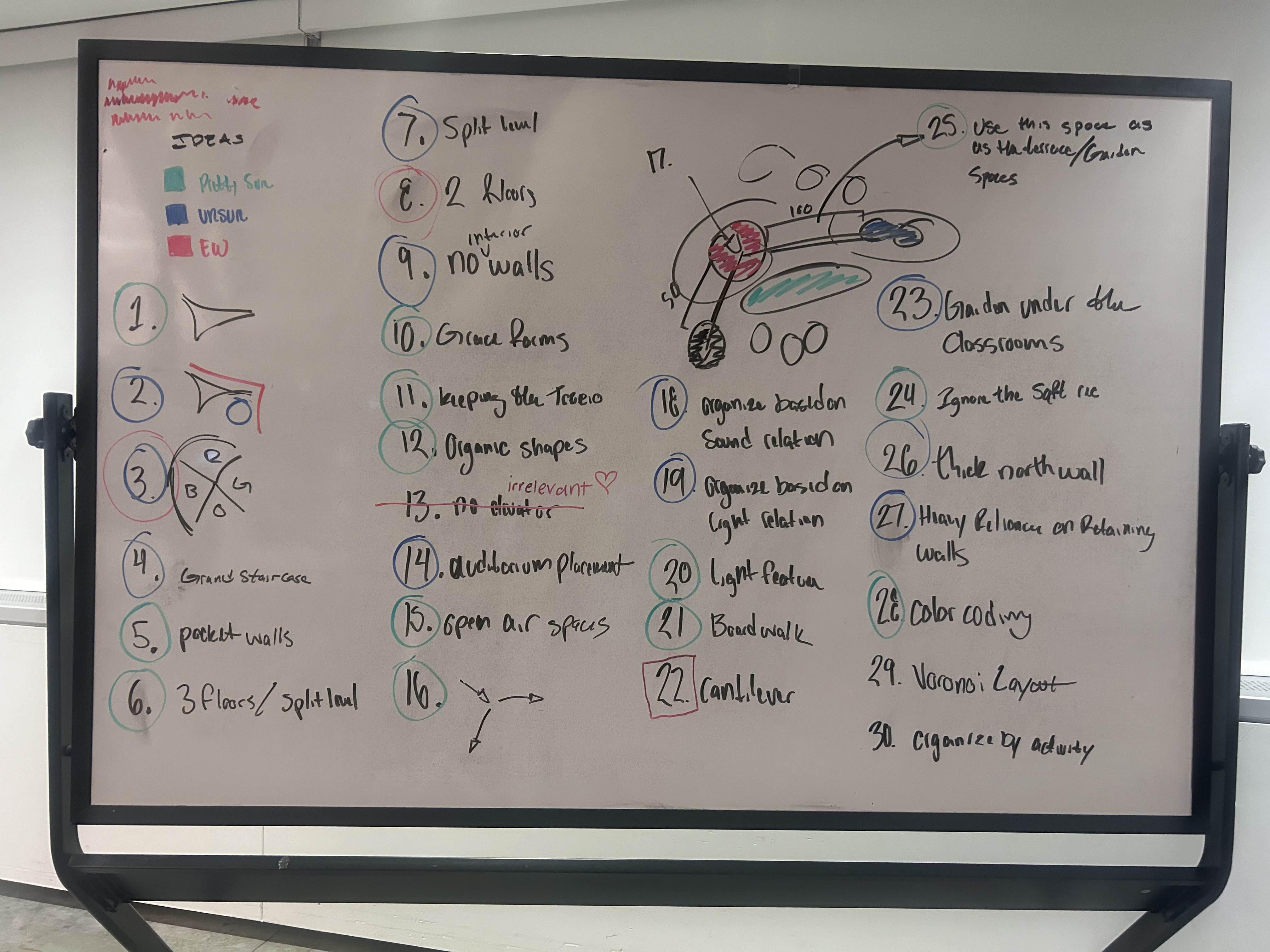
After a site visit and historical research, we now have to determine the driving factors of the design. To find what I valued for this project, I wrote down all of the ideas that I had and categorized them into how much they fit the project. The most important factors from this list are:
- Split Level - I wanted the building to have two floor levels in some way to help separate the programming inside
- Organic shapes - much of the site did not have straight line geometry, and the school should reference this fact.
- Open Air spaces - This is both literal and metaphorical. The interior should be very open to make the inside feel like a bubble in the outdoors, but it should also have an indoor/outdoor connection
Accessibility and Terraforming

.jpg)
There is one more driving factor for this design, and that is being a fully accessible project without the use of a vertical transport method. This means the design has two floors without an elevator or escalator. To do this, the topography of the site has been terraformed as little as possible, but enough to allow for the hallways of the site to flow with the ground in such a way that the project remains ADA accessible. The project utilizes this to create surrounded outdoor spaces.
To create the ramp itself, the easiest way I found was to make a physical model as a proof of concept that the floor of the hallway could be flat on a rounded hallway, as well as finding the distance necessary to allow for the hallway to exist.
The model pictured is a 1/16"=1' mock-up where each ramp segment rises by one foot. The model is made using Cardstock and craft glue, measured with an architect's scale, and cut with an exacto knife.
Blend Indoor and Outdoor


.jpg)
The next step was to create a system that blends the line between indoor and outdoor. To do this, I created a folding window facade system that can open and close when needed.
The windows are a 2-pane system where they fold up along a track to turn from wall to door. The glass panes are polarized in different directions. This means that when the glass is fully folded, the light cannot pass through, which means that not only are the glass panels now a connection to the outdoors, but they are also shading elements that can be rested under for those transitioning from inside to out.
Design Exterior "shell"
.jpg)
.jpg)
.jpg)
For the final part of the design process, I had to design the exterior shell of the building. This goes back to the design idea of organic shapes. I found that the best way to work with organic shapes was to turn once again to physical modeling to determine how these shapes would become real first.
using cardstock, craft glue, and an X-Acto knife, and an architect's scale, I created a mock-up of the final exterior shell and how all of the non-glass walls would morph into the roof. I found this to work the best because when doing a physical model, you are limited by reality, and this helped to ground my process and make it a more realistic outcome
Final Physical Model
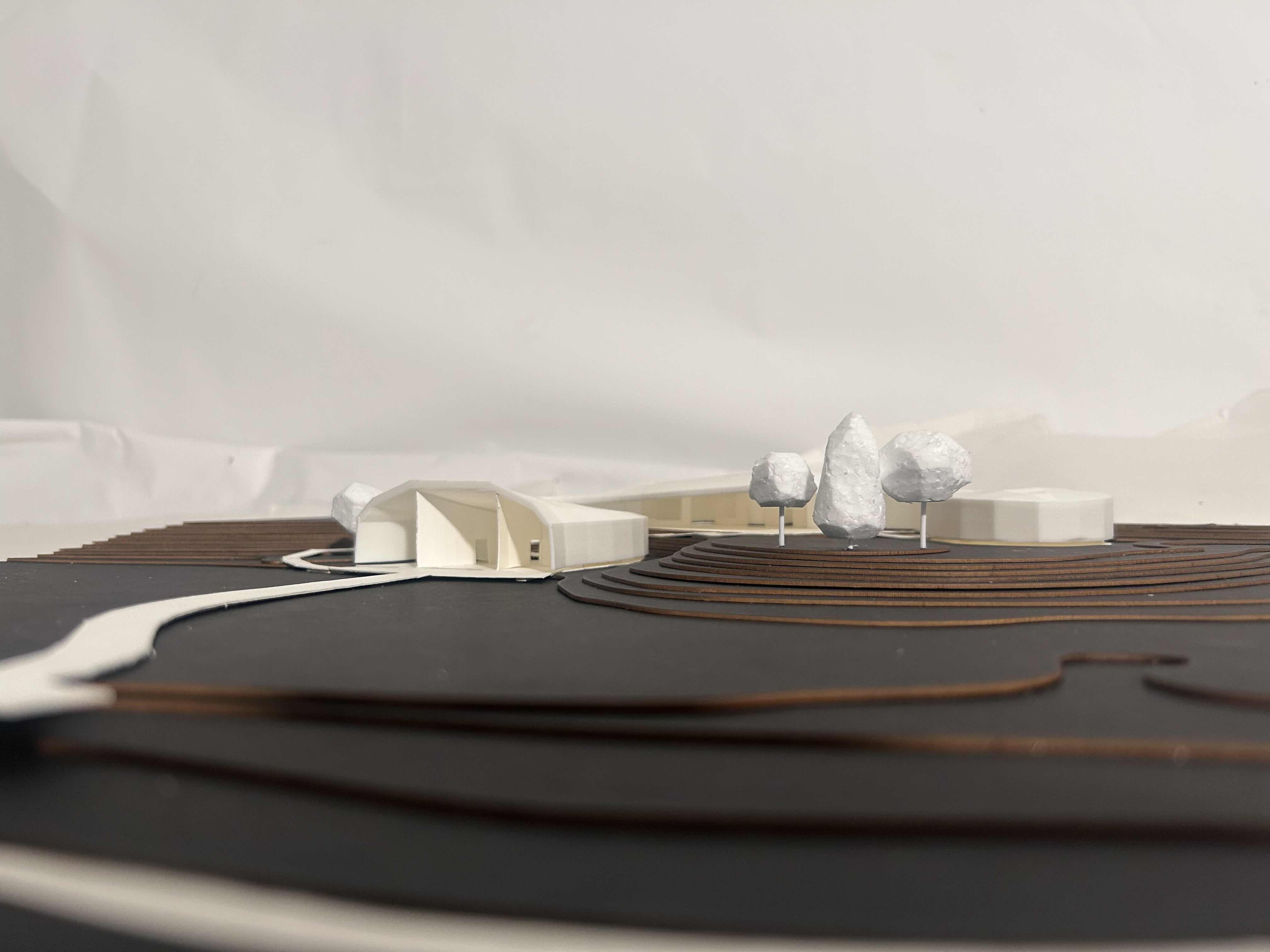


After finishing all of the digital modeling, it's now time to create the physical model. There are four main parts to this model
Site:
- Create a contour map of your site using one-foot spacing
- Scale the site to be 1/16" = 1' scale
- Separate each contour level
- Laser-cut each contour layer out of chipboard
- Glue the contour layers together in the correct order from lowest to tallest
Building Floor
- Print the floor plan of the building out on plain paper at 1/16" scale
- Place the printed floor plan on top of your cardstock
- Use an X-Acto knife to cut the floor plan silhouette out of cardstock
- Glue the floor silhouette onto the site
- Repeat this process for the interior walls and glue them onto the floor
Building Shell
- Export the shell geometry as a .STL or a .3DM file at 1/16" scale
- Open a slicer program of your choosing (I use orca)
- Slice the geometry and export the G-code to an SD card or other storage system to send it to your 3D printer
- Using your 3D printer, print the final geometry
Trees
- Cut a piece of PLA filament about one in long
- Stick a small piece of styrofoam on top of the filament so that about half an in is in the foam.
- Use your X-Acto knife to shape the styrofoam to become the leaves of the tree
- You can vary the length of filament or the size of styrofoam for different kinds of trees
- Once finished, apply glue to the bottom of the filament and attach it to the site
Relection and Review
![exploded axon corrected [Converted]-01.png](/proxy/?url=https://content.instructables.com/F0G/CJ3A/MK0HYLRC/F0GCJ3AMK0HYLRC.png&filename=exploded axon corrected [Converted]-01.png)
Finally, using the Make2d command in Rhino, create vector linework of the design and import it into Illustrator. This is where you will apply all the colors and other details, like trees and people.
This project, overall, is an exploration of what a building can do to help those with movement disabilities experience the building in the same way that everyone else does, to make them feel like the building is working to make them feel in no way separated from anyone else.