Convert ITunes Video to MP4
by Jellybearlover in Circuits > Apple
121 Views, 1 Favorites, 0 Comments
Convert ITunes Video to MP4

Sometimes i just wanna watch my video downloaded from iTunes on non-Apple device like Android phone, Xbox, PS4, smart TV, so this is the way i do to convert those videos to MP4.
Download and Install the Needed Program:M4VGear
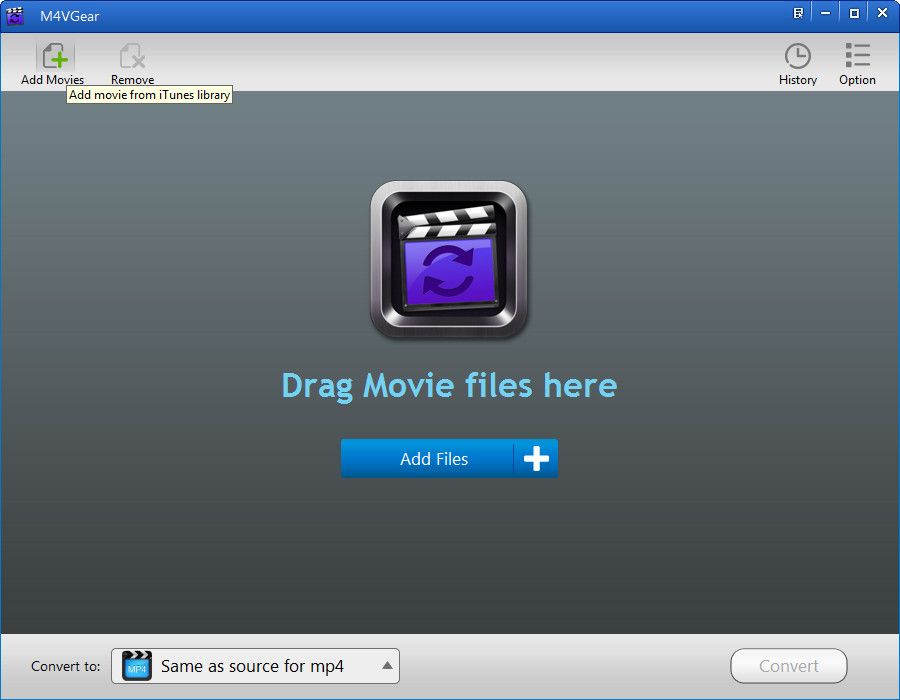
Download and install M4VGear according to your Operating System. Then launch the program.
You can either click "Add Files" / "Add Movies" button to select the videos from iTunes library or add the iTunes videos by dragging and dropping them into the program.
Choose the Video From Your ITunes Library


M4VGear supports batch conversion, so that users could add as many files as they want.
Set Output Profile

Before the conversion, it's available to choose output formats as "Same as source for MP4"or "Customized MP4 video" from the button after "Convert to" . Output format as "Same as source for MP4" is highly recommended, which enables users convert at 20 times faster speed with Dolby 5.1 audio track preserved.
Start Transferring ITunes M4V to MP4

Click "Convert" button to start the conversion. Wait for a while till the process is done.
Enjoy Your Movie Converted.
