DIY Stardew Valley Calendar
by bittersweetnightshade in Workshop > Laser Cutting
38 Views, 0 Favorites, 0 Comments
DIY Stardew Valley Calendar

I have always had a fear of forgetting. Birthdays, meetups, assignments, deadlines. Key dates always seemed to get lost in my Google Calendar, leaving me scrambling last minute for assignments and gifts. Even more than that, I'm scared of losing my memories, losing those simple daily occurrences with my friends and family that leave me laughing so hard that tears come to my eyes.
I made this Stardew Valley Calendar as a physical reminder of these happy memories. I have spent dozens of hours playing Stardew Valley with both my family and friends, whether that is angrily cursing the lava eel I failed to catch, or celebrating the giant pumpkin that finally grew on our farm. Normal paper calendars have never worked well for me, but because this calendar is so familiar and nostalgic, I'm excited to mark another date on my calendar, even if it is a looming calculus assignment. It also serves as a reminder that I don't get cutscenes or replays in life, so I must treasure each and every moment.
Making this calendar has really helped me organize my schedule and plan out my week, and I hope it helps you remember --whether its important dates or fond memories-- too!
Supplies
Tools and Materials:
- Laser Cutter
- 3 mm thick plywood sheet
- 1.5 mm thick acrylic sheet
- Metal rings or elastic bands
- Scotch tape
- Wood Glue
- Markers
- Nano tape
Software:
- AutoCAD
Design the Base Calendar in AutoCAD

To start, attach an image of a Stardew Valley calendar. On a different layer, trace over the entire design, but adjust it so there are a total of 42 slots for days (7 x 6). This will be the base of the calendar, however it needs to be modified for laser cutting. Make a copy of the base design. We will use one of these as the baseboard and cover of the calendar, and edit the other for details in the calendar.
Download and Insert the Fonts
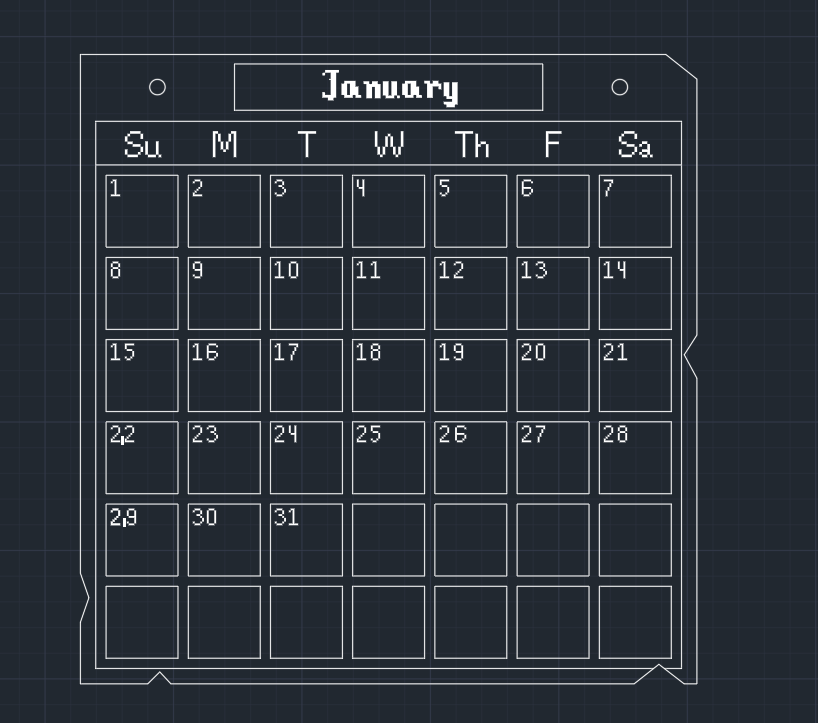
You can either manually draw each letter and number for the calendar, or you can download a .ttf file off of the internet. Once you have done that, open the file and select "Install for all users". Now, you should be able to access the font in AutoCAD when making a text box.
Move the Objects to Different Layers
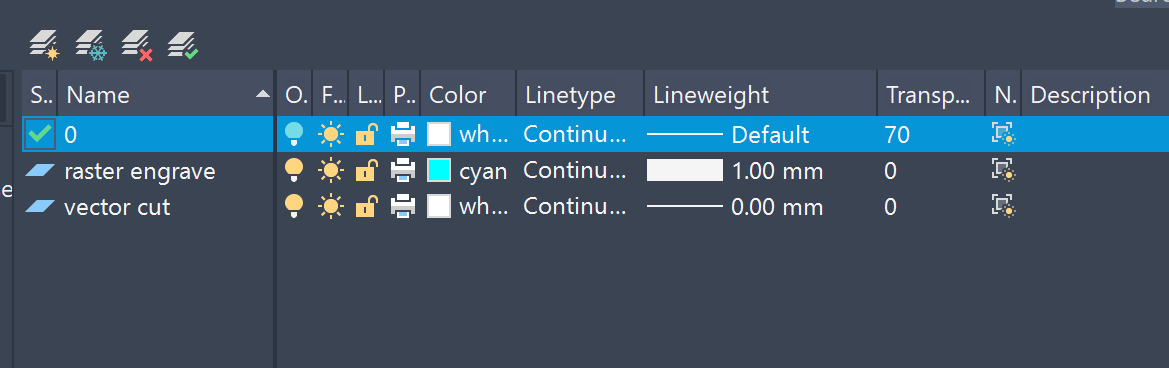
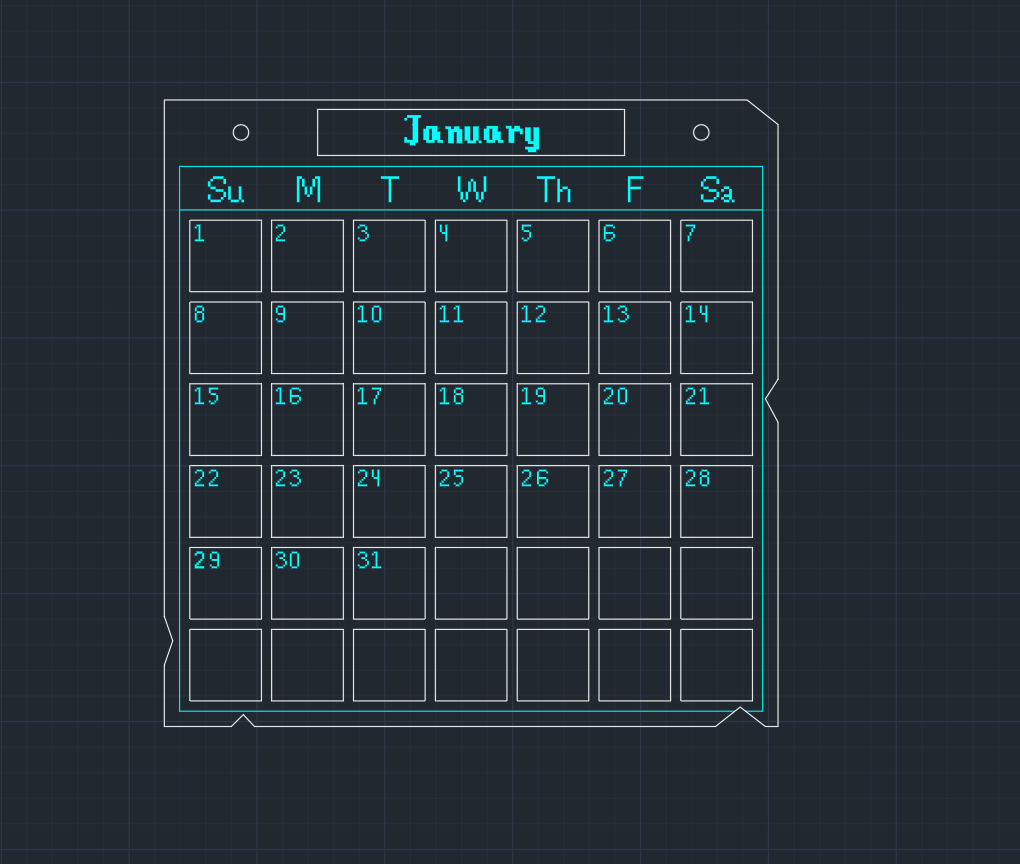
Laser cutting the calendar will require both vector cutting and raster engraving. In order for the laser cutter to differentiate between the two, move all your designs to different layers so that vector cut designs will be on one layer with 0.00 mm line weight, and raster engraved designs will be on another layer with 1.00 mm line weight. To make it easier to view, you can also make each layer a different color. I also designed the calendar so that the tiles with the day and the month are laser cut, so they can be swapped out for each month.
Create the Additional Tiles
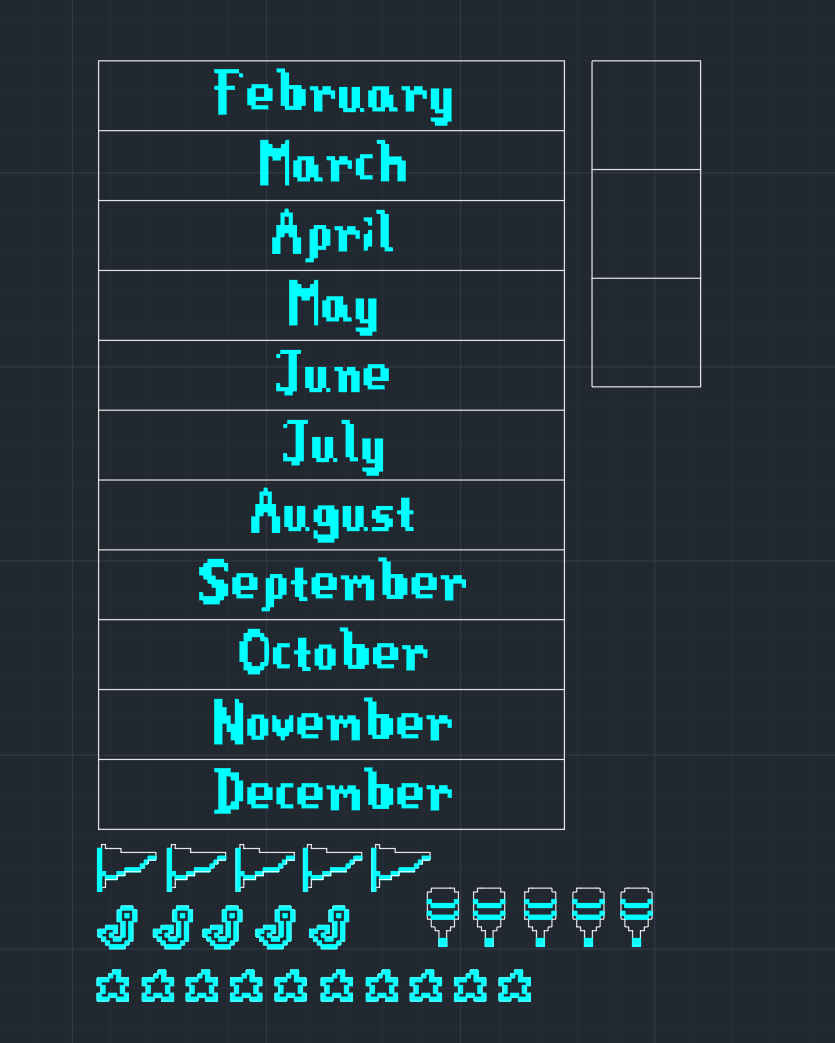
Next, using the same size for the month and day tiles, create additional blank tiles and tiles for all the other months. These will be vector cut (with the months engraved on them), and can be swapped out easily. You can also create some additional symbols to vector cut that are displayed on the real Stardew Valley calendar, such as the hot air balloon for days the bookseller is in town, flags and stars for festivals, and fish hooks for derbies. These can also be traced off of an image attached on AutoCAD.
Laser Cut the Piece!


Once your design is complete, you can laser cut the part! Cut the main design and any additional tiles on a 1/8" plywood sheet. Then, cut the base calendar you created in Step 1 wihout any raster engraving on a 1/8" sheet of plywood and a 1.5 mm clear acrylic sheet.
You should now have 3 pieces in the shape of your calendar, 12 month tiles, and at least 45 day tiles.
Next, add a thin loop of scotch tape to the back of each tile, like the image above. These tags will allow easly removal of the tiles once you fit them into the calendar.
Assemble the Pieces!

Next, glue the calendar design onto the wooden base using wood glue, and let it dry. Once it is dry, fit the tiles into the empty spaces to create your calendar! Secure your calendar using metal rings or elastic bands, with the 1.5 mm acrylic sheet on top of your calendar to ensure the tiles don't fall out of your calendar. The benefits of the acrylic cover is that you can use a whiteboard marker on it!
After painting the special date symbols, you can attach them onto the calendar using a small square of nano tape. This will allow easy removal and placement of the pieces.
Use Your Calendar!
This step is the most important step. You have to use the calendar. Sometimes deadlines and dates can seem so overwhelming, but when it becomes as simple as placing a little fish hook on a Stardew Valley calendar, it can help you calm down. Make an effort to update your calendar as tasks come up, and little by little, each new day, or new month will seem less daunting.
The prescence of this calendar has really improved my day to day life, and while procrastination is still a major cause of my stress, I do feel more at ease now that my week, or even month is planned out and physically in front of me. I hope this Stardew Valley calendar helps you as well!