Desky
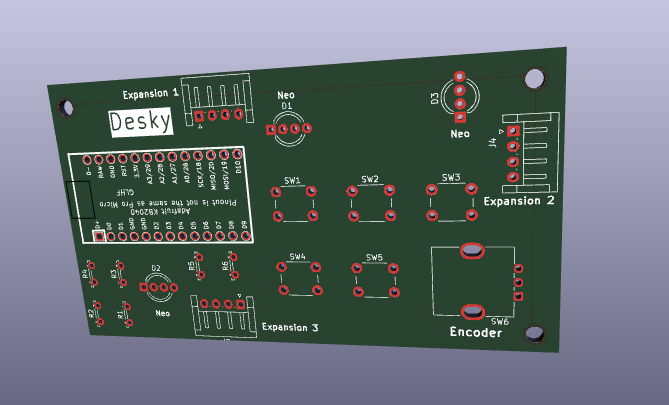
Desky is an open-source macro pad that has expansion ports on 3 sides for easy customization. It not only looks great on your desk, but it also makes it easy to learn important programming and electronics skills.
Supplies
- Adafruit KB2040 - 1x
- Push Button - 5x
- Rotary Encoder - 1x
- 4-Pin Socket or 4 Pin Magnetic Pogo Pin Connector
- RGB Led - 3x
- Soldering Equipment (Soldering Iron, Solder, Flux, etc.)
- Desky custom PCB (Design Files Information Below)
- Desky software release (Also: Design Files Information Below)
Download the Files
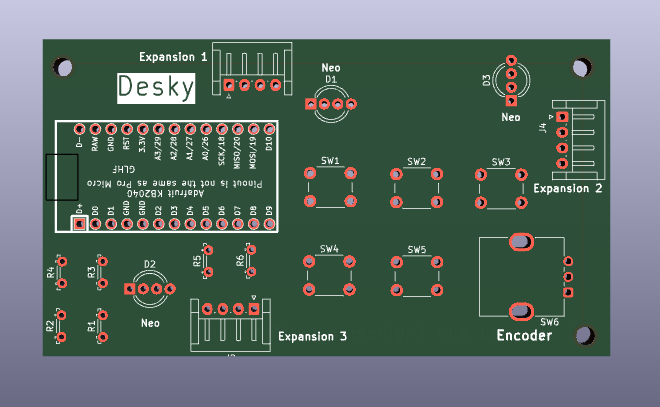
Navigate to the GitHub Repository and download the latest release for Desky. It should include the all of the files required to construct your very own Desky.
Assemble Desky

Order the Desky PCB from PCBWay or a similar site.
Purchase and gather the components required to construct Desky (listed above).
Solder everything onto the Desky PCB (Desky is optimizes through-hole PCB connections, making the assembly of Desky a beginner friendly project.
Take care when soldering on the LEDs and the KB2040, as they have semi-sensitive connections that could be damaged if too much heat is aplied while soldering.
Connect the Adafruit KB2040 to your PC using a USB-C data cable.
After a few seconds, a drive should appear on your PC. If you can't find it, try unplugging other drives to help find it, or make sure you're using a USB-C cable that supports data.
Ensure you have downloaded the latest software available for the project. It should be named something like: 'code.py'
Navigate into KB2040 drive on your PC. There should be a file in this drive named 'code.py'. Select this file and delete it.
Copy the 'code.py' file from the Desky bundle release you downloaded. Paste it into the drive.
Eject the drive and press the reset button on the KB2040.
The Desky software should now succesfully be installed.
Future Updates
Desky is actively being worked on, so expect an updated PCB, new software revisions, more customization options, and a 3D printed case for your Desky device. Expansion modules and software to accompany them will definitely be in a future update, so keep posted.
Keep in mind Desky is in currently, so expect some minor software issues and/or missing areas of functionality, so as expansion functionality. The Desky PCB and current software, however, should, at this stage be fully functional within the current software limitations.
Finally, feel free to add onto Desky and make your own additions, changes, and improvements to any and all aspects of it. Desky is open-source after all.
If you have questions are I have overlooked something, I encourage you to reach out on Github and let me know.