ESP32 Aneroid Barometer Using Squareline Studio and LVGL on CrowPanel Round Display
by mircemk in Circuits > Microcontrollers
73 Views, 0 Favorites, 0 Comments
ESP32 Aneroid Barometer Using Squareline Studio and LVGL on CrowPanel Round Display
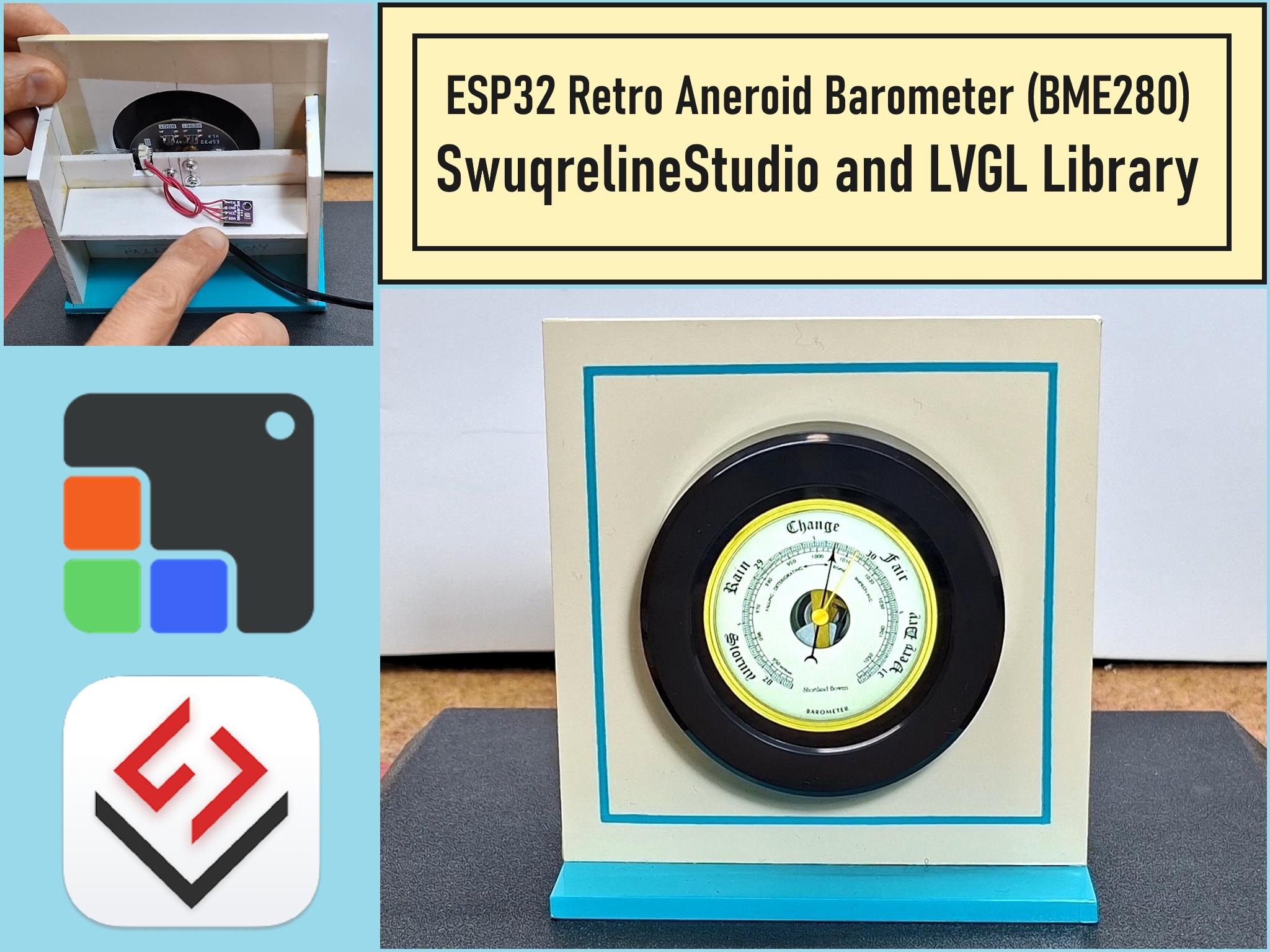
How modern electronics can completely replace and improve the classic mechanical instrument, offering digital precision in a beautiful retro package.
Supplies
- Elecrow CrowPanel 2.1inch-HMI ESP32 Rotary Display 480*480
- I2C BME280 Environmental Sensor
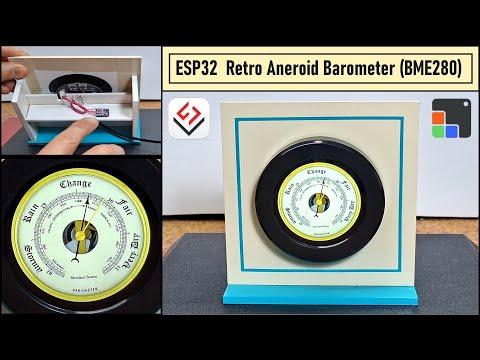
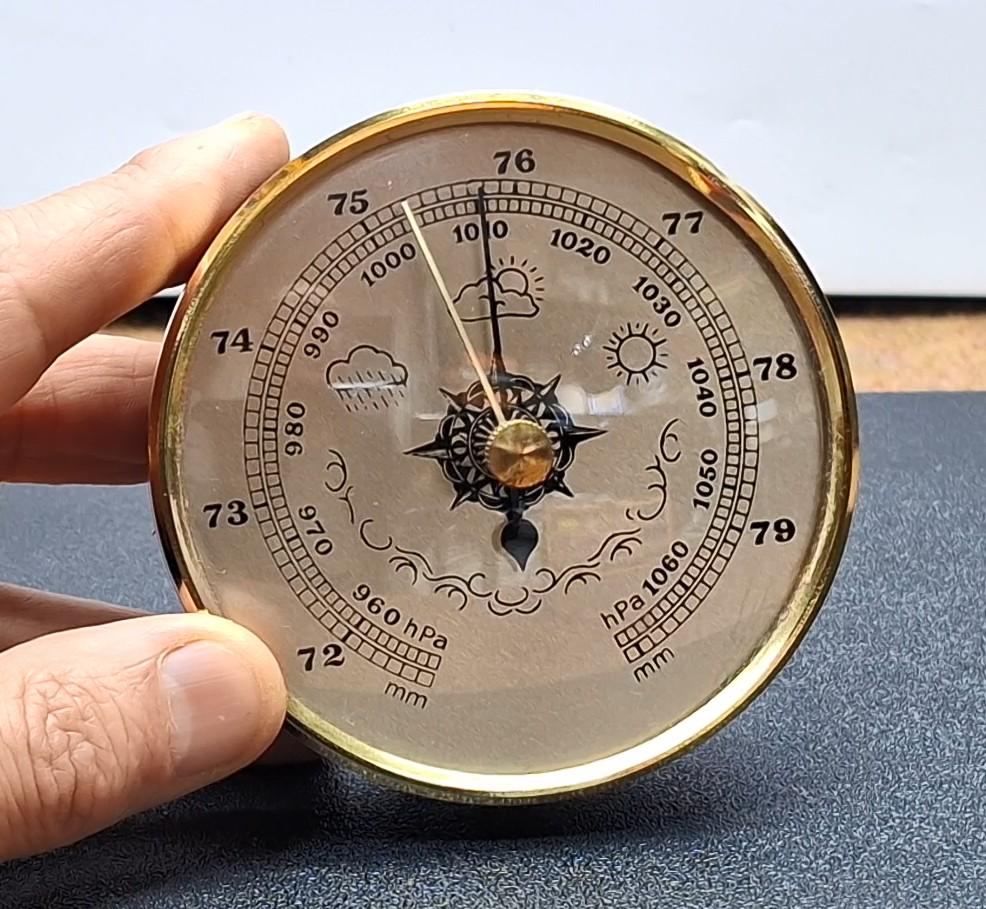
A barometer is a scientific instrument used to measure atmospheric pressure. Rising Pressure generally indicates improving weather, and falling pressure usually indicates approaching wind, and rain. Steady pressure indicates stable weather conditions. In this project I will describe a very simple way to make an Aneroid Barometer emulator. In fact, modern digital electronics are used, with the help of which the functionality of a classic mechanical barometer is 100% imitated. Aneroid barometer contains two arrows: a black measuring and a yellow reference arrow.
The way to predict the weather is as follows: We need to match the black measuring arrow with the yellow arrow. After a few hours, if the black measuring arrow has moved to the left of the yellow one, unstable weather will follow, while if it moves to the right, improvement and stabilization of the weather will follow. If the two arrows remain matched, no change in the weather condition is expected. In the original instrument, the reference arrow is moved with the button in the middle of the instrument, and in this case, that function is performed by the rotary encoder.
Parts


This project is sponsored by PCBWay . From concept to production, PCBWay provide cutting-edge electronic design solutions for global innovators, Including hardware design, software development, mechanical design, product testing and certification. PCBWay engineering team consists of experienced engineers in electronics, embedded systems, and product development. They successfully delivered hundreds of projects across industries such as medical devices, industrial automation, consumer electronics, smart home, and IoT.
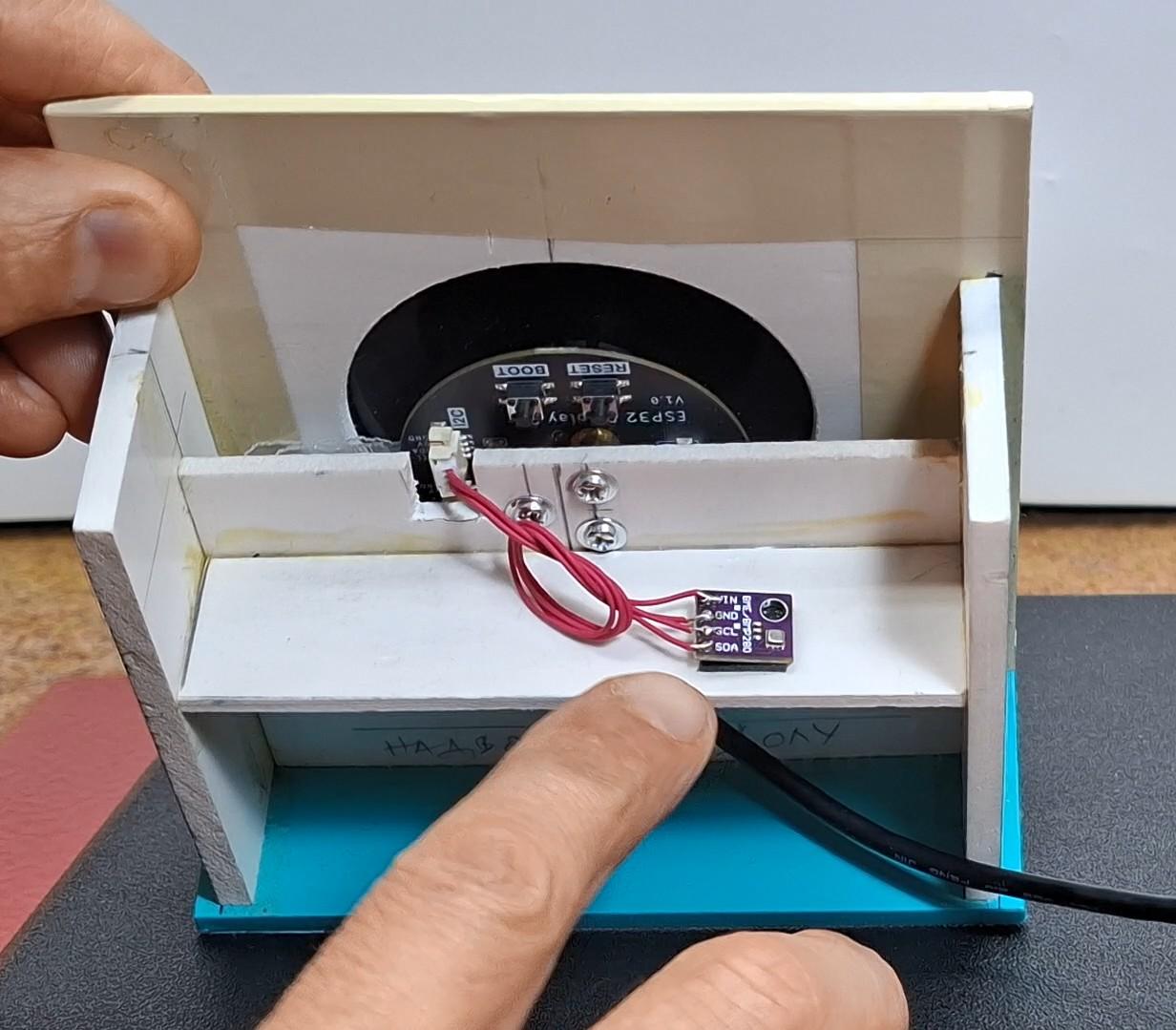
This device is extremely simple thanks to the CROWPANEL Round display which contains a built-in ESP32S3 microcontroller and Rotary Encoder. So it is only necessary to connect the BME280 Module to the corresponding I2C port of this display module.
This is my first project using the LVGL library and Squareline Studio, which allows you to create incredibly visually effective and functional projects in a relatively simple way.
Insatlation
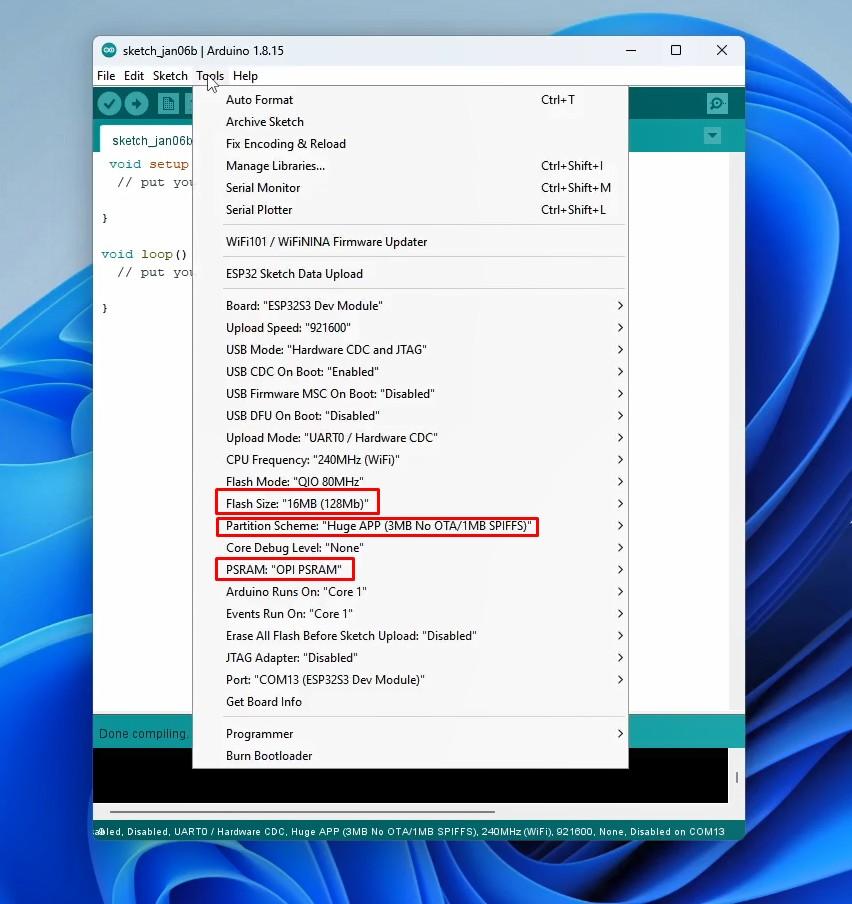
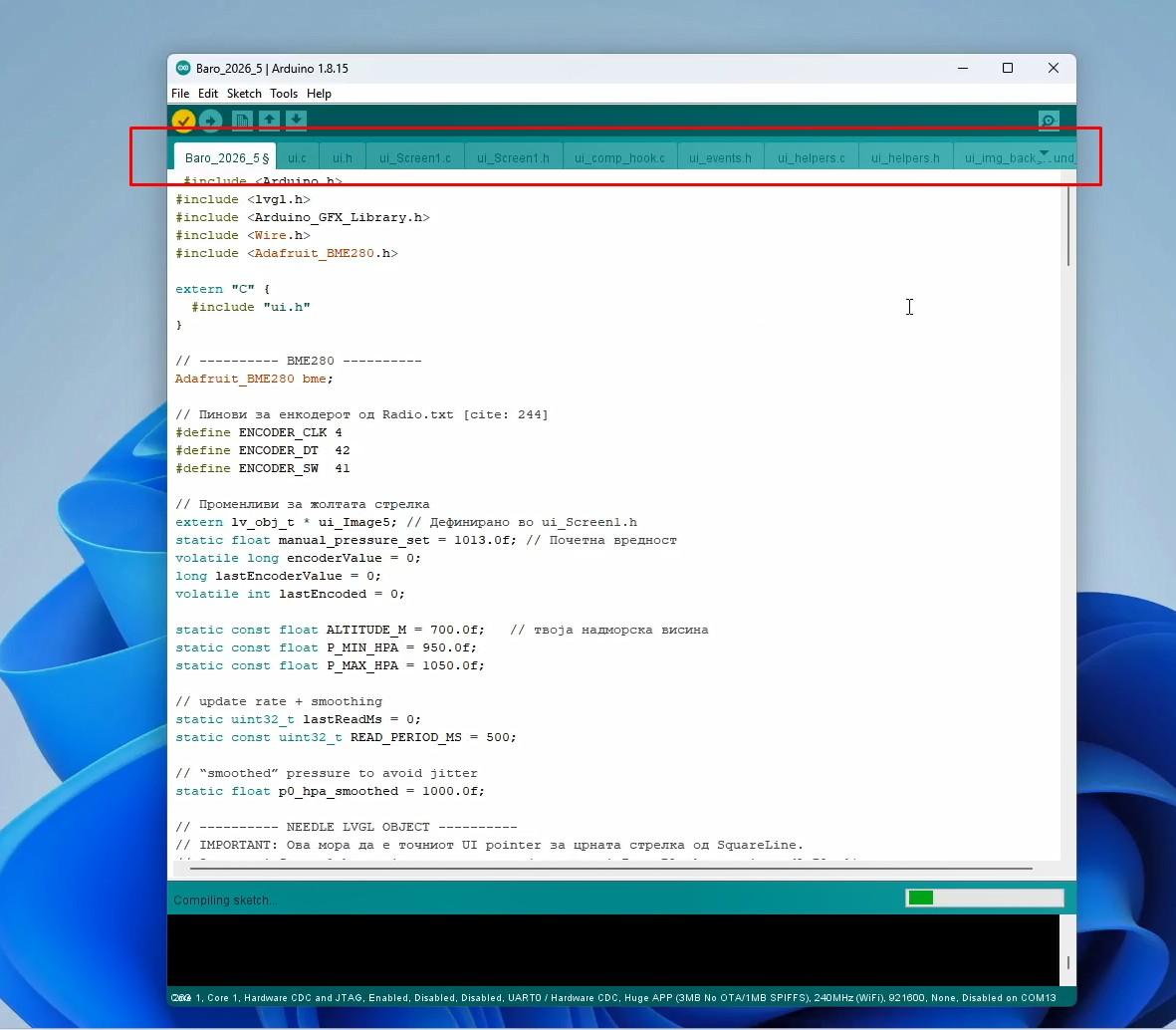
The following is a detailed description of the installation of the device using the given libraries.
First, you need to use Arduino IDE version 1.8.15 or later. Then you need to install ESP32 Core ver. 2.0.14 or 2.0.15 according to the instructions on the Elecrow GitHub page. Now in Tools-Board-ESP32 Arduino, we need to select ESP32S3 Dev Module.
The following is a detailed description of the installation of the device using the given libraries.
First, you need to use Arduino IDE version 1.8.15 or later. Then you need to install ESP32 Core ver. 2.0.14 or 2.0.15 according to the instructions on the Elecrow GitHub page. Now in Tools-Board-ESP32 Arduino, we need to select ESP32S3 Dev Module.
For this purpose we unpack the contents of the Code Final .zip file, without changing the name of the internal folder. We enter the folder and start the .ino file. In this way the code is opened together with the necessary UI files that were previously created with Squareline Studio. Now we can compile and upload the code without errors.
Code
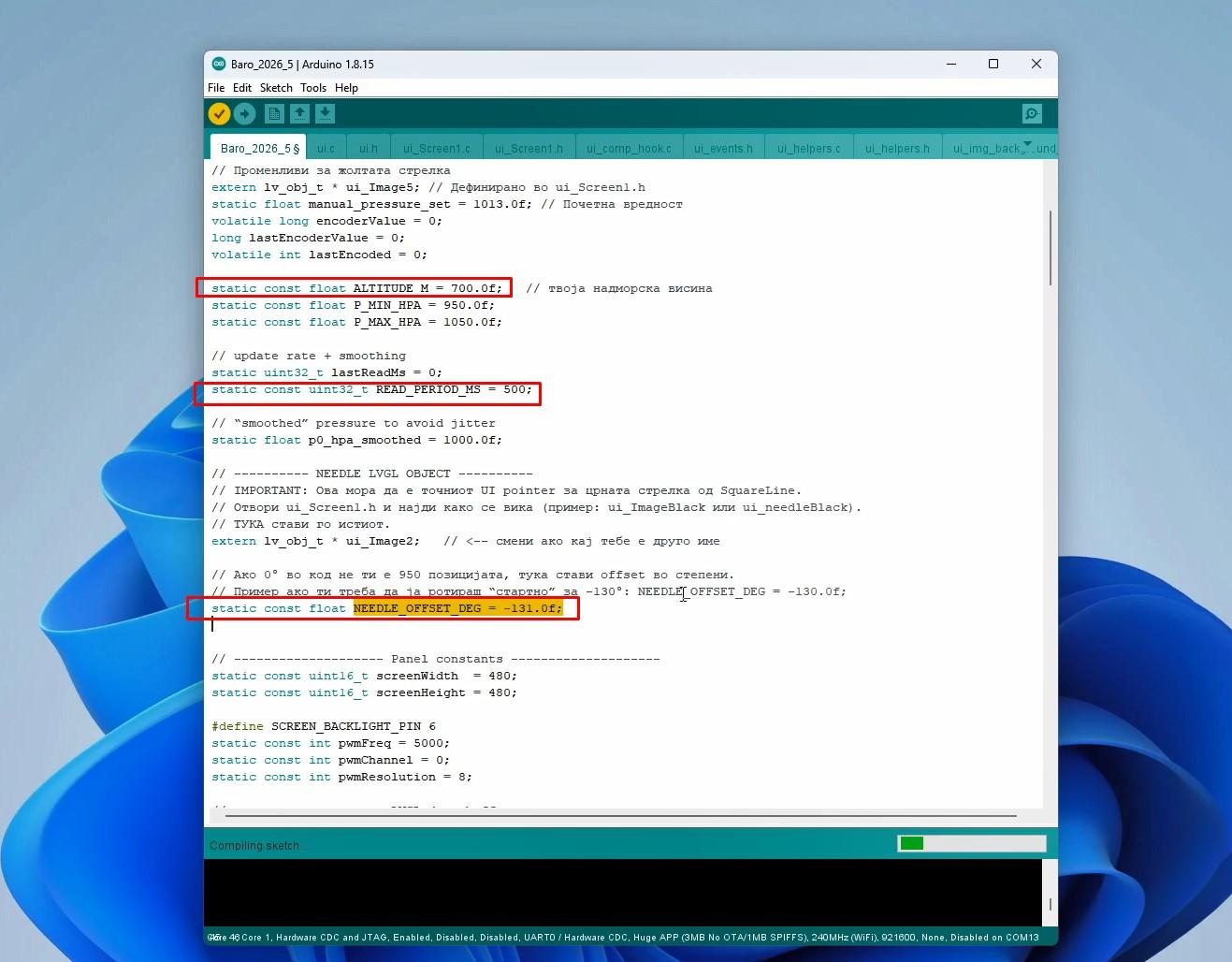
As for the code, it is made in a way that we can simply change several parameters for normal and precise functioning of the barometer:
- The altitude at which we are is entered in the line: static const float ALTITUDE_M =
- The frequency of reading the value from the sensor is defined in the line: static const uint32_t READ_PERIOD_MS
- "Calibration" of the Barometer is performed in the line: static const float NEEDLE_OFFSET_DEG , and here we put a value for the angle so that the arrow shows the exact pressure value that is displayed on the Serial Monitor.
- and The resolution with which the yellow arrow moves, i.e. the change step, is set in the line: float diff = (encoderValue - lastEncoderValue) * 1.0f;
Demonstration
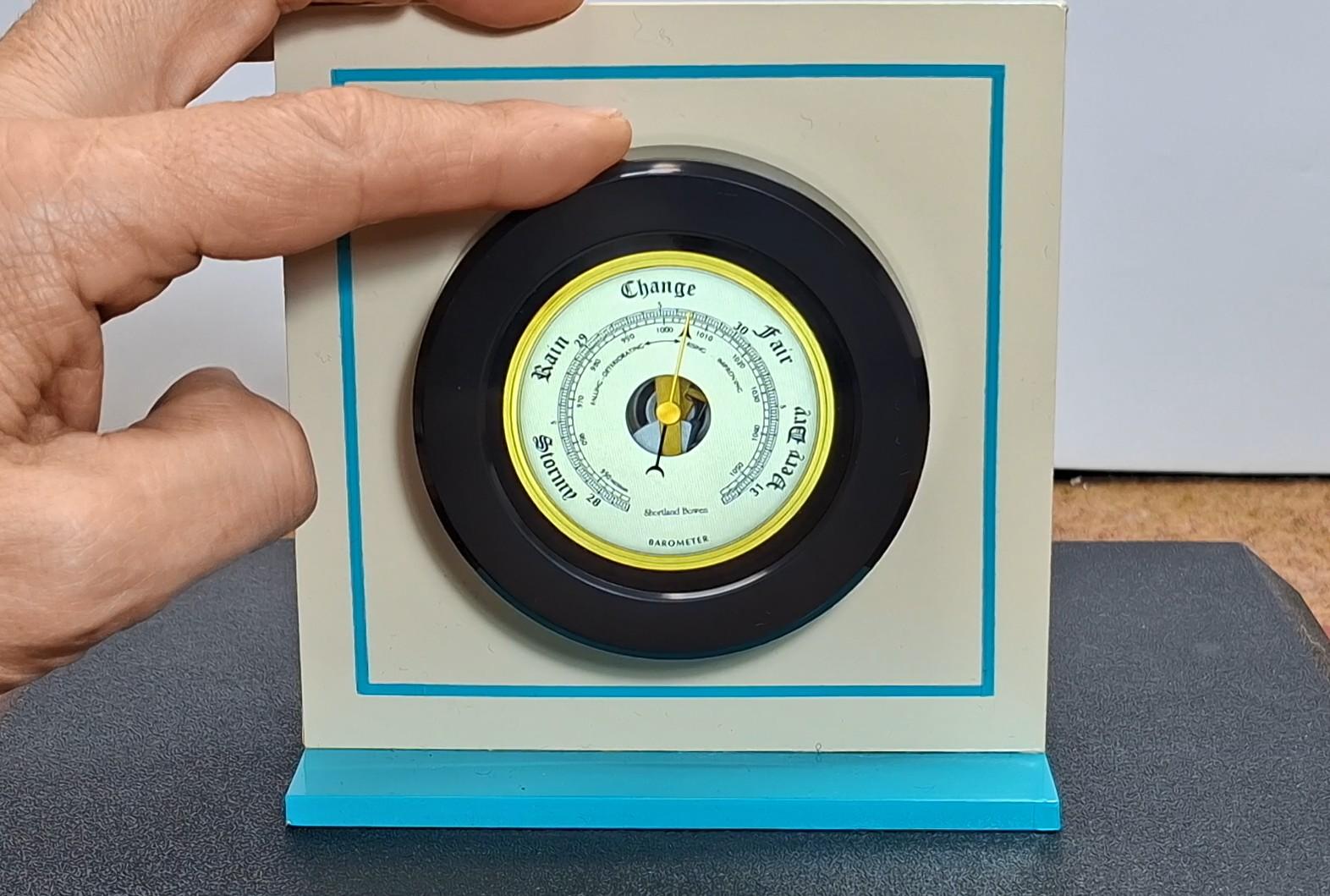
Now Let's see how the device works in real conditions: Immediately after turning on the device, a detailed image of a retro Aneroid Barometer appears on the display, with the black arrow briefly stabilizing at the current Relative Atmospheric Pressure. Generally, if the pressure is above 1013 HPa, it indicates stable weather conditions, and if it is below 1013 HPa, it indicates unstable weather. For us, the data on the change in atmospheric pressure over a certain period of time (at least 3x) is important.
For this purpose, we set the reference yellow arrow exactly above the Black one. If after a certain time the black arrow has moved to the left in relation to the yellow one, the weather will become unstable, and vice versa, if it moves to the right, the weather will stabilize. If the two arrows remain overlapped, there will be no change in the weather. By pressing with a finger above the sensor (artificial increase in pressure), we see how the arrow slowly moves to the right, and then returns to its initial state in a short time. It can be seen that this barometer completely emulates the mechanical Aneroid barometer. The only difference is that with a mechanical barometer, in order to read the current value accurately, you have to tap the glass several times, and in this case it is always accurate, which is certainly a great advantage. Not to mention the precision, which is now in the order of decimals.
Conclusion, Code

And finally, a short conclusion: This project shows how modern electronics can completely replace and improve the classic mechanical instrument, offering digital precision in a beautiful retro package. With this barometer, you get not only a functional weather forecasting device, but also a visually impressive addition to your home.
Code and libraries at: https://www.hackster.io/mircemk/esp32-aneroid-barometer-using-squareline-studio-and-lvgl-7f06c2