Earth Orbit Diagram

Growing up, some of my favorite carnival rides was the swings. The feeling of being pushed back in your seat as the ride started to accelerate really kept my child hood spinning, no pun intended! Aside from my cheesy unnecessary joke, centrifugal force is quite necessary. Without it, satellites would simply fall back towards earth. for this project, I decided to base the design on this basic principal and create a small diagram of this phenomenon in action. Whether your an engineering nerd like myself or want to make a demonstration for the classroom, this is the perfect project to get your brain SPINNING.
Supplies
For this project the following parts are listed, along with links of where you can purchase them. Its also important to mention that this project is split into two version. One is a motorized diagram (electronics required) and one is a hand crank version.
Motorized Diagram Material List:
YOU NEED BOTH
- 3D printed part files (listed below).
- 3D printer (Note: If you don't have a 3D printer, contact local libraires or use PCB way to manufacture the parts for you.
--------------------------------------------------------------------------------------------------------------------
Non-Motorized Diagram Material List:
- 3D printer (Note: If you don't have a 3D printer, contact local libraires or use PCB way to manufacture the parts for you.
- 3D printed part files (listed below).
Assembling NON-MOTORIZED DIAGRAM: Ball Bearing

Using your three 608Z Ball bearings, insert them into the dedicated slots the the base as shown in the image above.
(Pro Tip: Some Inserts may fit the ball bearing loosely. To combat this, I used standard Scotch tape and wrapped it around the ball bearing like so.)
Assembling NON-MOTORIZED DIAGRAM: Axel Insert
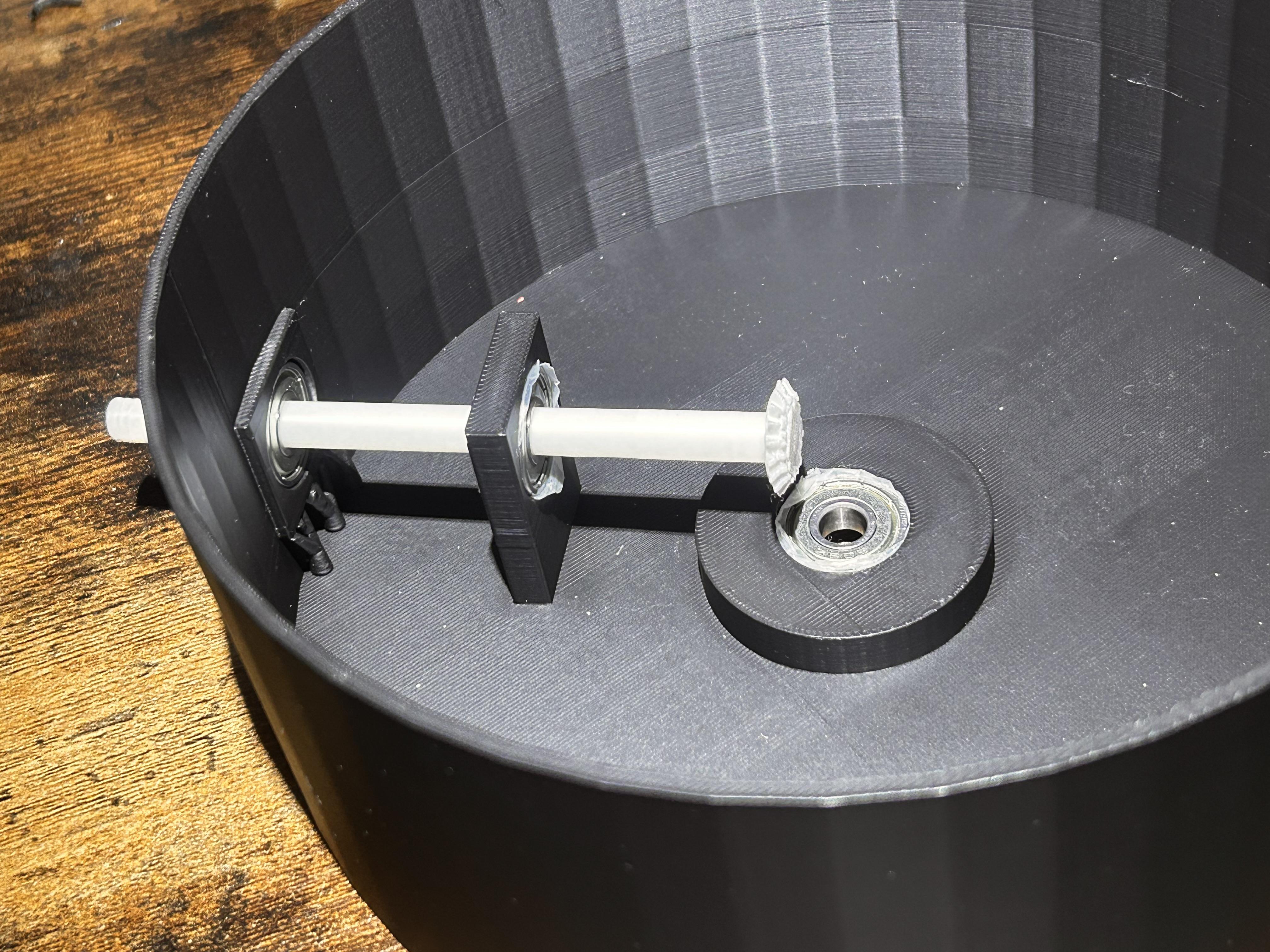
Insert the axel gear into the two ball bearing like shown in image.
(Pro Tip: When installing, make sure the axel head does not go beyond the origin of the ball bearing)
Assembling NON-MOTORIZED DIAGRAM: Magnetic Rod
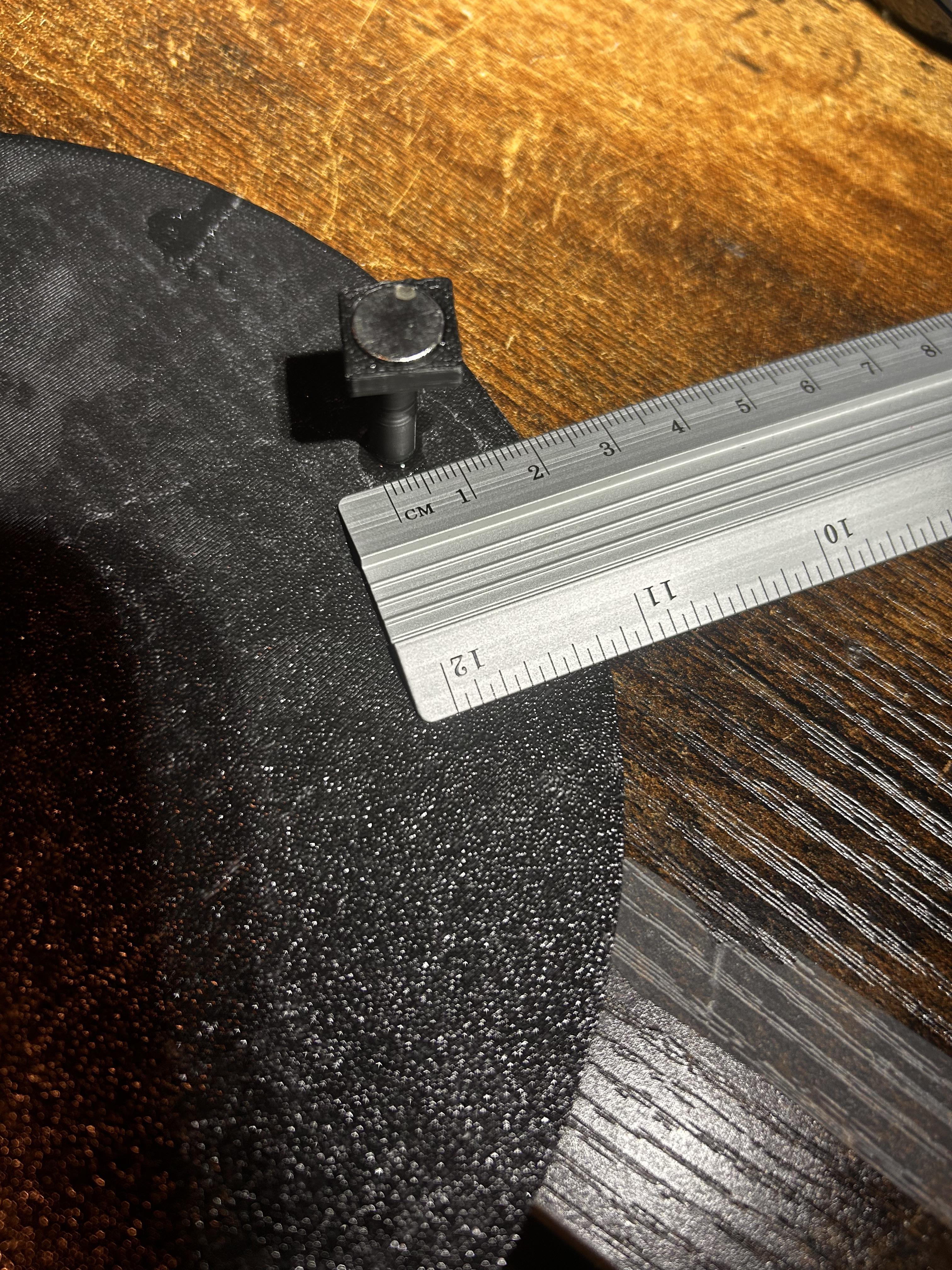
Using your ruler, attach your rod anywhere on the front side of the plate 2cm away from the border.
Assembling NON-MOTORIZED DIAGRAM: Inserting Top Plate to Base
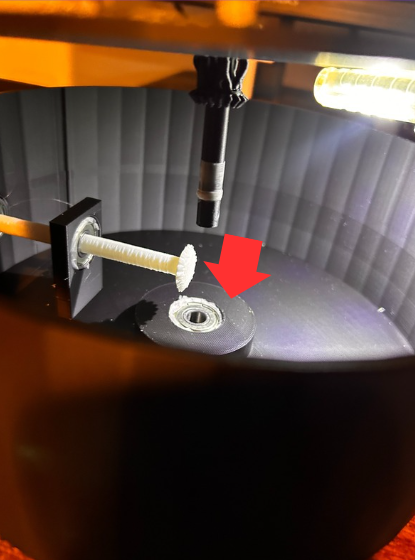
As shown in the image above, Align the rod with the origin of the ball bearing.
(Pro Tip: at this point, you will be ready to test if the plate spins. If you run into an error, try adjusting the height of the rod at the bottom of the base.)
Assembling NON-MOTORIZED DIAGRAM: Adding Magnet to Charm

For my charm, I decided to go with the UFO, however I linked a satellite design if that's what you prefer. This was 3D printed using a multicolor system, however if that is not available to you, painting will work just fine!
Assembling NON-MOTORIZED DIAGRAM: Final Touches

Congrats! Now you are officially ready to add your front base and your Orbiting Charm. For attachment onto the base, I used standard electrical tape, so I could access the components easier. DO NOT continue on the next instructions UNLESS you are building the Motorized Diagram.
Downloads
Assembling MOTORIZED DIAGRAM: Adding Bearings

Using your three 608Z Ball bearings, insert them into the dedicated slots the the base as shown in the image above.
(Pro Tip: some Inserts may fit the ball bearing loosely. To combat this, i used standard Scotch tape and wrapped it around the ball bearing like so.)
Assembling MOTORIZED DIAGRAM: Wire & Soldering
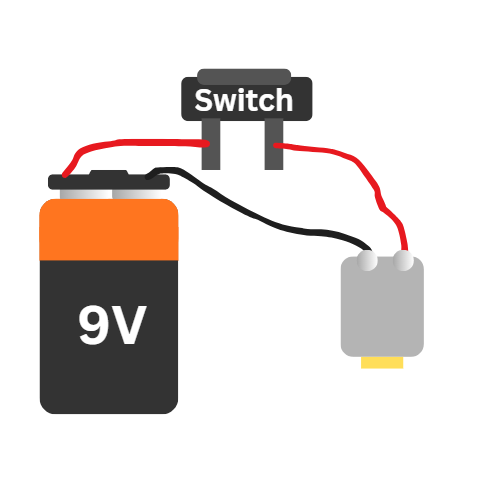
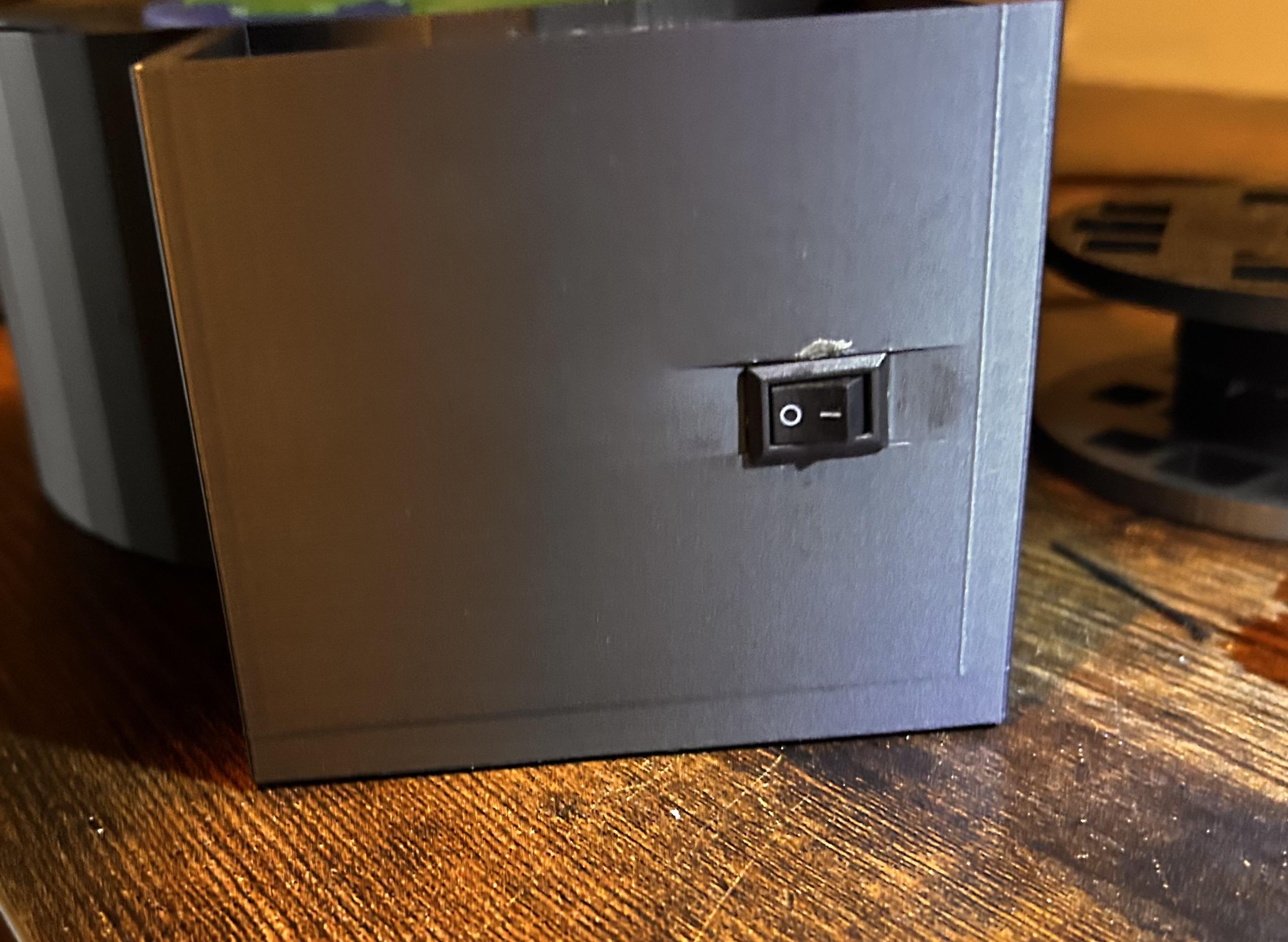

This will byfar be the most difficult step of the project, before starting i would like to establish some saftey rules when working with electronics.
- Never solder the wires when the battery is attached. Everything should be unplugged.
- INSURE no metal is exposed or touching other metallic surfaces. Failure to do so can result in a short circuit.
- Be sure not to burn yourself when handling soldering iron.
For the wiring of this project, please refer to the diagram above along with the photos.
(Pro Tip: The Switch Input is designed to also allow the motor to slide trough. For Assembly, I highly recommend soldering the switch to the motor outside the casing, insert it into the switch plug and once comfortably in casing, solder your 9Volt connector as shown in diagram. It also worth mentioning The motor may tend to wiggle, for this I strapped it down with electrical tape.)
Assembling MOTORIZED DIAGRAM: Insert Axel

Insert the axel gear into the two ball bearing like shown in image.
(Pro Tip: when installing, make sure the axel head does not go beyond the origin of the ball bearing)
Assembling MOTORIZED DIAGRAM: Magnetic Rod
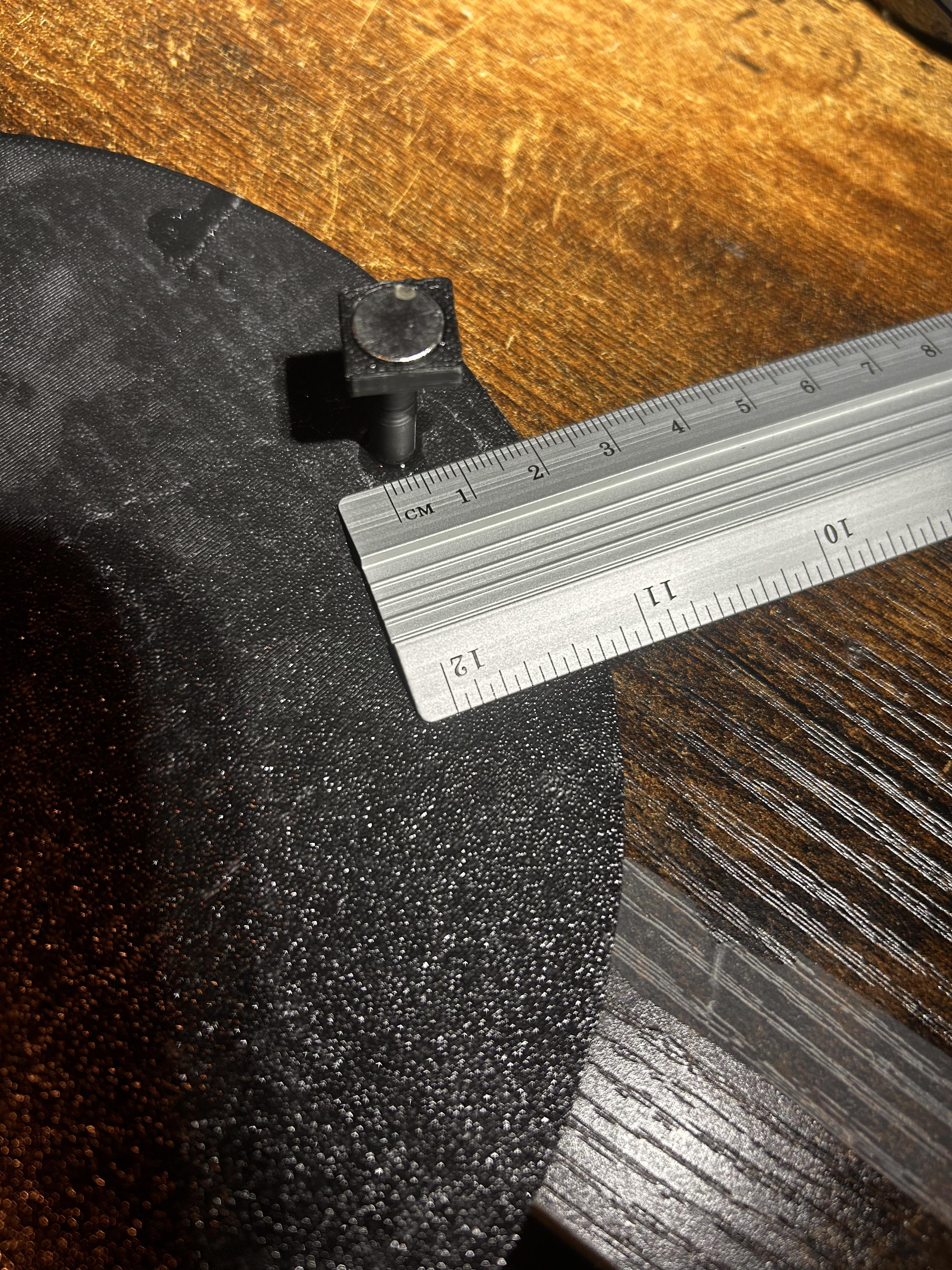
Using your ruler, attach your rod anywhere on the front side of the plate 2cm away from the border.
Assembling MOTORIZED DIAGRAM: Inserting Top Plate to Base
.jpg)
As shown in the image above, Align the rod with the origin of the ball bearing.
(Pro Tip: at this point, you will be ready to test if the plate spins. If you run into an error, try adjusting the height of the rod at the bottom of the base.)
Assembling MOTORIZED DIAGRAM: Charm Assembly
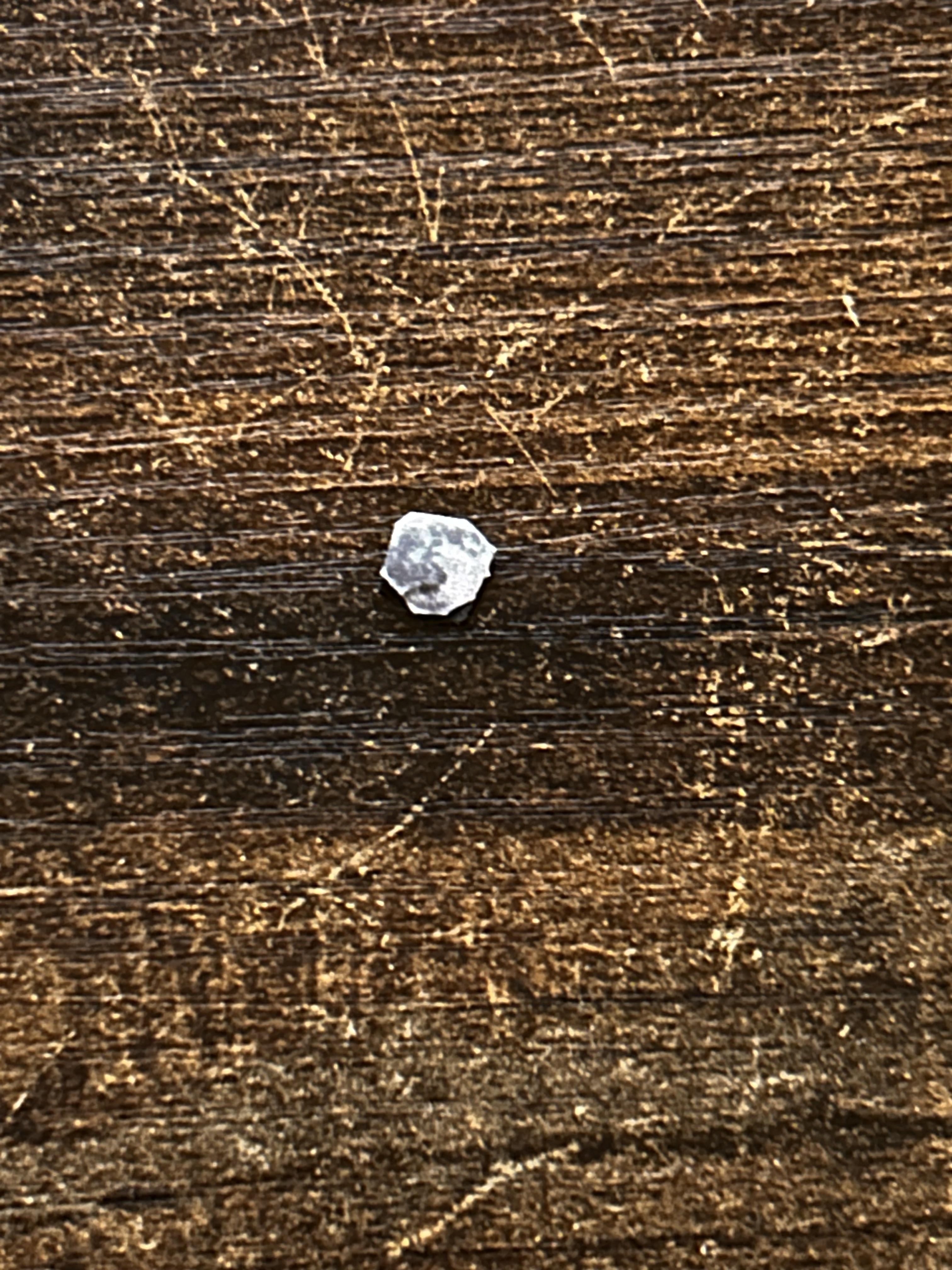
Unfortunately do to the peed of the motor, I wasn't able to incorporate a 3d printed charm. However using a 0.2cm attached to a printed picture of the moon, I was still able to give the effect.
Assembling MOTORIZED DIAGRAM: Final Steps

Congrats, you made it to the final step! For attachment onto the base, I used standard electrical tape, so I could access the components easier. Along with the battery cover, I recommend taping it on to have easy access to wireing.
Downloads
Final Remarks
By now your head must be SPINNING! designing this along with assembly was really a blast. I'm verry blessed to be able to design such diagrams and share it with all of you!