Floor Chairs: Minimizing Your Furniture Footprint
by Nova_tago in Design > 3D Design
72 Views, 0 Favorites, 0 Comments
Floor Chairs: Minimizing Your Furniture Footprint

Tutorial submitted to Autodesk Instructables Chair Contest
This project was designed using Autodesk Fusion
Build Your Own Floor Chair
Modern living spaces are shrinking. Apartments, dormitories, and shared living arrangements increasingly prioritize location and cost over square footage. The consequence of this is tighter layouts, reduced functional area, and furnishings that dominate a room rather than integrating with it. In small environments, such as my current studio apartment, spatial efficiency becomes critical. To make things worse, conventional furniture can feel bulky and oversized relative to how frequently it is used, making a space seem congested even when unoccupied by guests. The result is a persistent sense of spatial stress within one’s own home and at times can even cause feelings of anxiety or symptoms similar to claustrophobia. The following Instructables tutorial addresses that problem through a straightforward concept by designing a storable floor chair.
The target for this design project
1. Clutter in Small Spaces (The furniture footprint)
In small apartments and dorms, large furniture pieces can quickly overwhelm a room. The same piece of furniture can have a larger presence in smaller apartments, making it difficult for industries to design couches and chairs for every living space. A standard lounge chair may consume 6–10 square feet of permanent space even when no one is sitting in it, but try hosting a social gathering and not having enough available seating arrangements.
2. Underutilized Floor Area
Traditional seating (i.e. sofas, chairs, stools, benches) elevates the body off the floor, but the floor itself is an available space. Designing seating arrangements that integrate directly with the floor and are mobile and storable can increase functional space when needed without permanently adding bulk to your furniture footprint.
3. Comfort Without Compromise
Minimal footprint should not mean minimal comfort. Common workarounds for those who host social gatherings in small apartments may use floor cushions, but those can be uncomfortable due to an absence of back support. The goal of this project is ergonomic support, relaxed posture, and extended usability, not just a decorative floor cushion. A well-designed floor chair can support the back, distribute weight effectively, and remain comfortable for reading, gaming, or socializing.
Rethinking Seating: The Case for Floor Chairs
Floor seating is not a new concept. Across cultures, it has been a practical and intentional design choice. For example, traditional Japanese interiors often incorporate low tables and floor seating such as the zaisu or kotatsu. Similarly, meditation cushions like the zafu are designed to elevate the hips slightly while maintaining floor contact. These methods demonstrate that elevation is not a requirement for comfort and has seen widespread adoption in certain cultures for those with limited living spaces.
So, what makes a chair a floor chair?
A floor chair is a supportive seating structure designed to:
- Sit directly on the floor without major elevation
- Provide support for the back
- Maintain a small physical footprint
- Store easily when not in use
What I designed:
In this tutorial, you’ll learn the components and observe how they can be assembled together to construct a supportive, low-profile floor chair that:
- Maximizes usable space
- Stores easily
- Maintains real back support
- Enhances small living environments
Instead of adding more furniture to your space, you’ll build a smarter piece; one that works with your room rather than against it.
Let’s get started!
Supplies
Step 1: Gather supplies & design parts
In this tutorial I’ve decided to focus on describing the role each part will play in my project rather than providing yet another step-by-step walk through of CAD software.
Before we get started, we should sketch the overall project idea. I wanted a floor chair that could swap out cushions for different occasions as well as remove them for easy cleaning. I also wanted a frame that could recline at a few different angles for different occasions (gaming, movies, socializing, or reading). Below in the figure is a "sketch" of a chair frame that has these functions.

Figure 2: Chair Frame "Sketch"
This chair frame can be seated upright (shown on the left) or reclined for a more comfortable seating position (shown on the top right). Additionally, this design aims to be able to fold flat (with cushions removed) for storage underneath a bed or in a closet whenever not in use.
Here is a list of the parts required for the chair I designed.
Base plate: (x1)
Frame base : (x1)
Back side rods: (x2)
Back support rods (x3)
Back flex springs (x2)
Bottom cushion: (x1)
Back cushion: (x1)
Swivel Base: (x1 - optional)
Arm rests: (x2 - optional)
Bolts (x18 - not optional)
Assembling the Frame

Figure 3: Frame assembly video
Above is a short video showing an animation of the frame followed by a step by step description below.

Figure 4: Frame base rods
First is the Frame base which consists of three connected bars (two that run along the seat and one that runs along the back connecting the other two). This is the anchor piece that the design revolves around, quite literally. You could even call it the pivotal piece.

Figure 5: Frame rods for back sub-assembly
The next component are the frame rods for the back sub-assembly (shown above) which attach to the sides of the frame base using large bolts.
These two parts retain motion between the two and will require bearings to facilitate the pivot point.

Figure 6: Support rods - back sub-assembly
The two back frame rods are connected to three back support rods, which maintains the structure of the back sub-assembly.

Figure 7: Base plate
The next part that fits into the assembly is the base plate, which is responsible for holding the bottom cushion and providing structure to the base frame.
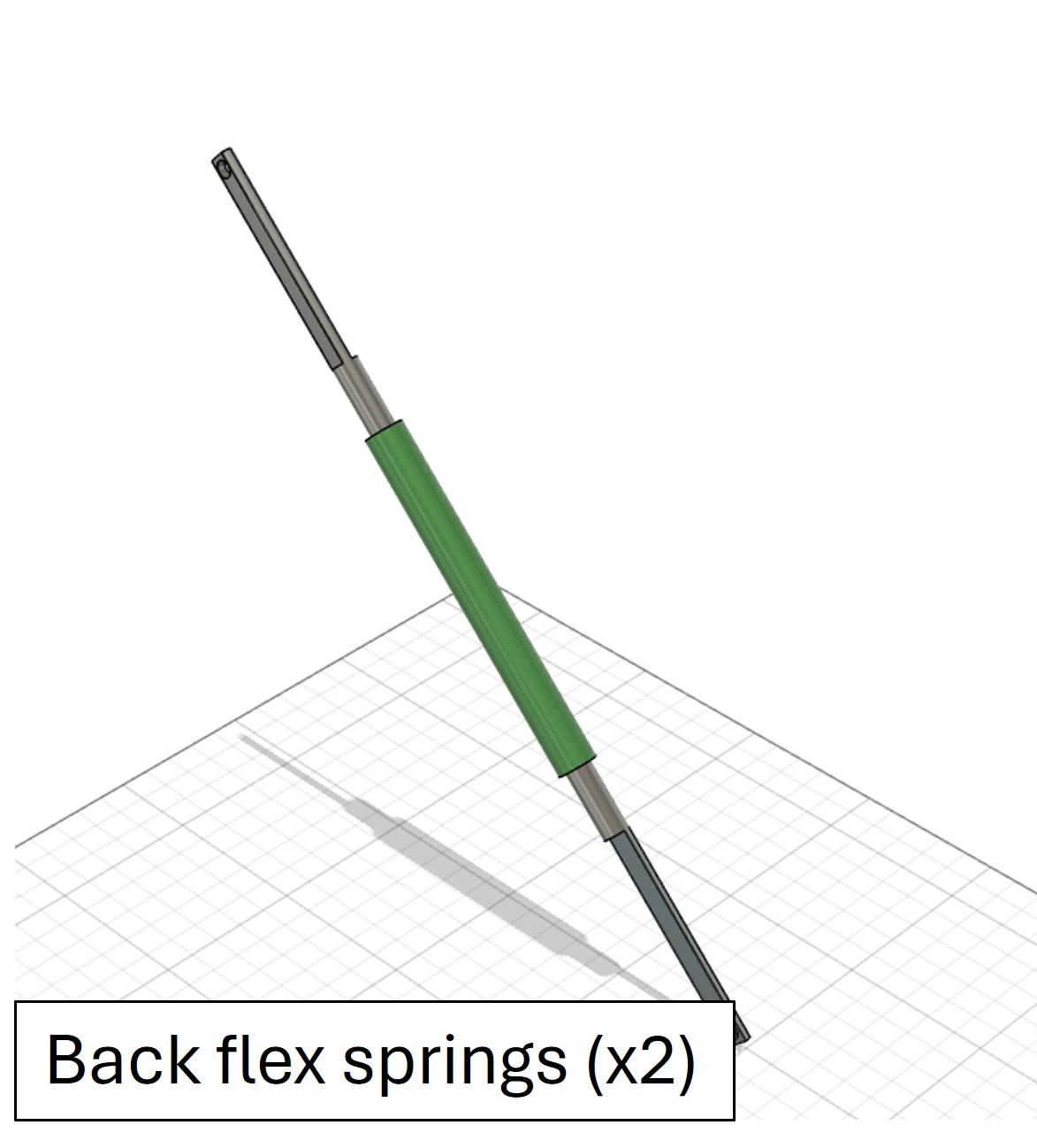
Figure 8: Back flex springs
Now things get a little more interesting. The next component is the rocker motion support, also known as the back flex springs (Figure 8). These attach between the base frame rods (Figure 4) and the back frame rods (Figure 5), and are connected with more large bolts.
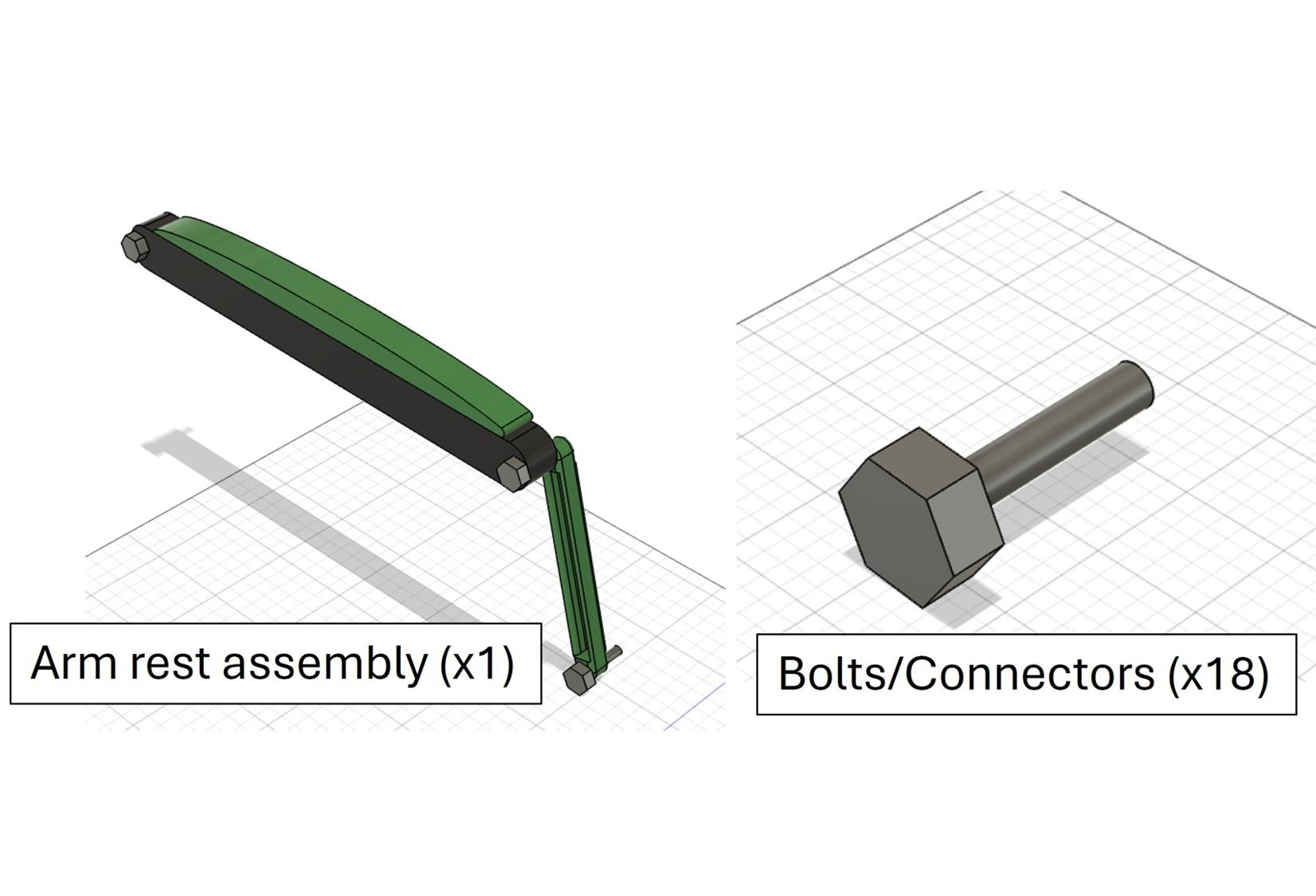
Figure 9: Arm rest sub-assembly with bolts
The chair can also be equipped with arm rests (Figure 9) which attach to both the back frame rods and the base frame rods with pivoted joints at each attachment.

Figure 10: Floor chair frame storage feature GIF
This frame assembly results in several key desirable features. First, the frame can fold down onto itself as shown in Figure 10 GIF.
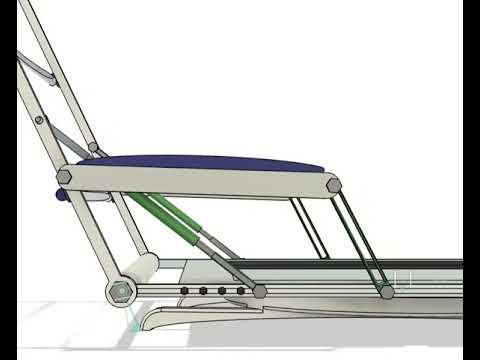

Figures 11 and 12: Rocker frame demo video & recliner function demo GIF respectively
This frame can also act with a rocking motion, as shown above in Figure, as well as act as a recliner, as demonstrated in Figure 12.
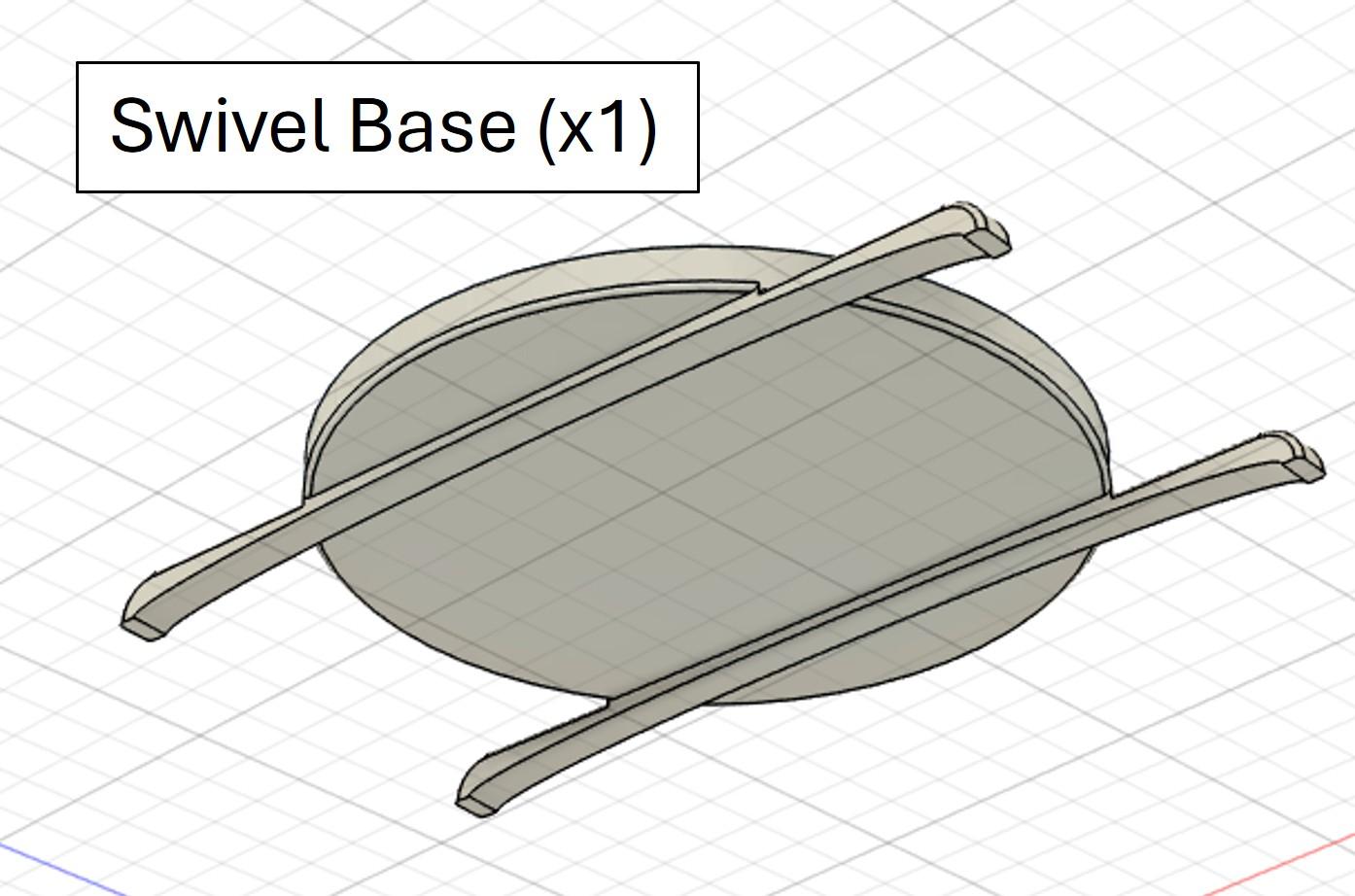

Figures 13 and 14: Swivel motion demo video and swivel platform/base respectively
Finally, it can be equipped with different floor capabilities. I imagined either using this chair with a standard base at picnics or with a swivel base as shown in Figure 13 or the video in Figure 14. These figures visualize the rotation about a bottom frame piece allowing for swivel motion while seating.

Figure 15: (A) Back cushion shown in red on left. (B) Bottom cushion shown in yellow on right hand side.
The next step is to choose the cushions (Figure 15 A & B) for your preferred style and you have your final assembly.
Figures 16, 17, & 18: CAD files or the final assembly, floor chair sub-assembly, and frame assembly respectively
This completes the design and CAD assembly of my floor seat project. Above are the assembly CAD files for manipulation in STL format.
Style Changes (Sports, Fall Colors, Seasonal Covers)

Figure 19: Style choices animation GIF
Lastly: Step 3 shows off the last major benefit of modular furniture. Namely, their ability to either blend to your current style or for their ability to be easily removed and cleaned. Above in Figure 19 is a GIF of style selections showing that the floor chair can be equipped with various cushions to match your style, sports teams, or seasonal spirit. Enjoy!
Summary & limitations:
The floor chair project is designed to:
- Minimize furniture footprint by using storable furniture
- The floor chair frame collapses & stores easily under bed
- The cushions can double as couch pillows when chair is not in use
- Provide floor seating without sacrificing comfort
- This project includes rocker, recliner, & swivel functions
- Attachable arm rests!
- Style choices
- Swap cushions for different occasions or seasonal decorations
- Can attach different base plates and take for picnics!
Limitations to Consider:
Floor seating is not universally ideal. It may be less suitable for individuals with mobility or joint limitations. It can also change the room’s visual and social dynamics as everything operates at a lower height plane. Please keep these in mind when designing your own!