Fully 3D Printed Clockwork Motor
by CaelanRoberts in Design > 3D Design
483 Views, 2 Favorites, 0 Comments
Fully 3D Printed Clockwork Motor

This 3D-printed clockwork motor was inspired by Rob Ives. This project has gone through multiple iterations, and over the course of a month I was able to create something that I'm proud to call my own. The final version features an increased gear ratio to extend the motor's duration as well as some design changes that neatly integrates all components into an open housing.
Supplies
- 3D Printer
- Slicer Software
- Autodesk Fusion (Recommended if you want to make any changes to the design)
Understanding the Motor
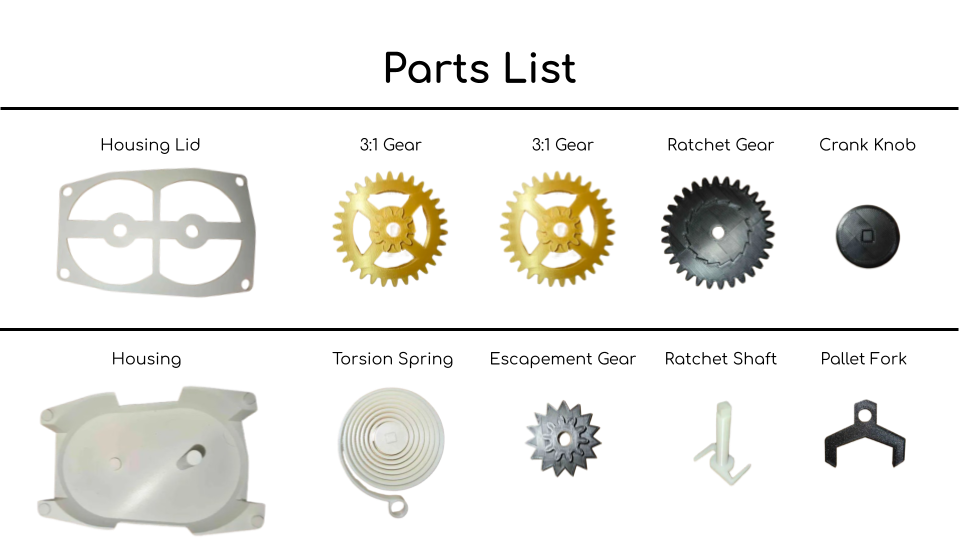
(if something remains unclear, I recommend building the motor to see how it works)
Torsion Spring
- The heart of this project is the torsion spring. The spring, when wound, stores potential energy which is later translated into rotational motion and drives the entire gear stack.
Ratchet Gear / Shaft
- These two parts get put together and attach to the torsion spring to convert the stored energy in the spring into rotational motion which drives the motor. The reason for the ratchet is to stop the shaft from driving the gears each time you wind up the spring.
3:1 Gears
- This part consists of a 30-tooth gear with a 10-tooth pinion. These gears increase the duration of the motor. The potential energy from the spring that drives the ratchet gear will then drive the 10-tooth pinion. This will turn 1 rotation of the 10-tooth pinion into 3 rotations of the 30-tooth gear. Stacking two of these gears onto the ratchet gear means we can turn 1 rotation into 9.
Escapement Gear / Pallet Fork
- The escapement gear interacts with the pallet fork and slows down the gears preventing the torsion spring from un-winding too fast.
Designing the Motor
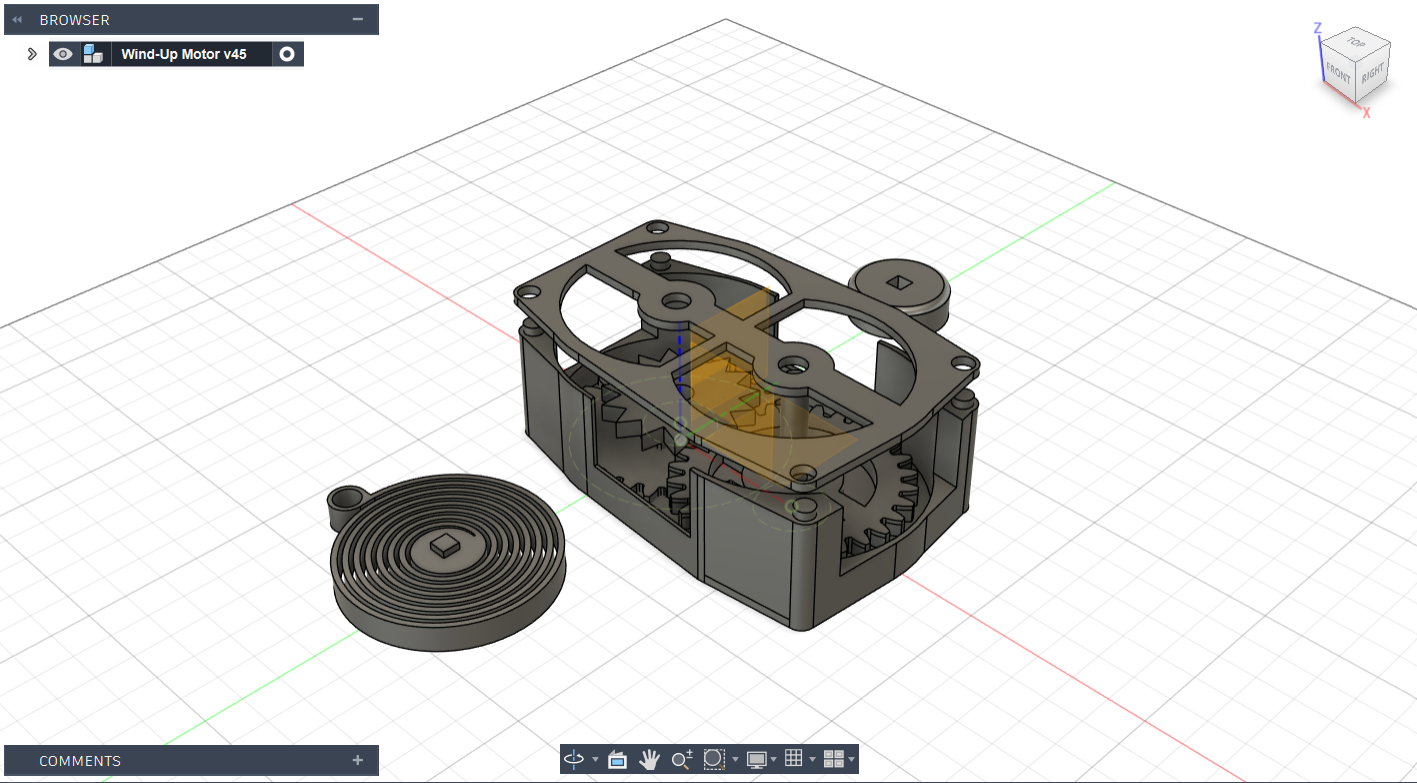
The assembly was designed entirely in Autodesk Fusion. Although I won't go into detail about the design process, I will link some of the helpful resources that I used when working on the design if you'd like to design your own motor.
Create Custom 3D Printable Gears in Fusion 360 | Practical Prints #1 - Product Design Online
Fusion 360 Spiral Torsion Spring Tutorial - 3D Printy
3D Printing the Parts
For this you're going to want a slicer software. Personally, I use two different slicers: Ultimaker Cura, and Elegoo Slicer, but you can just use whatever you're comfortable with.
Here I've attached the STL files for the various parts, which you should be able to import to your slicer.
I would recommend taking advantage of any auto-orientation tools your software has as well as using the gyroid infill pattern with an infill density of 20% for each print.
NOTE: The STL files have been exported from fusion with the millimeter unit type.
Putting the Parts Together

Step 1:
In this step you're going to put the torsion spring through both shafts of the housing as pictured above.
Step 2:
This step is going to consist of sliding the ratchet shaft through the ratchet gear and making sure it is working properly.
Step 3:
Here you're going to put the ratchet gear assembly on top of the torsion spring and ensure the square hole in the ratchet shaft is interlocking with the square peg on the torsion spring.
Step 4:
This step will be placing a 3:1 gear opposite of the ratchet gear. The 10-tooth pinion should mesh with the ratchet gear this is here to increase the duration of the motor and gear ratio by a factor of 3.
Step 5:
Here you're just going to be placing the other 3:1 gear on top of the ratchet gear. It should mesh with the other 3:1 gear this again increases the gear ratio by a factor of 3.
Step 6:
This step is putting the escapement gear and pallet fork into the assembly. This is arguably one of the most important steps as it controls the speed of the motor and massively affects how long the motor will run.
Step 7:
This final step just requires you to put the cover on, once this is done you should be all set to wind it up with the knob and watch it run.
You're Finished!
Once you’ve finished assembling it, feel free to wind it up and share your build here! If you’d like to try your hand at designing your own clockwork motor, I encourage you to leave a comment. I had a blast working on this project, it wouldn’t have been possible without Autodesk Fusion, and I highly recommend it if you're interested in designing your own 3D projects.