Fully 3D Printed Functional Stool Without Any Screws and Glue
by Studio Petek in Design > 3D Design
2832 Views, 36 Favorites, 0 Comments
Fully 3D Printed Functional Stool Without Any Screws and Glue


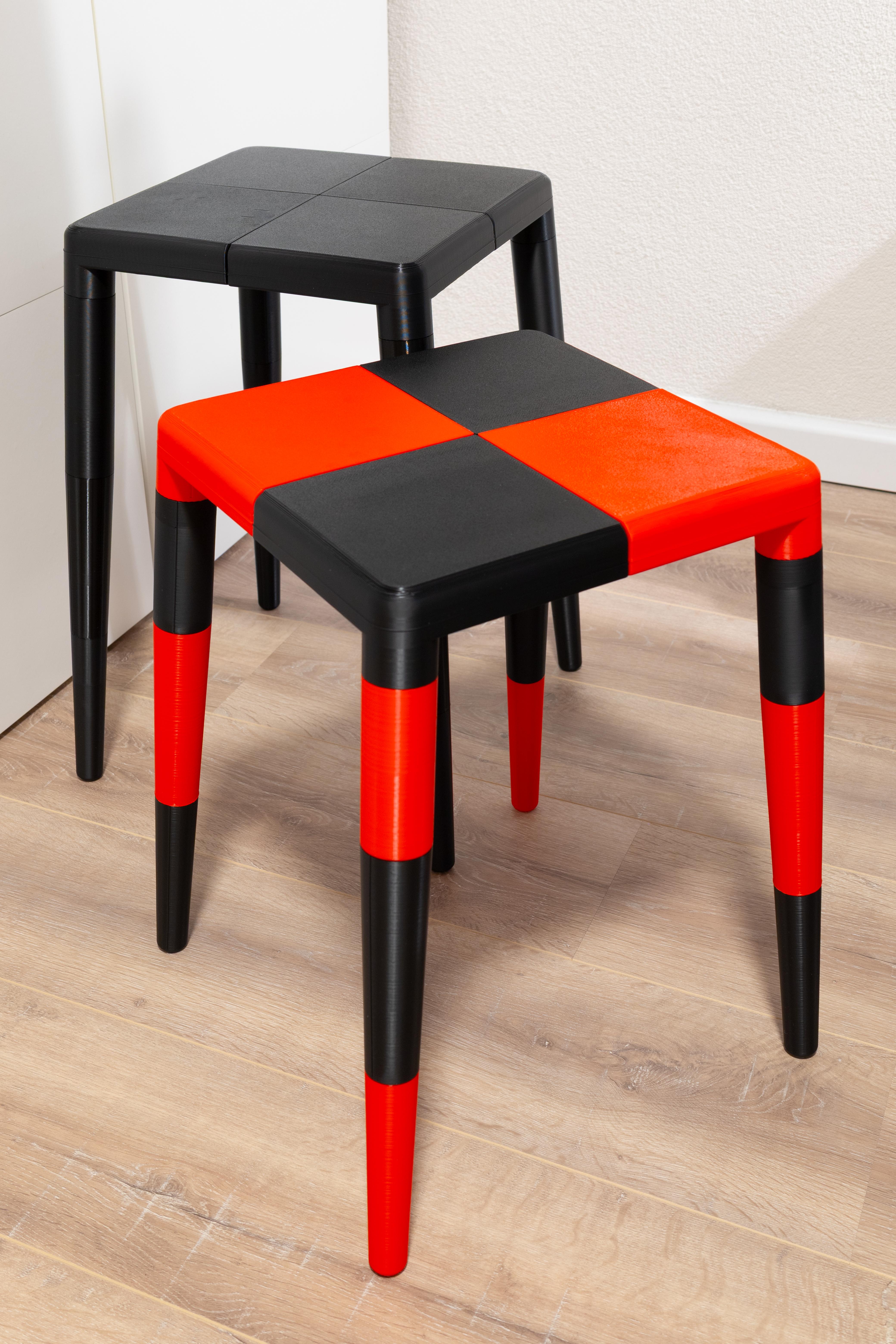
I have always wanted to use my desktop 3D printer for a furniture piece that's easy to print and strong enough to hold up for everyday use.
With this project I explored using 3D printed parts to create a stool that doesn't need any glue or metal screws. Instead this stool uses only 3D modeled joints to create strong connections, and in that way fully benefits from the possibilities a 3D printer offers.
The end result is a full sized stool that comes in 2 sizes and can be seated. The default size is approximately 45 cm tall, the other size is approximately 50 cm tall. The seat is 30 by 30 cm in both versions.
Another benefit to being able to 3D print your own stool is that you can customize it using any color you want to. As you can see in the photos I made a black red checkered stool as well as a fully black one.
Now let's get started to create the stool in four simple steps. Enjoy!
*Please note that the assembled PLA stool in this Instructable has only been tested up to 75kg*
Supplies


The tools and materials you will need:
• 3D printer
• Filament for the 3D printer (I used PLA filament, you can use ABS or PETG for even more strength)
• 3D slicer (I used Bambu Studio)
• Four metal rods that are 120 mm long and have a diameter of 8.5 mm
3D Printing the Parts
The parts are designed in Fusion 360. You can download the STL files below.
The stool comes in 2 sizes, a default size and a tall size. For one stool there are 5 STL parts:
- 4x_seat.stl
- 4x_leg_01.stl
- 4x_leg_02.stl
- 4x_leg_03.stl
- 1x_disk.stl
The seat and leg parts need to printed four times, and the disk needs to be printed once. So you end up with a total of 16 parts per stool
The difference between the default and tall size is the 4x_leg_01_default vs. 4x_leg_01_tall part. All other parts are the same for both stool sizes.
Download the STL files and open them in your 3D slicer. The STL models are in the correct orientation, so you don't need to adjust the orientation in your 3D slicer.
All 3D printed parts in my version are printed in different PLA colors. However, feel free to choose whatever color/material you prefer.
I used Bambu Studio with a 0.8 mm nozzle in the printer. With the 0.8 mm nozzle, I used the following settings:
• Nozzle size: 0.8 mm
• Layer height: 0.4 mm
• Wall thickness: 1.64 mm
• Top/bottom thickness: 1.2 mm
• Printing temperature: 210ºC (this depends on the material you use, please make sure to check the settings of your material)
• Infill: 15% (you can use more infill for even more strength)
• Infill pattern: Grid (you can use the honeycomb pattern for even more strength)
• The 4x_seat.stl part will need some support for the corner opening, but support is not needed for the holes
• The other parts need no support
Assemble the Seat

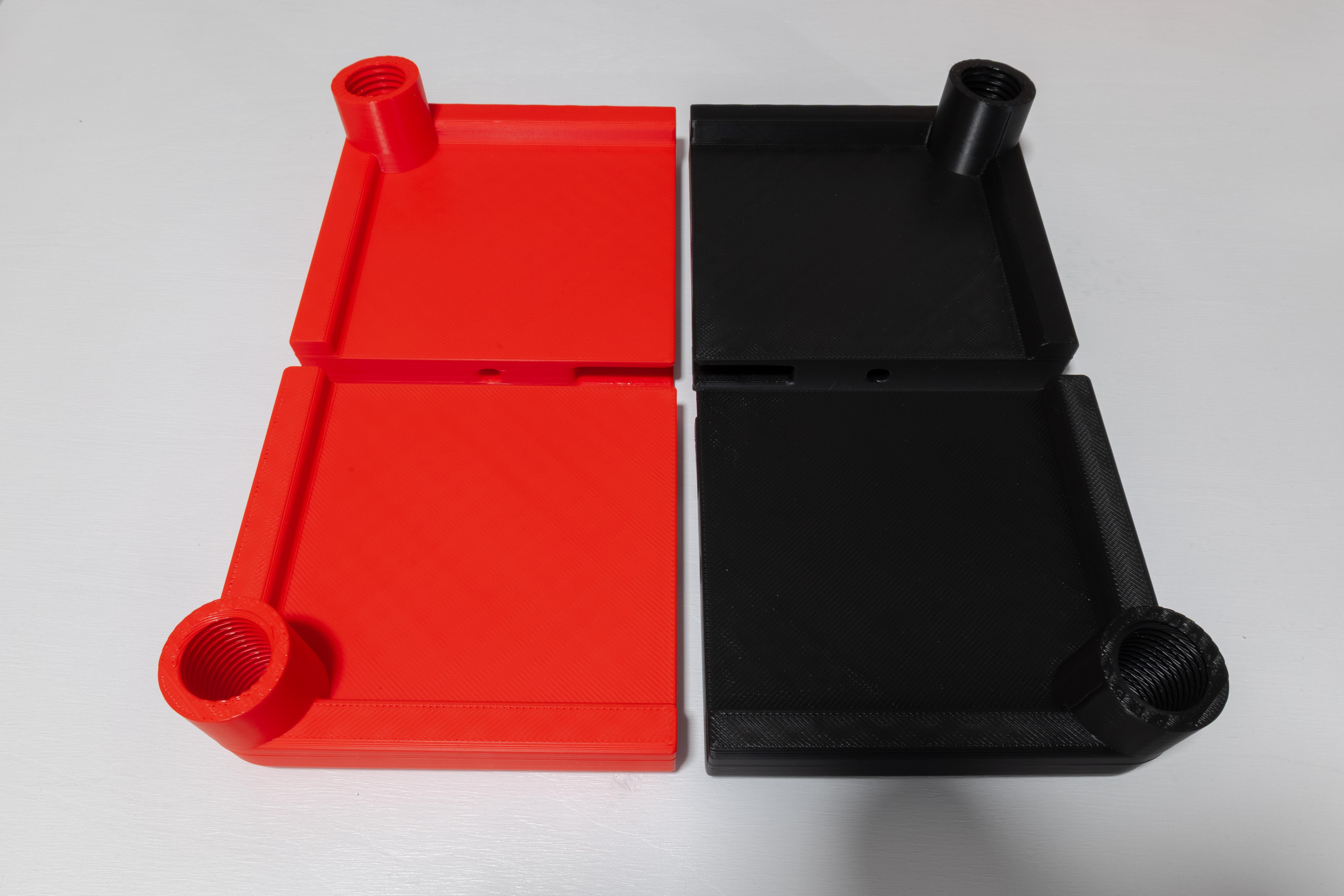
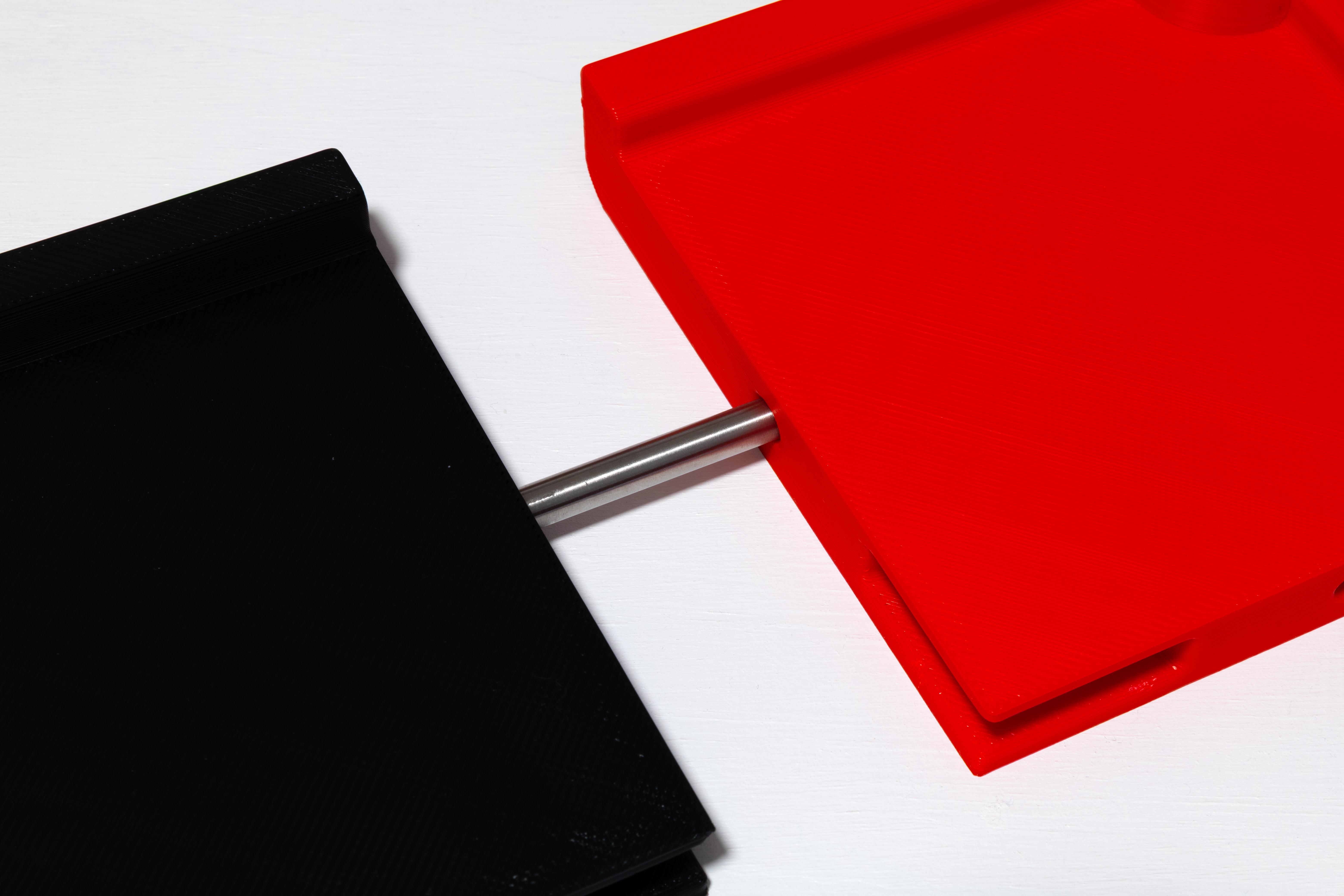
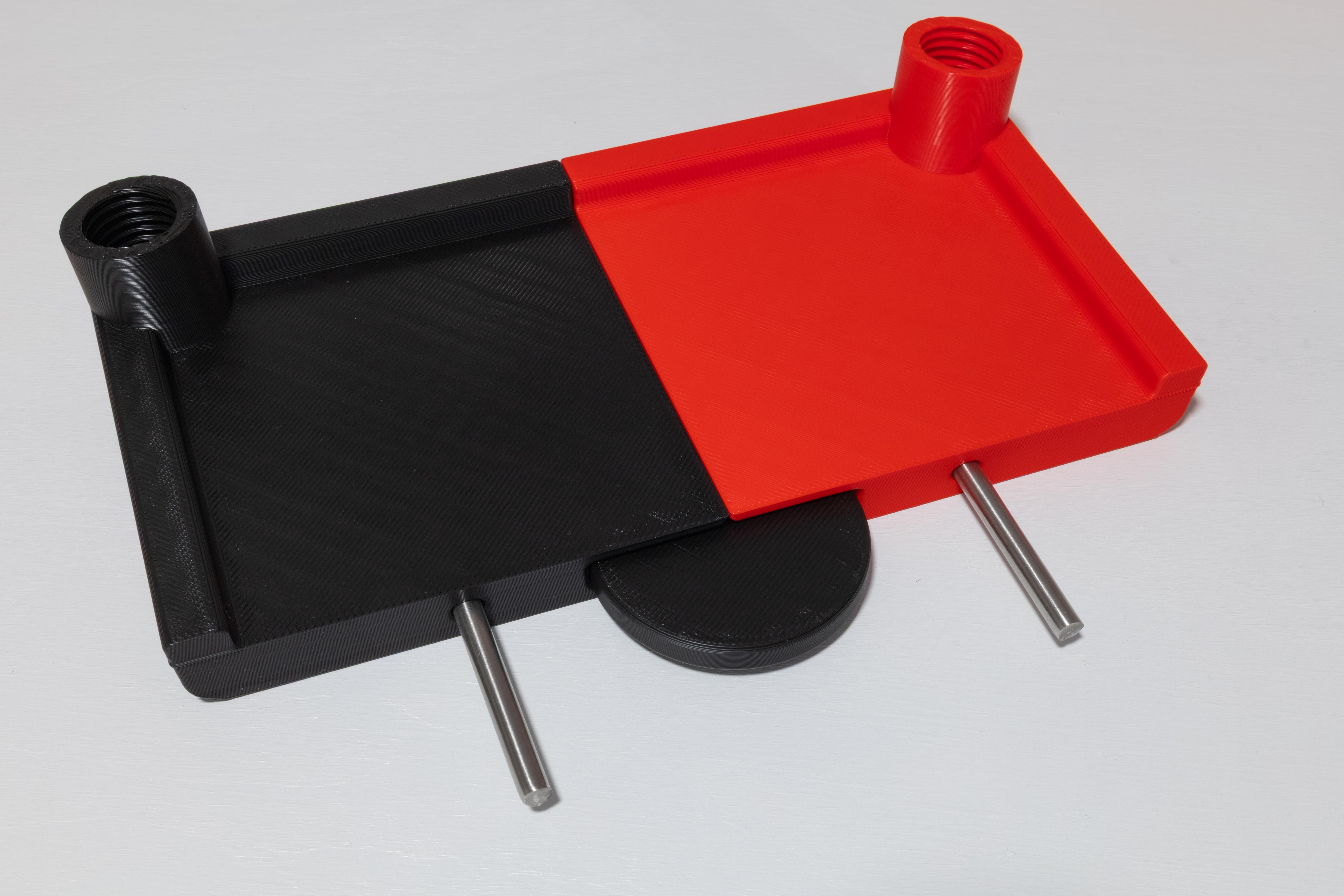

For this step you need the following tools and parts:
• Four times the 4x_seat.stl
• One 1x_disk.stl
• Four metal rods with a diameter of 8.5 mm and length of 120 mm
After printing you need to remove the support from each seat part. To make the next steps easier, place the four seat parts as shown on the foto, with each leg connection point in a corner.
Then, connect two of the seat parts together by simply connecting them with a metal rod that is pushed into the holes on both parts. This creates one half of the seat. Repeat with the other two seat parts to create the other half.
Once you have the two halves, you can connect them by using the last two metal rods and the disk that slides into the center opening. No glue or screws are needed, all the parts just push together.
Assemble the Legs


For the legs you only need the 3D printed legs:
• Four 4x_leg_01_default.stl or 4x_leg_01_tall.stl depending on the size you want to make
• Four 4x_leg_02.stl
• Four 4x_leg_03.stl
Once you have printed all leg parts four times, you only need to screw each part together to create 4 legs. One leg exists of 1x leg_01, 1x leg_02 and 1x leg_03.
Assemble the Stool
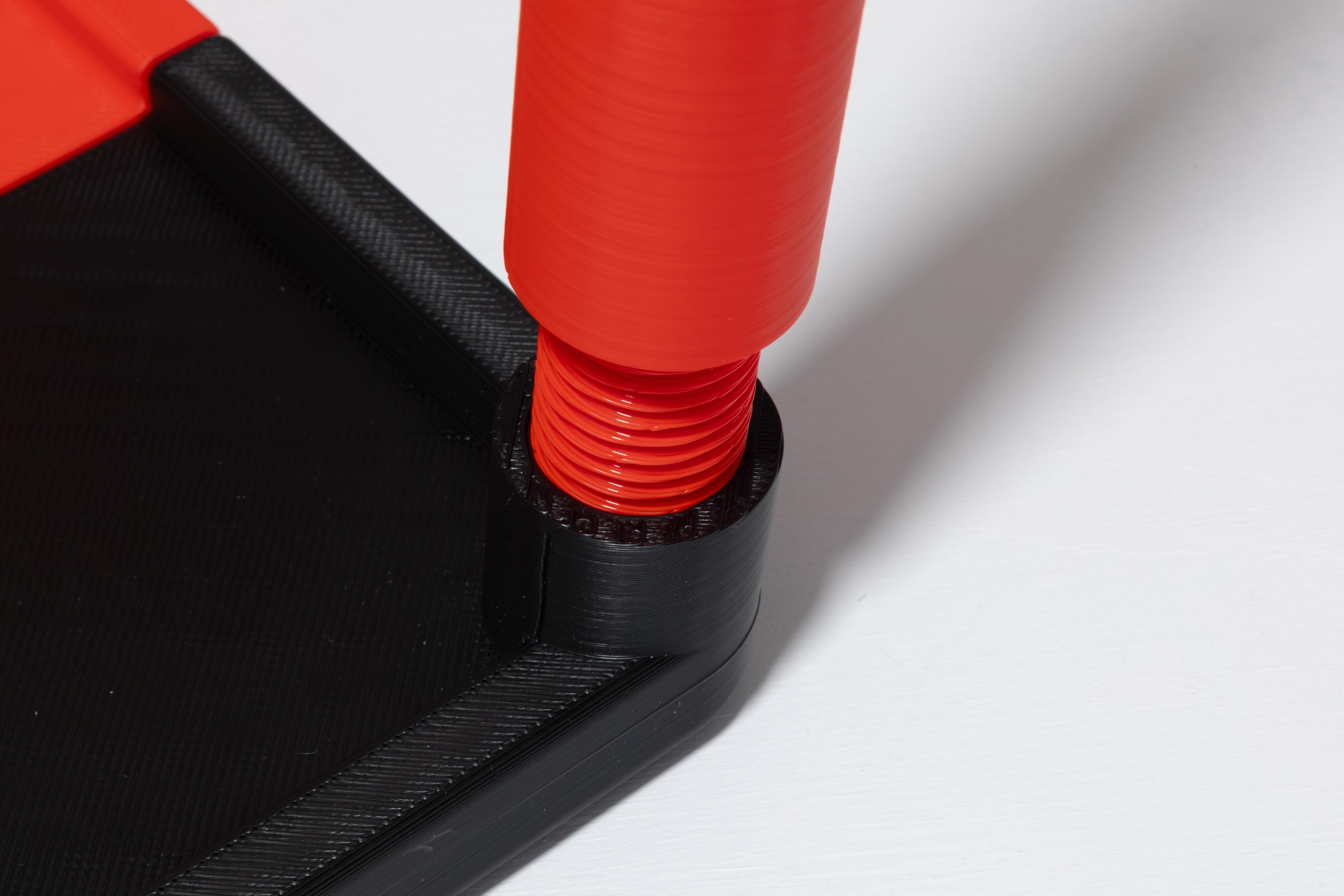
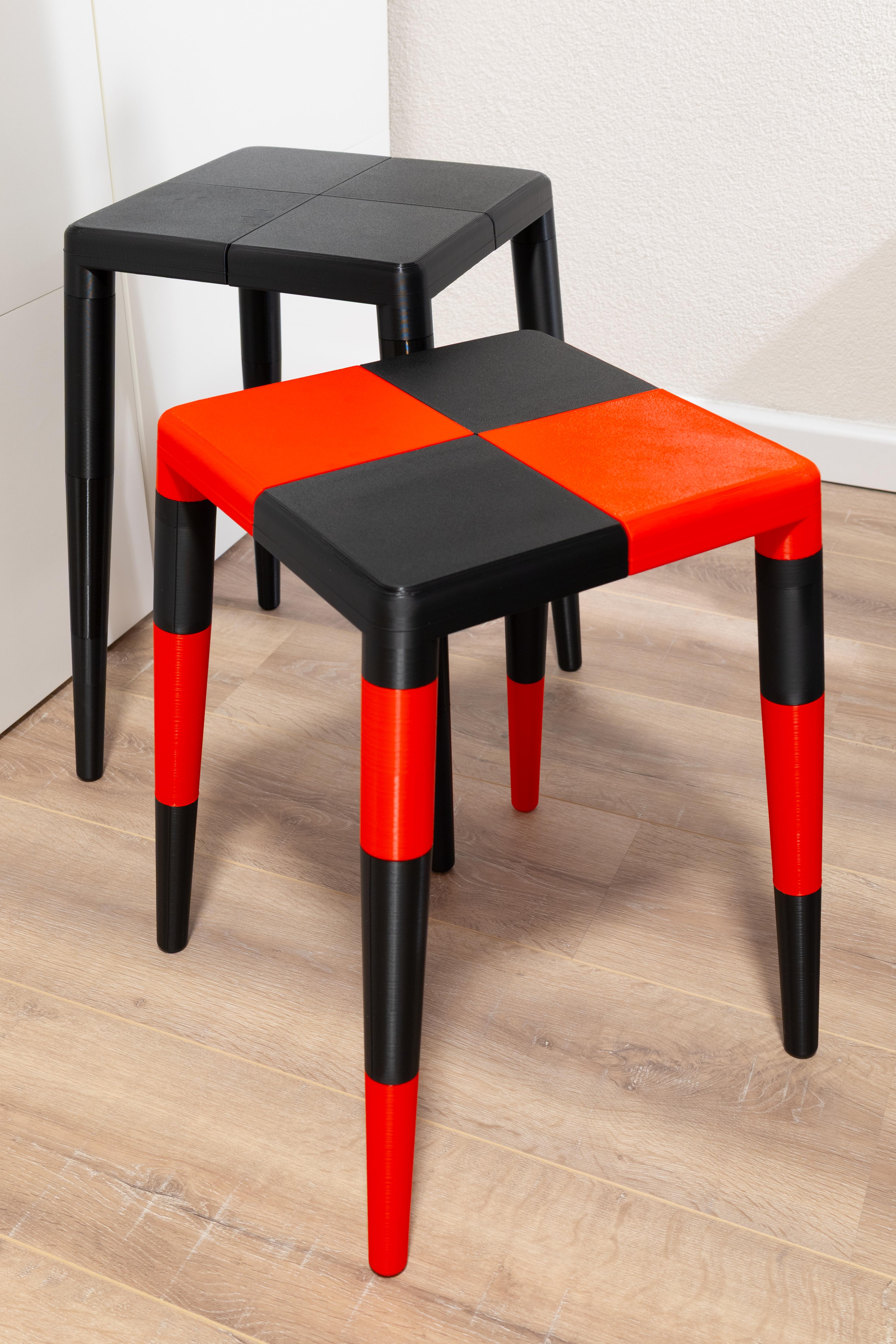


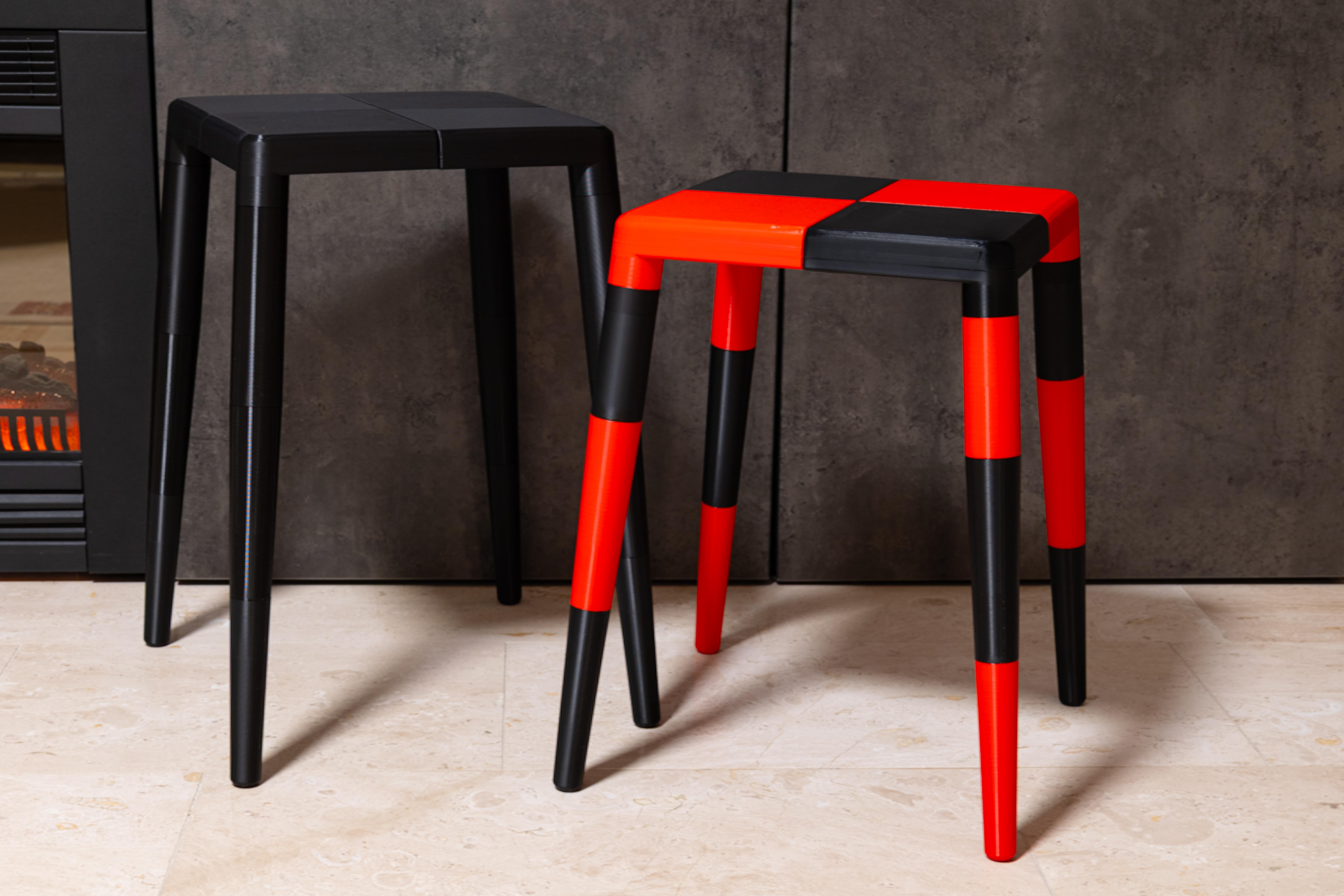
When you have the seat and the legs ready, you only need to attach the legs to the seat. Again, you need no glue or screws, the 'screw' is already 3D printed for you.
Now you can take a seat and rest from all this assembling :)
Don’t forget, there are two sizes, so your tall or short friend can also sit comfortably. You can even keep a second set of leg_01 pieces on hand to switch out as needed.
For storage you can unscrew the legs for a very compact option, but as a bonus, these stools stack very well. So if you print a couple you can also just stack them together.
Have fun!