Garage Art Muscle Car Signs
by BadJer Maker in Workshop > 3D Printing
88 Views, 0 Favorites, 0 Comments
Garage Art Muscle Car Signs
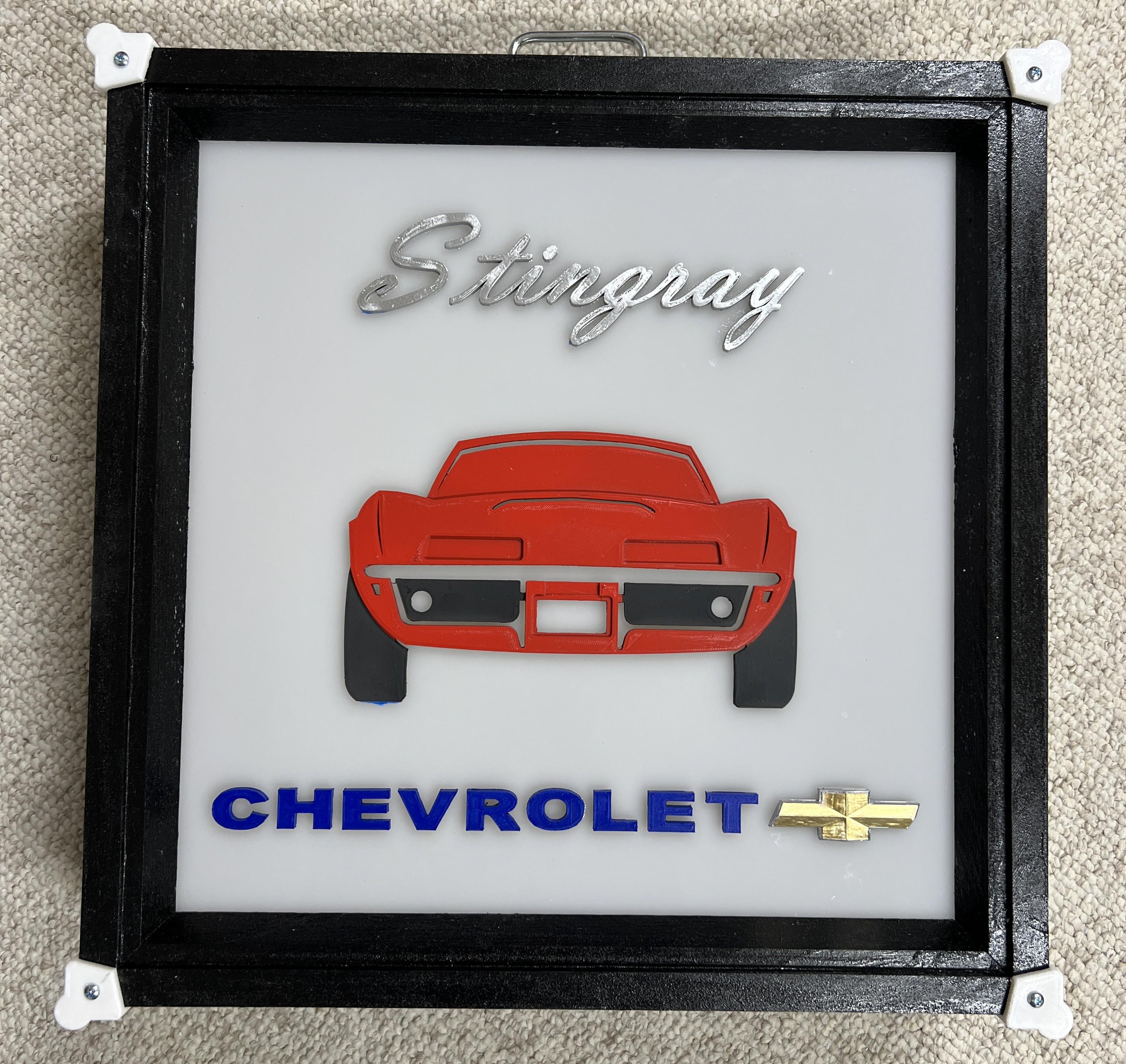
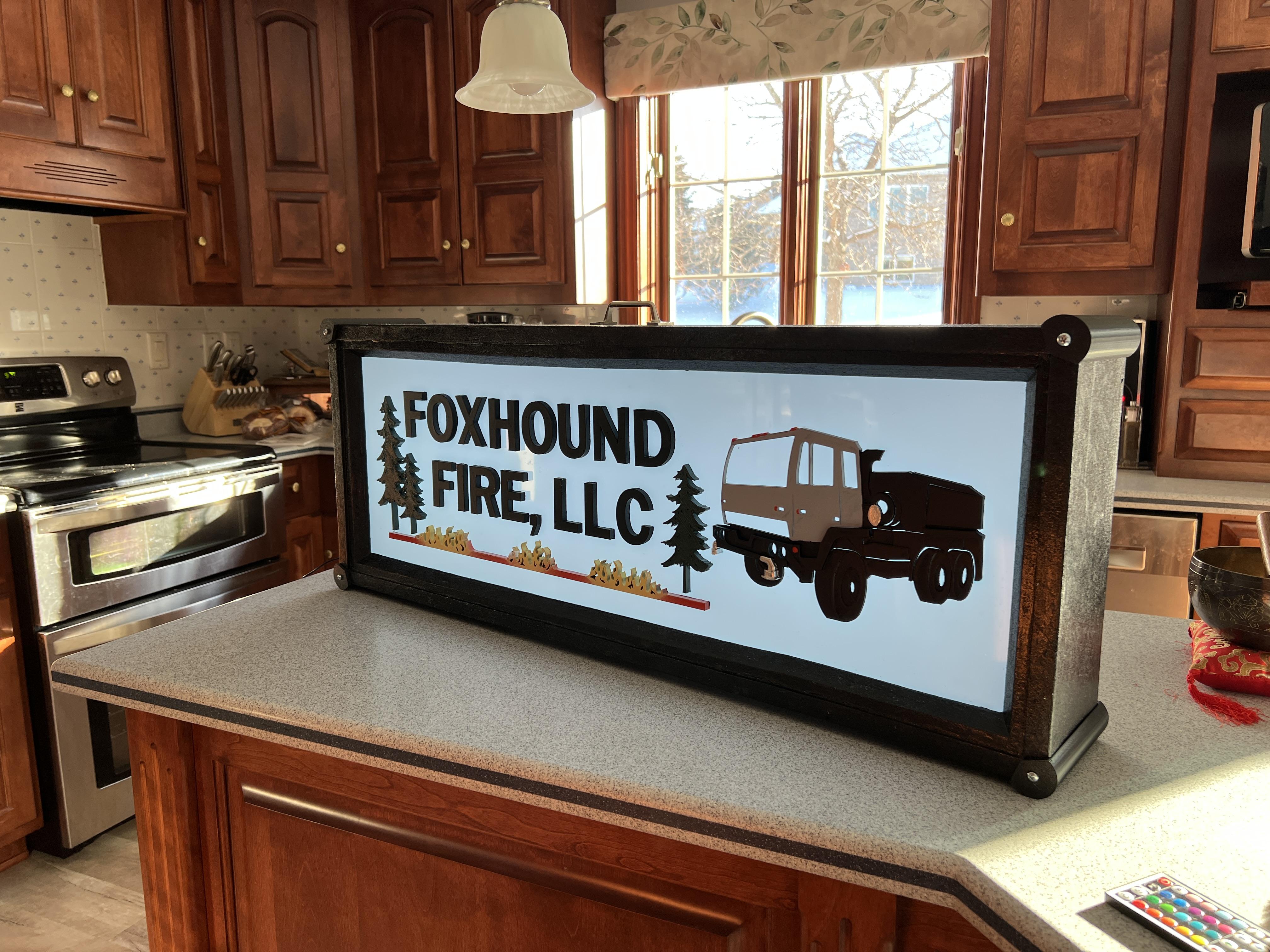
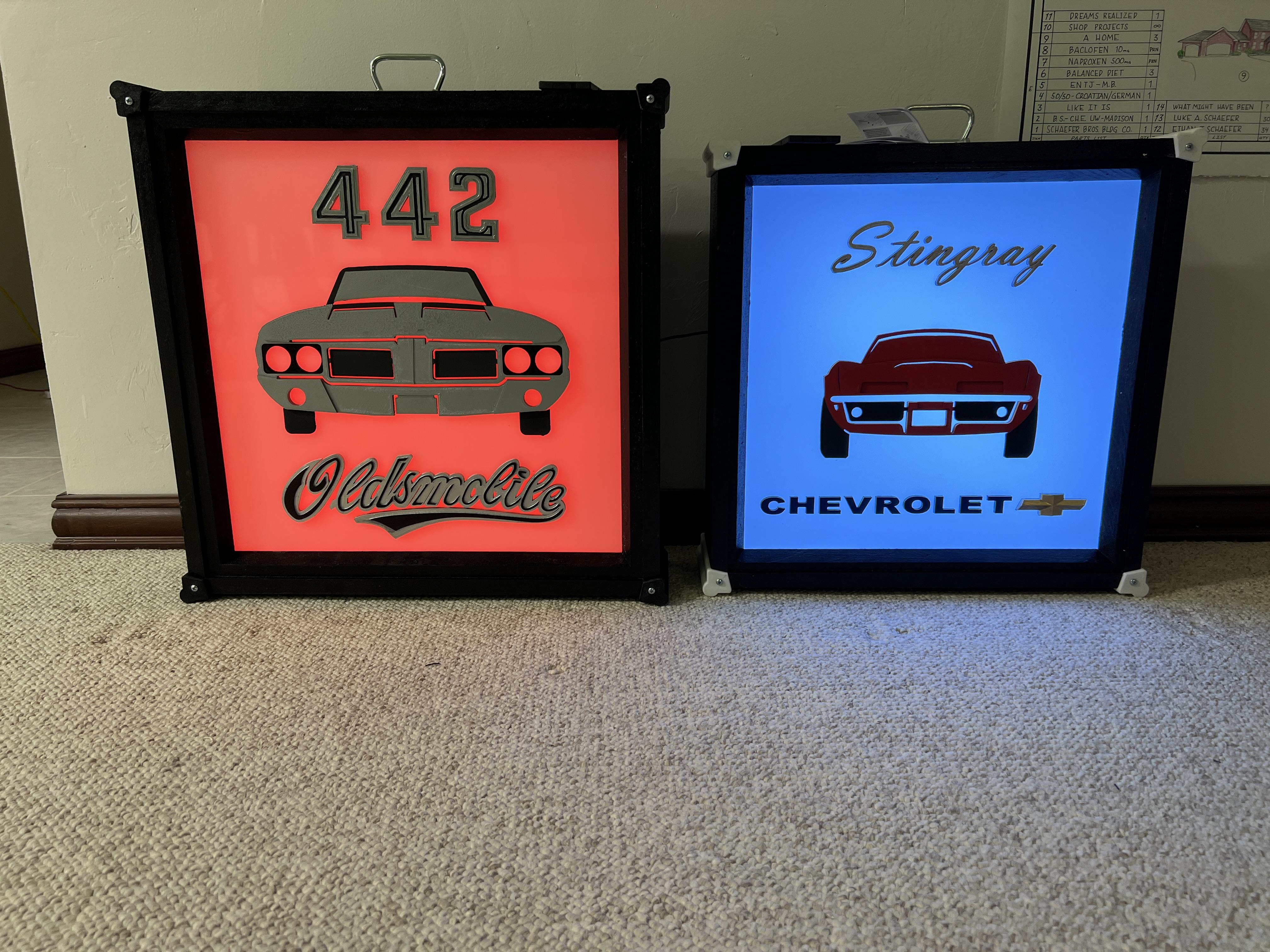
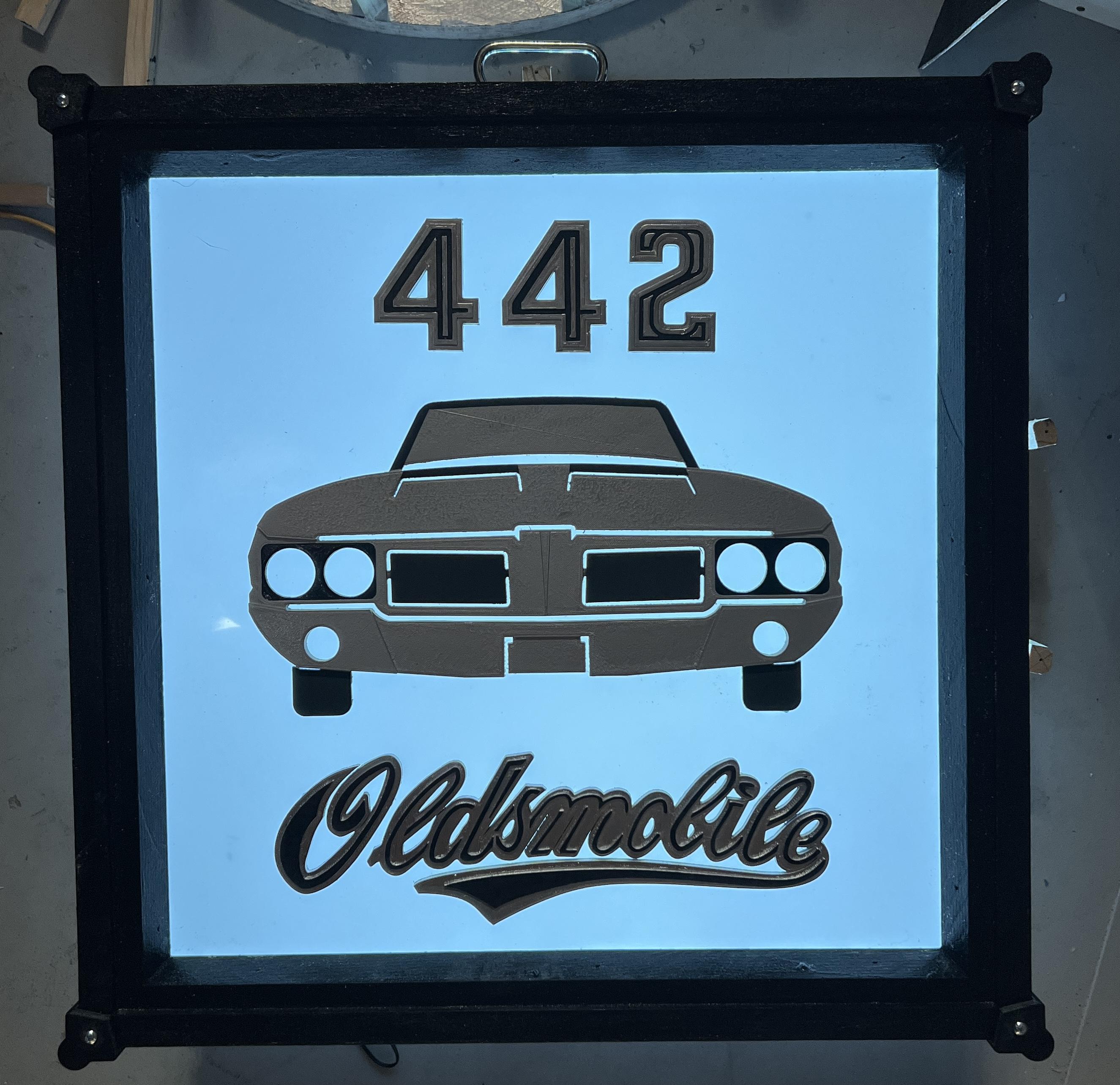
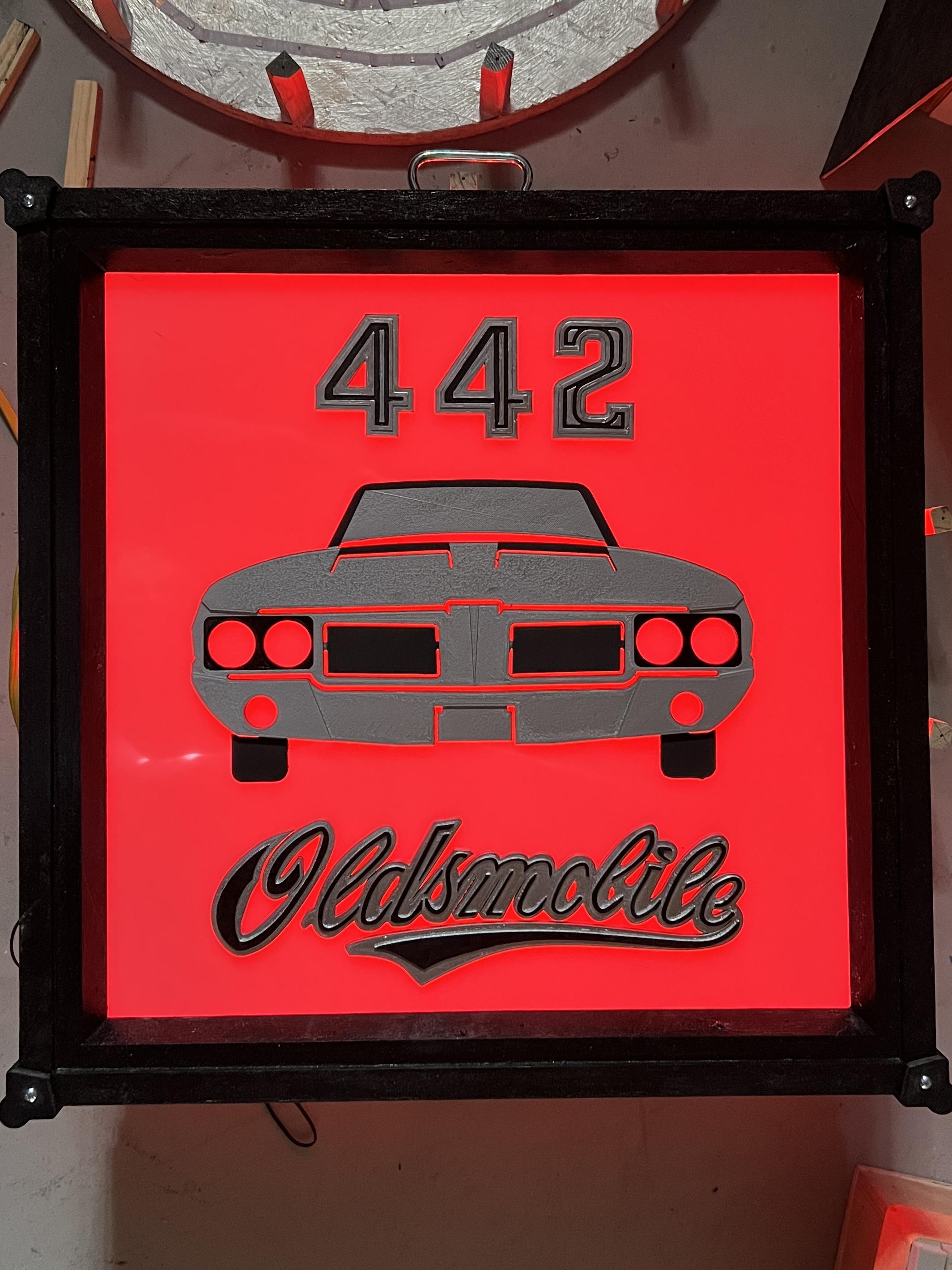
I made three LED illuminated Garage Art Signs as Christmas gifts as shown, for three friends who needed a little pizzaz in their garages to inspire getting their prized vehicles out on the road (a 1969 Corvette, a 1971 Cutlass 442, and a fire water hauling truck) on on the road! These signs were easy to make once you know a few resources to use. Let's get into it.
Supplies
- A subscription to Fusion 360 or similar CAD software that can create 3D printing files that a 3D slicer software can understand (Stereo Lithography extension or *.STL ). Or... get a STL file set that you can get online with a search or go here for what I used created: BADJERMAKER - Etsy
- 3D FDM printer with ABS (ideal for temperature and sanding ease) filament but PLA will do if not subjected to extensive heat or cold.
- 55% Translucent White Acrylic aheet 1/8" thick. Easiliy available on Amazon etc.
- A LED strip of color changing lights (typical for the back of a large screen tv or undercabinet lighting with self sticky back. Use the lineal footage to match your sign dimensions. The larger the sign, more feet, so I used 20' for a 20" x 20" sign, and 32 ft for the 3' x 14" long fire sign. The LED tape set I used comes with a controller to change the colors of the light is you want, otherwise a pure white light works great too.
- Amazon.com: DAYBETTER SMD 5050 Remote Control Led Strip Lights 20ft, RGB Color Changing Led Strip with Remote Control for Room, Bedroom, Suitable for Home Decor, Living Room, Kitchen, Home Party Decoration, 24V : Tools & Home Improvement
- 1" x 6" x 8" Pine board (select - few if any knots) enought to make the four sides of the light box and a trim piece to act as a stop for the acrylic to butt up against the front of the box.
- Silver and black paint for the box (I used surplus truck bed liner paint I had for the exterior and it gave a really cool durable concert speaker look to it. The silver is for reflectivity on the inside, but a bright white works as well.
- Rustoleum spray paints - Auto primer (sandable works best for filling in layer lines) , and colors as seen in the photos. Be sure to use compatible paints between primers and finish coats.
- 1/8" Malmine / plywood backing board to enclose the box.
- Nails and wood glue to form the box. Screws to hold the corner bumpers on the corners (#8 x 3/4" long)
- Super Glue (CA)
Design Your Sign in CAD
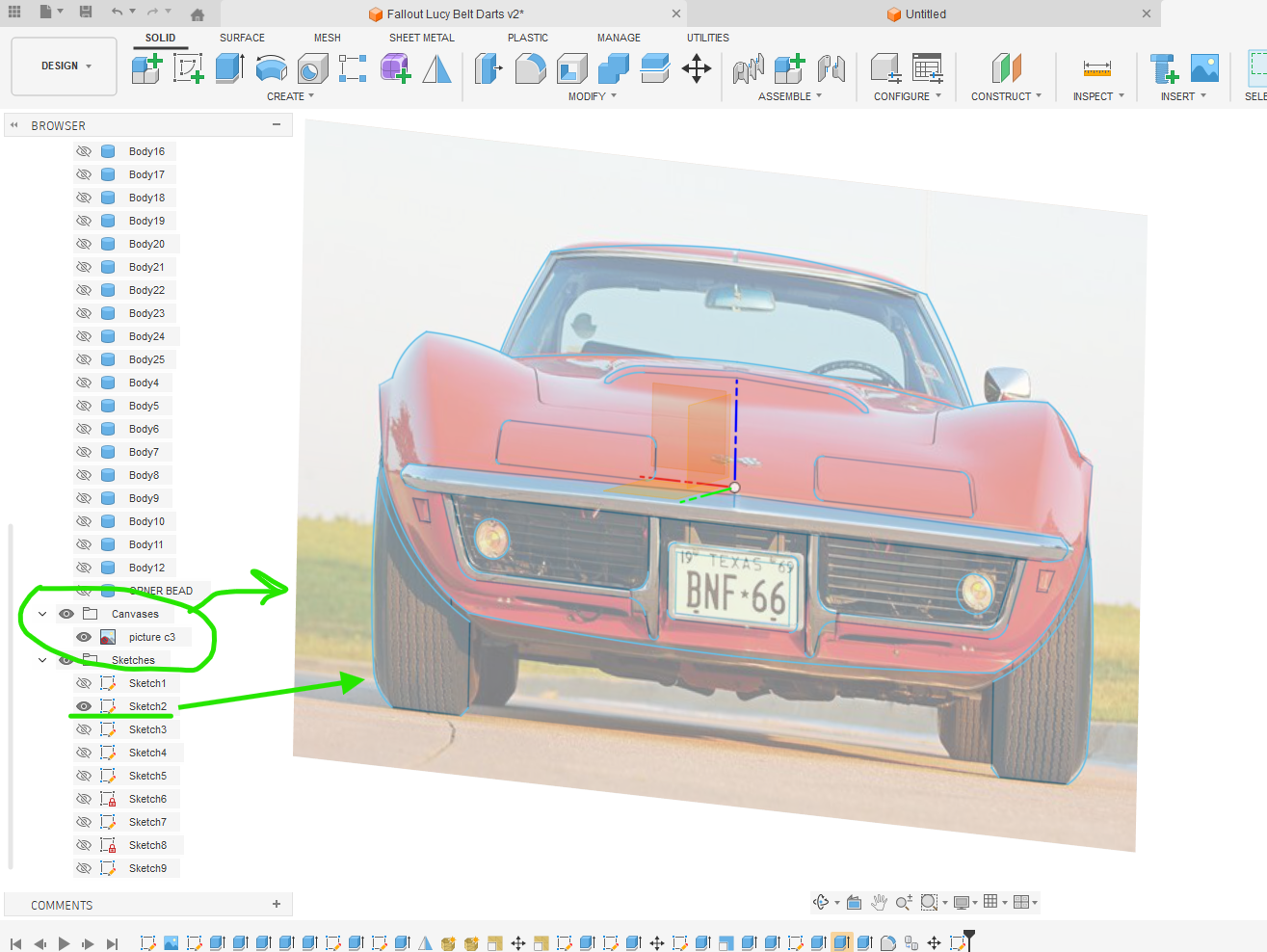
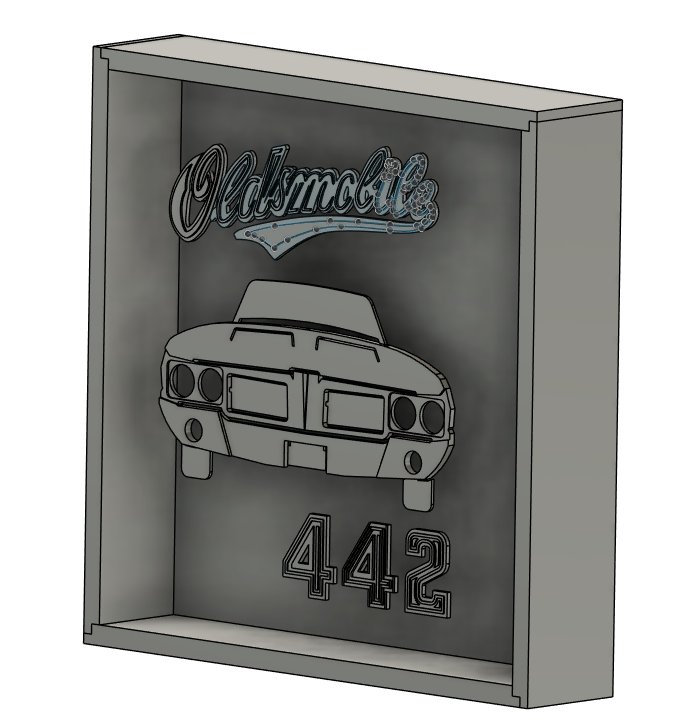
I used the very friendly Fusion 360 software to create my three designs. I downloaded photographs of the vehicles and created sketches that traced the vehicle front profiles. For the Fire Water Hauler, I had a picture of the 3/4 view and that worked great to add more dimension to the signage.
You inseert the photo as a canvass from which I traced the outline of the vehicles and key design elements to give the sign that clarity of the lines of the vehicle. Notice I added some cut outs so the light could shine through and highlight fenders of hood scoops.
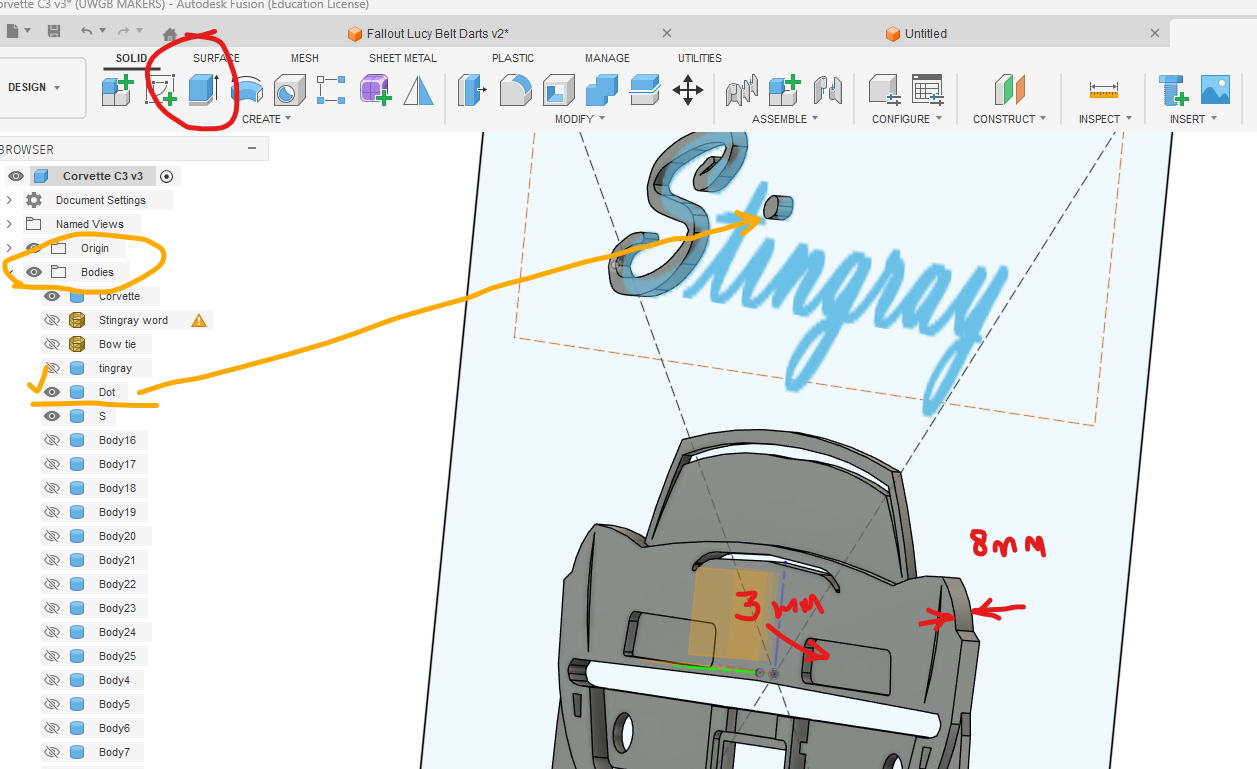
After tracing the photos with the flexible line command, I basically extruded each of the areas at various heights to give the object definition. The thickest part of anything on the sign is only 8 mm. Three levels worked great - 8, 5, and 3 mm was plenty strong. The lettering was 5mm.
Import the text to whatever font you choose, extrude that to become "bodies" as well. and in a flash you have a 3D drawing of what your sign is going to look like. You can even draw the box you want to build so you really get a good idea how it is going to look. See the Cutlass photo.
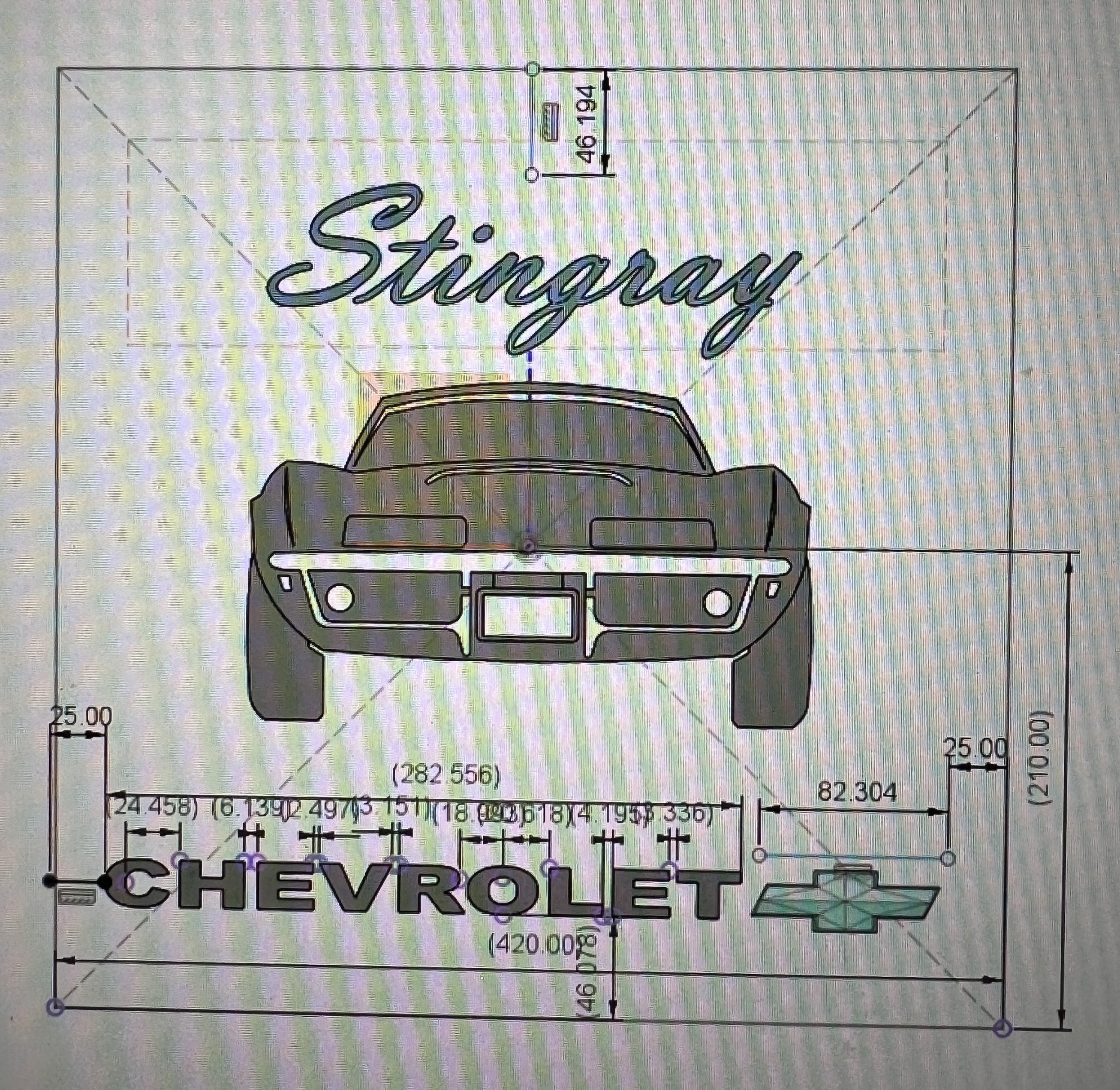
Add dimensions to where the letters and the car profiles are going to go on the sign face. It helps in laying them out easily and well centered before you glue them down to the acrylic. See the Corvette photo.
Save the file and turn off all the bodies but one at a time, then export them in STL file format to a folder to get them ready to slice for the 3D printer.
3D Print the Parts
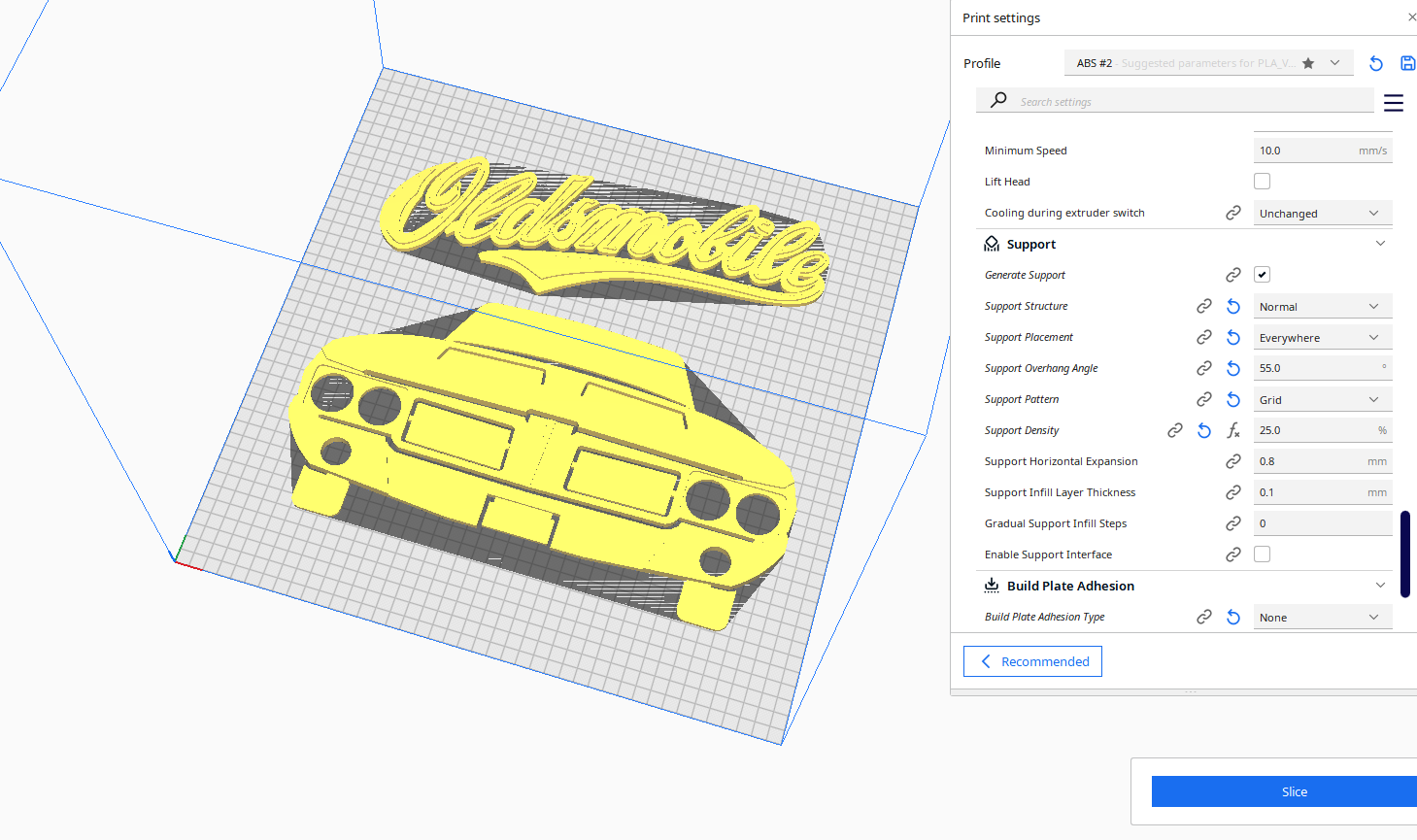
To get the STL file into a real item to glue onto the acrylic, you need a 3D printer "slicer" software. I use CURA 5.8 version. It takes the stl file and basically asks you for all the settings of how you want to print the item. Attributes like layer thickness, speed of printing, the type of filament plastic you want to use, etc. Then, when all the attributes are filled in, you hit print and 2 hours later you have a part.
I had to do this for each STL file in the sign, meaning individual letters all had their own file.
Once printed, I did a little clean up with sandpaper on those pieces, primed them with sandable auto primer, and then finish painted the pieces.
Build the Light Box
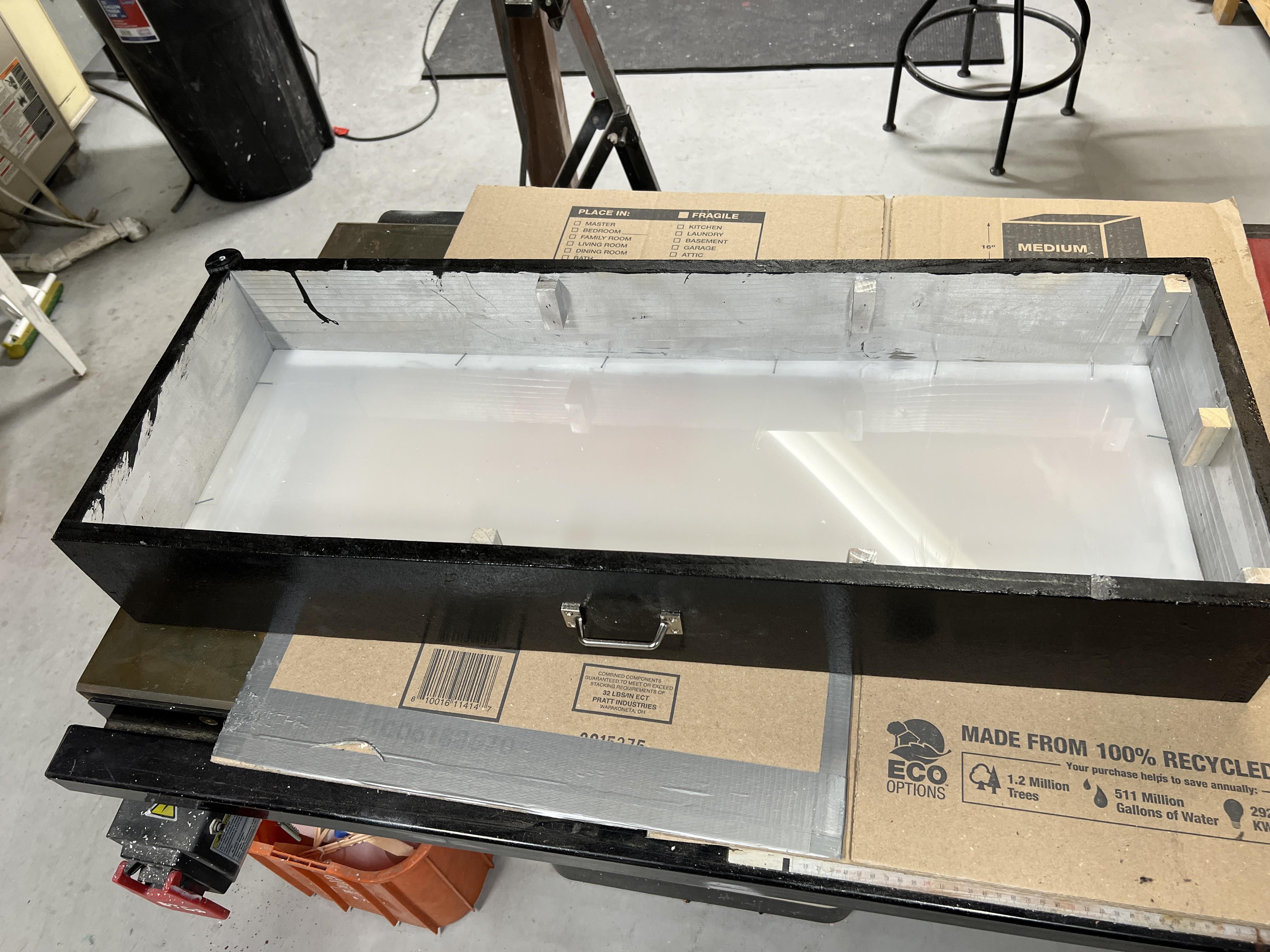
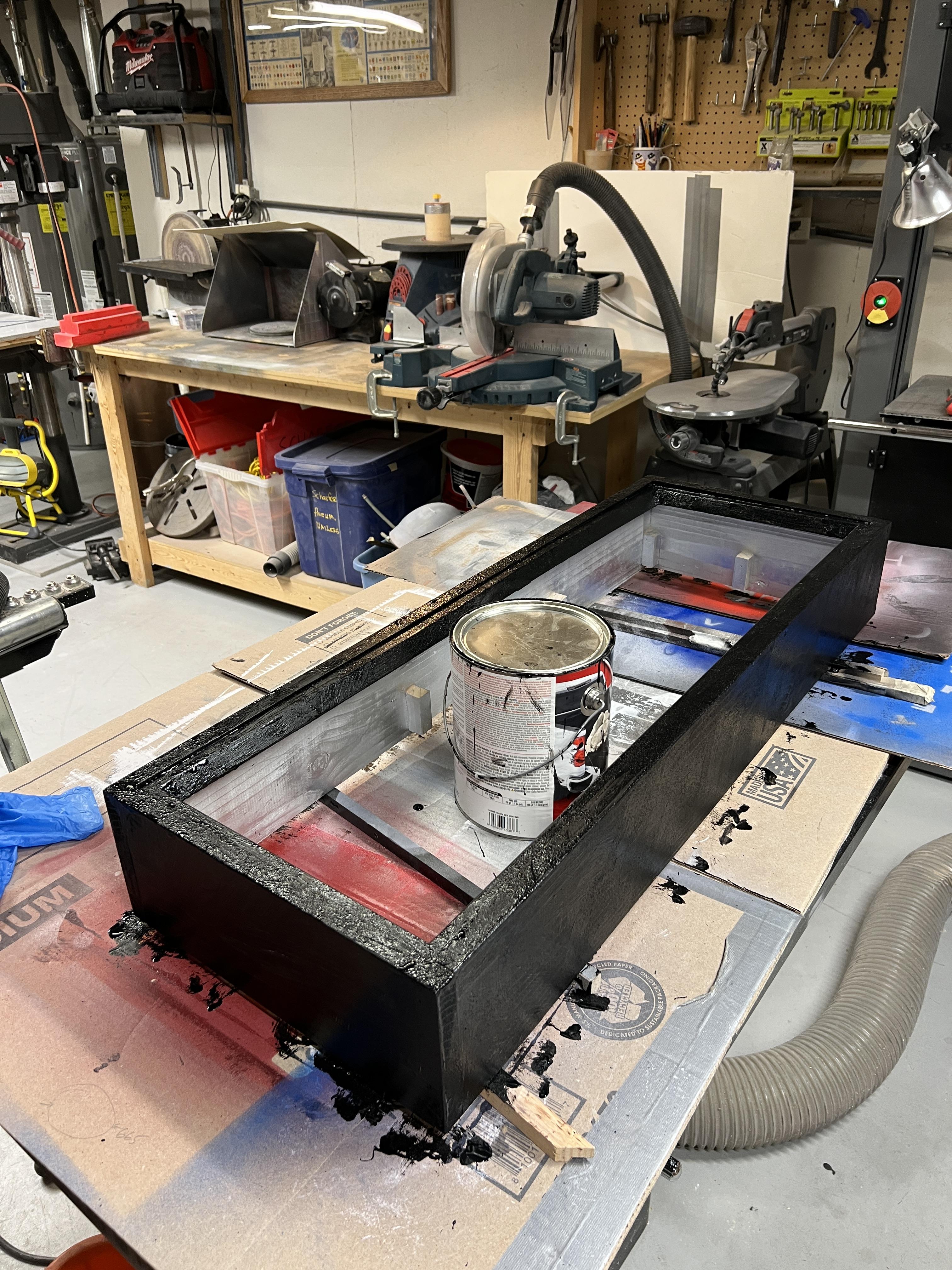
This was a simple pine board cut into four sidewalls to the dimensions you want for your sign. The corvette sign was 20"x 20" and was simply glued and nailed together in a butt joint configuration. I used a pneumatic nailer which holds very well so i didn't concern myself with joinery in the corners. However corner blocks are added to support the backing board so that added strength as well. You can see these blocks in the photo.
Note that the corner blocks need to be added on one end AFTER the acrylic is dropped in the box or you might not be able to flex it into boxes of smaller dimensions.
Once the basic box was built I nailed in a trim piece around the front to which the acrylic butts up to to prevent it from falling out of the box. I held the acrylic in place with brad nails just like how a matt board is held in a photo frame. I chose to bevel the trim pieces on my table saw for a more picture frame effect. See picture.
The box was then painted on the inside with silver paint to help reflect the light from the LED strip. (white works great too, but I had the silver already). The outside was coated three times with truck bed paint that has a very sandy texture to it making it very durable for a garage sign.
Make the Backing Cover
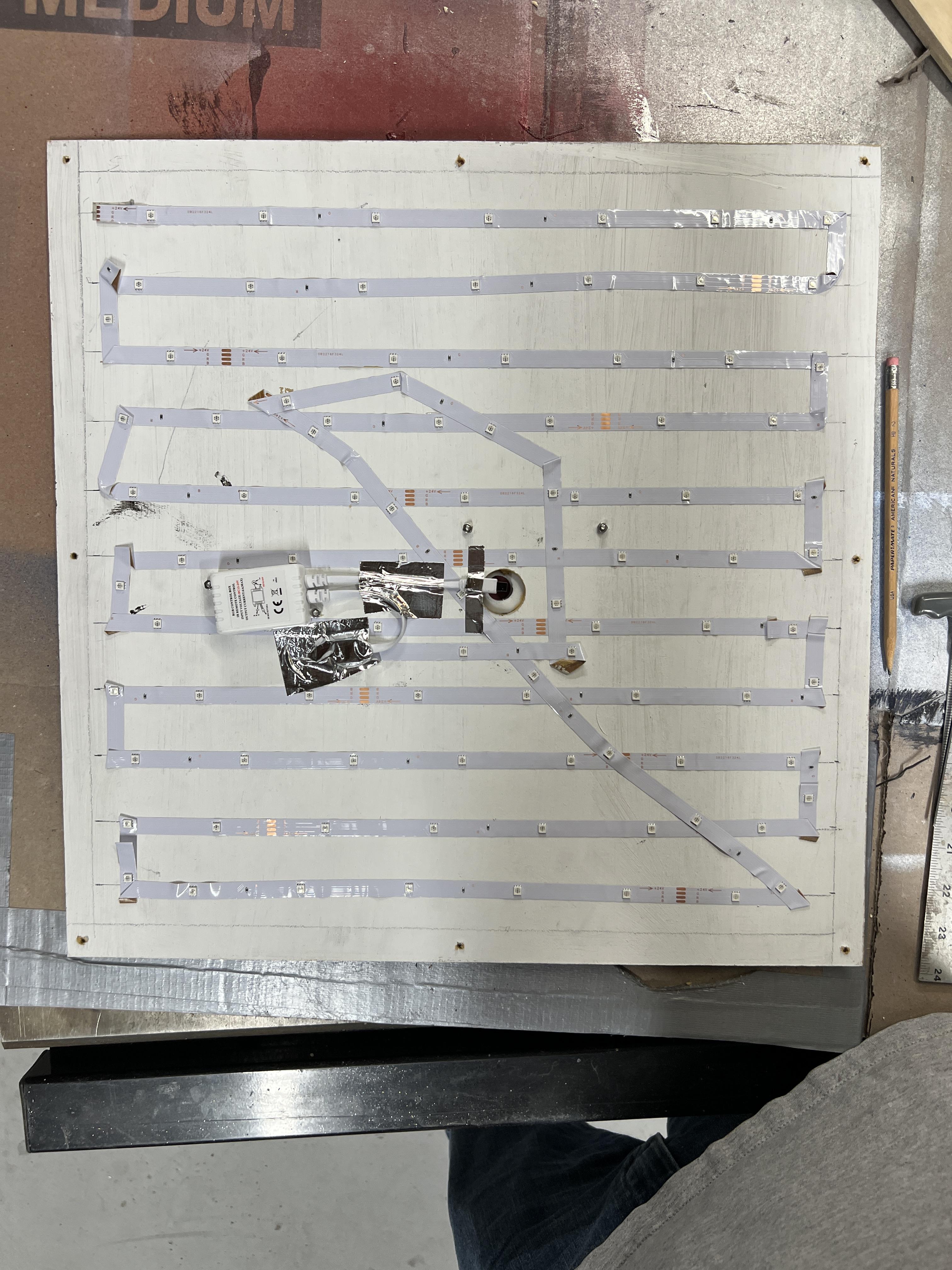
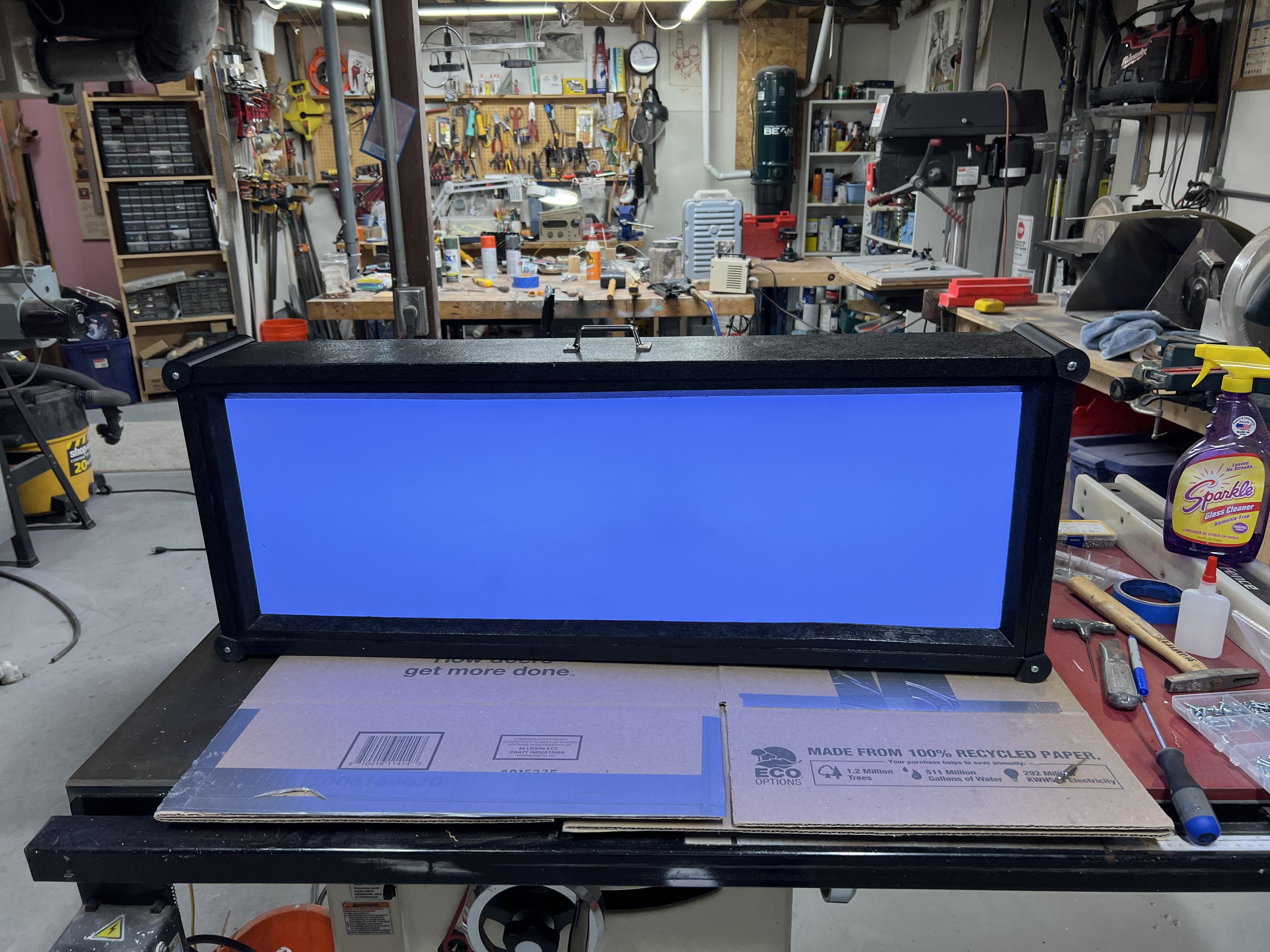
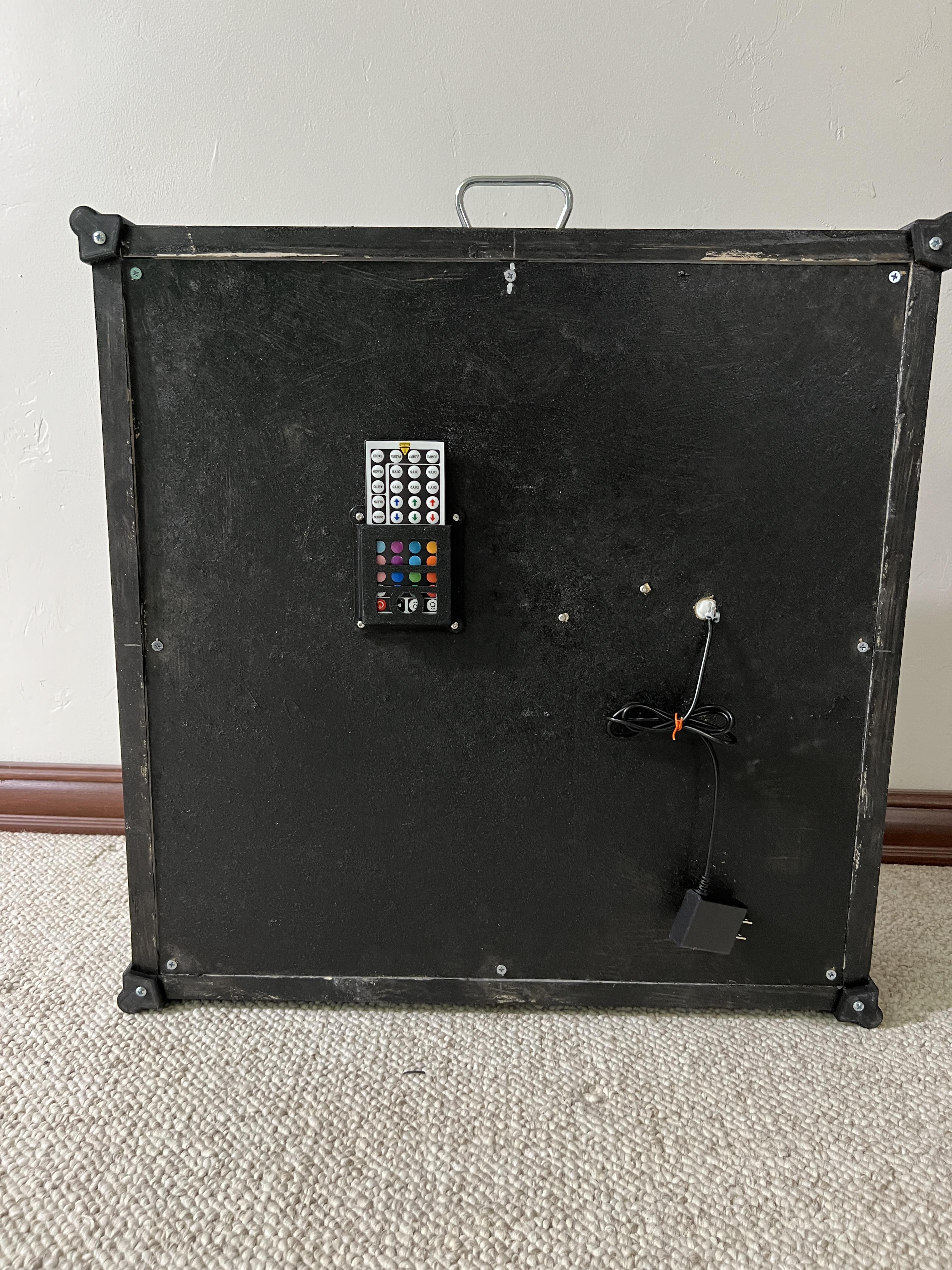
Cut a 1/8" thick malmine or light plywood board to the dimensions for it to drop into the back of the back and act as a rear cover and a board onto where you will mount the LED tape string. I painted it for more reflectivity but it probably wasn't required really. The LEDs are adjustable in brightness but I wanted an even light distribution as possible. Keep in mind the closer or thinner you make your box wall height, the more apt you will be to see the idividual leds versus a diffused even look to the lighting. I would not go less than 3 inches thick on the box.
Practice makes perfect and laying out the LED tape became way easier the third time than the first. Here's a quicker way to figure this out...
Space the tape runs no farther than 3" on centerline and measure how many lines will go across your sign. Multiply how many "runs" across the sign in total will be used and multiply that times the width of your sign. For example if there ar 11 runs across the 20" sign, you need approximately 11 x 20" = 18.3 ft so purchase a 20' length LED strip.
Be carefull how you fold and bend the foil led strip. After tacking it down, check to ensure you haven't broken continuity of the LEDs and they will light up and work properly.
Layout & Glue the Pieces
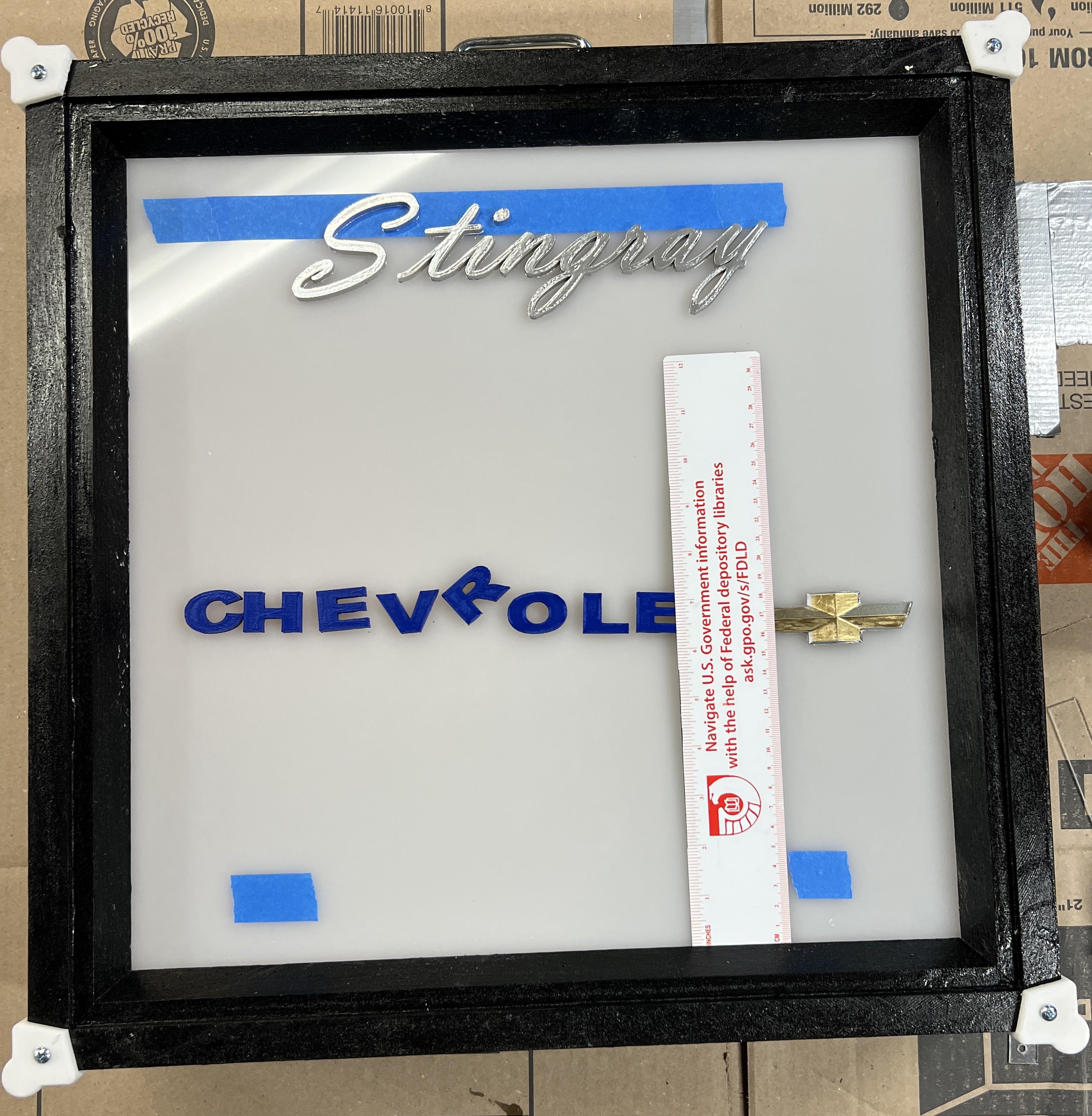
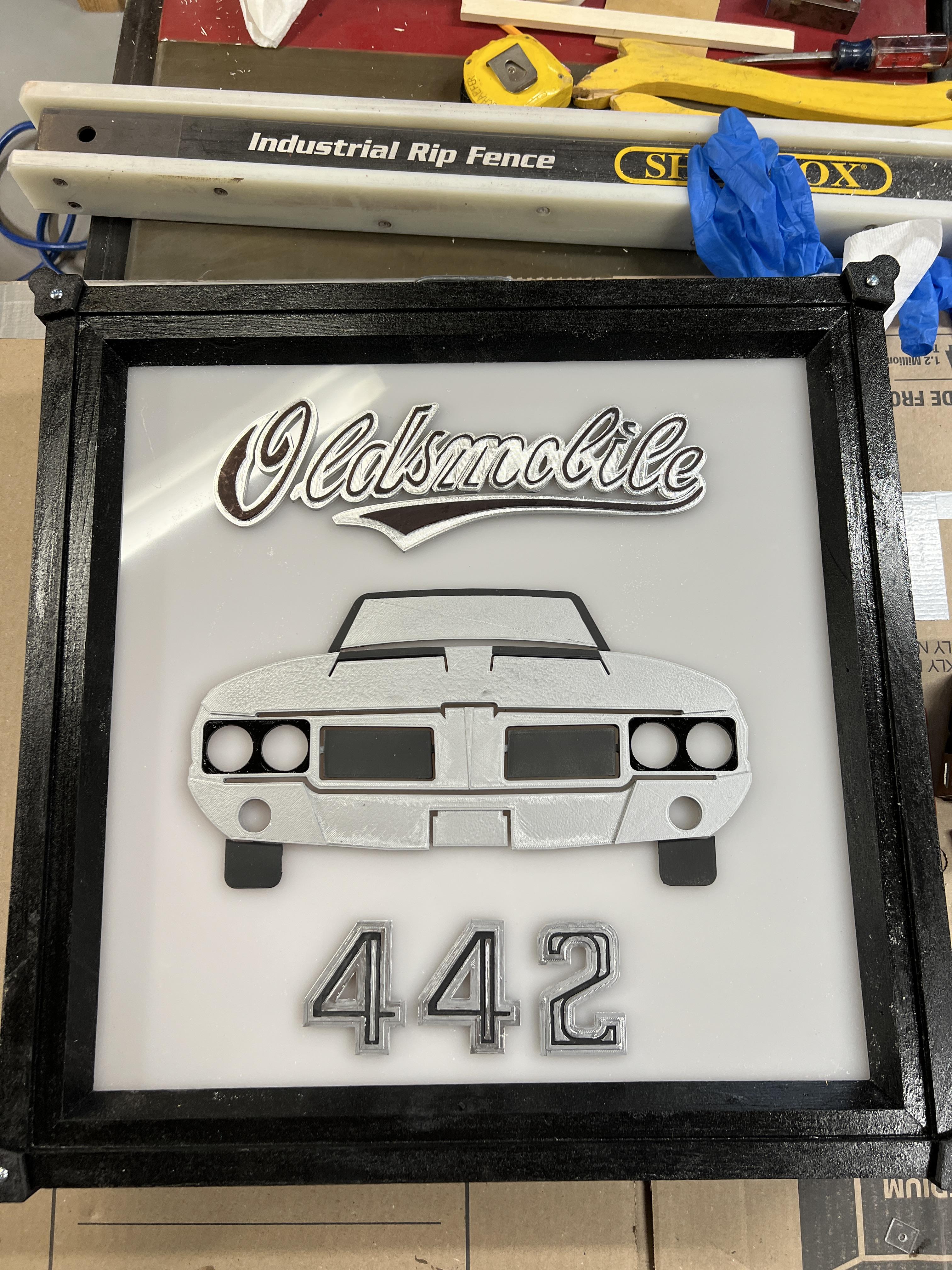
Use a ruler, painter's tape a small eraseable marker to make locations where the pieces are going to be glued to the acrylic. Use Fusion 360 if needed to ensure you have the lettering balanced and centered across the width and height. Once each piece's location is determined, work from left to right, top to bottom, if right handed (or opposite if left handed) so that as you glue down the pieces, you do not rest your arm or hands on pieces that are adhereing to the acrylic. I.E. don't bump into what you just glued down!
Carefully place some weights on each piece until set. Soup cans or 1-2-3 blocks work great!
Add Final Hardware & Enjoy
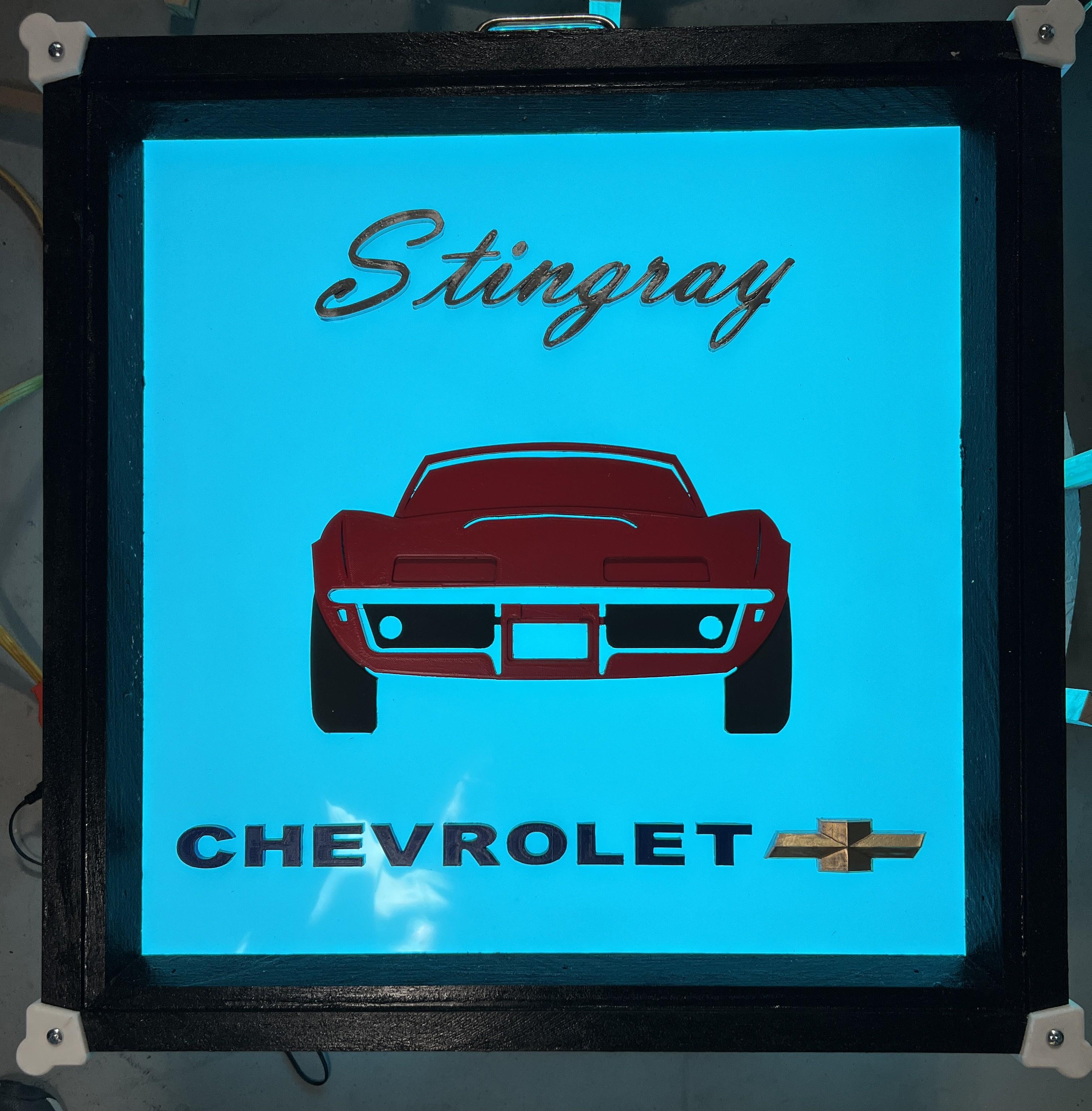
I 3D printed some edge bumpers to protect the corners and give it an industrial look, as well as a handle but those are optional. I did add a heavy wire for hanging as screwed into the side walls of the box so it doesn't fall down. Just be sure the mounts and the hanger on the wall can support this heavy box (e.g. find a wall stud !).
Turn on your light to the color you want with the controller provided with the strip lights and enjoy the new Artsy look to your garage!