How to Edit a Video Online Easily

An online video editor lets you trim, merge, and enhance clips directly in your browser. Since it runs on the web, you can get started quickly and focus on shaping your content for social media, work, or personal projects.
You can add background music, insert text overlays, and apply filters or transitions.
This walkthrough explains how to upload your footage, adjust clips, apply creative elements, and save or share the result.
Supplies
What you’ll need for this tutorial:
- A modern browser (Chrome, Edge, Firefox, Safari, etc.)
- A reliable internet connection
- Video clips, audio tracks, or images for content creation
Open the Free Video Editor Page

Go to https://freevideoeditor.io/ in a browser of your choice. Wait once the website is fully loaded.
Start a New Project
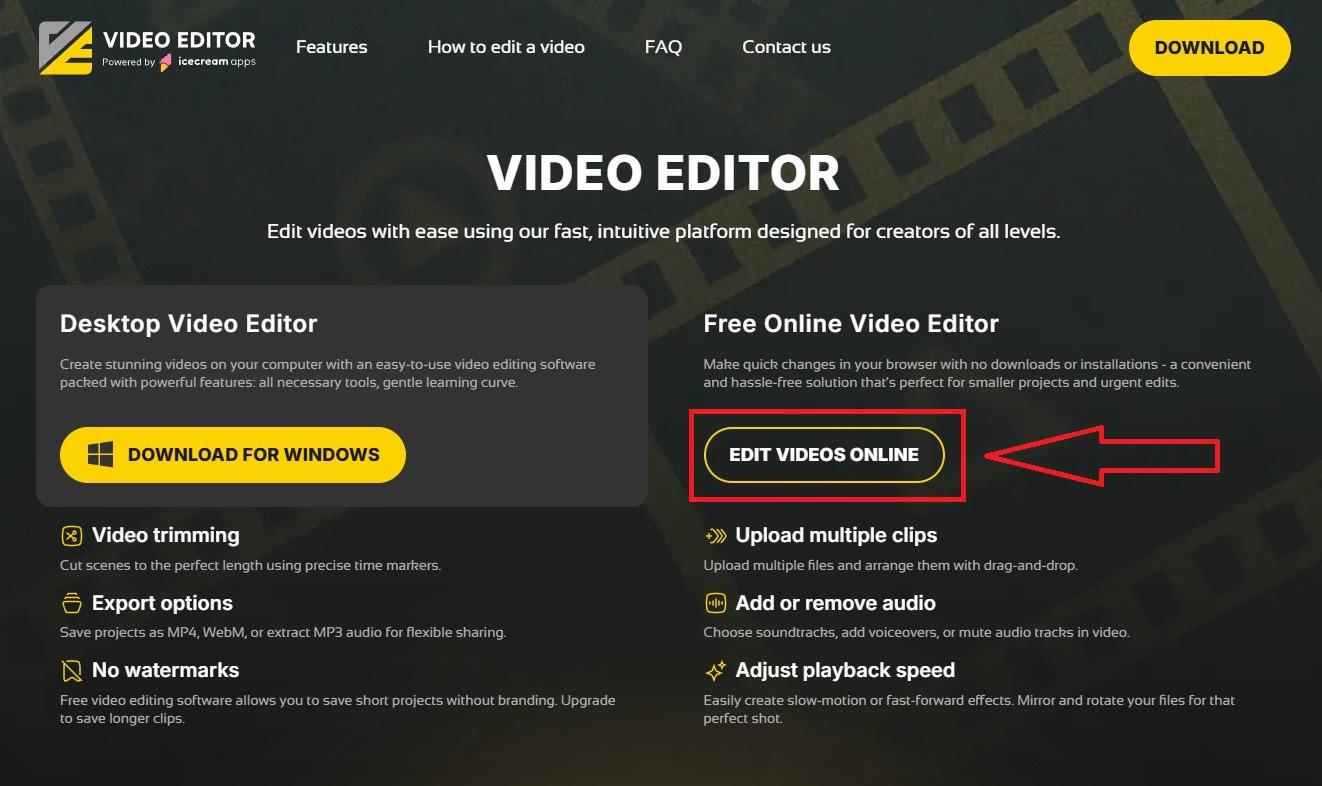
Click the "Edit Video Online" button to launch the tool.
Import Your Media
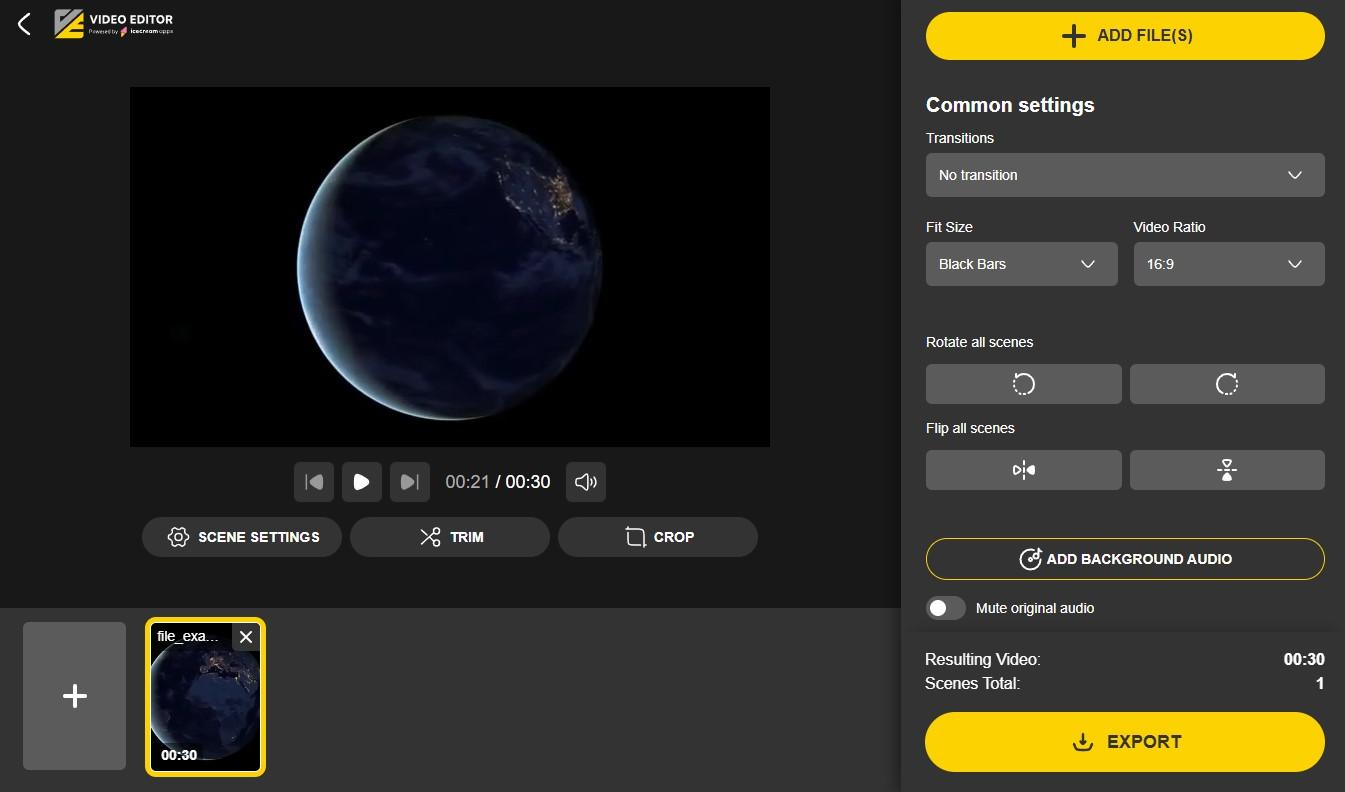
Select the desired videos from your device. You can also add photos or other images of your choice like photos with text for making chapters in video.
Edit Video Online

- Scene settings: Rotate video, flip the image, adjust playback speed, and mute the original audio.
- Trim: Define start and end points for your clips.
- Crop: Resize or reposition footage for the frame.
- Transitions: Add fades between scenes to make your video project more .
- Aspect ratio: Pick the format (16:9, 1:1, 9:16, etc.) to match your platform.
- Audio: Insert background tracks or recorded narration.
Preview and Revise

Play back the project to check flow and pacing. Make changes to timing, transitions, or audio until you’re satisfied.
Export and Share

Download the video file or share it directly via a link on your social media platforms.