How to Use Servo Motors With Arduino - Lesson #19
by lucascreator in Circuits > Arduino
46 Views, 1 Favorites, 0 Comments
How to Use Servo Motors With Arduino - Lesson #19
.png)

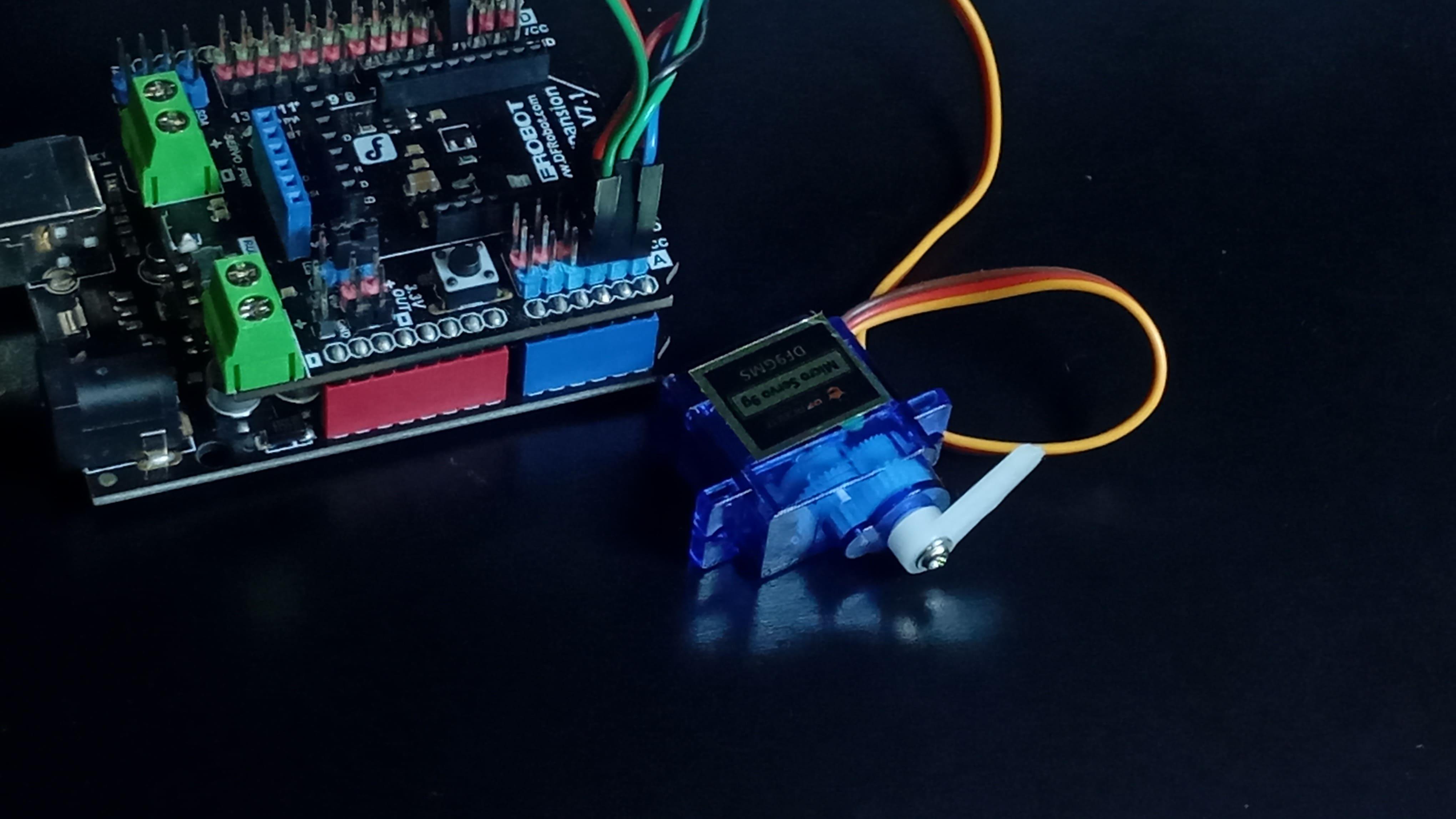
Imagine telling a motor to move to a position - and instead of spinning blindly, it actually checks whether it reached that position and corrects itself if needed.
That is what a servo motor does.
In this lesson from the Arduino for Beginners series, you will learn how a servo knows where it is, how a microcontroller communicates with it, and how to control its position with precision in a practical project.
The goal is not only to make something move, but to understand the control principle behind that motion.
Supplies




For this project, you will need:
- DFRobot MindPlus Arduino Coding Kit
- Arduino UNO
- I/O expansion shield
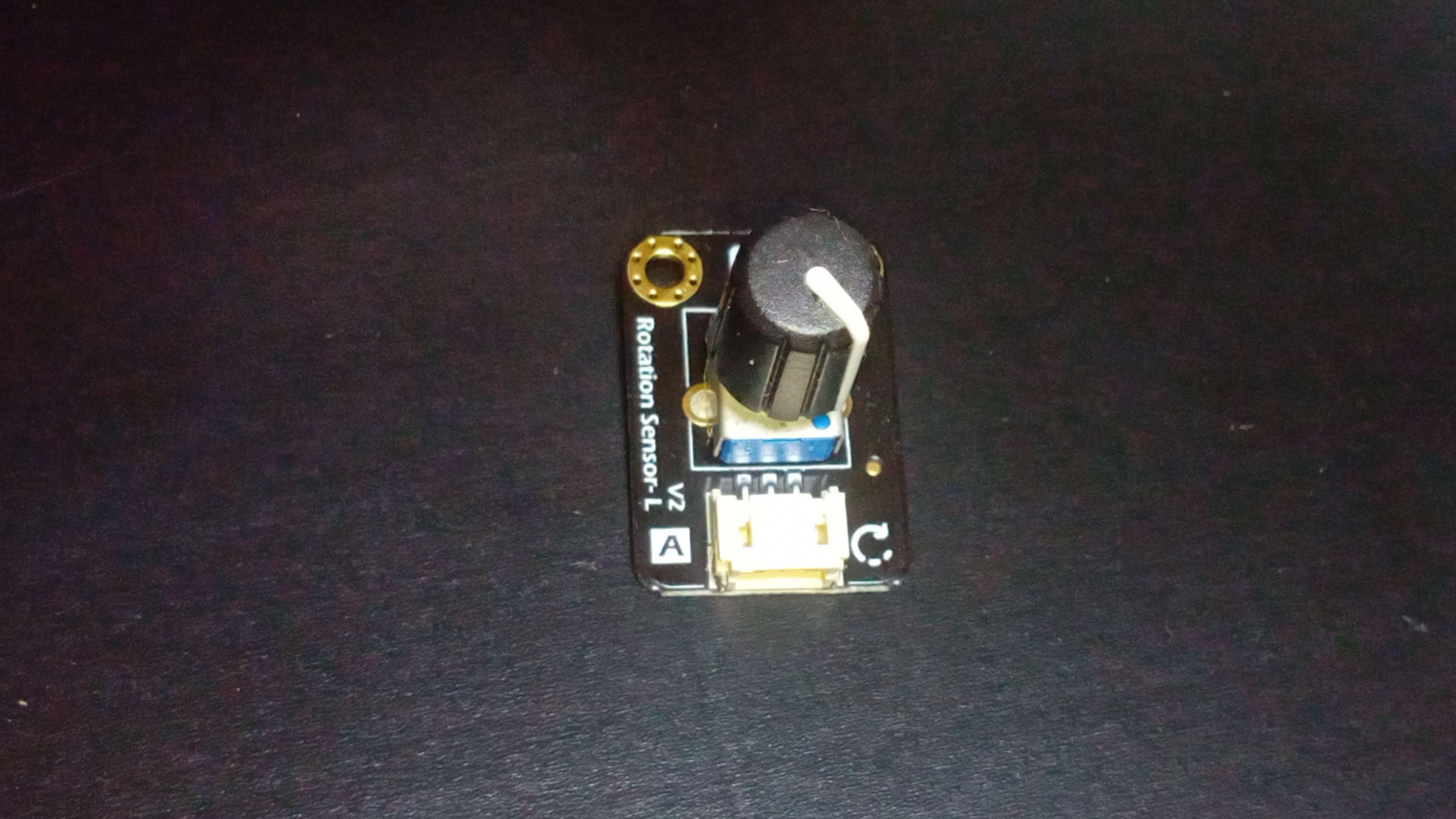
- Rotation sensor
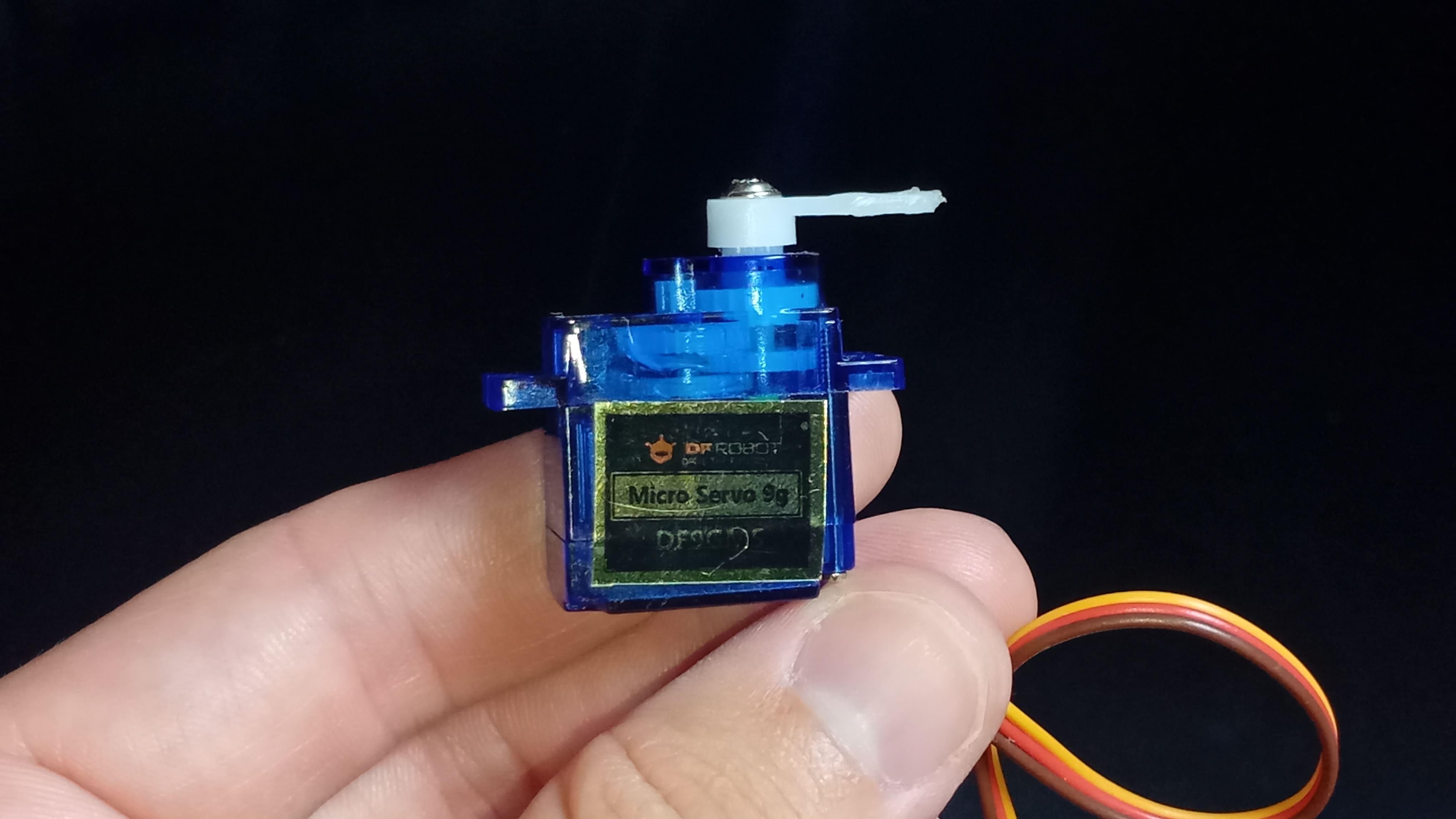
- Servo motor
- I2C LCD screen
- And jumper wires
YouTube Tutorial
![Servo Motors with Arduino [COMPLETE GUIDE] - Lesson #19](/proxy/?url=https://content.instructables.com/FS7/A8UD/MM2PJXRW/FS7A8UDMM2PJXRW.jpg&filename=Servo Motors with Arduino [COMPLETE GUIDE] - Lesson #19)
I've recently posted a tutorial about this project on YouTube explaining everything you can read on this article. You can watch it right above.
Explanation


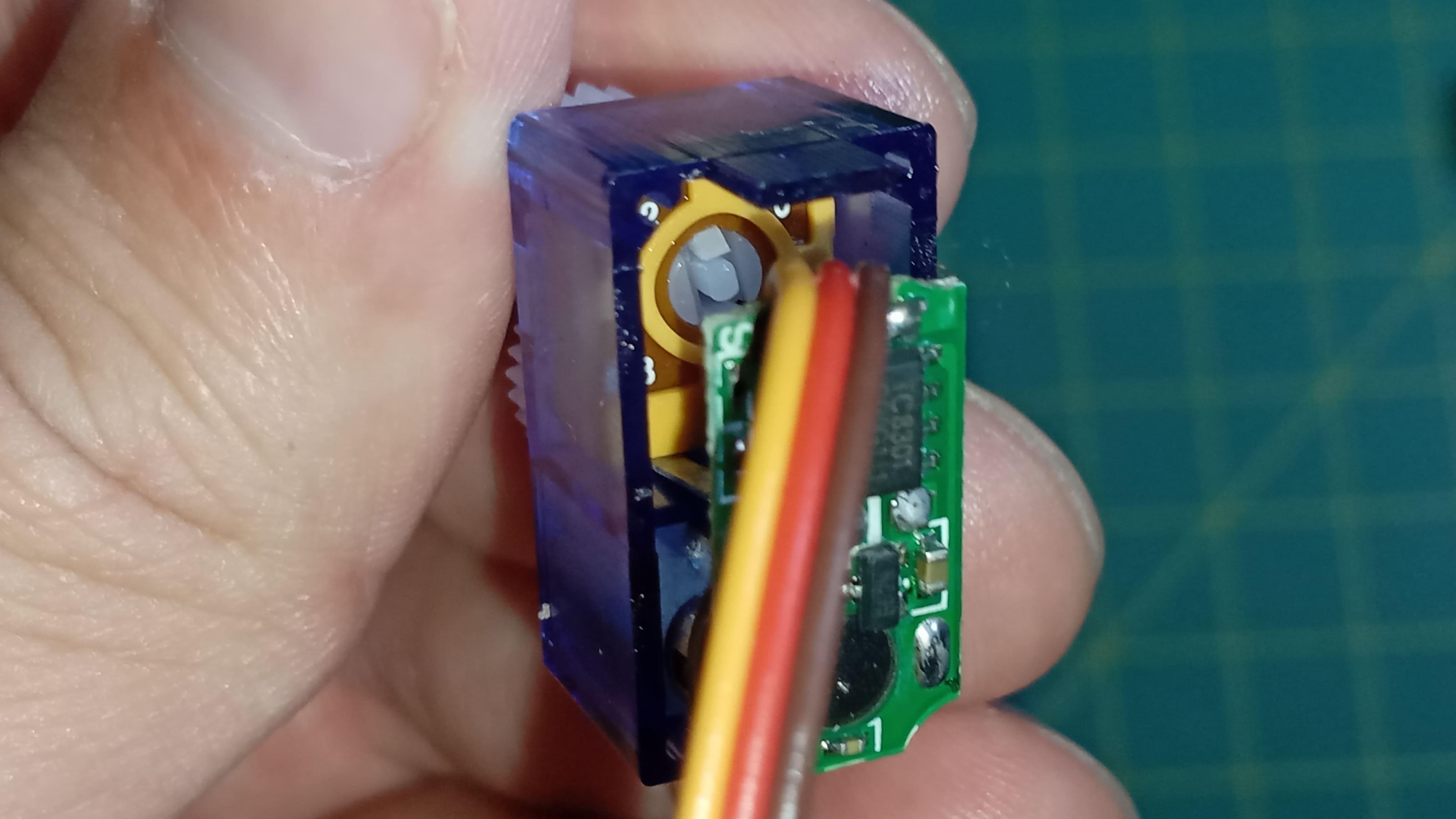
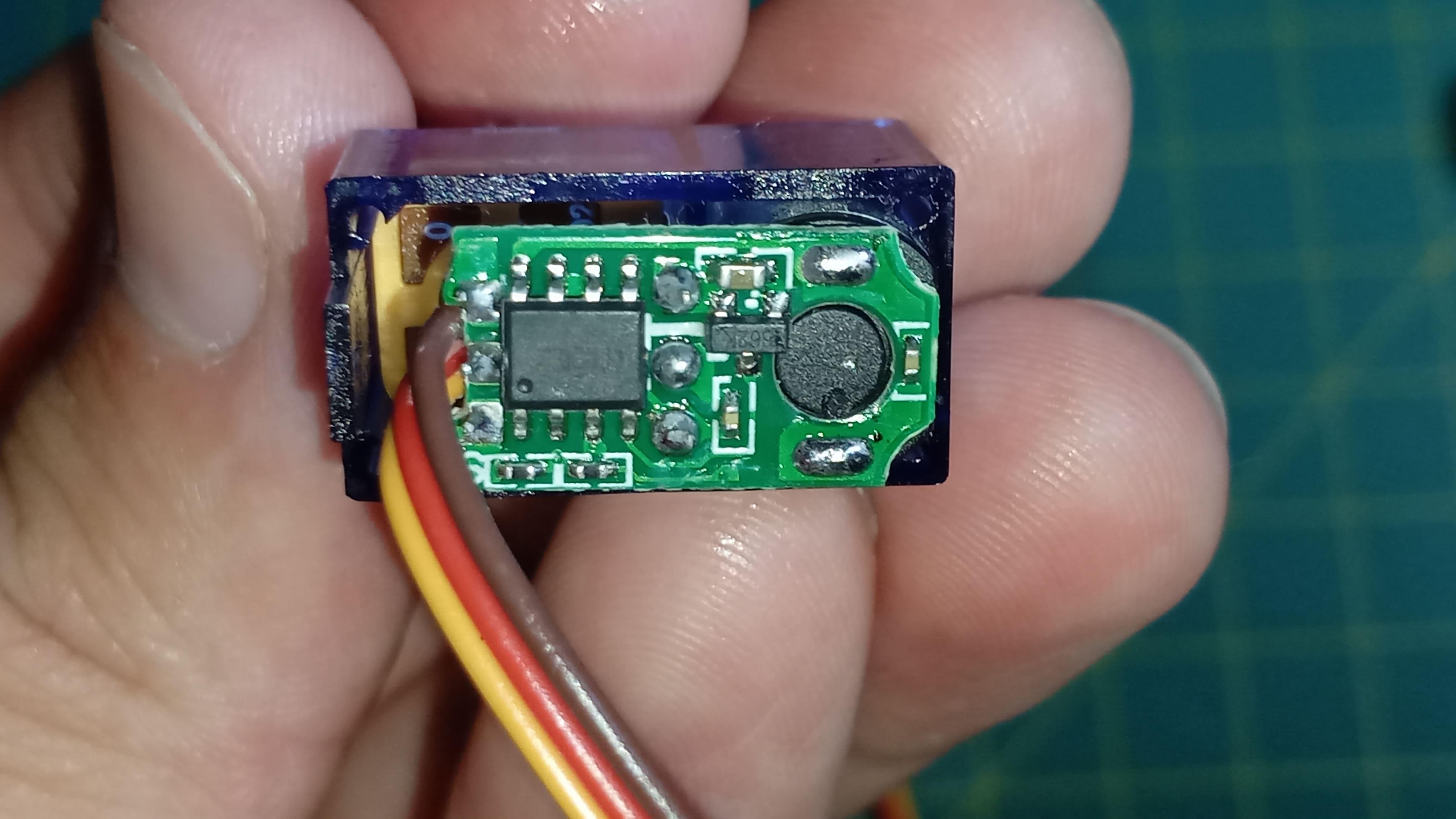

Servo motors became widely known through radio-controlled systems such as cars, airplanes, and boats. In those applications, motion must be precise and repeatable. Steering angles, control surfaces, and camera mounts cannot rely on uncontrolled rotation. They must move to a commanded position and stay there.
Because of that requirement, servos became essential components in robotics and maker projects built around platforms like Arduino.
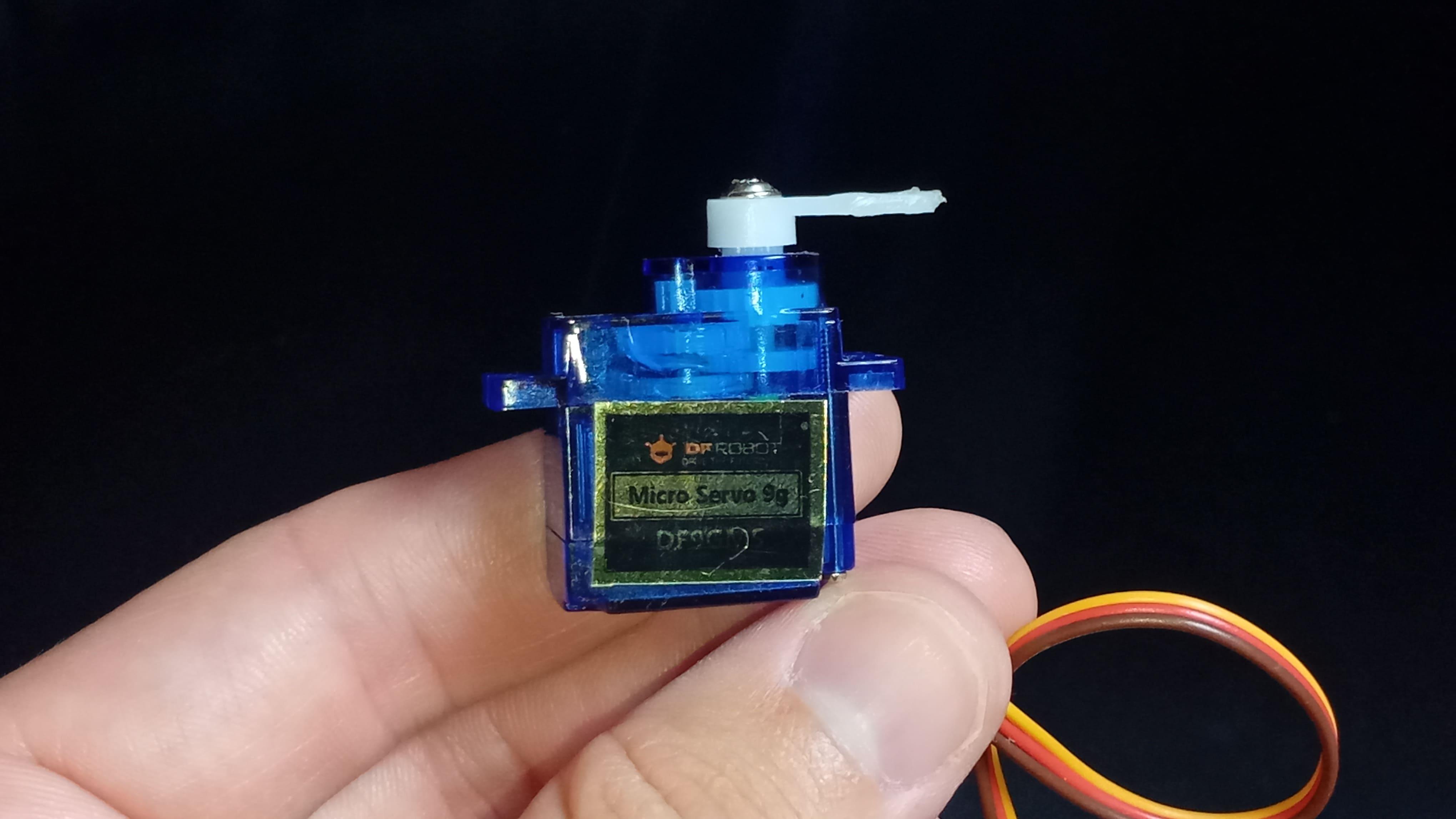
A servo motor is not simply a motor with wires attached. It is a compact positioning system that integrates mechanical components and control electronics into a single unit.
Inside the enclosure, several parts work together to achieve precise motion: a DC motor, a gearbox, a servo horn, a potentiometer, and an internal control circuit.
The DC motor is responsible for generating rotation. Like any brushed DC motor, it spins when voltage is applied across its terminals. However, a bare DC motor rotates too quickly and provides limited torque. That behavior makes it unsuitable for accurate positioning on its own.
To address this, the motor drives a gearbox. The gearbox reduces rotational speed and multiplies torque. By trading speed for force, the output shaft can move more deliberately and handle mechanical loads such as linkages or levers. This mechanical reduction is what allows small servos to control surprisingly heavy mechanisms relative to their size.
Connected to the output shaft is the servo horn. This is the external interface of the device - the part that attaches to the mechanism being controlled. When the shaft rotates, the horn rotates with it, transmitting motion to whatever system is connected.
So far, the device resembles a geared motor. What transforms it into a positioning system is feedback.
Inside the servo, the output shaft is mechanically coupled to a potentiometer. As the shaft rotates, the potentiometer rotates as well. A potentiometer produces a voltage that varies continuously with position. That voltage becomes an electrical representation of the shaft angle.
This signal is routed to the internal control circuit. The control circuit continuously compares two values: the desired position received from the microcontroller and the actual position measured by the potentiometer.
If there is a difference between these values, the circuit powers the motor in the direction that reduces the error. As the shaft approaches the target position, the error decreases. When the measured position matches the commanded position, the motor stops.
This process is known as closed-loop control. The servo is constantly measuring, comparing, and correcting. Because of this feedback loop, the device can hold a position even when external forces try to move it. If the shaft is disturbed, the control circuit detects the change and commands the motor to restore the target angle.
Understanding this feedback mechanism is the key to understanding why servos behave differently from regular motors.
The next question is how the microcontroller communicates the desired position.
Communication happens through timed digital pulses, commonly referred to as PWM signals. In many electronic contexts, PWM controls power by varying duty cycle. In hobby servo control, however, the important parameter is pulse duration rather than average power.
A servo expects a pulse approximately every 20 milliseconds. Within this repeating signal, the length of the HIGH pulse encodes the target position.
- A pulse near 1 millisecond represents one end of the rotation range.
- A pulse near 1.5 milliseconds represents the center position.
- A pulse near 2 milliseconds represents the opposite end.
The internal circuit measures the pulse width, converts that timing into a target angle, and then drives the motor until feedback from the potentiometer confirms the shaft reached that angle.
In other words, the microcontroller does not directly regulate speed or torque. It sends position instructions encoded in time, and the servo executes the control process internally.
Different servos may support different timing ranges or angle limits, so consulting the datasheet is always recommended when precision matters.
For this lesson, the actuator used is the SG90 micro servo. This compact device typically provides about 180 degrees of rotation and is widely used in beginner-level robotics and automation projects.
It uses three connections: power, ground, and signal. The signal wire connects to a digital pin capable of generating timed pulses.
With the theory established, it is time to move from concept to implementation.
Sponsor


Before we build the project, I'd like to take a moment to thank today's sponsor: DFRobot.
DFRobot is one of the leading global providers of open-source hardware for education and prototyping.
For this series, they provided the MindPlus Arduino Coding Kit, which includes sensors, actuators, and learning-oriented modules designed to help beginners explore electronics through hands-on experimentation.
Using a consistent hardware platform across lessons reduces friction for new learners and keeps the focus on understanding concepts rather than sourcing components.
If you want to follow along and get the most out this series, I highly recommend checking out a kit like this one.
Thank you again to DFRobot for sponsoring this course and helping make STEM education more accessible to everyone.
Project - Controlling a Servo With a Rotation Sensor
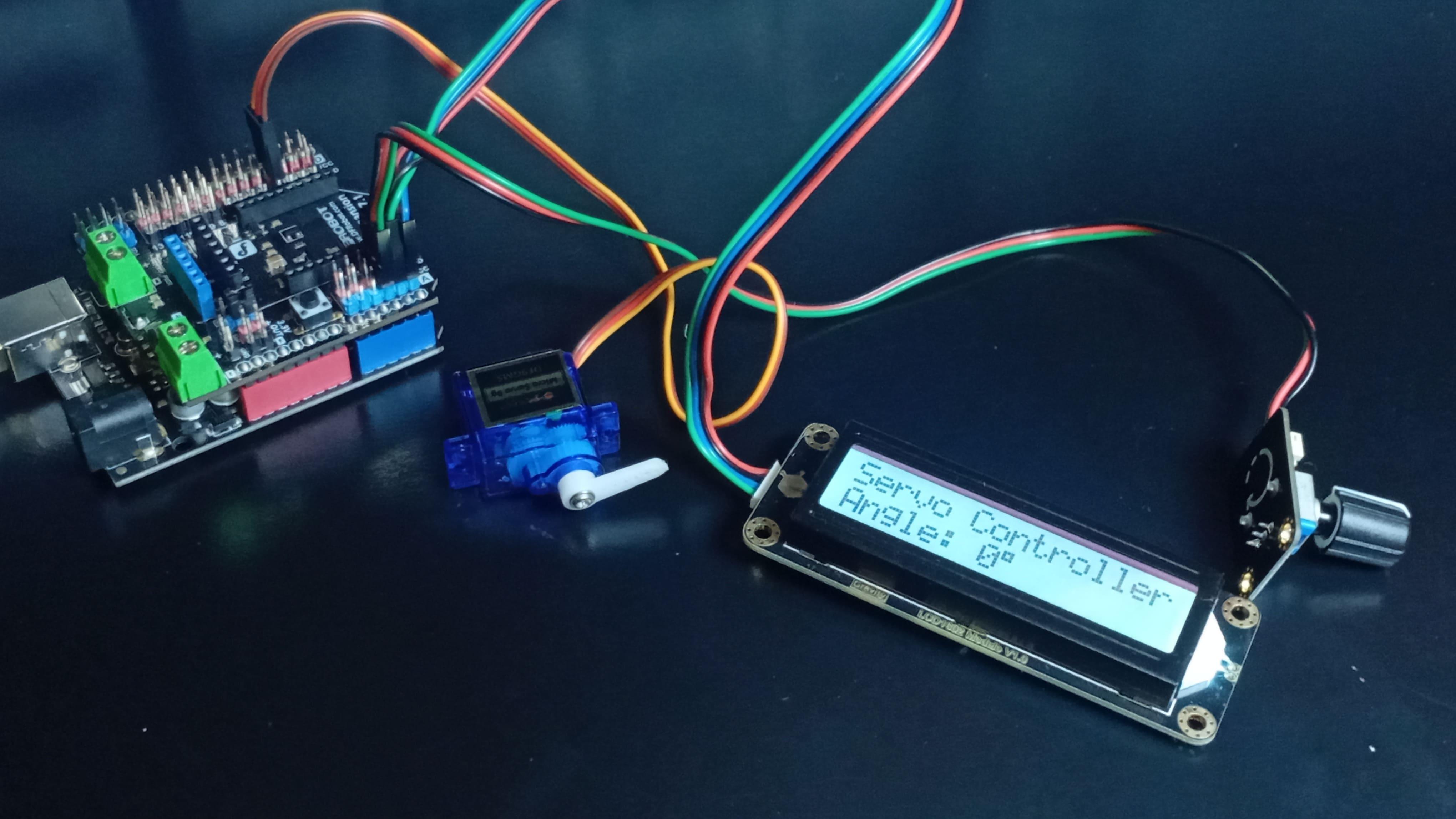


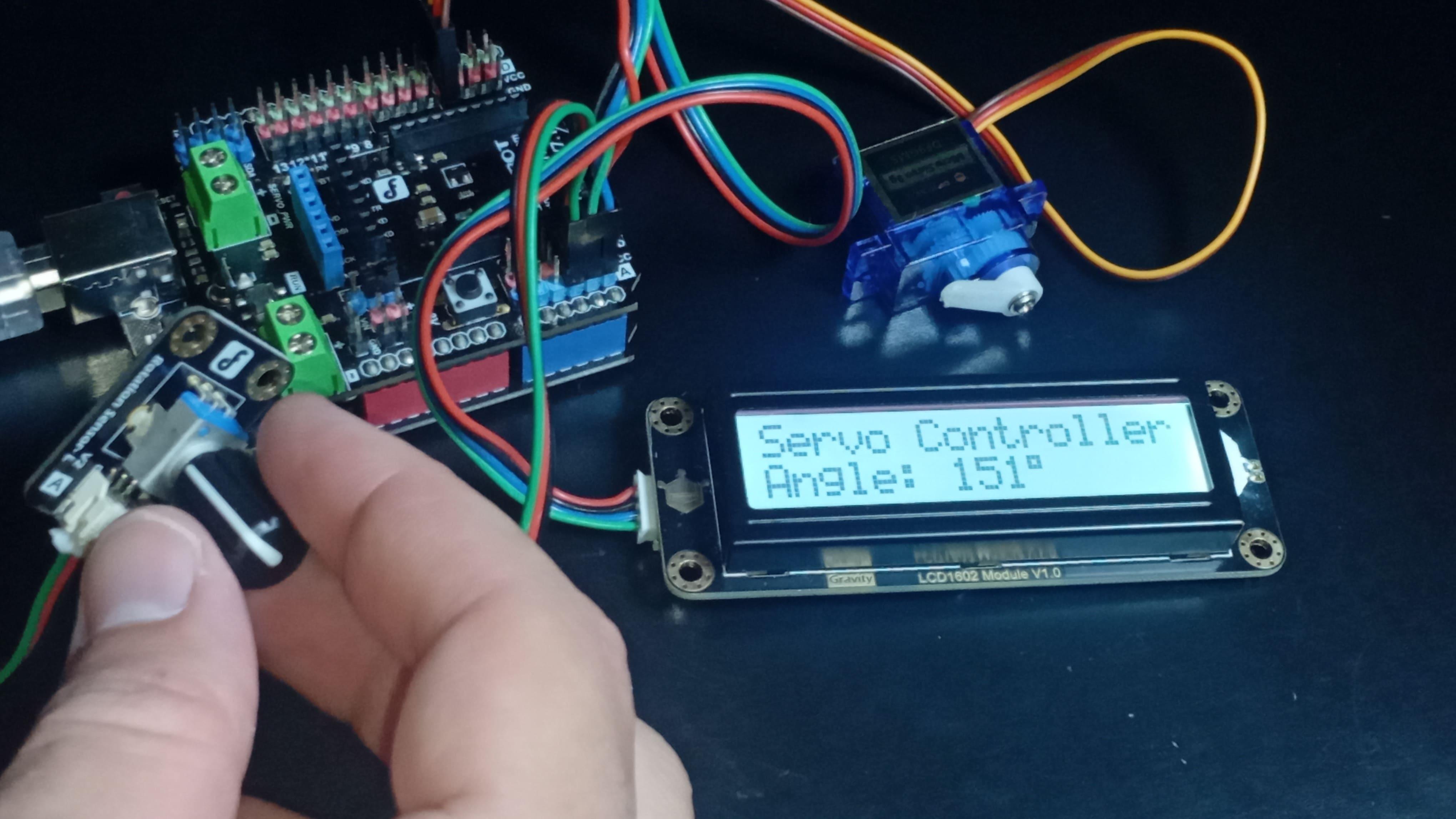
The goal of this project is to control a servo motor using a rotation sensor while displaying the commanded angle on an LCD screen. This setup demonstrates how human input can be translated into controlled mechanical motion.
The system uses an Arduino UNO, an expansion shield, a rotation sensor, a servo motor, and an I2C LCD module.
Begin by mounting the expansion shield onto the Arduino board. This simplifies connections and keeps wiring organized.
Next, connect the servo motor signal line to digital port 3. Connect its power and ground lines accordingly. Then connect the rotation sensor to analog port A3.
Finally, connect the LCD module using the I2C interface: SCL to A5 and SDA to A4, along with power and ground.
Once the hardware is assembled, download the project sketch from the repository hosting the course materials on GitHub.
Install the required LCD library (DFRobot_RGBLCD1602) if it is not already present in the Arduino environment. After that, upload the program to the board.
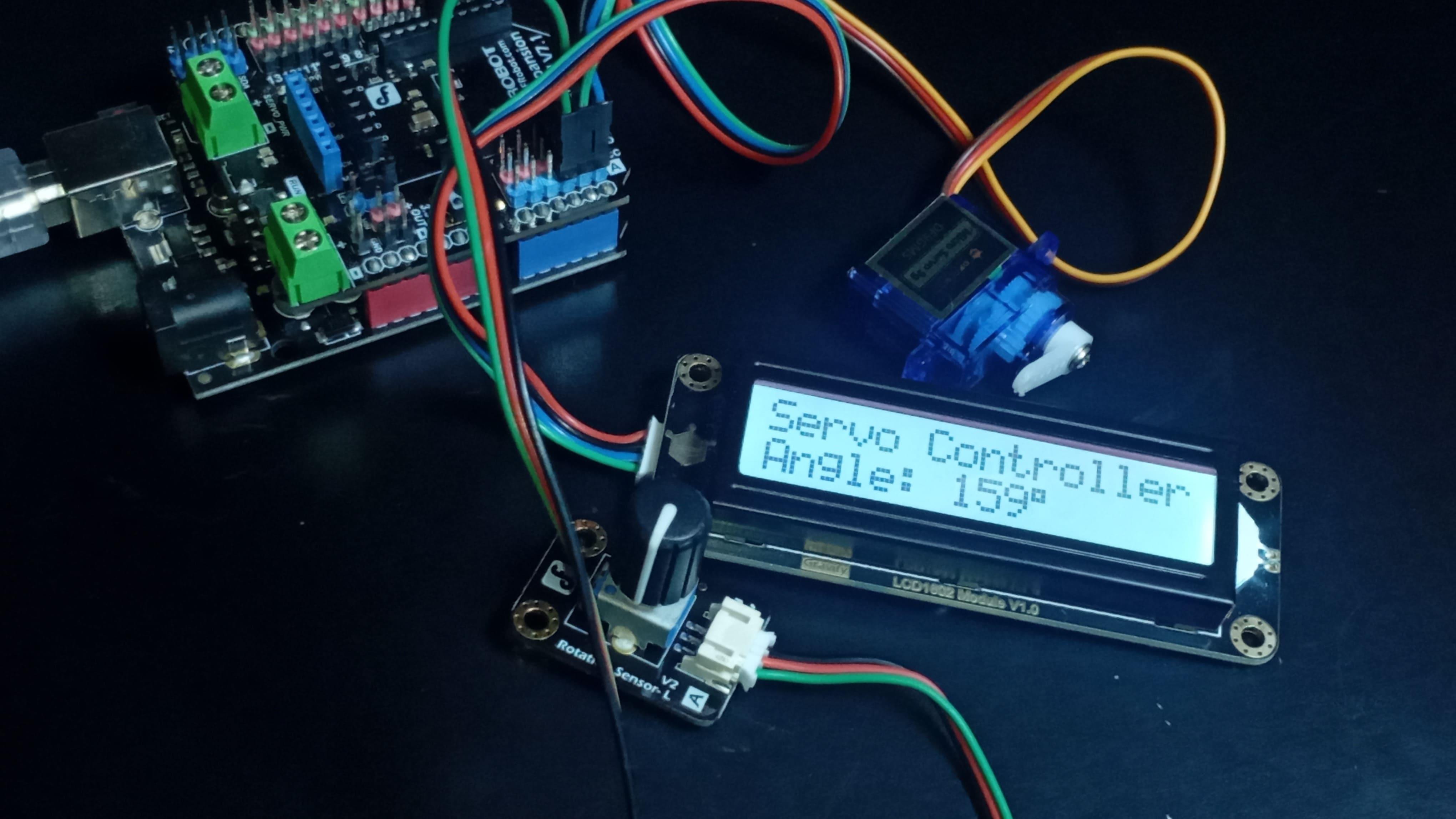
When the system powers on, the LCD displays the servo angle. Rotating the knob on the sensor changes the commanded position.
Small adjustments produce small movements. Larger rotations move the servo across its full mechanical range.
This interaction illustrates a fundamental principle used across robotics: a physical input is converted into an electrical signal, interpreted as a command, and executed as controlled motion.
You are not simply energizing a motor. You are specifying a position and allowing a feedback system to achieve it.
Now let's understand how the code makes this happen.
Code
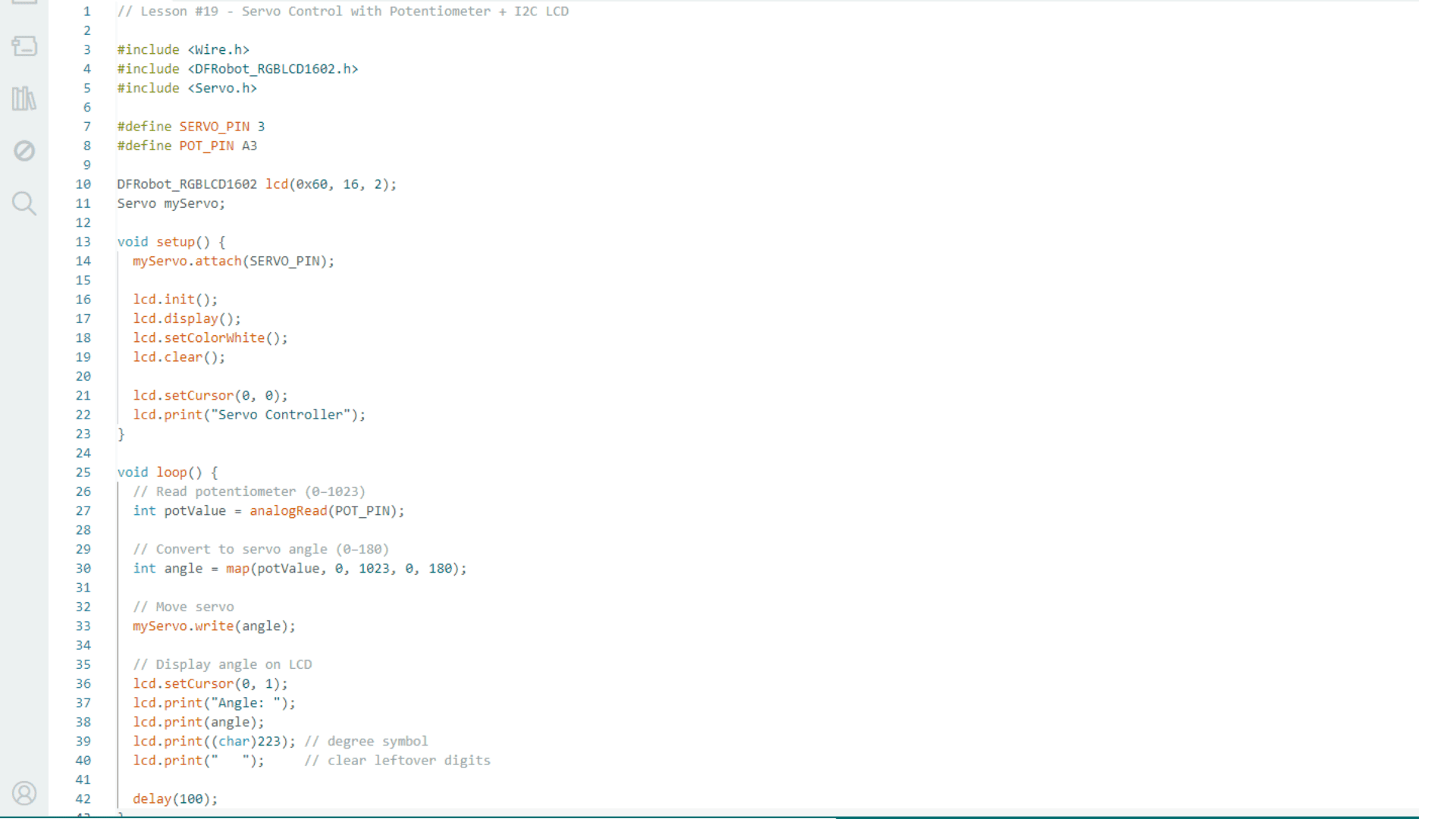
The program begins by including the libraries required to control the servo and the LCD module. These libraries abstract low-level signal generation and communication protocols, allowing the code to express intent rather than electrical detail.
Next, the sketch defines the pins associated with each device and creates objects representing the servo and the display. These objects encapsulate behavior and make the program easier to read and maintain.
In the setup function, the program initializes the servo and establishes communication with the LCD. Initialization ensures that both devices start in a known state and are ready to receive commands.
The primary behavior occurs inside the loop function, which runs continuously.
First, the Arduino reads the analog voltage produced by the rotation sensor. The analog-to-digital converter transforms this voltage into a numerical value between 0 and 1023. This number represents the physical position of the knob.
Next, the program maps that sensor value to a corresponding angle between 0 and 180 degrees. This transformation converts a raw electrical measurement into a meaningful position command. Without this conversion, the servo would not receive interpretable instructions.
After computing the angle, the program sends that value to the servo object. The Arduino library translates this angle into the appropriate sequence of timed pulses. The servo receives these pulses, interprets the encoded target position, and drives the motor until internal feedback confirms the target is reached.
Finally, the program updates the LCD display with the current angle. This provides real-time feedback to the user, linking input, computation, and motion into a single observable loop.
The entire control chain can be understood as a sequence of transformations: physical motion of the knob becomes an electrical signal, the electrical signal becomes a numerical command, the command becomes timed pulses, and those pulses become controlled mechanical motion.
This structure is not unique to servos. It is a general pattern in embedded systems and robotics.
Conclusion

In this lesson, you explored what makes a servo motor fundamentally different from a regular motor.
You saw how internal feedback enables precise positioning, how timed pulses communicate target angles, and how a simple Arduino program can translate human input into controlled movement.
Understanding this mechanism is an important step toward building systems that interact with the physical world in predictable ways. Many robotic applications, from articulated arms to stabilization systems, rely on the same principles demonstrated here.
If you have been following the Arduino course, this project marks a transition from controlling signals to controlling behavior. Motion is no longer arbitrary - it is commanded, measured, and corrected.
Continue experimenting with different input sources, angle ranges, and mechanical linkages. Each variation deepens your intuition about how electronic control becomes physical action.
And before the next lesson comes out, I recommend you read this one about basic electronics principles with Arduino. I'm sure it'll help you take your maker skills to the next level.
Thanks for reading this article, and I'll see you in the next one.