Interfacing the PCA9306 Level Shifter With Arduino Uno (5V to 3.3V I2C)
by ElectroScope Archive in Circuits > Arduino
12 Views, 0 Favorites, 0 Comments
Interfacing the PCA9306 Level Shifter With Arduino Uno (5V to 3.3V I2C)
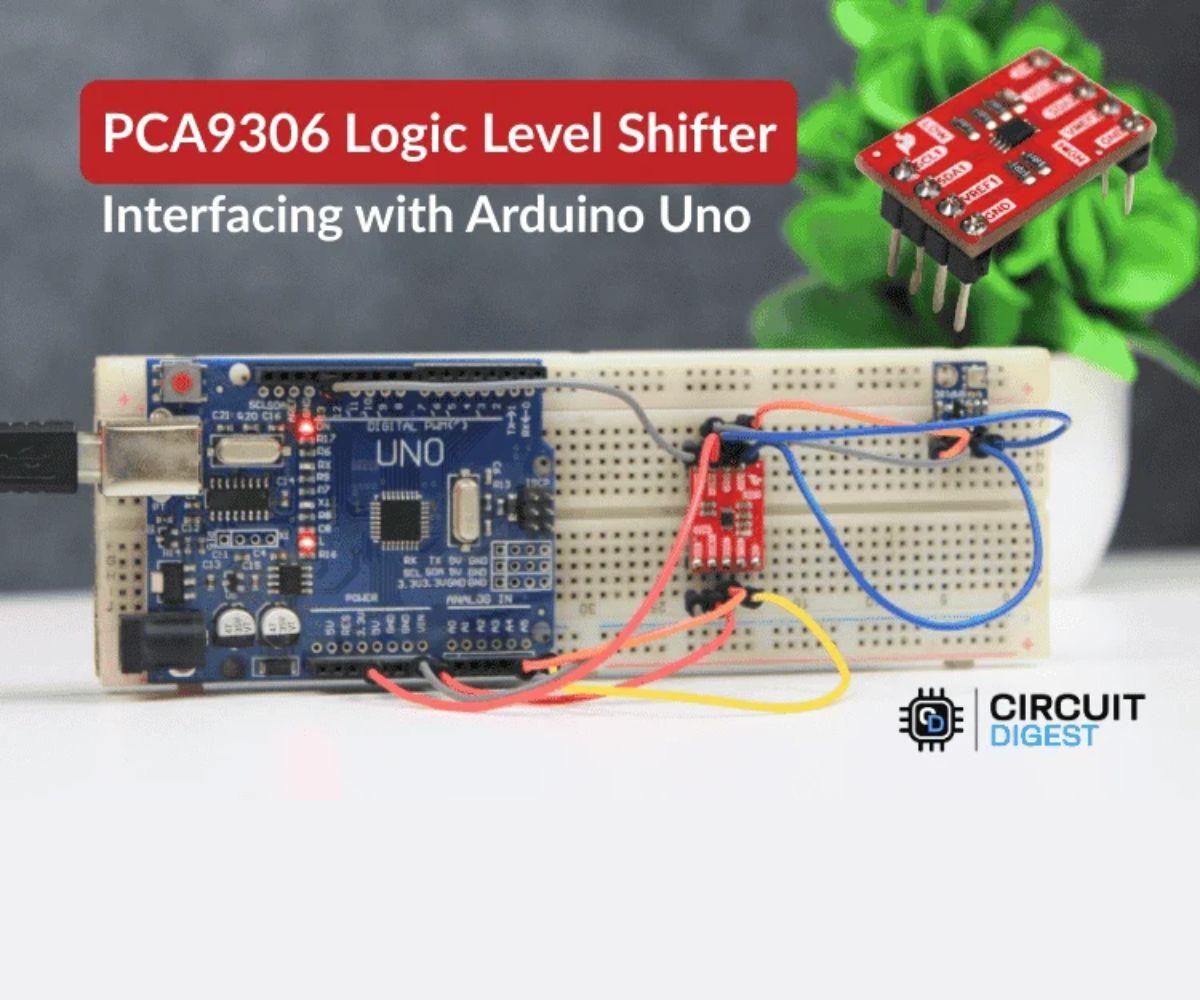
In this build, I’m using a PCA9306 bidirectional logic level shifter to safely connect a 3.3V I2C sensor to a 5V Arduino Uno. Specifically, I’m reading data from a BMP180 pressure sensor, which only tolerates 3.3V logic. The PCA9306 sits between the Arduino and the sensor and takes care of translating the I2C signals automatically. No configuration. No code tricks. Just proper wiring.
If you’ve ever tried connecting a 3.3V I2C sensor directly to an Arduino Uno and had it not show up on the bus, this is the clean way to fix it.
Most of this writeup is about how to wire it correctly, how to avoid the common mistakes, and how to test it once everything is connected.
What You’ll Be Building
You’ll end up with:
- An Arduino Uno running standard I2C code
- A PCA9306 level shifter translating 5V I2C to 3.3V
- A BMP180 pressure sensor communicating reliably
- Serial output showing temperature and pressure readings
No special libraries for the PCA9306. It works entirely in hardware.
Supplies
Here’s what I had on my bench:
- Arduino Uno
- PCA9306 logic level shifter module
- BMP180 pressure sensor module (3.3V I2C)
- Breadboard
- Jumper wires
- USB cable for Arduino
That’s it. No resistors, no extra components, assuming your PCA9306 board already has pull-ups on the low-voltage side, which most do.
Understanding the PCA9306 Before Wiring Anything

Before connecting wires, it helps to understand how this module works in real terms.
The PCA9306 is designed specifically for I2C. That’s important. I2C uses open-drain lines, which means devices pull the line low but never drive it high. The line goes high through pull-up resistors. The PCA9306 takes advantage of this behavior.
The chip has two voltage reference pins:
- VREF1 sets the logic level for the low-voltage side
- VREF2 sets the logic level for the high-voltage side
In this project:
- VREF1 = 3.3V (sensor side)
- VREF2 = 5V (Arduino side)
The SDA and SCL lines are duplicated on both sides. The PCA9306 automatically translates signals in both directions. You don’t need to tell it which direction data is flowing.
One thing that matters a lot is ground. Both sides must share the same ground reference. If you forget this, the bus will not work, even if everything else is wired correctly.
Take a minute to identify each pin on your board before moving on.
Pin Roles in Plain Language
This is how I think about the pins when wiring:
- VREF1: 3.3V reference for the sensor side
- VREF2: 5V reference for the Arduino side
- SDA1, SCL1: I2C lines going to the 3.3V sensor
- SDA2, SCL2: I2C lines going to the Arduino
- EN: Enable pin. Must be tied high
- GND: Common ground for everything
Most PCA9306 breakout boards expect EN to be pulled up to VREF2. Some boards already do this. Mine didn’t, so I wired it manually.
Power Connections
I always start with power and ground first.
Here’s what I connected:
- Arduino 3.3V → PCA9306 VREF1
- Arduino 5V → PCA9306 VREF2
- Arduino GND → PCA9306 GND
- Arduino GND → BMP180 GND
Make sure all grounds are tied together. I usually run one ground rail on the breadboard and connect everything to that.
At this point, do not connect SDA or SCL yet. Just verify power.
If you have a multimeter, check:
- VREF1 is around 3.3V
- VREF2 is around 5V
If these are swapped, stop and fix it. Reversing them can damage a 3.3V sensor.
Enable the PCA9306
The EN pin enables the internal circuitry. If this pin is left floating, the level shifter may not work at all.
What I did:
- Connected EN directly to VREF2 (5V)
Some modules include a resistor that already does this. If yours does, you can skip this step. If you’re not sure, just connect it manually. It won’t hurt.
The Wiring

On the Arduino Uno, I2C is fixed to these pins:
- SDA → A4
- SCL → A5
Here’s how I wired the high-voltage side of the PCA9306:
- PCA9306 SDA2 → Arduino A4
- PCA9306 SCL2 → Arduino A5
Keep these wires short. Long wires increase capacitance and can cause I2C errors, especially at 400 kHz.
Sensor Side
The BMP180 has these I2C pins:
- SDA
- SCL
I connected:
- BMP180 SDA → PCA9306 SDA1
- BMP180 SCL → PCA9306 SCL1
- BMP180 VCC → 3.3V
- BMP180 GND → GND
Do not power the BMP180 from 5V. Even though the PCA9306 protects the I2C lines, it does nothing for the power pin.
Final Wiring Check
Before plugging in USB:
- VREF1 = 3.3V
- VREF2 = 5V
- EN tied high
- Grounds common
- SDA and SCL not crossed
Once this matches your setup, you’re ready to upload code.
Arduino Code
The nice part about this project is that the PCA9306 needs zero code support. As far as the Arduino is concerned, it’s talking directly to the BMP180.
I used the standard BMP180 library and the Wire library.
Here’s a trimmed version of the sketch:
That’s it. No voltage logic. No conditionals. No special handling.
Upload the sketch and open the Serial Monitor at 9600 baud.
Testing the Setup
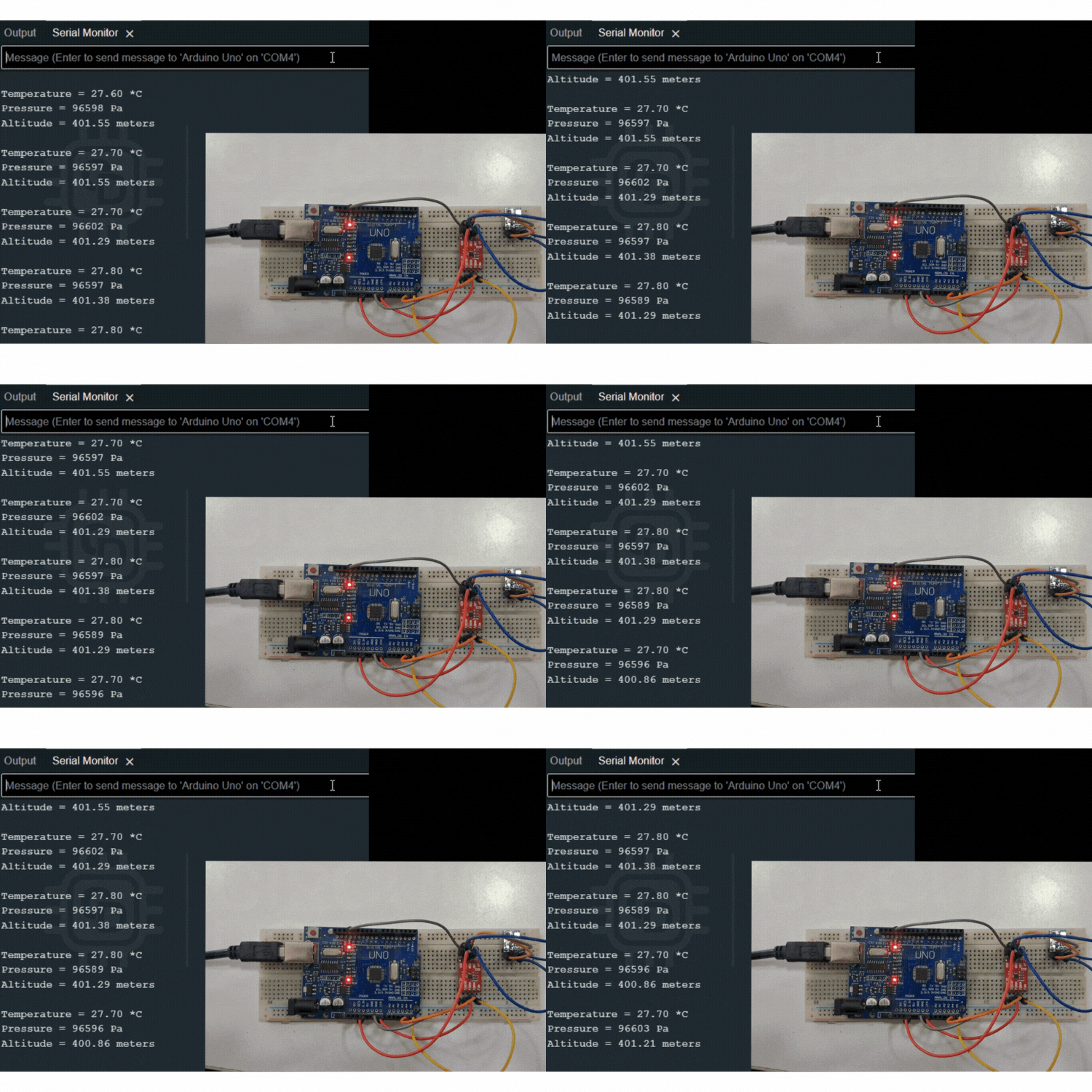
Once the code is running, you should see temperature and pressure values updating every second.
If you see valid numbers, the level shifter is doing its job.
If you see nothing, or “BMP180 not detected”, don’t panic. That usually means a wiring issue.
Common Problems and Fixes
Here are the issues I actually ran into or have seen others hit.
Sensor Not Detected
Things to check:
- EN pin is high
- Grounds are shared
- SDA and SCL are not swapped
- VREF1 is actually 3.3V
Also make sure you didn’t accidentally connect the sensor SDA to SDA2 instead of SDA1
I2C Scanner Finds Nothing
If you’re using an I2C scanner sketch and nothing shows up:
- Check pull-up resistors
- Keep wires short
- Try lowering I2C speed to 100 kHz
Some PCA9306 boards only have pull-ups on the low-voltage side. The Arduino usually provides pull-ups on the high side internally, but not always strongly enough.
Unstable or Random Readings
This is usually a wiring quality issue.
- Shorten wires
- Avoid loose breadboard connections
- Make sure power is stable
I2C is very sensitive to noise and capacitance.
Wrapping Up
This build shows how simple voltage level shifting can be when you use the right part. The PCA9306 doesn’t need configuration, calibration, or special firmware. If it’s wired correctly and powered correctly, it just works.
Once you’ve done this once, adding 3.3V I2C devices to a 5V Arduino becomes routine instead of stressful.
If you want the original files, diagrams, and demo media, the full project repository is here: