K'NEX Pulley Power
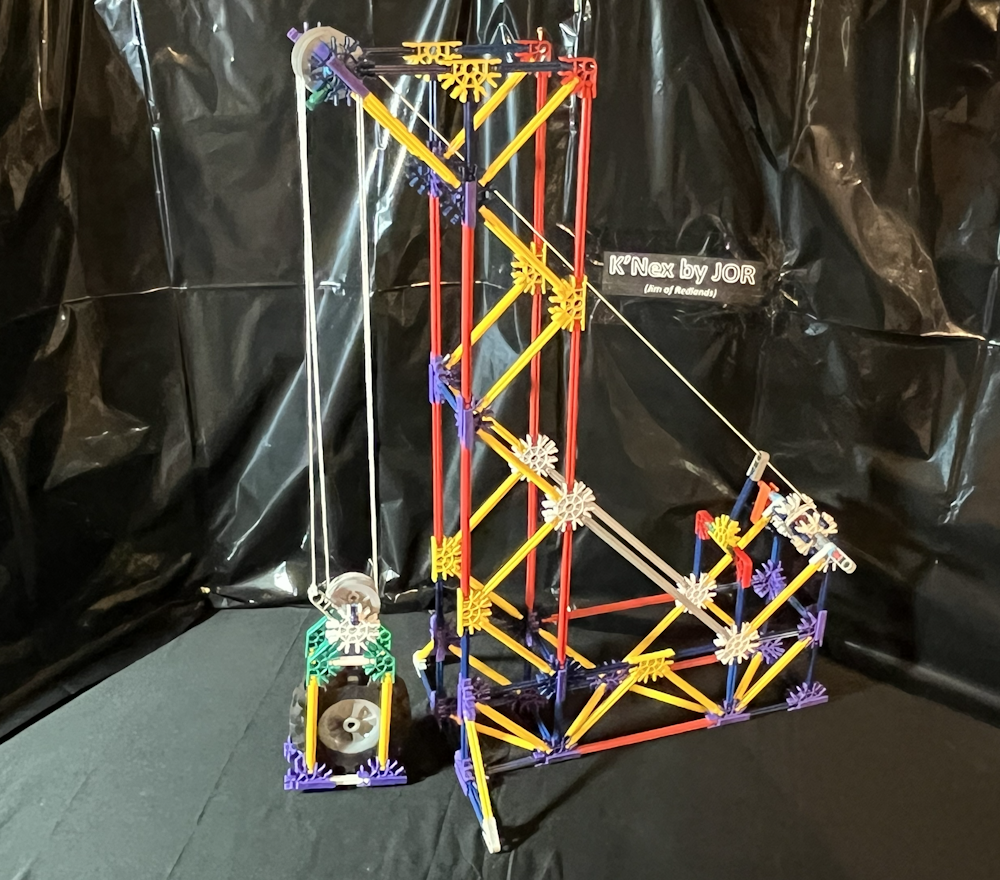
This project was for fun. I wanted to witness the power of pulleys. This can be used with one pulley alone, or adjusted with a combination of up to five pulleys to lift the weight.
Since the string is connected rather than tied, it can be easily moved. Simply disconnect the grey clip and feed it through to change how many pulleys to use. There is a green rod on the top and on the lift cage so the grey clip can be connected to the top or the bottom, depending on how many pulleys are to be used.
Each pulley used will alter the power required to lift the weight. The concept is exchanging the length of the pull for the power required. The more pullies used, the longer and easier the pull will be. The fewer pullies used, the shorter and more difficult the pull will be.
Now for a small lesson in the Physics of Pulleys: (you could skip this part and move on to the build)
The "Effort Force" (EF, the power required to move the weight) changes depending on the number of pullies used. The Pull (P, the length of rope, cable, or string pulled to lift the weight) also changes depending on the number of pullies used.
There is no change when only 1 pulley is used, as it is only changing the upward pull to an angled pull down to the crank. So when using 1 pulley, the EF:P is 1:1.
Using 2 pulleys, it is 1:2. This means it takes 1/2 of the EF or power to lift the weight. It also means that the Pull or distance is 2/1, or doubled. These numbers continue through 1:3, 1:4, and 1:5.
It takes about 13.5" (or 34.3 cm) for each pulley added. With only 1 pulley used, the string is pulled 13.5" (34.3cm). With 2 pulleys used, 27" (68.6 cm), 3 is 40.5" (102.9 cm), 4 is 54" (or 137.2 cm), and with 5 pulleys used it takes 67.5" (or 171.5 cm) of string.
Now, on to the fun part: Building!
Downloads
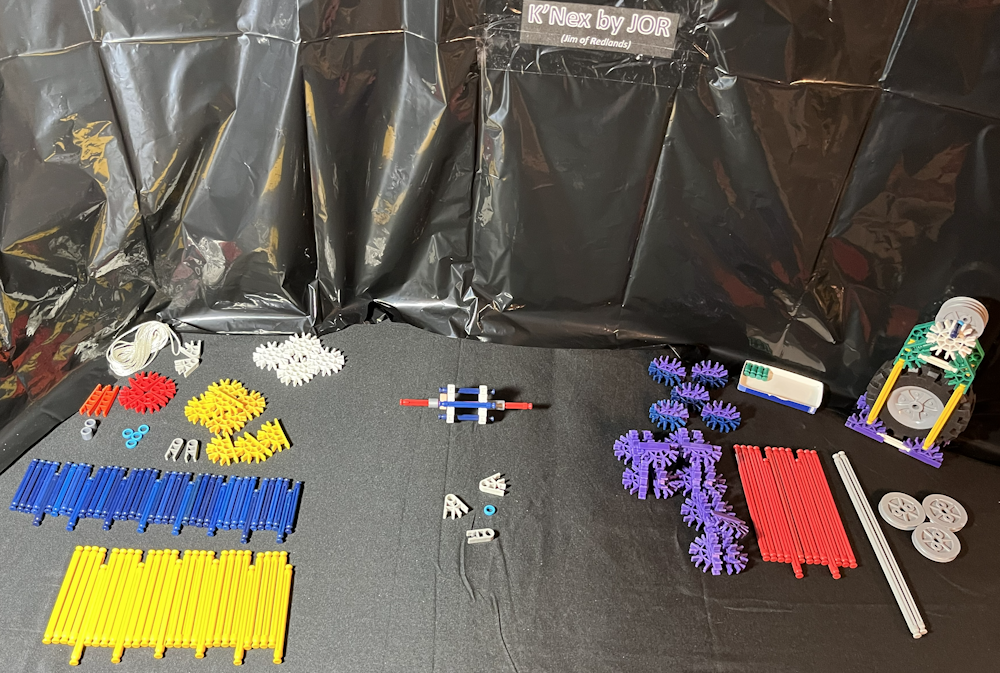
Supplies
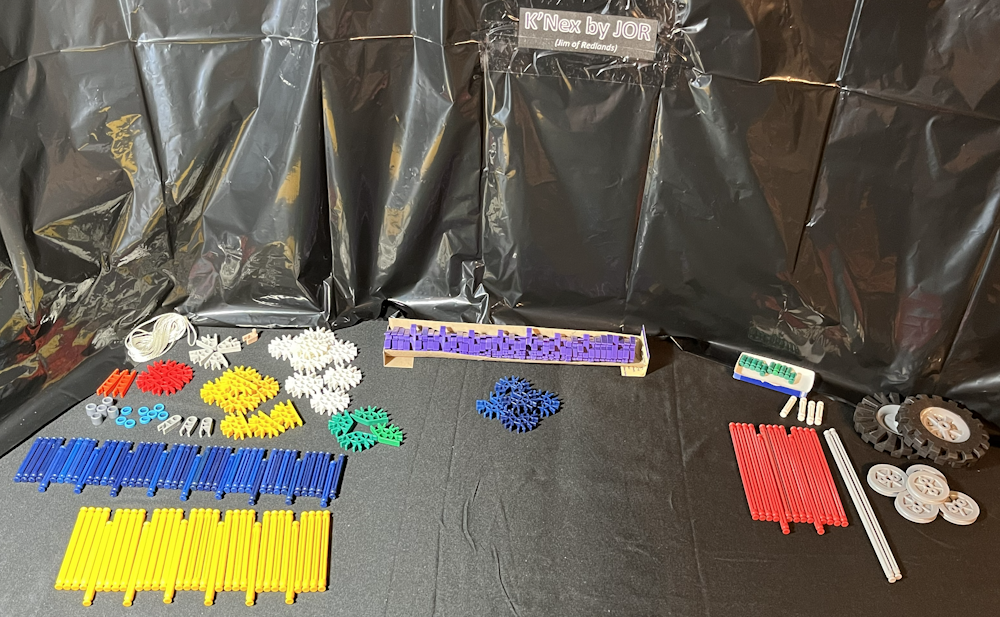
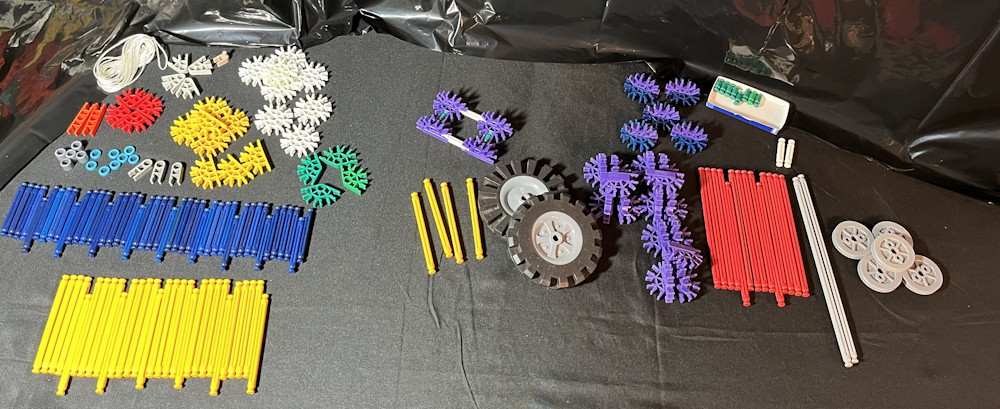
The K'Nex pieces needed are listed here.
Rods:
- 2 grey
- 14 red
- 34 yellow
- 46 blue
- 4 white
- 10 green
Connectors:
- 8 white
- 5 blue
- 8 yellow
- 43 purple
- 4 green
- 4 red
- 2 orange
- 4 light grey
- 3 grey
- 1 beige w/pin
Other:
- Spacers:
- 5 grey
- 8 blue
- 2 large wheels with tires
- 5 small wheel hubs, no tires
Optional: 1 red rod.
Assemble the Purples


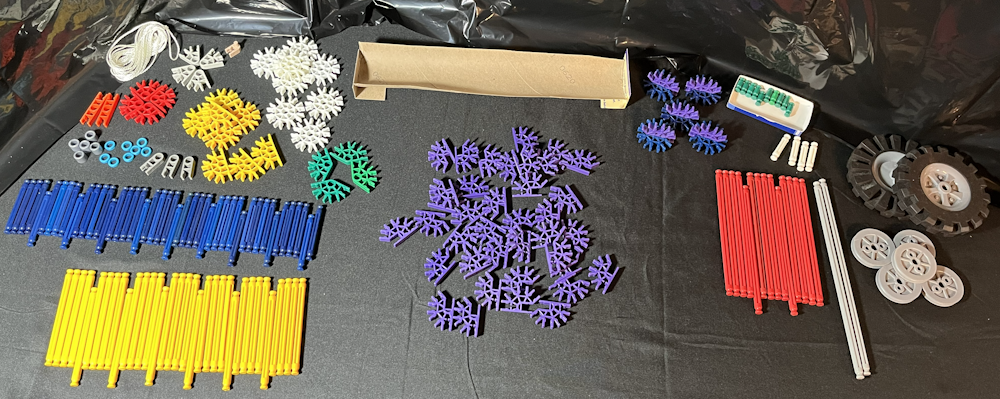
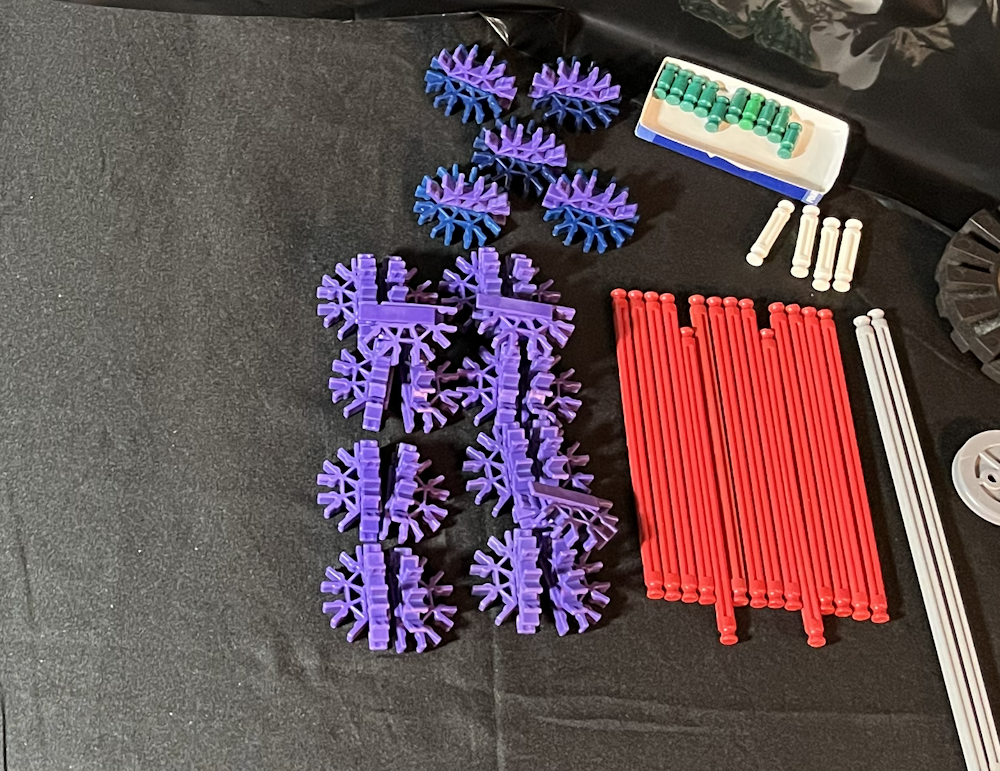
As always, I start by putting together the 3-D parts. Put 5 purple connectors onto all 5 blue connectors to make 5 BP (blue purple) assemblies. Then pair up and put together all of the rest of the purple connectors (38 of them) to make 19 DP (double purple) assemblies. Set these aside to be used later in building the pulley project.
The Carriage (weight)


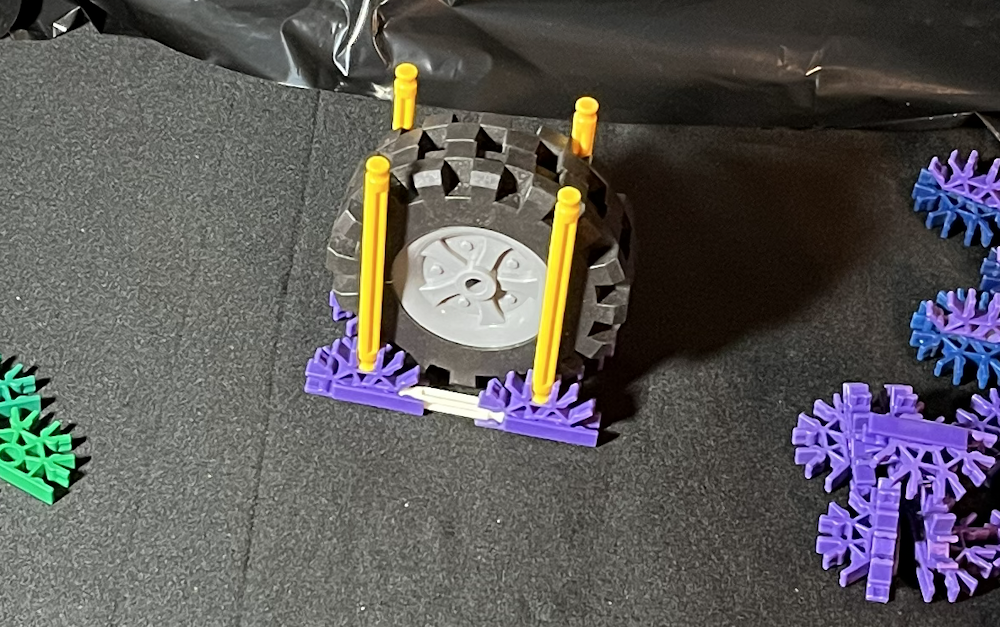
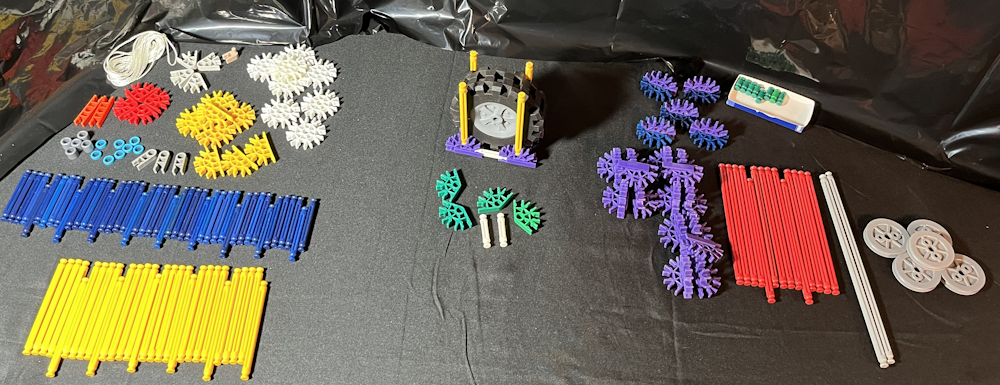

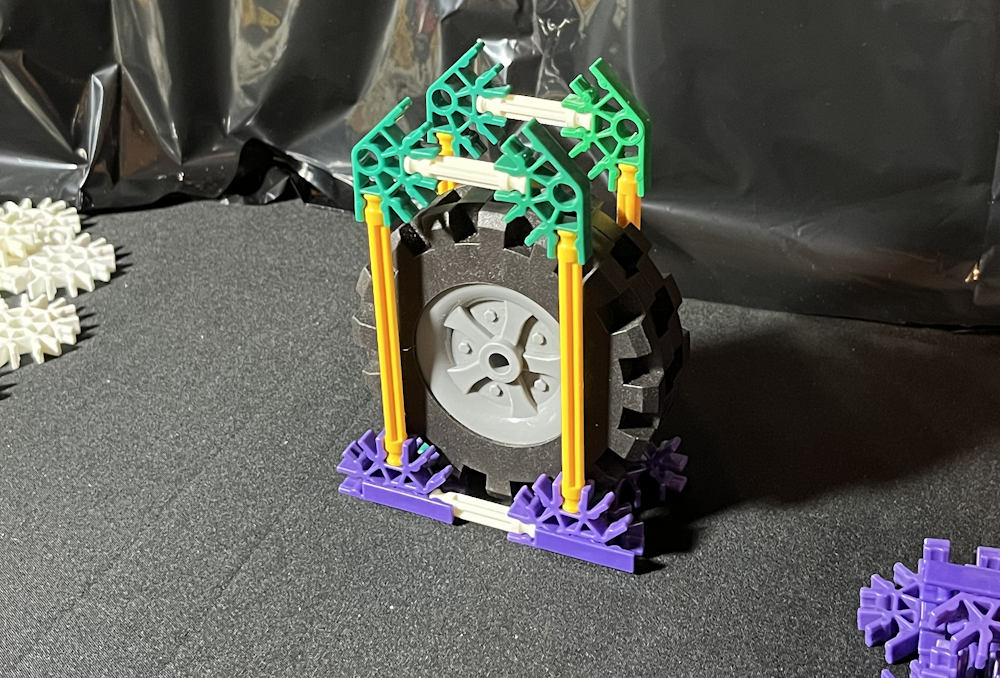


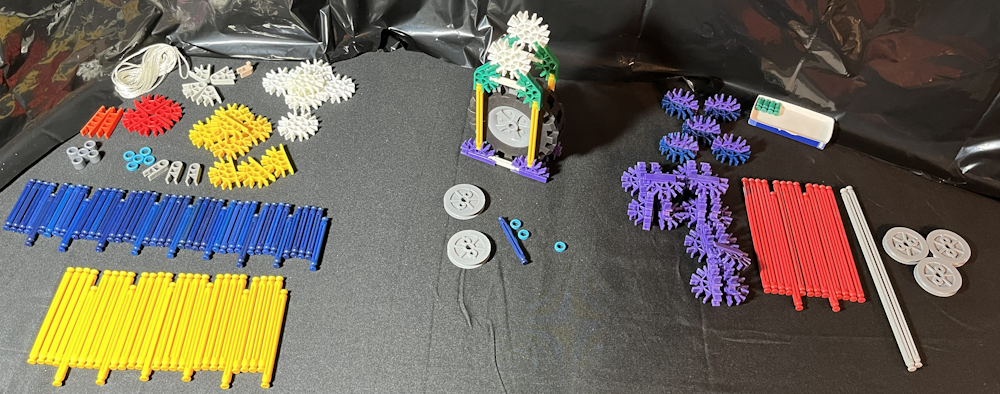


Attach 2 DP assemblies with 1 green rod on the middle connection. Do this again to make two PGP assemblies. Connect the 2 PGP assemblies with 2 white rods to make the floor of the carriage. Attach 4 yellow rods to point up and make the walls of the carriage, and place the 2 large wheels inside of the carriage.
Using 4 green connectors, put the end of 1 green connector on the top of each yellow rod. Connect these in pairs with 1 white rod so it aligns with the white rod on the floor of the carriage. This should trap or contain the large wheels in place.
Using 4 green rods, put 1 each in the top opening of the 4 green connectors. Attach 2 white connectors, each 1 white connector above the white rod, each white connector onto 1 pair of green rods.
Slide 1 blue spacer onto 1 blue rod. Then slide 1 small wheel onto the rod, followed by another blue spacer, then another small wheel, and a blue spacer. This blue rod should now have a blue spacer, a small wheel, a blue spacer, a small wheel, and a blue spacer to make 1 loaded blue rod.
Click the loaded blue rod onto the top of the white connectors of the carriage. The small wheels will act as pulleys and they should spin freely.
This completes the Carriage Assembly. Set this aside and continue to build the Pulley Project.
The Spool and Crank


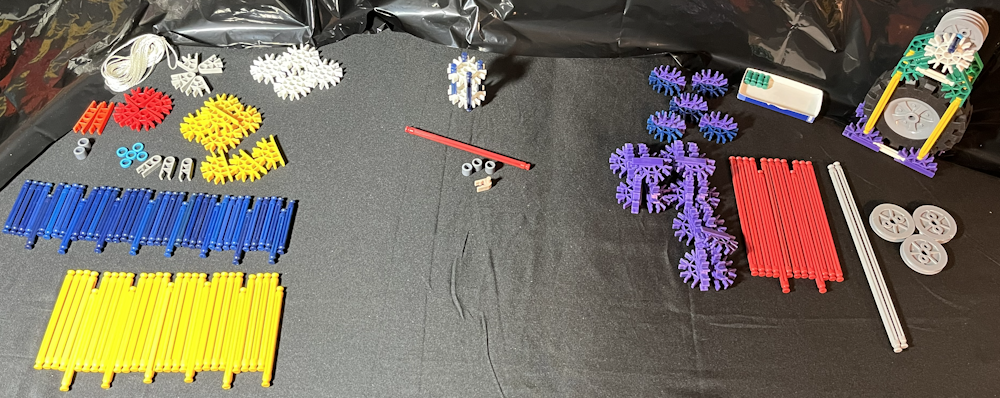
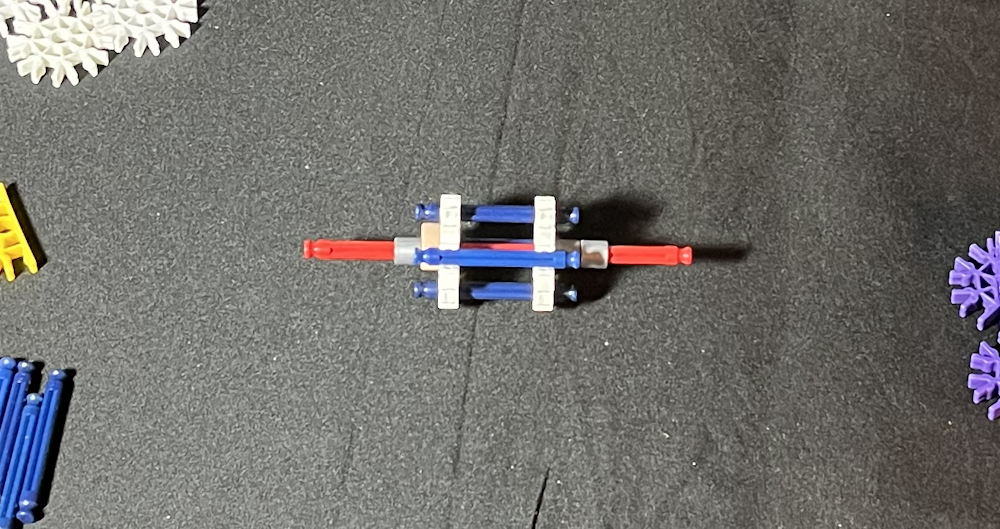
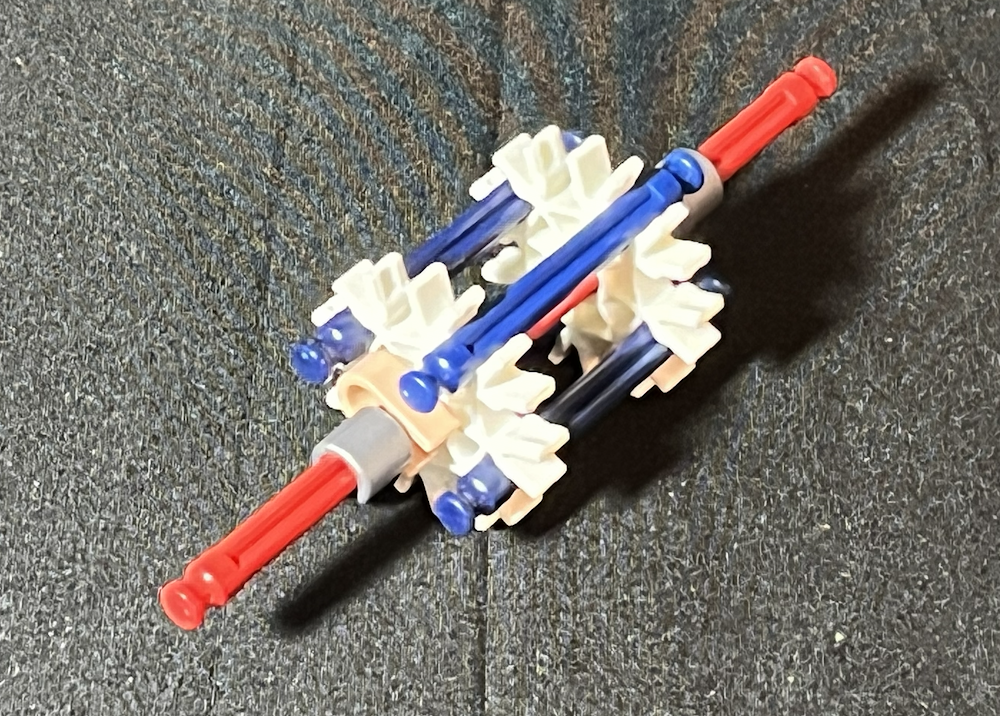
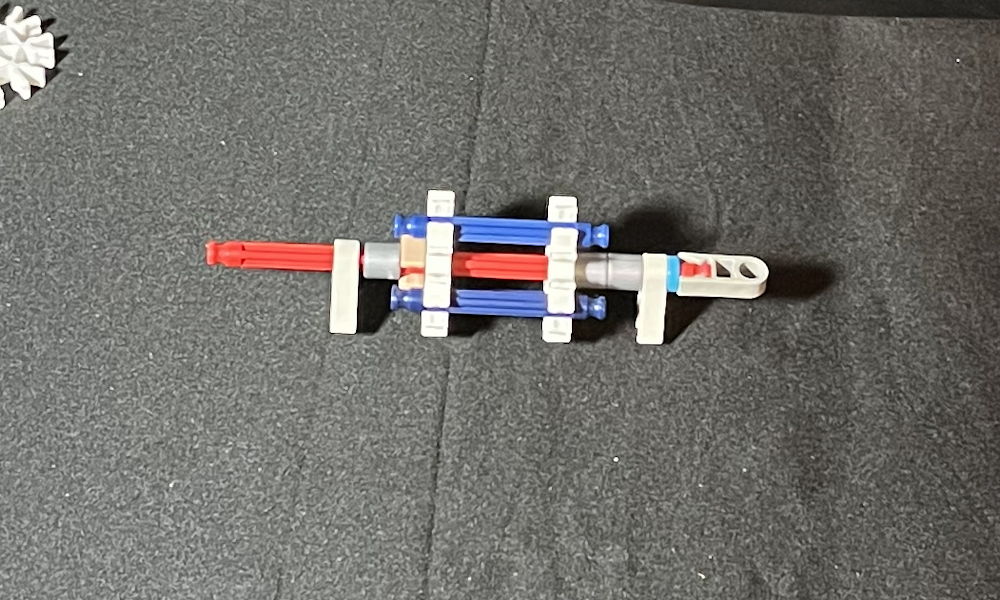
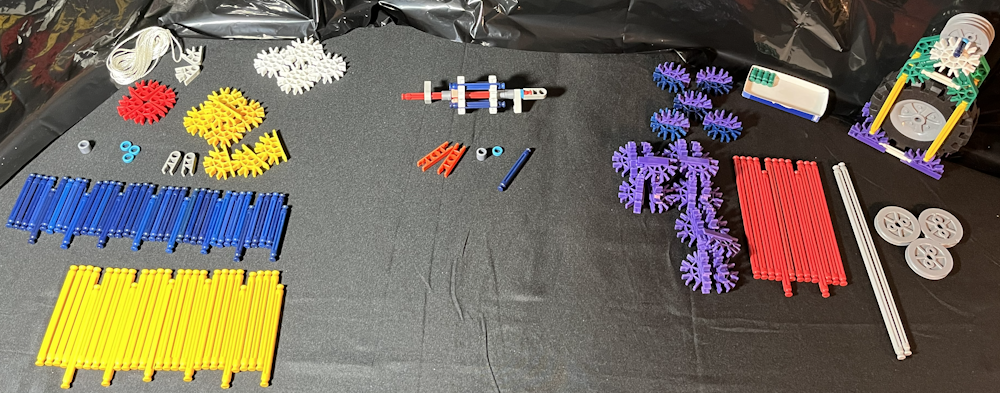
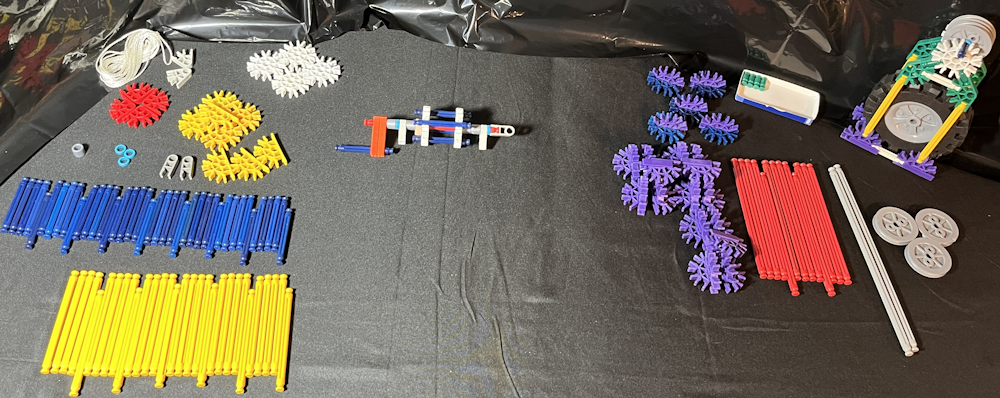

Click 1 blue rod onto 1 white connector. Click another white connector onto the same blue rod so that it aligns with the first white connector. Click another blue rod onto both white connectors so it is across from the first blue rod. Click 2 more blue rods onto the white connectors on both sides of the blue rods. Each white connector should have a blue rod, an open spot, a blue rod, an open spot, a blue rod, an open spot, a blue rod, and an open spot. Slide the white connectors apart as far as they can go. This starts the spool assembly.
Slide 1 red rod through the center of both of the white connectors. Click 1 beige clip onto the red rod and slide it next to the white connector so that the pin fits into the white connector. This will prevent the spool from spinning freely on the red rod.
On the same end as the beige clip, slide on 1 grey spacer and 1 light grey connector. Slide 2 grey spacers on the other end of the red rod. Slide 1 light grey connector onto the end with the double spacers. Then slide on 1 blue spacer and clip 1 grey connector onto the end of the red rod.
On the same end as the beige clip, slide on 1 blue spacer and 1 grey spacer. Click the two orange connectors on that end to keep the spacers in place and to make the crank. Click 1 blue rod onto the ends of the orange connectors. The spool should be held securely in place and the light grey connectors should be able to spin freely.
This completes the Spool and Crank Assembly. Set this aside and continue to build the Pulley Project.
Top Pulley Assembly


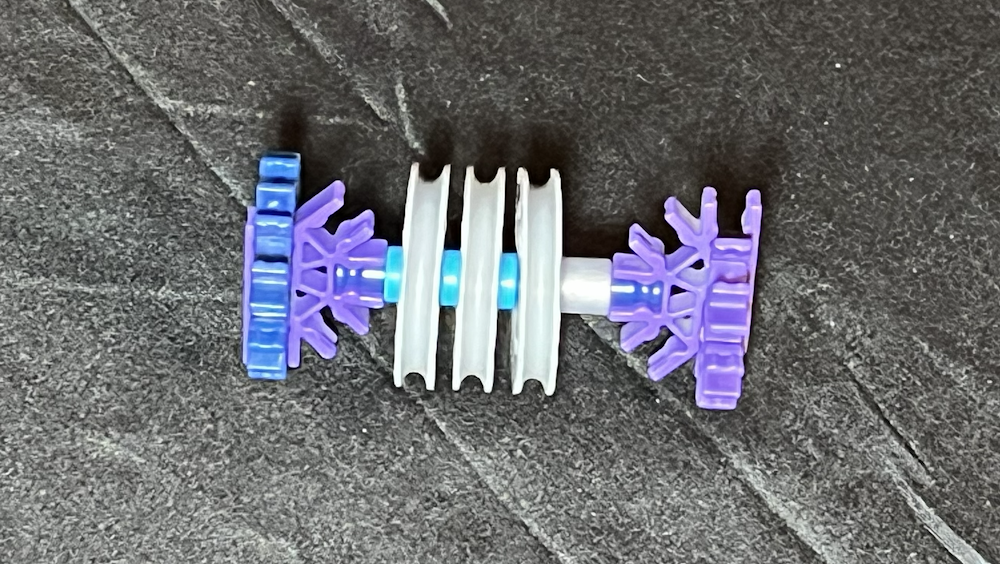
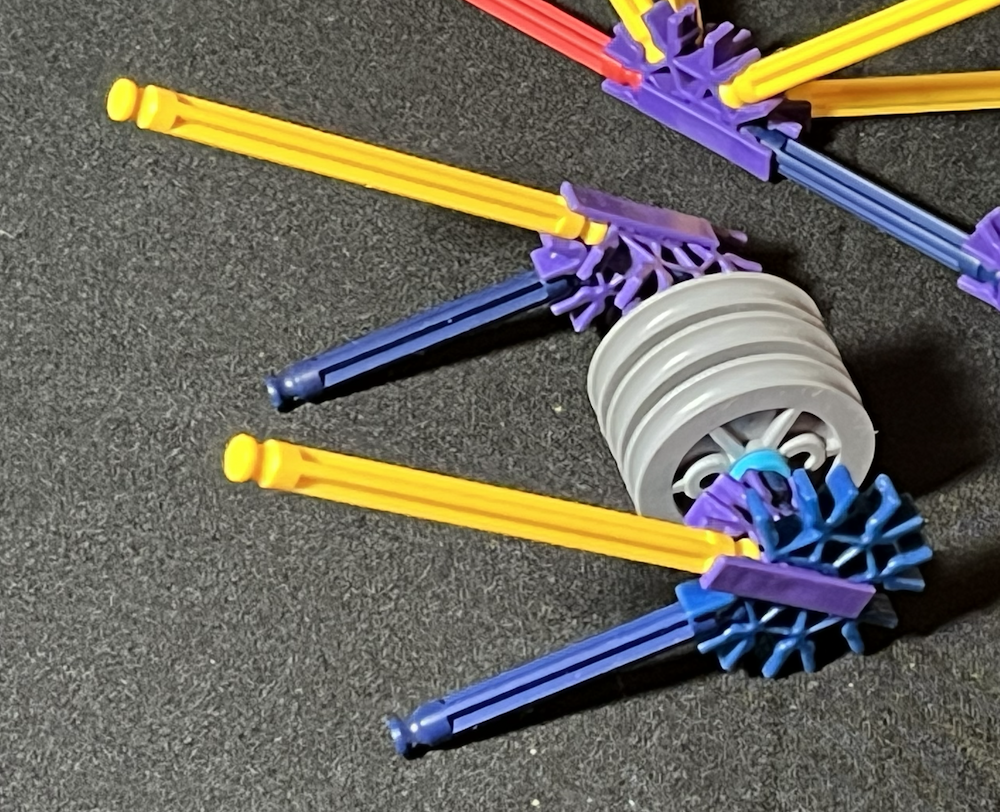
Attach 1 blue rod onto the middle of 1 DP assembly. Slide 1 grey spacer onto the blue rod. Slide 1 small wheel and 1 blue spacer onto the blue rod. repeat this two times so there are 3 small wheels and three blue spacers. Connect the middle of the purple connector of 1 BP assembly to complete the Top Pulley assembly. Set this aside and continue to build the Pulley Project.
Main Structure Assembly, the Floor Part 1
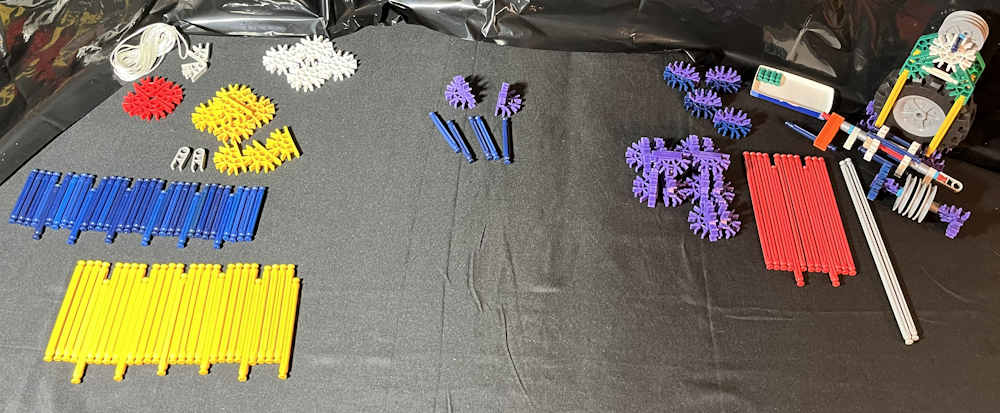


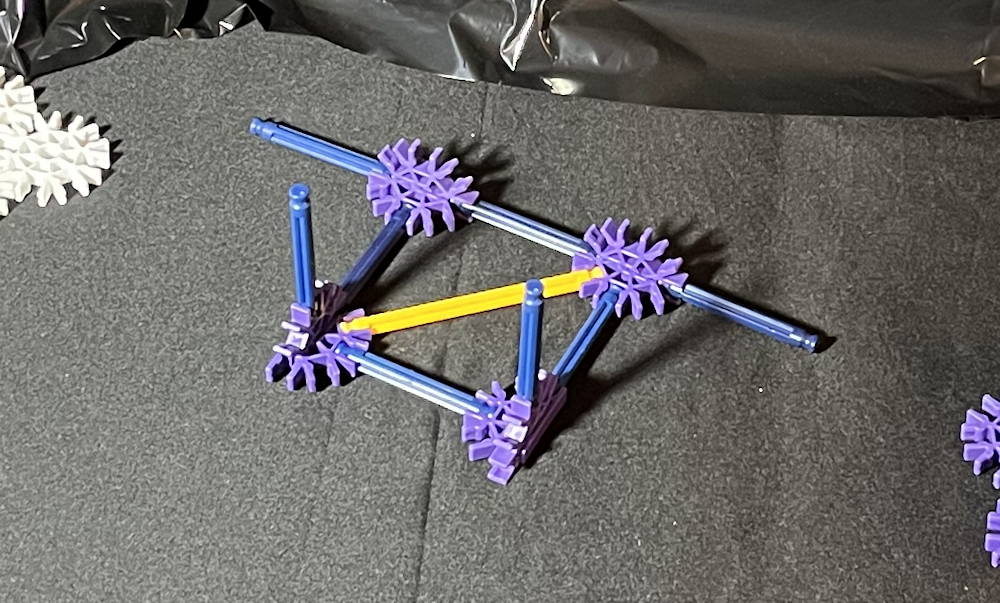
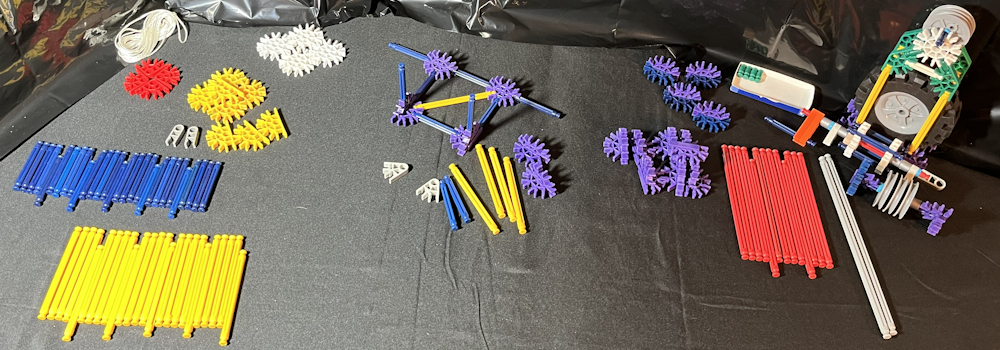
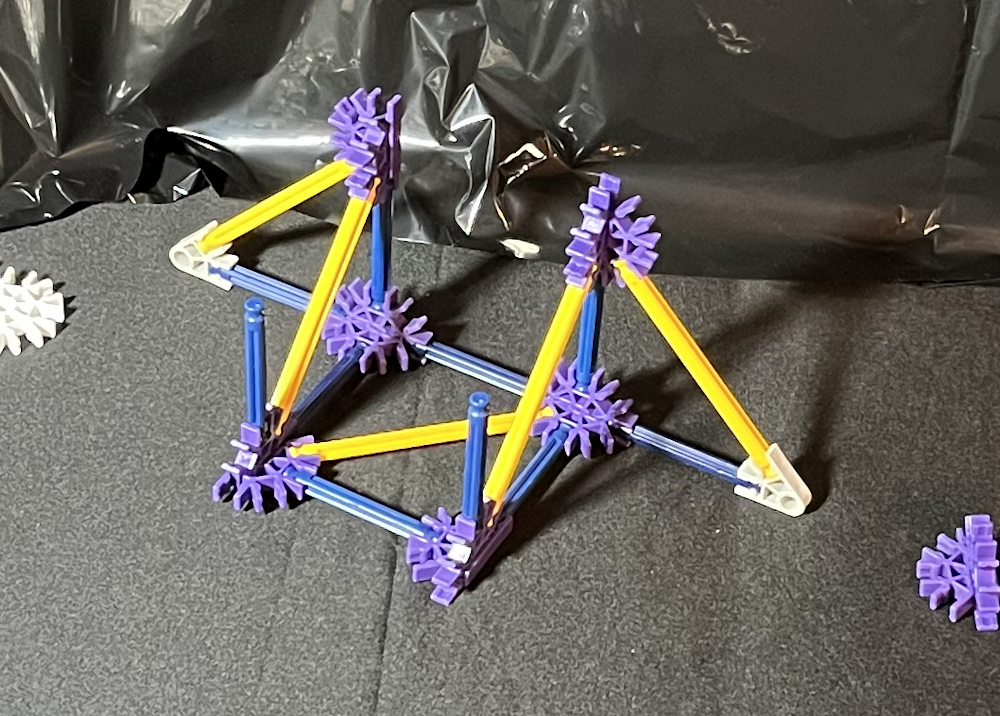


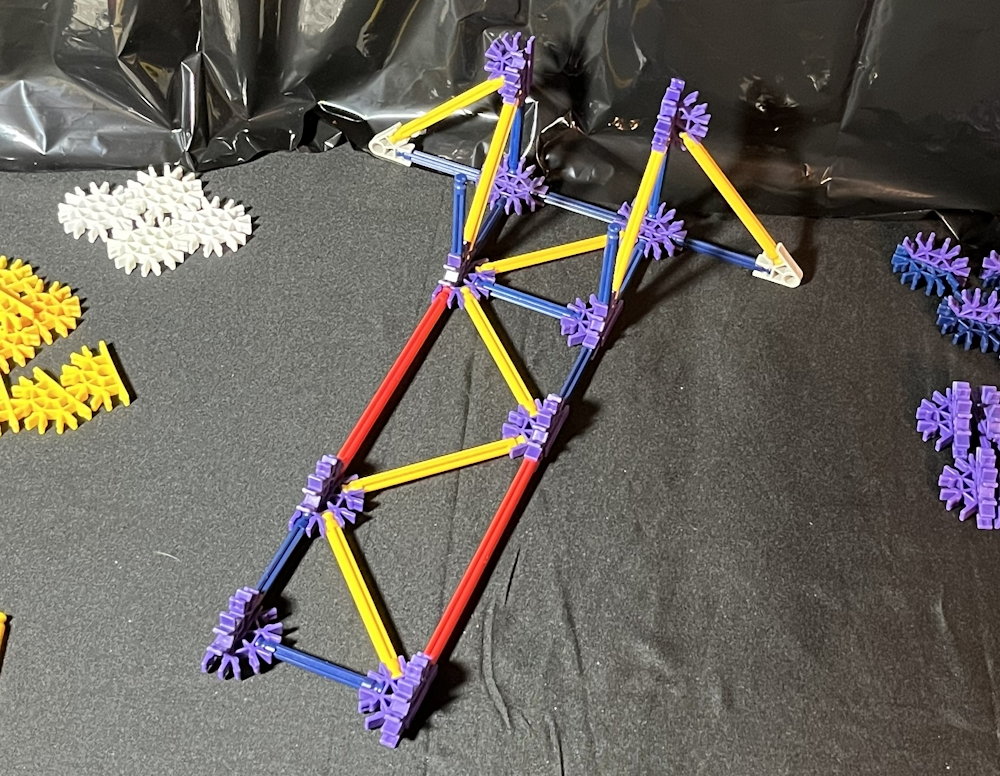

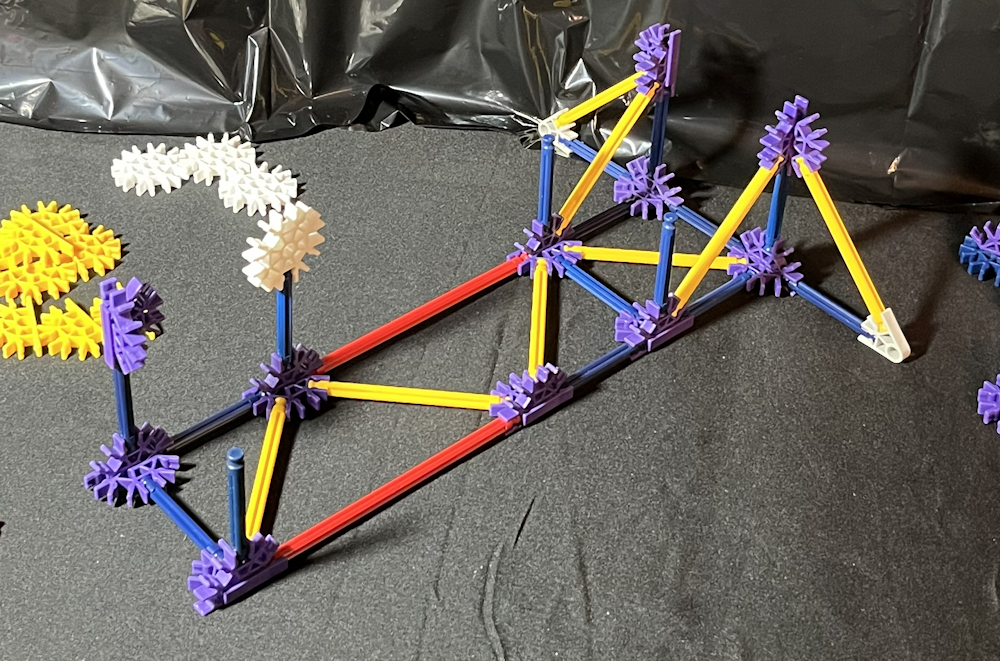


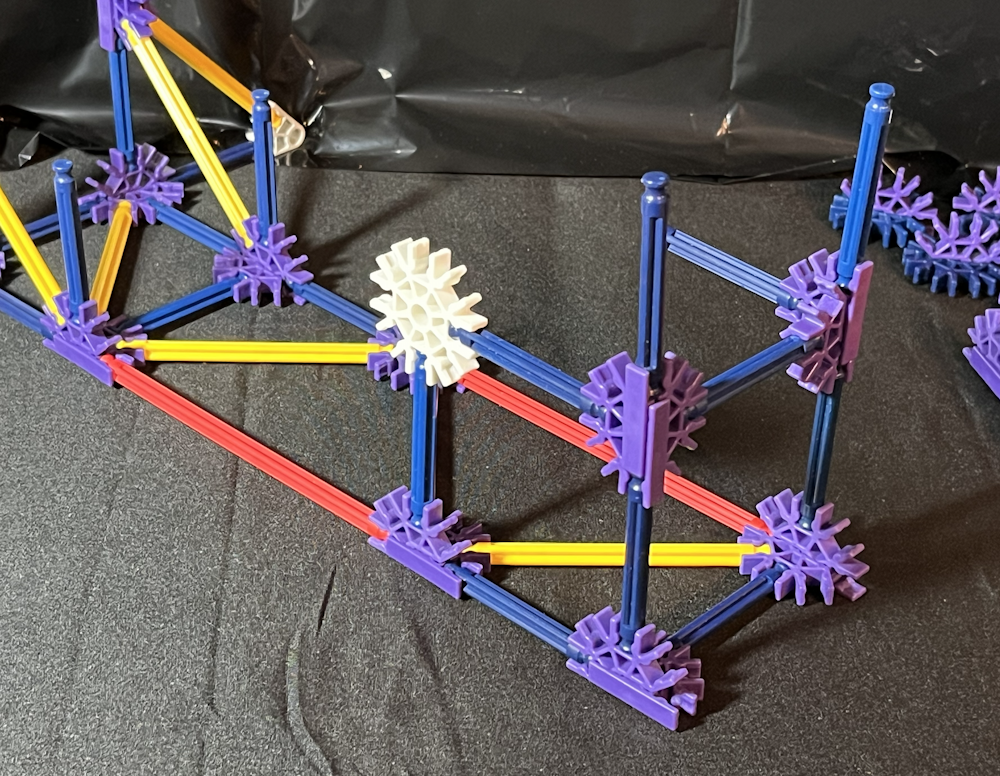
Put 2 blue rods, 1 blue rod on each end of 1 DP assembly. Add 1 more blue rod on the middle of this assembly. Attach 1 DP on the end of 1 blue rod so the 2 DP assemblies are in line with each other. Connect 1 blue rod to the other end of the DP assembly and 1 blue rod on the middle of the DP assembly. This begins the base of the main structure. It will be directly under the pulleys and is labeled BPBPB (Blue rod, Purple connectors, repeated in line).
Attach the end of 2 DP assemblies, 1 on the end of each of the blue rods that are sticking out of the middle of the BPBPB. Connect these in the middle with 1 blue rod between them. This is the beginning of the floor of the main structure. Add 2 blue rods, 1 blue rod each to the middle part of these DP assemblies that is pointing upward. Attach 1 yellow rod at an angle between 1 DP assembly of the BPBPB to 1 DP assembly of the floor.
Add 1 light grey connector on the end of the blue rod of the BPBPB assembly. Repeat this for the other end. Connect 2 blue rods on the middle of the 2 DP's of the BPBPB assembly so they point upward. Put 2 yellow rods, 1 yellow rod each on the light grey connectors, they should nearly touch the blue rods sticking up. Also, add 2 yellow rods, 1 yellow rod to each of the DP assemblies of the floor so that they nearly touch the other yellow rods. Attach 2 DP assemblies, 1 DP assembly each to the blue rod sticking up from the BPBPB and to the yellow rod. There will be no direct connection between these 2 DP assemblies.
Continue building the floor assembly by adding 1 red rod to the only DP that has 2 yellow rods connected. Put 1 yellow rod to the same DP assembly next to the red rod. Connect 1 blue rod onto the other DP assembly so it is parallel to the red rod. Add 1 DP assembly to the end of this blue rod and the yellow rod. Connect 1 red rod to this DP assembly, and 1 yellow rod too. This should continue the zig-zag pattern of the yellow rods.
Put the end of 2 DP assemblies on the ends of each of the red rods. Connect 1 yellow rod between these DP assemblies. Add 1 blue rod to the end of the DP with 2 yellow rods attached, and put 1 DP assembly on the end of it. Connect the end 2 DP's by adding a blue rod between them. This is all that will be on the flat surface, everything else will go up from this.
Add 3 blue rods to the 3 most recently added DP's so that they point up. Put the end of 1 DP on the top of the blue rod on the corner with the DP with 2 blue rods. On the side next to that, put 1 white connector on the top of the blue rod. Add 1 blue rod to connect the DP in the corner with the white connector. Put 1 blue rod on the top and 1 blue rod on the other middle of the DP in the corner. Connect 1 DP to the blue rod on the other DP at the end of the floor. Add 1 blue rod on the top of this DP and 1 blue rod on the middle. Now on to part 2 of the floor assembly of the main structure.
Main Structure Assembly, the Floor Part 2


There should be 2 blue rods pointing up from the floor near the BPBPB assembly with nothing on the top. Put the blue part of 1 BP assembly on the top of each of these blue rods. Connect these together by adding 1 blue rod between them using the middle of the purple connector parts. Add 2 blue rods, 1 blue rod to the side of each of these so they connect to the DP's above the BPBPB.
There are 2 red rods, 1 on either side of the floor between 2 BP assemblies. Put 4 yellow rods onto these BP assemblies at an angle pointing upward. Connect 1 white connector to the 2 yellow rods and the blue rod across from the other white connector, and above the red rod. Add 1 yellow rod from the DP up to the BP, and 1 yellow rod from the DP under the white connector up to the DP in the corner. The DP's on both ends of 1 red rod and on one end of the other red rod should now have 4 yellow rods connected.
Put 1 yellow connector onto the other yellow rods pointing up from the floor. Connect 2 blue rods, 1 blue rod on either end of that yellow connector. Add 1 red rod between the open white connector and the BP assembly. This will secure this level of the floor assembly.
Connect the Spool and Crank assembly to the top of the blue rods pointing up from the floor assembly. The open part of the light grey connectors need to point towards the white connectors. Add 2 yellow rods, 1 yellow rod between each of these light grey connectors and the white connectors. It is not important which side the crank handle is.
Main Structure Assembly, the Tower Part 1
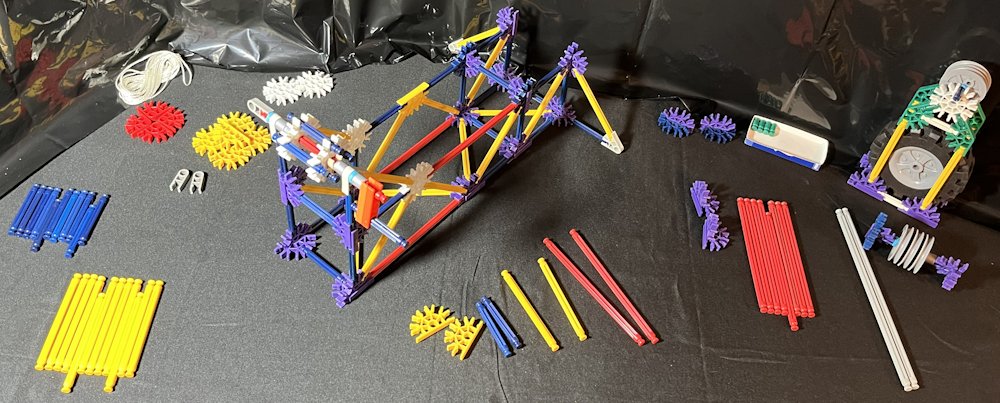

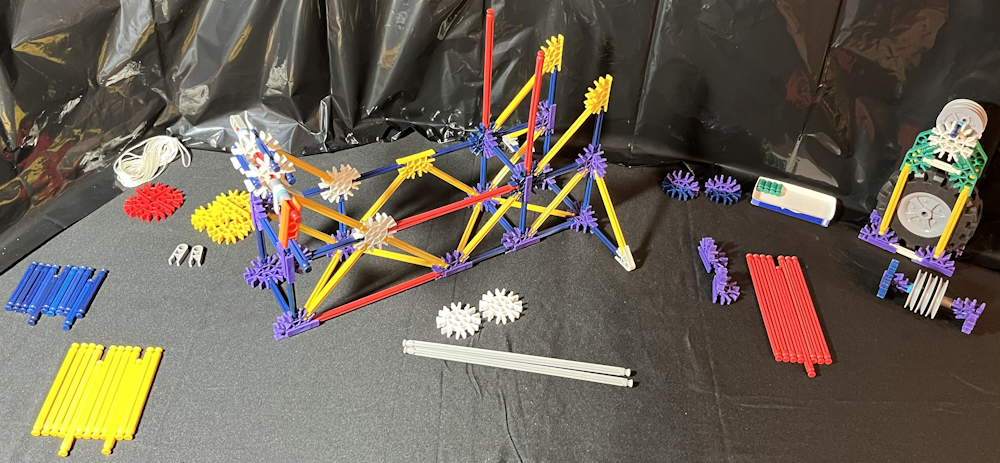

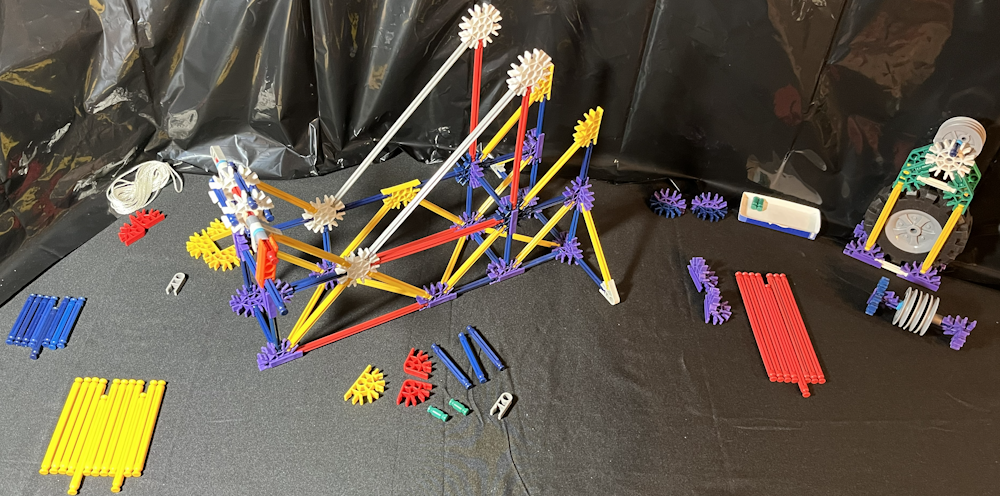

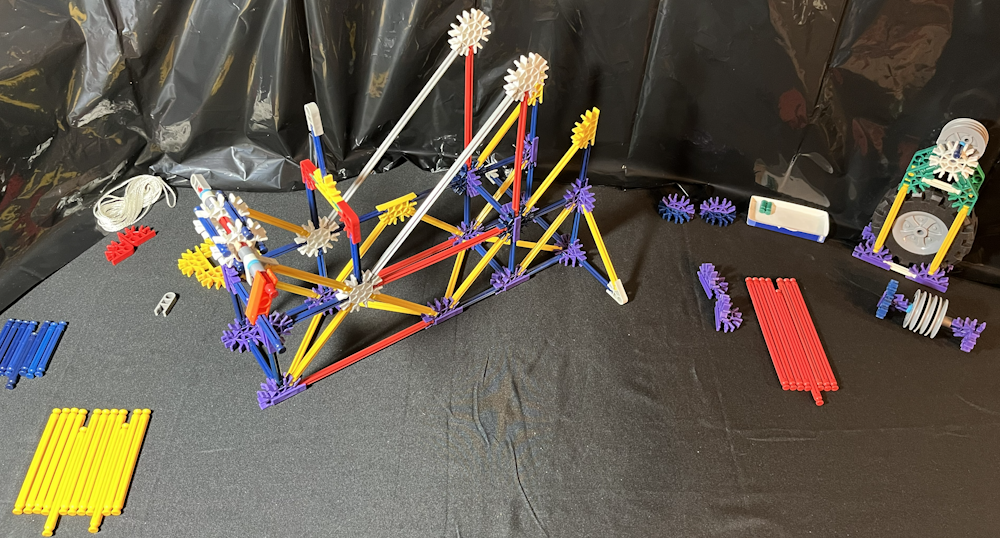


Put 2 blue rods pointing up, 1 blue rod on each of the 2 DP's on the top of the BPBPB. Connect the end of 2 yellow connectors, 1 each on top of these blue rods. Add 2 yellow rods, 1 yellow rod each angled down from the yellow connector to the BP. Put 2 red rods, 1 red rod each pointing up from these BP's. Connect 2 white connectors, 1 each on top of these red rods. Add 2 grey rods, 1 grey rod each, from 1 white connector down to the other white connector.
Build the String Guide assembly by putting 2 green rods, 1 green rod on each end of 1 yellow connector. Add 2 red connectors, 1 red connector onto each green rod. Connect 2 blue rods, 1 blue rod on the other end of the red connectors. Put 1 blue rod on the center of the yellow connector, and add 1 grey connector to the other end of the blue rod. Connect this String Guide assembly to the Floor assembly by putting the 2 blue rods on the top of the white connectors near the Spool and Crank assembly.
There are 2 open yellow connectors above the BPBPB. Add 2 red rods, 1 red rod each on the top of these yellow connectors. Also put 2 yellow rods, 1 yellow rod each onto these yellow connectors, sloping up to the white connectors. Add 2 DP assemblies, 1 DP each on top of the red rods. Connect these DP's with 1 blue rod connected in the middle. On these same DP's, add 2 yellow rods, 1 yellow rod each angled down to the white connector.
Put 2 red rods pointing up, 1 red rod each on the top of the white connectors. Add 2 yellow connectors on their ends, 1 yellow connector each on top of the red rods. Connect 4 yellow rods, 2 yellow rods each to these yellow connectors so the zig-zap pattern continues up the tower. Put 2 red rods pointing up, 1 red rod each on top of the DP's. Now on to part 2 of the tower assembly of the main structure.
Main Structure Assembly, the Tower Part 2
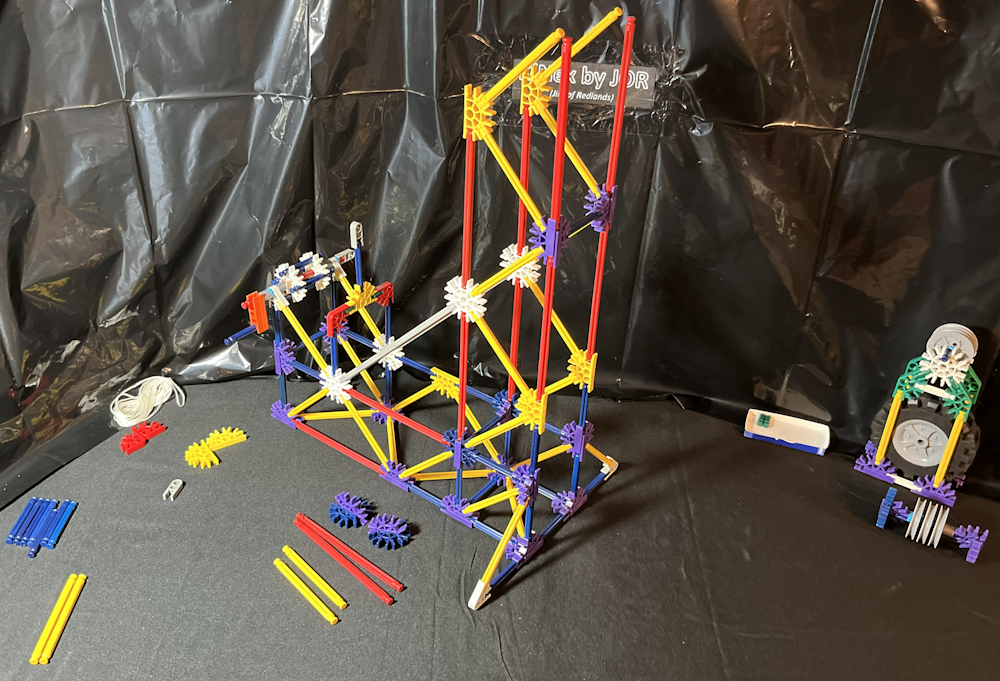

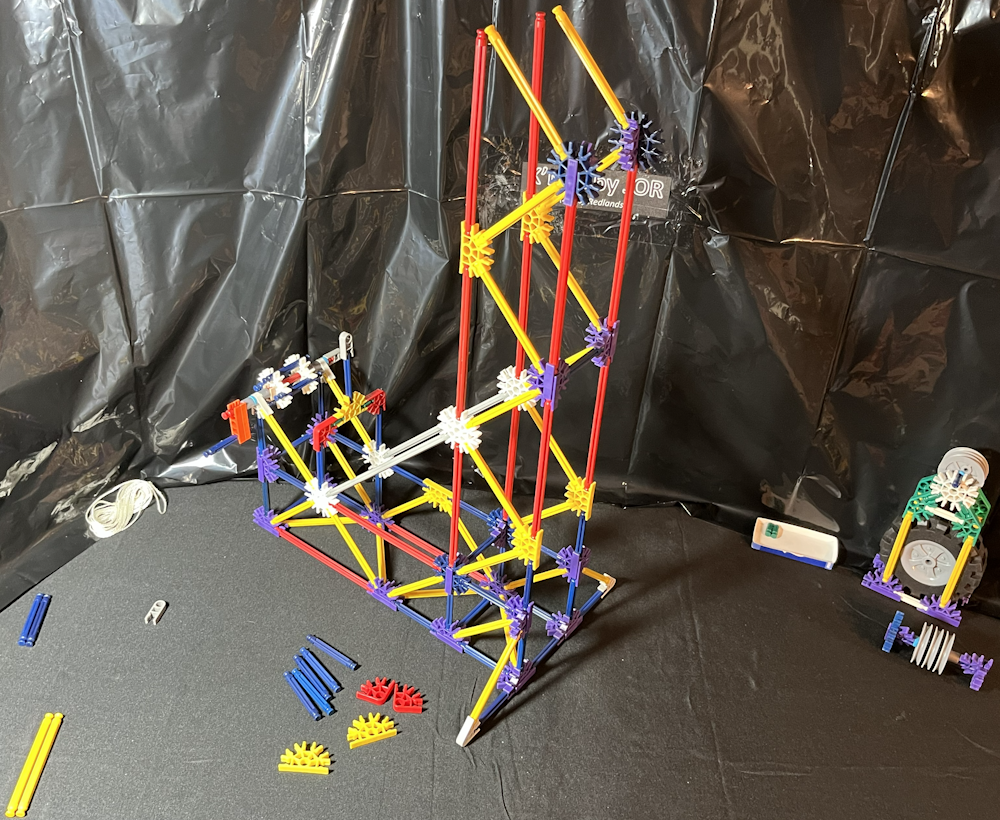



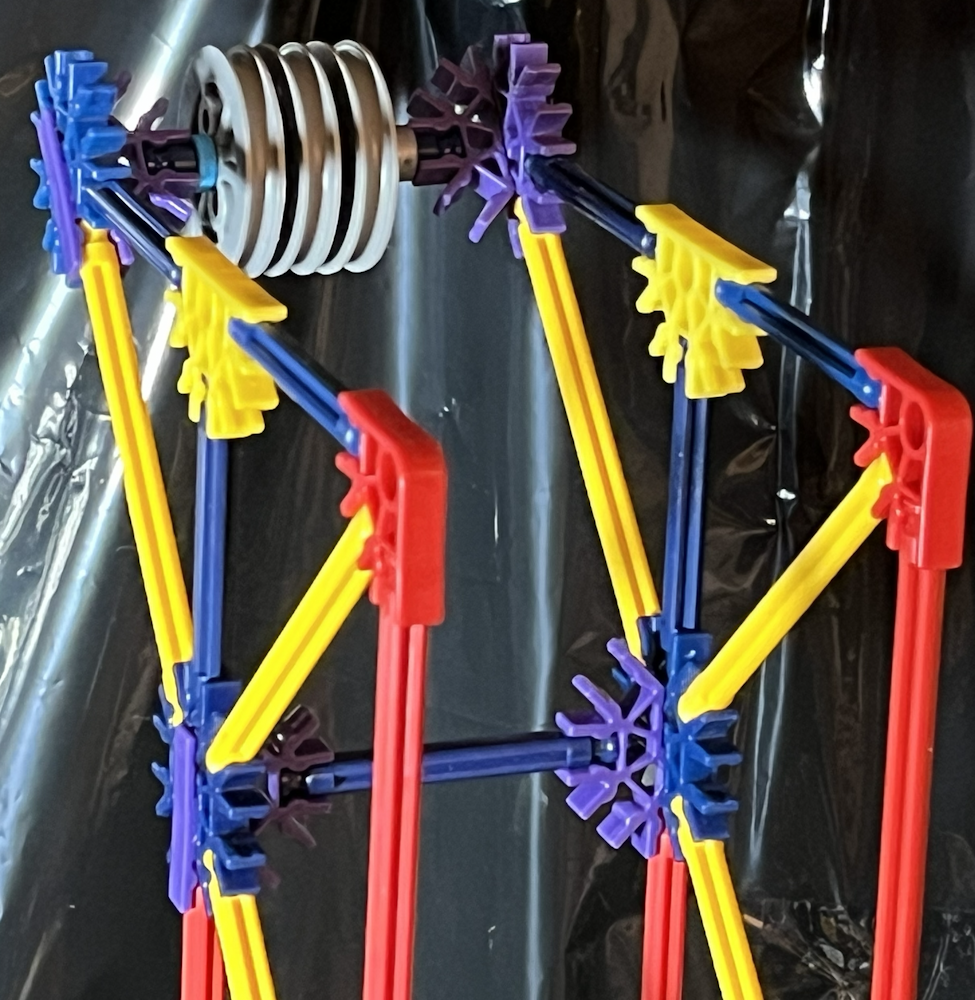
Atop the 2 red rods, add 2 BP assemblies so the purple connectors face inward. Connect 2 yellow rods, 1 each onto the BP assemblies so 1 yellow rod points upward at an angle above the other yellow rods. Put 2 red rods pointing up, 1 red rod each on the top of a yellow connector.
Put the end of 2 red connectors on top of the highest red rods so the middle connects to the yellow rods as well. Add 2 blue rods, 1 blue rod each onto the other end of these red connectors. Put 1 blue rod on the BP to connect the purple connector parts. Add 2 blue rods, 1 blue rod each onto the top of the BP assemblies. Connect the middle of 2 yellow connectors on top of the blue rods so they attach to the top blue rods. Time to include the top pulley assembly.
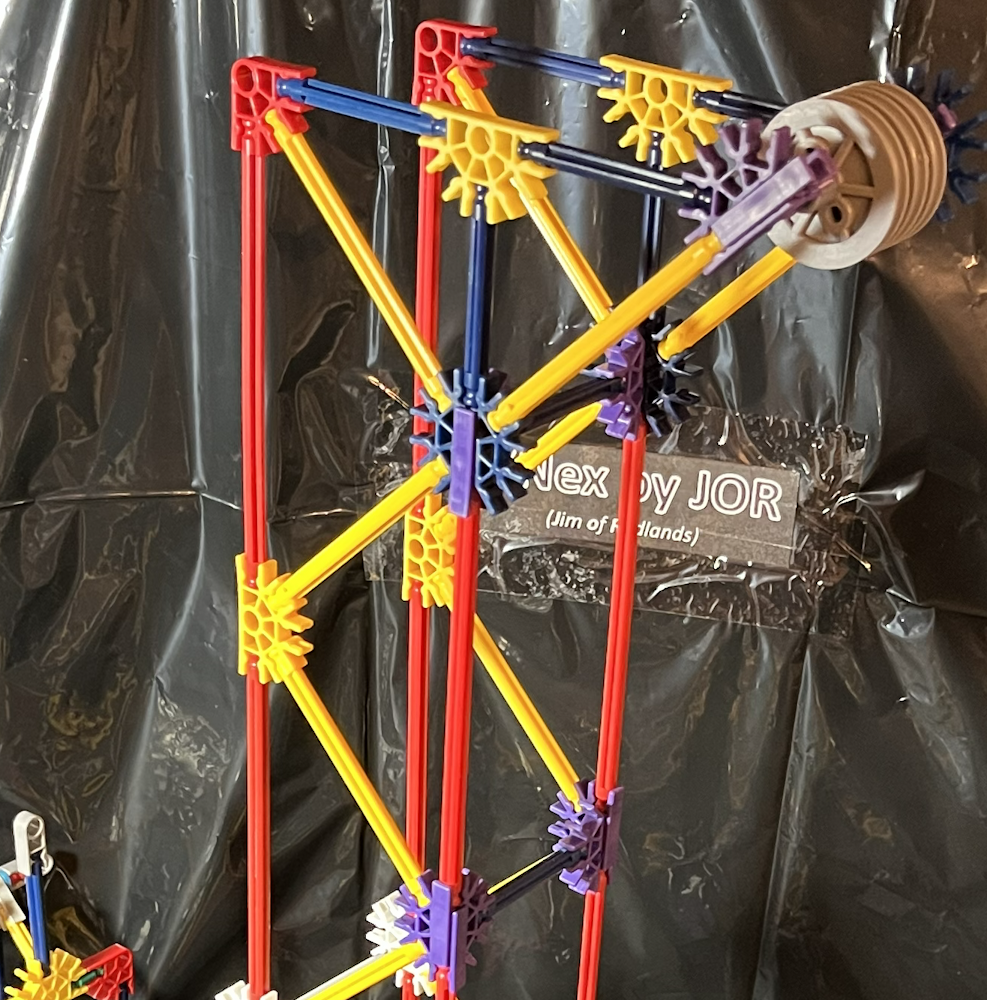
Put 2 yellow rods onto the top pulley assembly with 1 yellow rod on the end of the DP and 1 yellow rod on a secure place on the BP assembly. (As pictured, I prefer to use the union of the purple and blue connectors as a very secure place.) Add 2 blue rods, 1 blue rod each, next to the yellow rods.
Add this assembly to the top of the tower by connecting the yellow rods onto the BP assemblies near the top of the tower, and the blue rods to the yellow connectors at the top.
This concludes the actual building of the main assembly. The only thing left to do is to thread the string correctly.
Threading the String: Part 1


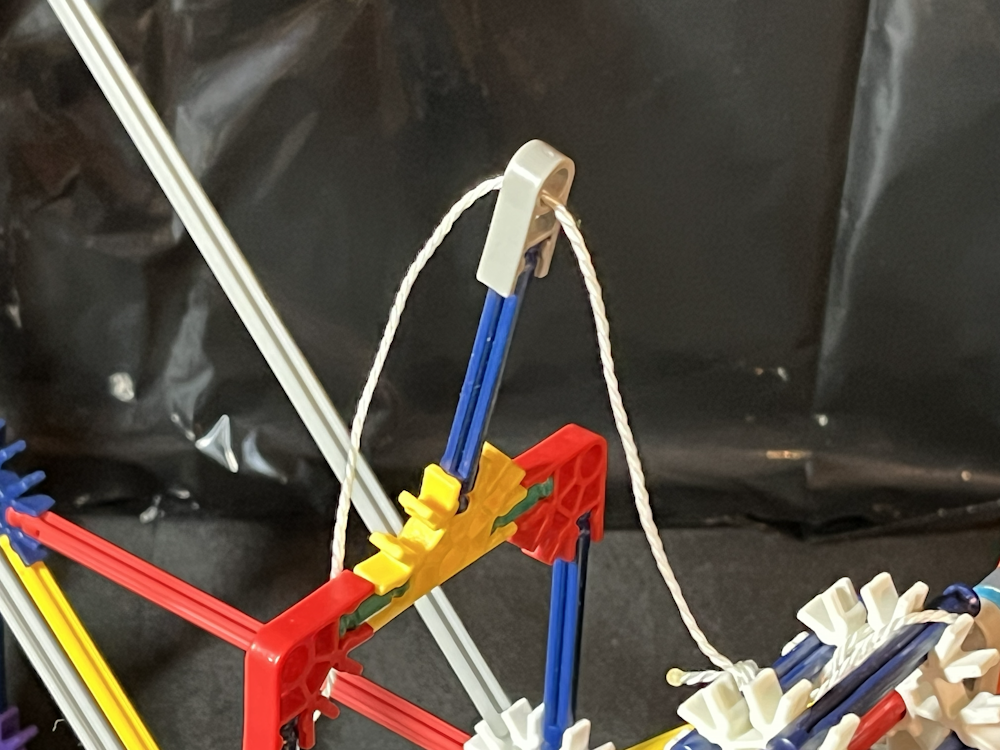

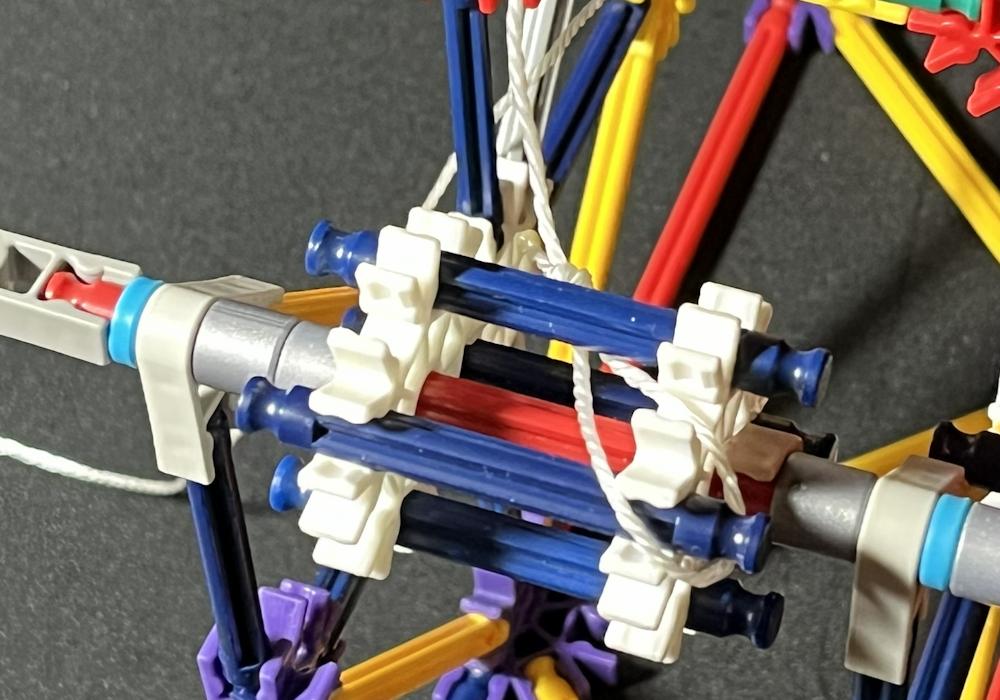
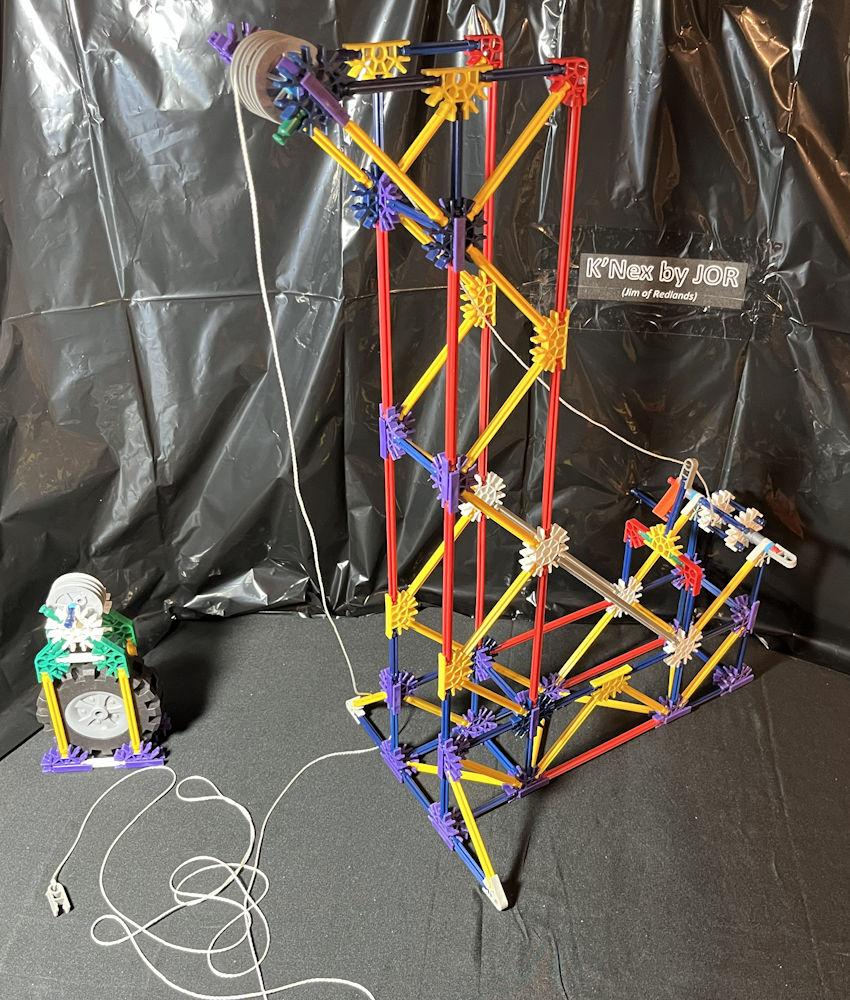
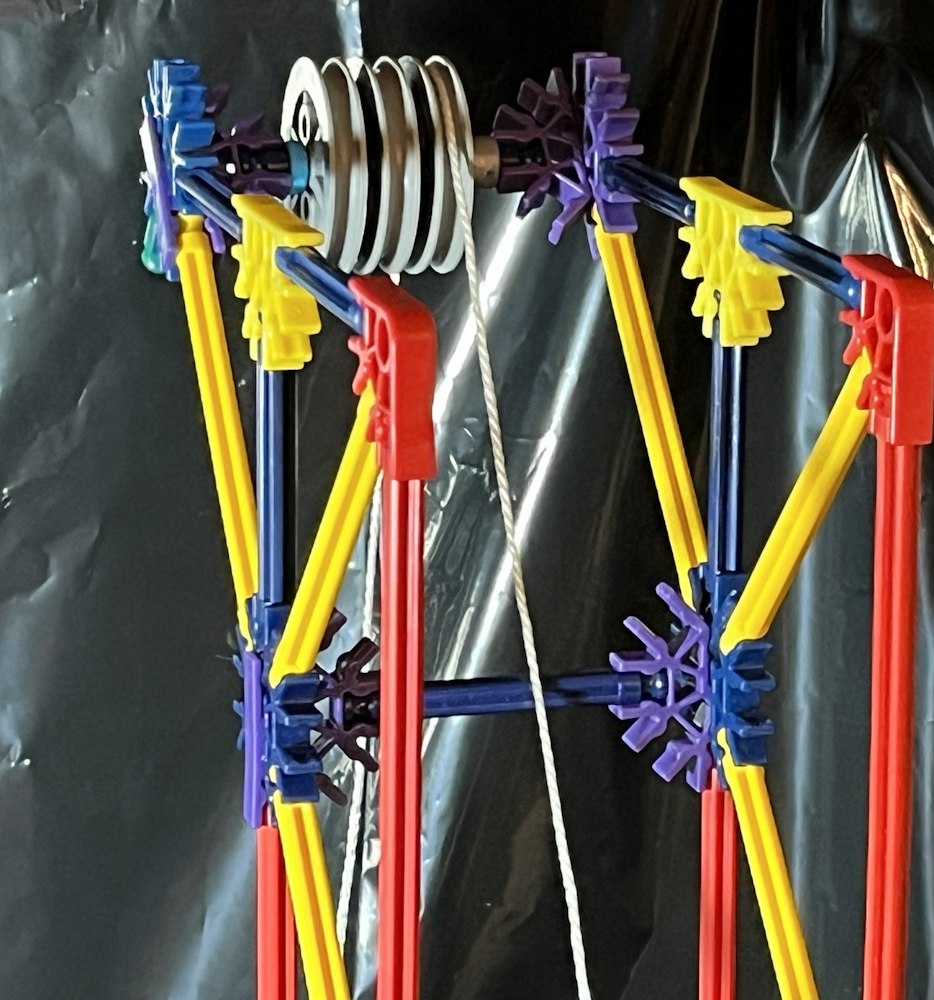
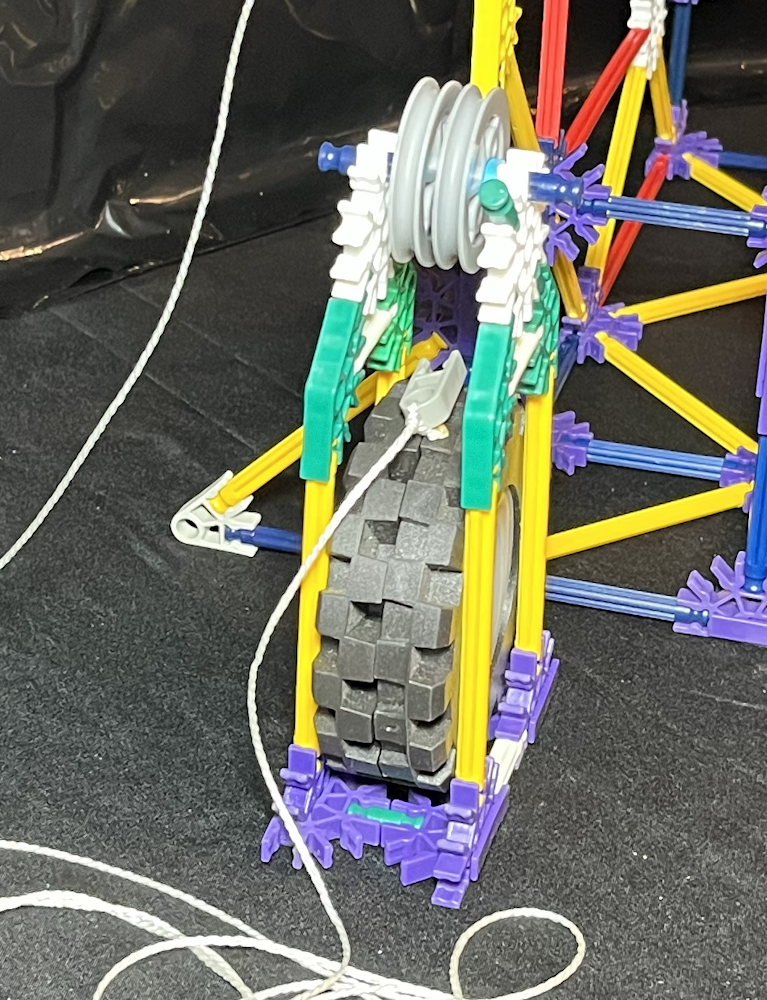
Add 1 green rod to 1 white connector of the carriage, on the upper part near the pullies. Put 1 green rod on the BP assembly of the Top Pulley assembly. This works best if the green rod on the top pulley assembly is on the same side as the green rod on the carriage.
Tie 1 end of the string through the circle end of 1 grey connector. Tie a loop on the other end of the string. Thread the loop through the grey connector of the String Guide assembly so the loop goes toward the Spool and Crank assembly. Feed the loop through a blue rod of the spool and hook it onto or loop it around the end of another blue rod of the spool.
Guide the string up to the Top Pulley assembly and loop it over the 1 pulley furthest away from the green rod. Set the Carriage assembly below the Top Pulley so that the green rod of the carriage is on the same side as the green rod on the Top Pulley assembly. Thread the string through the Carriage assembly (under the pulley of the carriage and over the tires). The direction of the string should be towards the spool.
As you look at the Pulley Power Project from the side, the string should loop over the Top Pulley assembly and around the pulley of the Carriage on the same side. Having the string go the same direction through all of the pulleys is important. If one is clockwise, they all need to be clockwise. If one is counterclockwise, they all need to be counterclockwise.
Threading the String: Part 2

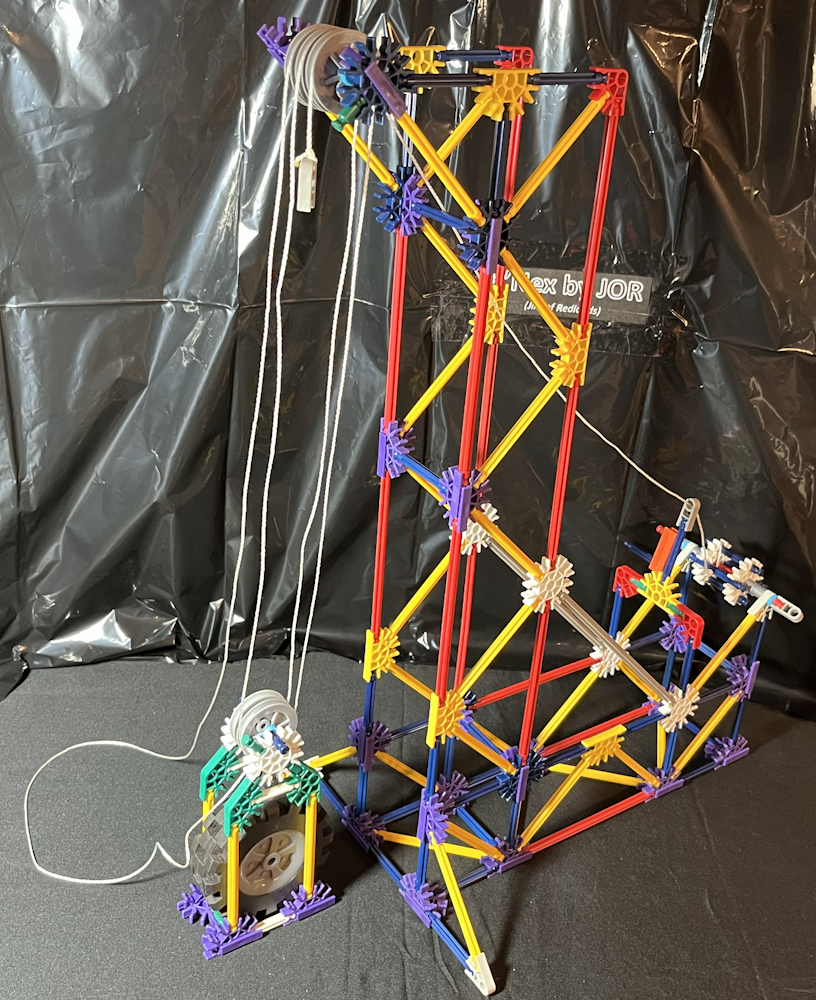
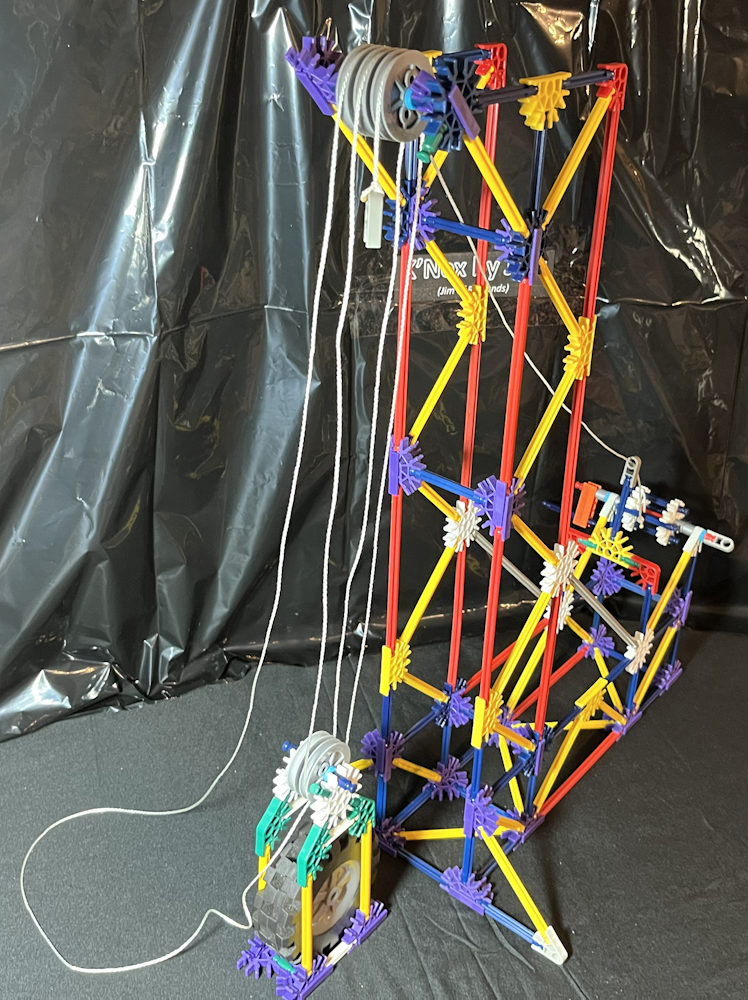


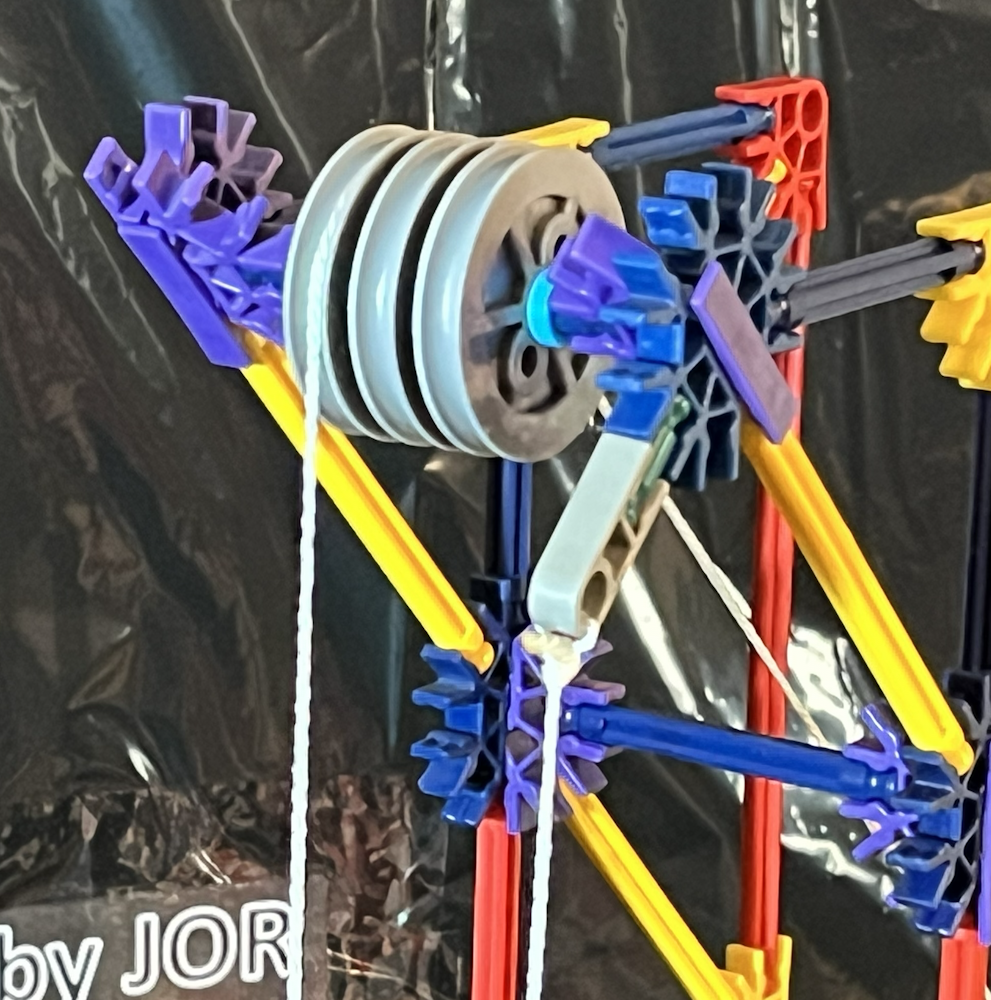

Pull the string up from around the pulley of the Carriage back up to the Top Pulley and loop it over the middle pulley. Continue threading in this same direction for all 5 pulleys. Connect the grey connector that is tied onto the end of the string to the green rod on the Carriage.
As the crank is turned and the string is winding on the spool, be sure the string is on all of the pulleys. It is easy for the string to slip between the pulleys. Looking from the side, all strings between the pulleys should align.
The String Guide assembly is adjustable and is there to keep the string winding onto the spool towards the center rather than to get caught up on one side or the other.
This can be adjusted to use different numbers of pulleys. When more pulleys are used on the top than the carriage, the grey clip on the end of the string will be connected to the green rod on the carriage. When the pulleys on the top match how many are used on the carriage, the grey clip on the end of the string will be connected to the green rod at the top of the Pulley Power Project.
Parking Brake


When the blue rod on the Spool and Crank assembly is in the normal position, the spool can turn or spin freely. The carriage may be left suspended by pushing the blue rod of the crank through the orange connectors so the spool does not turn freely, but is held in place.
Optional: Carrying Handle


To more easily move or carry the Pulley Power Project, 1 red rod may be added to the top. Simply click the red rod onto the yellow connectors at the top of the assembly.