Kenwood TS-890/ ICOM IC-7300MK2 Band Decoder
by kuzysk in Circuits > Electronics
1526 Views, 10 Favorites, 0 Comments
Kenwood TS-890/ ICOM IC-7300MK2 Band Decoder
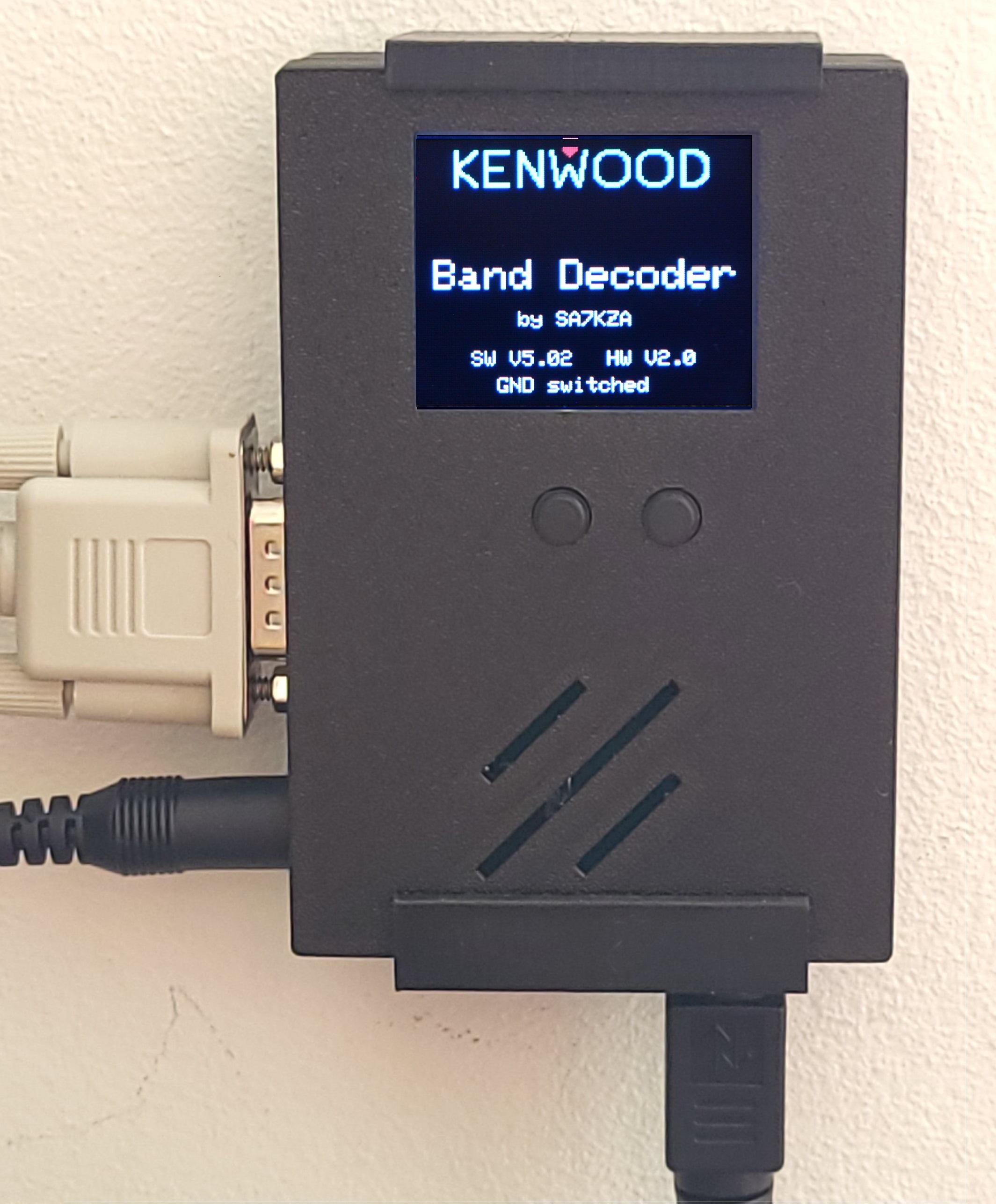
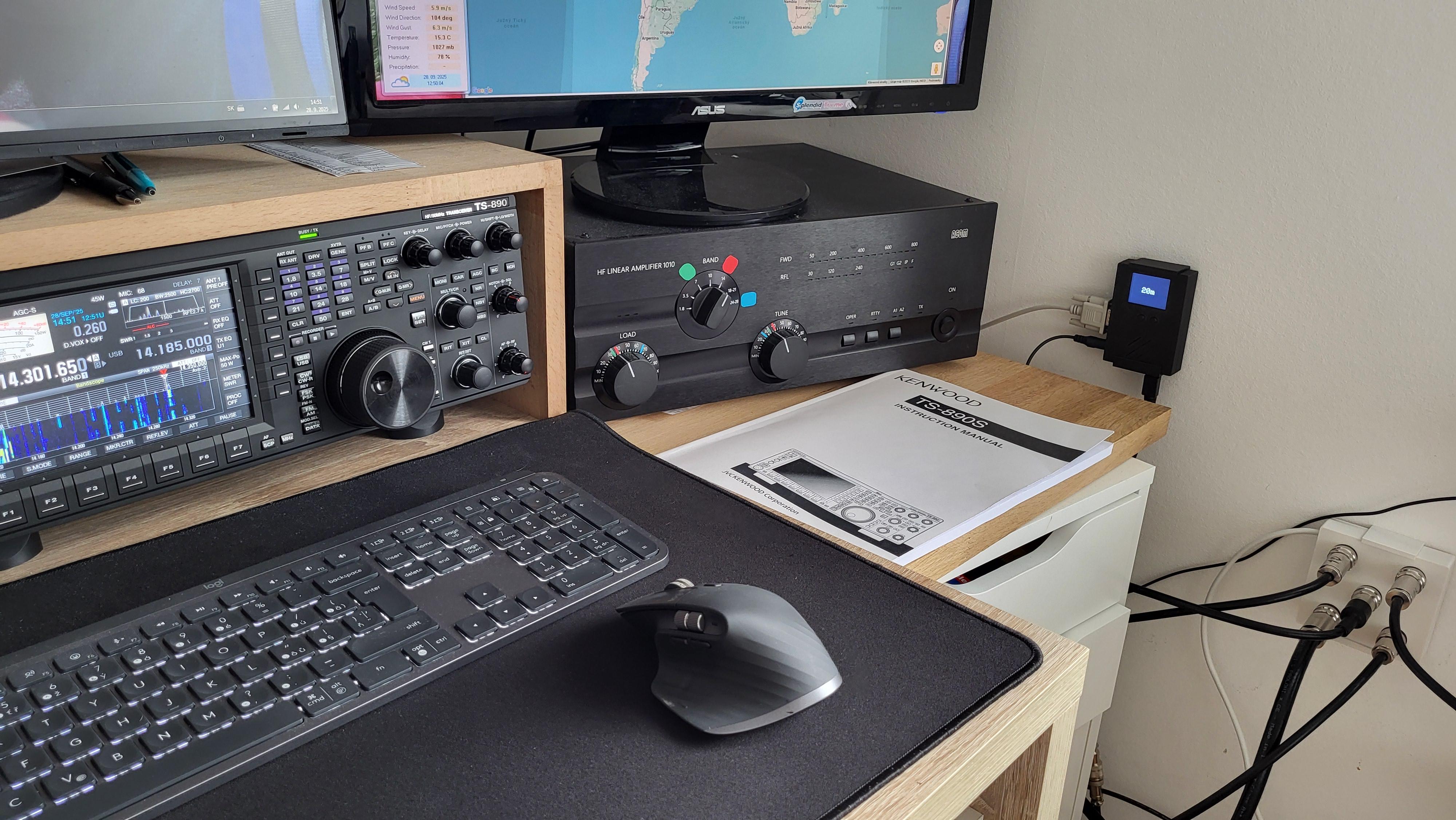




In March 2025, I bought a Kenwood TS-890 transceiver. To fully utilize its capabilities, I needed a reliable band decoder to automatically control an antenna switch. Unfortunately, I couldn’t find a commercially available solution that met my requirements — so I decided to build my own.
This project is a fully automatic band decoder that communicates directly with the transceiver and controls an external antenna switch. When combined with a suitable antenna switch, the system automatically selects the correct antenna for every amateur radio band. Of course, manual band and antenna switching is also supported.
The device communicates with the transceiver via the COM port. The microcontroller periodically queries the radio, and the transceiver responds with its current operating frequency along with additional status information such as TX/RX state. Based on this data, the decoder determines the active band and switches the corresponding output.
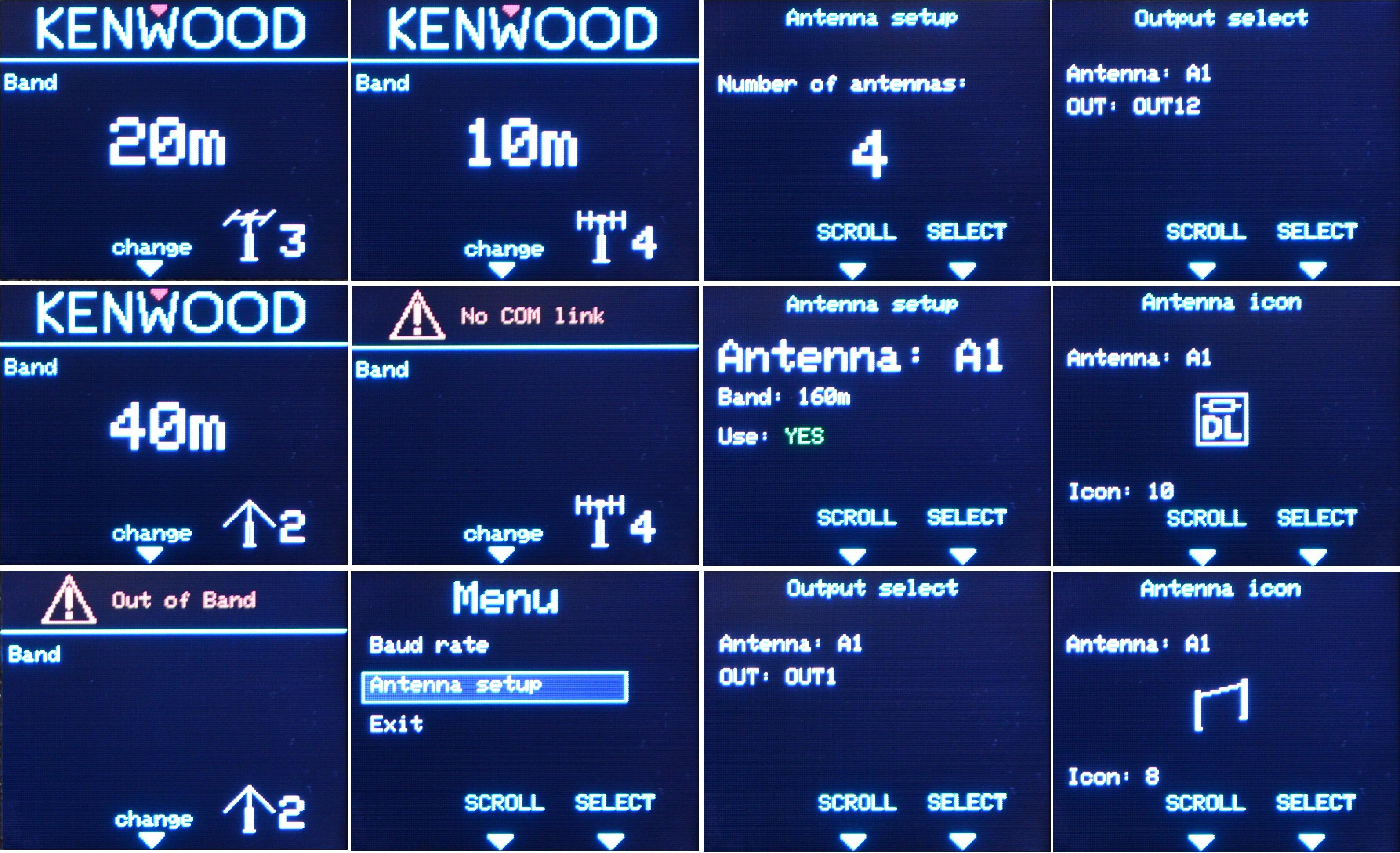
To make configuration simple, the band decoder includes a built-in menu system, allowing all settings to be adjusted directly on the device — no reprogramming of the microcontroller is required.
This article describes the “GND-switched” version of the decoder. The hardware provides 12 usable outputs, covering all amateur bands from 160 m to 6 m, including the CB band. However, since very few operators actually use all 12 bands, the design uses a 6-pin connector (the same type used by Yaesu rotator controllers). The desired outputs are selected using simple wire jumpers on the PCB, making it ideal for controlling a 4-to-1 antenna switch (or 5-to-1 in the VCC-switched version).
Firmware evolution – December 2025 update
By December 2025, the project received a major firmware update featuring a completely new user interface and menu system. The concept of band groups was removed and replaced with a much more flexible approach:
- Support for multiple multiband antennas
- Up to 12 antennas in total
- Preferred antenna selection for each band
- Manual antenna switching
- Free assignment of any antenna to OUT 1–12
- Custom antenna icons for clear visual identification
The result is a highly flexible, modern band decoder that adapts to virtually any antenna setup — from simple installations to complex multi-antenna stations.
January 2026 update: My ICOM IC-7300MK2 is at home so I already tester ICOM software version. (No detection by voltage but CI-V! It means band decoder can detect all bands! ) I already designed ICOM only board where RS232 connector is replaced to 3.5mm jack but it is small job comparing to create schema and software. ICOM version is VCC switched as new used transistor array has short circuit protection.
As ICOM uses the same "protocol" for all radios with a CV-I 3.5mm jack, device should work on all such ICOMs. Tested on 7300 and much older 706. Here is the list of compatible rigs: IC-7300MK2, IC-7760, IC-7610, IC-7300, IC-7100, IC-9100, IC-7410, IC-7600, IC-7700, IC-7200, IC-7000, IC-703, IC-7800, IC-756 Pro III, IC-756 Pro II, IC-746 Pro, IC-756 Pro, IC-718, IC-746, IC-706 MkIIG, IC-756, IC-706 MkII, IC-706. I am not sure I will publish new article here on Instructbles because there is not many radio-amateurs. If there is interest, I will create an article. We'll see.
Supplies
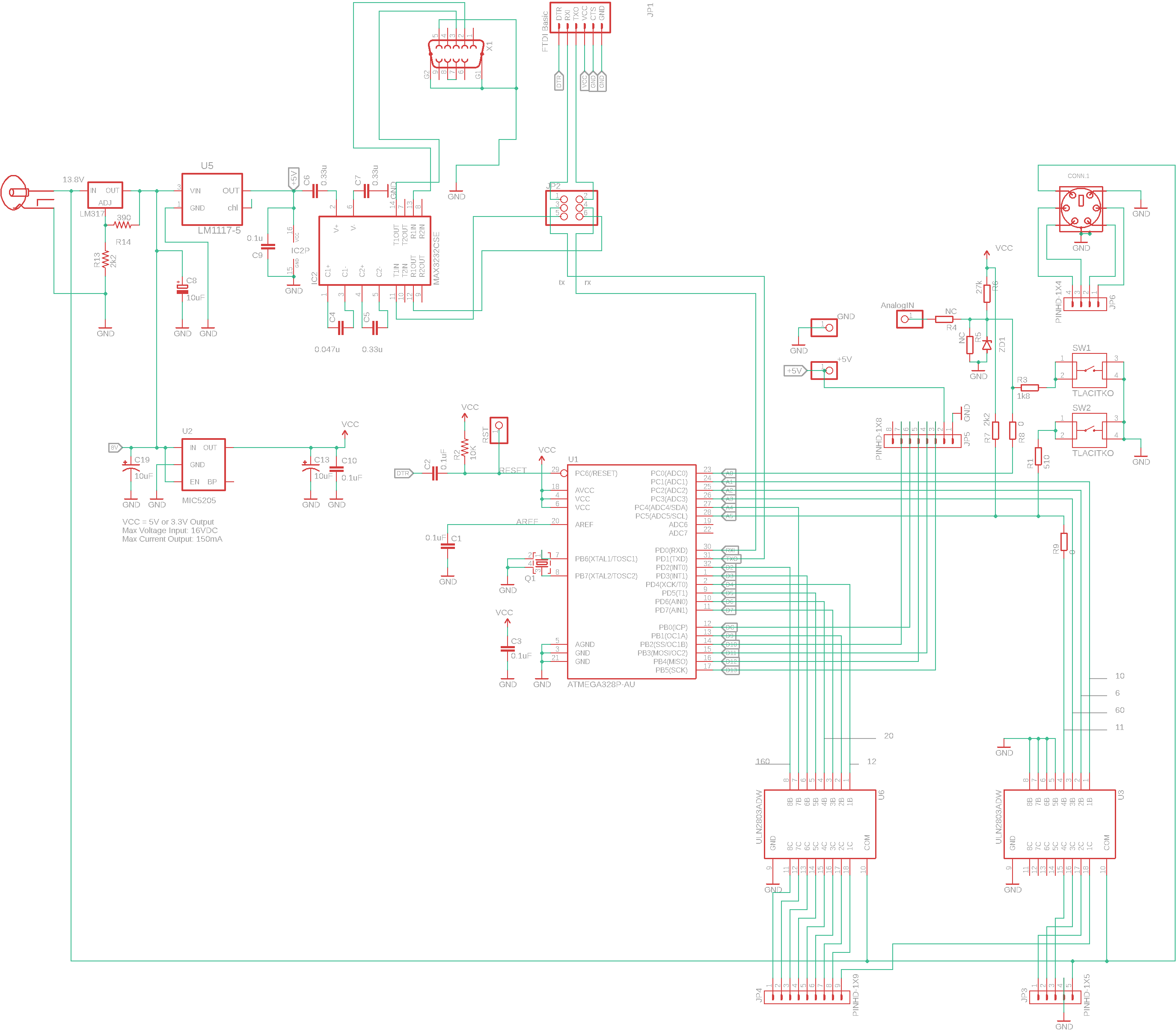
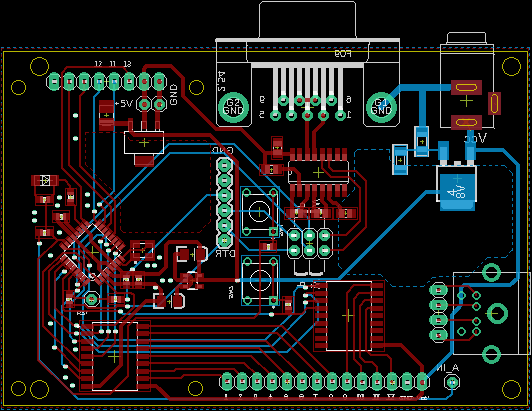
Option A – Standard Arduino board + custom interface PCB
- Arduino-compatible board
- You can use a standard Arduino board (for example Arduino Pro Mini, Nano, or Uno).
- Custom PCB according to the schematic
- In this option, the Arduino is a separate module and the remaining circuitry (level shifters, drivers, connectors, etc.) is placed on a dedicated PCB designed according to the schematic.
Advantages:
- Easy to build and debug
- Ideal for prototyping and first-time builders
Limitations:
- Larger physical size
- Slightly higher cost due to the separate Arduino module
Option B – Fully integrated Arduino-compatible clone (single PCB)
- Custom Arduino-compatible microcontroller circuit
- Instead of using a ready-made Arduino board, the Arduino Pro Mini–compatible circuit is integrated directly into the main PCB.
- All components on a single board
- The microcontroller, power supply, interface electronics, and connectors are combined on one PCB.
Advantages:
- Smaller dimensions
- Lower overall cost
- Cleaner and more professional hardware design
Limitations:
- Requires PCB design and soldering skills
- Less flexible for quick hardware changes
Additional required parts (common to both options)
- RS-232 cable (DB9, straight-through)
- A straight RS-232 cable is required.
- Pin 2 → Pin 2
- Pin 3 → Pin 3
- ⚠️ A null-modem (crossed) cable will not work.
- Antenna switch
- In my setup:
- All relay coils are connected to +13.8 V
- The band decoder activates a relay by pulling the corresponding output to GND
- This selects the active antenna.
- (antenna switch I made is here)
- TFT display – 1.8″ 128×160 RGB (ST7735)
- Two or more common display variants exist. One works without modification, the other requires a small firmware adjustment (color order / initialization)
Hardware

Hardware overview
According to the schematic, the hardware consists of three main functional blocks:
- Microcontroller (Arduino Pro Mini compatible)
- MAX3232 – RS-232 level converter
- ULN2803 – relay driver transistor array (for GND switched model only)
Each block has a clearly defined role.
Microcontroller (Arduino-compatible)
The microcontroller is wired as an Arduino Pro Mini–compatible circuit.
Its task is to handle communication, band detection, and output control.
Operation principle:
- The microcontroller periodically sends a query command (IF command) to the transceiver.
- It receives the response containing the current operating frequency and additional status information.
- Based on the frequency, the firmware determines the active amateur band.
- The corresponding output pin is activated to select the correct antenna.
Reason:
This approach ensures reliable and fully automatic band detection without relying on analog signals or external band data.
Limitation:
The method depends on correct CAT/COM communication with the transceiver.
MAX3232 – RS-232 level converter
The MAX3232 is used to communicate with the Kenwood transceiver via the COM (RS-232) connector.
Why it is needed:
- The transceiver uses RS-232 voltage levels (approximately ±5 V to ±15 V).
- The microcontroller operates at TTL/CMOS logic levels (0–5 V or 0–3.3 V).
- These levels are not compatible directly.
The MAX3232 performs bidirectional voltage level conversion, allowing safe and reliable communication between the transceiver and the microcontroller.
ULN2803 – relay driver
The ULN2803 is an 8-channel transistor array used to drive the relay coils in the antenna switch.
Purpose:
- Microcontroller pins cannot directly drive relay coils.
- The ULN2803 provides sufficient current capability and includes internal protection diodes.
Important schematic correction:
Although simplified block diagrams often show the ULN2803 input as a comparator or amplifier, in reality the inputs have relatively low impedance.
Because of this:
- A 2.2 kΩ resistor (R7) was added
- The value of R1 was changed to 510 Ω
This modification ensures proper logic levels and reliable operation.
The internal pull-up alone is not sufficient in this application (see ULN2803 internal schematic).
PCB design and assembly
I designed a custom PCB and ordered it as pre-assembled boards, which greatly reduced manual soldering.
- Only a few components need to be soldered by hand
- The main downside is the minimum order quantity (usually 5 boards or more)
As a result, I currently have unused assembled boards.
If there is interest, I can offer fully assembled boards via eBay.
AnalogIN input (optional feature)
The schematic and PCB include an AnalogIN input.
Current status:
- Not used in this project
Future use:
- Allows the same hardware to be used with transceivers that indicate the selected band using analog voltage levels
- Requires different firmware and additional testing
This makes the hardware more flexible for future expansions.
Display notes (overview only)
The display is described in detail in a separate chapter, but one important note belongs here.
I use 1.8″ 128×160 TFT displays (ST7735).
Although they look identical, I encountered two different internal variants:
- Many low-cost displays from China have RED and BLUE channels swapped
- Some also show a white or colored stripe at the edge
Good news:
- These issues can be handled in software
- With proper initialization and color correction, the low-cost displays work just as well as the original ones
Limitation:
- Some functions from the Adafruit_ST7735 library may not work correctly
- The best approach is always to test the display module you receive
Arduino Bootloader
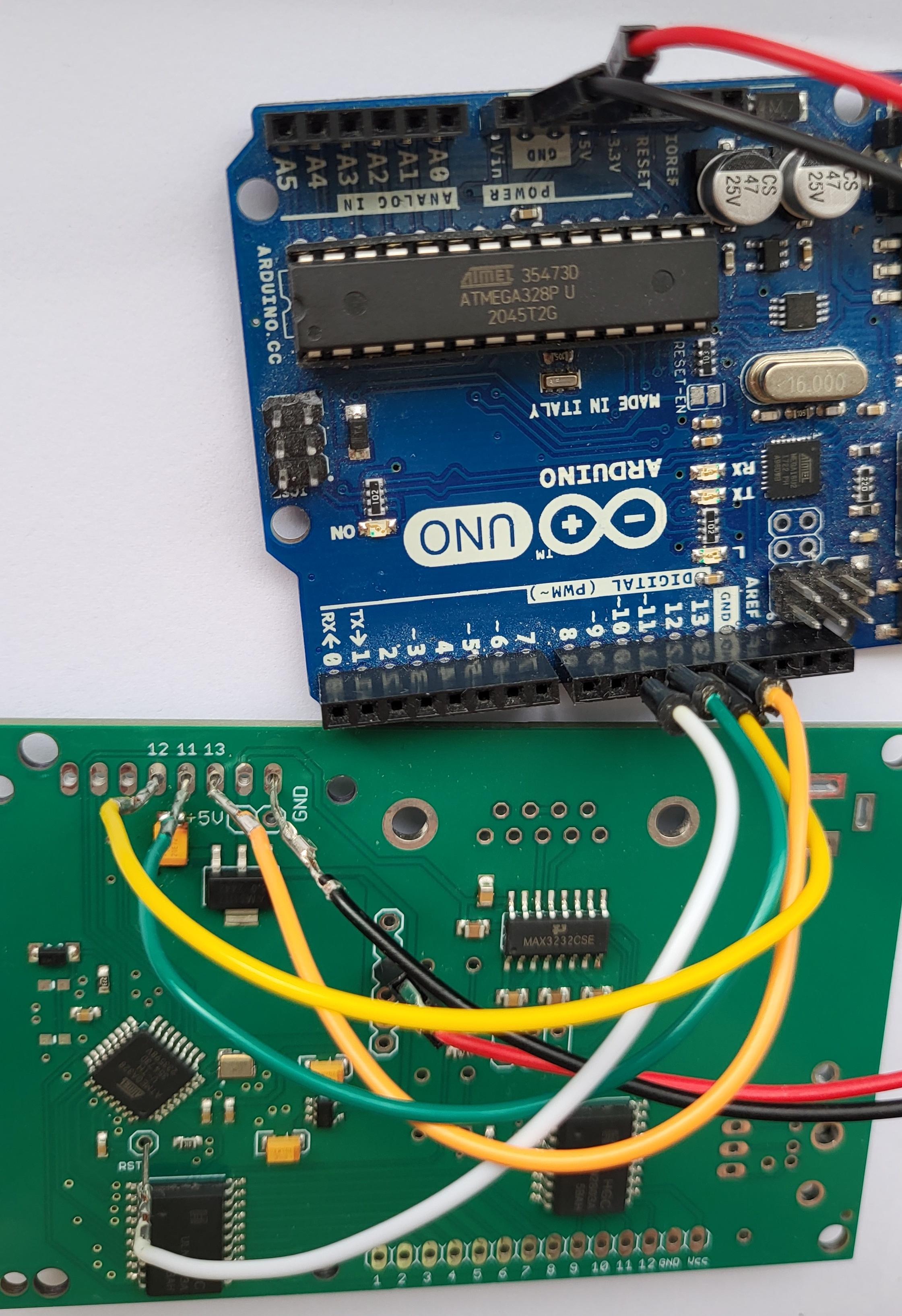
⚠️ If you are using a ready-made Arduino board, you can skip this step.
This step is only required when you build a custom Arduino-compatible clone directly on your PCB.
Why a bootloader is needed
A blank microcontroller does not understand sketches uploaded from the Arduino IDE.
The bootloader is a small program that allows the microcontroller to:
- Communicate with the Arduino IDE
- Accept firmware uploads via a serial interface
Without it, the chip cannot be programmed in the usual Arduino way.
What you need
- Arduino UNO (used as a programmer)
- USB cable for the Arduino UNO
- Target board with an ATmega328P (or compatible)
- A few jumper wires
Reason:
The Arduino UNO can act as an ISP (In-System Programmer).
Programming method
- Connect the Arduino UNO to your PC.
- In the Arduino IDE:
- Open File → Examples → ArduinoISP
- Upload this sketch to the Arduino UNO
- Wire the Arduino UNO to the target microcontroller using the ISP signals
- (MOSI, MISO, SCK, RESET, VCC, GND).
- In Tools → Board, select:
- “Arduino Pro or Pro Mini”
- Select the correct processor and clock frequency for your design.
- Click “Burn Bootloader”
After this step, the microcontroller behaves like a standard Arduino Pro Mini and can be programmed normally via the serial interface.
Notes and limitations
- Clock frequency and fuse settings must match your hardware
- (for example 16 MHz with external crystal)
- Wiring errors are the most common cause of failure
- This procedure is well documented, and many tutorials are available online
Once the bootloader is installed, you can proceed directly to uploading the firmware for the band decoder.
The Code

Programming the microcontroller
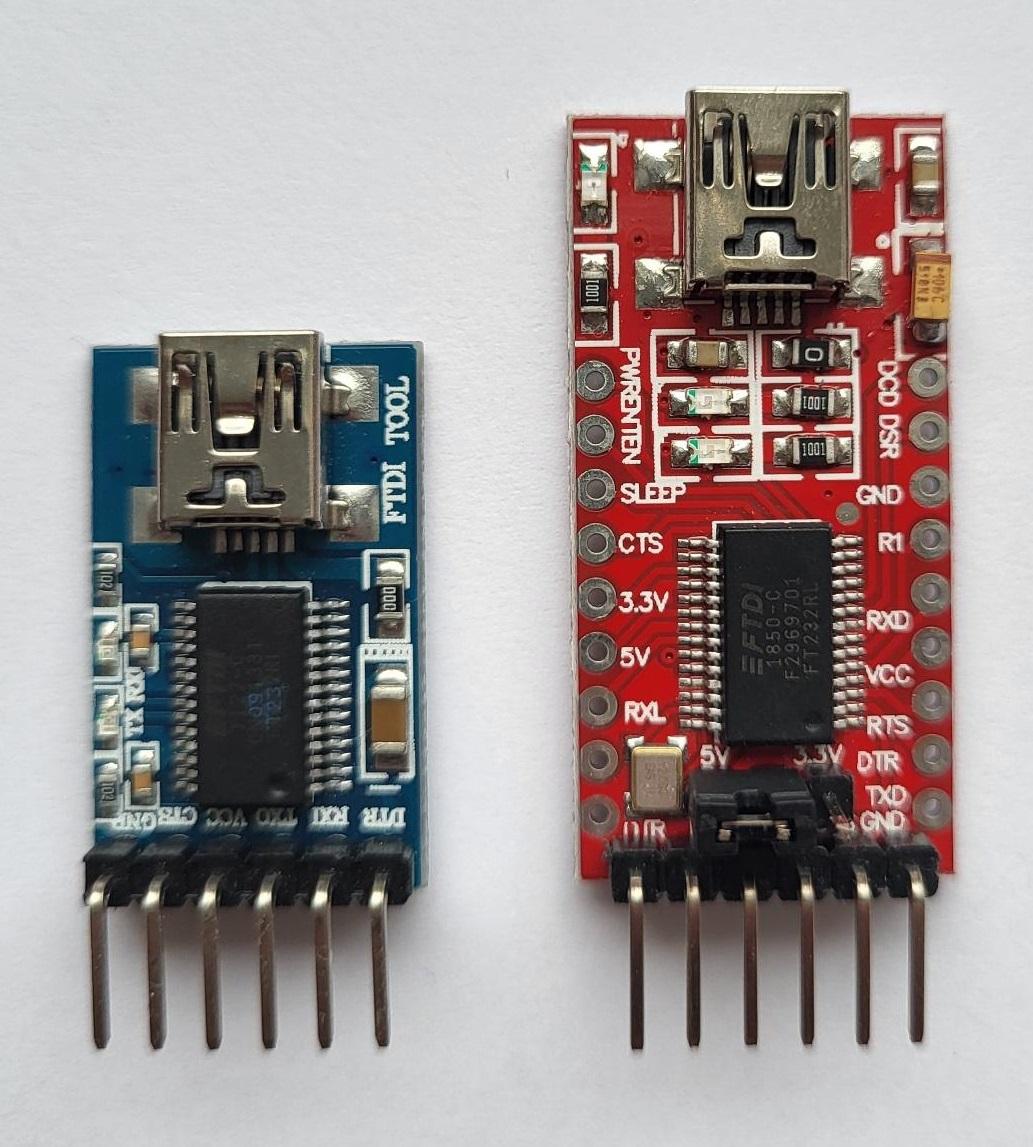
You will need a serial programmer (USB-to-TTL adapter).
Any adapter can be used, as long as the pinout matches the schematic and PCB.
I use an older programmer with the following pin order:
DTR – RX – TX – VCC – CTS – GND
⚠️ Important:
- Always verify the pin order before connecting
- A wrong connection may prevent programming or damage the board
Firmware
March 2026:
After months of posting the code here, I haven't received any response. Either no one will have the code or they will just copy the principle of operation.
I'm changing my strategy. For people who share their work and can prove it, the code will be free upon request. Just send an email and a link where you share some of your work. For others, I won't post the code or I'll get paid for it.
Enclosure
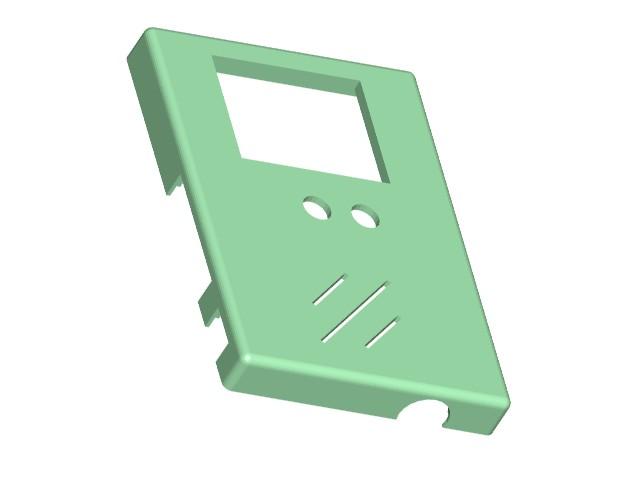

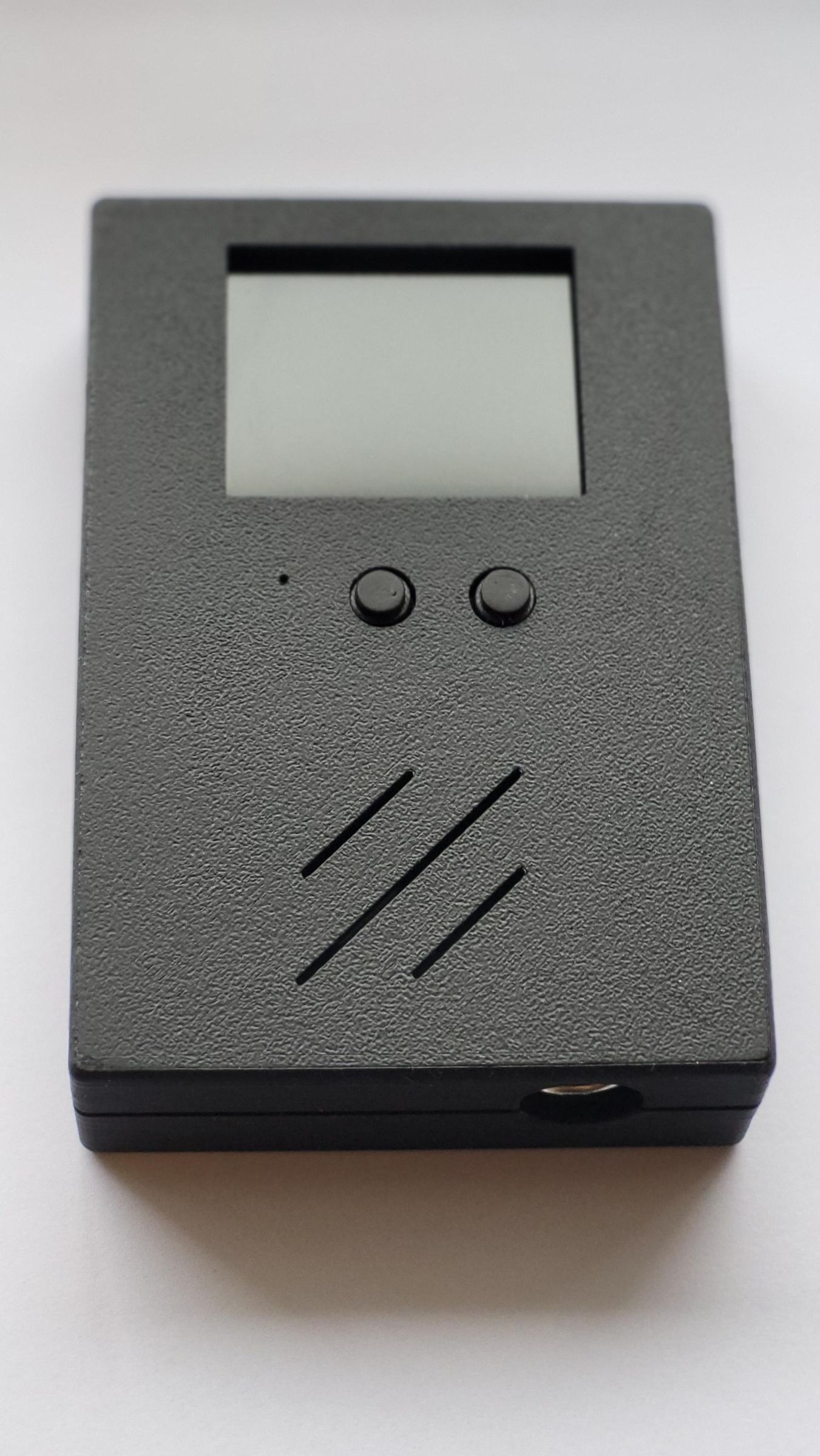
I made 3D model for my PCB.
Outputs
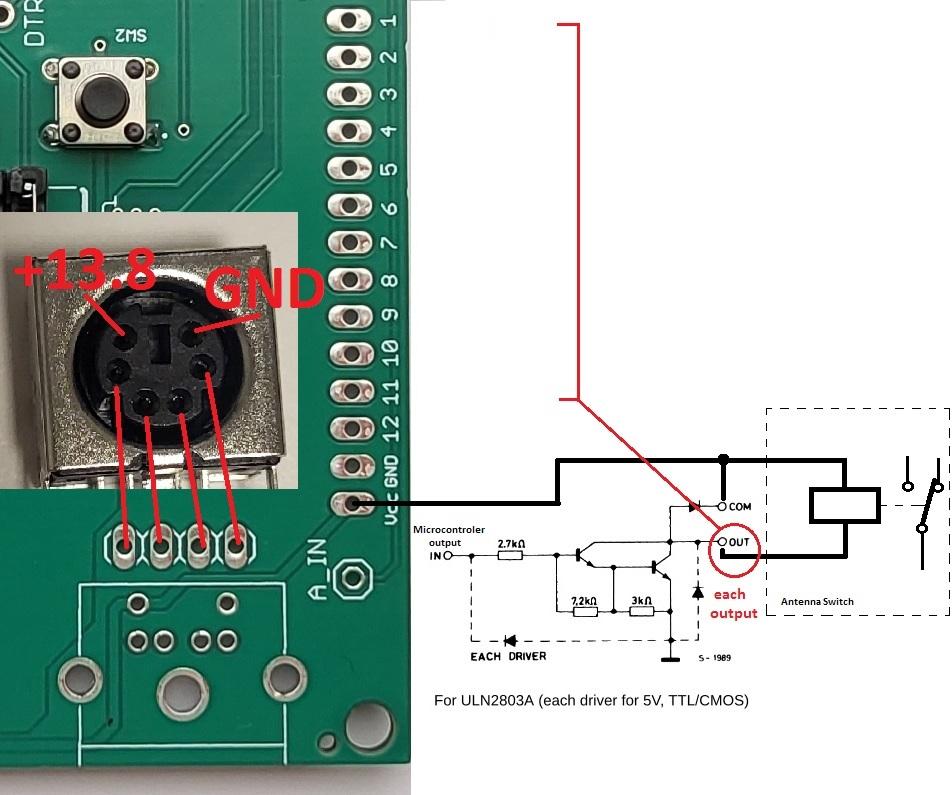
Output structure overview
The band decoder provides:
- 12 independent “main” outputs
- One auxiliary 6-pin connector (optional)
The 6-pin connector is not required for operation.
It is included purely to simplify wiring between the band decoder and a typical antenna switch.
The 6-pin auxiliary connector
The 6-pin connector already includes two fixed connections:
- Ucc (+13.8 V)
- GND
The remaining four pins are user-configurable.
Using simple wire jumpers on the PCB, each of these four pins can be connected to any of the 12 main outputs.
Reason:
This allows easy connection to common 4-to-1 antenna switches without running many individual wires.
Limitation:
Only four outputs can be routed to the connector at the same time.
If you need more outputs, you can always use the main output pins directly.
Outputs Example
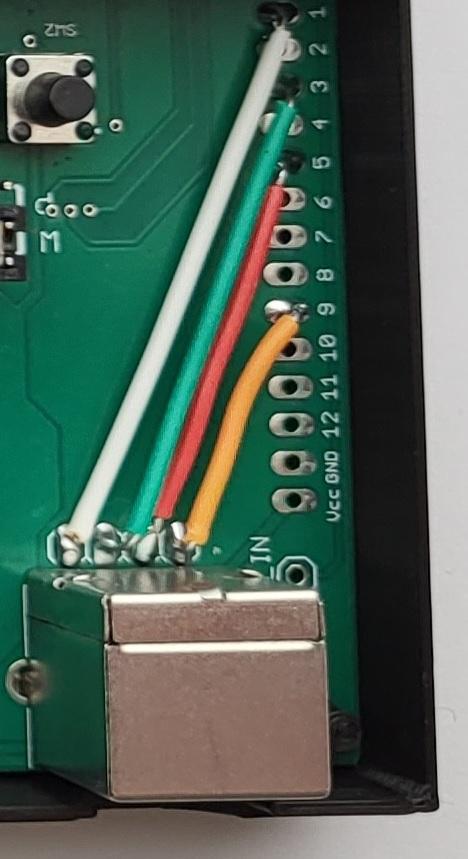
Example configuration
I use four antenna outputs, each driving one relay in the antenna switch.
Each wire has two clearly defined ends:
- First end: soldered directly to one of the main outputs (OUT 1–OUT 12) on the band decoder PCB
- Second end: soldered to a pin of the 6-pin connector, which goes to the antenna switch
Assigned outputs and antennas
- White wire
- First end: soldered to Output 1 (ULN2803 output)
- Second end: connected to the 6-pin connector
- Antenna A1: assigned to all unused bands and connected to a dummy load via the antenna switch
- Green wire
- First end: soldered to Output 3
- Second end: connected to the 6-pin connector
- Antenna A2: 40 m inverted-V dipole
- Red wire
- First end: soldered to Output 5
- Second end: connected to the 6-pin connector
- Antenna A3: 3-element monoband 20 m Yagi-Uda
- Yellow wire
- First end: soldered to Output 9
- Second end: connected to the 6-pin connector
- Antenna A4: 10 m / 11 m band antenna
Connector choice and reasoning
The 6-pin connector is used only as a convenient interface between the band decoder and the antenna switch.
I reused this connector type from another project (Yaesu rotator LAN interface). Since my antenna switch has only four relays, the 6-pin connector is more than sufficient and keeps wiring clean and compact.
Alternative versions
- In an earlier buttonless version, I used an 8-pin Icom microphone connector
- That version required a slightly larger enclosure
- A 3D enclosure model is available on request
VCC-switched version note
In the VCC-switched version, up to five outputs can be routed to the connector, because only GND is permanently wired, leaving more pins available for signal outputs.
Notes
Please note that:
- The design was created in Eagle
- I currently use Eagle only, so the files are available in this format
Contact
- All licensed radio amateurs, for whom this article is intended, can find and contact me under the callsign SA7KZA on the QRZ website.
New Version, Positive Output and Possibility for ICOM (voltage and CI-V)
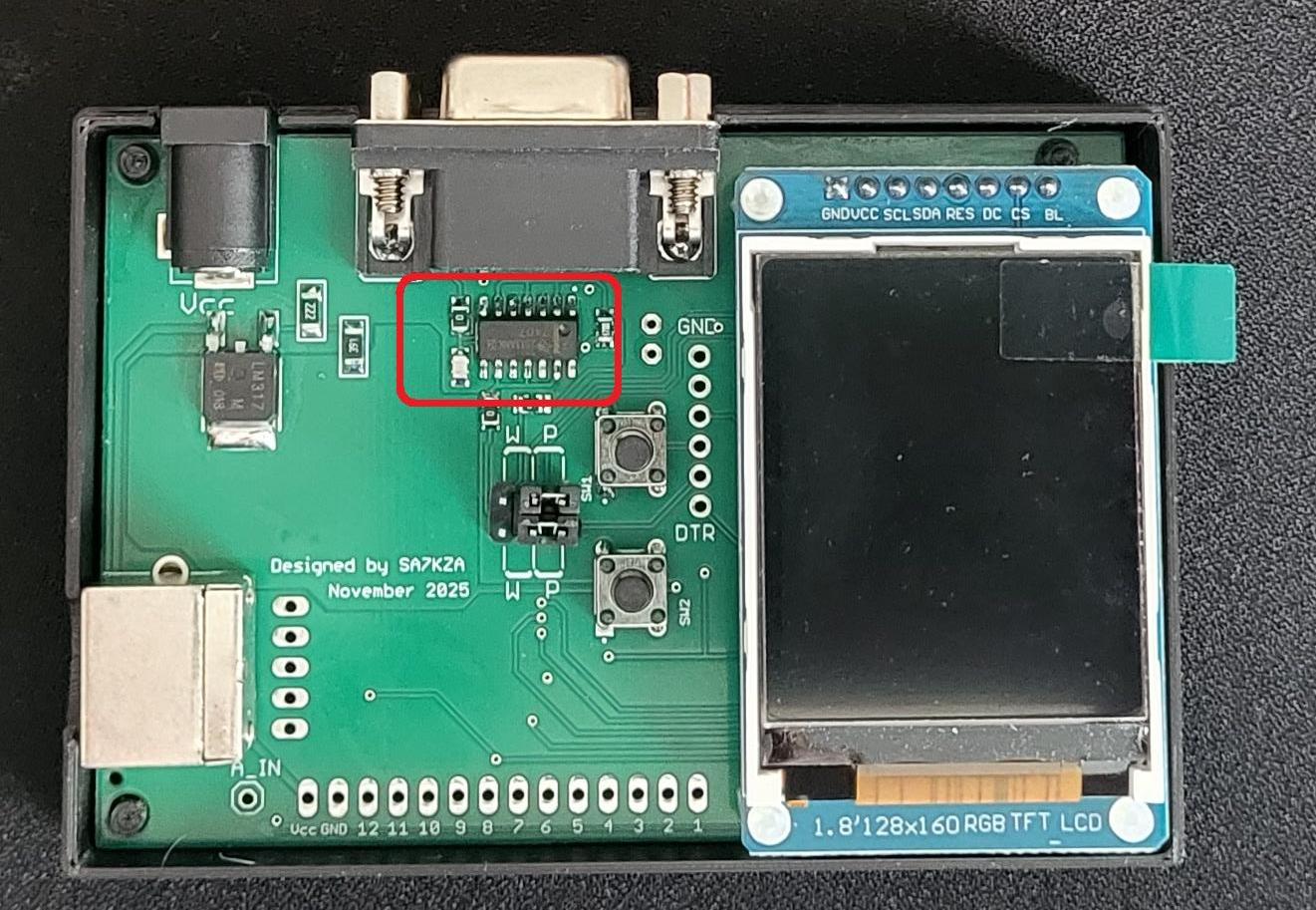
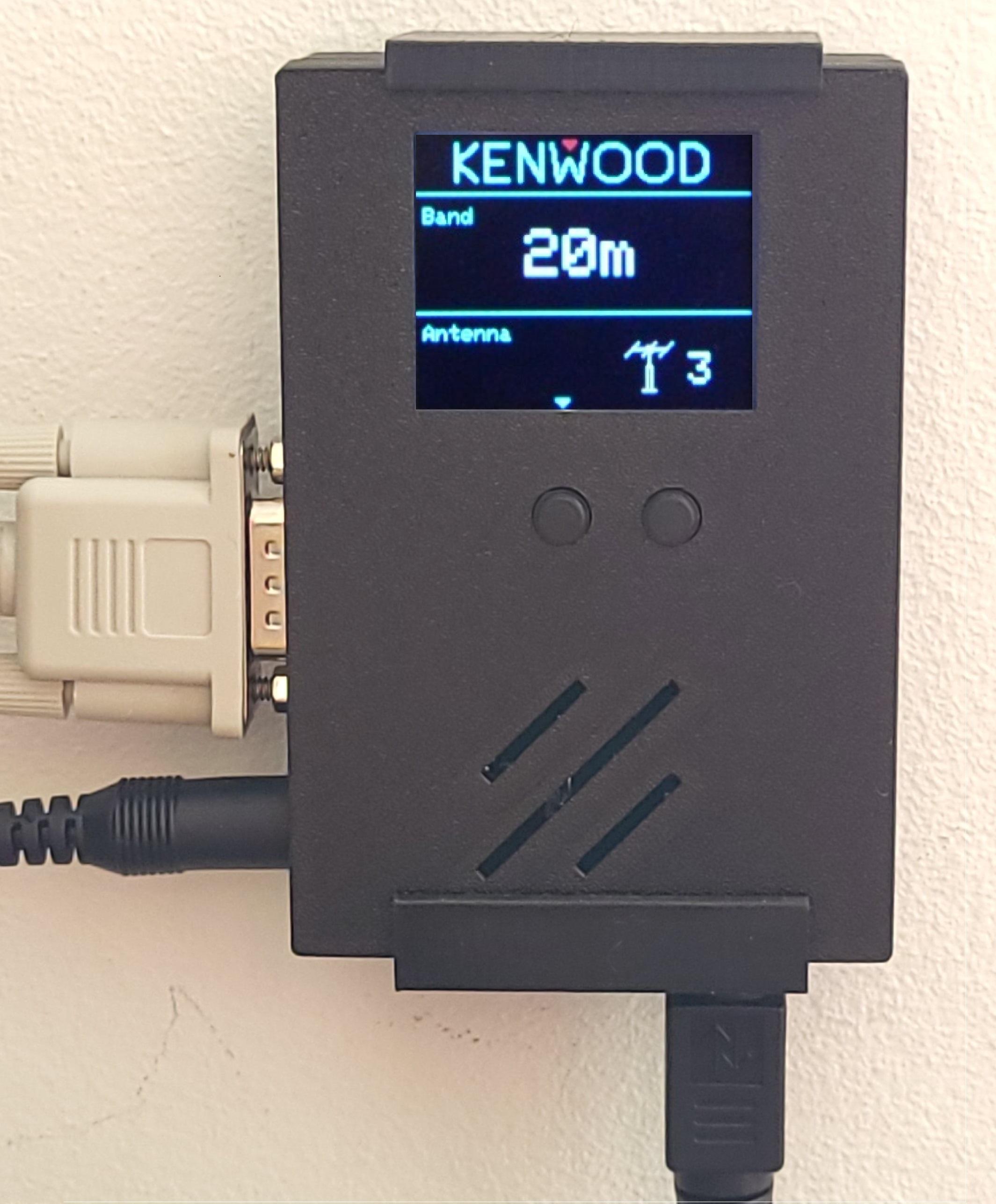
During further development, I discovered an important practical detail:
Most commercially available antenna switches use positive logic to control their relays. In other words, a relay is activated by applying +12 V (typically +13.8 V) to its control input.
Positive-output (VCC-switched) version
To ensure compatibility with commercial antenna switches, I redesigned the output stage and replaced the original output driver IC with a device suitable for positive-voltage switching.
Result:
- The band decoder can directly drive commercial antenna switches
- No external interface circuitry is required
- The rest of the firmware logic remains unchanged
This modification makes the band decoder far more versatile in real-world stations.
ICOM compatibility (Voltage / CI-V)
While redesigning the hardware, another idea came up:
Why not make the band decoder compatible with ICOM transceivers as well?
To support this, I added a CI-V interface (see schematic image).
Key points:
- Voltage-based band input was already present on the board but is unused.
- CI-V is preferred because it allows clear band identification and separation
Testing status
- The VCC-switched version is already tested with Kenwood TS-890, ICIM IC-7300MK2 and older ICOM 706 transceivers