Lumina: the "Warm Tech" Joy Receiver
by lisalodesign in Circuits > Microcontrollers
83 Views, 1 Favorites, 0 Comments
Lumina: the "Warm Tech" Joy Receiver
Why is it that you can perfectly recall a criticism from three years ago, but you struggle to remember a small win from last Tuesday?
It turns out, this is a biological bug. It’s called the Negativity Bias. Our brains are hardwired for survival, meaning we cling to bad memories to avoid danger, but we let good memories slip away. We don't need help remembering our bad days—our brains do that automatically. We need help holding onto the small wins.
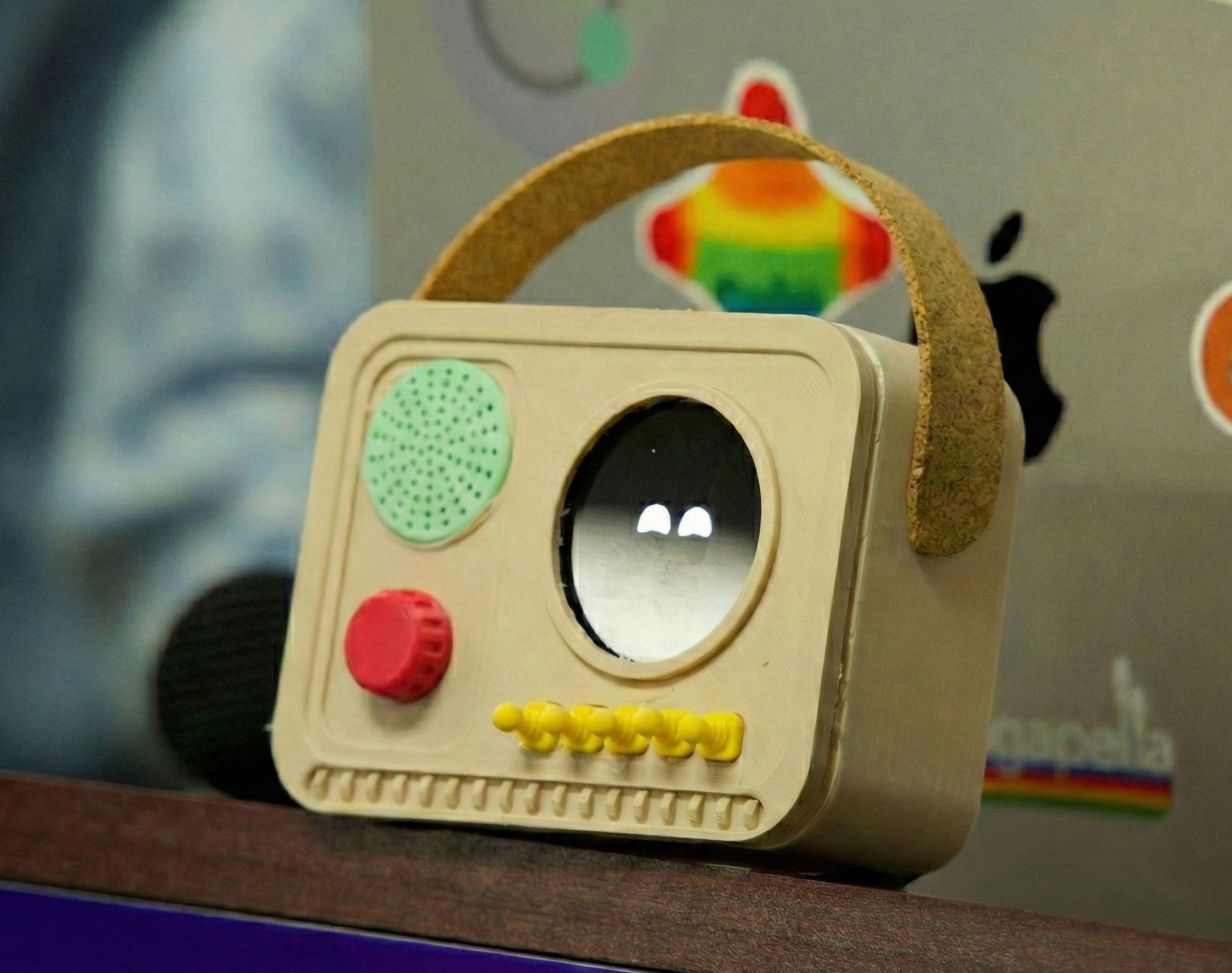
Meet Lumina. Lumina is the technological counterbalance to that biological flaw. It is a "Digital Hype Cheerleader" that sits on your bedside table that interacts with you.
💛 Input: When you have a small win—you fixed a bug, cooked a great meal, or just felt peaceful—you whisper it to the device.
💛 The Magic: The Tuya AI analyzes the sentiment. If it’s positive, it turns that memory into a "digital firefly" on the screen.
💛 Output: When you feel like an imposter or are burned out, you don't scroll Instagram. You physically shake the radio. The fireflies swarm, and it releases a randomized audio memory of your small wins, proving that you are worthy and you matter.
Check out Lumina at work! https://youtube.com/shorts/7SFkNYQ7voY
Supplies


The Brains:
- Tuya T5 AI Mainboard (documentation): Selected for its all-in-one capabilities (Microphone, Screen Driver, and crucially, an on-board 6-axis IMU).
- Micro SD Card: For caching high-speed animations.
- Speaker (4 Ohm 3W): To play back your memories.
- Power: Battery pack with USB-C plug
The Body:
- 3D Printed Enclosure (see files below)
- Tuya Smart Life App: For prompt engineering the AI personality.
3D Printing the Radio Enclosure

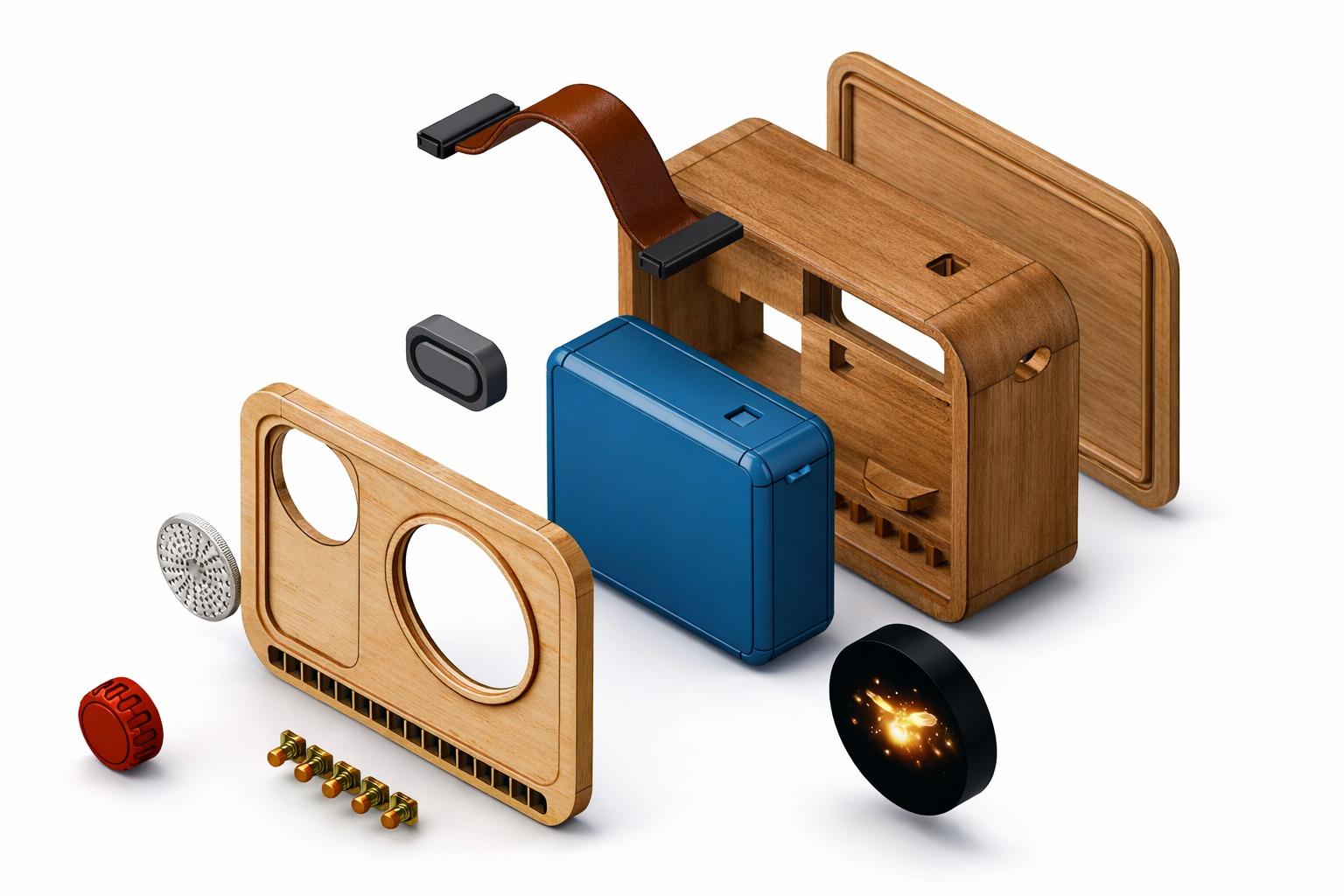
- Filament: Wood PLA (We recommend Hatchbox Wood or similar), but feel free to customize your radio!
- Files: Download the .STEP files from the bottom of this page or our Google Drive. Export it to .STL and input them into your preferred slicer (My favorites are Cura or BambuLabs). Print one of each, except for the deco sticks - please print 5 of the yellow sticks.
- Print Settings:
- Infill: 15-20%
- Layer Height: 0.2mm.
- Supports: "Tree Supports" recommended for the internal mounting brackets.
Electronics Assembly
The beauty of the Tuya T5 Board is that it requires almost zero wiring.
- Speaker: Solder your 4 Ohm 3W speaker wires to the header labeled SPK on the T5 board. (Polarity doesn't strictly matter for a mono speaker, but keep Red to + and Black to - for good practice).
- Optional SD Card: Format your Micro SD card to FAT32. Load the assets folder (containing the fireflies.gif and boot_animation.gif from our repo) onto the root of the card. Insert it into the T5's slot.
- Mounting: Use M2.5 screws to secure the T5 board into the 3D-printed chassis. Ensure the microphone port aligns with the small hole on the front of the case.
Firmware & Tuya IoT Setup
This is where the magic happens. You need to connect the hardware to the "Small Wins" brain.
A. The Cloud Setup:
- Go to the Tuya IoT Platform (iot.tuya.com) and create a generic "Smart Speaker" or "AI Device" product.
- Copy your UUID and AuthKey. You will need these to authorize the device.
- Navigate to the AI Agent tab. Create a new Agent and paste the "System Prompt" we provided in the Story section.
- Tip: Set the "Temperature" to 0.7 to make the AI sound more creative and less robotic.
B. Flashing the Board:
- Clone our repository:
- Bash
- git clone https://github.com/aceride23/lumina
- Open the project in Visual Studio Code (ensure you have the Tuya Open SDK extension installed).
- Open src/config.h and paste your UUID and AuthKey.
- Connect the T5 board via USB-C.
- Click "Build & Flash" in the Tuya extension.
The "Shake" Calibration
Once flashed, test the IMU.
- Open the Serial Monitor in VS Code.
- Shake the device. You should see logs like [IMU] Shake Detected! Variance: 1.5g.
- If it triggers too easily (e.g., when you put down a coffee cup), increase the threshold value in sensor_logic.c.
- If it's too hard to trigger, decrease the value.
Final Assembly

- Hot glue the speaker into the dedicated slot in the enclosure (ensure it's airtight for better bass response).
- Snap the back lid onto the case.
- Plug it in USB-C power.
- Test Run: Wait for the boot animation, then whisper, "I finally fixed that bug in my code." Watch the fireflies appear. Shake to hear it back.