Modern Mansion
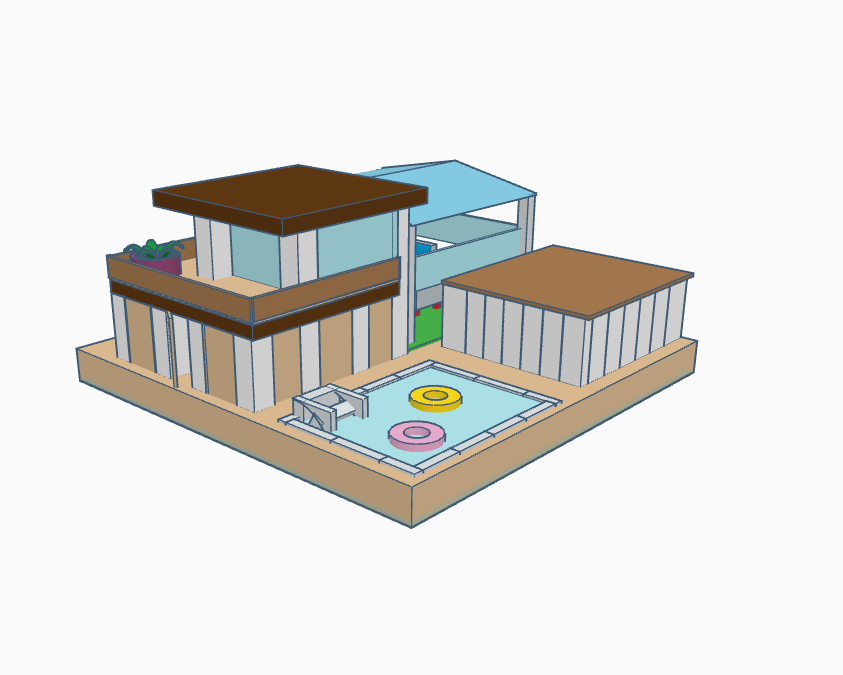
Would you like to build this mansion? Well, go ahead to follow these directions.
The Ground

Create a box 200 by 200 by 15 as shown in the picture.
Create a Hole

Create a hole which would be for the pool.
Tiles

Add some tiles around the pool in a square as shown for a professional look.
Pool Complete

Add in a blue box to fill in the whole to create "water"
Pillars
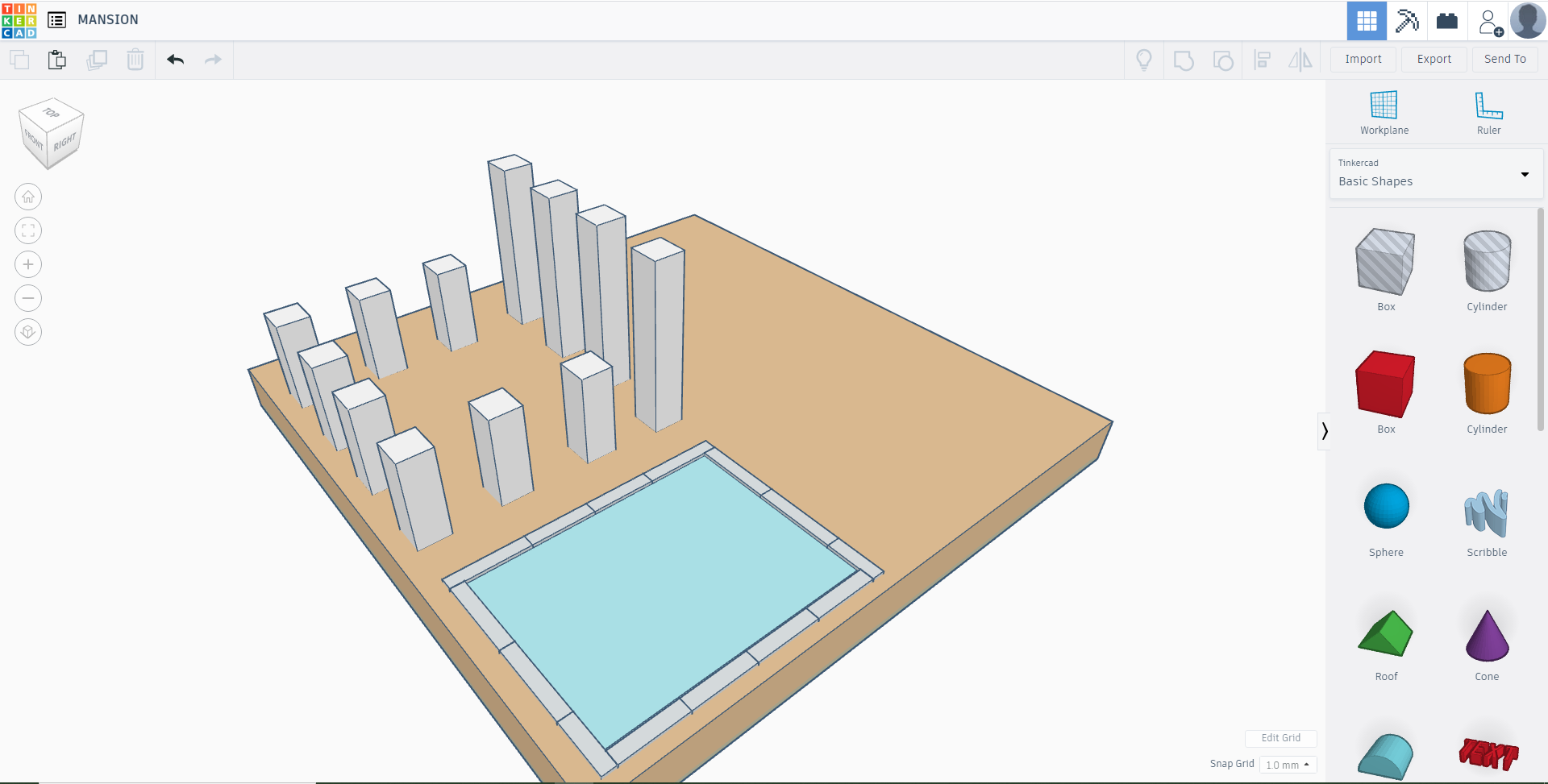
Add in 12 pillars 4 of them tall, and 8 half the size of the tall ones as shown in the pictures.
Floor

Add in two blocks, one dark brown for the roof, and a light brown for the floor of the balcony.
Pillar Adjustment

From the 4 tall pillars, raise the 2nd, 3rd, and 4th ones, and lower the 1st one as shown in the pictures.
Pillars

Add two pillars in the front as shown in the diagram. Also, add a roof the same color as the lower roof.
Balcony Railings
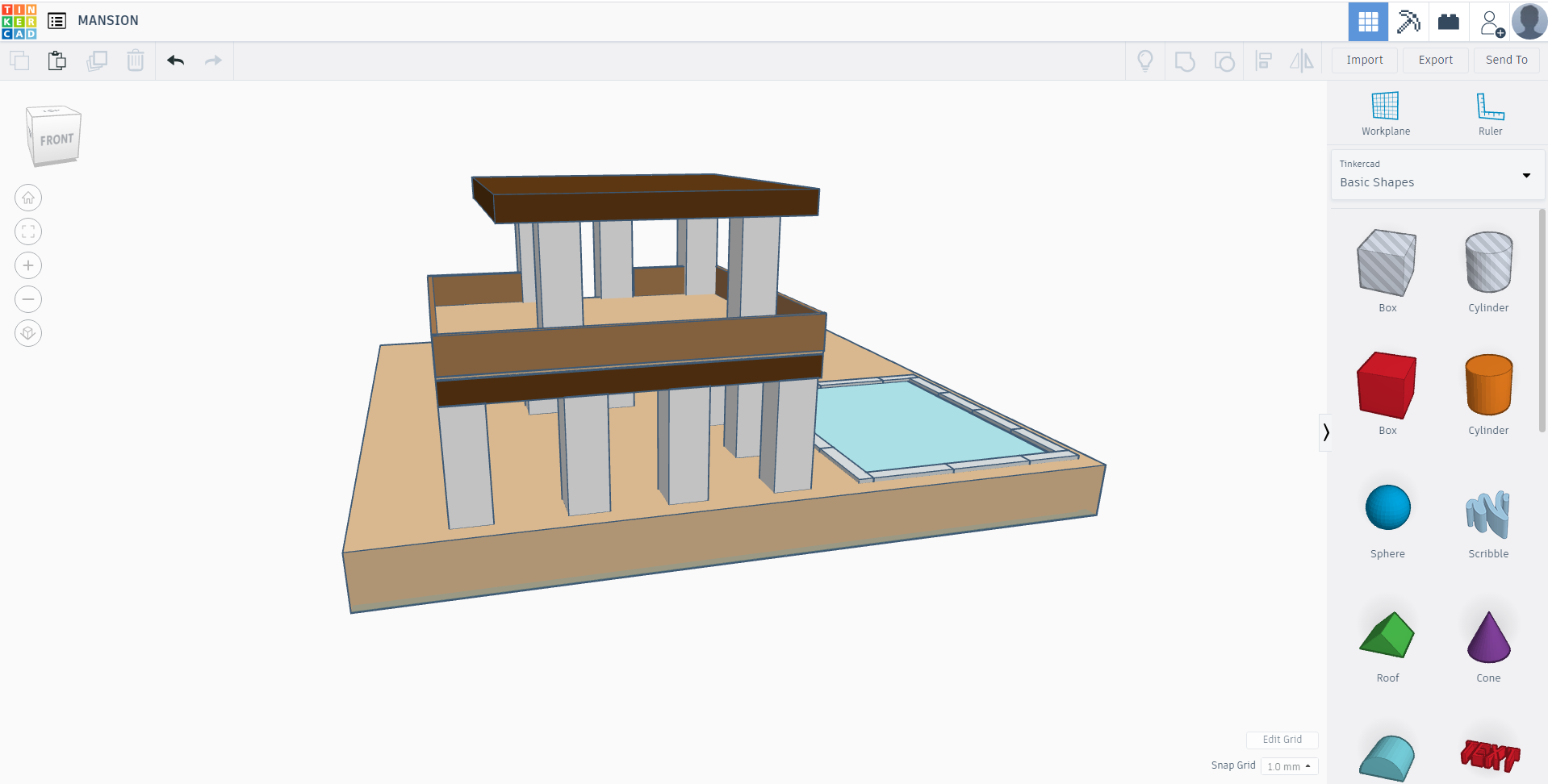
Add the brown railings as show for the balcony.
Glass

Add some blue thin blocks to imitate glass.
Panels
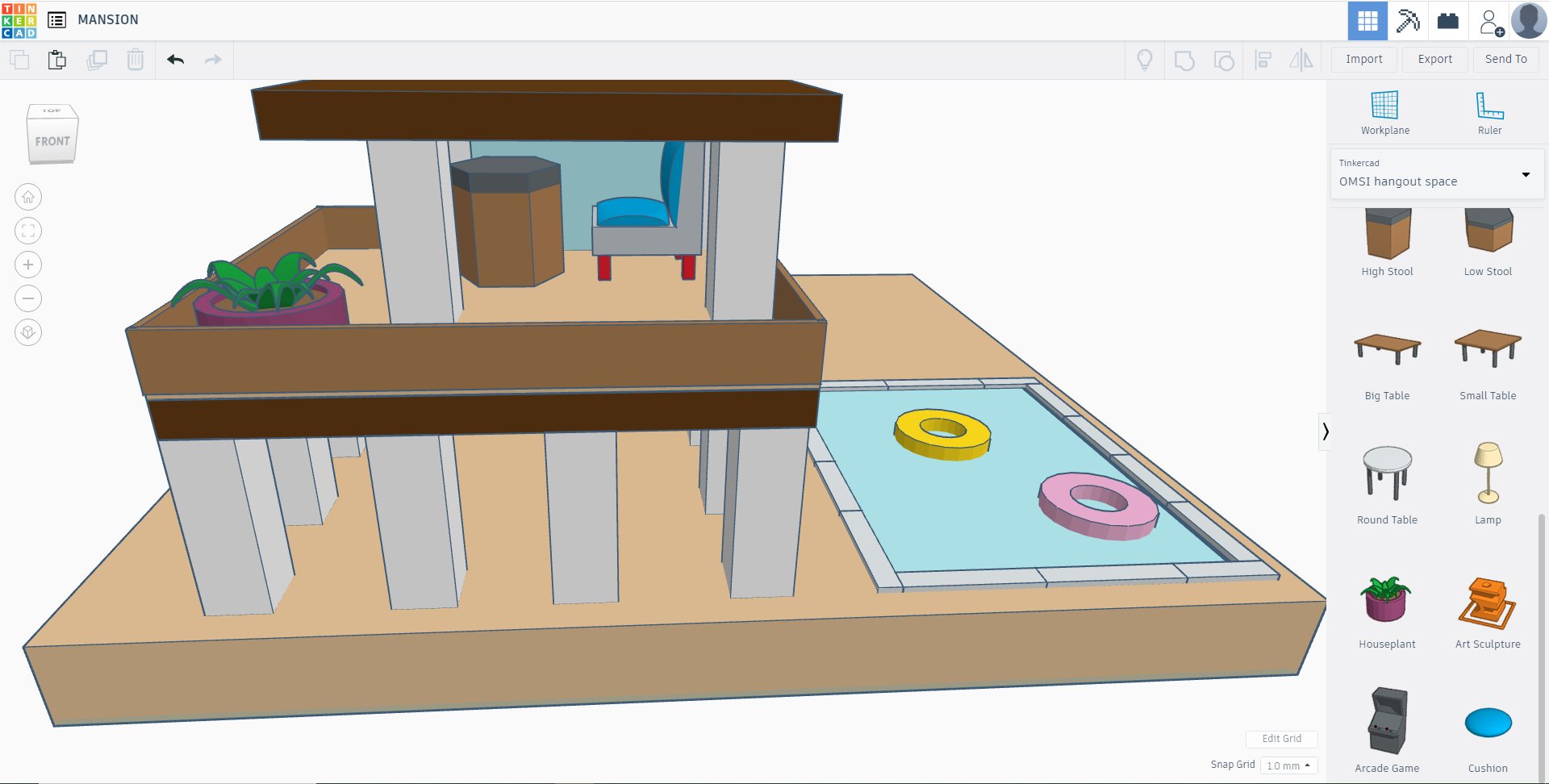
Remove the front panel to add a high stool and a middle couch from the OMSI hangout space.
Also I added 2 pool floaties in the water.
Doors

Add some brown blocks as shown in the middle of the pillars to create doors.
Garage
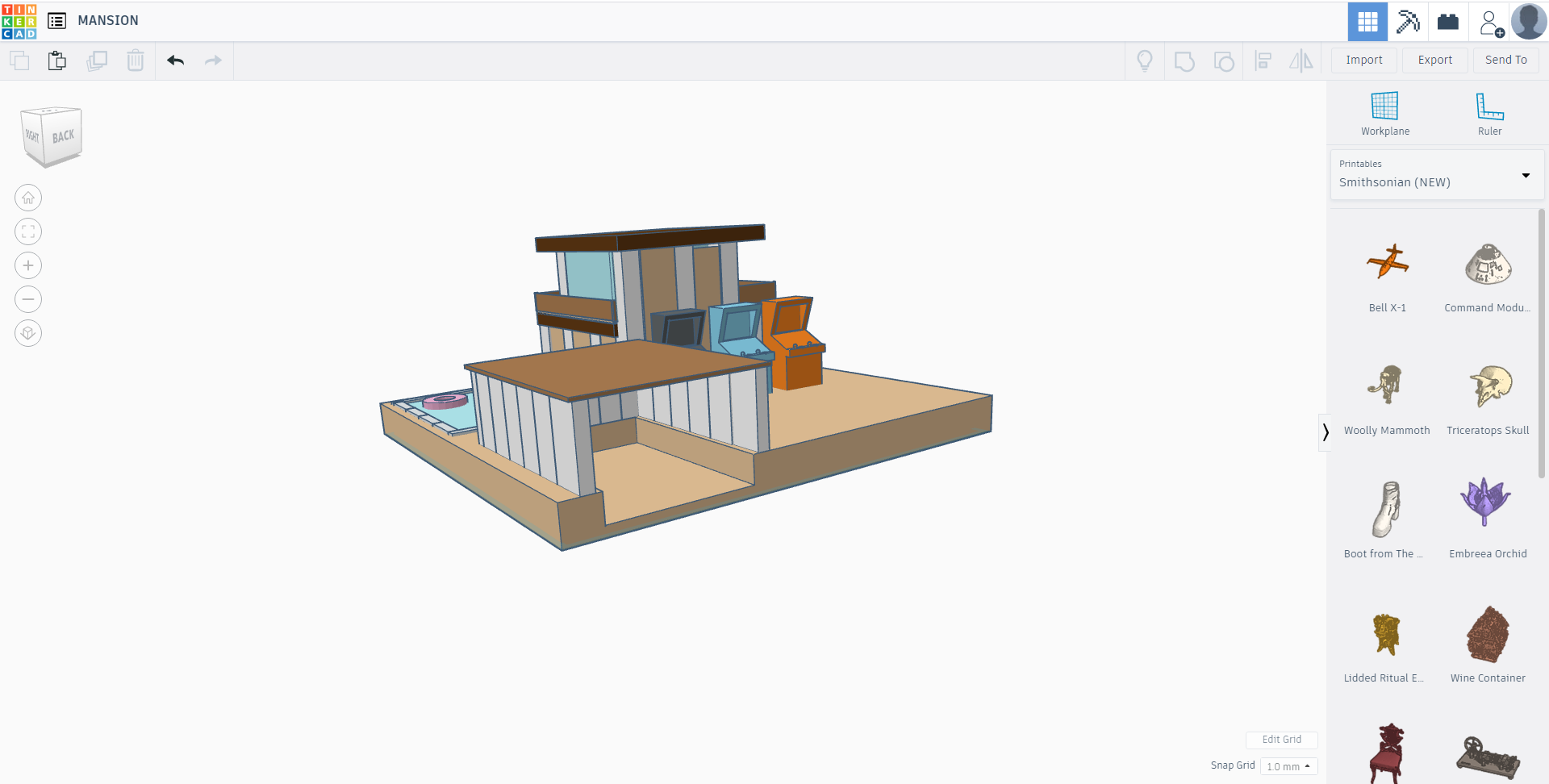
Create a Garage by adding multiple white blocks with a roof to shelter a car.
Canopy

Create a canopy using 4 pillars, blocks, and a roof. Add some couches from the OMSI hangout space, including a round table.
Car
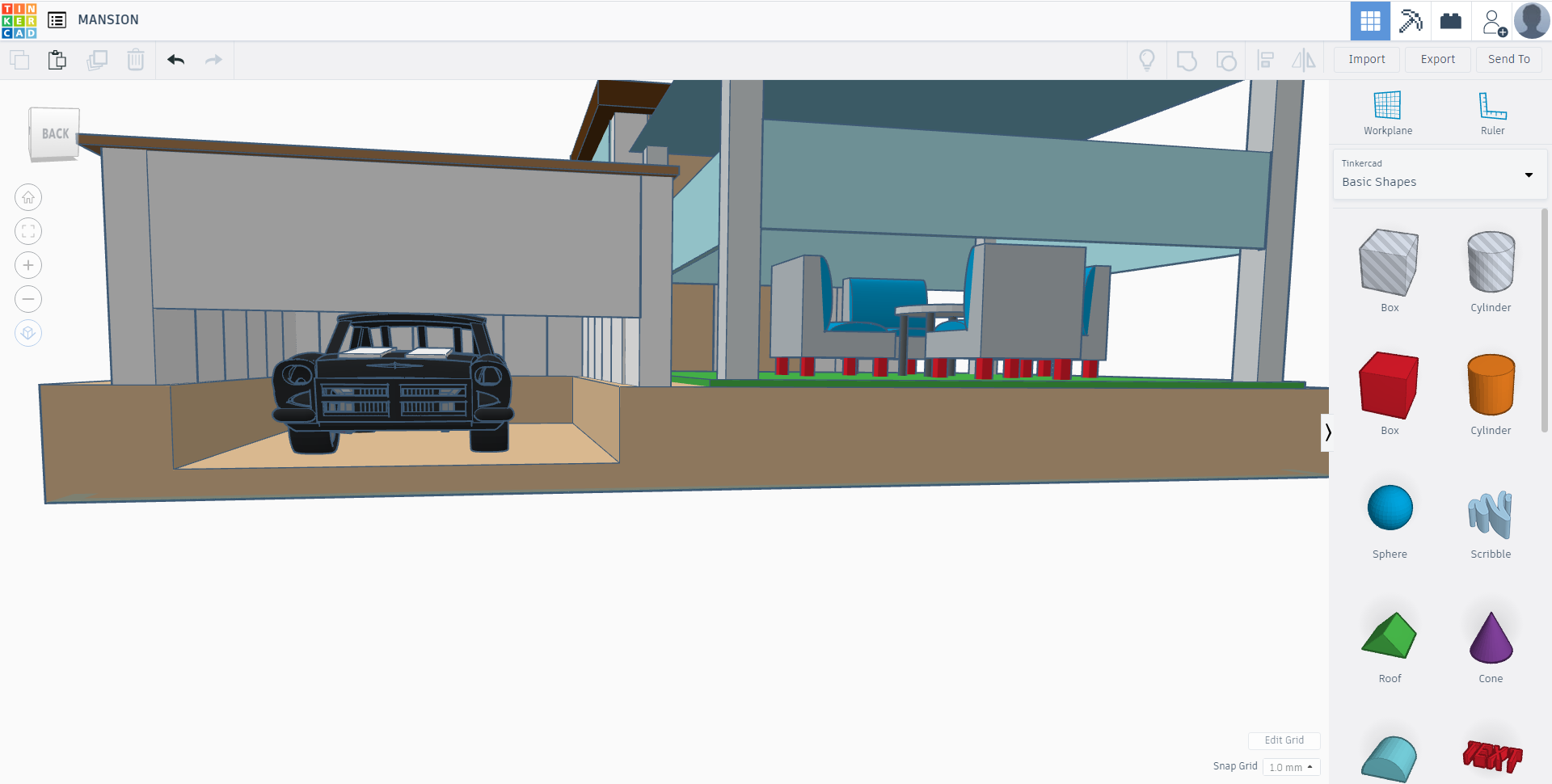
https://www.tinkercad.com/things/9M5IqCGGebM
That is the link for the car. Copy and paste it, and add it inside your garage. Then add a door to make it look like the garage is opening.
AC
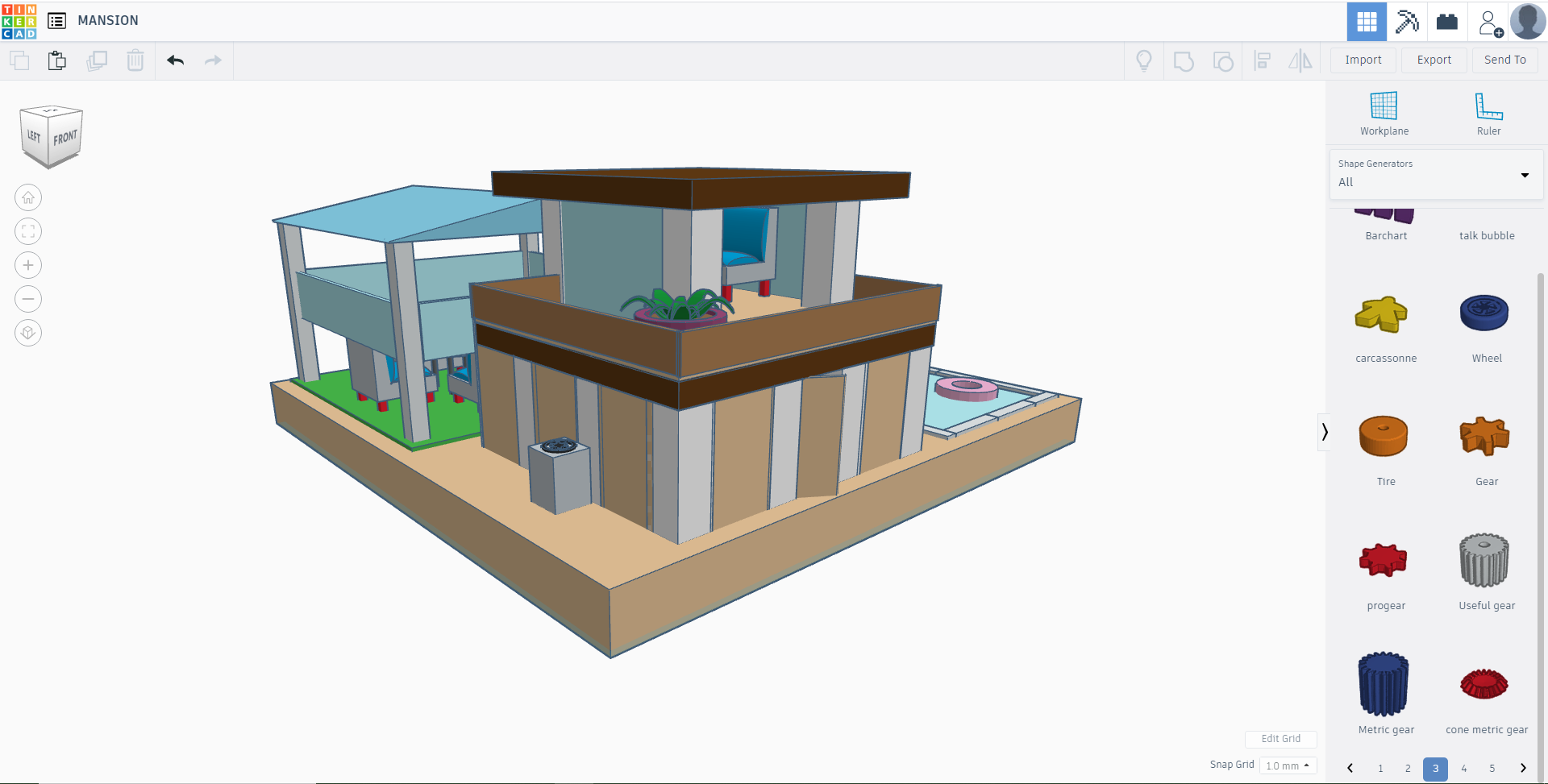
What is a home without an AC? Add one. Use a box, a cylinder with a hole, and a gear for the AC on the side of the house.
FINISHED!
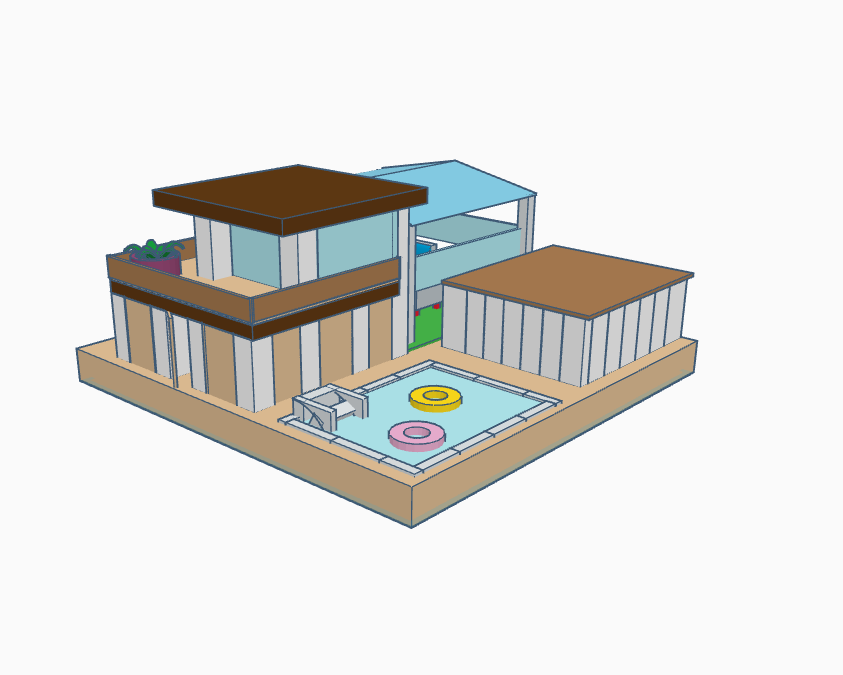
You are done! You can always add extra things.