(New V3) Dash Cam Power Supply With Ultra Low "power Off" Consumption (50uA)
by kuzysk in Circuits > Arduino
109 Views, 0 Favorites, 0 Comments
(New V3) Dash Cam Power Supply With Ultra Low "power Off" Consumption (50uA)
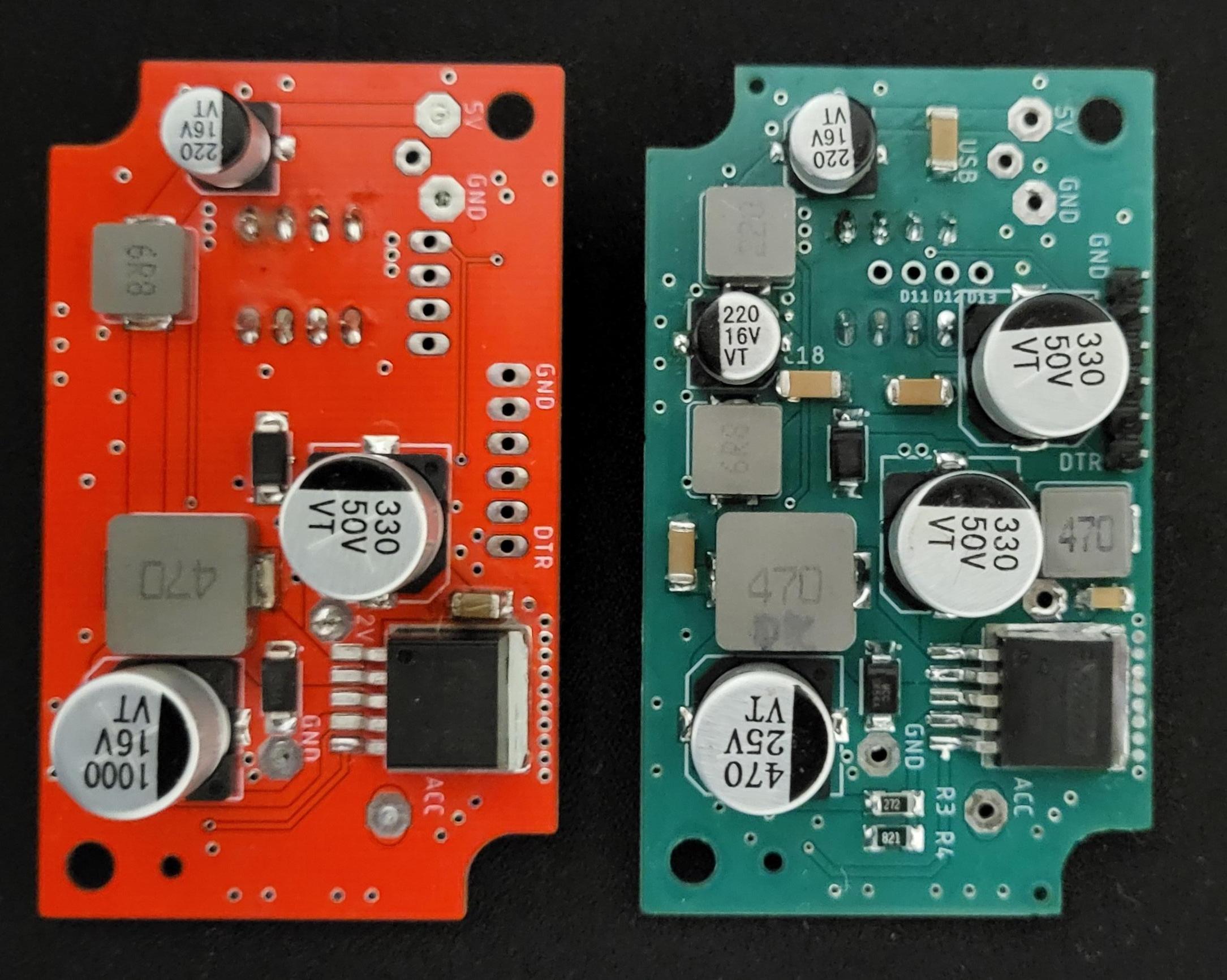
Why does it make sense to make your own power supply for the camera? First of all, unlike commercial models, the camera can record for a certain time even after the engine is turned off. Secondly, the consumption when the power supply is turned off is several times lower than that of commercial models. And we are not talking about 2 or 3 times lower. Result is better 10 to 100 times. We are comparing mA units with tens of uA here. When parking for a long time, it makes a difference whether the car starts or not.
I made the first version of the power supply in 2023. Link to V1 is here. This is the third version V3. (V2 was just a test version so I will not publish it.) The new version was created after I realized over time what I could improve to make the power supply better. Switching power supplies are used almost everywhere today and sometimes break down. Then they need to be studied and repaired. One day I realized that my design does not have a filter at the input and this can cause voltage pulses that can be transmitted along the power cables to other devices. It was decided that a filter would be added to the input. While I was working on it anyway, I added another filter to the output and improved the battery voltage measurement by including an accurate voltage reference in the circuit. The USB cable to the camera is small in diameter and is quite long. At the output when pulling around 0.5A the voltage was around 4.75V and therefore I also adjusted the voltage at the output of the converter to 5.3V. This is how version V3 was created which I am now publishing. (In the picture, V1 and V3 are next to each other)
Supplies
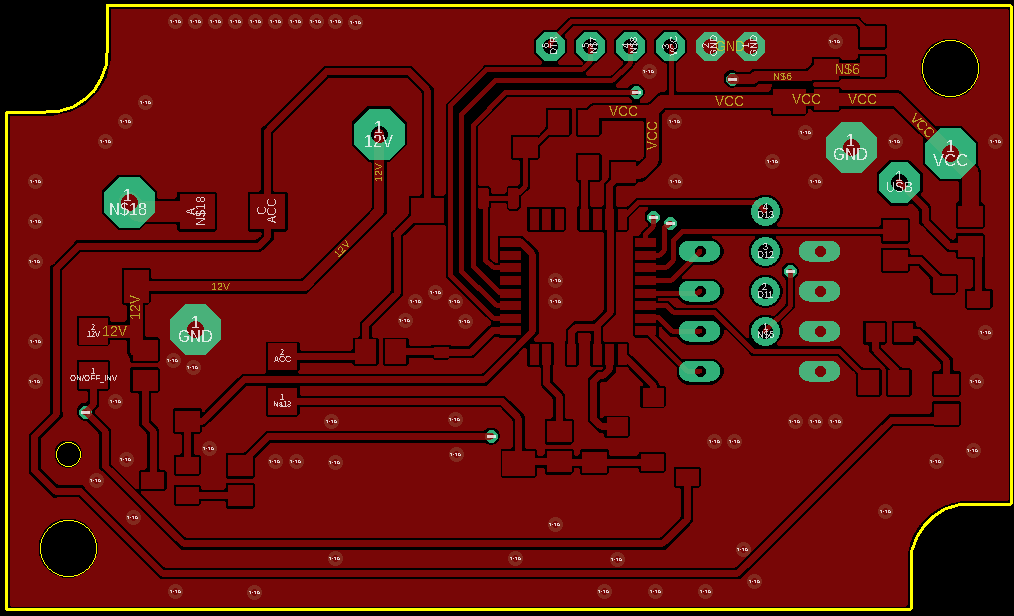
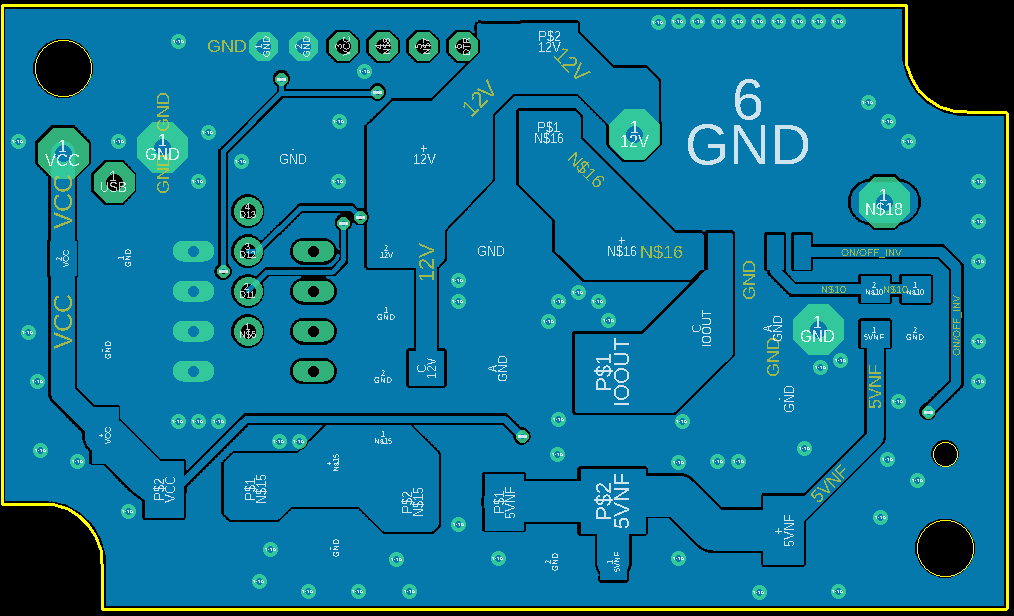
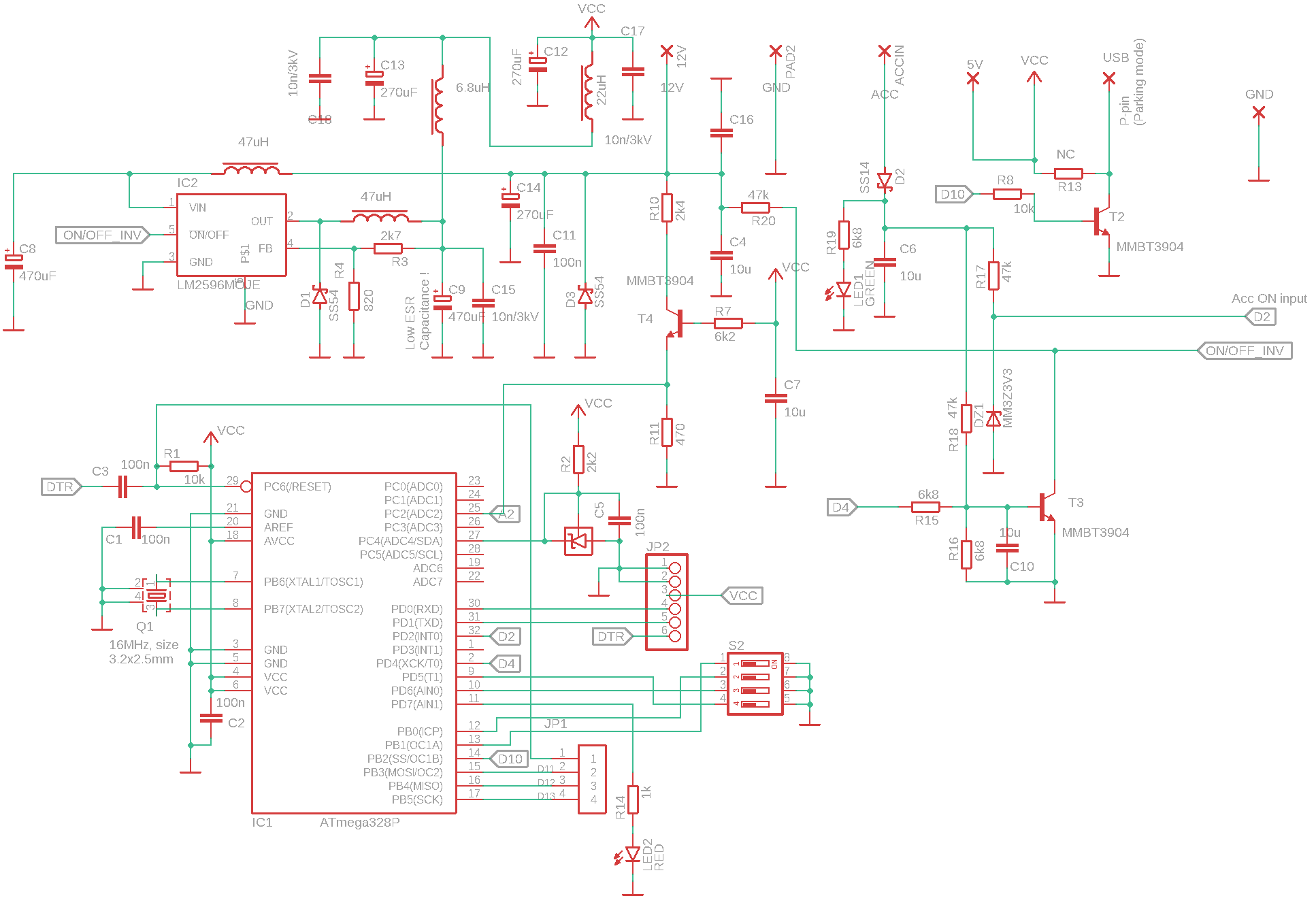
The basis is the LM2596M-ADJ converter. As I mentioned before now I use adjustable version due possibility to set voltage to about 5.3V on the output.
Comparing previous version the TL431 as voltage reference is added.
All other components are on schematics diagram. (Zener diode any between 3v3 to 5.1V)
You can download the full code in the attachment same as board file.
Case is the same as I published in V1 so download it from V1
How to Proceed
- Just like in the previous version, first solder all the components on the microcontroller side. I ordered this side already soldered form China. I still have 3 PCBs left, so I can share them. (The minimum number that can be ordered is 5, I used one and one will be a spare)
- Burn the bootloader witch will made Arduino pro mini compatible board on the PCB. This step is described in detail in version V1
- Burn the code - This step can be done at any time
- Solder the other side of the PCB. Here you need to pay extra attention to the order of soldering the individual components! It can easily happen that if you solder one component, it will make it impossible for you to solder another.
- Insert PCB to case.
Device Activation and Description of the Activity
The device works after the first power-up.
The device has been tested with both 12V and 24V vehicle electrical system voltages.
To turn on the device, GND must be connected to the GNG pins, 12V pin and ACC pin with the vehicle voltage (12V or 24V). After turning on the inverter, the green LED lights up, indicating the presence of ACC.
After parking the vehicle, there is no voltage on the ACC pin. The device goes into the Parking state when it senses the battery voltage level. If the voltage drops below the specified value of 12.2V, 12.4V, 12.6V or 12.7V (for a 24V system, it is double) for more than 120s, the device turns off.
The device/inverter always turns off regardless of the battery status after a preset time from turning off ACC. The preset times are 5min, 1 hour, 3 hours and 24 hours.
If you have a camera with parking mode (for example MiVue 886) 60s after turning off ACC the camera will go into parking mode.
Voltage levels and times can be easily changed in the code according to your requirements.
The device produces only very small voltage peaks (ripple) on the output and input. I have made measurements which I will publish in a few days.
Note
I have only published the project in a simplified version, but after reading the article about the V1 version, you probably won't need any more information. If there is interest, I can rework the post into a complete version with all the information (but I don't expect much interest). I have provided a complete schematic and Eagle file so that you can create your own PCB. I have also published the final version of the code that I use myself. If you still have any questions, you can contact me here.