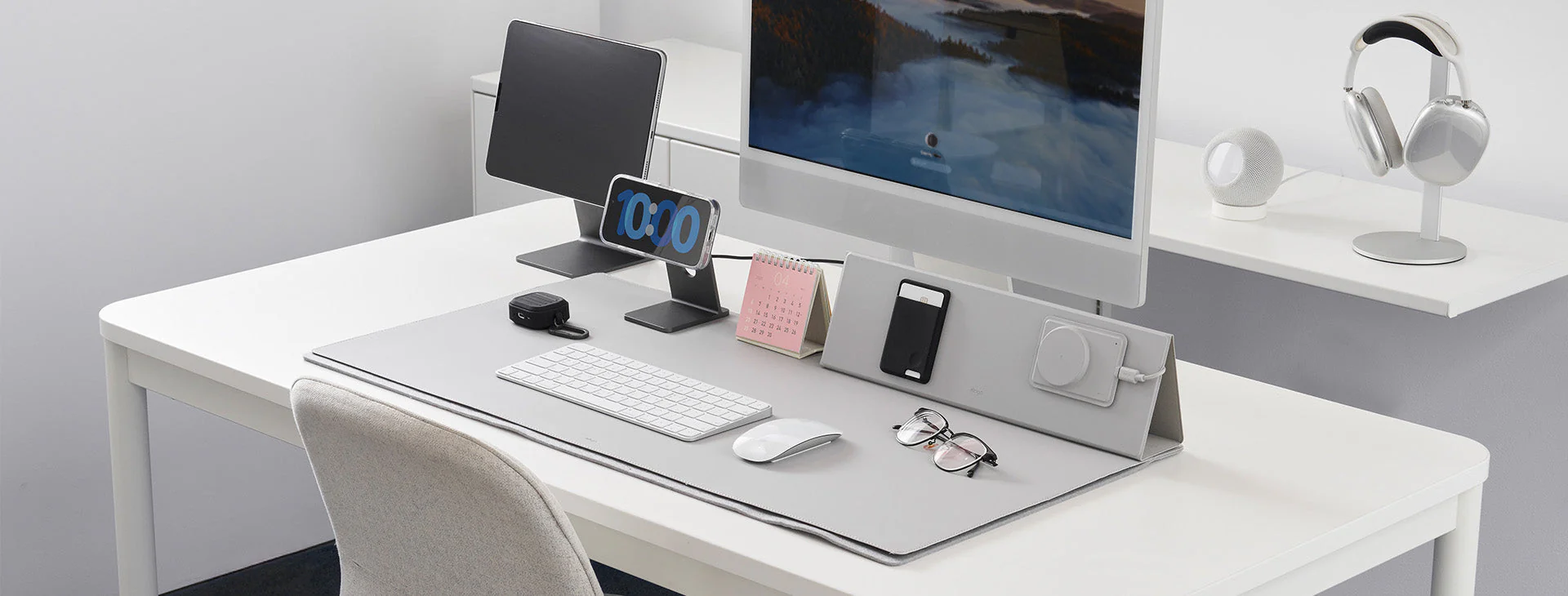
Organizing Small Spaces

Working or studying from home can be challenging when your workspace is cluttered or disorganized. This guide will show you how to efficiently organize a small home office, maximize productivity, and maintain a clean, functional space. Follow these step-by-step instructions to create a workspace that inspires focus and creativity.
Supplies


- Desk and chair
- Shelving, bins, and drawer organizers
- Cable clips, ties, or sleeves
- Labels or sticky notes
- Cleaning supplies (duster, wipes)
- Optional: small plants, decorative items
Clear Your Workspace

Remove everything from your desk, shelves, and drawers. Clean all surfaces thoroughly with a duster or wipes.
Sort Items Into Categories
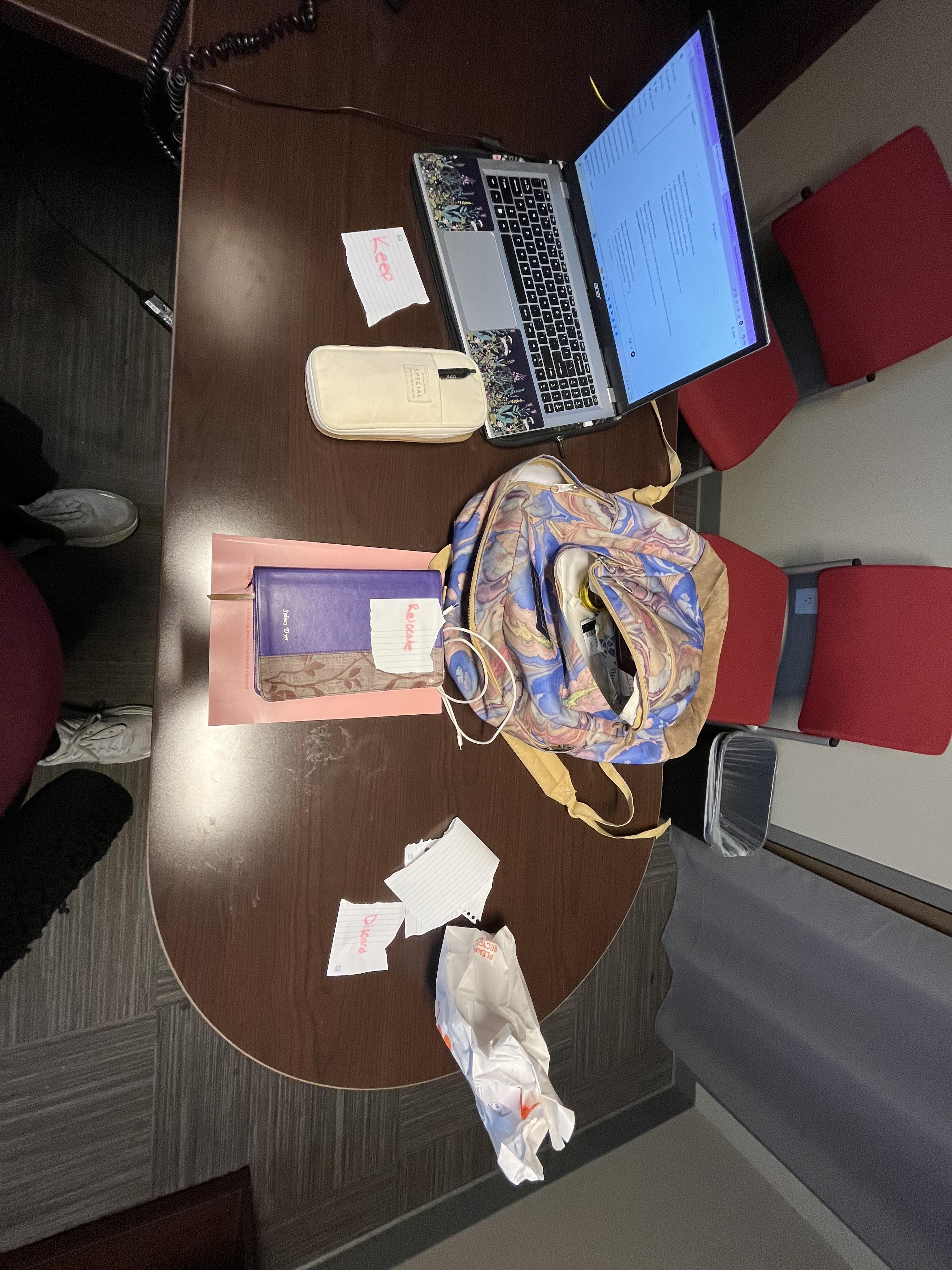
Divide items into three piles: Keep, Relocate, Discard.
- Keep: Daily-use items like computer, planner, pens
- Relocate: Occasional-use items like reference books
- Discard: Broken, outdated, or unnecessary items
Maximize Desk Space

Place only essential items on your desk (computer, lamp, a pen holder). Store other items in drawers, shelves, or containers.
Organize Drawers and Shelves

Use organizers to separate items by type.
- Drawers: pens, paper clips, sticky notes, chargers
- Shelves: books, binders, decorative items
Manage Cables
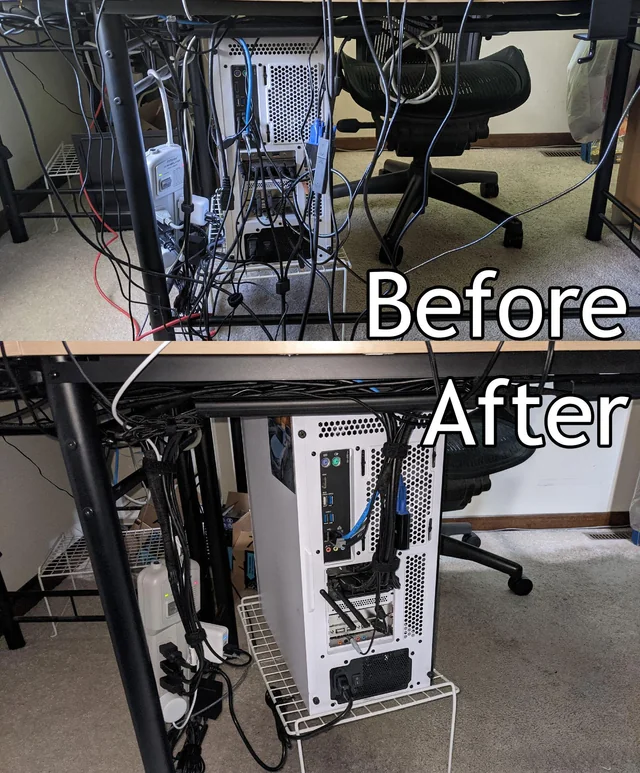
Bundle cords with clips, sleeves, or ties. Label each cord to quickly identify devices. Keep cables out of sight to reduce visual clutter.
Downloads
Add Functional Decor

Include small items that enhance productivity without adding clutter.
- Examples: small plants, clock, motivational poster
Label and Maintain

Label bins, drawers, and shelves. Schedule weekly or monthly tidying sessions to maintain organization. Always return items to their designated spots.
Optional Tech Enhancements
Integrate tech solutions for efficiency, like wireless charging pads, desktop organizers, or digital planners.