Paper Layered Art (Inspired by Silent Hill F)
401 Views, 6 Favorites, 0 Comments
Paper Layered Art (Inspired by Silent Hill F)

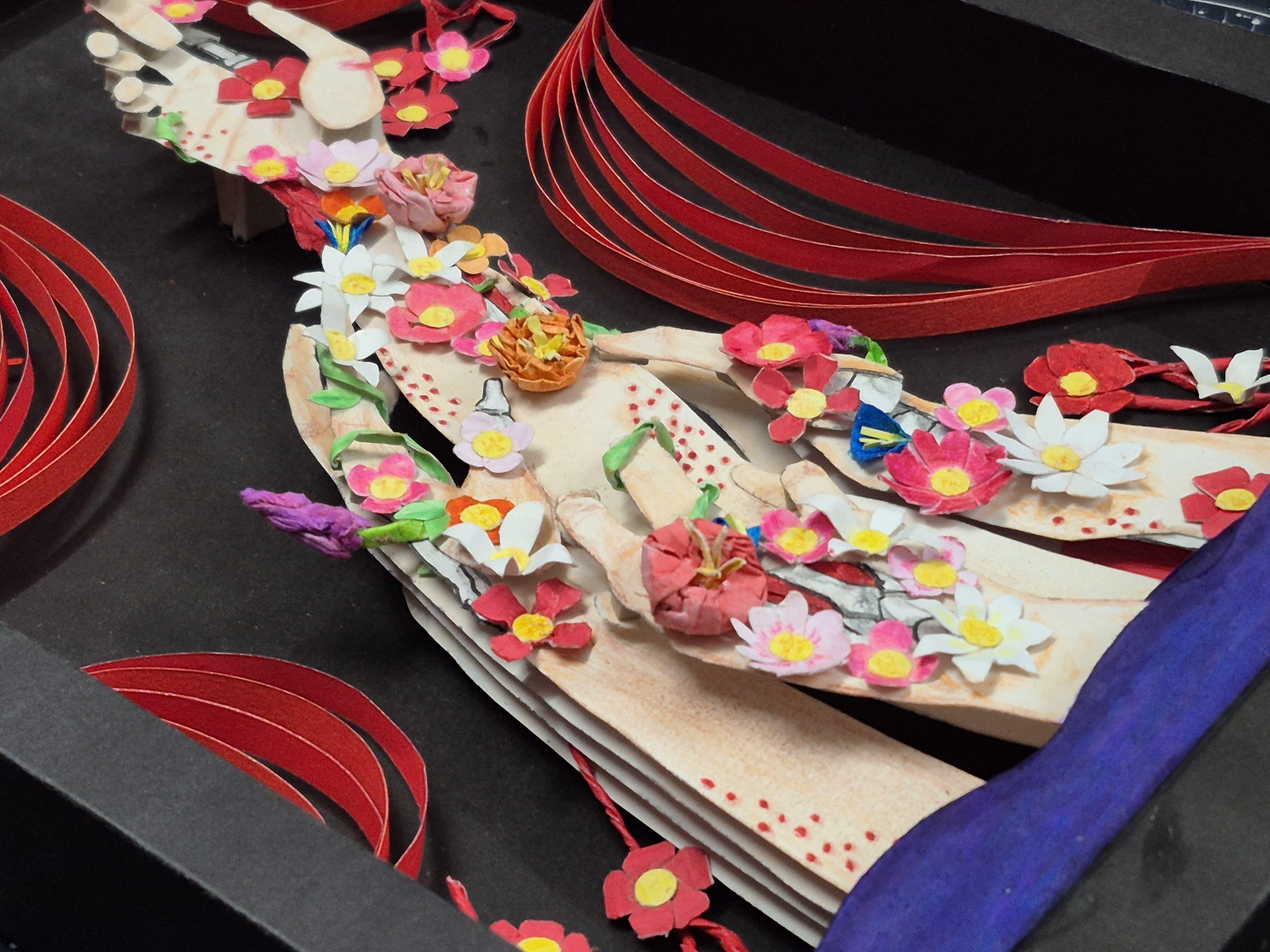
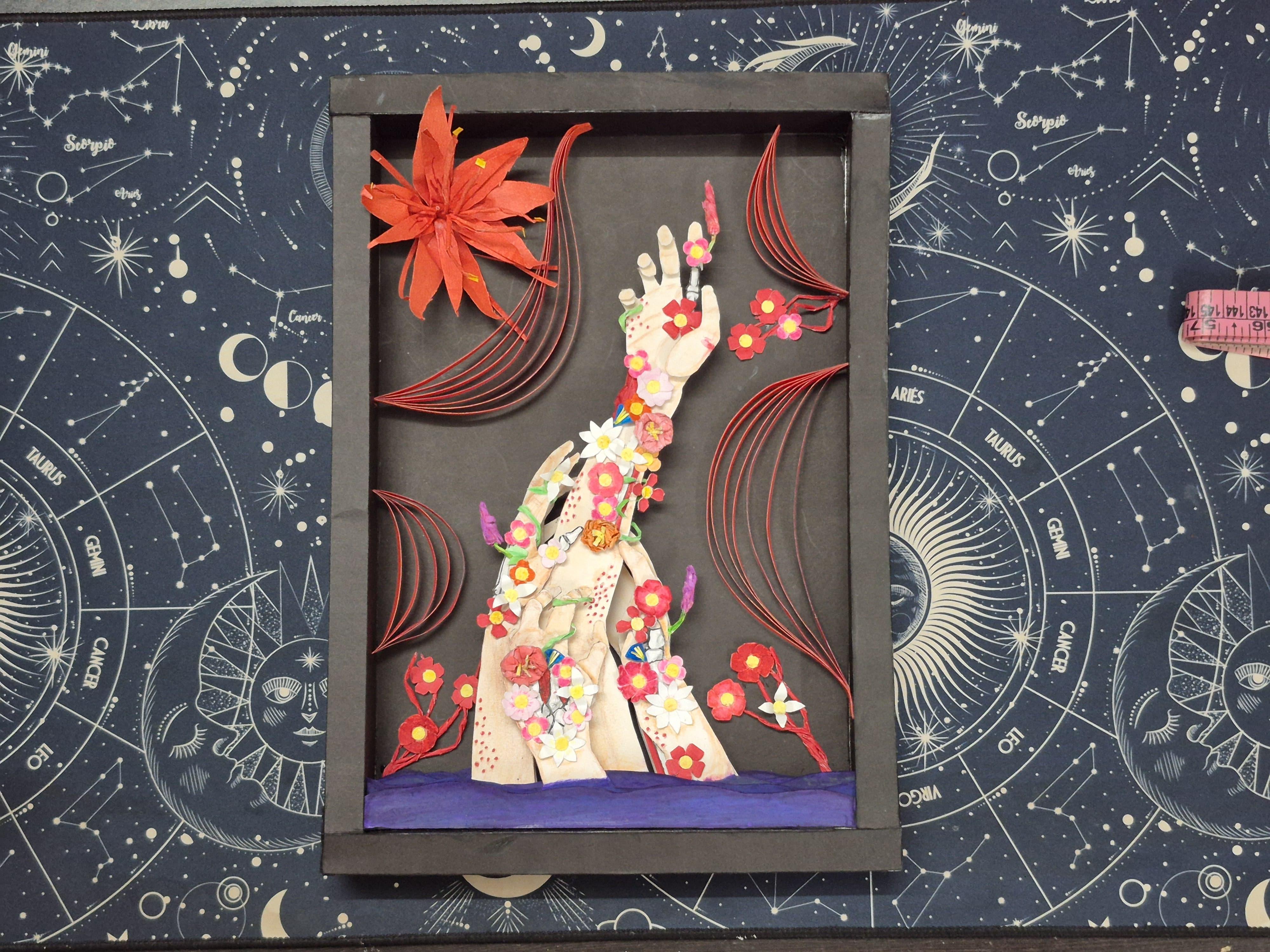
.jpg)
Hey, my name is Arush. I am currently pursuing a B.Tech in Mechanical Engineering. In my free time, I enjoy drawing and creating paper 3D models as a hobby.
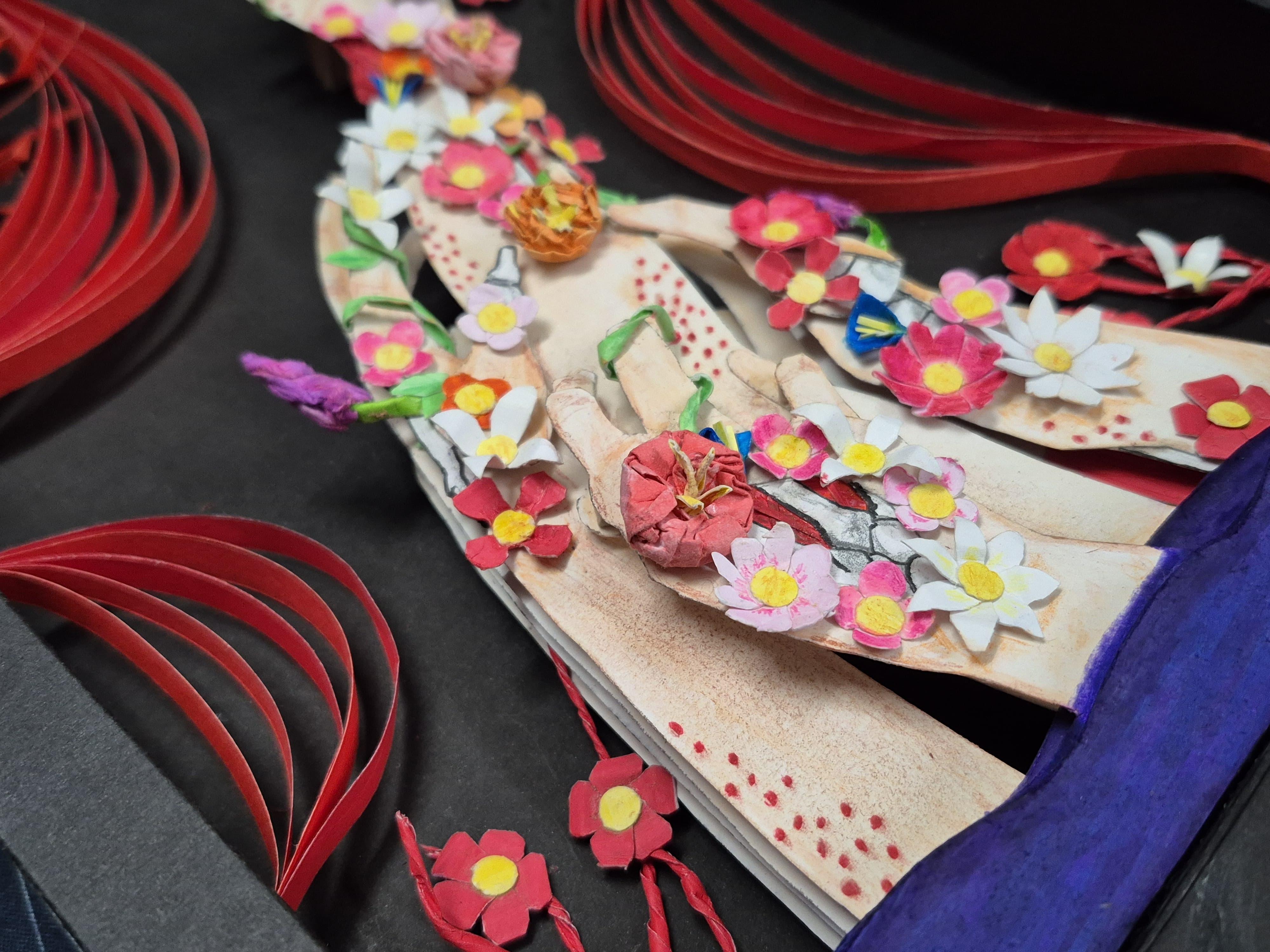
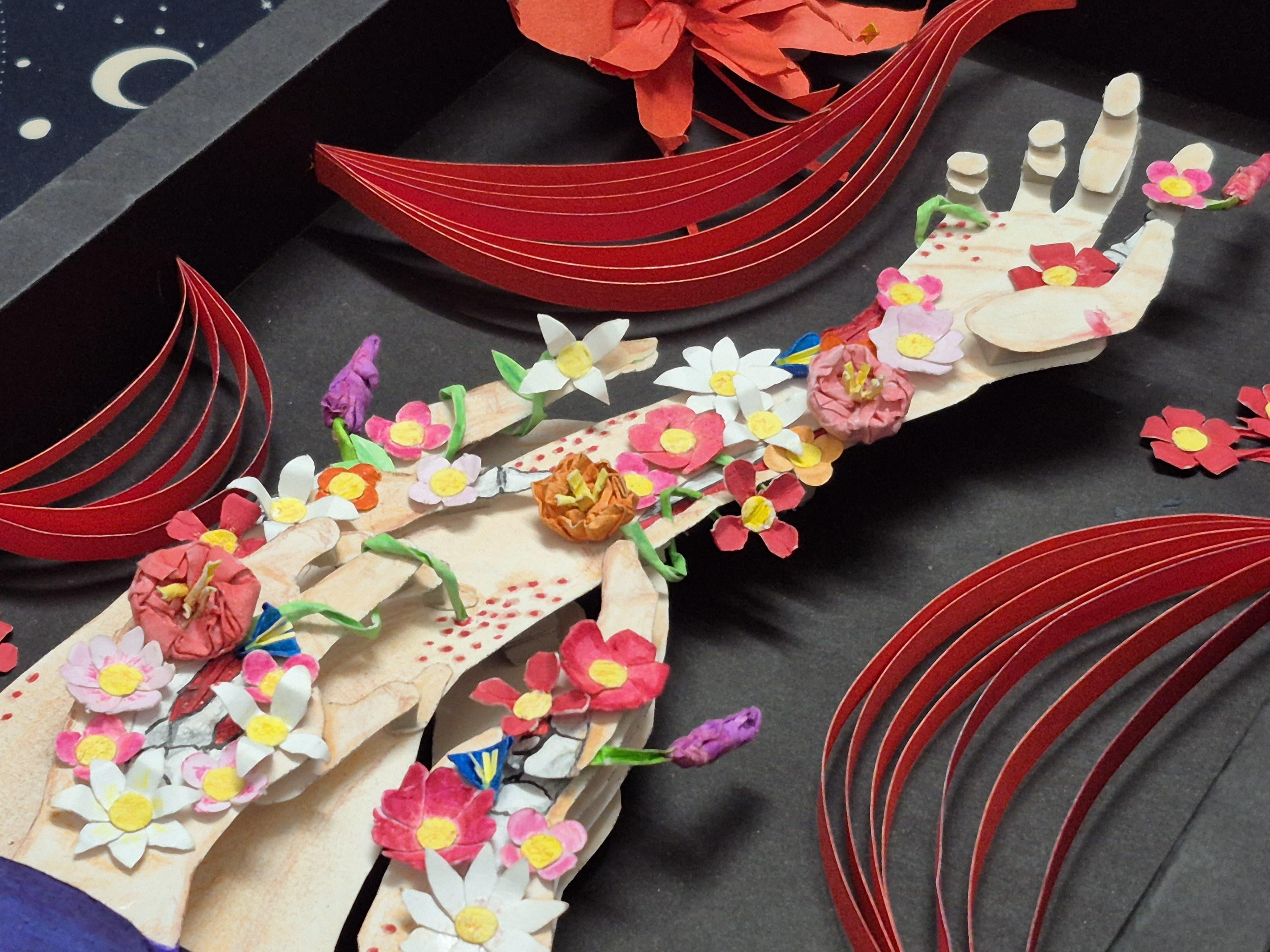
This project was inspired by an old sketch I made about a year and a half ago. While going through my old sketchbook, I came across a drawing I created after watching the Silent Hill F announcement trailer. The visual of flowers emerging from a person’s wounds felt horrifying yet strangely beautiful, so I tried capturing that emotion in a sketch. I never completed the original drawing and eventually forgot about it—until I rediscovered it recently.
At the same time, I was exploring layered paper art, and I thought it would be interesting to remake the sketch in a different art form. That’s how this project began: turning my unfinished sketch into a dramatic layered paper artwork.
In this Instructable, I’ll guide you through the process of creating your own layered art piece—from concept and digital preparation to cutting and assembling the final artwork. This project is beginner-friendly, and you don’t need any advanced tools or experience—just patience and creativity.
So, let’s get started!
Supplies

Materials
- 300 GSM cardstock (for main layers)
- Craft paper (for background and decorative elements)
- EVA foam sheets (for depth and layering)
- Glue (white craft glue) and super glue
- Watercolors / markers / colored pencils (for shading and details)
Tools
- Scissors
- X-Acto knife or precision craft knife
- Cutting mat (to protect your workspace)
- Scale or ruler (preferably metal for cutting)
- Pencil and pen
- Tweezers (for placing small pieces)
- A scanning device (e.g., a home scanner or a smartphone with a scanning app like Adobe Scan / CamScanner)
References and Brainstorming
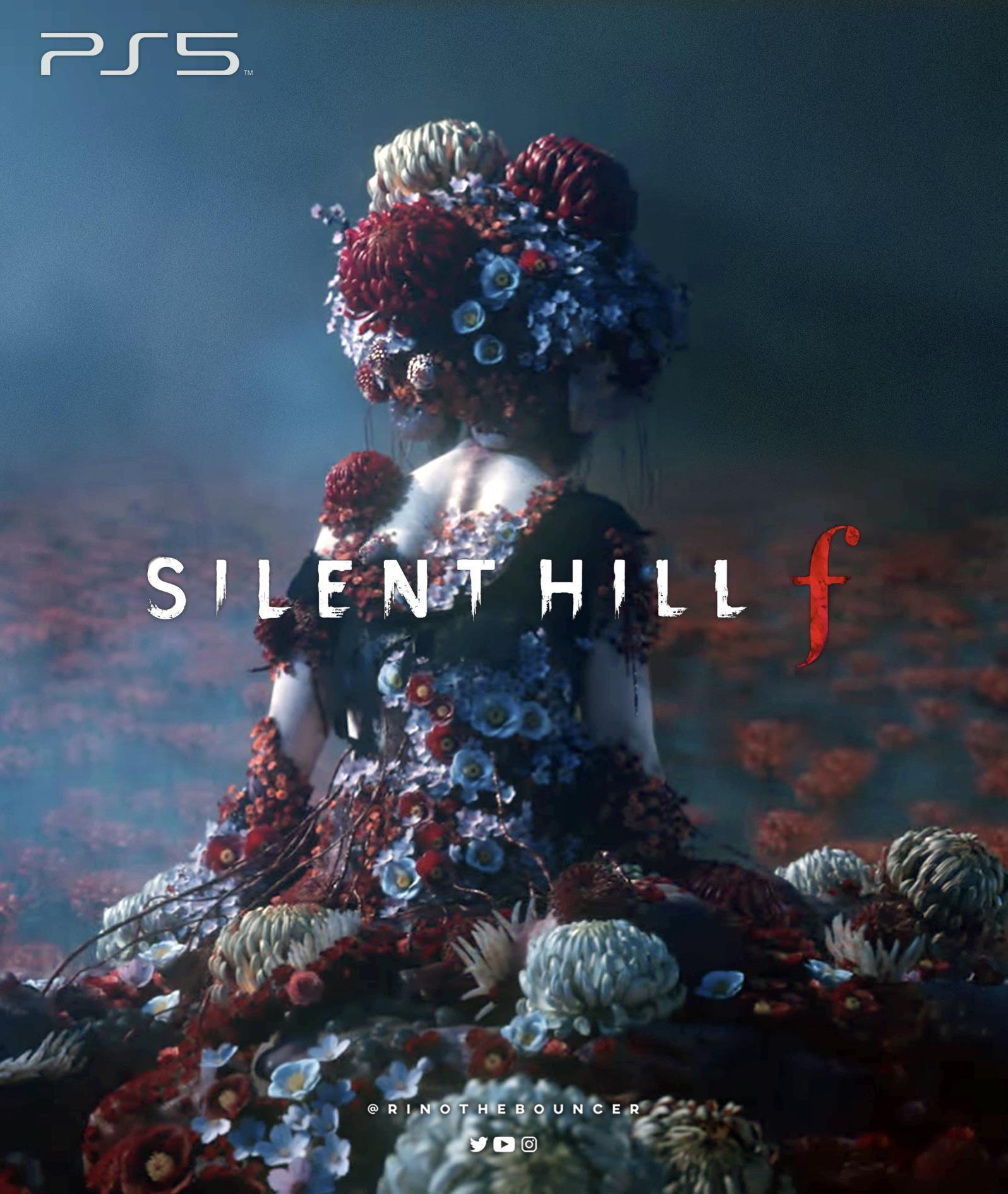

I got the inspiration for my sketch from the Silent Hill F trailer, so I looked for similar game artwork, etc. Since the game is now released, finding references was pretty easy. I also found the original stone sculpture I used as a reference for the sketch.
I wanted to keep the concept of plants growing out of wounds, but Silent Hill F mainly uses red-colored flowers. To add some variation, I will be using many different types of flowers.
Scanning the Sketch and Planning the Layer Breakdown
.jpg)


I first scanned the original sketch and printed out a few copies of it.
I then outlined and marked the sections of the sketch, dividing them into layers to help visualize how the depth and structure would build up.
Making Each Layer
.jpg)
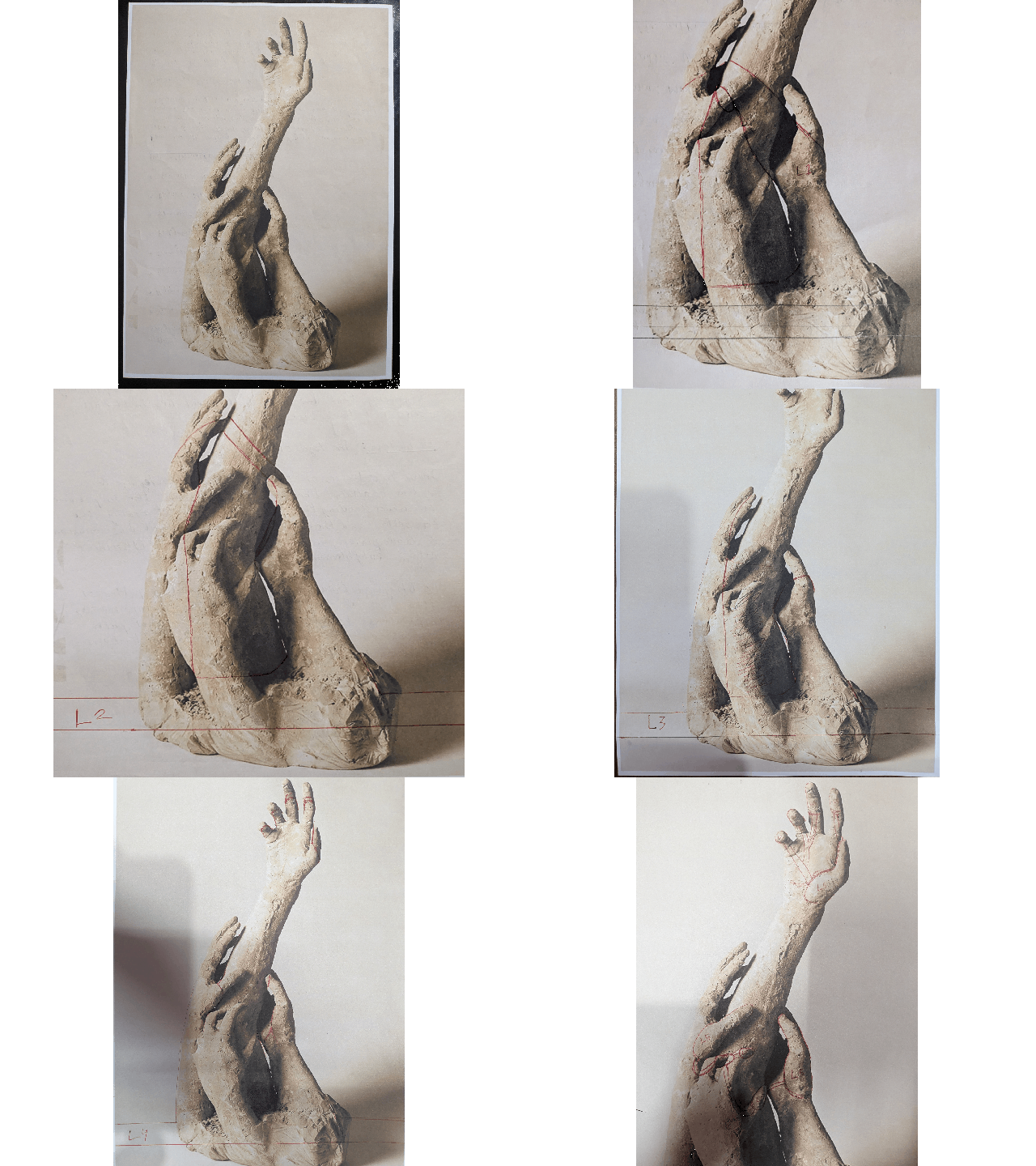
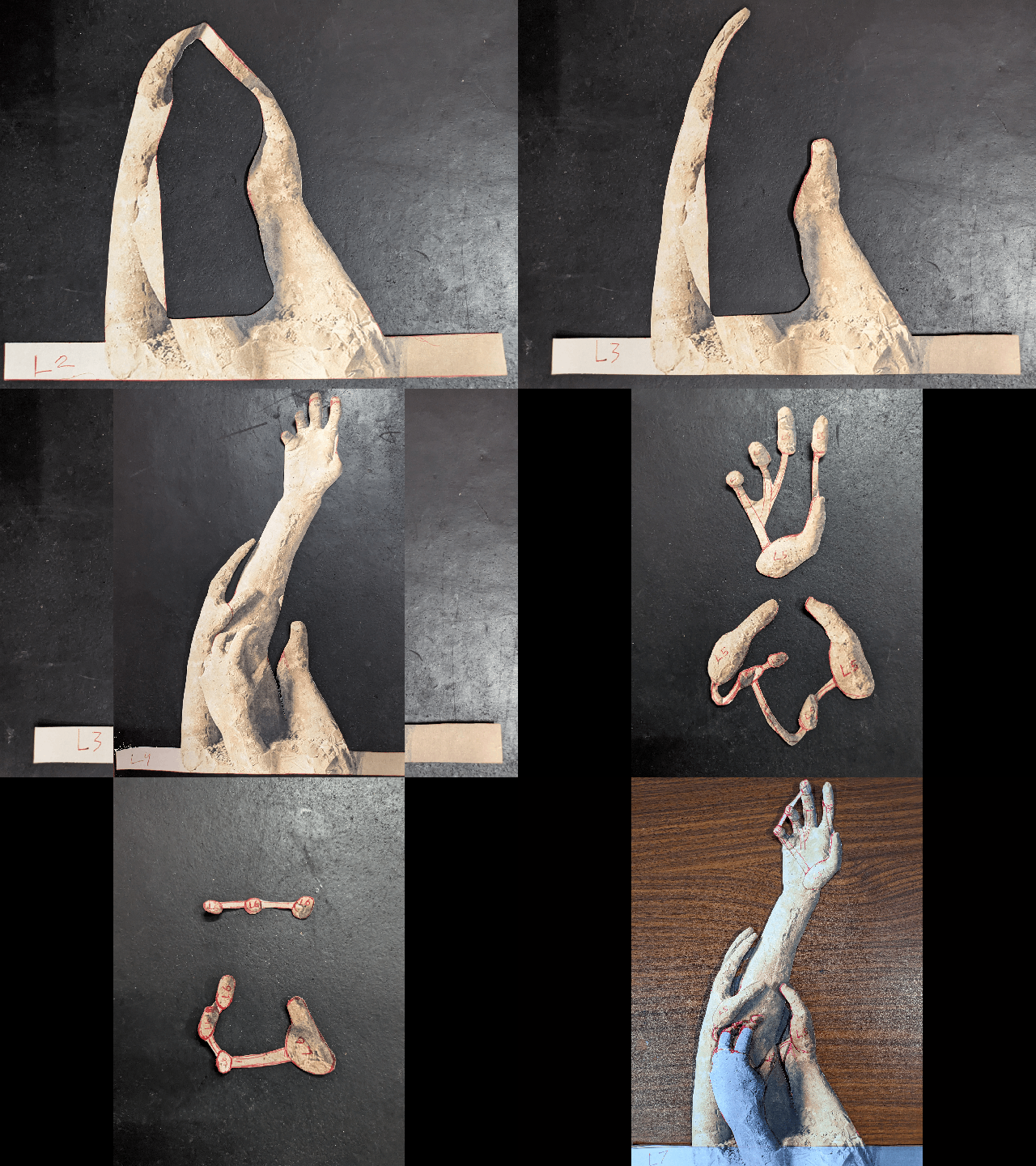
To make the template for each layer, I first printed out multiple copies of the stone sculpture and drew each layer on the printouts, then cut them out.
Then I stacked all the layers to see how the final project would look.
Now I have the base for the layer template.
Scanning and Editing the Template


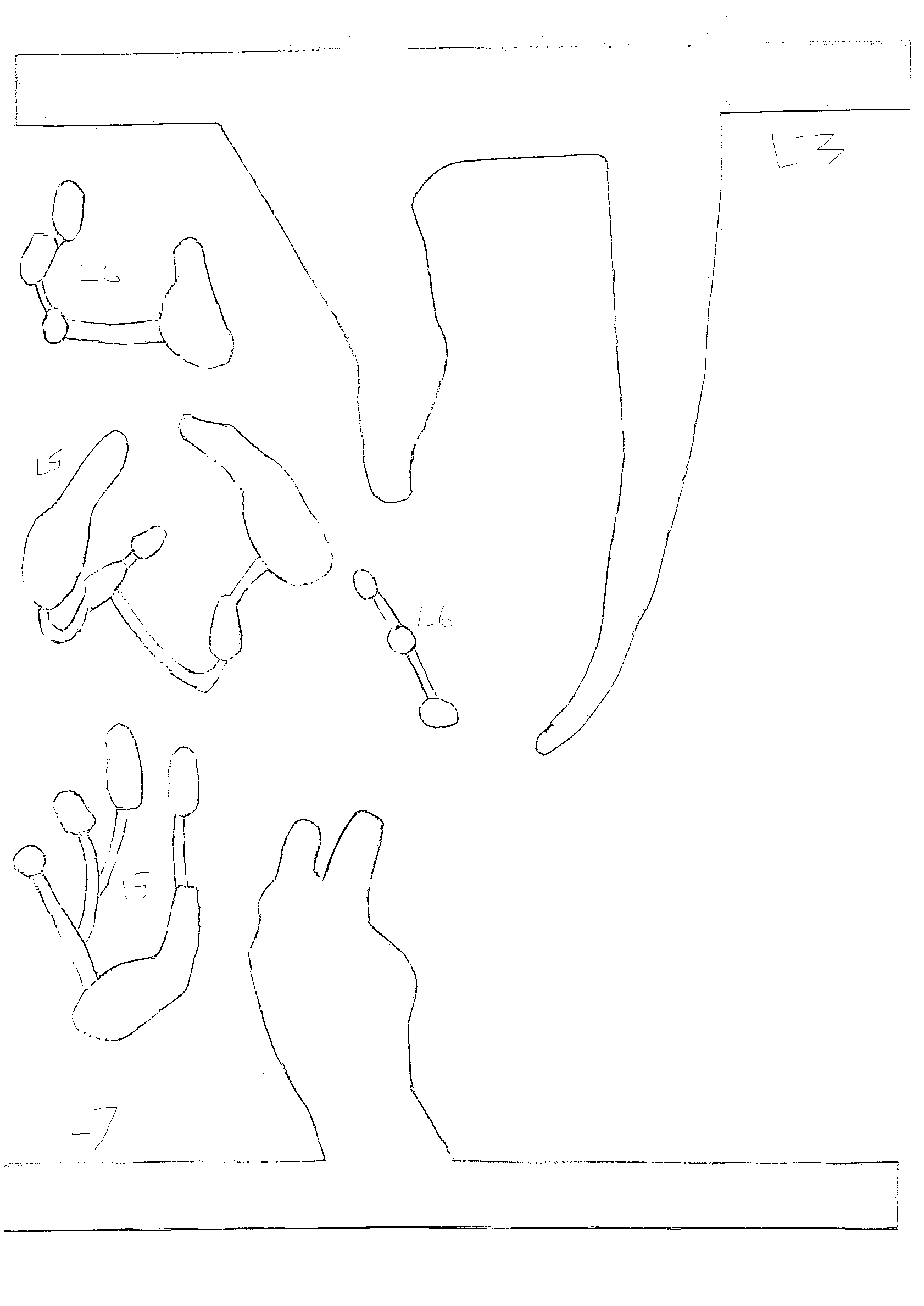
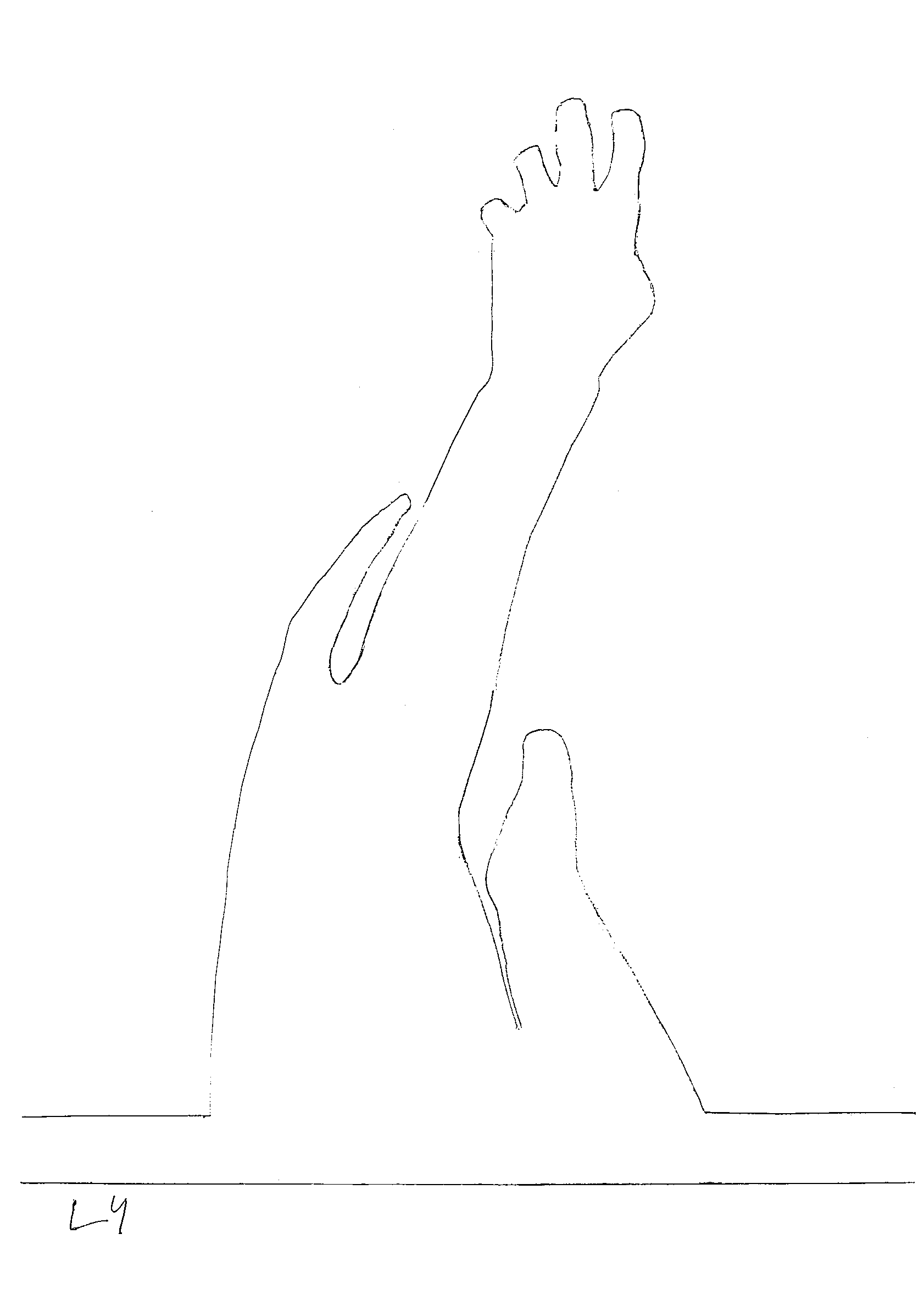
Next, I scanned each layer and used RapidResizer.com to convert each scan into a sketch-like form. EVAThis leaves me with just the outline of each layer.
There were some missing lines and random dots in the scans, so I drew the lines back in and erased the specks in Paint.
Now I have a printable template for each layer, and everything is much cleaner and easier to work with.The next step is to make a test model to check the fit and alignment before moving to the final version.
Making the Test Model
.jpg)
.jpg)
.jpg)
.jpg)
.jpg)
.jpg)
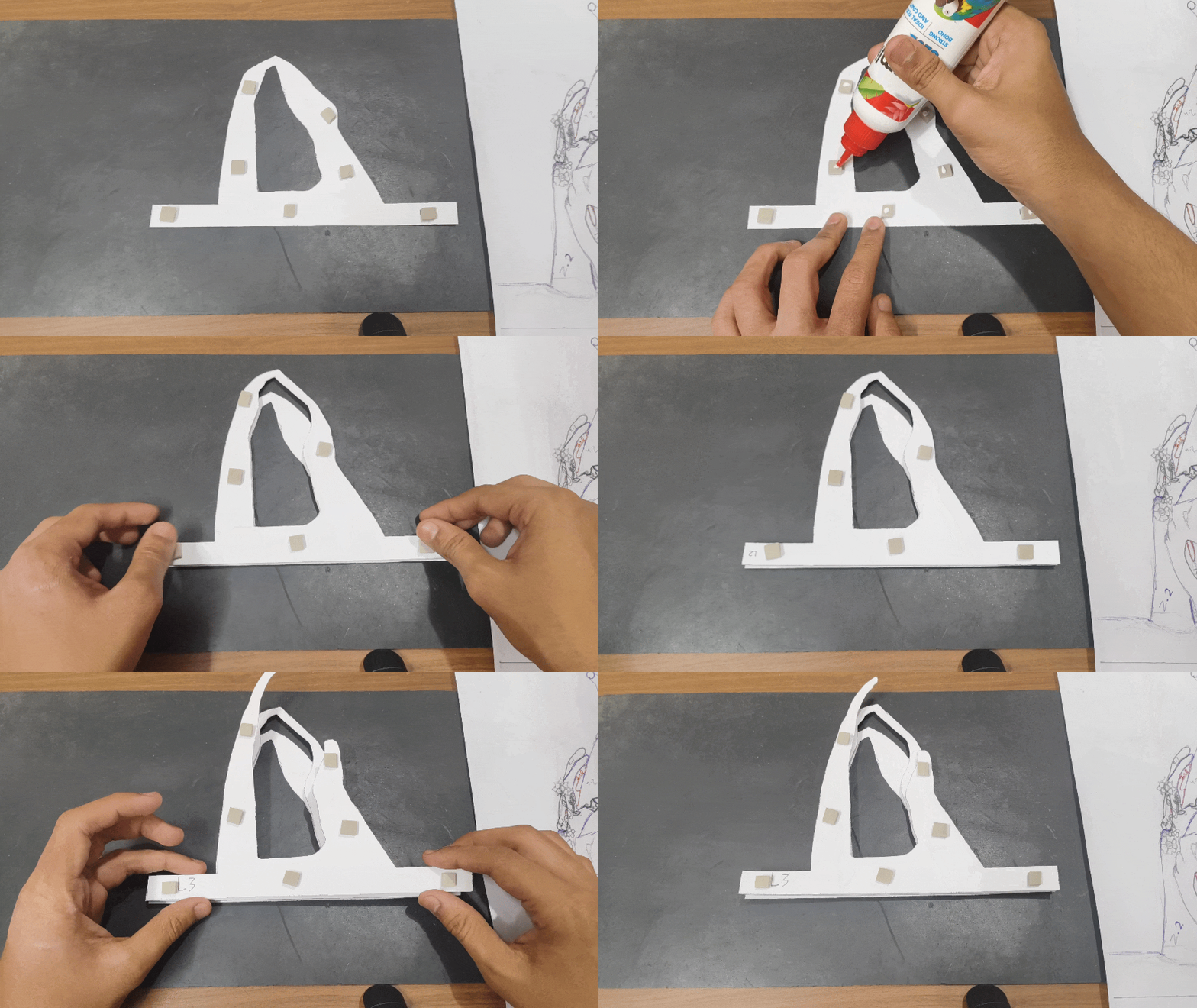
Before making the final layered art, I wanted to make a test model to figure out how much I needed to separate each layer to achieve the desirable look and to check for any mistakes in the template. Next, I printed and cut out each layer and glued pieces of EVA foam between them to separate the layers.
The test model turned out pretty good, and I did not come across any mistakes in the template, so I think I can now move on to the main model.
Final Model (painting and Cutting Layers)
.jpg)
.jpg)
.jpg)
.jpg)
.jpg)
.jpg)
.jpg)
Let’s start making the final model. I printed out the template on 300 GSM paper.
Then I colored the layers using watercolors. I kept the skin and water color light so I could later add shading using colored pencils. The paint did not have to be perfect; it just had to cover all the white spots.
I finally cut out all the layers and marked them on the back to keep them organized.
Final Model (adding Details to Layers)
.jpg)
.jpg)
.jpg)
.jpg)
.jpg)
.jpg)
.jpg)
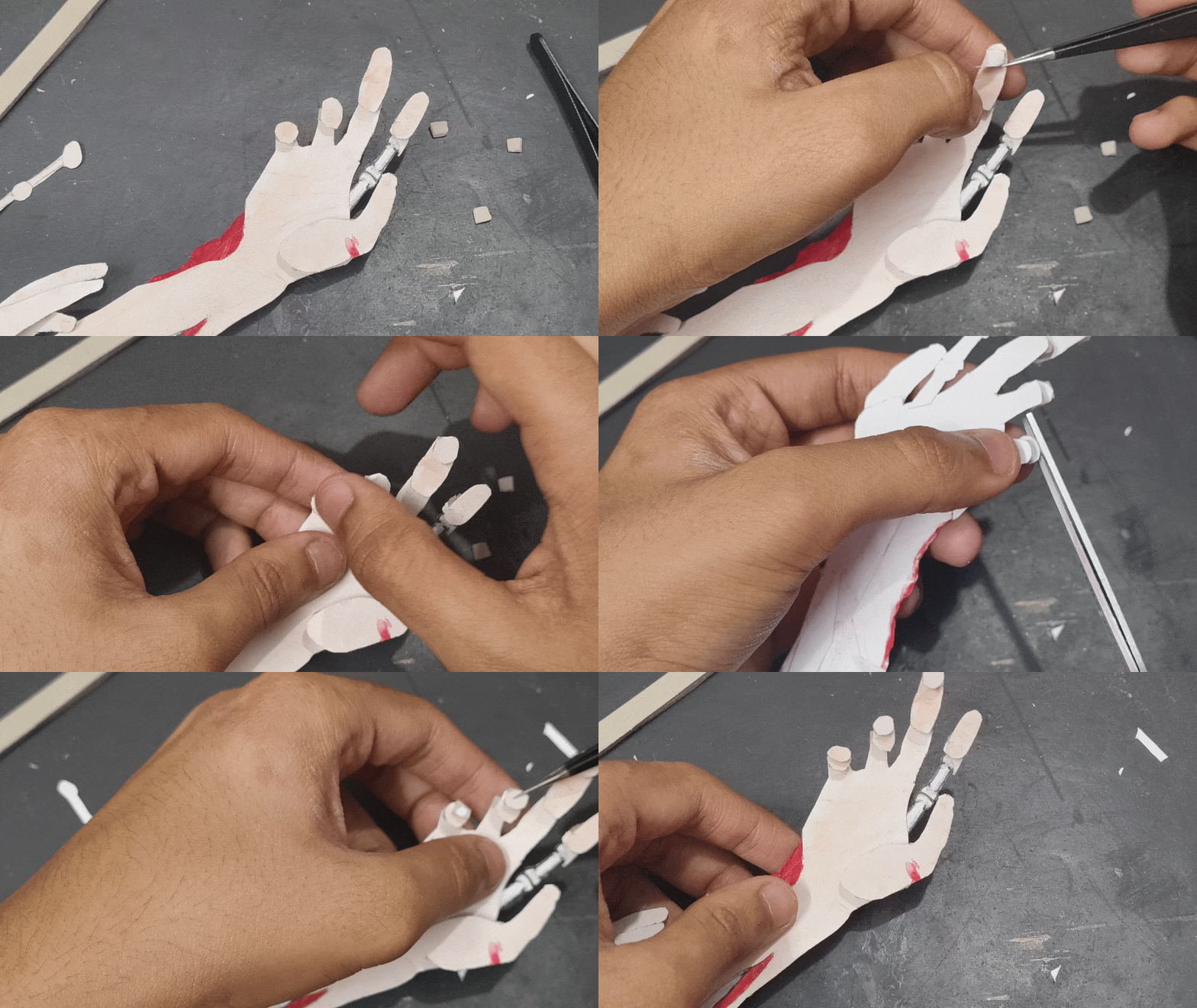
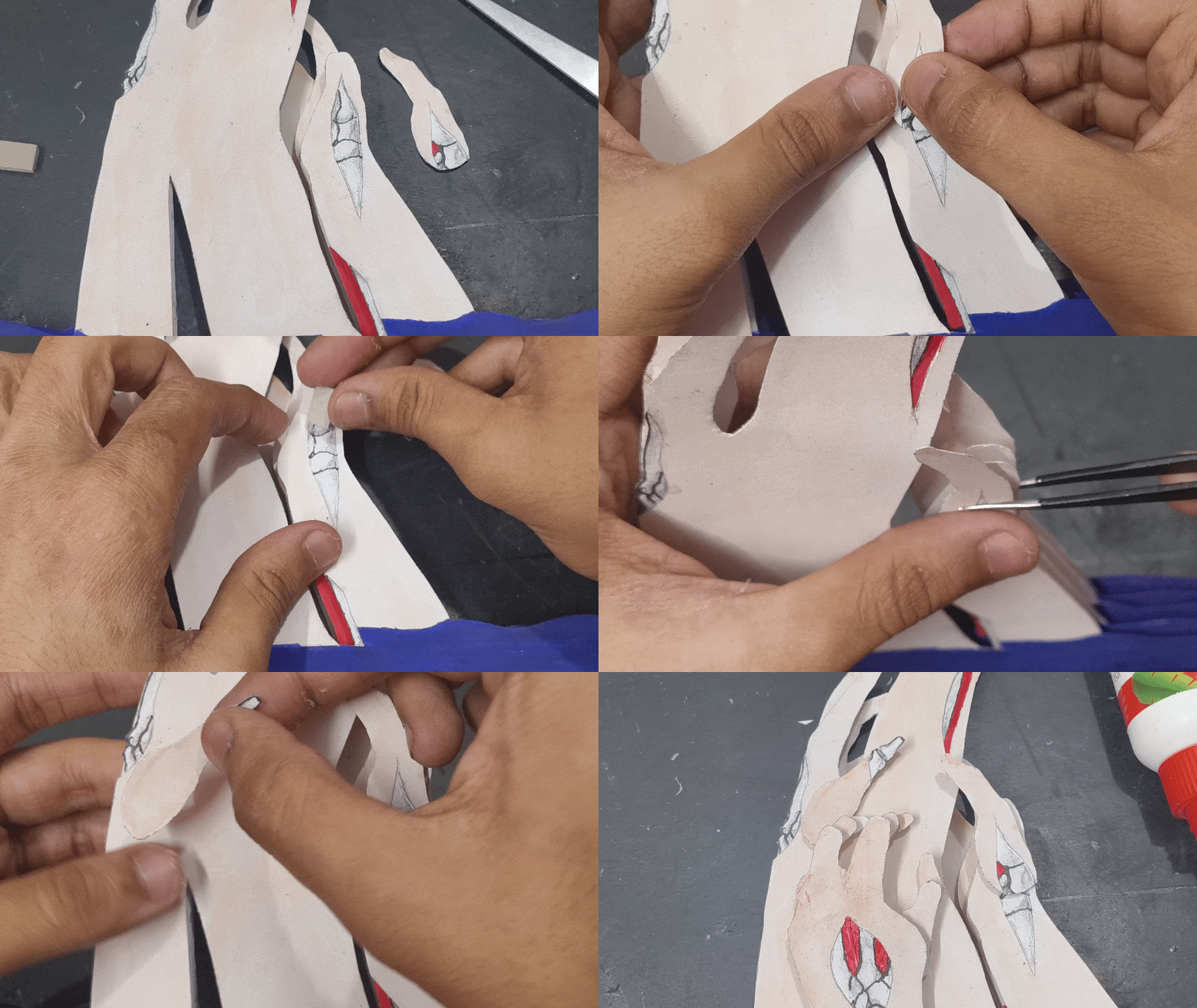
After cutting out all the layers, it’s time to add details such as bones, muscles, and flesh in the open wounds.
I first drew the bones using a 3D model of hand bones as a reference. After drawing the bones, I added shading to them and cut them out.
For the flesh and muscles, I cut out pieces and painted them red, while adding some thin strips to represent muscle fibers and veins. To make rotting flesh, I tore some sections of the paper to give them a decayed texture.
Finally, I glued these in their respective wounds, and the details were done.
Final Model (stacking Layers)
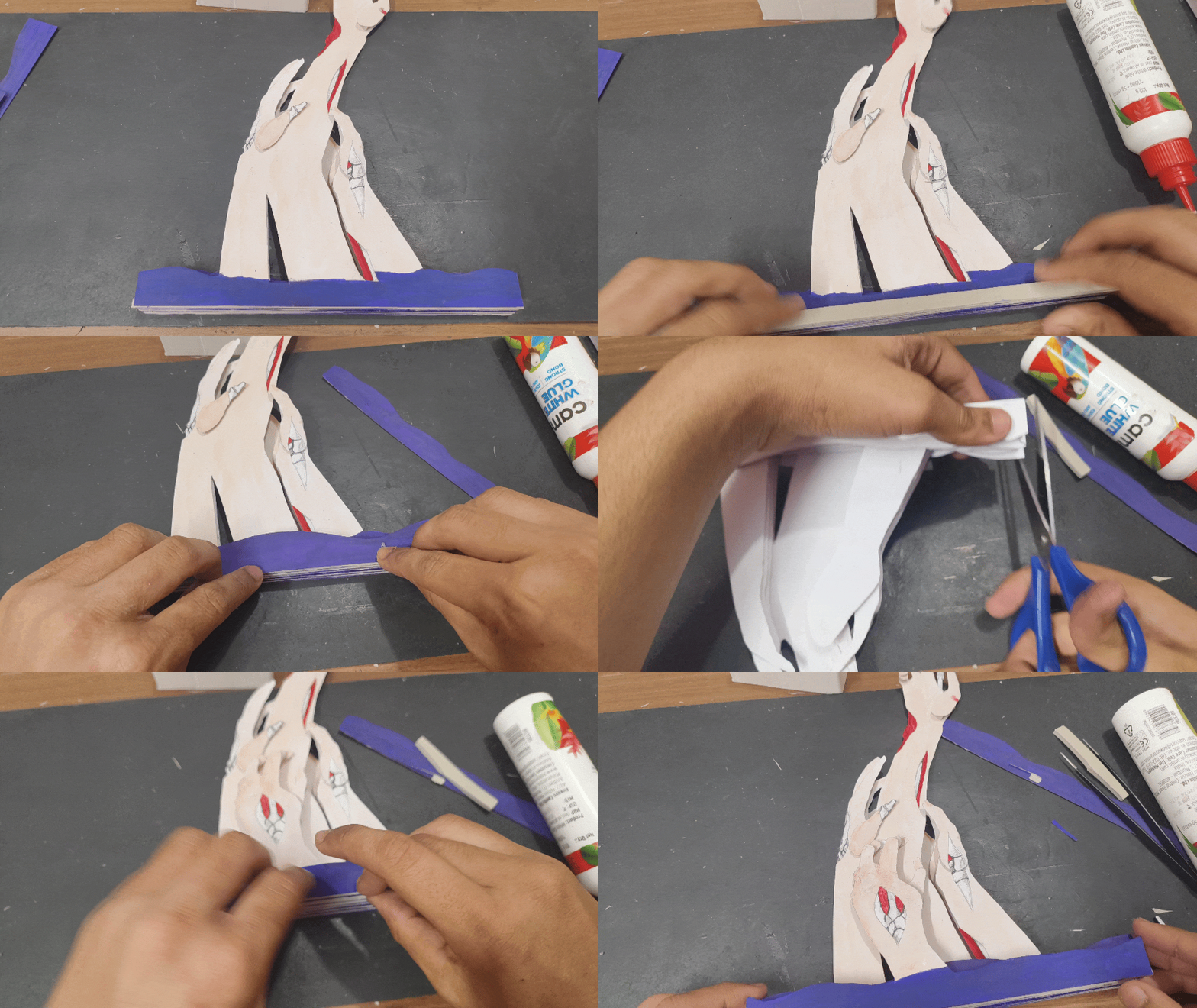
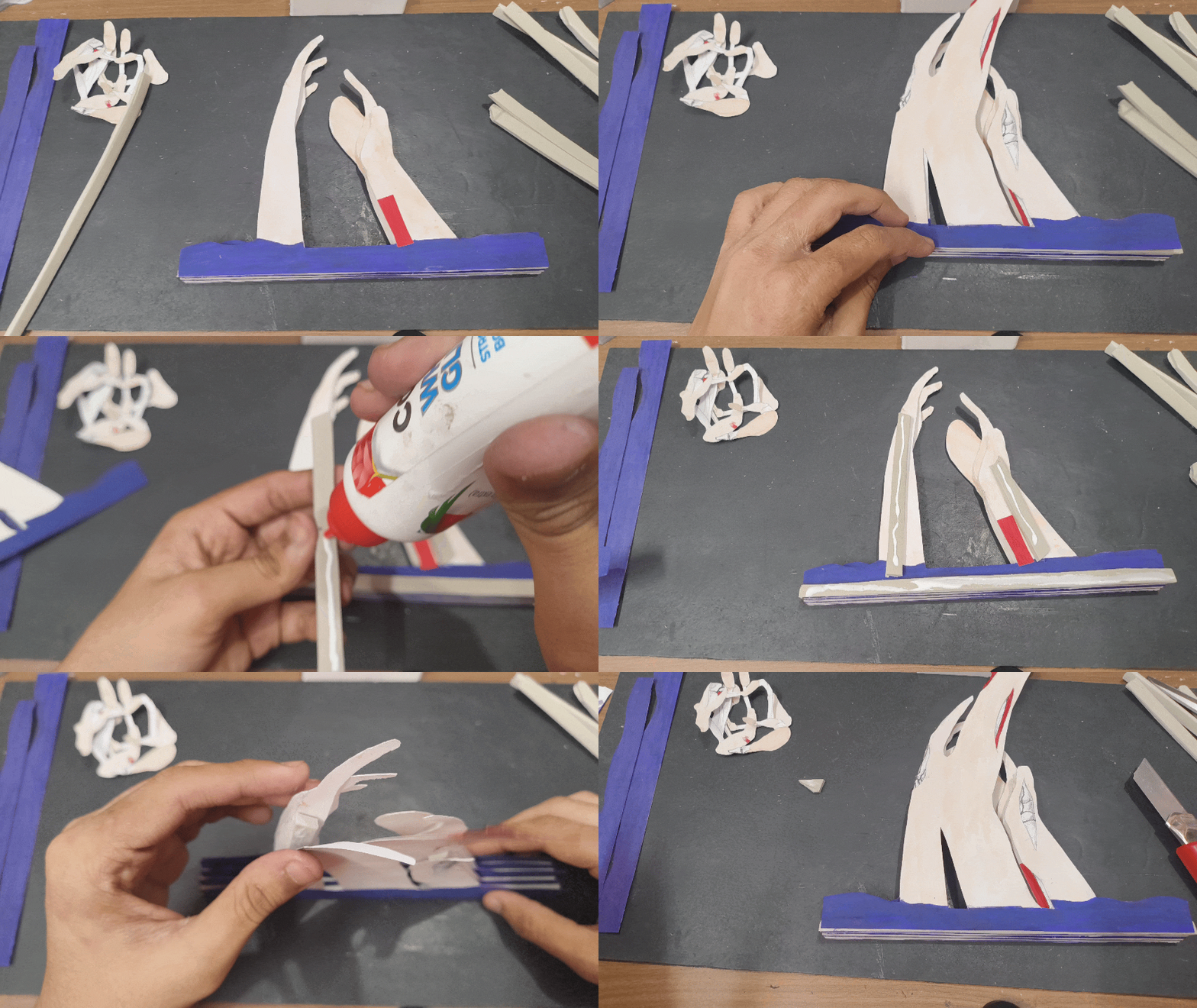
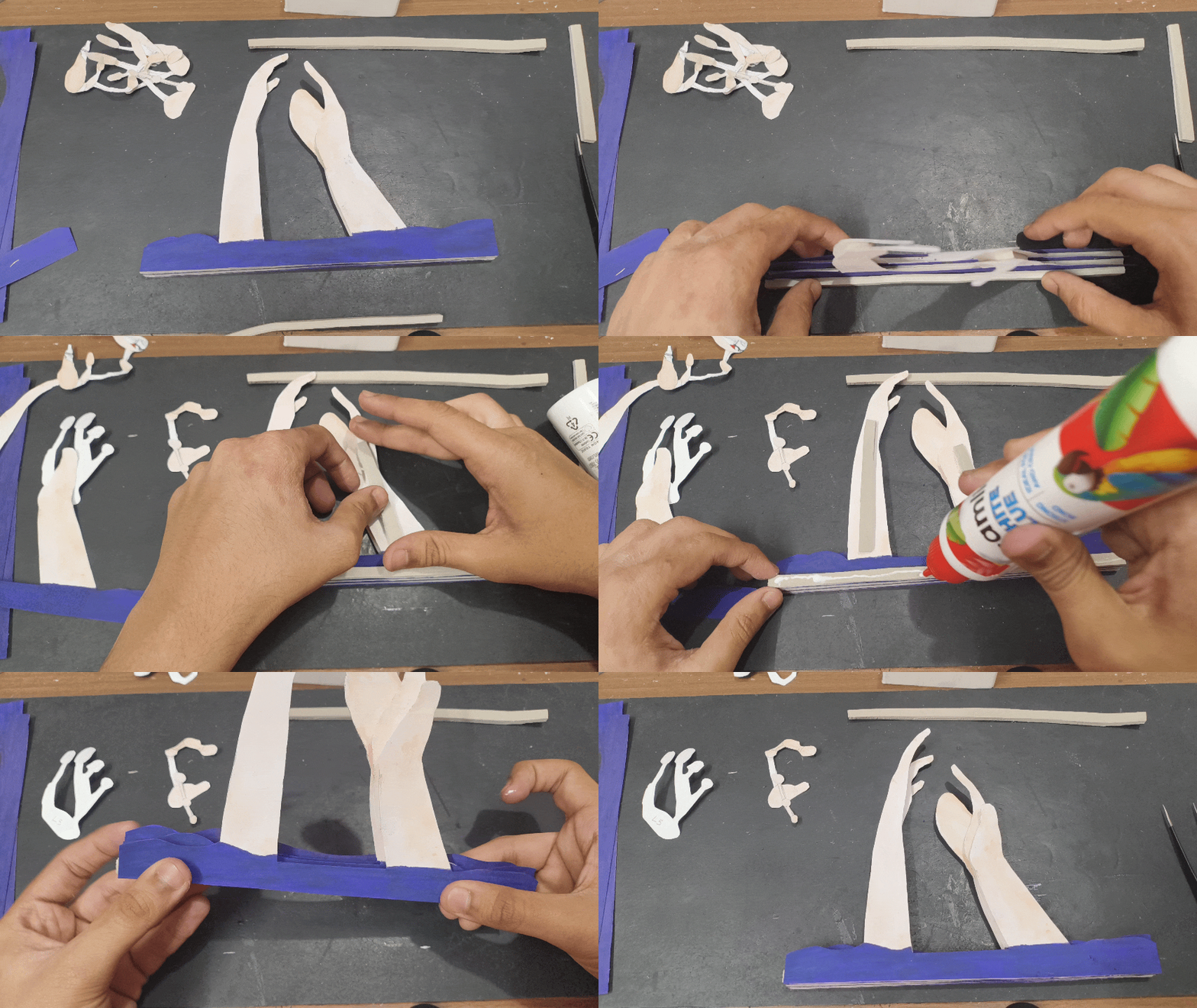
Just like the test model, I stacked the layers accordingly using EVA foam as spacers, this time using strips of foam instead of squares to prevent the layers from warping.
I also cut out some extra water layers to add in between the hand layers to add more depth.
Now that the base model is done, it’s time to add some color to the model with flowers.
Making the Flowers
.jpg)

.jpg)
.jpg)
Now comes the most time-consuming part—creating the individual flowers.
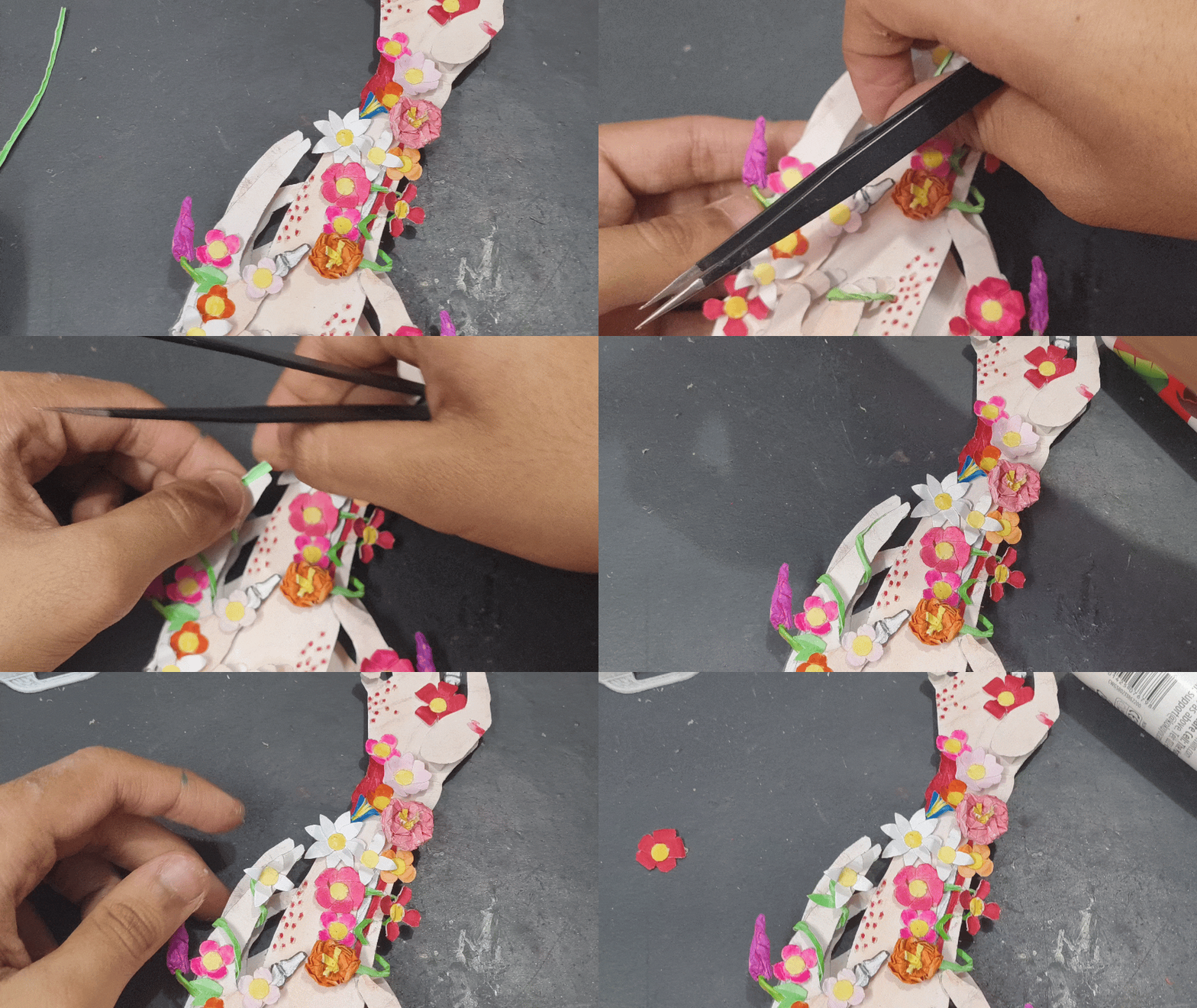
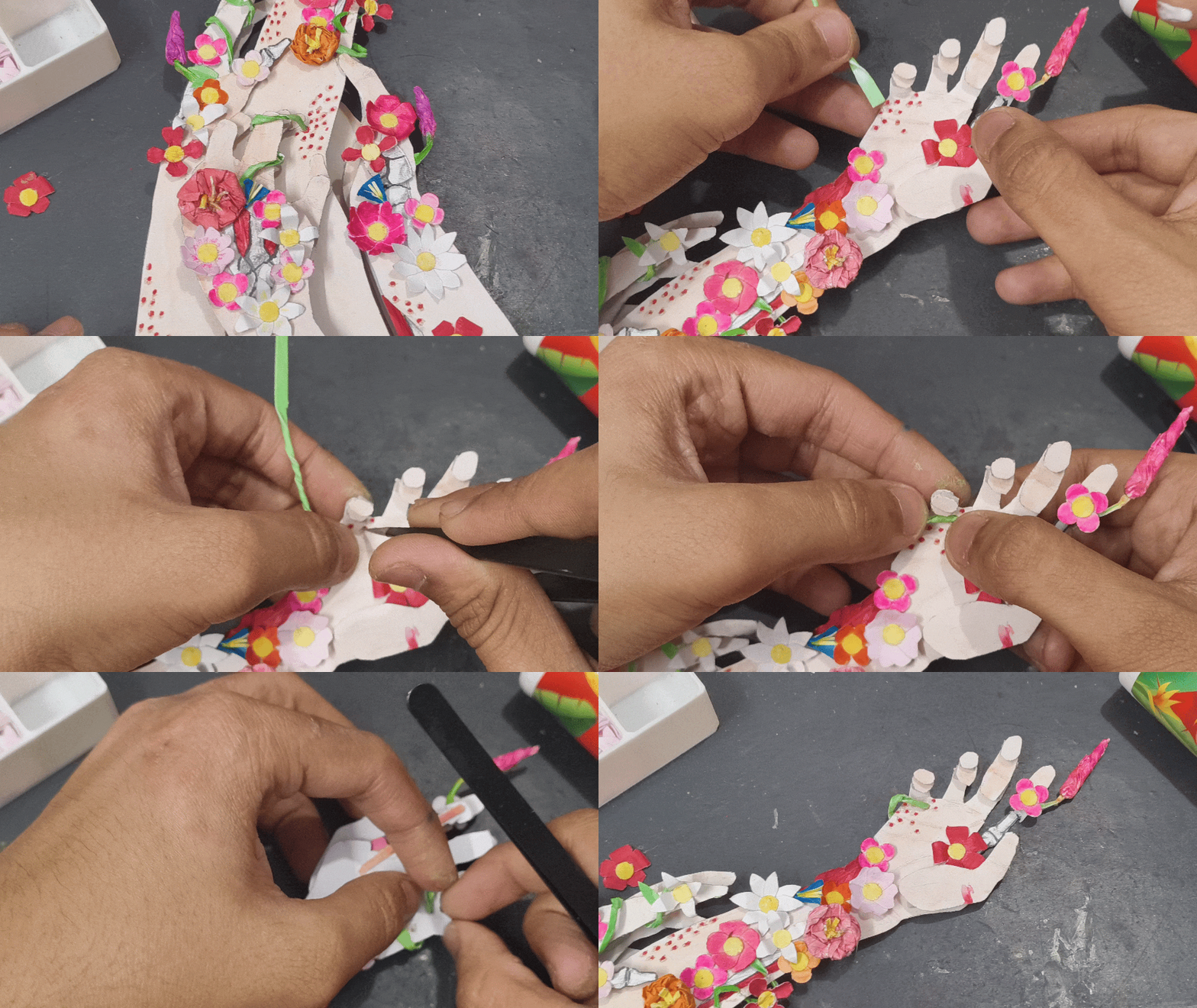
I started by painting some strips of paper with the colors of the petals, then folded them and cut out different shapes of petals. For the center yellow pieces, I used a paper hole puncher. I organized the different shapes and colors of petals, and then made flowers by gluing 4–5 petals and a center piece together. To add some variety, I also made some flowers using paper balls and cones. I also made some vines using green paper strips.
After making all the flowers, I glued them around the wounds and drew some holes on the arms and passed the vines through them.
Now the only thing remaining is a frame.
Making the Frame
.jpg)
.jpg)
.jpg)
.jpg)
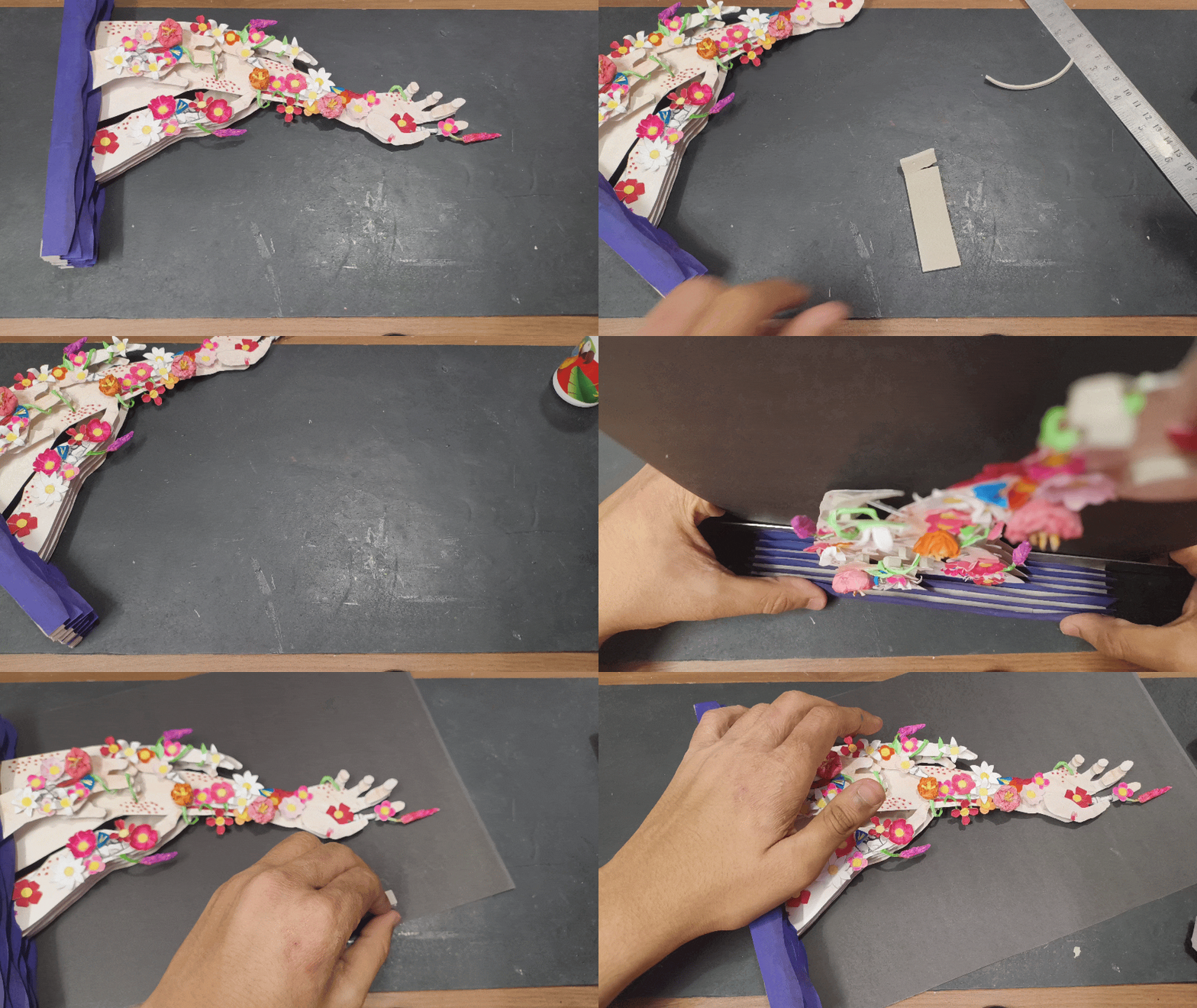
Making the frame was pretty simple. I started with a cardboard sheet and covered it in black paper; this will be the back panel. For the border, I used 300 GSM paper and folded it into rectangular boxes and stuck them to the back panel.
Finally, I attached the main model to the back plate and supported it with more EVA foam.
Adding Details to the Background (Part 1)
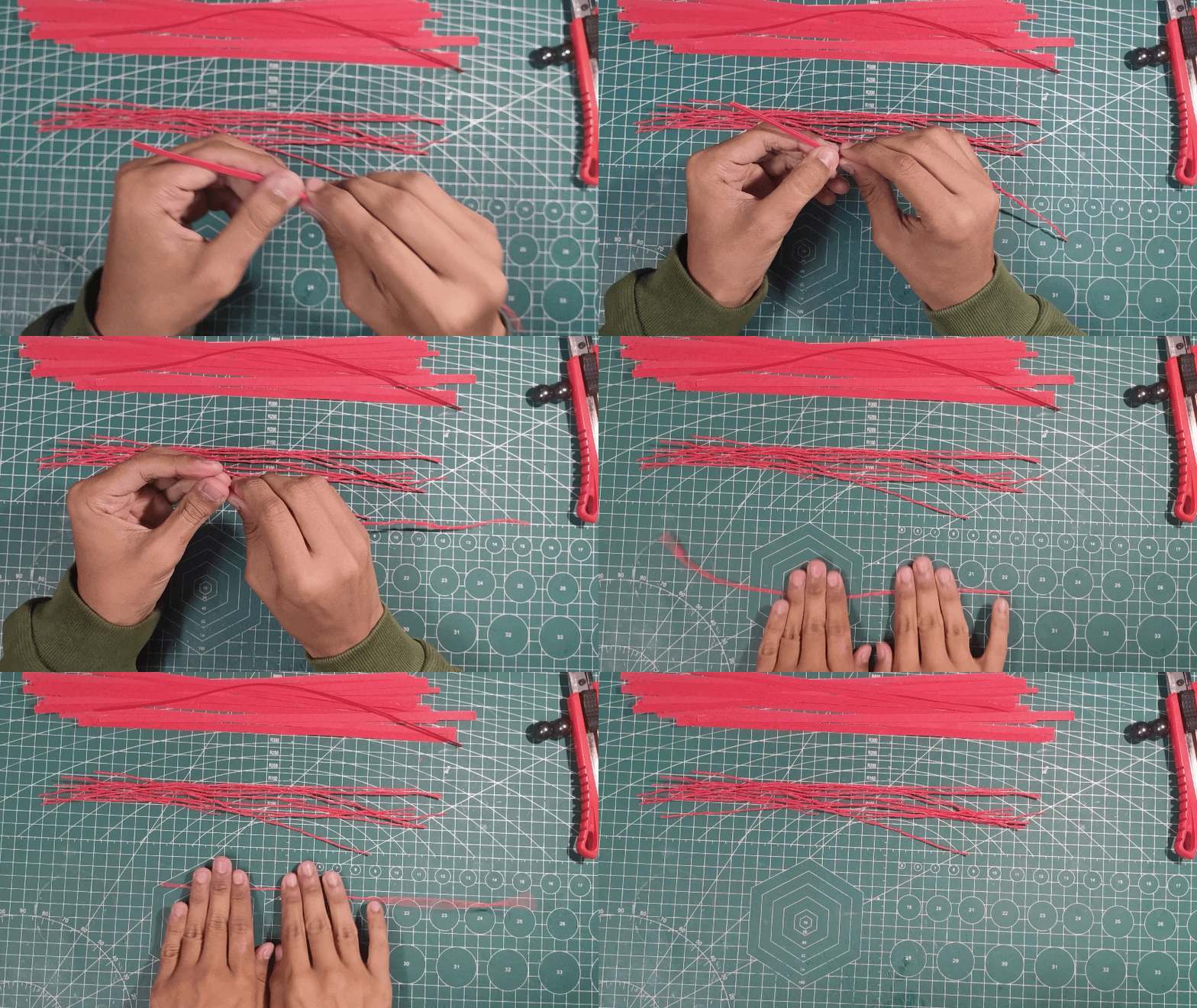
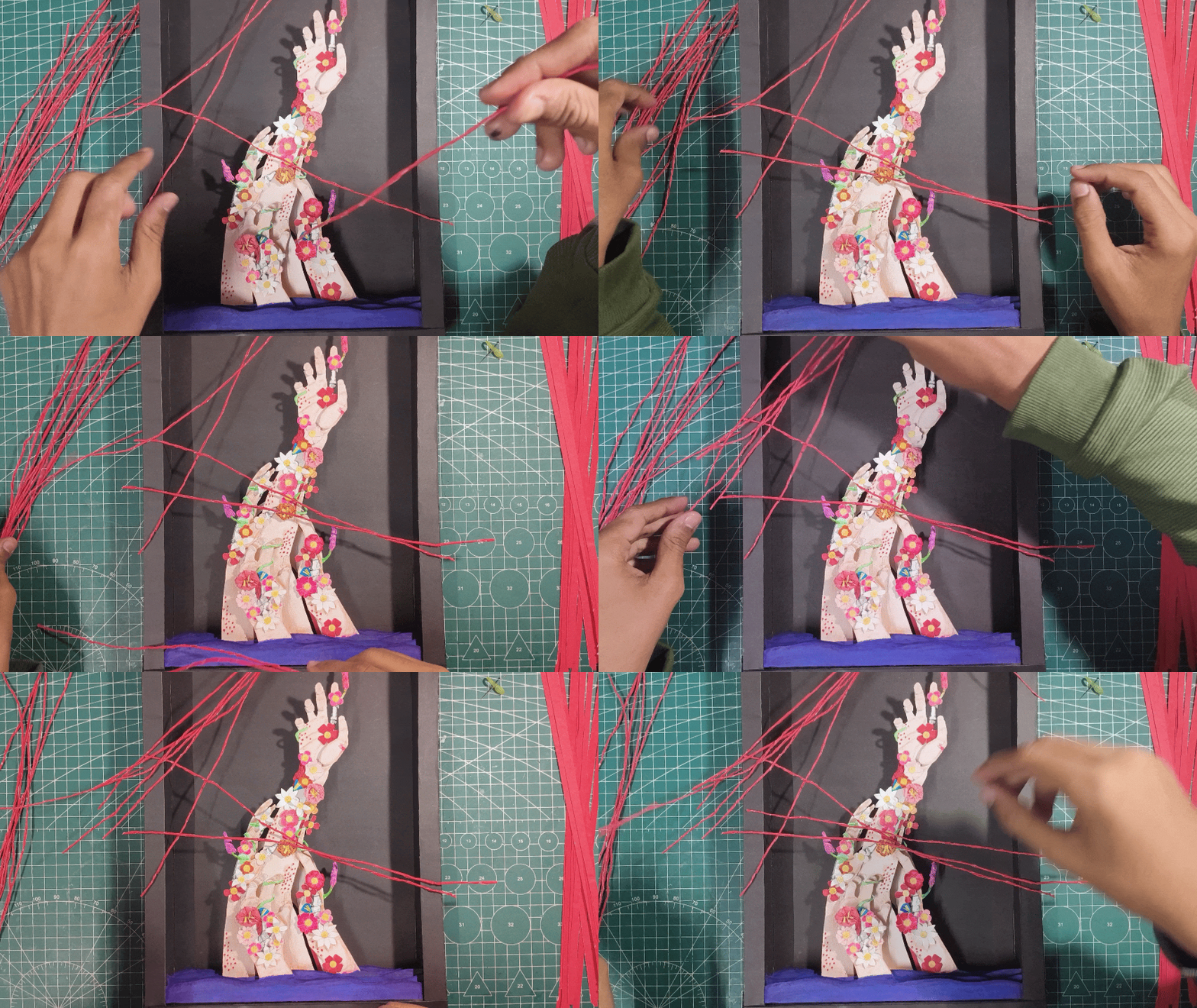
The layers are looking amazing, but the background is pretty empty, so let’s fix that.
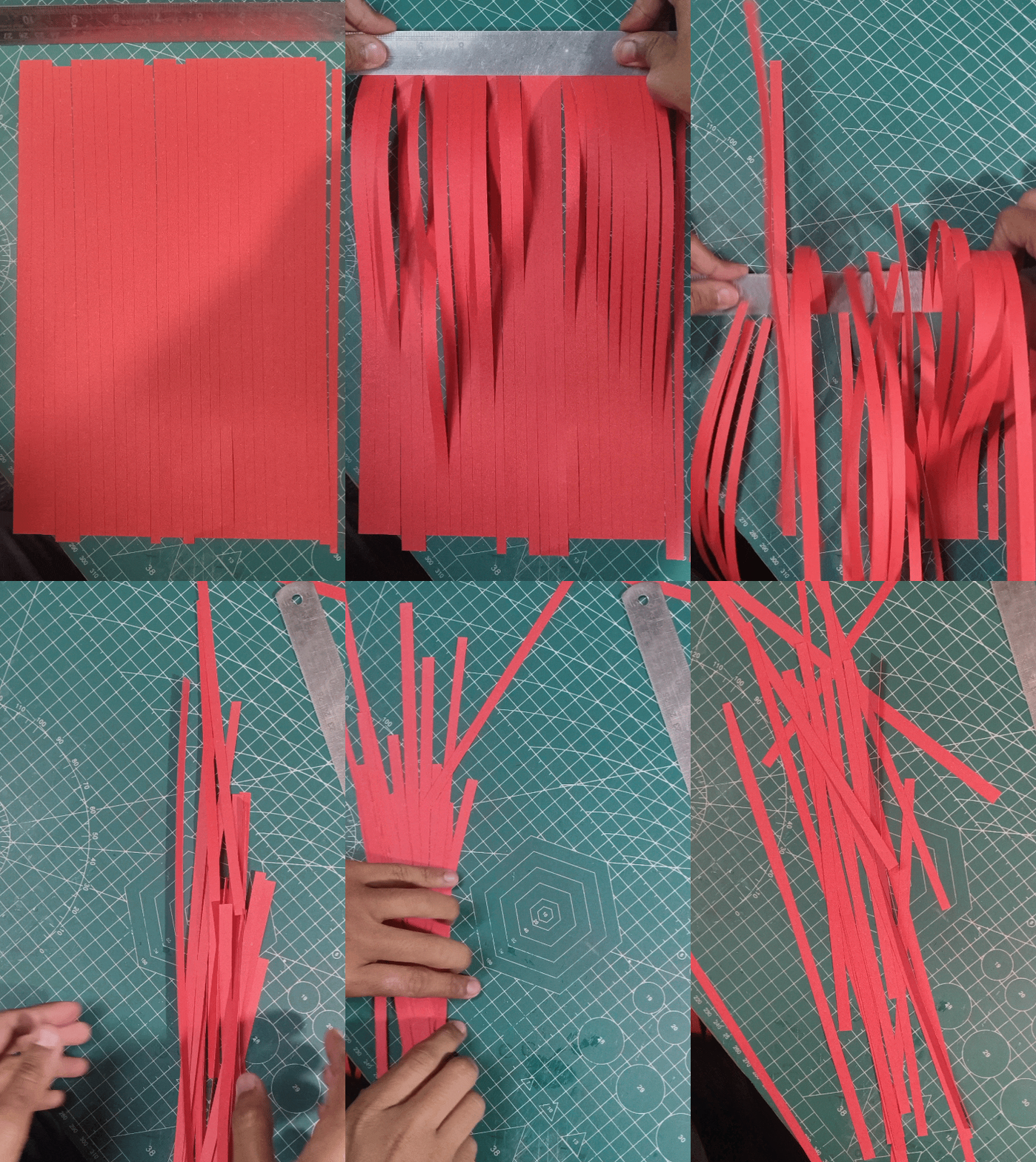
I initially was thinking of adding red vines to the background like in many of the Silent Hill F artworks. To make the vines, I cut strips of red craft paper and twisted them.
But when I used them, they just looked messy and were taking attention away from the main layered art. I needed something that does not steal the viewer’s attention from the main subject but still fills the background.
Adding Details to the Background (Part 2)
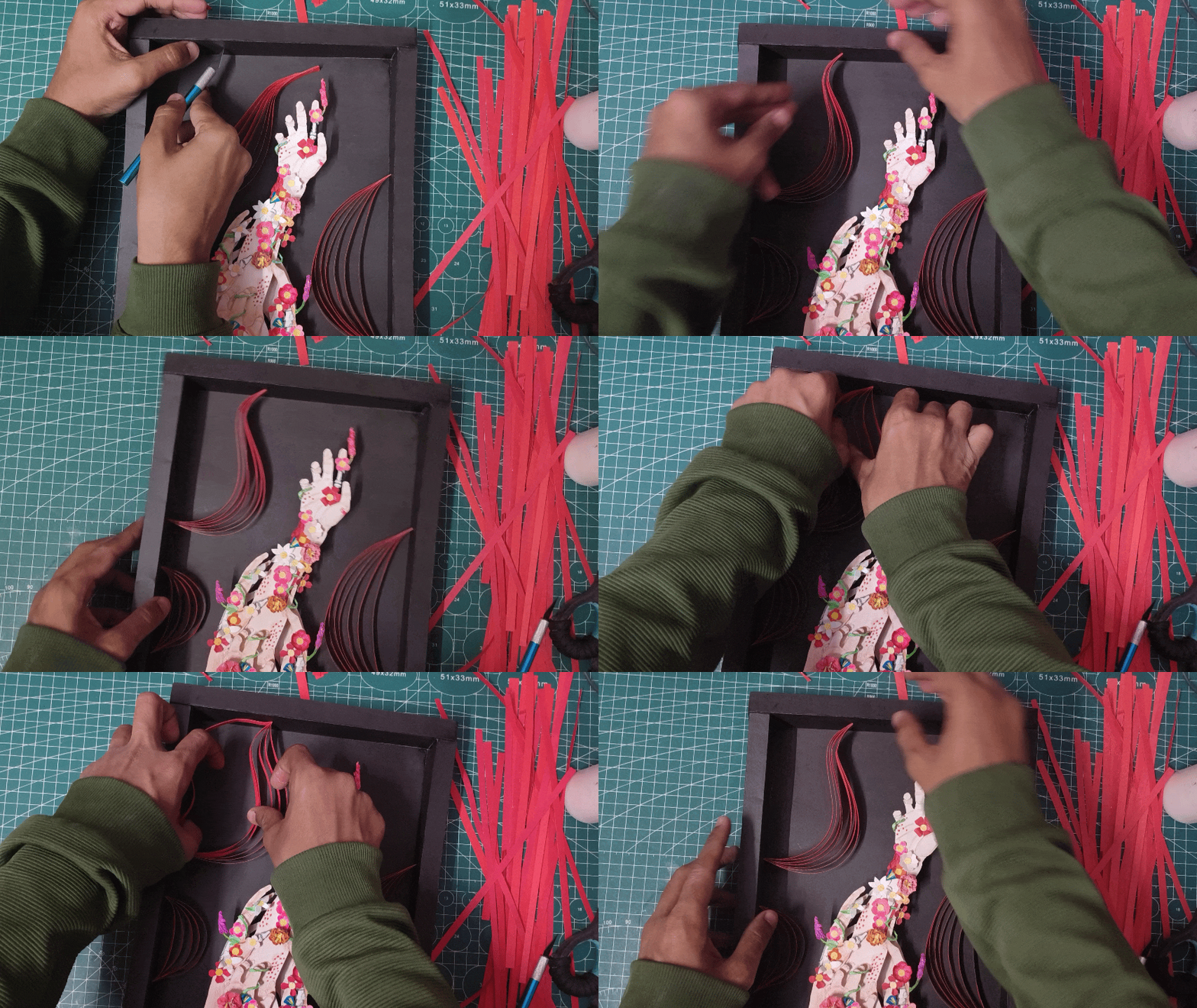
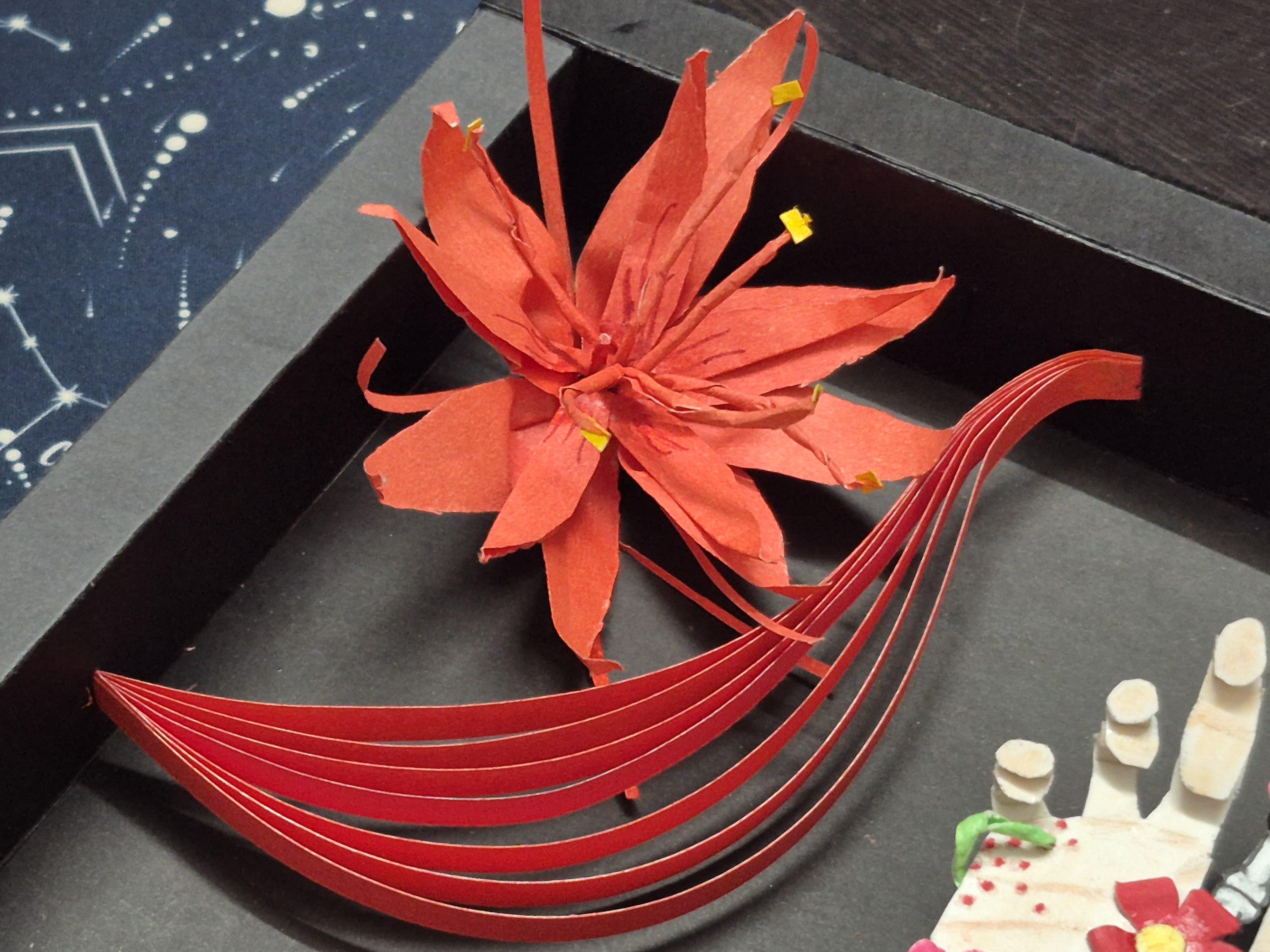
After experimenting a bit, I tried adding just the red strips in a wave pattern, and they worked perfectly. They take less space and are not distracting, and the wave pattern looks similar to mist patterns used in ancient Asian art, so it matches the theme too.
To make these patterns, I glued multiple strips of paper together, adjusted their lengths, and played around with different patterns until I landed on one.
o attach it to the frame, I just cut a slit in the frame and inserted the strips into the slit. This also allows me to adjust their curve.
Adding Some Finishing Touches

.jpg)
I had some flowers left over, so I decided to glue them with the red vines to fill up the empty spaces in the background.
To finish this layered art project, I glued the original sketch and the reference image to the back of the frame and signed it.
And the layered art is complete.
Final Thoughts

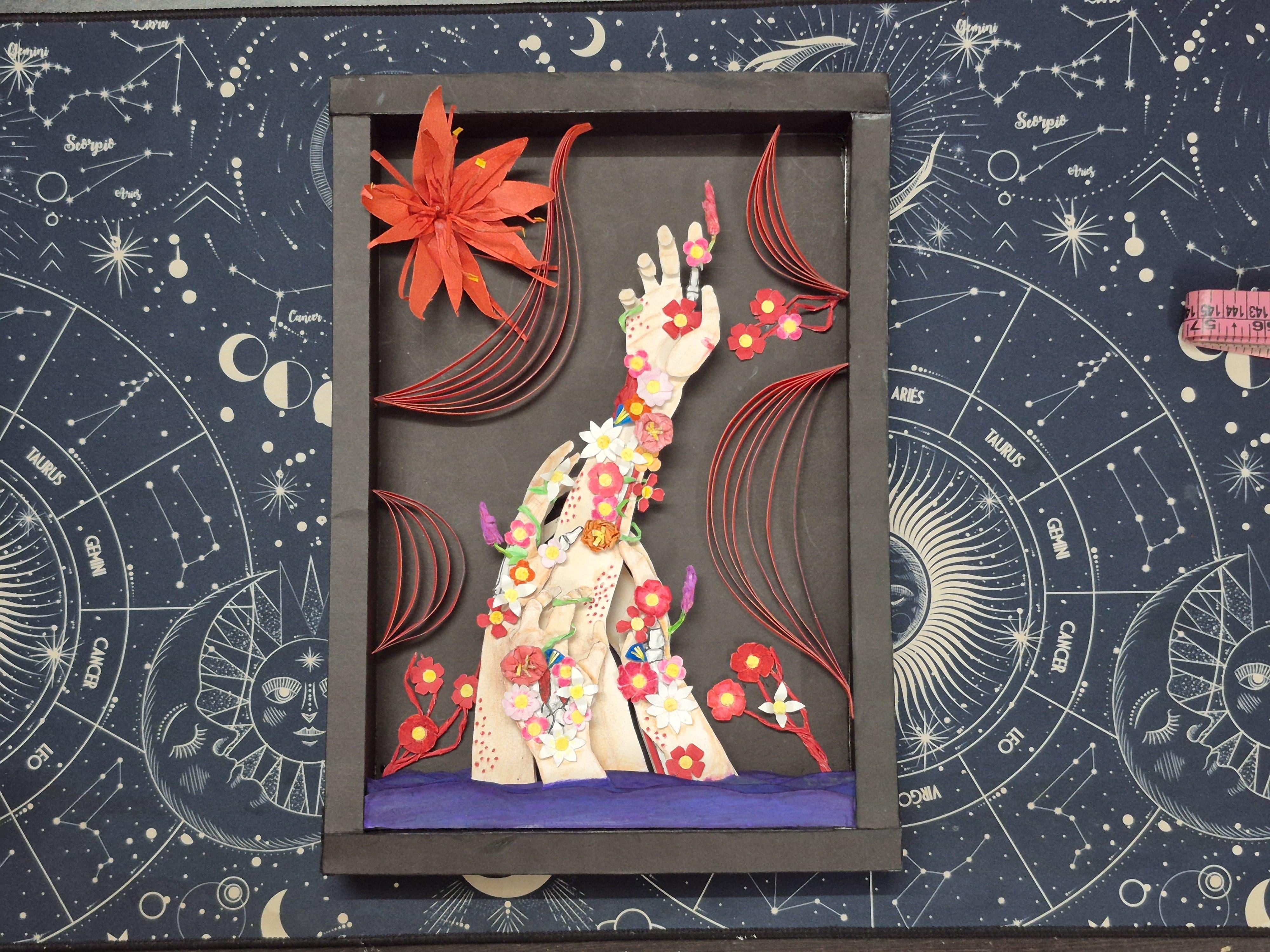
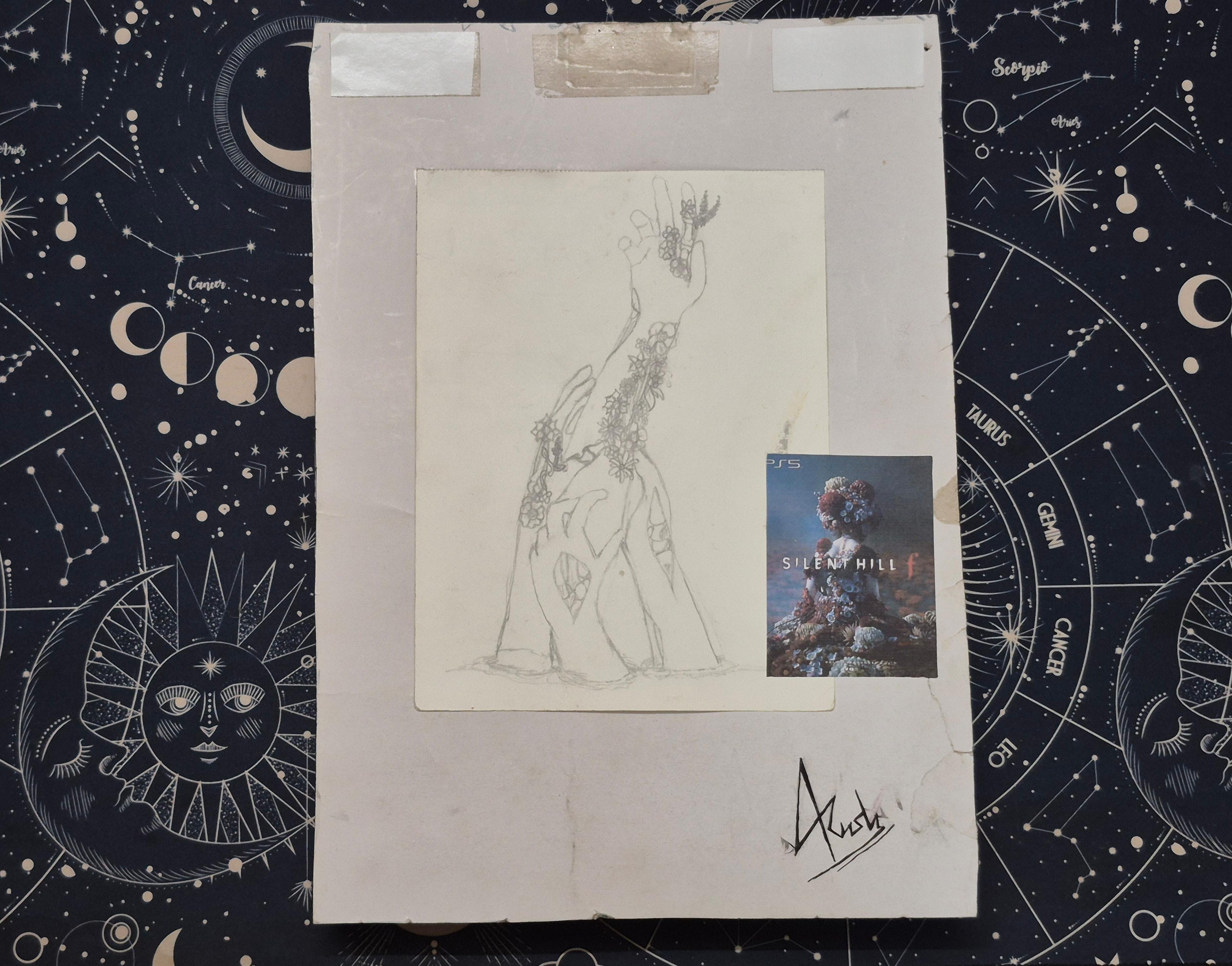
This was a very fun project. I got to complete my year-old sketch in a new art form, and it turned out better than I could have ever imagined. I would love to make more layered art in the future and might try to remake some more of my older sketches in different art forms.
Thank you so much for taking the time to read through my project—
I truly appreciate it!
( ദ്ദി ˙ᗜ˙ )