Persistence of Vision Sphere (POV) Using ESP32/Arduino/VSCode/PlatformIO
by dlf.myyta in Circuits > Arduino
413 Views, 4 Favorites, 0 Comments
Persistence of Vision Sphere (POV) Using ESP32/Arduino/VSCode/PlatformIO

)
)
)
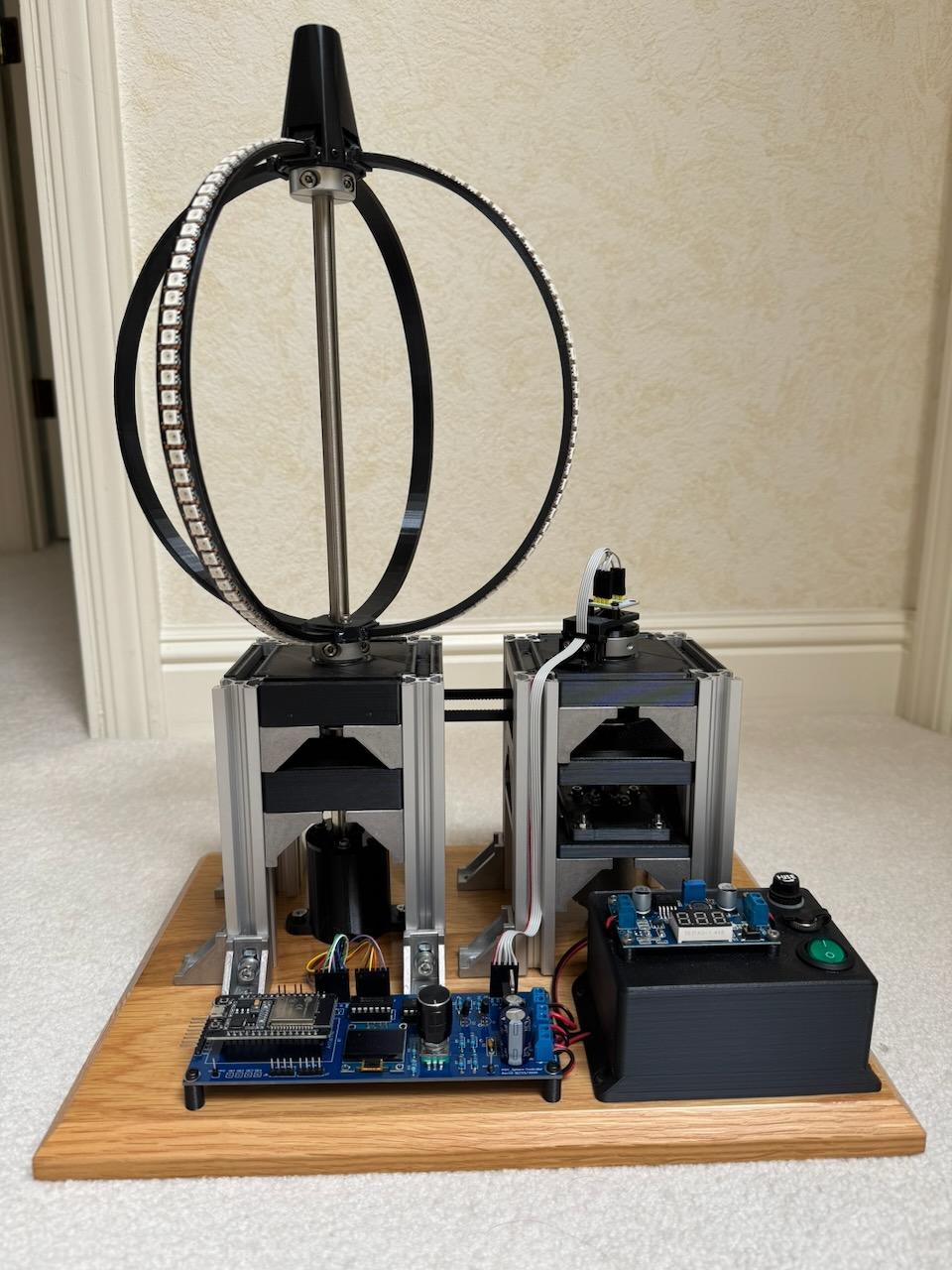
This is an ESP32 based Persistence Of Vision (POV) Sphere that uses high-speed DotStar LED strips. The main design objectives were to have a clean, clutter free, sphere, a robust motor/speed/LED sync system and build a software framework for displaying bitmaps, algorithmically generated graphic animations and state/time-based scenes. I also used it as a test vehicle to explore using chatGPT as a coding/debugging assistant.
Note: All schematics, source code, Gerber files, etc. can be found at: https://github.com/dfreitas-git/POV_Sphere/tree/main
Supplies
All the parts (except the wood base) are off-the-shelf variety which I bought on either Amazon, AliExpress, or Ebay. I did 3d print some of the parts and have included STL or Fusion files for them.
Electrical
- ESP-wroom-32 dev-board
- (2) 74AHCT125N Quad buffer/level-shifter
- .96" I2C monochrome OLED
- AS5600 Magnetic Encoder (I2C)
- Rotary-encoder/switch
- (2) 2N2222 transistors
- (1) IRF3204 N-Channel MOSFET
- 3.3k, 10k resistors, .1uF caps, 470uF caps
- 12-pin AdaFruit slip-ring module
- DuPont male/female connectors
- PC board built at EasyEDA
- 3S 18650 battery pack and 3S BMS (2000-3000mAh)
- 12v to 5v Buck converter (2-3A minimum)
- Power switch, fuse, charging jack
- (1) Adafruit DotStar 144 LED/m black 1-meter strip
- (1) Adafruit DotStar 144 LED/m black 0.5-meter strip
Mechanical
- 150mm 2020 Aluminum Extrusions (10 piece pack)
- 2020 corner bracket kit (40 piece pack)
- 10x26x8 ball bearings (6)
- 400mm x 10mm (1mm wall) tubing
- GT2 belt kit (6mm x 400mm is what I ended up using)
- GT2 60T pulley with 10mm bore (2 pieces)
- 12v 550rpm geared 37mm diameter DC motor (6mm shaft)
- 6mm to 10mm shaft coupler
- 8mm to 10mm shaft coupler
- (4) 30mm x 10mm bore split shaft collars
- (1) Base platform (I used a wood base)
3d-printed
- Battery cover
- Bearing blocks
- Motor mount
- Sphere LED rings and receiver blocks
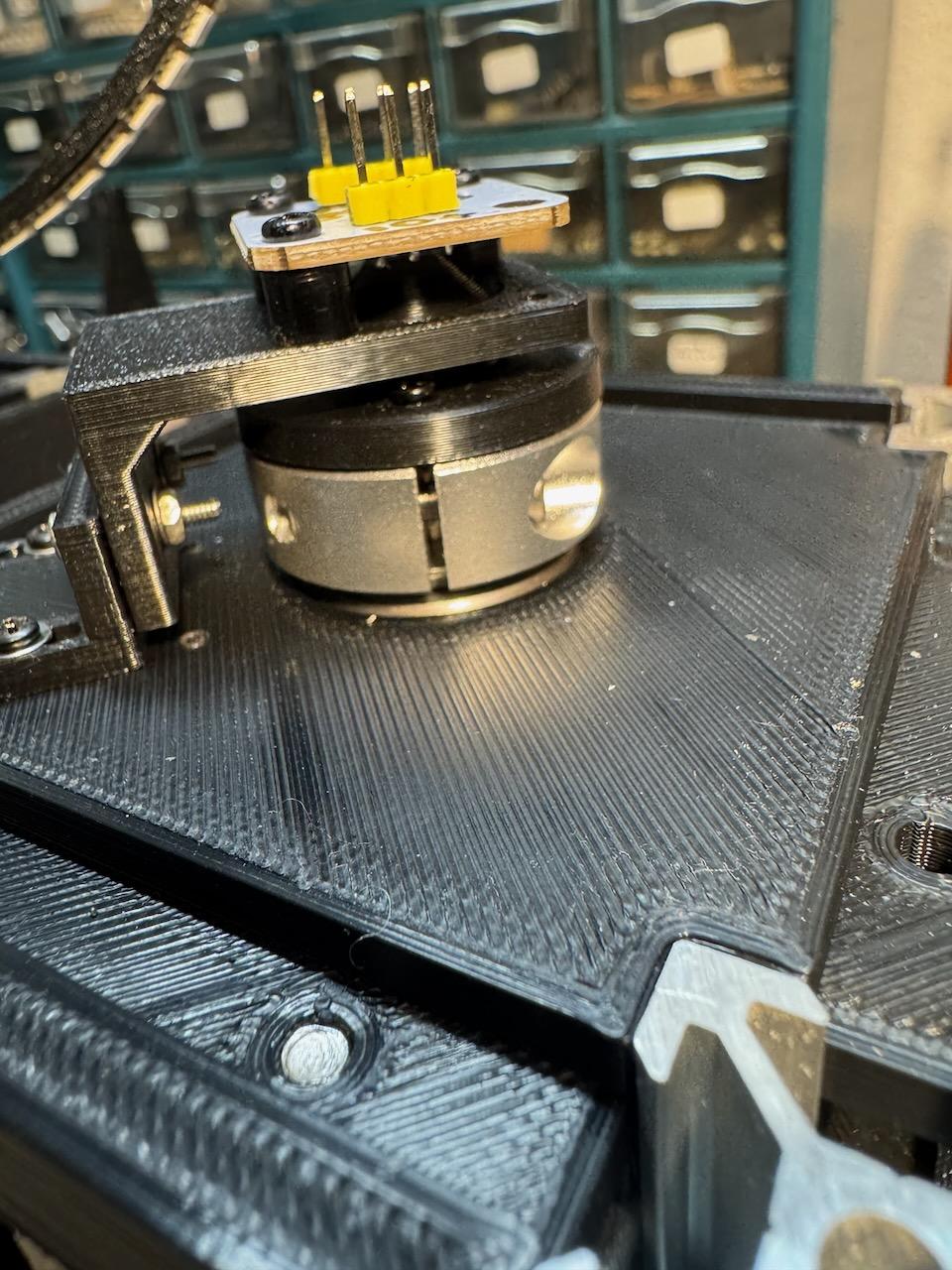
- AS5600 magnetic encoder mounts
It All Starts As a Doodle

I never start my initial design exploration in a CAD system. Always scribbles, notes, thoughts jotted down on scraps of paper. I don't want to kill the creativity by wrestling with a tool's use model. Once I have a general idea of what I want, then I'll start using CAD to firm the design up and to be sure it's actually buildable.
The Mechanical Build
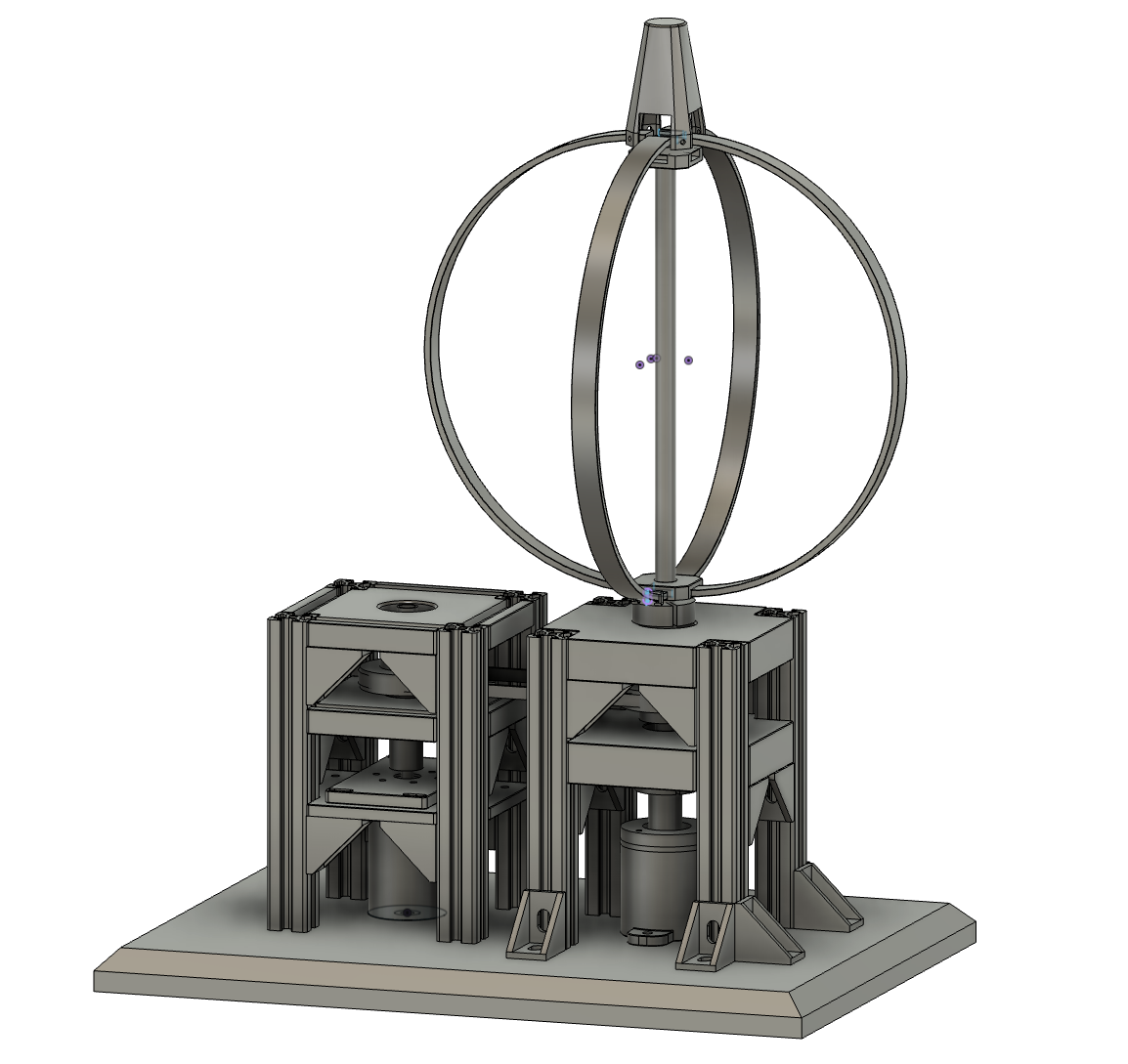
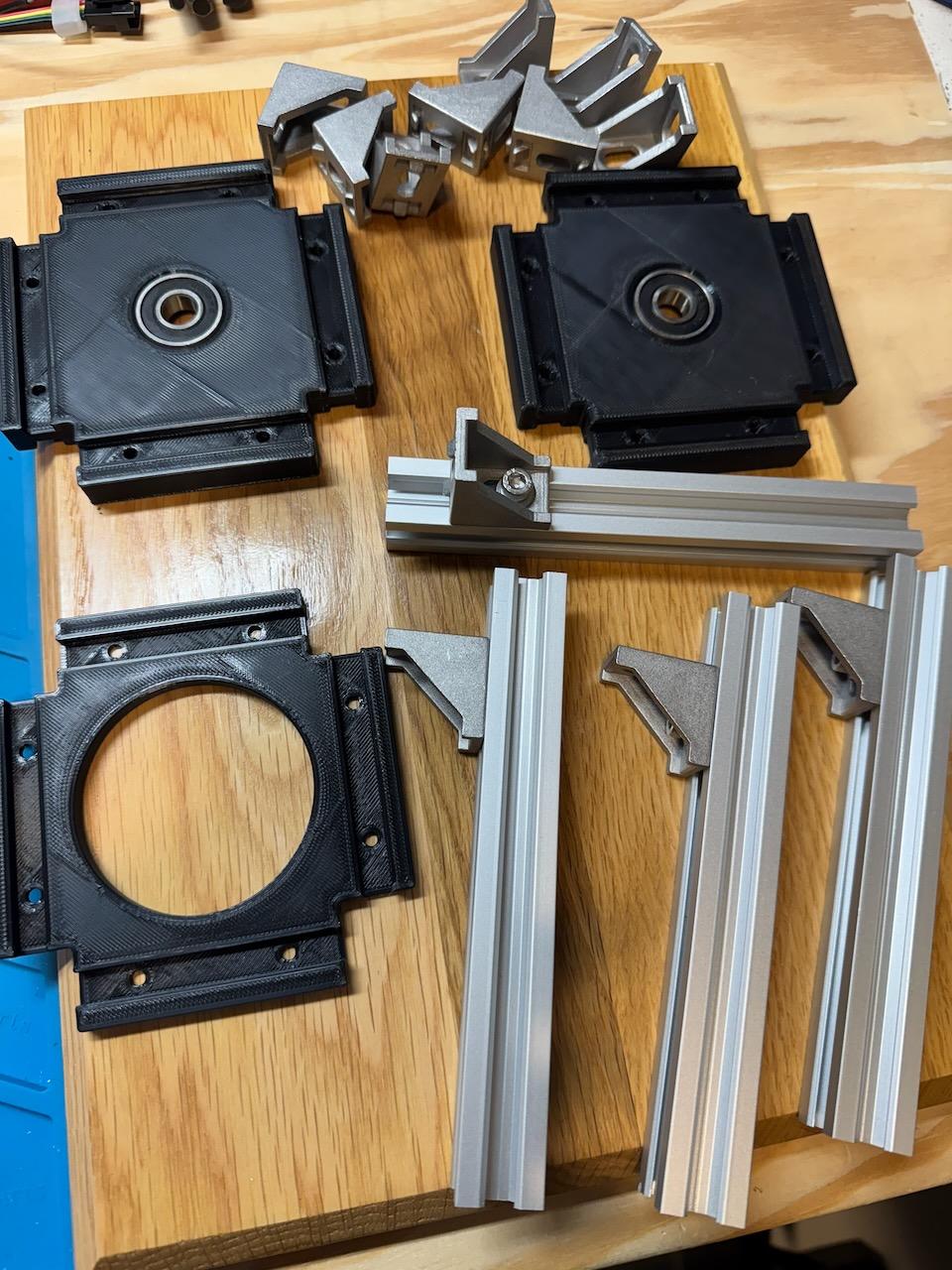
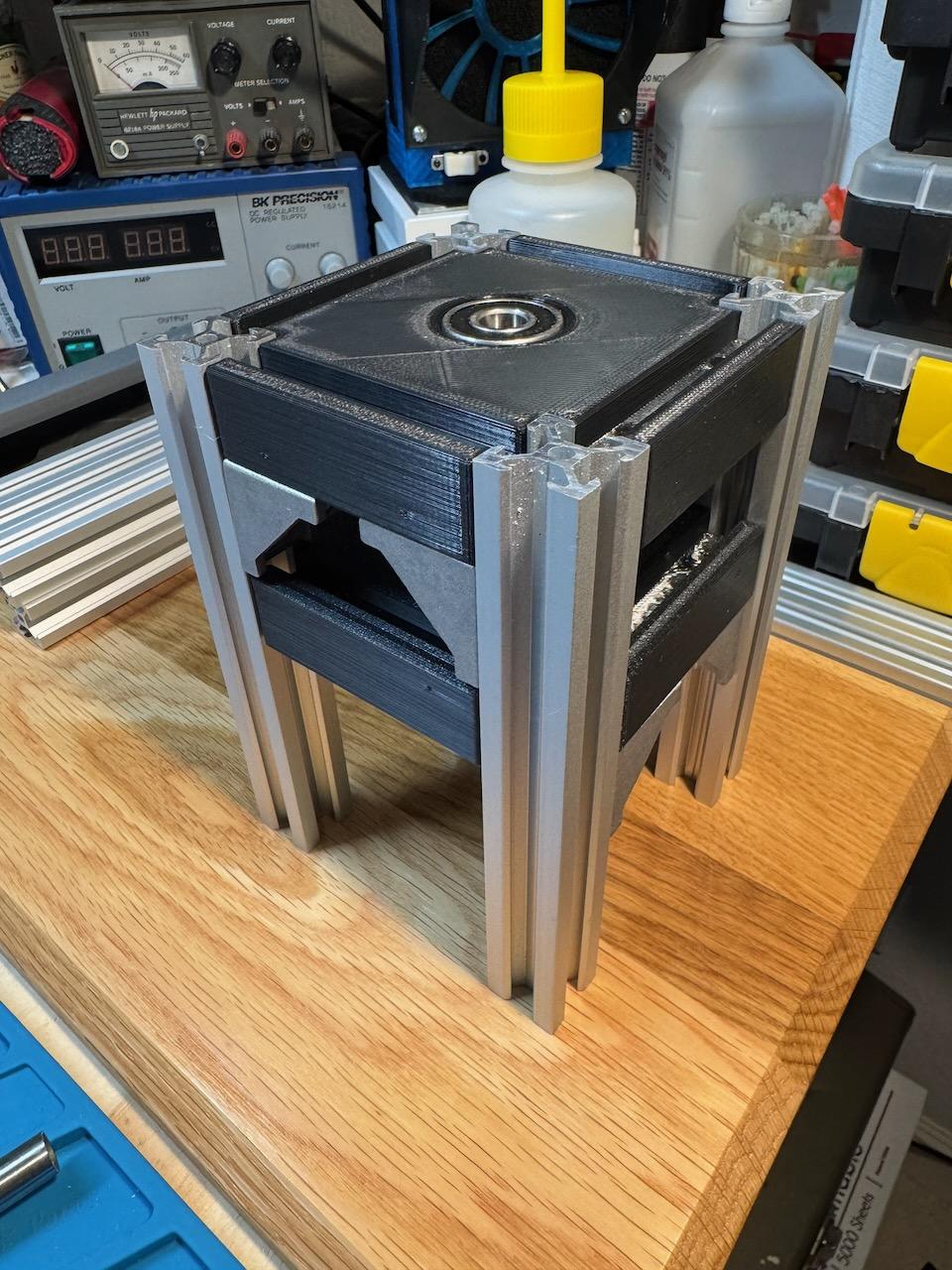
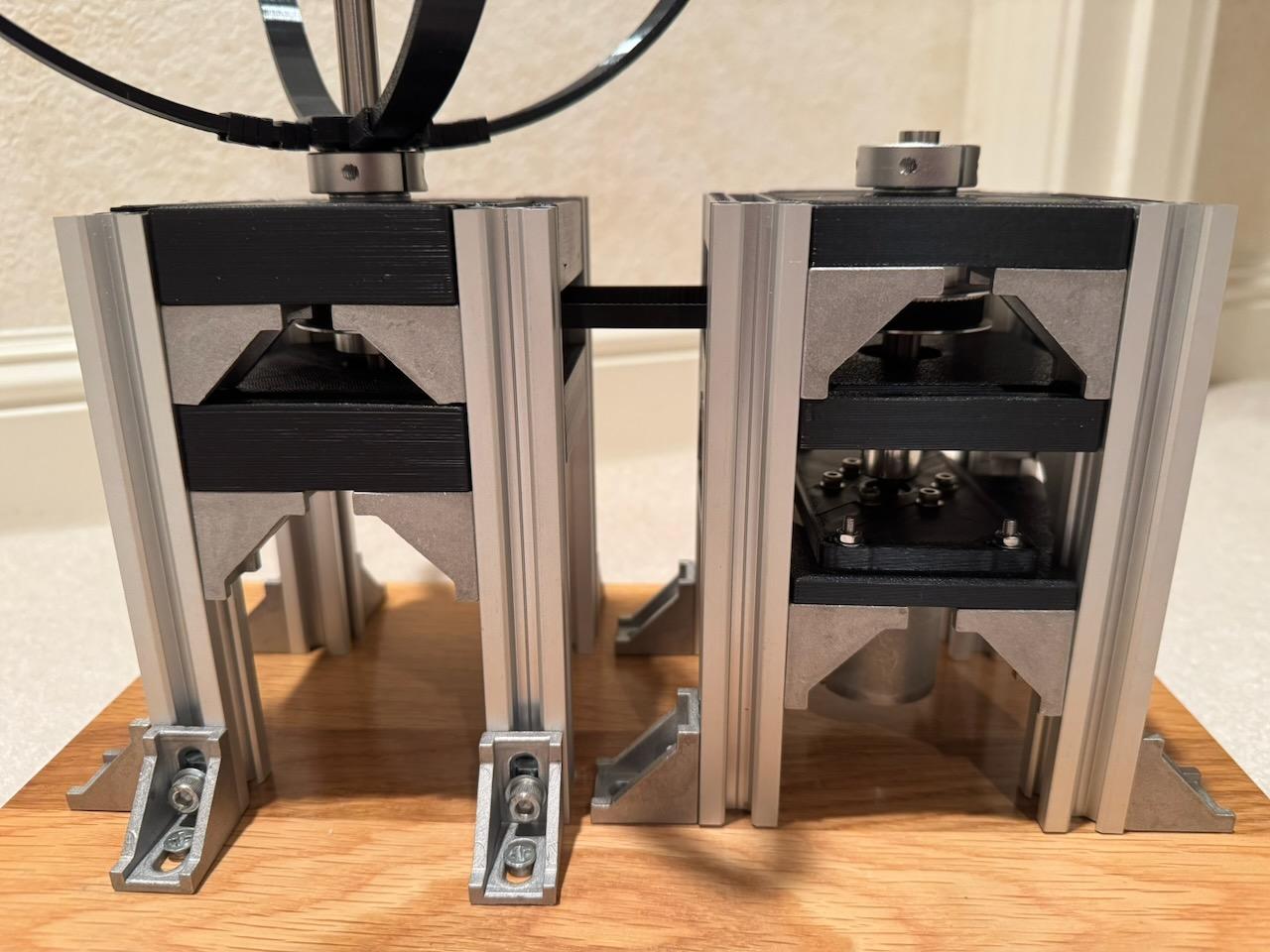
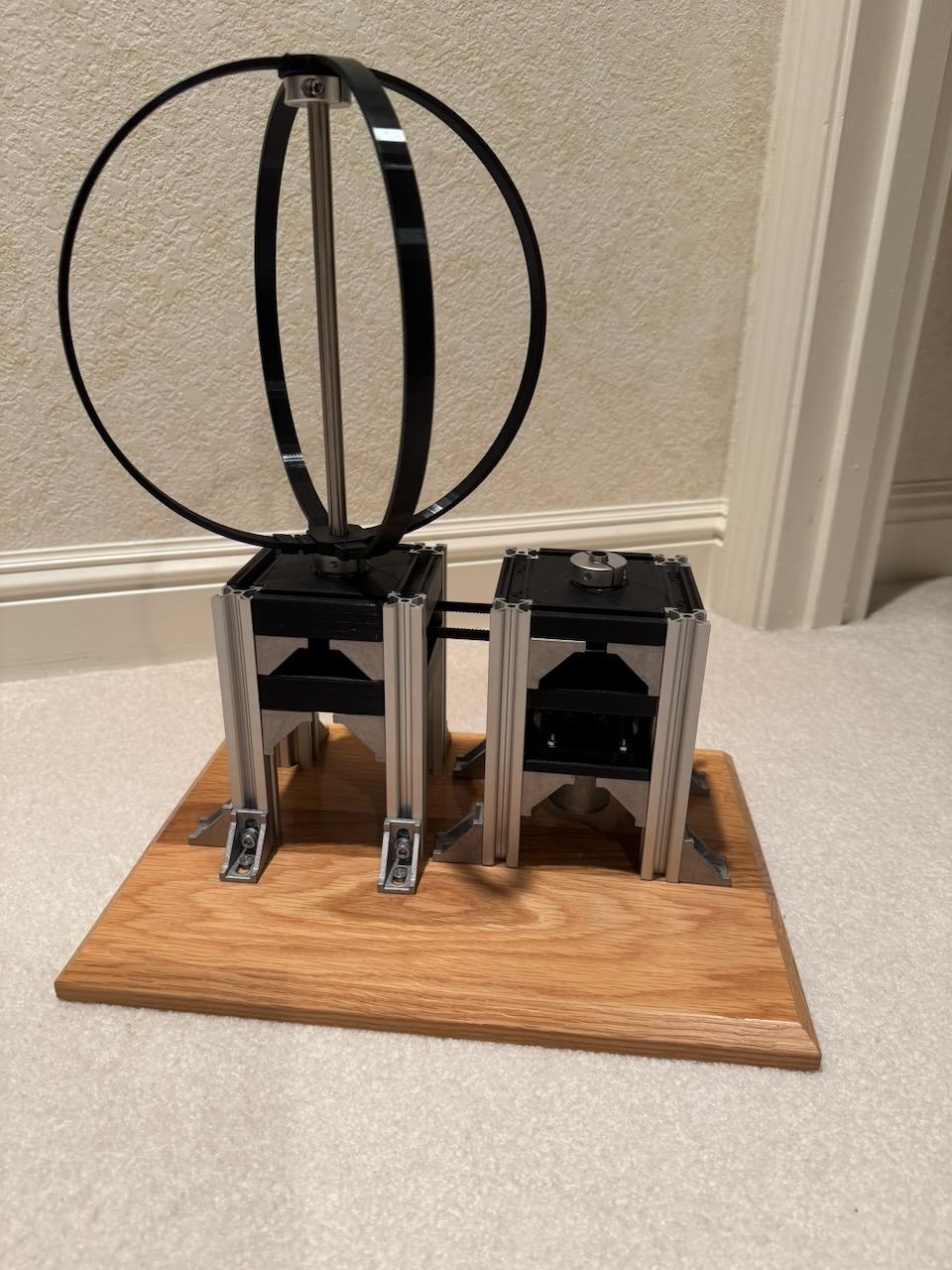
Mechanical goals:
- Make the sphere to be as clean as possible. No dangling wires, no circuit board mounted inside the sphere, no battery inside the sphere.
- Make it reasonably rigid and vibration free.
- Have a bit of a steam-punk vibe.
- 3d print any necessary bearing blocks, mounts.
After I modeled it in Fusion to test dimensions, feasibility, etc. I settled on using standard 2020 aluminum extrusion and corner brackets, 10mm tubing for the shafts, 10mm bearings and shaft couplers to interface between the tubing/motor/slip-rings. Pretty straight forward.
The 2020 extrusions were common 150mm length so no cutting required for them. I did cut the 400mm x 10mm shaft into two pieces (300mm/100mm). Other than having to drill/tap four screw holes, there was no other machining required. Everything bolts together with couplers, 2020 connectors and wood screws to the base. The two towers are connected via a GT2 belt. The belt tension is set just by sliding the motor tower over and tightening to the base.
The sphere tower uses slip-rings to transfer data/clock/power to the LEDs. The slip-ring module is mounted to the base and couplers connect it to the 10mm main shaft that runs up, through the bearing blocks to the top of the sphere. The shaft is hollow so the 12 slip-ring wires run through it up to the top of the sphere where they connect to the LEDs.
The bearing blocks and motor mount were 3d-printed. I used double-bearing stacks on the sphere's shaft to try to minimize any runout.
On the someday list is to replace the brushed/geared motor with a brushless motor. The existing motor works but it's rather noisy (both audibly and electrically).
3d Printing
All the 3d printed parts used regular PLA, typical .2mm layer height, and .4mm line width. I've included the STL files, for direct use, as well as the f3d/f3z Fusion files if anyone wants to edit/modify for their own needs.
Rings/LEDs
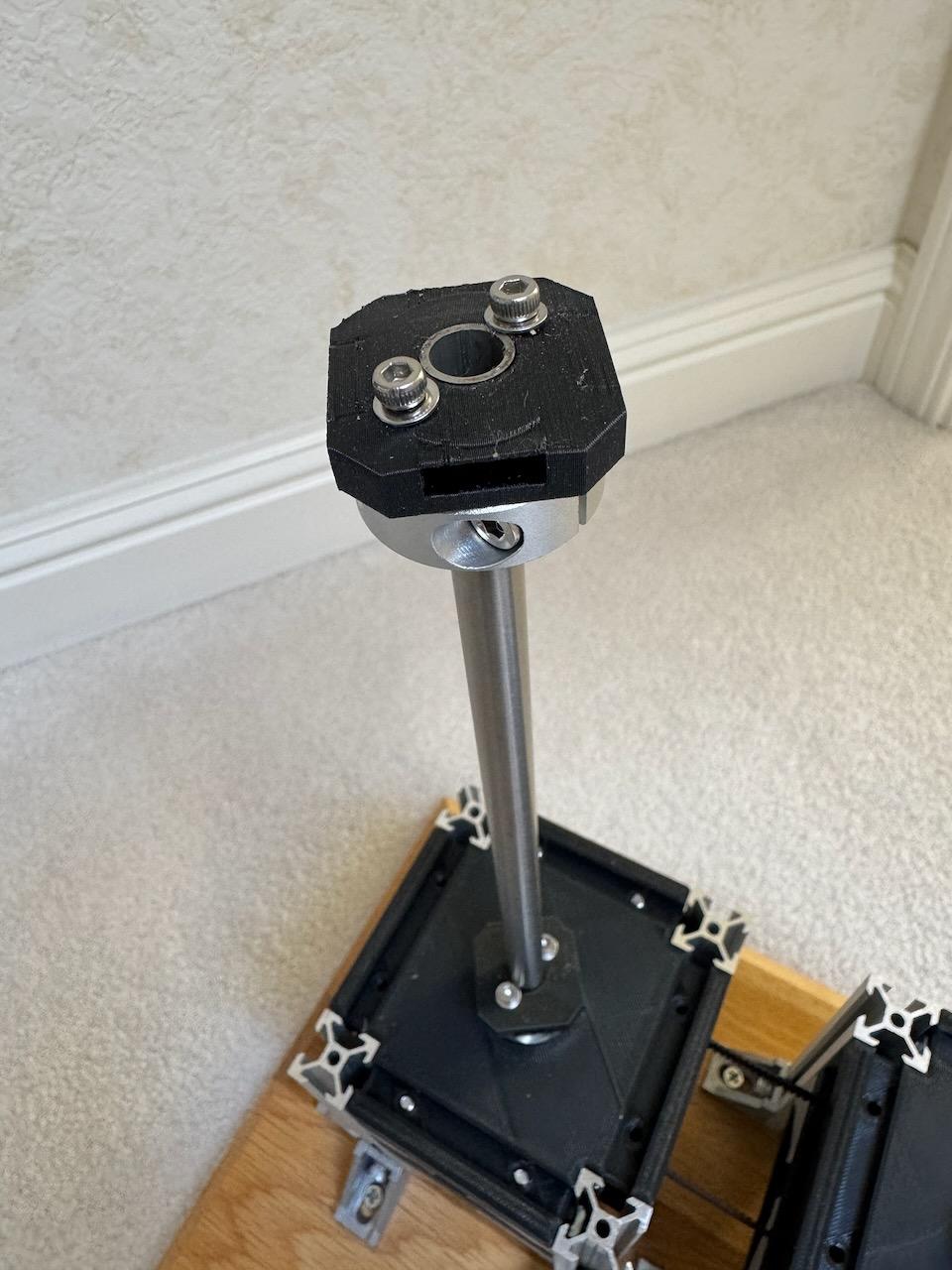
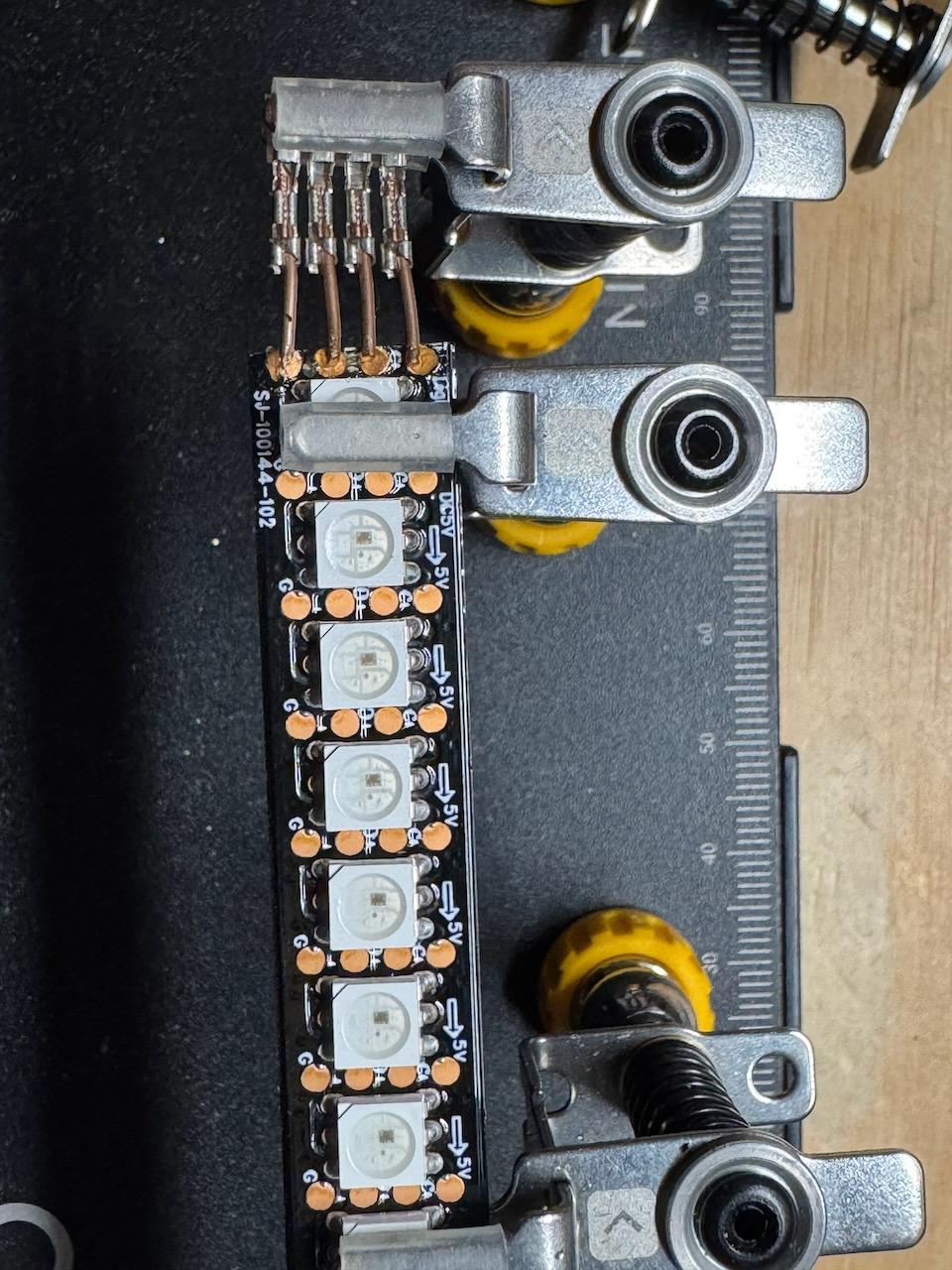
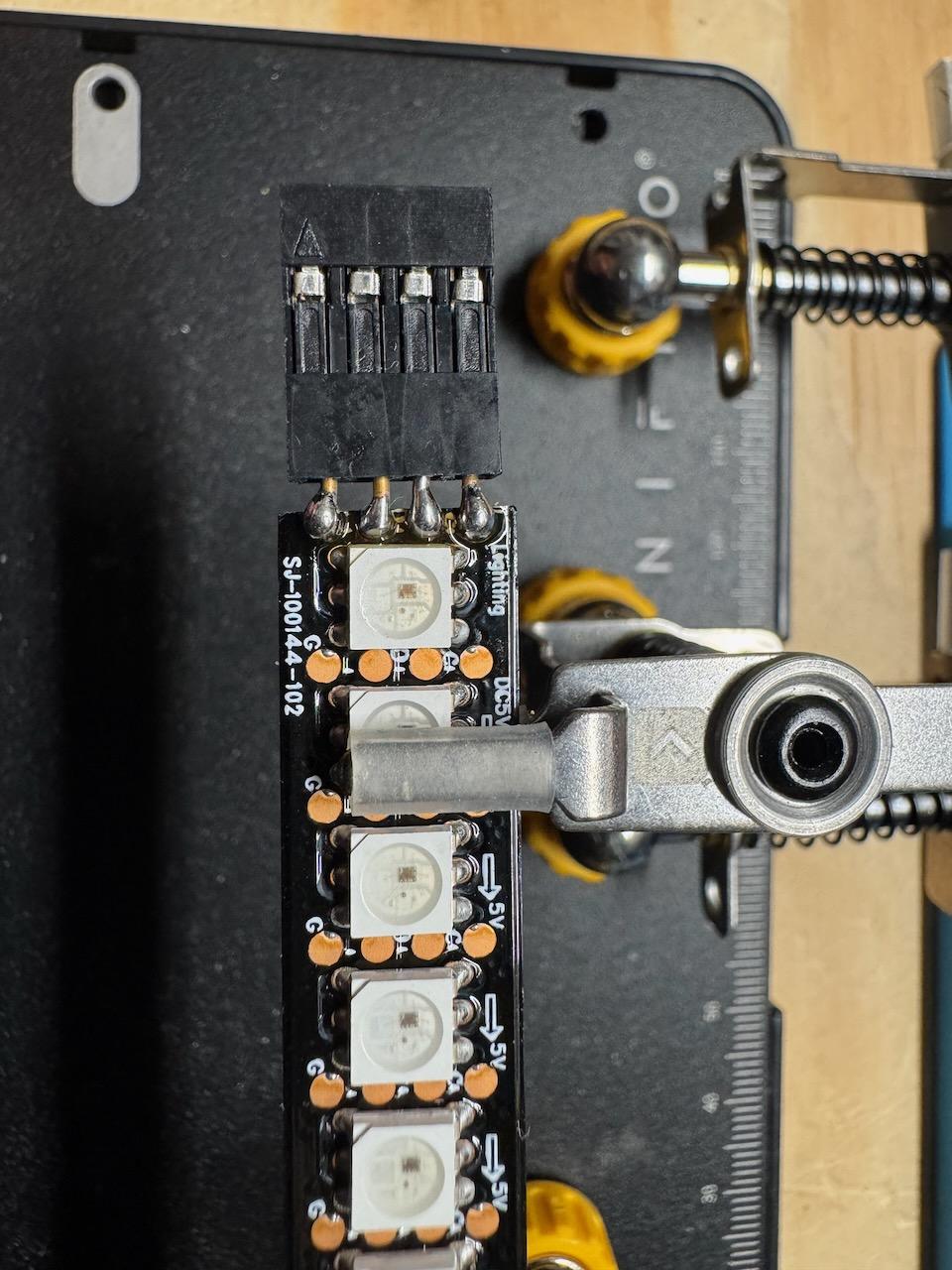
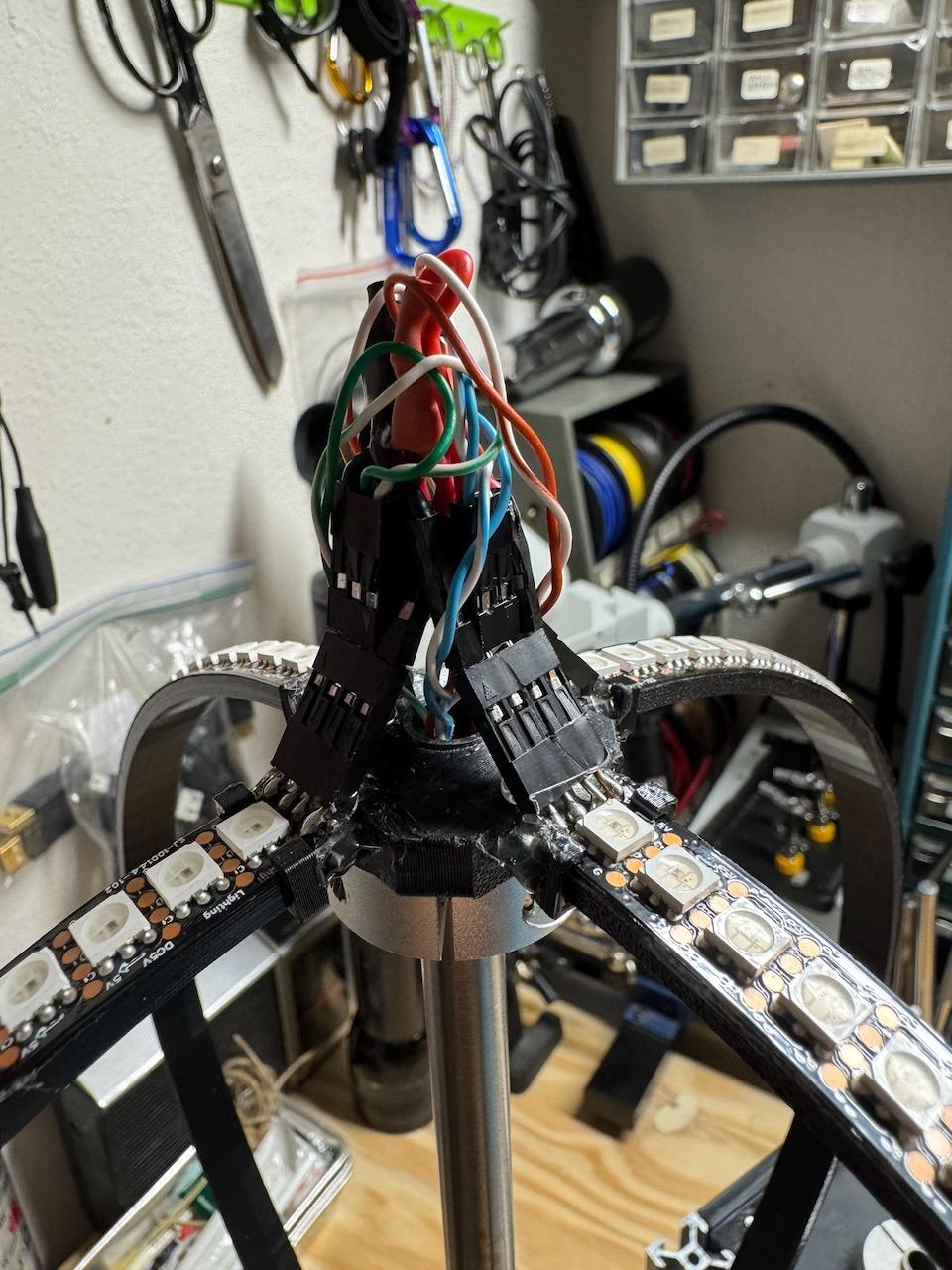
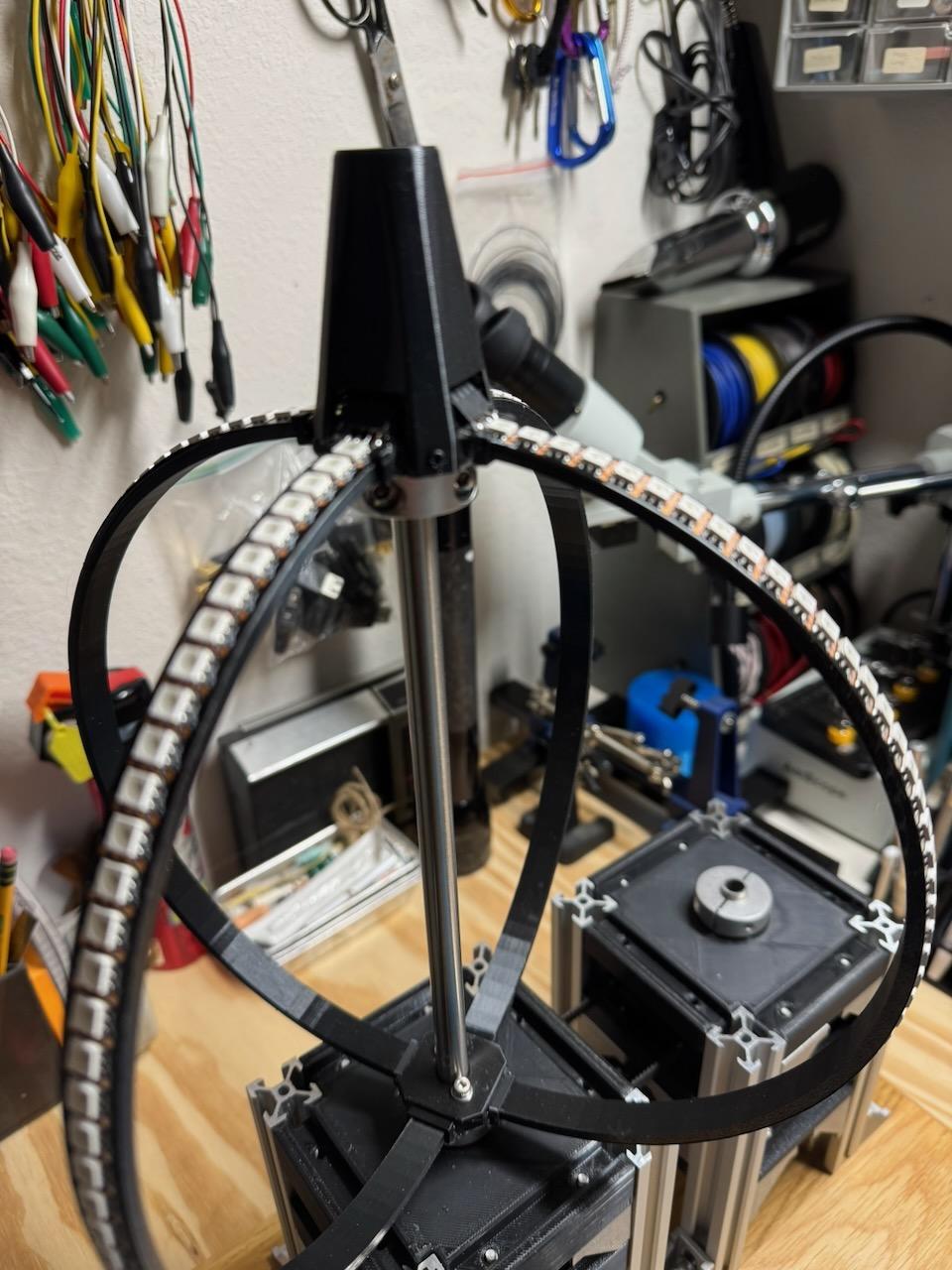
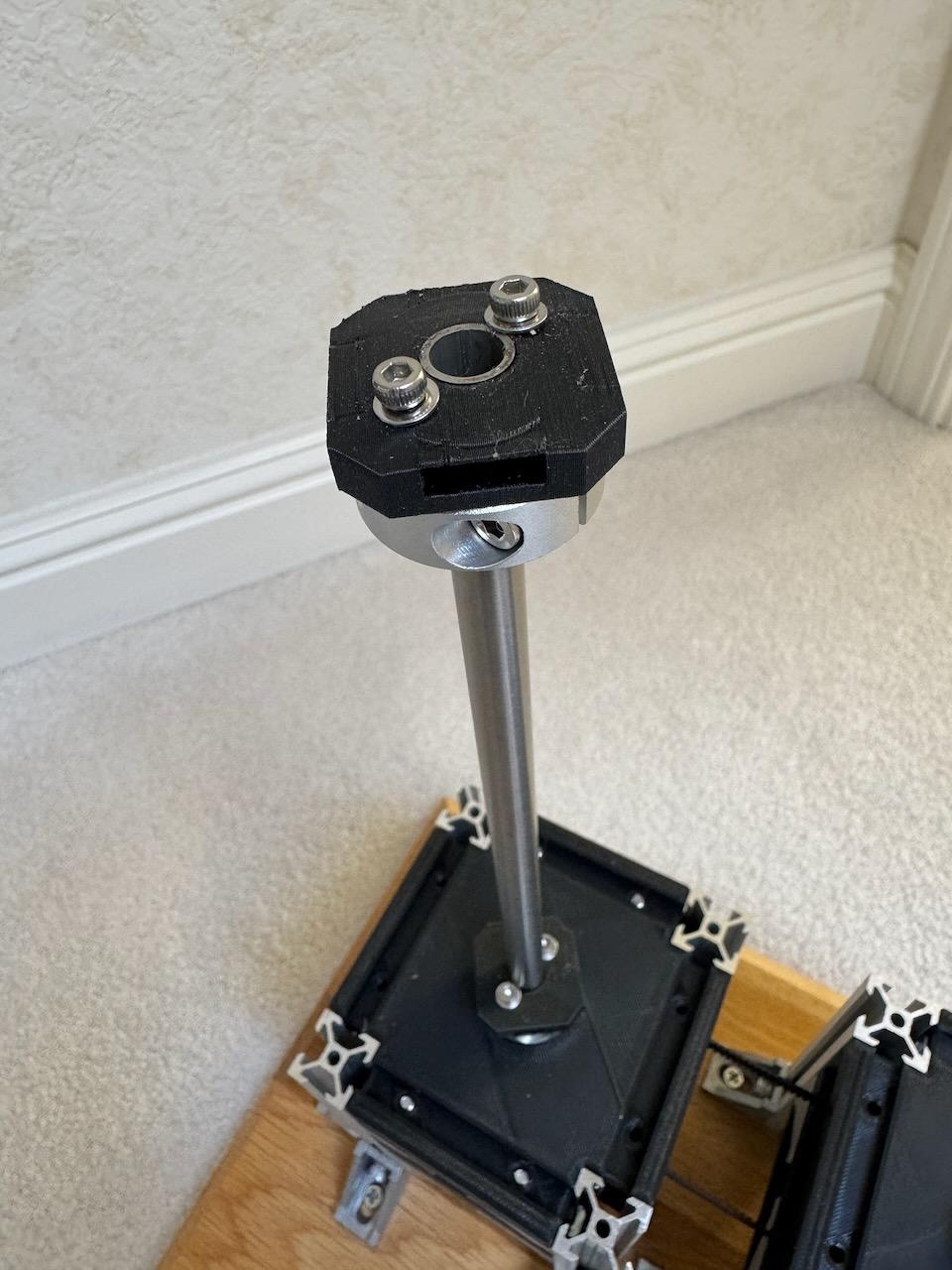
The four LED rings are separately printed and JB-Welded to a ring connector at the top and bottom. The main shaft slides through the ring connectors and split rings clamp to the shaft. I did have to drill and tap two holes in each split ring to attach the ring connectors (see photo).
The 12-wire slip-rings supply two wires to each of the four rings (data/clock). The remaining 4 wires are assigned as two power and two ground connections. The wires run from the slip-rings at the bottom, through the 10mm tube to the top of the sphere and are soldered to DuPont connectors in case I need to remove the sphere in the future. It's a bit of a rats nest so I printed an appearance cover to tidy it up...
I used double sided mounting tape to attach the LEDs (48 per ring) to the 3d-printed rings and added small 3d-printed keeper clips at the top and bottom. It's critical that you align the LEDs vertically as any shift will show up as a row-distortion. In fact when gluing the rings to the ring holders, you need to clamp them to a flat surface to keep them as aligned as possible. My sphere main shaft turned out to have a slight bend in it and presents visually as pixel distortion/jitter.
Someday I may re-build the sphere rings/mounts in metal (and straighten or replace the shaft).
Battery
I built my battery pack from six 18650 cells (3s-2p). The DotStar LED's can consume a lot of power, but it's very dependent on the patterns/colors/brightness you use. I measured the actual current draw and it was typically less than 1A. Theoretically it could be over 11A with 48 LEDs x 4-rings (@60mA/LED) displaying a solid white pattern!
Note: I use four-wire DotStar LED strips, not the WS2812 three-wire neoPixel style strips. These require a separate data/clock but can run much faster (20-32Mhz vs 800Khz).
The design uses 12v and 5v. I used 3s-2p configuration for 12v@3A. The motor runs at 12v and a buck converter is used to derive 5v for the ESP32, LEDs, and bus-drivers. The bulk of the current is consumed by the LEDs and ESP32, so size the buck converter accordingly (the one I'm using is rated for 3A max, 2A typical). The 3.3v supplied from the ESP32 was enough for the encoder and OLED so no separate buck converter was used.
Of course, you could also use a wall-powered 12v and 5v supply and eliminate the battery, but I wanted my POV_Sphere to be portable. If you do build, or buy, a lithium battery pack , be sure it has a built-in BMS so you don't over charge/discharge the pack.
Controller Board


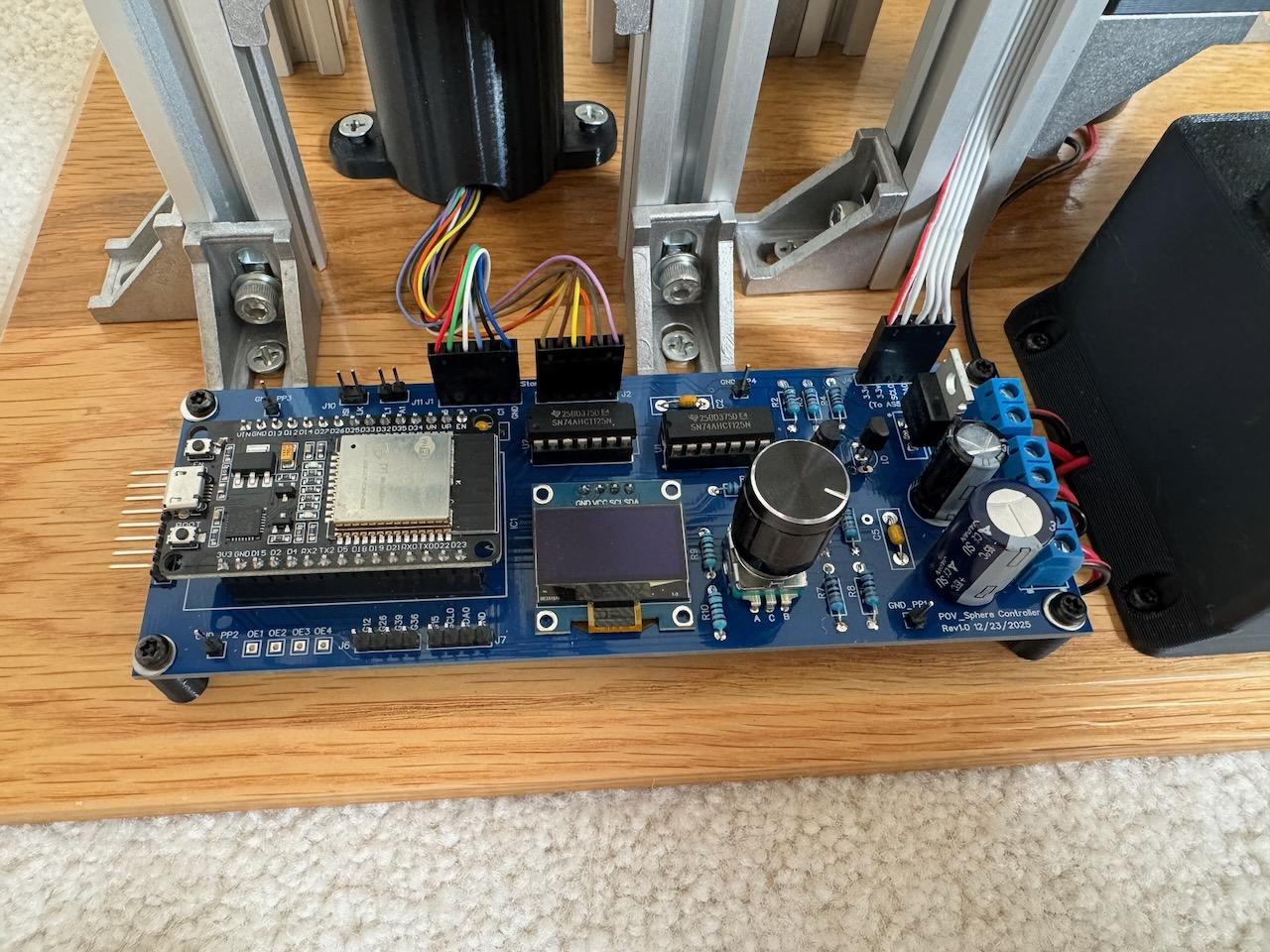
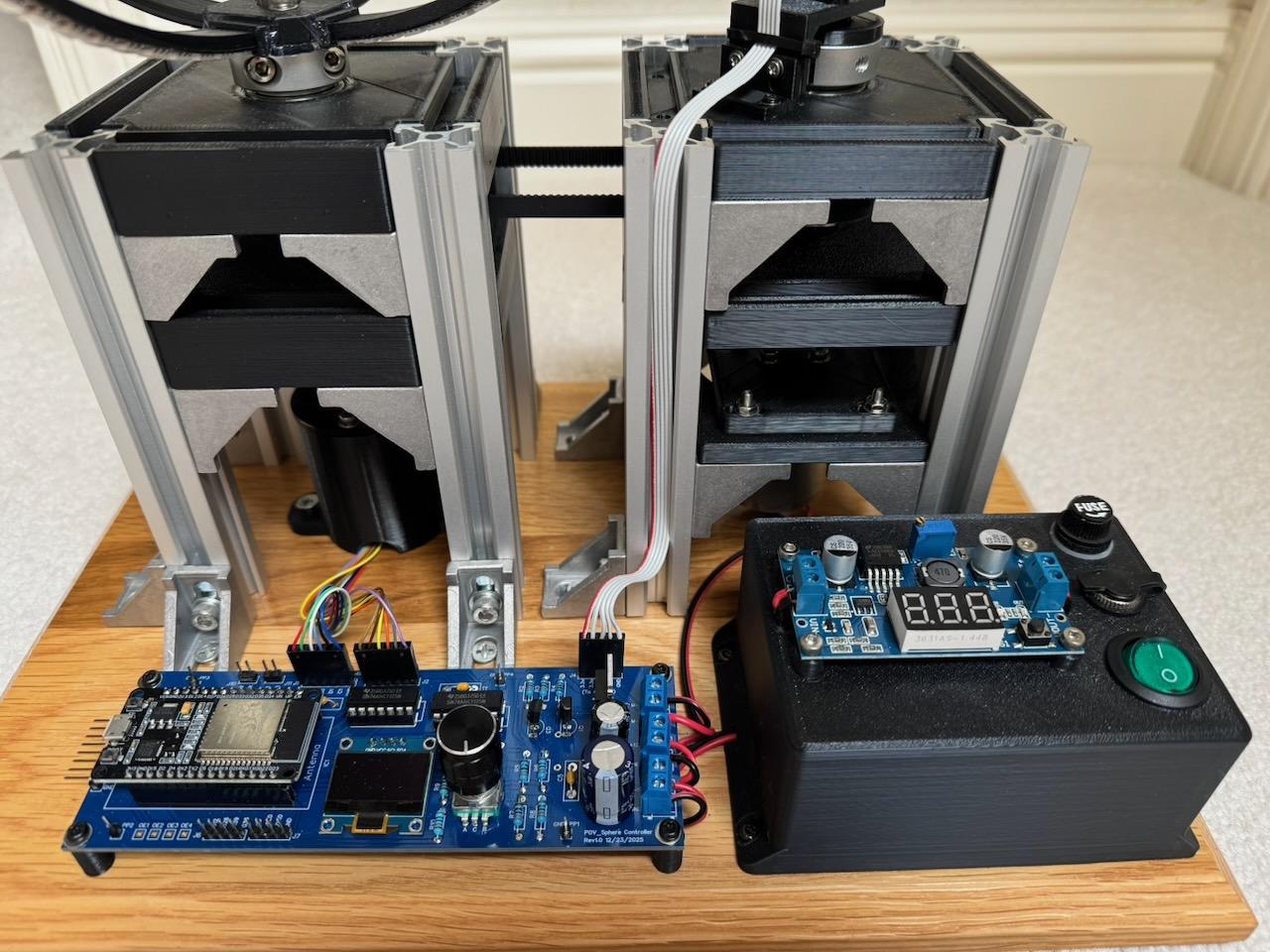
An ESP-wroom-32 dev board is used to control the the sphere. The ESP32 was chosen for its speed, memory, and dual processor core. It also comes with freeRTOS installed allowing multiple concurrent tasks to be used.
The ESP32 reads an AS5600 magnetic angle encoder that's mounted to the motor shaft to compute shaft angle and RPM. A PID control loop is implemented to regulate the motor RPM with the pwm signal buffered and driven to the motor via external NPN transistors and an N-Channel MOSFET.
Since the ESP32 operates at 3.3v and the DotStar interface is 5v, I use SN74AHCT125N driver/level shifters to manage the load/levels. I am using four strips, rather than the more traditional two, to lower the required motor RPM for a given frame-rate. I use a 120x48 pixel framebuffer. For 25fps, using two rings (each drawing 60 columns of the 120), I'd need the motor to run at 750rpm. The slip rings are only rated at ~400rpm. With four rings, each only has to draw 1/4 of the framebuffer so the motor rpm drops to 375rpm. The tradeoff is that I need to DMA four columns worth of data for each column advance so it puts pressure on the SPI/DMA bandwidth.
There's a rotary-encoder/switch and OLED included to provide a simple menu system for choosing images, display options, and for modifying settings (brightness, motorRPM, etc.).
I've also stubbed out an SPI connector in case I ever want to add an SDCard and try streaming video onto the Sphere.
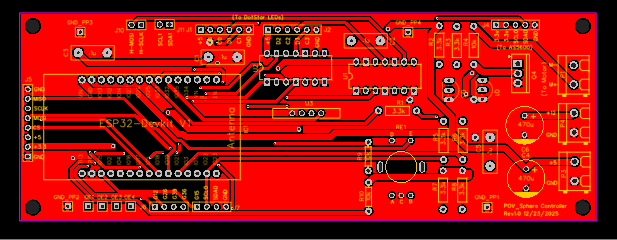
EasyEDA was used to draw the schematic, layout and build the board. Everything is thru-hole (no surface-mounted-devices) so it's easy to assemble/solder. You can access Gerber files at: https://github.com/dfreitas-git/POV_Sphere/tree/main
NOTE: The silkscreen image for the 2n2222 was reversed on the pcboard(EBC of the transistor shows CBE), so the flat side of the transistor needs to be 180-degrees rotated. Ask me how I figured that out...
The Software
One motivation for this project was to experience putting a complex software project together deeply collaborating with chatGPT. I used it as a tool and a teacher. Some routines were initially completely written by chatGPT (the UI code for example). In other code I iterated to a solution with query/answer chat sessions about approaches, constraints, etc. (the freeRTOS task code). Overall, I'd say it probably took me about the same amount of time as if I had done it alone, but I learned a lot more collaborating with chatGPT. It took me down many rabbit-holes but exposed me to approaches I would have never considered on my own. It was even quite helpful with actual hardware debug (e.g. "Go measure X/Y/Z and tell me what you see. Oh, that means you have a problem with this/that...").
The C++/Arduino code was written in the VSCode/PlatformIO environment and source controlled using gitHub. You can find the source code, and platformIO settings, at: https://github.com/dfreitas-git/POV_Sphere/tree/main
The code is broken into several modules/classes: motor/UI/renderer/graphics{Primitives/Composites/Animations/Scenes}, images. The different code runs on different processors and in different tasks. The ESP32 supports freeRTOS (a real time operating system) that manages task scheduling, communication, etc.
All the non-timing critical code runs on core-0 (the UI, motor-control, graphics framebuffer filling). The core-0 code is broken into three tasks: UI, motor, and graphics-generation. Each task is allotted it's own time limit and priority. The motivation for using tasks is that the code is much cleaner when separated rather than having one giant control loop with potentially blocking commands that can affect the operation of the unrelated code.
Core-1 runs the fast DotStar DMA rendering loop. This loop must run uninterrupted as random delays will show up in the rendered image as smeared or missing pixels. There is minimal communication between the cores. For instance, we use double-buffered (two framebuffers) graphics rendering. core-0 is responsible for filling the backbuffer and setting a flag that says "it's ready". Core-1 checks the flag and, when available, swaps the front/back buffers, resets the flag, and immediately begins DMA'ing to the DotStar pixels. Then core-0 begins filling the backbuffer with the next frame data.
The way the POV display works is that the sphere shaft angle is measured and the pixels for that angle are read from the framebuffer and sent to the rings. I am using a 120x48 (column/row) pixel framebuffer. Every 3-degrees we display a new column. NOTE: There is actually a fair bit of timing margin and I was able to push the column resolution to 150 with no problem. I haven't had time to go re-scale the static images yet so I've left the resolution at 120 for now.
Initially the design had core-1 reading the AS5600 magnetic angle encoder directly, getting the current column index and displaying those pixels. Turns out that the AS5600 was too slow and was pushing out the loop time for filling the columns. So we (me and chatGPT) re-designed it and set up a software PLL running on core-1. We moved the encoder-reading to core-0 (running at a reduced rate) and just used it to lock the core-1 PLL. That way, when core-1 needs the current column index it is just a calculation of PLL-clock * delta-T to know how far the shaft has moved. This takes microseconds rather than milliseconds. Very slick. Of course it creates the complexity of having to generate a stable PLL control signal, feedback, etc. but in the end it worked well.
The POV_sphere can display static images, algorithmically generated images, and state-time based scenes. There are separate classes and you can look at the associated <class>.h files to see the public calls available.
- graphicsPrimitives: For drawing basic elements - pixel, line, arc, rect, circle, string, etc.
- graphicsComposites: For images that are put together using multiple primitives combined.
- graphicsAnimations: Code that generates frames on the fly using time/phase/math to generate shapes/motion.
- graphicsScenes: Code that set up state machines and used scene-time-markers to initiate graphics (for instance, an Owl blinking/squawking at different times in a campground scene, or a fireworks display with an initial rocket trail followed by an explosion after a given time).
- graphicsParticles: This is a special type of pixel primitive that illuminates a moving pixel, then decays the intensity over time. Think of a shooting star.
These are all just starting points. Feel free to add, modify, create all kinds of new and interesting effects. Be prepared to spend countless hours though... it is quite addictive.
Summary
This has been a fantastic learning exercise. chatGPT provided many insights, much code, and was a lot of help. It did send me down some unproductive paths, but even then a lot was learned during these detours.
Areas of "someday" improvement:
1) I need to work on truing up the sphere rings/shaft. I have some wobble which translates directly into pixel jitter.
2) Move to a quieter brushless motor.
3) Write code to interface to a SDCard reader and try rendering streaming video.