PiMatrixOS – Raspberry Pi HUB75 LED Matrix Platform With Games, Dashboard and Home Assistant
by dominik.elektricar in Circuits > Raspberry Pi
272 Views, 1 Favorites, 0 Comments
PiMatrixOS – Raspberry Pi HUB75 LED Matrix Platform With Games, Dashboard and Home Assistant
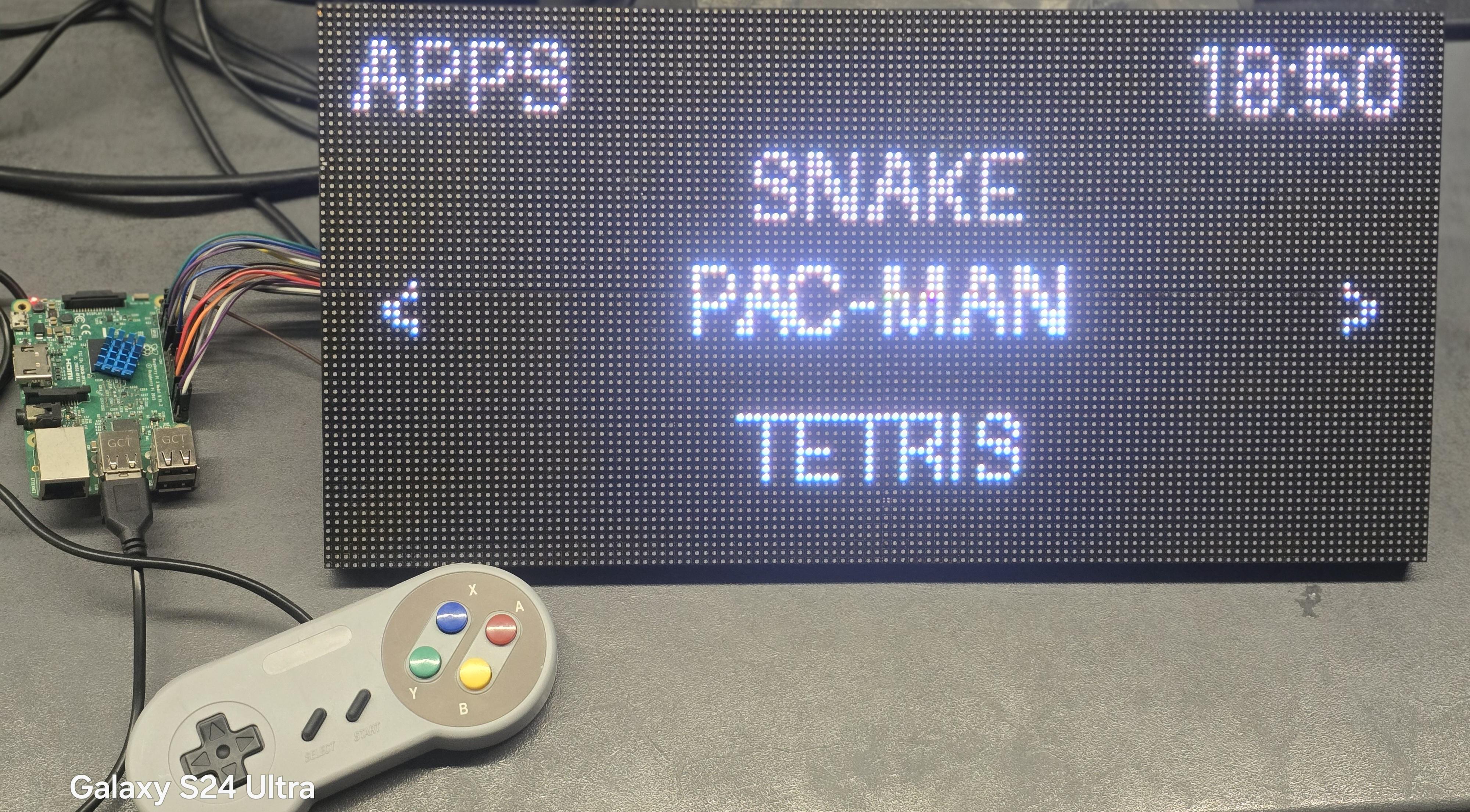

PiMatrixOS is an open-source LED matrix platform for Raspberry Pi designed to drive multiple HUB75 RGB LED matrix panels using GPIO.
It provides an app-based launcher with dashboards, media playback, games, SNES controller input, and Home Assistant integration — all optimized for low-resolution LED matrix displays.
This project is intended for makers, DIY builders, and embedded display enthusiasts who want a flexible and extensible LED matrix system.
Supplies
Raspberry Pi 3
4× HUB75 RGB LED Matrix panels (64×32 px each)
Model: P3-6432-2121-16S-D1.0
5 V / 100 W power supply
HUB75 ribbon cables
SNES console controller
Micro SD card (8 GB or larger)
Jumper wires
Raspberry Pi OS Lite (32-bit)
What Is PiMatrixOS?
PiMatrixOS is a Python-based platform that runs on Raspberry Pi and controls HUB75 RGB LED matrix panels.
The system is built around a launcher application that loads modular apps, including:
- Media playback (images, animations, video)
- System and weather dashboard
- Home Assistant integration
- Built-in games (Pacman, Snake, Tetris, Pong)
Input is handled via an SNES controller connected to the Raspberry Pi USB.
Hardware Required
The following hardware was used for this project:
- Raspberry Pi 3
- 4× HUB75 RGB LED Matrix panels (P3-6432-2121-16S-D1.0)
- Panel resolution: 64×32 pixels each
- Total resolution: 128×64 pixels
- External 5 V / 100 W power supply
- HUB75 ribbon cables
- SNES console controller
Important:
LED panels must be powered externally.
Do NOT power LED panels directly from the Raspberry Pi.
Common ground between the Raspberry Pi and LED power supply is required.
LED Matrix Wiring
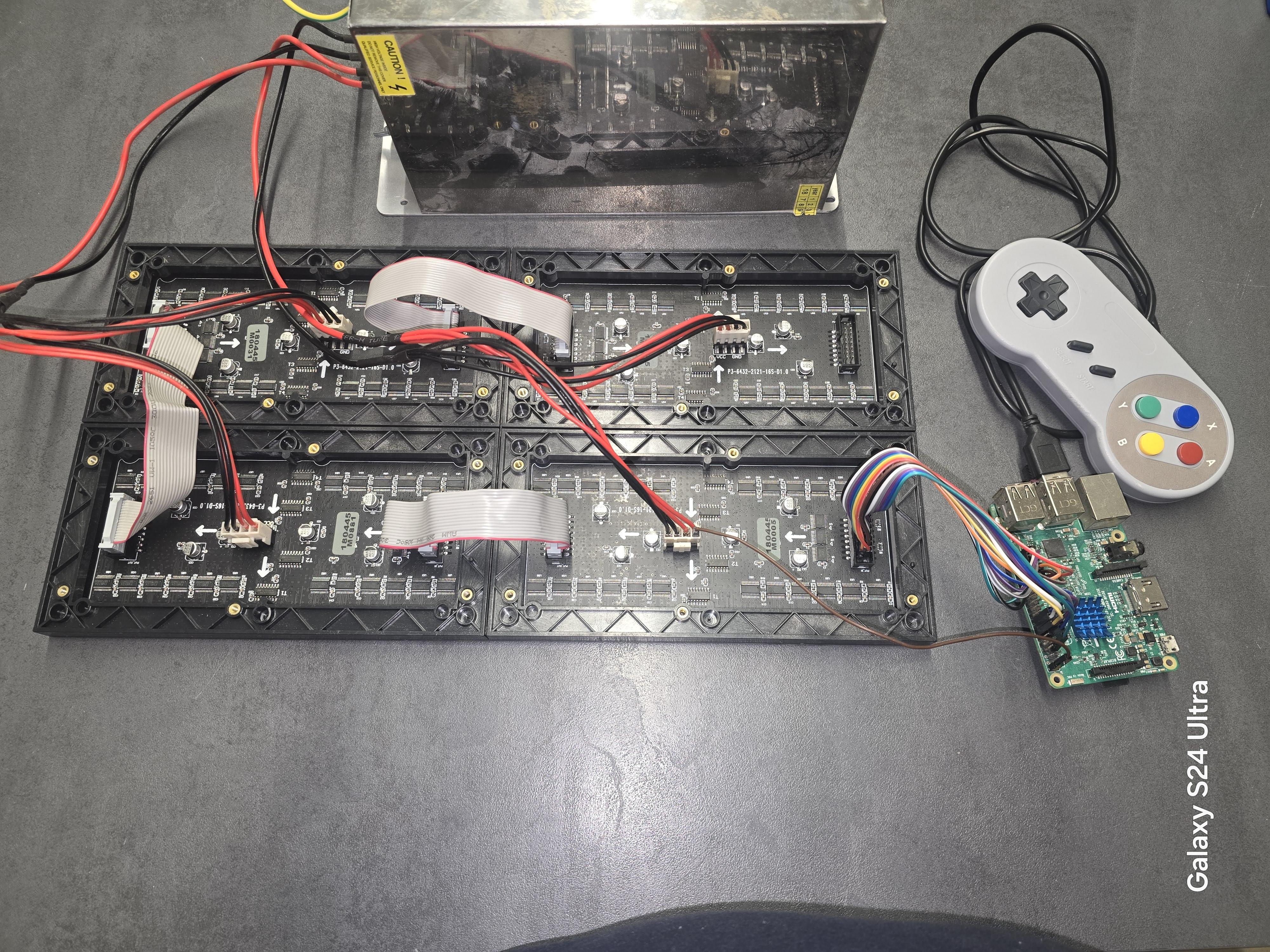
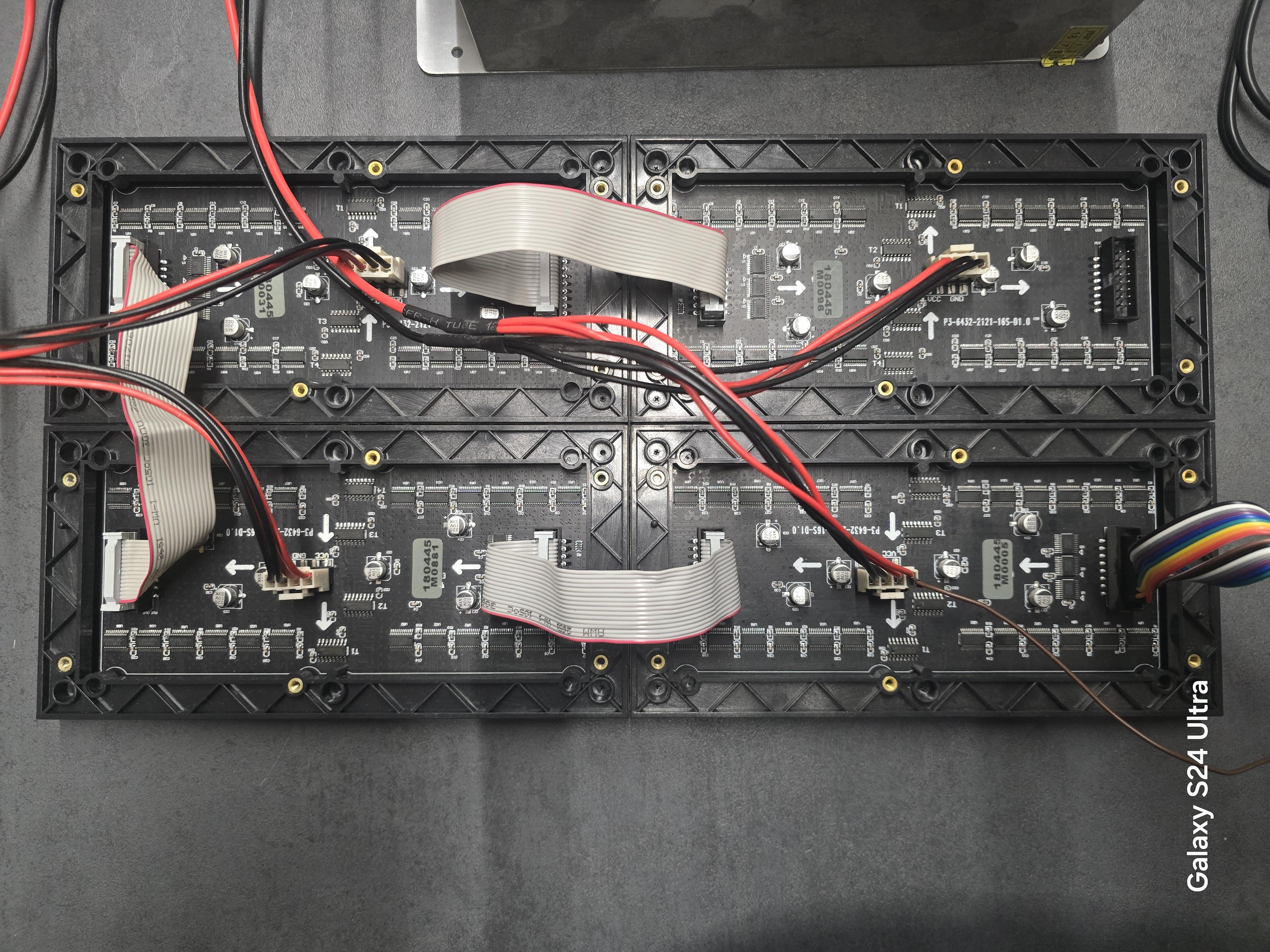
The LED matrix panels are connected in a daisy-chain configuration using HUB75 ribbon cables.
GPIO signals from the Raspberry Pi are wired directly to the HUB75 connector.
Exact GPIO pin mapping and wiring details are documented on GitHub.
Software Installation
PiMatrixOS can be installed in two ways:
- Automated installation script
- Manual step-by-step installation
Automated install (recommended):
git clone https://github.com/dominikelektricar/pimatrixos.git
cd pimatrixos
chmod +x install.sh
sudo ./install.sh
After installation, start PiMatrixOS with:
cd ~/pimatrixos
sudo python3 launcher.py
Demo and Source Code

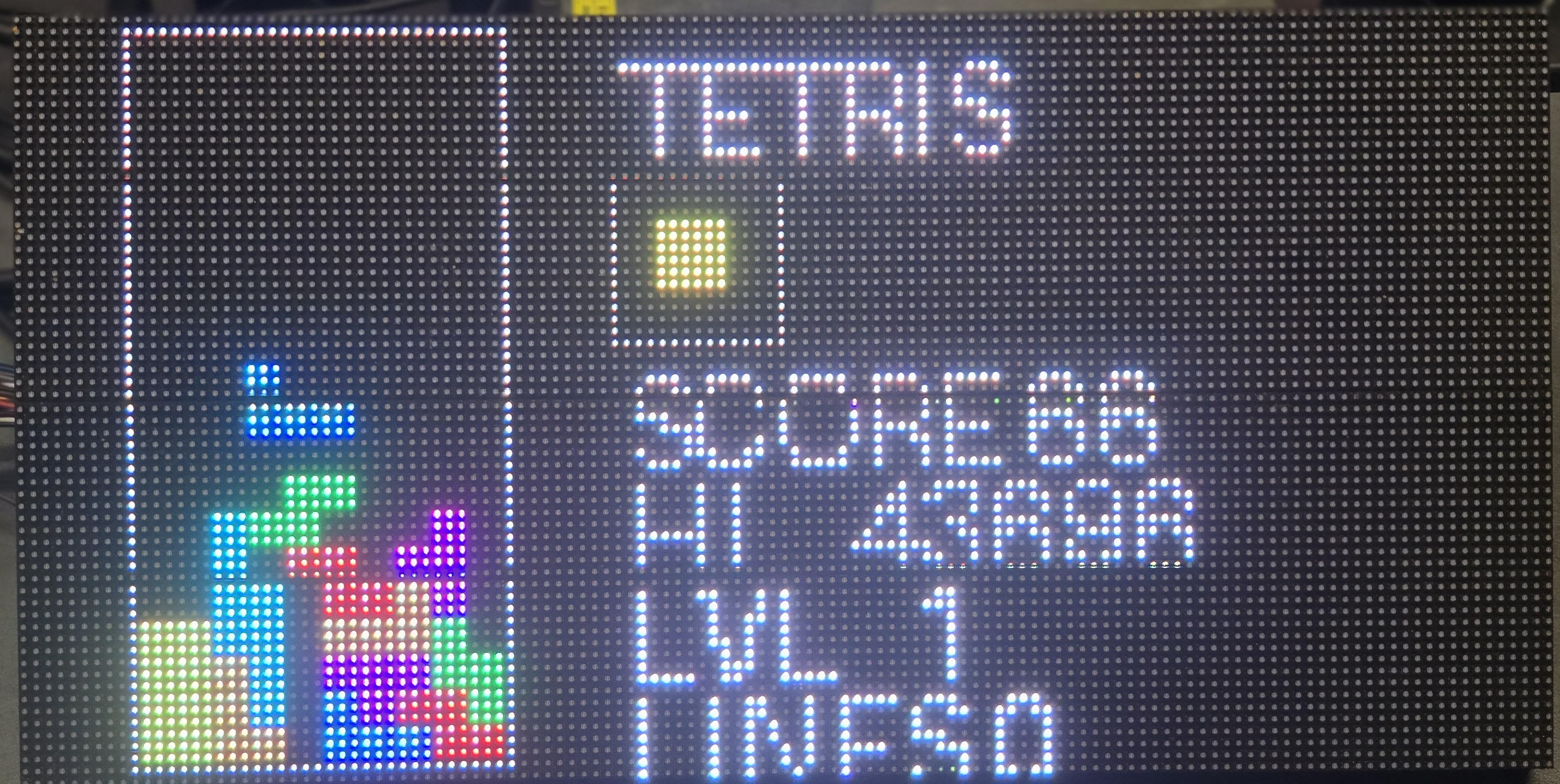

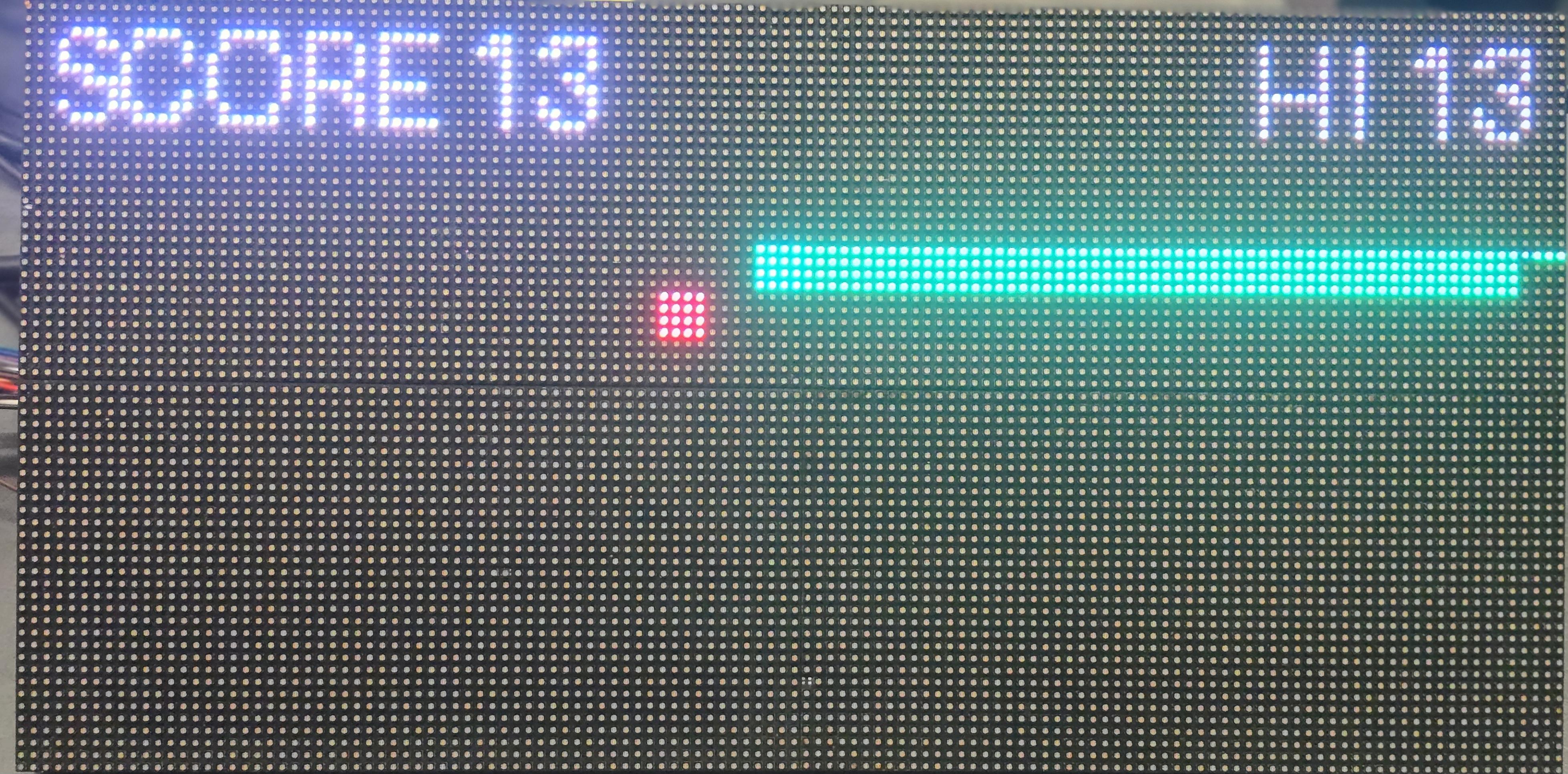
A demo video showing the launcher, dashboard, media playback, and games is available on YouTube:
https://www.youtube.com/watch?v=Wgohh8m4hvw
The complete source code, wiring documentation, and installation guide are available on GitHub:
https://github.com/dominikelektricar/pimatrixos
Downloads
License and Support

PiMatrixOS is open-source and free for personal and non-commercial use.
Commercial use requires a separate paid license.
If you find this project useful and would like to support further development:
- Buy Me a Coffee: https://buymeacoffee.com/pimatrixos
- PayPal: https://paypal.me/pimatrixos
Support is completely optional.