Smart Ozone Room Disinfectant With Charcoal Neutralization
by arhamsameel3 in Circuits > Arduino
700 Views, 12 Favorites, 0 Comments
Smart Ozone Room Disinfectant With Charcoal Neutralization

Ozone is a very powerful oxidizer and has been used for years to disinfect air, surfaces, and water. It can kill bacteria, viruses, mold, and remove strong odors. However, ozone is also dangerous to humans if not controlled properly.
In this project, I built a smart ozone room disinfecting system that works in two controlled stages:
- Ozone generation and circulation for disinfection
- Ozone neutralization using activated charcoal before fresh air is released
The system uses a TV flyback transformer to generate around 35,000 volts, driven at approximately 7 kHz, controlled by a NodeMCU (ESP8266). Two fans are used, one for ozone circulation and one for pulling ozone through charcoal to reduce leftover ozone.
This project is meant for educational and experimental purposes, showing how ozone systems work and how they can be made safer with proper timing and filtration.
Supplies
Electronics
- NodeMCU (ESP8266)
- Flyback transformer (from CRT TV)
- MOSFET / transistor for flyback driving
- Resistors, diodes, capacitors
- 16×2 LCD display
- Relay module or MOSFETs for fan control (better use ib2 2)
- DC fans (2 units)
- 12V power supply
- 5V regulator (if needed)
Mechanical & Other
- Plastic enclosure / storage box
- Activated charcoal
- Springs or metal rods for electrodes
- Perfboard / veroboard
- Heatsink for MOSFET
- Zip ties, screws, glue
Safety Warning (Very Important)
- High voltage (35kV+) can cause serious injury or death
- Ozone is toxic to humans, animals, and plants
- Never stay in the room while ozone is running
- Always ventilate the area after use
- Keep all high-voltage parts fully insulated
- Do not touch the circuit while powered
- This project is NOT a commercial medical device
If you are not experienced with high voltage electronics, do not attempt this project.
How the System Works (Overview)
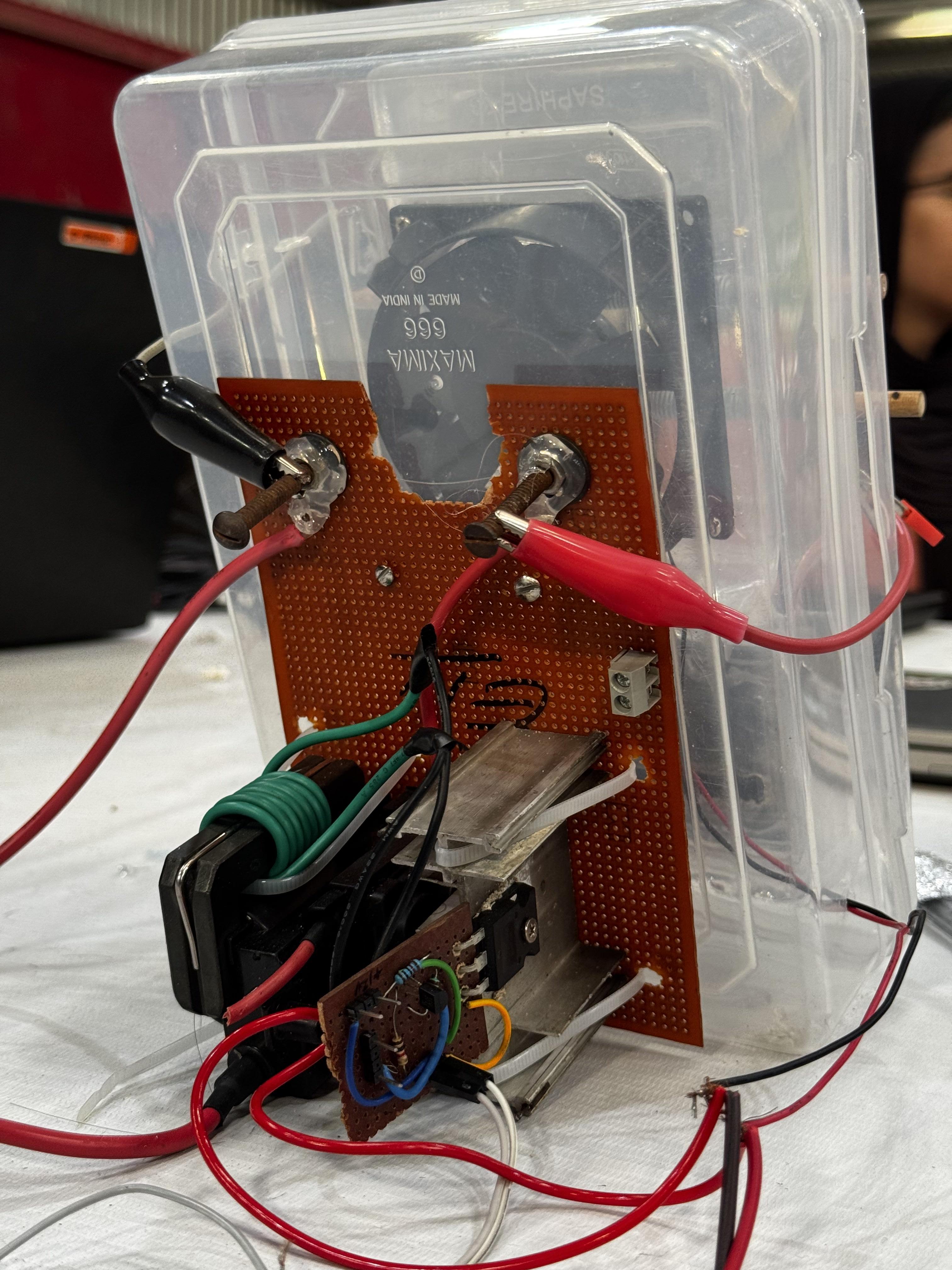
This system is designed to work automatically in two phases:
Phase 1: Ozone Disinfection
- Flyback transformer generates high voltage
- Corona discharge produces ozone (O₃)
- Fan 1 circulates ozone inside the room or container
- Runs for a preset time (example: 10–30 minutes)
Phase 2: Ozone Neutralization
- Ozone generator turns OFF
- Fan 2 turns ON
- Air is pulled through activated charcoal
- Charcoal absorbs and decomposes ozone into oxygen
- Runs until remaining ozone is reduced
An LCD displays the system status so the user knows what stage is running.
High Voltage Ozone Generator
.jpg)

The ozone generator is built using a flyback transformer salvaged from a CRT TV. Flyback transformers are capable of producing very high voltage at relatively low current, which makes them suitable for ozone generation using corona discharge.
The flyback is driven using a transistor or MOSFET switching circuit, powered at 12V. The input signal frequency is around 7 kHz, which I found experimentally to produce stable ozone without excessive heating or arcing.
Two metal electrodes are placed with a small air gap. When high voltage is applied, a corona discharge forms, splitting oxygen molecules (O₂) into ozone (O₃).
---------------------------------------------------------Note-----------------------------------------------------------
👉 I have already posted a detailed Instructable explaining how I built the high-voltage circuit safely, including schematics and tuning.
for high volatage driver: https://www.instructables.com/Build-a-High-Voltage-Flyback-Driver-Using-IRFP250N/
for frequency generator : https://www.instructables.com/DIY-Frequency-Generator-Reader-Toolkit-ESP8266-OLE/
-------------------------------------------------------------------------------------------------------------------------
Generating the Drive Frequency (NodeMCU)

Instead of using a 555 timer, I used a NodeMCU (ESP8266) based device i made to generate the drive frequency. This allows easy tuning and timing control.
The NodeMCU generates a square wave of approximately 7 kHz, which drives the MOSFET connected to the flyback transformer. The frequency was adjusted experimentally for best ozone output and stability.
Using NodeMCU also allows:
- Easy timing control
- LCD integration
- Future upgrades (Wi-Fi, sensors, remote control)
THE LINK TO MAKE FRQUENCY DEVICE : https://www.instructables.com/DIY-Frequency-Generator-Reader-Toolkit-ESP8266-OLE/
Fan Control Logic


Two fans are used in this project.
Fan 1: Ozone Circulation
- Turns ON during ozone generation
- Helps distribute ozone evenly
- Improves disinfection effectiveness
Fan 2: Ozone Neutralization
- Turns ON after ozone generation stops
- Pulls air through activated charcoal
- Reduces leftover ozone before release
The NodeMCU controls both fans using relays or MOSFETs based on the programmed time sequence
Activated Charcoal Filter
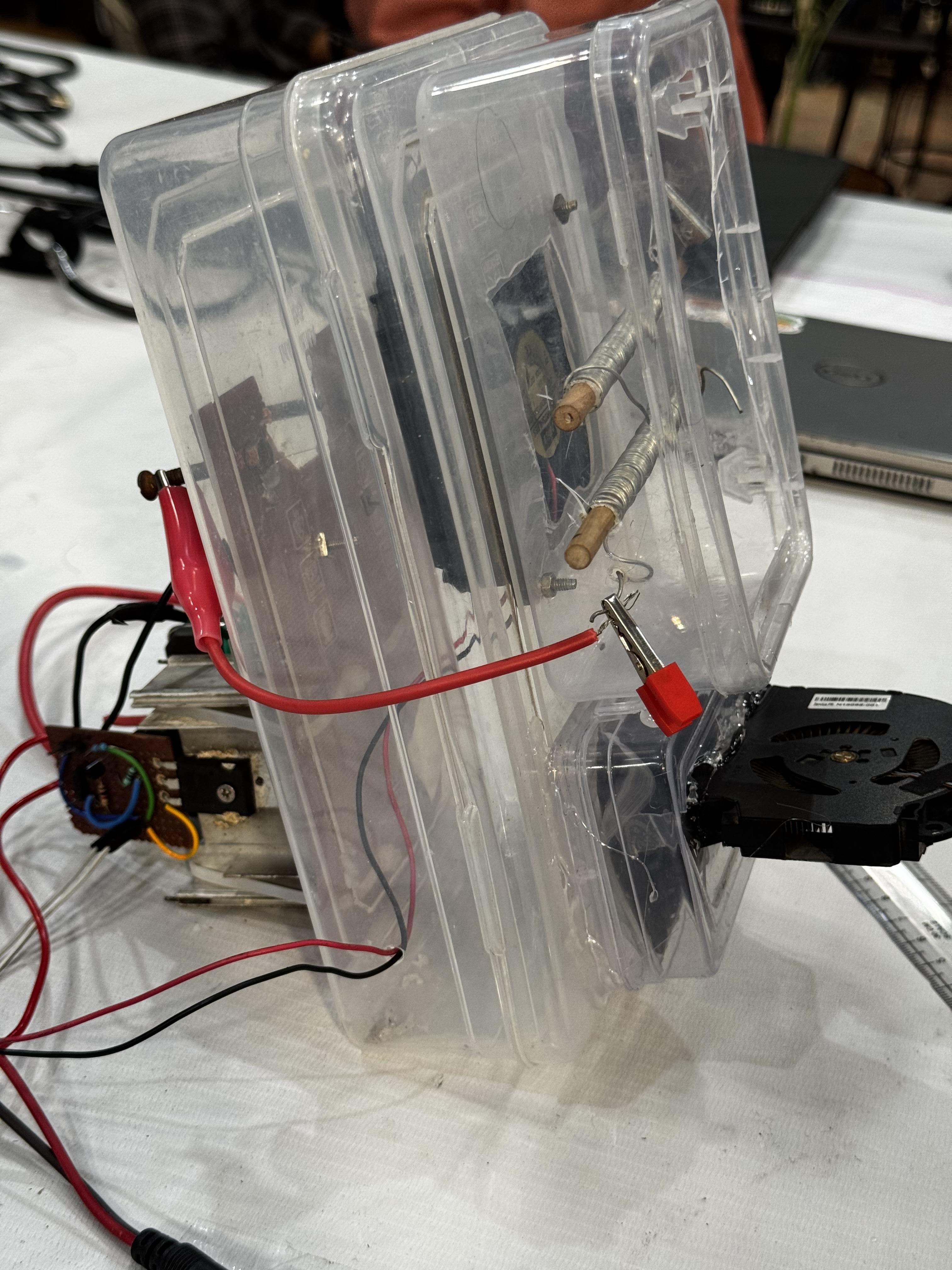
Activated charcoal is used to absorb and neutralize ozone. Ozone molecules react with the charcoal surface and break down into normal oxygen.
This step is very important because it:
- Reduces ozone smell
- Makes the system safer
- Prevents high ozone exposure after disinfection
The charcoal should be replaced periodically, especially after many cycles.
LCD Display and User Feedback
.jpg)
A 16×2 LCD is used to display system status such as:
- “Ozone ON”
- “Filtering Air”
- “Disinfection DONE”
This makes the system easier to use and safer, since the user knows exactly what stage is running.
CODE
Downloads
Enclosure and Assembly
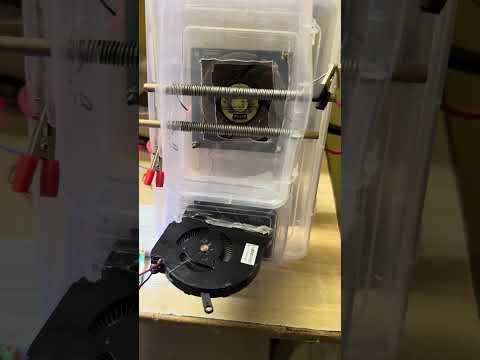
All components are mounted inside a plastic enclosure.
Important design considerations:
- High-voltage section kept separate from control electronics
- No exposed high-voltage points
- Proper airflow direction
- Secure mounting of transformer and boards
- Fans aligned with airflow paths
Zip ties and perfboards are used to keep everything stable and organized.
Conclusion
This project was a great learning experience combining high voltage electronics, microcontroller control, airflow design, and safety considerations. While ozone is dangerous if misused, careful timing, isolation, and filtration can significantly reduce risks.
If you attempt this project, always prioritize safety.