Tabletop Spin Coater With Vacuum Chuck and 160mm Chamber
by ByFelix in Workshop > Tools
620 Views, 5 Favorites, 0 Comments
Tabletop Spin Coater With Vacuum Chuck and 160mm Chamber
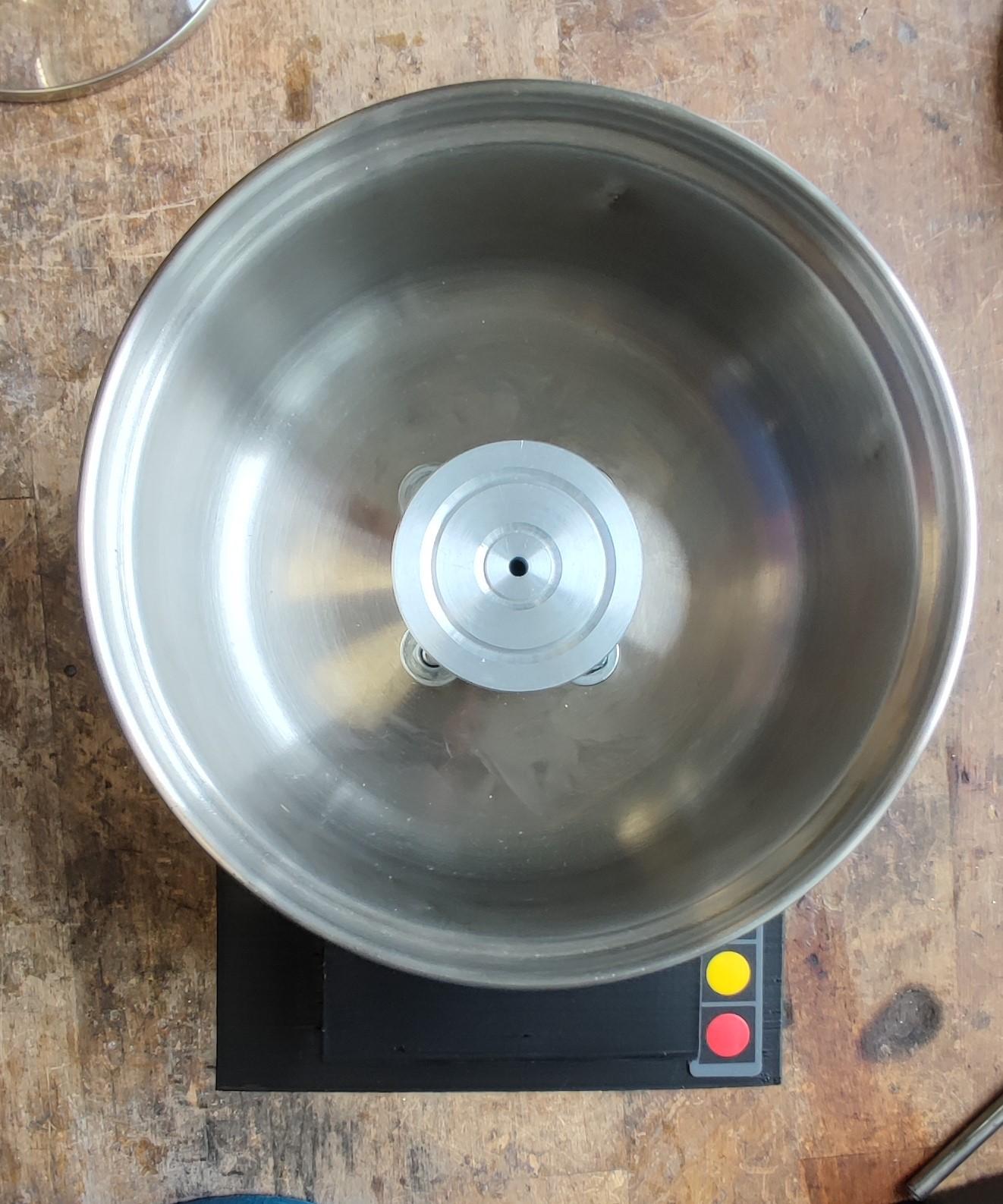
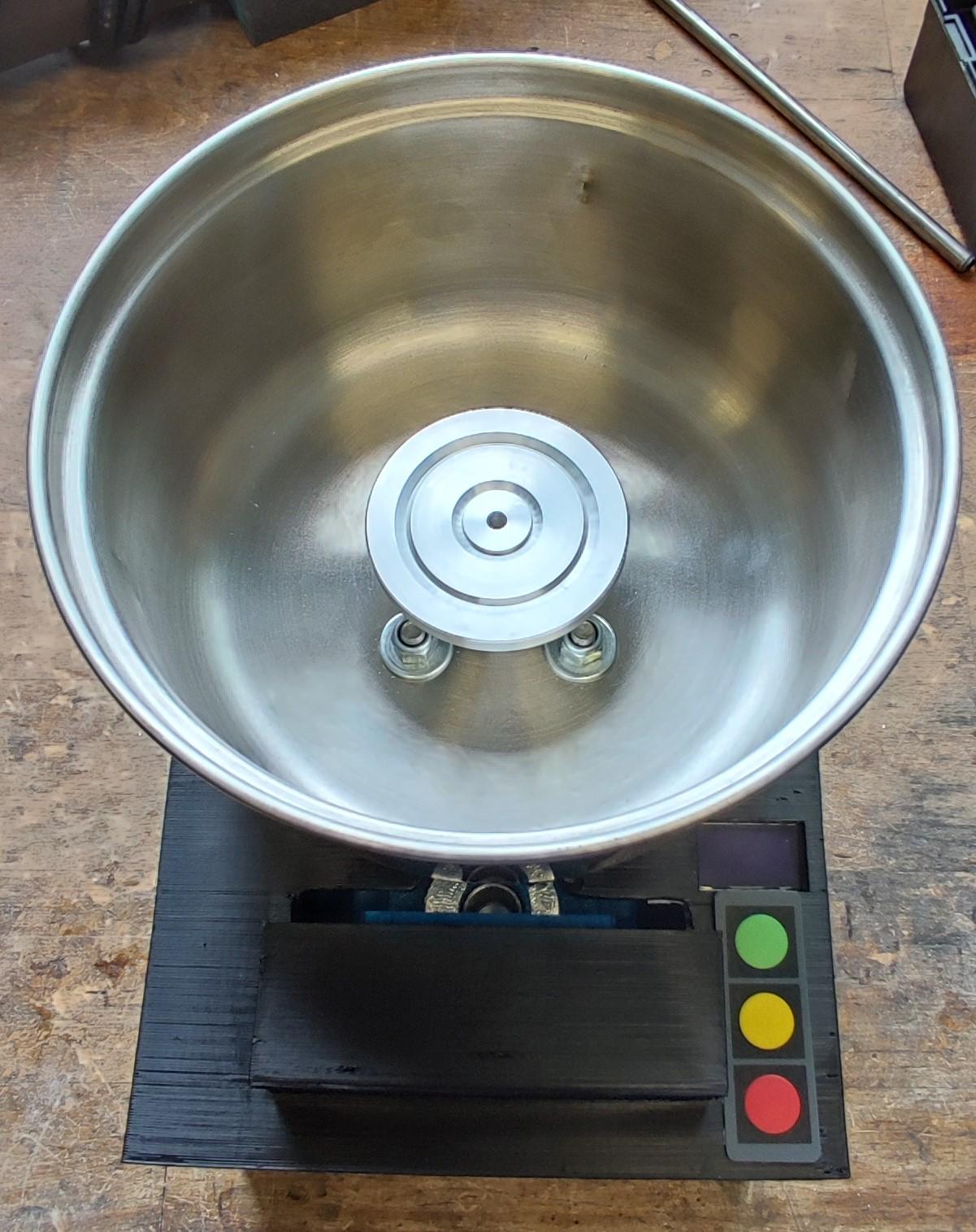
This project startet as a high school project for the german "Jugend Forscht" contest. While it wasn't successful there, I really liked the outcome and wanted to share it in an article.
A spin coater is a useful tool to get relatively thin and even coats from about 0,5 to 100 micrometers of a liquid, usually photoresist, layed down to a flat substrate. For my process, I used 3 inch glass wafers as substrate. The wafer gets sucked onto the vacuum chuck and then spun at a controlled speed and for a specific duration. The centrifugal force spreads the liquid evenly across the substrate, creating a uniform layer, while the remaining resist flys off.
While there are many DIY spin coater projects out there, most of them don't feature an actual vacuum chuck, which is a key component of my design. It's very practical for holding inflexible substrates securely. Of course there are also other designs as chucks availabe, which work perfectly fine too.
Standard laboratory or research spin coaters are very expensive, often costing from $500 to over $10000.
My design is good for people that want to experience with thinfilms, and need a cheap and reliable option to build a coater.
Disclaimer: I'm not a trained nor a professional engineer, so no warranty that everything in this article will work for your project. This instructable is just how I build my spin coater, based mostly on trial and error.
This whole project was designed and made by myself, I learned a lot about 3d printing, tolerances, CAD drawing and workshop skills.
It is fully designed in Autodesk Fusion 360. If you want the original files to change something, just let me know :)
My goals for this build were:
- Reliable RPM measuring
- PID control
- Vacuum chuck
- Low vibration
- Safe enclosure
- Tabletop format
- ESP32 control
- Low cost
- Easy to build
- Support for wafers up to 5 inches
Inspiration from:
Supplies
Materials:
- Around 800g of PETG filament
- Aluminium blocks for vacuum chuck and motor coupling
- 15cm long rod with 15mm outside diameter, my aluminium rod has a 12mm inner diameter (different inner diameter is also possible)
- Cooking pot as catch chup
- Flexible vacuum withstanding tube with 6mm inner diameter, at least 40cm long
- 250mm long closed GT2 timing belt
- GT2 36 teeth pulley and 48 teeth pulley
- 15 pcs M4 threaded inserts, 4 pcs M3 threaded inserts, 6pcs M5 threaded inserts (I used the short CNC-Kitchen inserts)
- Screws(hexagon socket): 6 pcs M5 x 20mm long, 4 pcs M4 x 20mm, 11 pcs M4 x 10mm, 11 pcs M3 x 10mm, 3 pcs M3 x 10mm grub screw
- 4 pcs carriage bolts M6 x 20mm
- 25 mm long M5 hammerhead screw
- 25mm washer, with 6mm hole
- Plastic primer
- Plastic glue
- 6mm brass hose nozzle x 1/8G adapter
- Bearings: 1pcs ball bearing, 62202 (15 x 35 x 14mm), 2 pcs tapered roller bearings 30202 (15 x 35 x 11,75mm)
- Shaft seal: 1 pcs NBR OAS15x35x10 (15 x 35 x 10mm) (Can alternatively use PTFE shaft seal seal for less friction)
- 2 pcs 15mm DIN 471 locking rings for shaft
- M5 nut
- 200 x 150mm wooden plate, I used 18mm thick mdf plate.
- Rubber bands
- Some normal and aluminium tape
- Spray paint for enclosure (optional)
- Oil for shaft seal
Electronics:
- Drone electronic components: Hobbyking ACK 4008M - 620KV motor and Turnigy Plush 40A ESC (motor with very low kv essential for smooth runs)
- ESP32
- Small 24V, 42W, 40l/min vacuum pump
- Lab bench power supply for the ESC (mine has up to 10A), old PC power suppply also possible
- Old laptop power supply for the vacuum pump
- XT60 power plug to install in the enclosure
- Breadboard board
- Pin headers
- Arduino cables
- 0,96 inch OLED display
- 3x buttons
- Arduino F249 rpm sensor
Tools:
- Grinding machine
- 3d-printer
- Drill
- Lathe
- Heat Gun
- Wood saw
- Sandpaper
- Allen hex, socket wrenchs
- Thread tap M3 size
- Circlip pliers
For the center tool:
- Some PETG filament
- 2 pcs M5 threaded inserts
- 2 pcs M5 x 30mm screws
- M8 x 30mm bolt
- 2 pcs M8 nuts
The whole project cost is under $200, of course depending on the components you use.
3d Printing
I printed all of the parts using my creality ender 5 printer, usually with a 0.28mm layer height and a 0.4mm nozzle.
On the parts that need to be precisely made, I alway wrote something in the steps.
I used the cura slicer with the medium slicing tolerance for every part, it should work for you too.
Downloads
Making the Wooden Plate

Materials/Tools used:
- Wood
- Wood saw
- Sandpaper
- Drill
After you printed the template and cut the wood to 200 x 150mm, you can fit the template on your ground plate and drill the holes. After drilling them the right size, make sure to also drill holes to countersink the screws. Now you can sand down the edges a bit.
Work on the Lathe



Materials/Tools used:
- Lathe
- Rod
- Pulleys
- Aluminium blocks
- Locking rings
- m3 x 10mm screws
- grub screws
- thread cutter
- Circlip pliers
First of all, let's make the motor coupling, I turned it with the lathe to the right size, my aluminium rod has a 12mm inner diameter, so I made it just a little bit smaller to get a good fit.
Then I drilled 3 holes in it to secure it on the top of the brushless motor with the 3 pcs M3 x 10mm screws, you need to make these holes depending on the motor and the adapter you have.
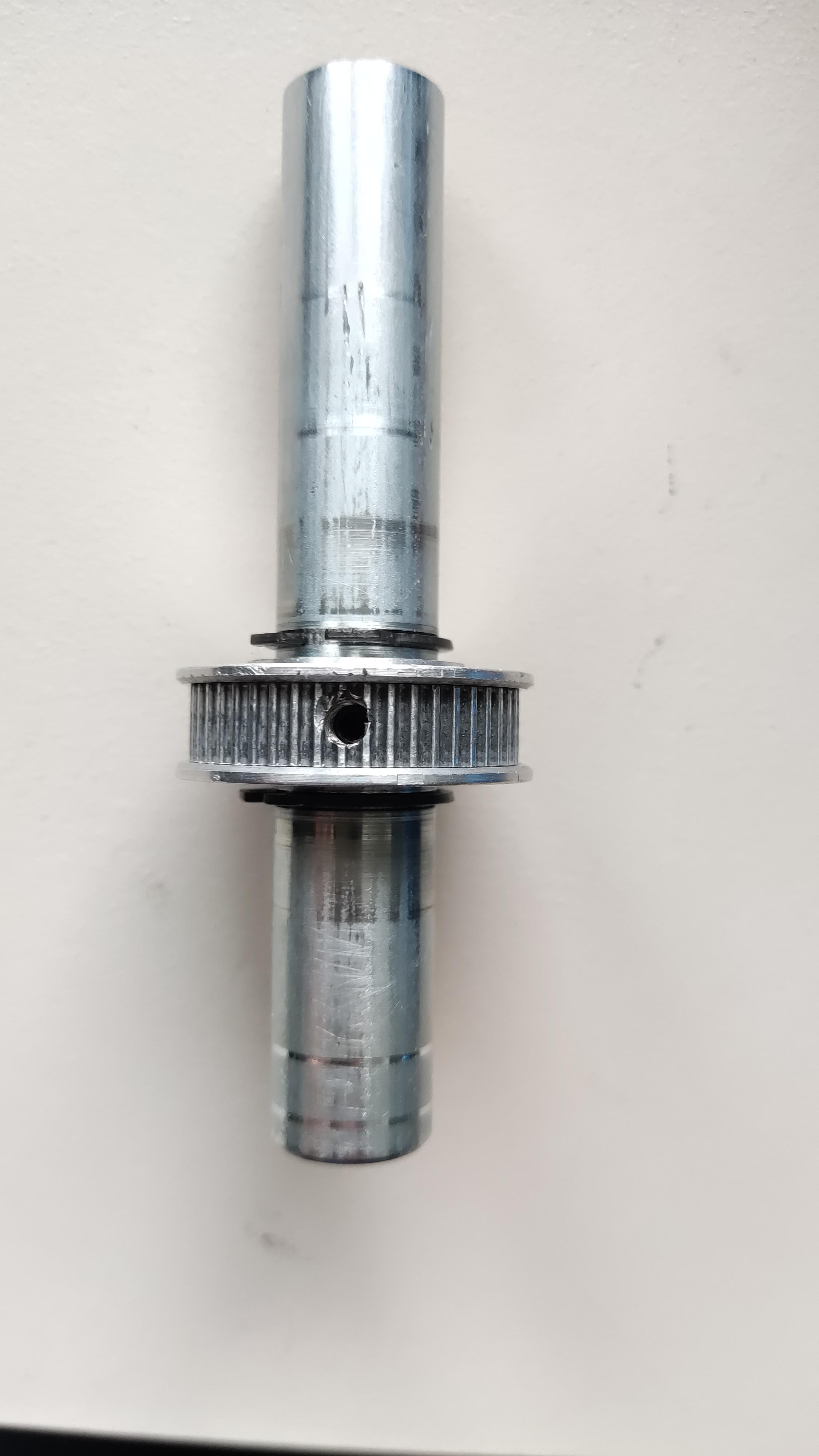
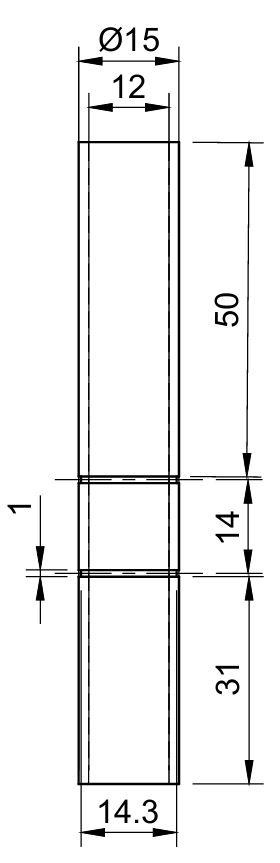
For the motor- and the secondary rod: The aluminium motor rod extension is 50mm long, the measurements for the chuck rod are in the drawing, it's about 100mm long. You can cut them using the lathe and then bevel the edges.
The pulleys need to be turned out to fit on the rod that you use. it should be a very good fit, I needed 3 approaches on one side, to get the right tolerances, if you turn it out too large, it won't run smoothly, so try to make it as precise as you can. Take your time when doing these parts.
The motor rod is secured on the adapter with a grub screw. The motor and secondary shaft pulleys are also secured by a grub screw. I just drilled holes and threaded them, then screwed the grub screws in.
The tapered roller bearings need to be tensioned to operate well. The upper bearing mount can move down a little bit, so you can tense the two bearings against eachother, when securing the screws of the upper bearing mount. That's also why the secondary shaft needs two grooves for circlips. You can see the exact measures in the drawing.
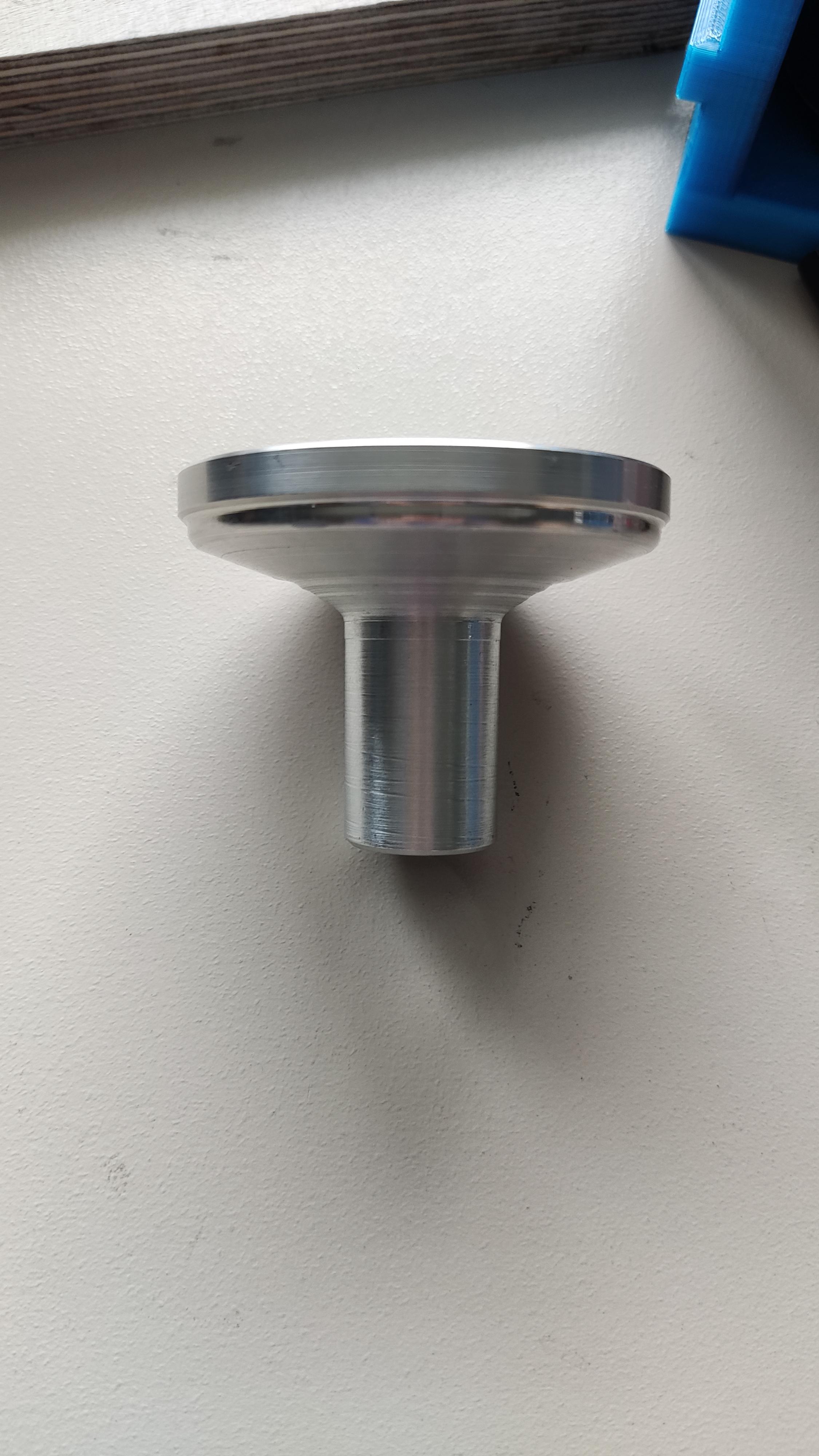
My current vacuum chuck has a tight pressfit on the rod, it goes 30mm in. The top of the chuck has a 60mm diameter. It's 50mm tall. You need to be careful when doing this part, because it should fit very well (airtight) on the rod and you also need to consider the bolts, which secure the Catch cup holder, so it doesn't drag on them. The two grooves at the top of the Chuck were made for O-rings, but I don't need them, it's holding quite good without them.
Motor Mounting



Materials/Tools:
- Motor
- Soldering iron
- Heat gun
- 62202 Bearing
- 3 pcs M4 x 10mm screws
- 6 pcs M5 screws
- 4 pcs M3 threaded inserts
- 3 pcs M4 threaded inserts
- 6 pcs M5 threaded inserts
- Motor adapter and rod
- Hammerhead screw
- GT2 belt
- Inner motor mount print
- Outer motor mount print
- Motor bearing mount print
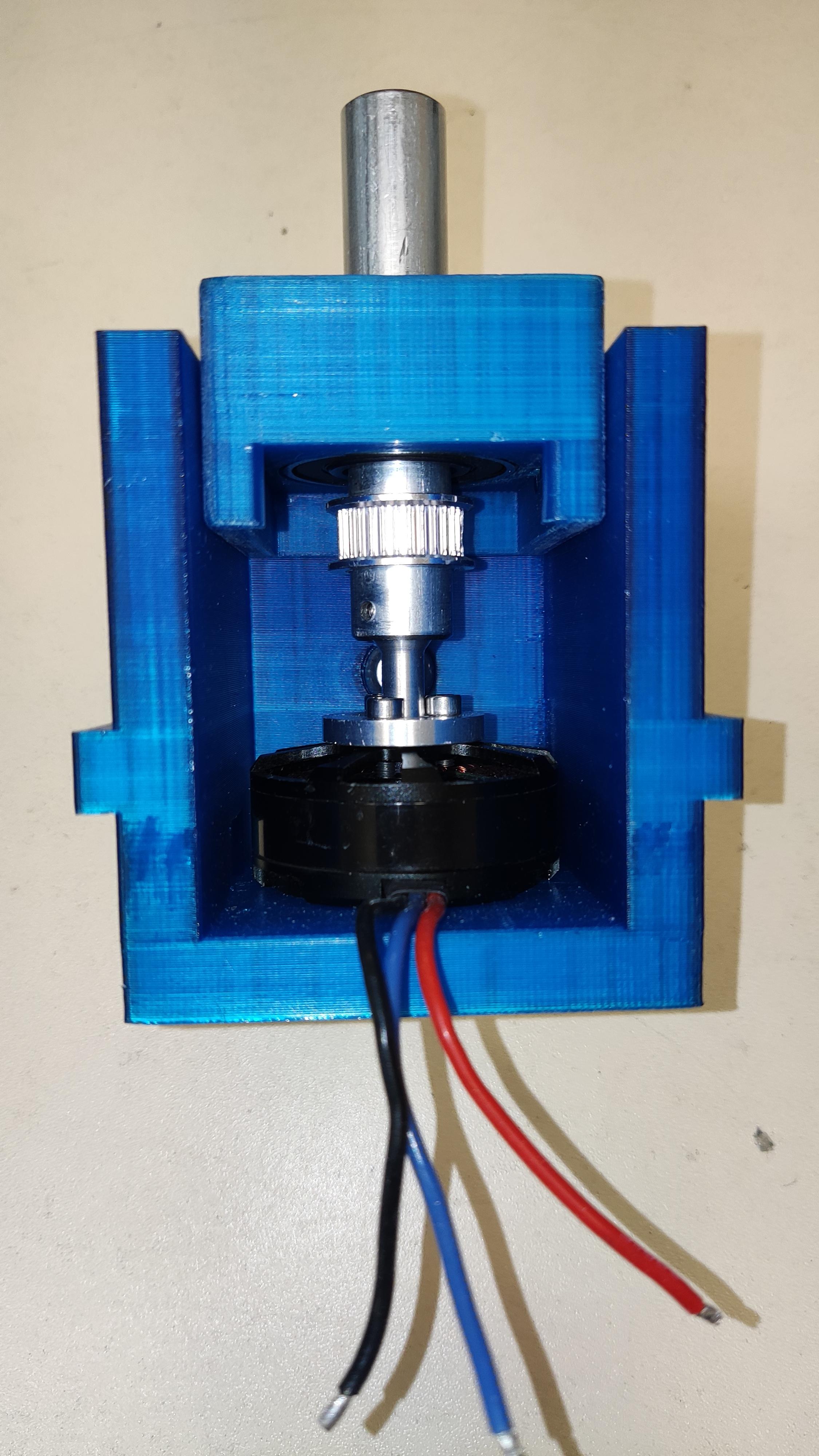
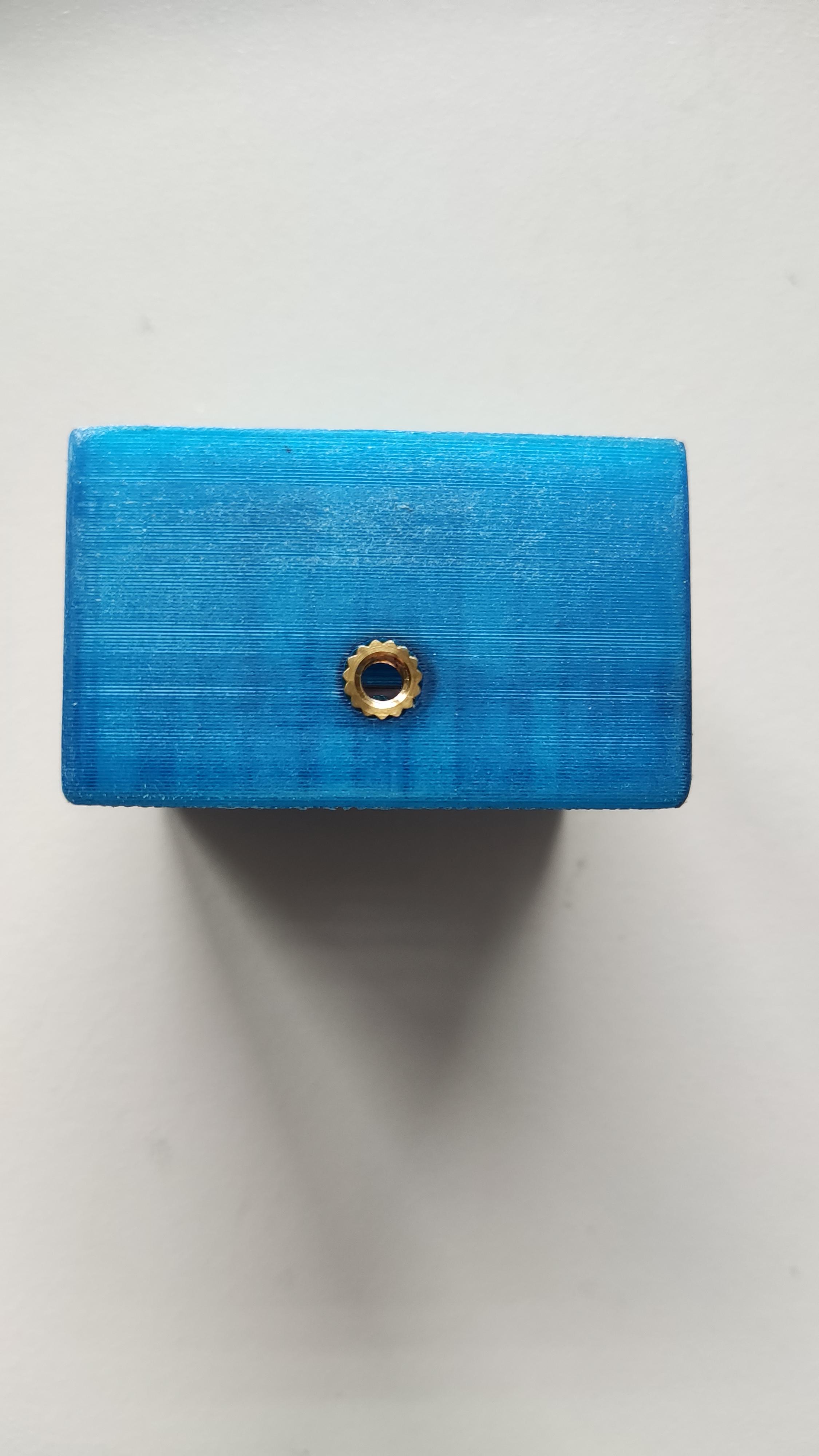
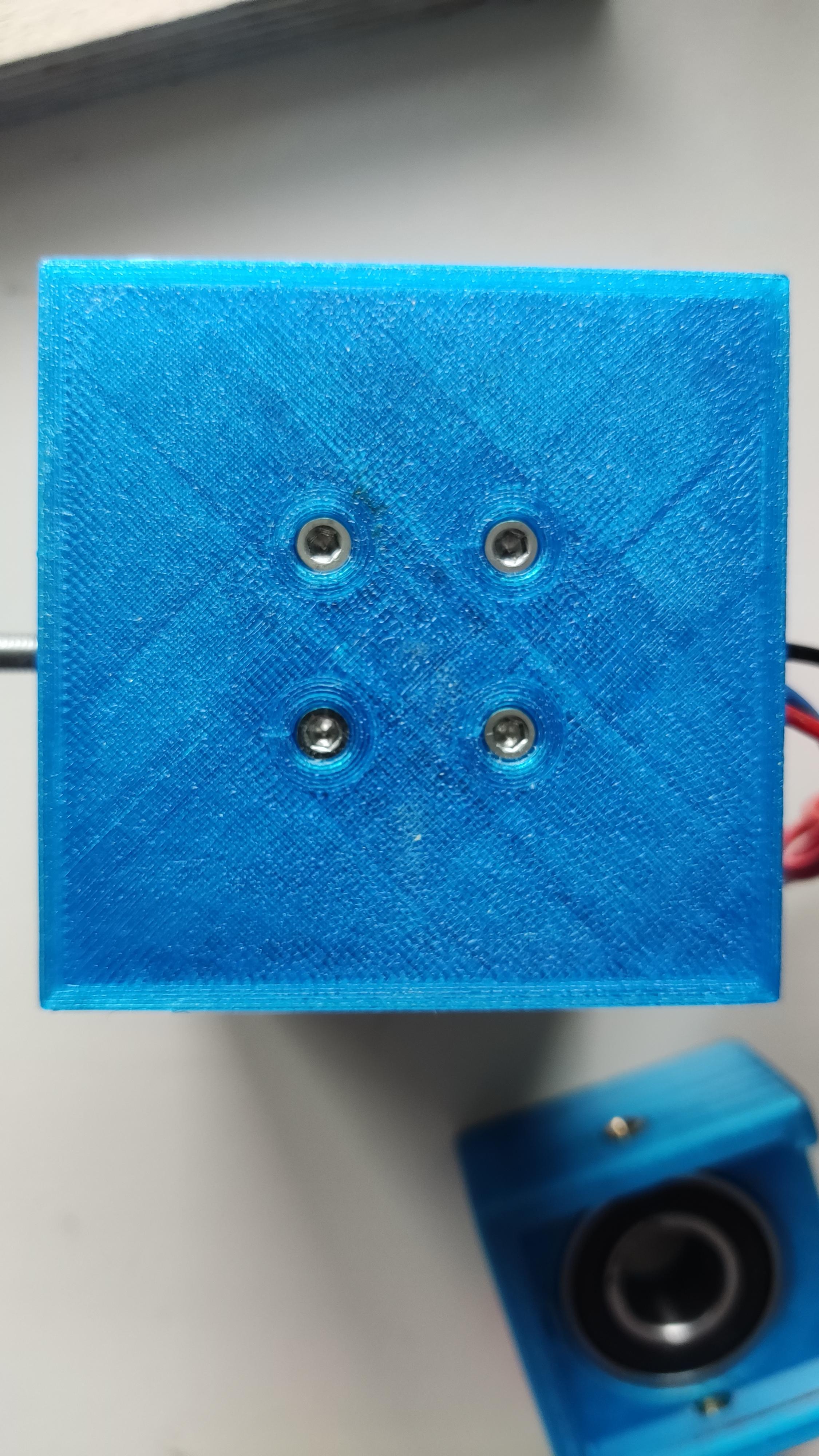
After printing the inner, and outer motor- and the bearing mount, you can insert the 6 pcs M5 threaded inserts, then the 4 pcs M3 threaded inserts for the electronic board and now mount the outer mount on your ground plate with 6 pcs M5 x 20mm screws.
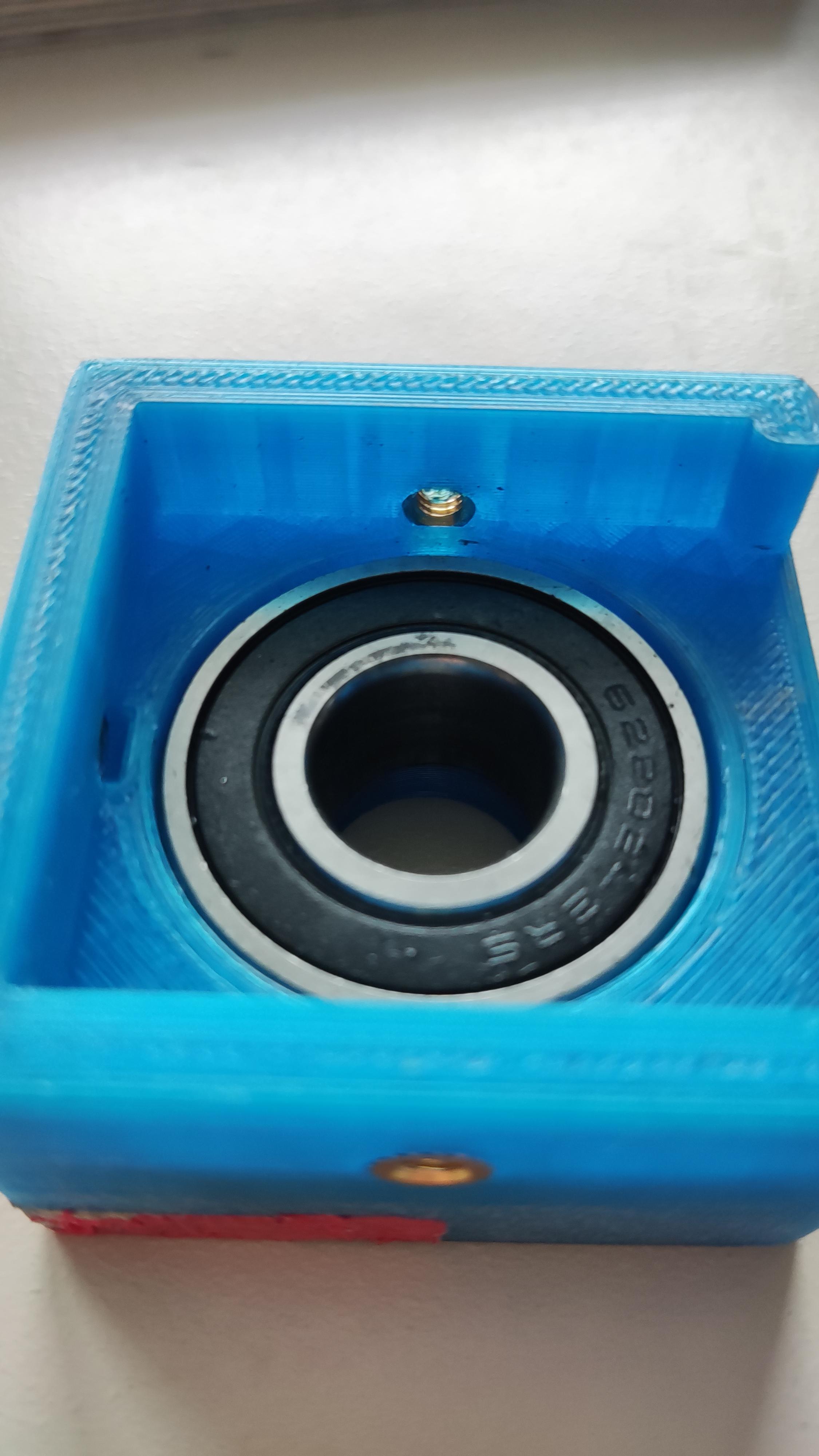
Now you can attach the motor coupling, motor shaft and pulley to the motor, the connector is attached with 3 pcs M3 x 10mm screws. Then you have to insert the M4 threaded inserts and pressfit the ball bearing into the bearing holder, make sure to warm the holder with a heat gun before inserting the bearing. This way it will fit better and goes in more smootly
Before mounting the motor make sure to fit the hammerhead screw in the inner motor mount, warm up the screw so it fits well.
The motor is then secured in the inner mount with 4 pcs M3 x 10mm screws.
Now you should take the belt and pull it over the shaft. Then secure the upper bearing holder with the 3 pcs M4 x 10mm screws.
Making an Airtight Vacuum Chuck
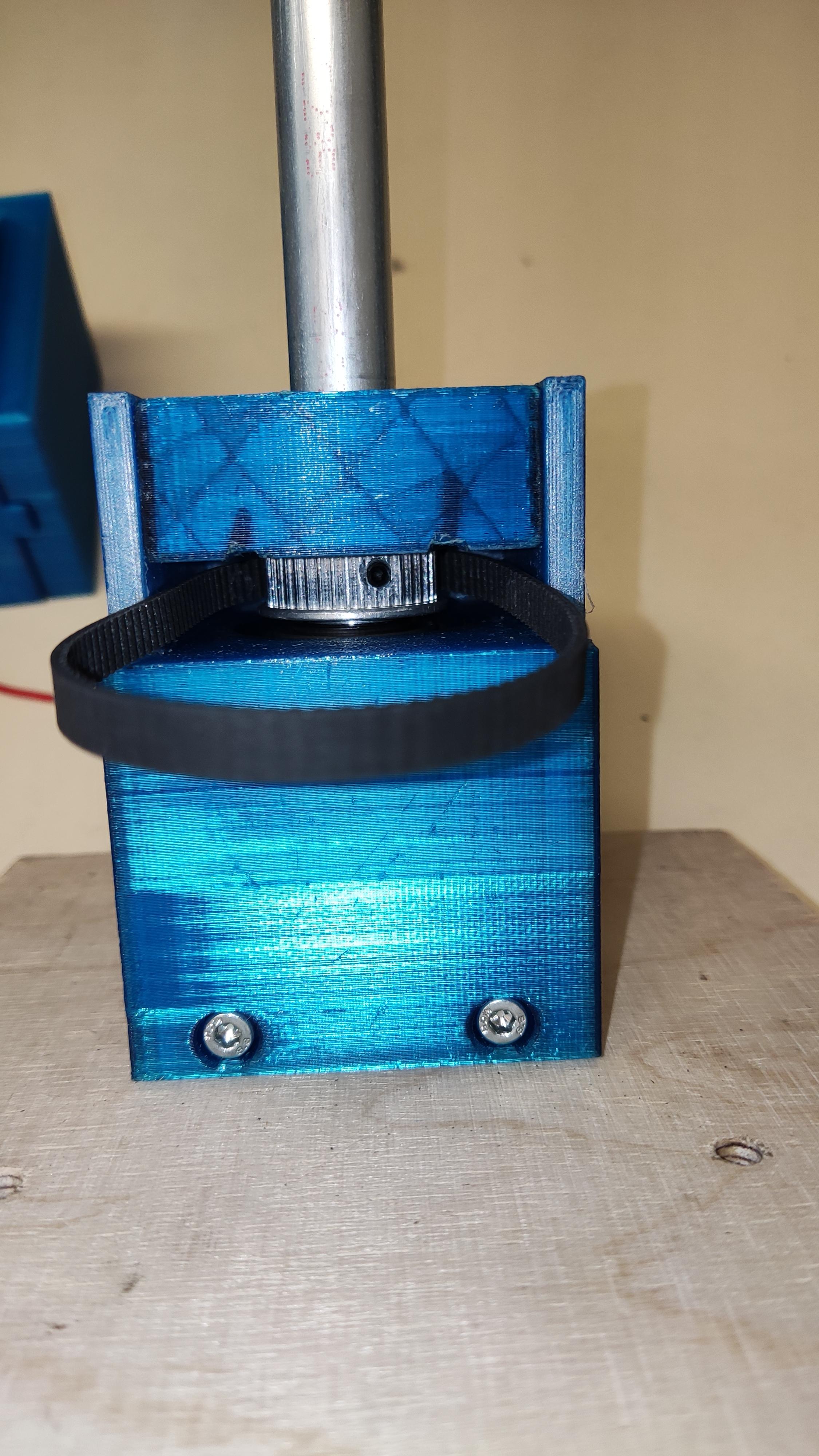
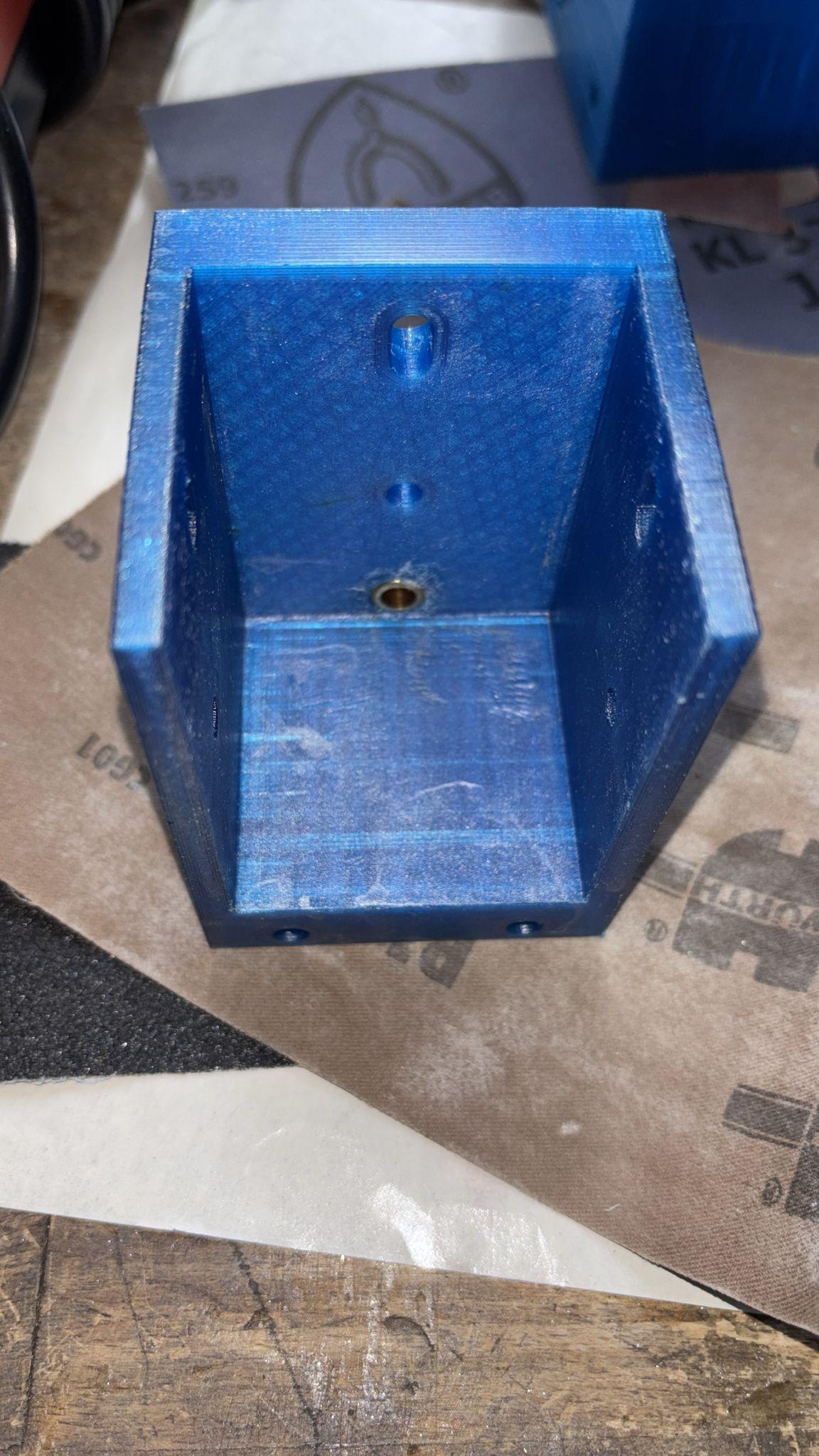
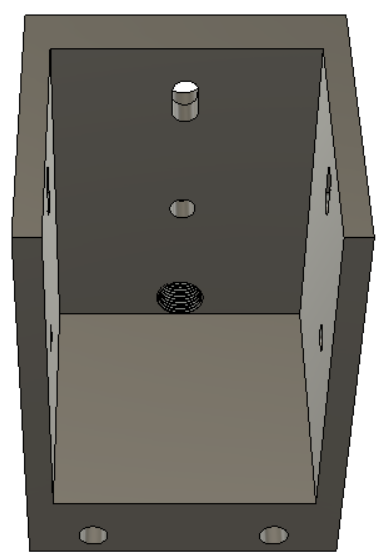

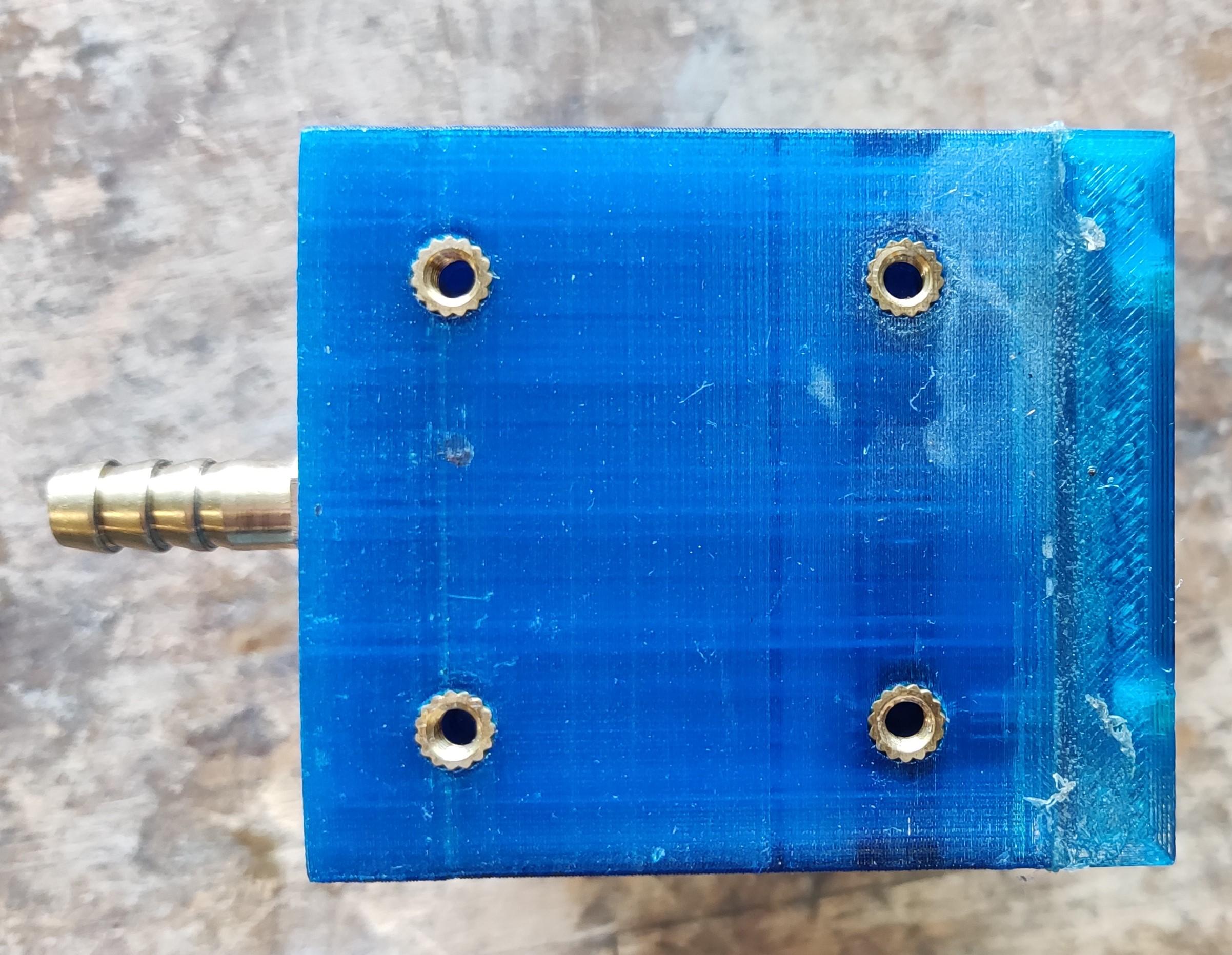




Story: I tried different ways to get the 3d printed chamber and connection airtight. The best method was to just use a plastic primer from the hardware store, the hose adapter and 3d-printed thread work surprisingly well and airtight.
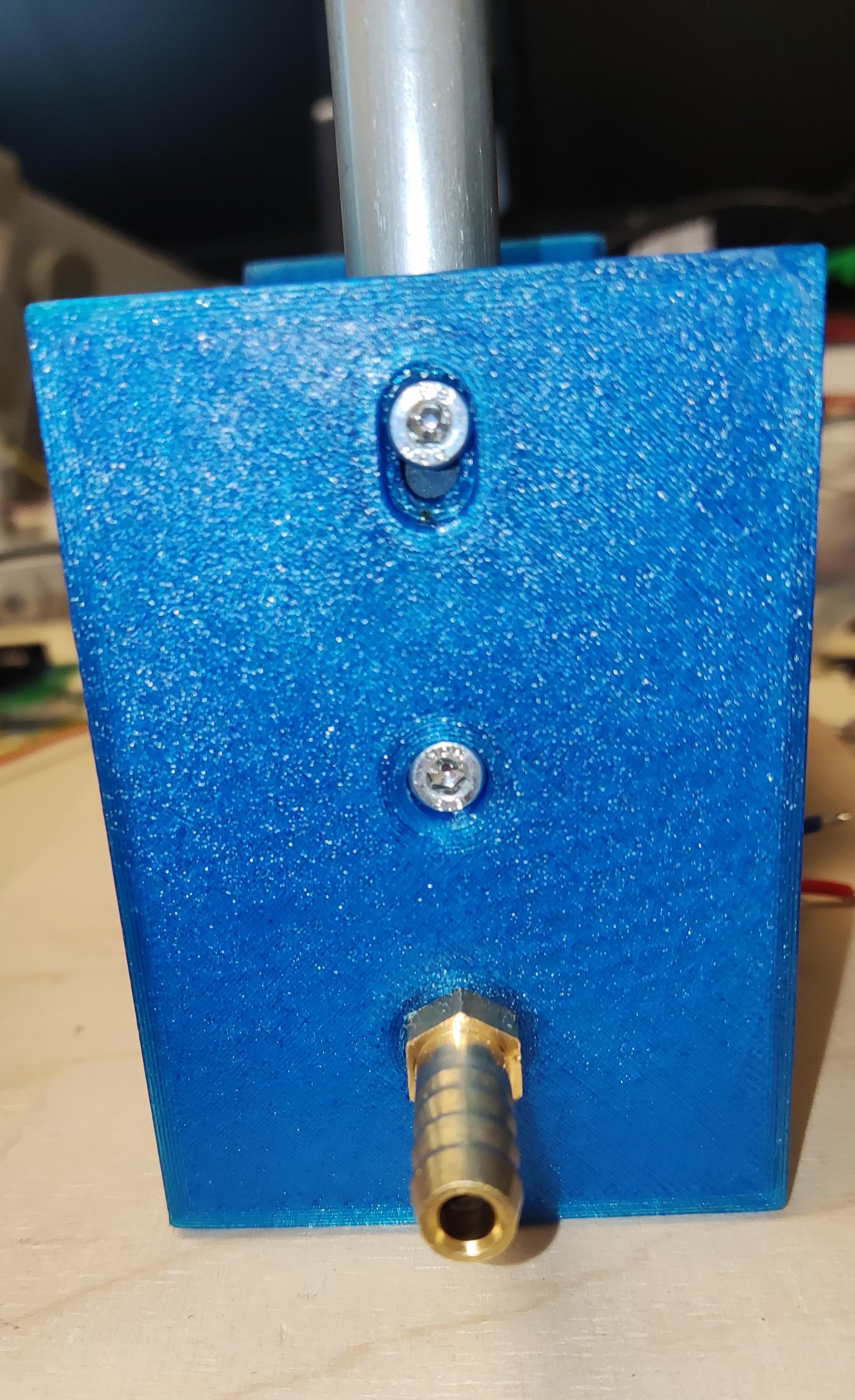
In one test run I got an electrostatic shock, while testing the PID values and dragging on the chuck with my finger. To prevent further electrostatic problems, I made a little cable connected to ground.
In fast rotating belt setups like this it builds up electrostatic energy very quickly. I don't want that, when working with chemicals like photoresisst.
Materials/Tools:
- Soldering Iron
- 2 pcs tapered roller Bearings
- 4 pcs M4 x 20mm screws
- 8 pcs M4 x 10mm screw
- 12 pcs M4 threaded insert
- Shaft seal
- Heat gun
- Socket wrench
- Hose adapter
- Plastic primer
- Plastic glue
- Vacuum chuck body print
- Vacuum chuck upper part print
- vacuum chuck top bearing holder print
For the 3d printed parts, I used a layer height of 0.12mm with a 0.4mm nozzle. Using a smaller layer height gives you less air pockets in the walls of your print and in my case also better layer adhesion
First of all you should print the little Hose adapter test part. To fit in the hose adapter, you can warm it up with a heat gun, but not too warm, and then just screw it in. It should have some resistance while screwing it in. If this works well, you can print the whole Chuck construction.
After printing the body, uppper part, sand them both down until they fit together nicely. Also check the upper bearing holder and how it fits, sand it down accordingly. Now you can melt in the 9 pcs M4 threaded inserts in all of the parts.
On the upper bearing holder you can now pressfit the tapered roller bearing. Don't forget to heat up the holder, so it fit's good and tight.
Then you warm the hose adapter a little bit and screw it in.
For the vacuum secure parts, spray coat the inner side with plastic primer to fill all the holes from the print. After that you should warm up the part which holds the bearing and the shaft seal. Put some glue around the outside of the shaft seal and press it in the warm holder. It creates an airtight seal after the print is cooled and the glue is hardened. Then you can press in the tapered roller bearing. Make sure to press them gently in and align them straight, so the shaft can run nice and freely
Now you can spread plastic glue evenly on all of the touching sides and edges from the upper part. I also spread glue on the sides of the parts, because I wasn't sure if the plastic primer is tight enough. If you want to be safe, you can do this too. After that put the upper part in place, screw it to the body part with the 5 pcs M4 x 10mm screws.
When the glue starts to harden a little bit, you can pull a vacuum with the pump to get it soaked in and fill the holes, also add some glue to the edges, so they seal up too.
When your glue is hardened completely, you can check for leakages while pulling a vacuum and add glue to the leaking holes accordingly.
Repeat this process until it is airtight.
Now you can mount the whole body on to the ground plate using 4pcs M4 x 20mm screws.
Look at the belt from the motor mount and make sure it is on the motor pulley, then take the secondary shaft and oil the side which will go in to the shaft seal.
Next you can put the secondary shaft in while making sure the belt is also over the secondary pulley, after this you can take the top bearing holder and press it down so the two tapered bearings get tightened, now you can secure the top holder with the 3 pcs M4 x 10mm screws.
In the last picture you can see my "grounding line", it's electrically connected through the screw to the bearing, to ground the secondary shaft and prevent electrostatic arcs.
Electronics

Materials/Tools:
- ESP32
- soldering iron
- Display
- Buttons
- Pin header
- Arduino cables
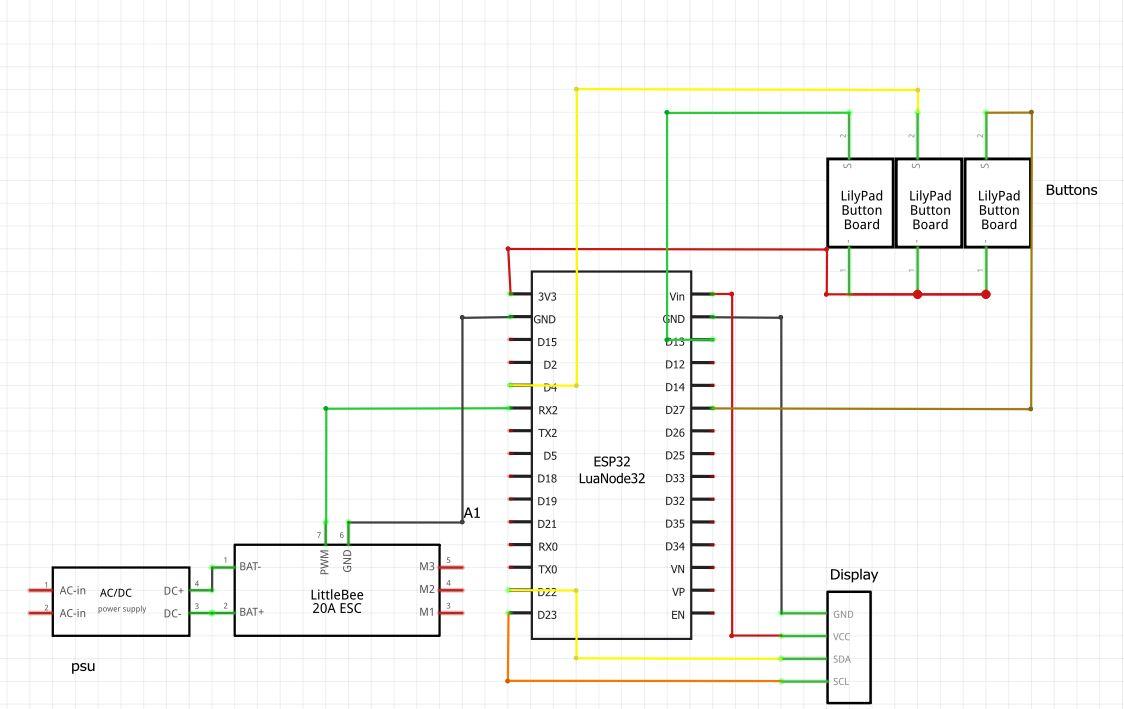
The electronic side is relatively simple, you can look at the schematic to see the wiring.
The ESC has a 5V BEC output, I used that to power the ESP and everything.
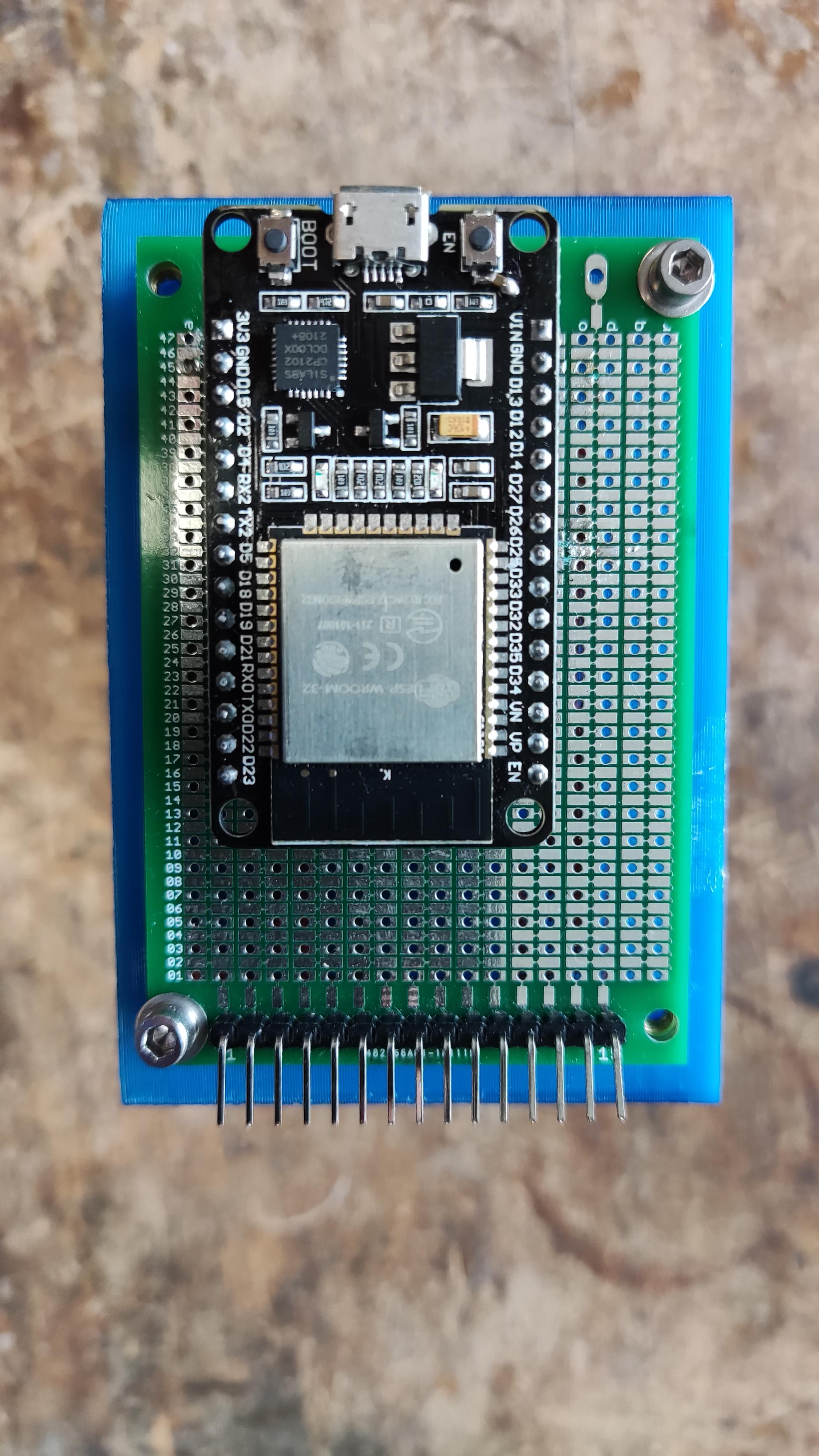
I soldered the ESP to a hole pattern circuit board, and also connected the outputs to a pin header, to be able to connect everything easily.
The RPM sensors digital output is attached to GPIO 26, not included in the wiring schematic.
As main PSU for the ESC, I used a laboratory one, because it delivers up to 10A, in my setting, I never exceeded 6A in my setup. The other PSU's I had laying around weren't suited, because of the current, or the voltage. The PSU is set to around 18V, my ESC supports voltages of up to 24V. Depending on your ESC/Motor you can search for the right PSU.
For the vacuum pump, I used an old laptop PSU and just connect it to the pump, using a XT60 connector.
The board is later attached to the outer motor mount, to secure it in place with 4pcs M3 x 10mm screws.
RPM Sensor
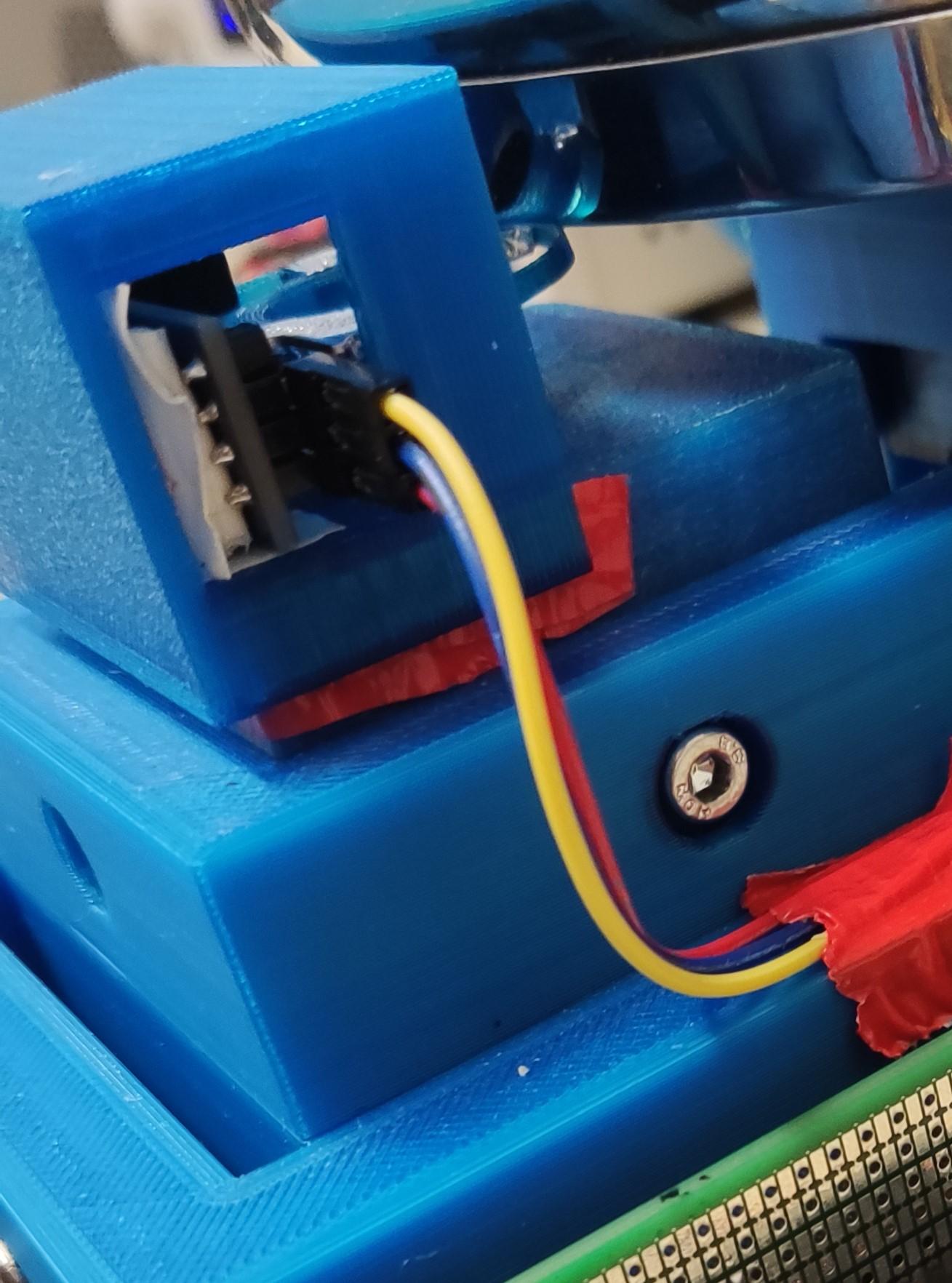


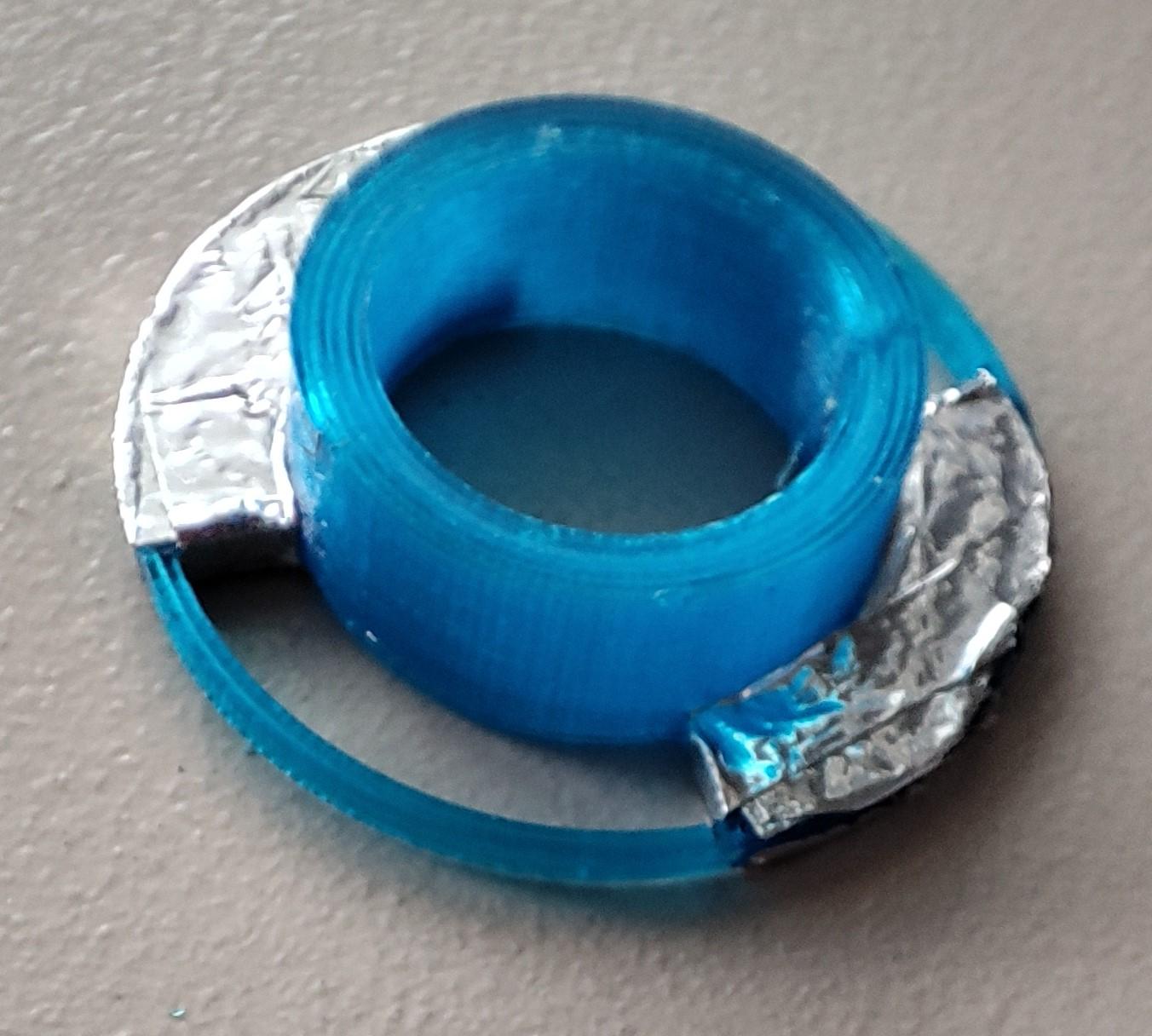
Story: First I wanted to recycle an IR- sensor of a old laser printer. I made a circuit with an operational amplifier and so on, but the sensor was just too sensitive, it always gave out false readings and my code then calculated completely wrong RPM's. That's why I just switched to the Arduino F249 speed sensor with an integrated circuit.
It work's way better and more accurate than my first try.
Materials/Tools:
- F249 RPM sensor
- Arduino cables
- Double sided/ normal- and aluminium tape
- Encoder disc print
- RPM sensor holder print
I used the F249 infared RPM sensor from arduino together with a self designed encoder disc with two interruptions.
The interruptions on the encoder disc are wraped in aluminium tape, because the PETG does not shield the IR light from the sensor, therefore it doesn't interrupt and wouldn't work.
The sensor is attached with double sided and normal tape in the holder. I used the digital output to get a clean signal and later be able to calculate the RPM precisely. To get overall better RPM results, I also implemented a filter in my code.
Furthermore you just put the disc onto the motor shaft and the sensor holder on top of the top bearing mount from the motor. Now you have to level the disc correctly, so it doesn't drag on the RPM sensor and runs freely.
I borrowed a tolerance and just taped the sites of the upper bearing holder, so the sensor doesn't vibrate off while the motor spins.
The infared sensor works ok, but sometimes it does give out false readings. If you have a more reliable sensor to choose, I wouldn't hesitate to change it.
Vacuum Pump Holder


Materials/Tools:
- Pliers
- Tape
- Vacuum pump
- Rubber bands
- Inner-and outer pump holder print
Because of the enormous vibrations from the vacuum pump, I designed a holder which is suspended with some rubber bands to dampen the pump. For a good fit, I borrowed a tolerance from tape to make the pump fit well inside the holder. The rubber bands are just attached on the inner holder through the holes and then go through the outer frame holes and get secured by the little pins.
To get the bands in place, I'd recommend using a small plier to attach them.
It works wonders and the pump is way better controlled, it dampens out all the vibrations. You can see the real effect in the video of the working pump
Downloads
Catch Cup


Story: My first try as a catch cup was printing it out with PETG, but I didn't like that, because it's not easy to clean with the layer structure. The dangerous chemicals like photoresist would be remaining after cleaning. Also you need chemicals like acetone or isopropanol for cleaning the resist off of the walls, PETG is not that chemical resisting...
Materials/Tools:
- Drill
- Pliers
- Wrench
- Catch cup holder printed part
- 4 pcs carriage bolts M6 x 20mm
- 4pcs M6 nuts and washers
- Cooking pot
The cooking pot comes with some handles usually, I firstly demounted them using my plier.
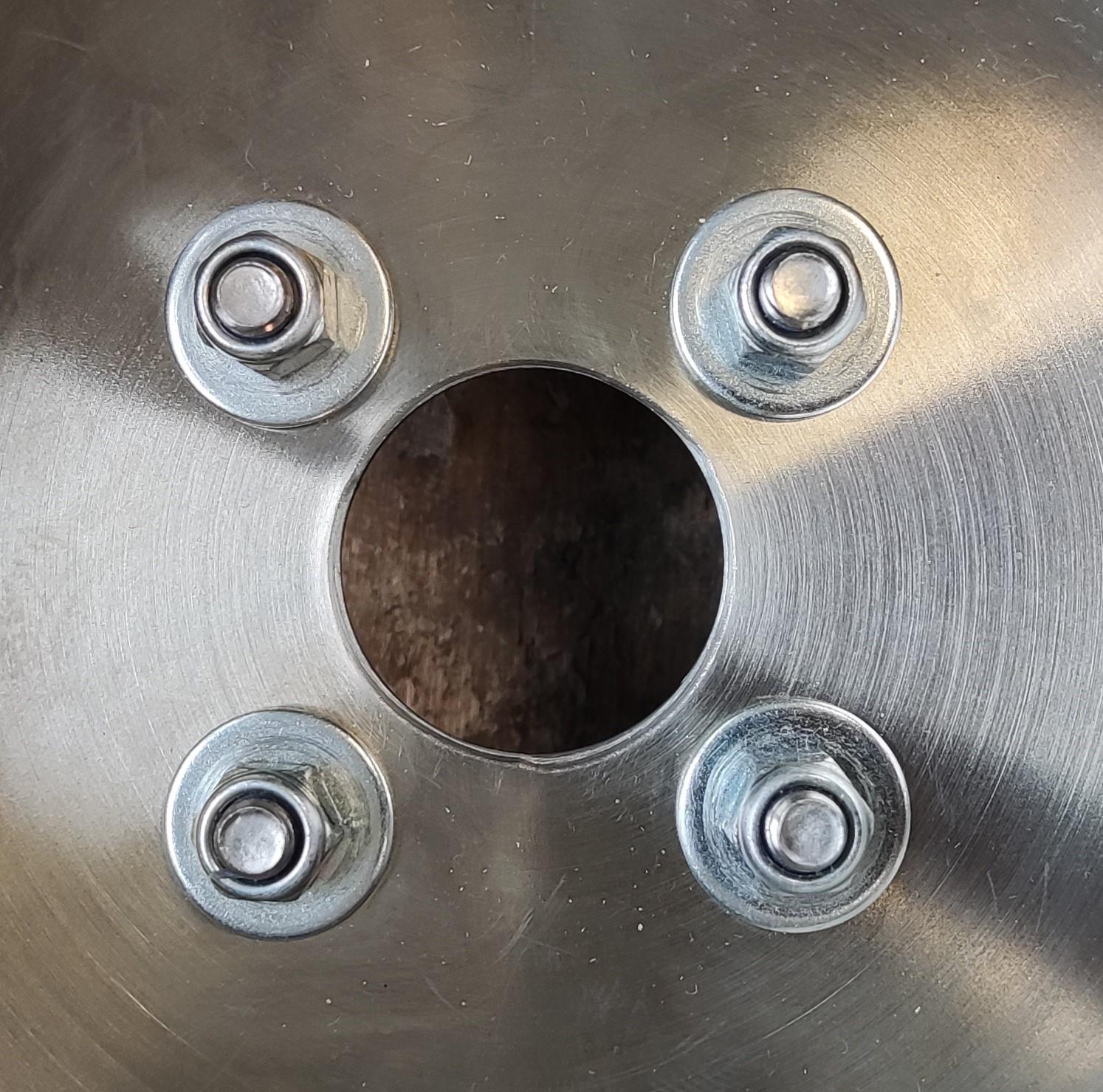
After that you have to drill the 4 holes to the bottom of the pot, for seecuring it on the printed holder, then you have to also drill a big hole for the shaft. I used a 25mm drill for that hole.
Now you can take the screws and put them in the printed part, then insert them into the holes of the pot, take the washers and nuts and screw them on, just tight them firmly.
The lid of the pot is also useful as lid for the catch cup, so nothing can go wrong while spinning.
Coding/Menu


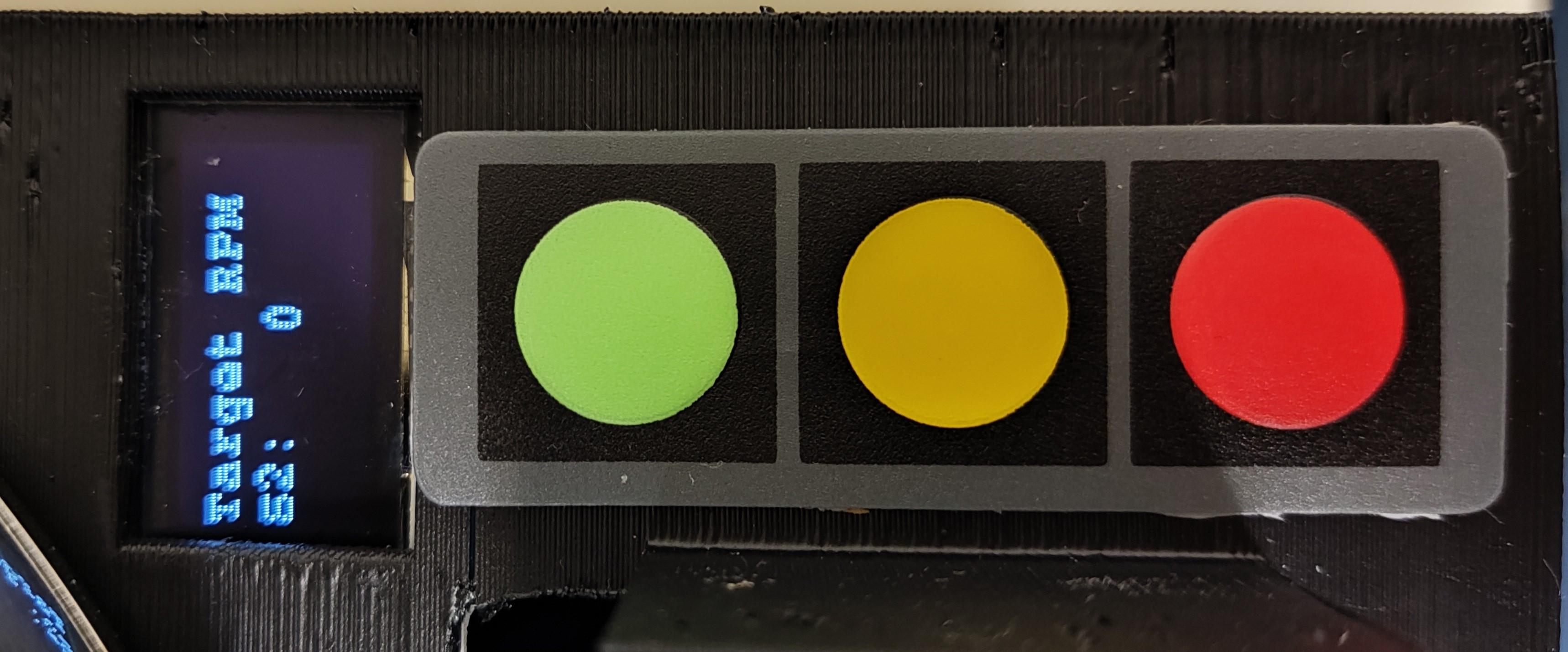


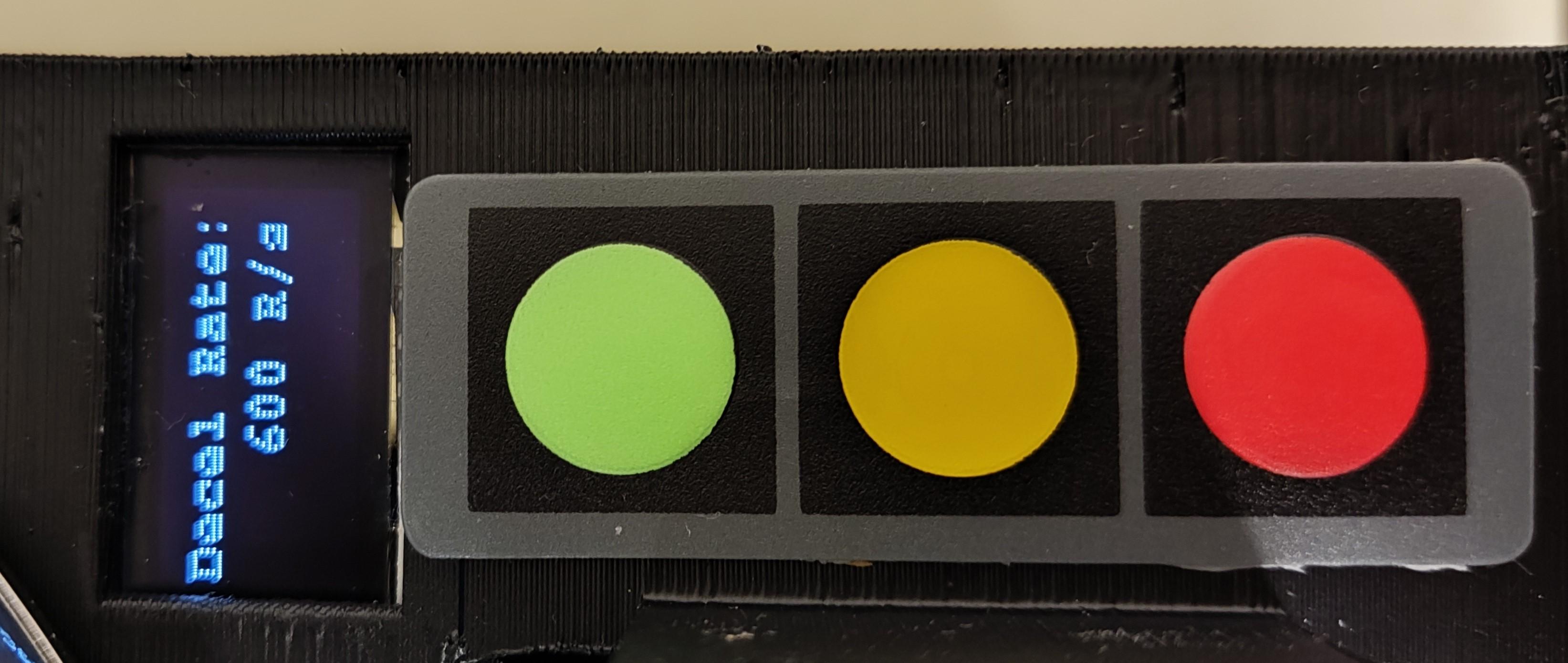

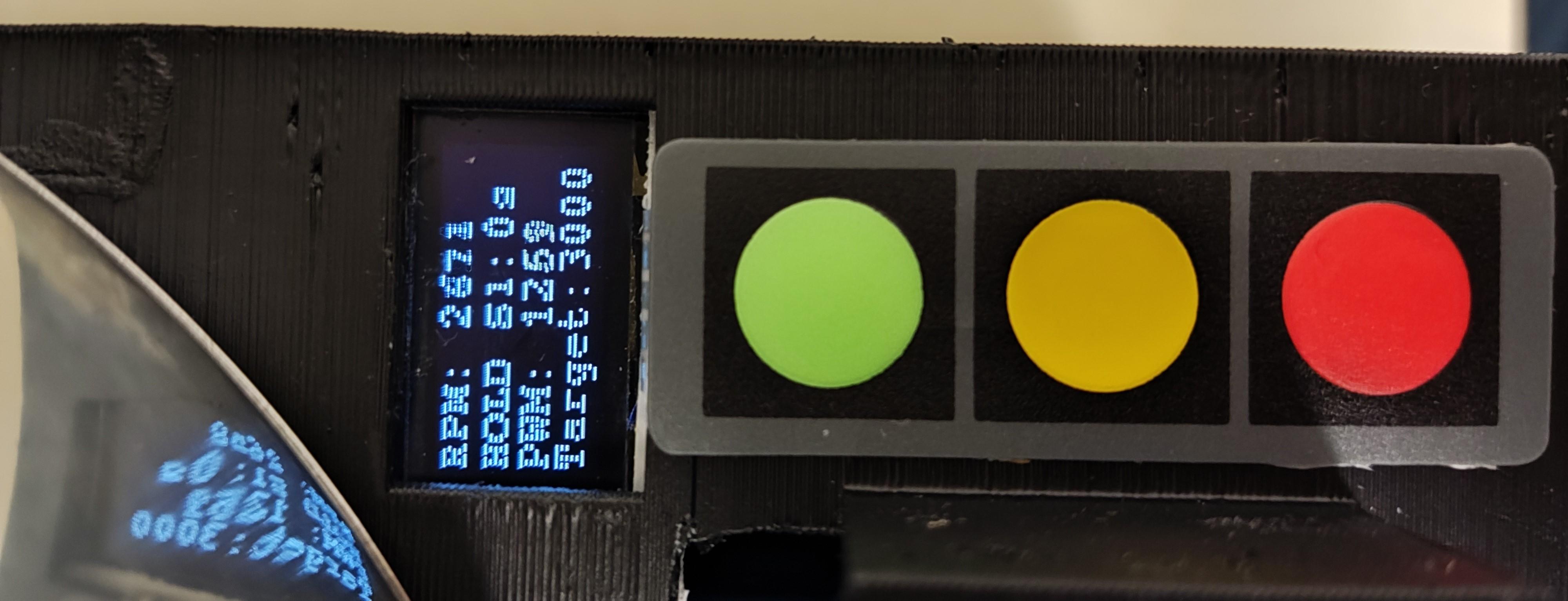
Story:
I first tried to code it using Micropython, but ended up in a struggle, because the time between the flags from the RPM sensor was not calculated right, it always calculated false values. Now I changed to C++ and programmed it in the Arduino IDE. Because I'm a really bad programmer, I used a lot of help from google's AI called gemini.
The programm still turned out pretty well.
The whole code is available at my github:
https://github.com/ByFelixr/Spin-Coater
The ESC is controlled by a PWM signal from the ESP32. By changing the duty cycle of the PWM signal, the motor spins up, or slows down accordingly.
To get accurate results and a stable RPM, I used a PID to drive the motor, using only the proportional function of it.
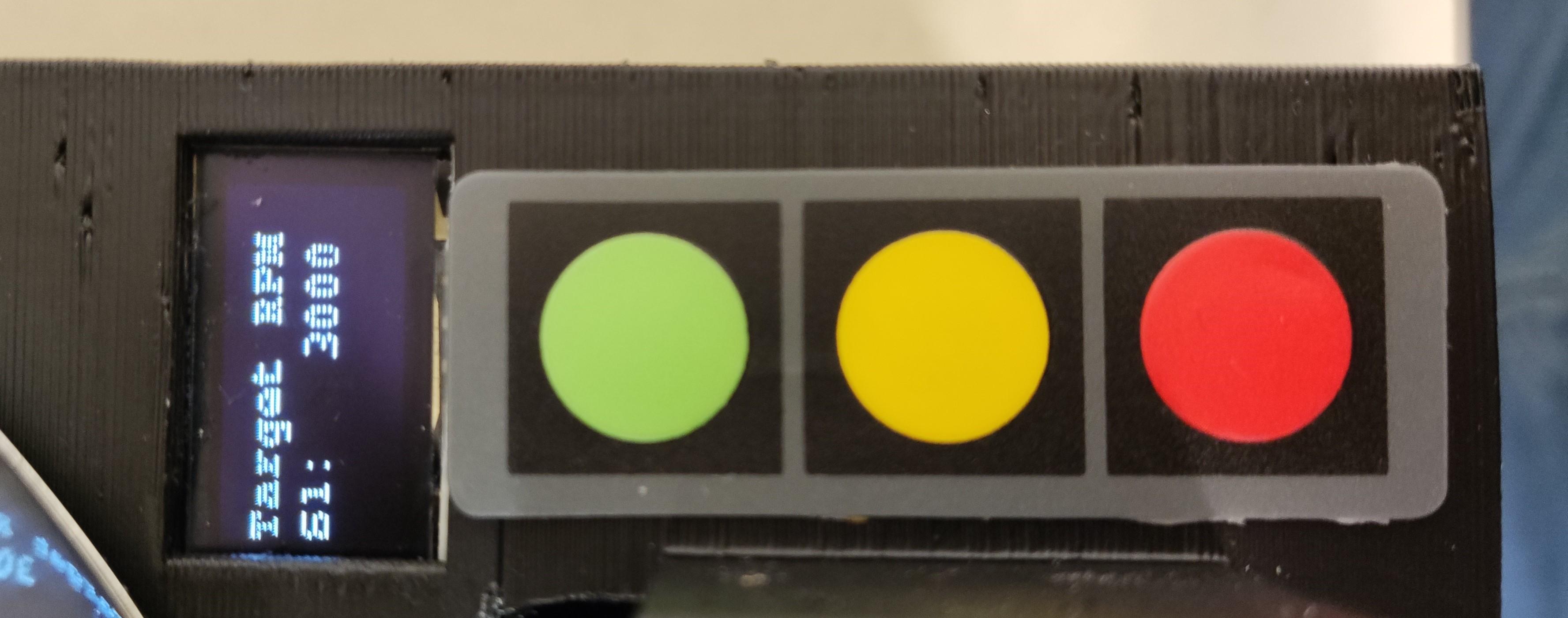
It has two different RPM stages, which you can select in the startup menu. With this it's possible to dynamically dispense the resist, which means in practical terms, that you first spin up the substrate, then while it's spinning you dispense the liquid and later it accelerates to the second RPM stage for the spin-off.
In the menu you can also select the hold, acceleration and duration values for each RPM stage.
The decceleration is also selectable in the startup menu.
After selecting the decceleration, the spin coater starts the programm.
First it counts down from a 3 second timer,
then accelerates with the selected acceleration rate to the first RPM stage, holds for the selected time,
later it accelerates to the second RPM stage using the second acceleration rate,
after holding the second RPM for the given time,
it deccelerates with the decceleration rate.
If anything goes wrong, it's possible to emergency stop the programm by pressing button 3 again.
Wafer Center Tool
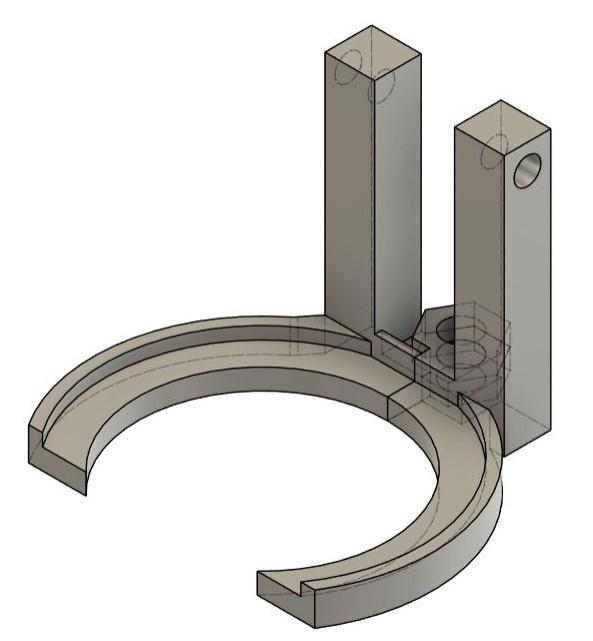
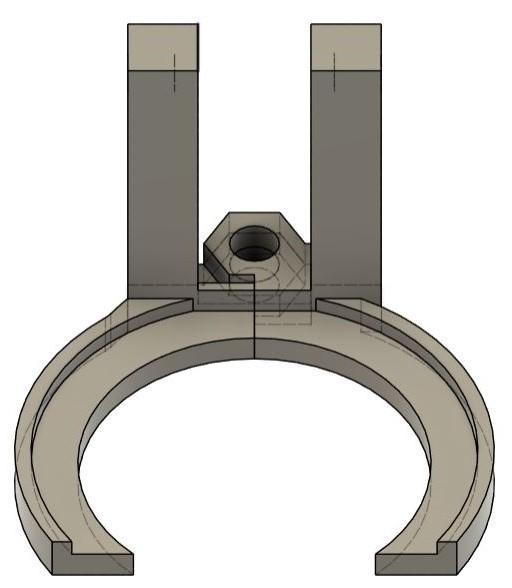
Story: Because the wafer should lay really in the middle of the chuck to be able to run stable, I build a simple center tool for 3" wafers with one flat side, you can also change the design for other substrate sizes
Materials/Tools:
- Wrench
- Soldering iron
- PETG filament
- 2 pcs M5 threaded inserts
- 2 pcs M5 x 30mm screws
- M8 x 30mm bolt
- 2 pcs M8 nuts
- wafer center tool print R, L
After printing the two parts, you can melt the 2pcs M4 threaded inserts in, screw in some screws as handle.
Then just mount the bolt and tighten it with two nuts thatr run against each other, so it won't get loose. Don't tighten it too much, it should still be smoothly rotatable but with some resistance.
Enclosure
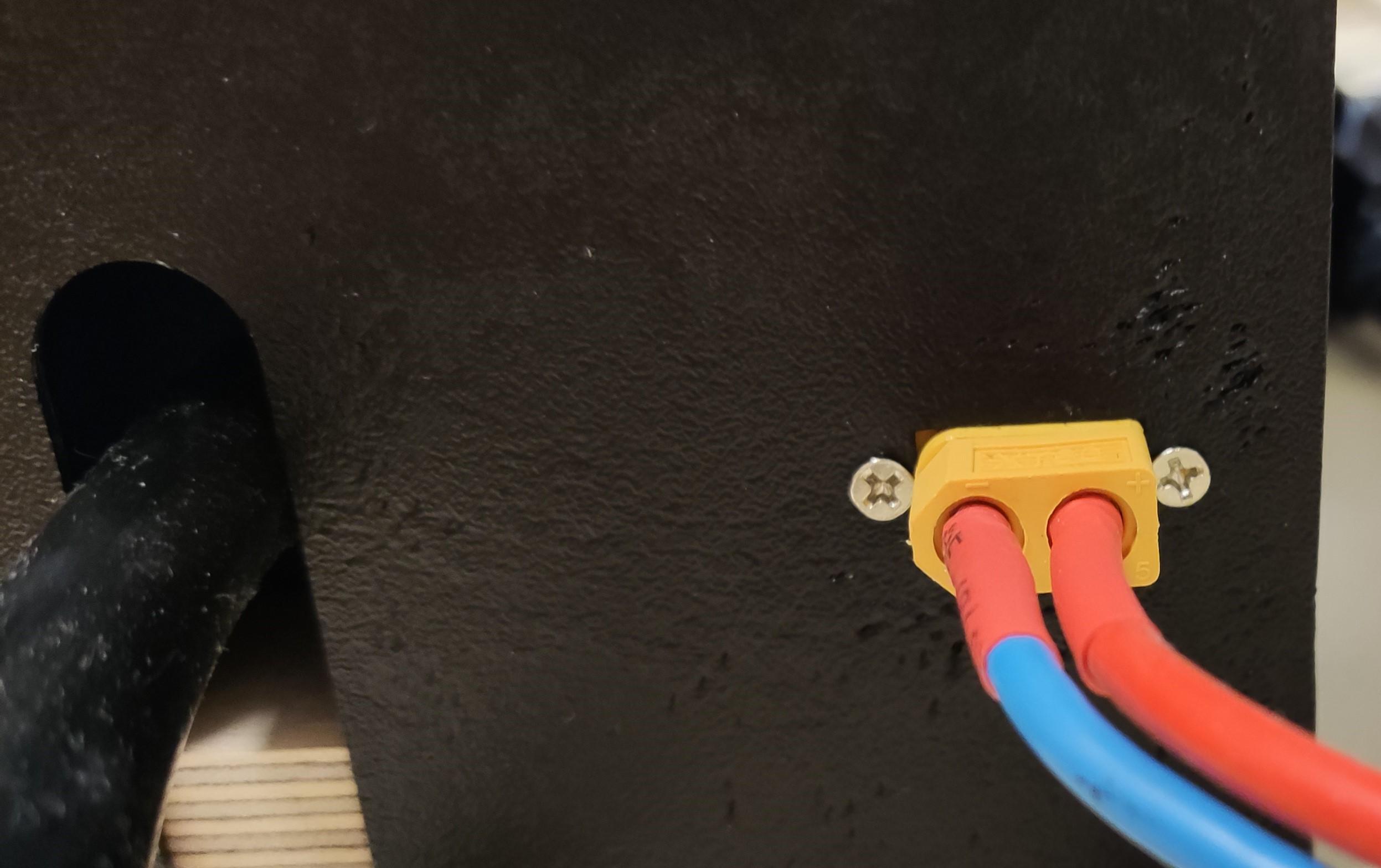
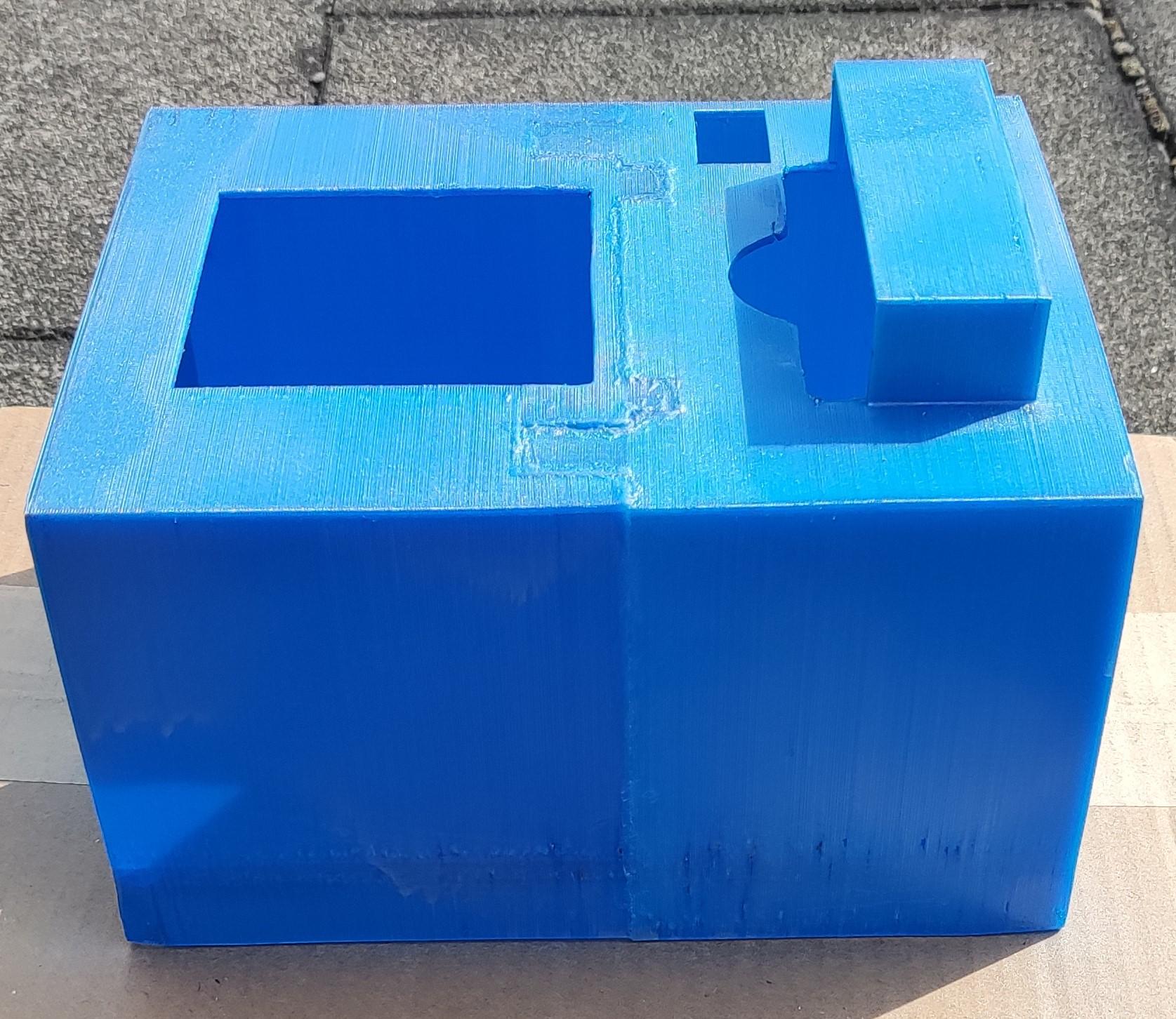
To give the spin coater a overall more professional look and to cover the electronics, I designed an enclosure.
You can print the two parts, sand the edges down, so they fit well and then glue them together using the plastic glue.
I would highly suggest that you then sand down the remaining glue, otherwise it won't look nice.
I also painted them for better looks.
Conclusion


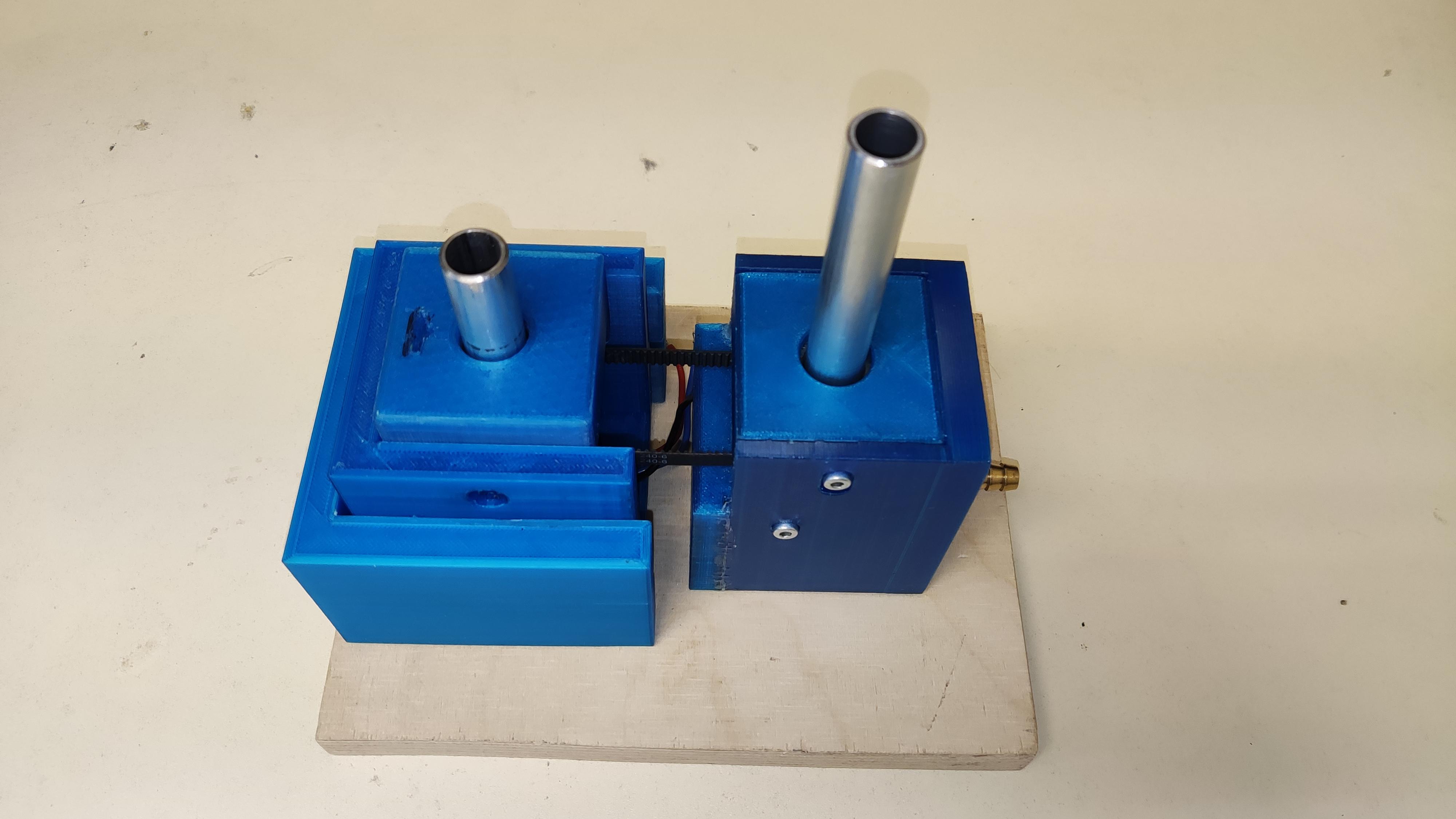


Here you can see some older pictures of previous versions, the first prototype was without a vacuum chuck.
In the end I'm really proud of this project and how it turned out. The spin coater is of course not perfect, but it's a really good approach to a more professional grade spin coater with solid features. It's a very useul tool to experiment with lithography.
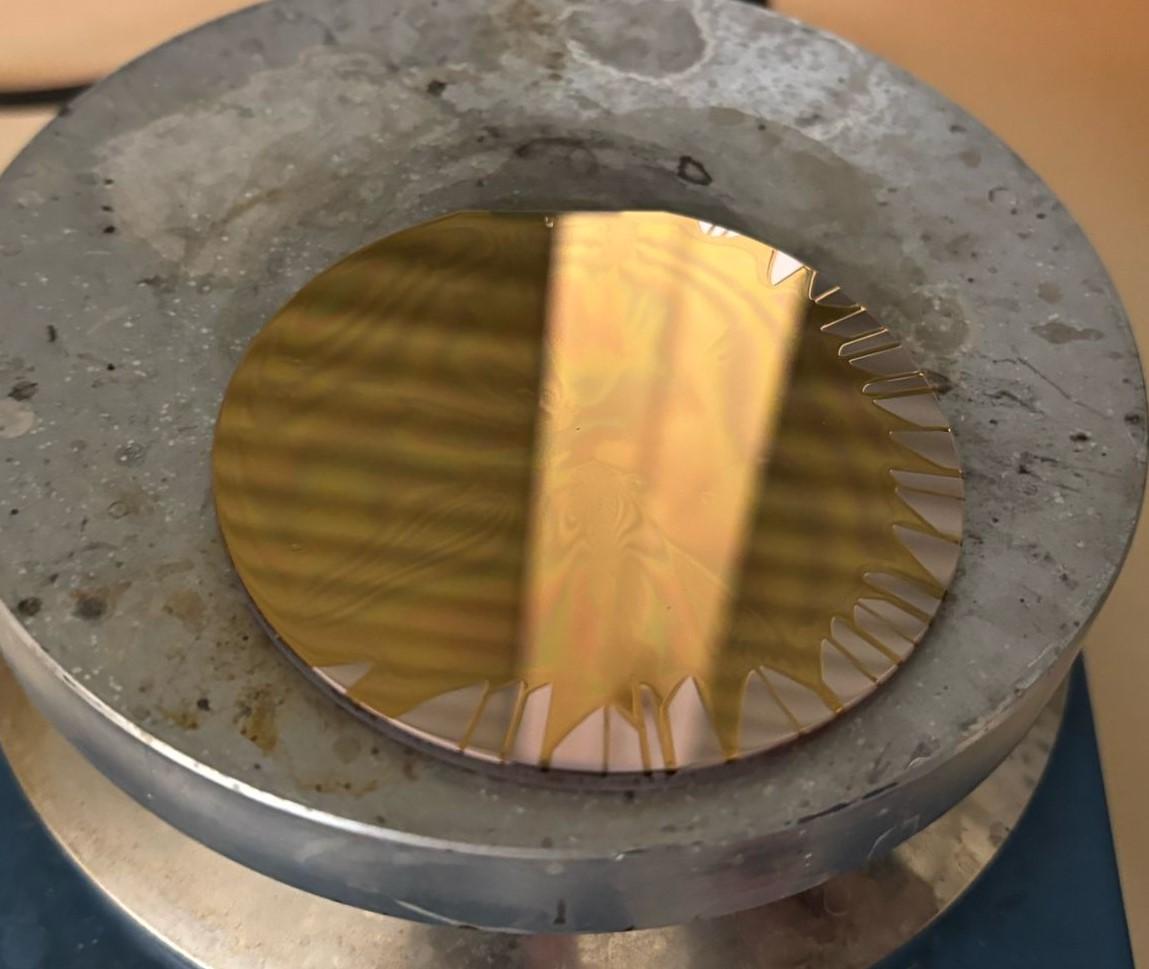
With this spin coater, my goal was to make my own circuit boards with copper, because in our school, we have a PVD system to coat wafers with copper. You can see my first try for this process, the resist didn't spread evenly, because it was too cold, directly out of the refrigerator. The wafer was still coated and it was also possible, to see the interferences of the resist.
Then after spin coating the wafer with photoresist and exposing it to UV-light with a dedicated mask, I wanted to develop the resist and then etch it with acid. This way it would be possible to make real photolithography structures, like the real process used in factories.
Sadly I don't have time for this anymore, but maybe some student after me wil continue with this project on our school :)
Thank you for looking at my project!
If you want to build this model or have any questions about the building process or whatever, feel free to contact me :)