The Stoic Buddy: a Pocket Philosopher for Stressful Moments
by jorgeeldis in Circuits > Microcontrollers
45 Views, 0 Favorites, 0 Comments
The Stoic Buddy: a Pocket Philosopher for Stressful Moments
.png)
Stress, fear of failure, and overwhelming situations affect everyone. They are part of being human. We set goals, try to improve ourselves, and sometimes things do not go as planned. It is easy to call these moments “failures,” but trying, learning, and gaining experience are not failures. Every attempt builds courage and teaches us something new.
Facing the fear of failing is one of the most important challenges we encounter. Every year we set goals and expectations for ourselves, and when we fall short, we may feel discouraged. But even the act of planning, trying, and taking small steps forward helps us grow and understand ourselves better.
That idea inspired me to build Yarviz – the Stoic Buddy, a small desk companion inspired by Stoic philosophy. The device helps you pause, reflect, and approach difficult moments with a calmer mindset. With over 30 unique responses and 10 voice commands, Yarviz offers short reflections and reminders drawn from Stoic ideas to help you think more clearly during stressful situations.
While Yarviz can help you reflect on everyday challenges, it is not meant to replace meaningful conversations with family, friends, or professionals. If stress or anxiety persists, talking to someone you trust is always important. Instead, this device serves as a small reminder on your desk—something that encourages you to pause, reflect on your thoughts, and approach challenges with a clearer perspective.
Supplies


These are the components and materials used to build Yarviz – The Stoic Buddy.
Hardware
- DFRobot UNIHIKER K10 microcontroller board
- ~14 g of PETG filament (for the 3D printed enclosure)
- USB cable (for power and programming)
- Micro SD Card (for assets)
Software
- PlatformIO development environment (used in this project)
- Arduino IDE (alternative option)
The code can be compiled and uploaded using either PlatformIO or Arduino IDE. The overall process and concept remain the same regardless of the environment you choose.
What Is Stoicism and How Can It Help Face a Fear?

Marcus Aurelius equestrian statue (copy on Capitoline Hill). Photo by Vebjørn Granum Kjersheim, licensed under CC BY-NC-SA 3.0.
Stoicism is a school of philosophy that focuses on developing control over our thoughts and reactions rather than trying to control external events. It teaches values such as virtue, resilience, and wisdom in order to achieve inner peace and live in harmony with the world around us.
Today, Stoicism is often misunderstood. Some people believe it means suppressing or ignoring emotions. In reality, Stoicism teaches the opposite: emotions are natural and important, but we should learn to understand them deeply so they do not control our actions. By reflecting on our emotions instead of reacting impulsively, we can make wiser decisions.
I chose Stoic philosophy as the inspiration for this project because it offers a powerful way to face one of the most common fears people experience: the fear of failure. Stoicism encourages us not to worry excessively about events that may happen in the future. Instead, it reminds us that even if something goes wrong, it does not define our worth or end our journey.
From a Stoic perspective, failure is not a source of shame. It is a necessary opportunity for learning and growth. Mistakes help us refine our strategies, improve our understanding, and become stronger individuals. Sometimes failure is simply part of the process of becoming better.
You can think of failure as information rather than defeat. It acts like a compass, pointing us toward a different approach. If you trip over a rock while walking toward your goal, your journey does not end there. The next time, you know where the obstacle is, and you can choose a better path forward.
Stoicism teaches us to focus on what we can control: our actions, our effort, and our attitude. The final result may not always be what we expected, but true success lies in the effort we make and the values we practice along the way.
Designing the Philosophy Engine

The initial idea behind this project was to create a small desk companion that reacts to specific commands and offers short reflections inspired by Stoicism.
The device works completely offline. No AI model is used to generate responses. Instead, the system contains more than 30 carefully written responses mapped to 10 emotional commands.
I intentionally avoided using an AI system for generating answers. While AI can be powerful, it can sometimes produce incorrect or misleading responses (often called “hallucinations”). Because this device is meant to provide thoughtful reflections, I wanted every response to be deliberately written and aligned with Stoic philosophy.
All of the responses were written manually using Stoic principles such as reflection, resilience, and focusing on what we can control. This approach makes the responses feel more consistent and intentional.
The commands were chosen because they represent common emotional states people experience in daily life.
Commands Used in the Stoic Buddy
- I am happy
- I am sad
- I am stressed
- I am afraid
- I am angry
- I am overwhelmed
- I made a mistake
- I cannot control
- I feel unmotivated
- Give me wisdom
- Play music
Each command triggers a short Stoic reflection designed to help the user pause, think, and approach the situation with a calmer mindset.
Music for Relaxation
The Play music command plays the full melody of Für Elise, composed by Ludwig van Beethoven. This classical piece is widely recognized for its calming and reflective tone.
Music has been shown to influence emotional and cognitive states. According to the research paper “The Transformative Power of Music: Insights into Neuroplasticity, Health, and Disease” by Muriel T. Zaatar and colleagues, music can significantly impact emotional wellbeing and may help reduce stress, anxiety, and depression.
If you are interested in the research behind this, you can read the full study here:
https://pmc.ncbi.nlm.nih.gov/articles/PMC10765015/
Understanding how music affects the brain adds another dimension to the Stoic Buddy, combining philosophical reflection with calming sound to help create a brief moment of pause during stressful situations.
Sketching the Stoic Buddy

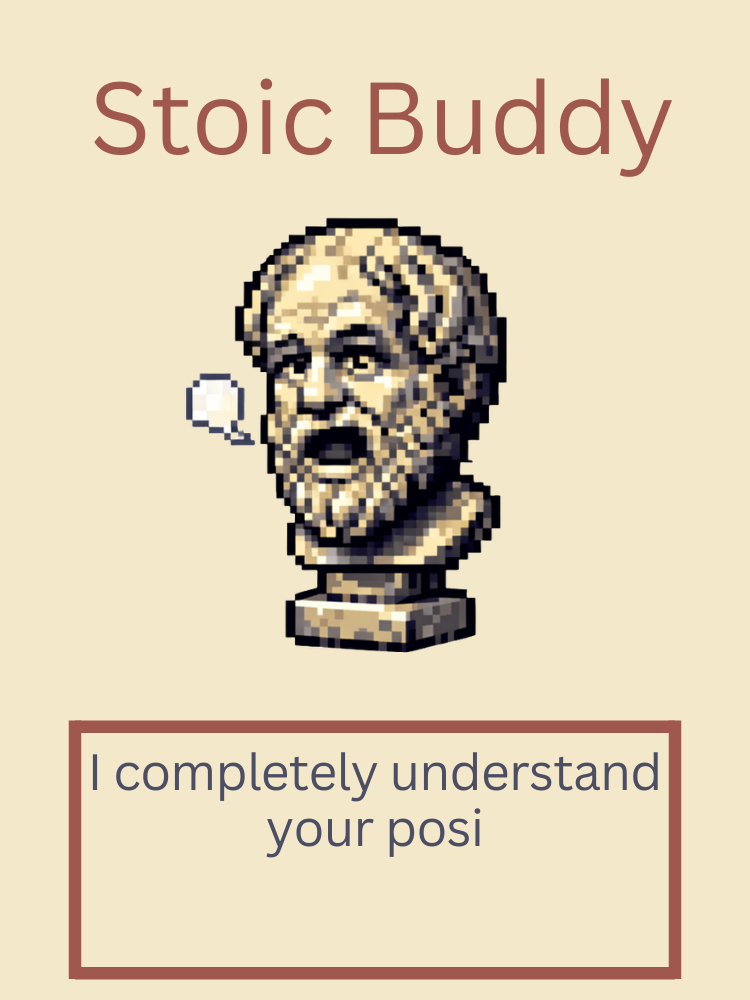
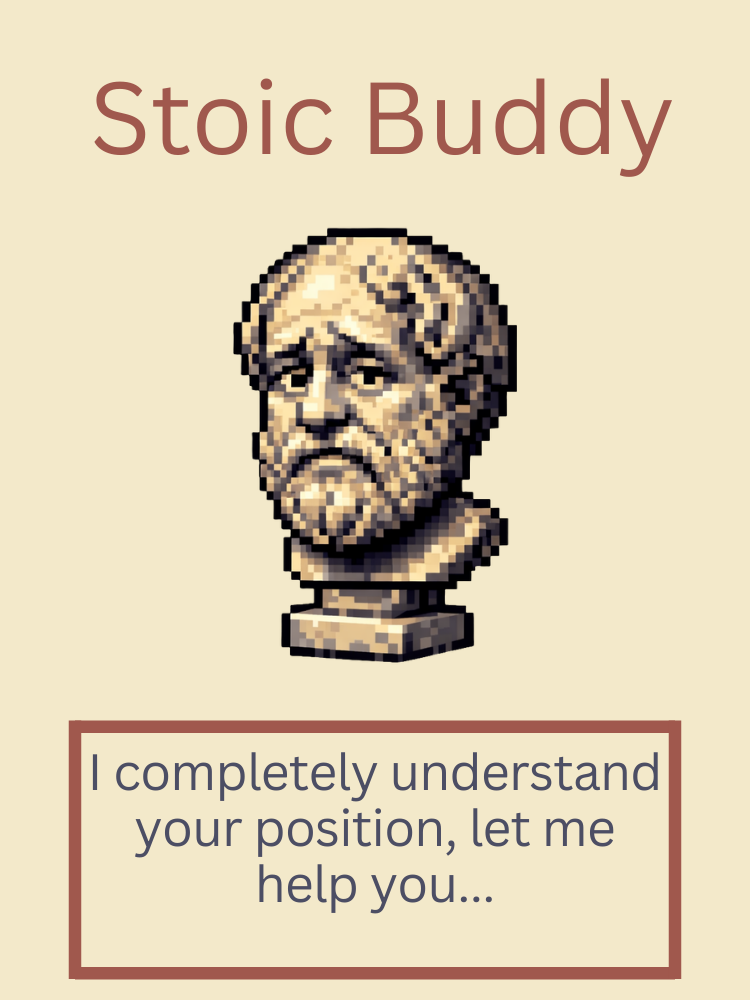

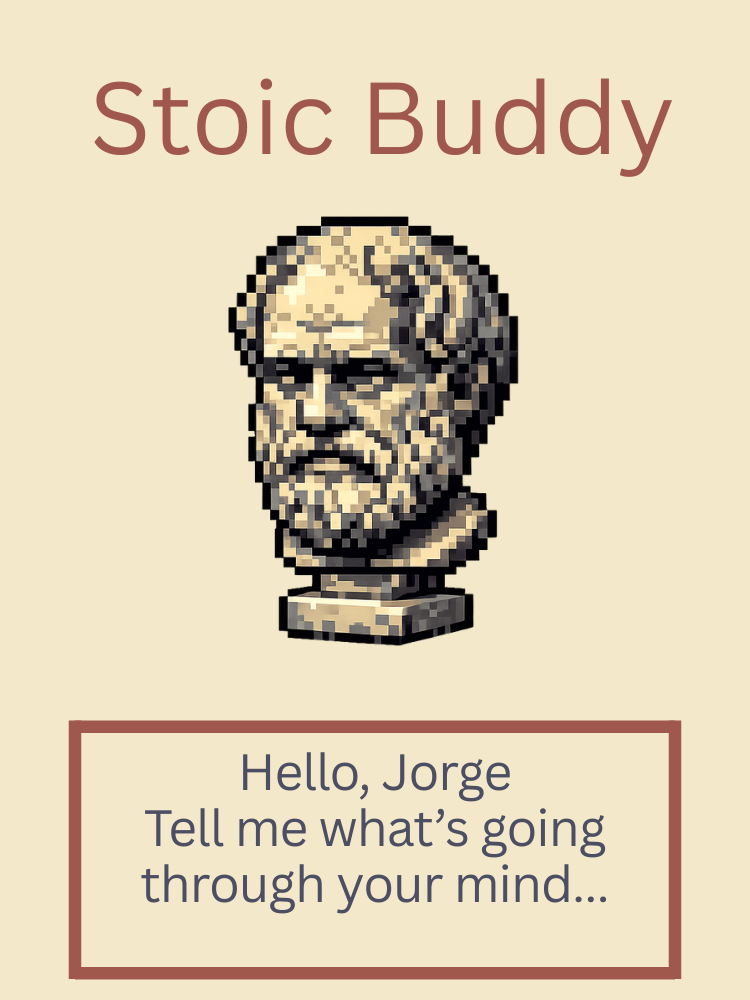

To design the visual interface of the Stoic Buddy, I first created sketches of the different screen layouts and “faces” of the character Yarviz using Canva.
These sketches represent the different responses that Yarviz displays when the user gives a command. I wanted the interface to feel philosophical and reflective, so I chose a vintage-inspired design that evokes the atmosphere of classical philosophy.
Color Palette
The interface uses a simple color palette designed to create a calm and thoughtful visual experience:
- Background: 0xEBDDAB
- Title and dialogue box: 0x8A3F35
- Text: 0x2F3145
These colors help create the feeling of reading an old philosophical text while interacting with the device. The dialogue box was intentionally designed to look like Yarviz is speaking, making the interaction feel more personal and engaging.
Designing for the Screen Size
One important detail when designing the interface is to match the canvas size to the device’s screen resolution.
For example, the DFRobot UNIHIKER K10 has a screen resolution of 240 x 320 pixels, so I created my Canva design using the exact same dimensions.
Designing at the correct resolution makes it much easier to:
- Position elements correctly
- Replicate the layout in code
- Ensure the interface looks exactly as intended on the device
At this stage, the goal was mainly to determine the placement of visual elements, such as the title area, the dialogue box, and the text area where the Stoic reflections would appear.
In the next steps, I will explain how the philosopher character was created and how the quotes and responses were integrated into the system.
Designing the Stoic Buddy Enclosure

For the enclosure design, I reused a concept similar to one from my previous project, Zecko ES. My goal was to create a case inspired by the busts of ancient Roman philosophers, giving the device a visual connection to Stoicism and classical philosophy.
Originally, I planned to print the final version using marble filament to better resemble a classical sculpture. However, since I did not have that filament available at the moment, I created a temporary version and will later print the final stand when the material becomes available.
Why This Design
There are already several cases available online for the DFRobot UNIHIKER K10. However, many of those designs have some practical limitations:
- They fully enclose the board
- They cover the bottom circuitry
- They block access to sensors
- They restrict speaker output
- They partially obstruct the Wi-Fi module
This enclosure was designed specifically to avoid those issues, keeping all the important hardware features accessible while still protecting the device.
3D Printing Settings
These are the settings I used to print the enclosure.
Printer: Flashforge Adventurer 5M
Material: ABS (other materials such as PETG or PLA also work)
Recommended settings:
- Layer height: 0.2 mm
- Infill: 15–20%
- Supports: Not required
- Bed adhesion: Optional (a brim is recommended when printing with ABS)
Assembly
The enclosure is designed as a press-fit case, meaning no screws are required.
To assemble it:
- Align the board with the front opening of the enclosure.
- Insert the board carefully.
- Apply gentle pressure until the board is fully seated.
Once inserted, the board should remain securely in place while still allowing access to the sensors, speaker, and other components.
Downloads
Preparing the Wisdom Assets (Quotes & Visuals)


One of the most important parts of this project is the content used to give Yarviz its personality. This includes both the visual assets for the character and the Stoic reflections that the device displays in response to commands.
Creating the Character Assets
For the character visuals, I used the generative capabilities of ChatGPT with DALL·E to generate pixel-style artwork of a philosopher bust.
This approach allowed me to quickly prototype a character that fits the philosophical theme of the project.
Some of the prompts used were:
- "Create an 8-bit philosopher head sculpture asset with transparent background."
- "Use the exact same asset and make a thinking expression."
I repeated the process to generate multiple expressions so the character could visually react to different emotional commands.
After generating the images, I imported them into Canva to clean them up. Using Canva’s background removal tool, I made the images fully transparent and resized them to 192 × 192 pixels so they would fit well on the screen of the DFRobot UNIHIKER K10.
Writing the Stoic Responses
The second part of the assets is the Stoic reflections that Yarviz displays. These responses were written using a combination of personal reflections and ideas inspired by classical Stoic texts.
If you are interested in learning more about Stoic philosophy, I highly recommend reading:
- Meditations by Marcus Aurelius
- Letters from a Stoic by Seneca the Younger
These works provide timeless insights about resilience, emotional control, and personal growth.
Below are a few examples of the responses implemented in the Stoic Buddy system. The complete list of responses is included in the code section and on my GitHub repository.
Happy
“Amazing! We both know life can be hard, and these happy days are what help carry us through. Cherish them and share that happiness with the people you love.”
Sad
“That's unfortunate. Life can be rough sometimes, but those challenges can make us stronger when we overcome them. Tomorrow will be a better day.”
Stressed
“Remember that you have power over your mind, not outside events. Realize this, and you will find strength.”
Afraid
“It's okay to be afraid. Fear is a natural human instinct. The best way forward is often to face it step by step.”
Angry
“Inner control is important. Do not let anger control your actions or your thinking. We are often disturbed by our own view of things.”
All of these responses aim to reflect the central Stoic idea that while we cannot control everything that happens to us, we can control how we respond to it.
Setting Up the Development Environment

In this section, I will guide you step by step through setting up the development environment so you can replicate the Stoic Buddy project exactly.
For this project, I used PlatformIO, which runs as an extension inside Visual Studio Code.
1. Install Visual Studio Code
First, download and install Visual Studio Code from the official website:
https://code.visualstudio.com/
Follow the installation instructions for your operating system. Once the installation is complete, open Visual Studio Code.
2. Install PlatformIO
Next, we need to install PlatformIO.
- Open the Extensions panel in Visual Studio Code.
- Search for PlatformIO.
- Install the extension called PlatformIO IDE.
PlatformIO is a powerful development environment for embedded systems. While it has a slightly steeper learning curve than the Arduino IDE, it provides better project management, library handling, and build tools.
After installing the extension, restart Visual Studio Code.
You should now see an alien icon in the sidebar — this is the PlatformIO interface.
3. Import the Project
Click the PlatformIO icon in the sidebar.
Under Quick Access, select Open Project and import the project folder.
You can clone or download the project from my GitHub repository:
https://github.com/jorgeeldis/stoicbuddy
Once the folder is opened, PlatformIO will automatically detect the project configuration.
4. Configure the Board
Inside the project folder, open the file called platformio.ini and add the following configuration for the DFRobot UNIHIKER K10:
[env:unihiker_k10]
platform = unihiker
board = unihiker_k10
framework = arduino
After saving the file, PlatformIO will begin downloading the necessary tools and libraries required for the board.
5. Upload the Code
Once the setup process is complete, connect your UNIHIKER K10 using a USB cable.
You can now compile and upload the program directly to the board using PlatformIO.
Your development environment is now ready, and you can start building and uploading your own firmware for the Stoic Buddy.
NOTE
If you are using Arduino IDE and don't know how to use this project don't hesitate to contact me, or comment down below and i'll gladly help you through the process.
Also you can check out the Unihiker K10 for the process:
https://www.unihiker.com/wiki/K10/GettingStarted/gettingstarted_arduinoide/
Programming the Stoic Wisdom

Now for the technical part of the project, i'll explain carefully the functions, libraries used in this project so you can also replicate it, or even make it better! Keep in mind this project is fully open source so you're free to use it and modify it.
You can also clone the entire repository here: https://github.com/jorgeeldis/stoicbuddy
Project Structure
This is the structure used for the libraries, assets and main app:
StoicBuddy
---assets
------images.png (images in 192x192)
------furelise.wav (classical music in wav to import to the Unihiker K10)
---include
---lib
------StoicResponses
---------StoicResponses.h (library with the answer variables)
---------StoicResponses.cpp (code with all the answers, recommendations and quotes)
---src
------main.cpp (main code with all the functions)
---platformio.ini (main configuration for the project)
Uploading assets to Unihiker K10
As your first step, format the Micro SD Card to FAT32, you can do this with many applications or even the system defined format option.
On Windows:
- Connect the SD card to your PC.
- Open File Explorer and click "This PC".
- Right-click the SD card drive and select Format.
- Under "File system," select FAT32.
- Ensure Quick Format is checked and click Start.
On MacOS:
- Connect the card and open Disk Utility (via Spotlight or Applications/Utilities).
- Select your MicroSD card in the left sidebar.
- Click Erase in the top menu.
- In the format dropdown, select MS-DOS (FAT).
- Click Erase.
On Linux:
- Check where your Micro SD Card is with: lsblk (Look for your SD card based on its size (e.g., /dev/sdb, /dev/mmcblk0). The partition will be numbered (e.g., /dev/sdb1 or /dev/mmcblk0p1)
- Unmount it: sudo umount /dev/sdb1
- Format it: sudo mkfs.vfat -F 32 /dev/sdb1
After doing this, introduce the Micro SD Card into the Unihiker K10, and power up the Unihiker K10, this is for it populate the Micro SD Card with the necessary files and recognize it.
Disconnect the Unihiker K10 and plug it into the computer, load up the assets into the root of your Micro SD Card, and your done!
Libraries
The libraries used in this project are the following:
- unihiker_k10.h (library used for the unihiker k10 specific functions)
- asr.h (library used for the voice recognition)
- StoicResponses.h (library used for the answers)
StoicResponses.h
In this code we wil be defining the variables used in the main.cpp for the answers depending on the voice command:
StoicResponses.cpp
Here are going to be all the answers, recommendations and quotes needed to feed the Stoic Buddy to answer the commands, feel free to add some and modify it for your needs!
main.cpp
Here goes the main functions for the app to work, i'll divide this section into many code snippets to explain what each part do, it will still be in order for you to implement into the final code.
First up, we will be including the libraries that we need to run in order for the code to work:
I like to do what's called forward declaration, where you declare first the functions that will be in use in the code:
After this we will initialize all the variables on our code, including the assets and their image path inside the Unihiker K10:
We start the code with the classic setup, which initialize the app itself in the microcontroller, the use of randomSeed() is to randomize the selection of the answers and recommendations to make the system feel more alive and real, inside of this function, we start the unihiker with k10.begin() and voice recognition with ast.asrInit(), we also need to initialize the SD card to load the assets before showing them:
In this snippet we implement the main loop() function, which controls the behavior of the Stoic Buddy running on the Unihiker K10. The loop continuously checks for user interaction and updates the character’s behavior accordingly.
Idle Detection
The program includes a counter called idle.
This counter keeps track of how long the device has been inactive.
If no command or interaction occurs for 30 seconds, the system automatically changes the character’s expression to a sleeping face, indicating that the philosopher is idle.
Whenever the user interacts with the device, the idle counter is reset.
Button Controls
The Unihiker K10 has built-in buttons that allow the user to navigate the system.
Two main button inputs are used:
- Button A
- When Button A is pressed, the device displays a menu of available commands that the user can choose from.
- Button B
- When Button B is pressed, the device resets the interface and returns to the main screen (home state).
Randomized Responses
To prevent the system from repeating the same message every time, the program uses a random number generator.
The function randomSeed() is used to initialize the generator, allowing the program to select different responses for the same command. This makes the Stoic Buddy feel more dynamic and conversational.
The following snippet shows the commands used in the app:
In the next snippet, we will be defining the voice commands for the Unihiker K10 to recognize:
In the philosopher() function we will use the assets and the variables to easily interchange the assets when needed:
For the answers i've decided to implement a "buffer" so that it prints the answer character by character like a chat, that way it feels alive and real:
Using the Stoic Buddy

In the following video i'll show you all the functionalities the stoic buddy have, using the voice recognition commands.
Facing Fear With the Stoic Buddy

The purpose of the Stoic Buddy is simple: to help you face difficult emotions with thoughtful reflections and words of support when you need them most.
Many of the emotions we experience every day are connected to different forms of fear:
- Sadness — fear of loss
- Overwhelmed — fear of losing control
- Afraid — fear of danger
- Angry — fear of injustice
- Unmotivated — fear of failure
- Stressed — fear of uncertain future events
Inspired by the ideas of Stoicism, the Stoic Buddy encourages a simple but powerful habit: pause, reflect, and focus on what you can control.
By offering short reflections and reminders, the device acts as a small companion on your desk that helps you step back from stressful situations and think more clearly. Sometimes all we need is a moment of reflection to regain perspective.
The Stoic Buddy is not meant to replace conversations with friends, family, or professionals. Instead, it serves as a small reminder that challenges and fears are a natural part of life—and that we can face them with calm, resilience, and wisdom.
In the end, the goal of this project is not just to build a device, but to encourage a mindset: one that approaches life’s difficulties with patience, reflection, and courage.