Tiny 3D Printed Hinges in Tinkercad to Make a Folding House
258 Views, 1 Favorites, 0 Comments
Tiny 3D Printed Hinges in Tinkercad to Make a Folding House
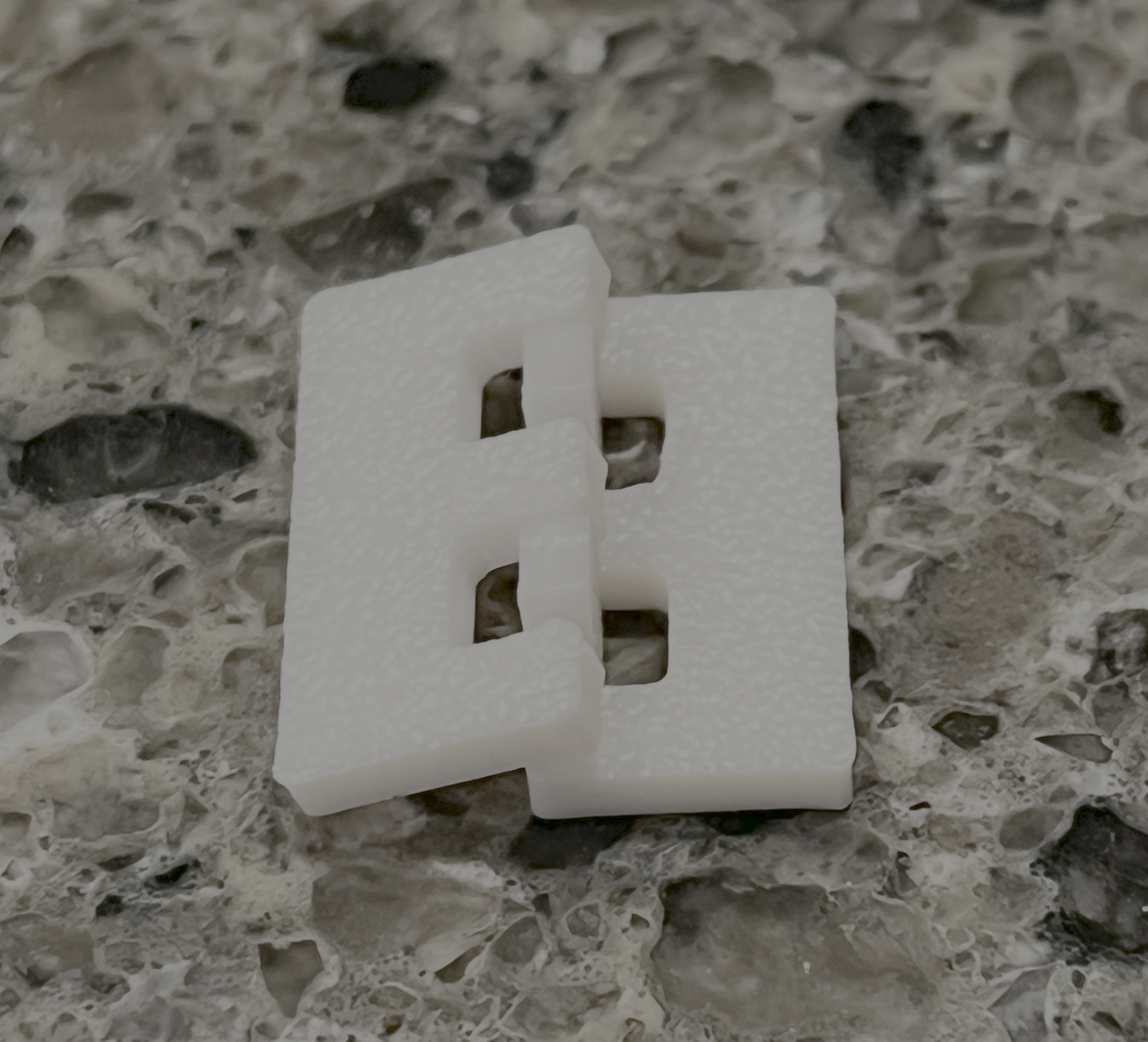
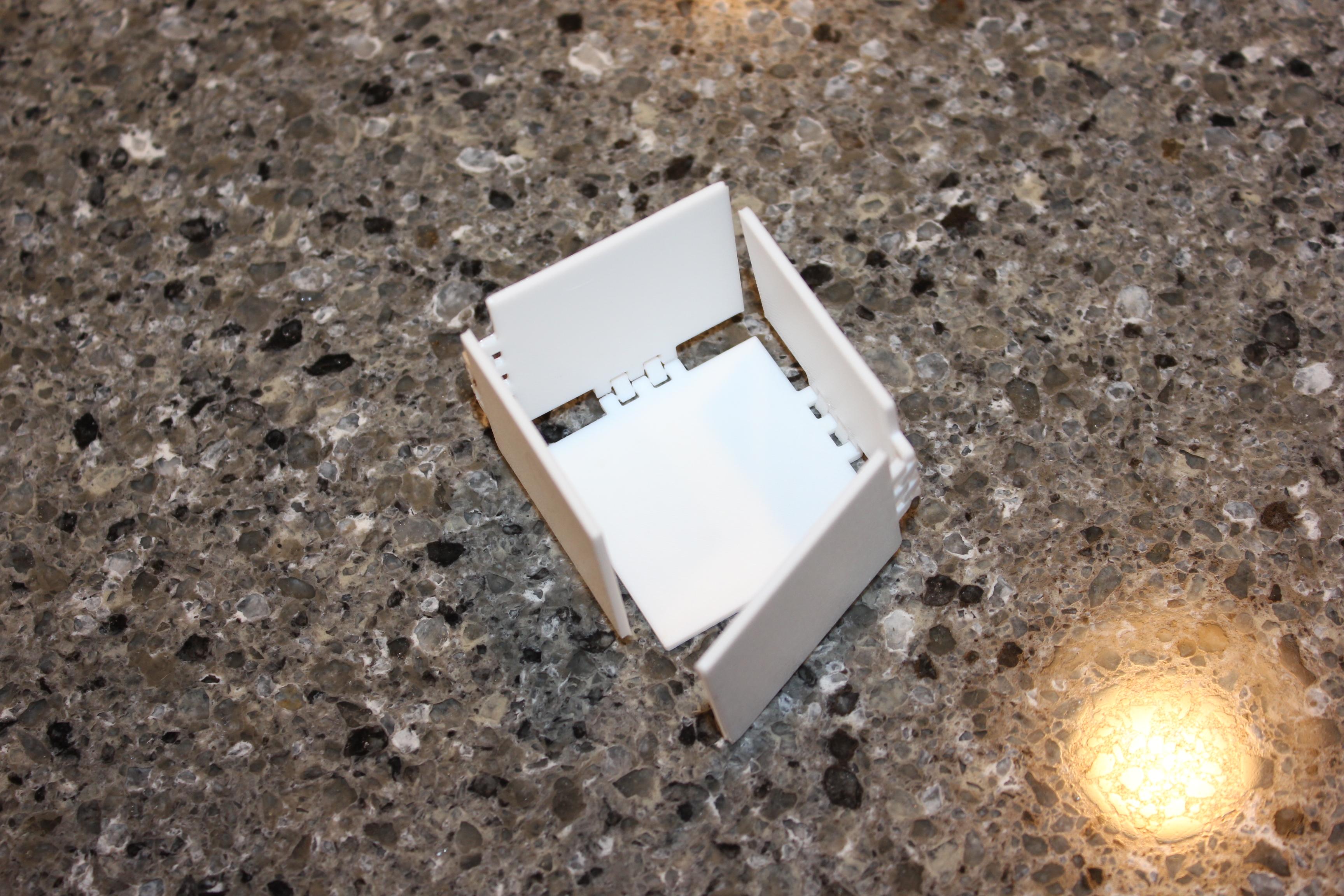
I have 3D printed a few articulated objects in the past, but none of them were considerably small. With that in mind, I wanted to make a tiny hinge that was somewhat stiff, enough to hold something up, while also flexible and preferably reversible. To use it, making a box would be a great idea to challenge myself.
Supplies
I used Tinkercad to design the hinge. To print it, you need a 3D printer some filament. If you don't have a 3D printer, you should check your local library to see if they have any for free use. I myself have had a great experience using my library's 3D printer.
First Hinge Design


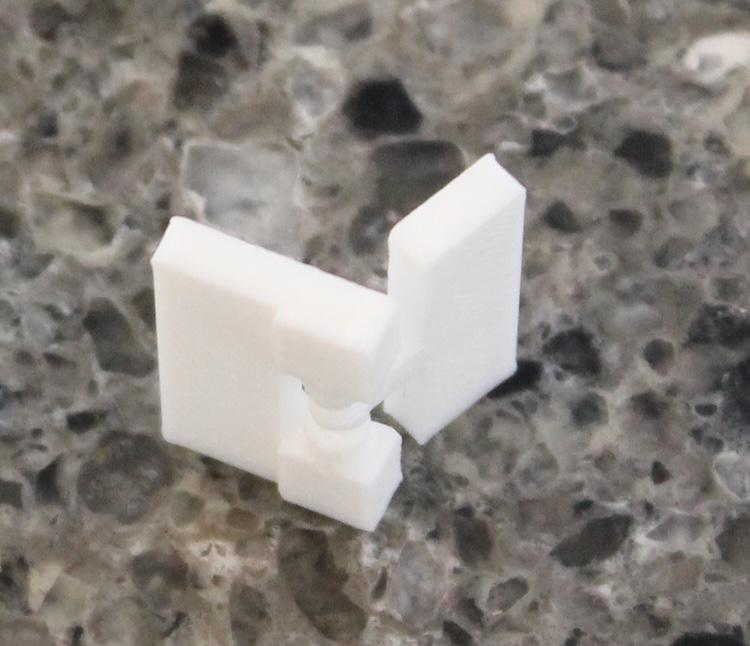
I started by creating a new design in Tinkercad. In it, I pulled two cones out and made one of them a hole. I then took out a cylinder and aligned all of the objects with the align tool. Next, I positioned the pieces and combined them to make a mechanism that could turn. By putting two of these together, I made something that could turn, but only had one joint. After printing and testing, it had a good amount of resistance, but felt like it would break as soon as it was twisted just a little but. To put this to the test, I twisted it just a little bit. Unsurprisingly it snapped.
Second Hinge Design

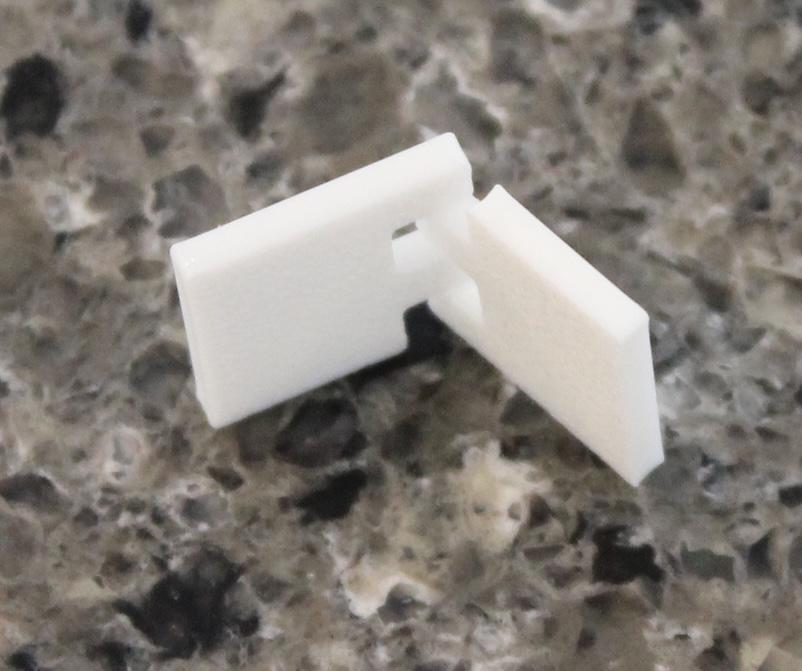
To make the hinge stronger, I redesigned it to make the joints more closed and more importantly, added more of them. I closed off the hinges by embedding the mechanism into the actual structure of the hinge, instead of making it stick out. This was done by creating a second cylinder the same size as the original one and making it a hole. I then grouped it with the structure and them placed the mechanism in it's place. To make for joints, I just did this process again while duplicating the rotating part as needed. I then printed the newer version and it worked as expected. It did not have the flex like before, and it took a lot more force to twist and break it. That meant that the only thing left to do was to make it reversible.
Final Hinge Design

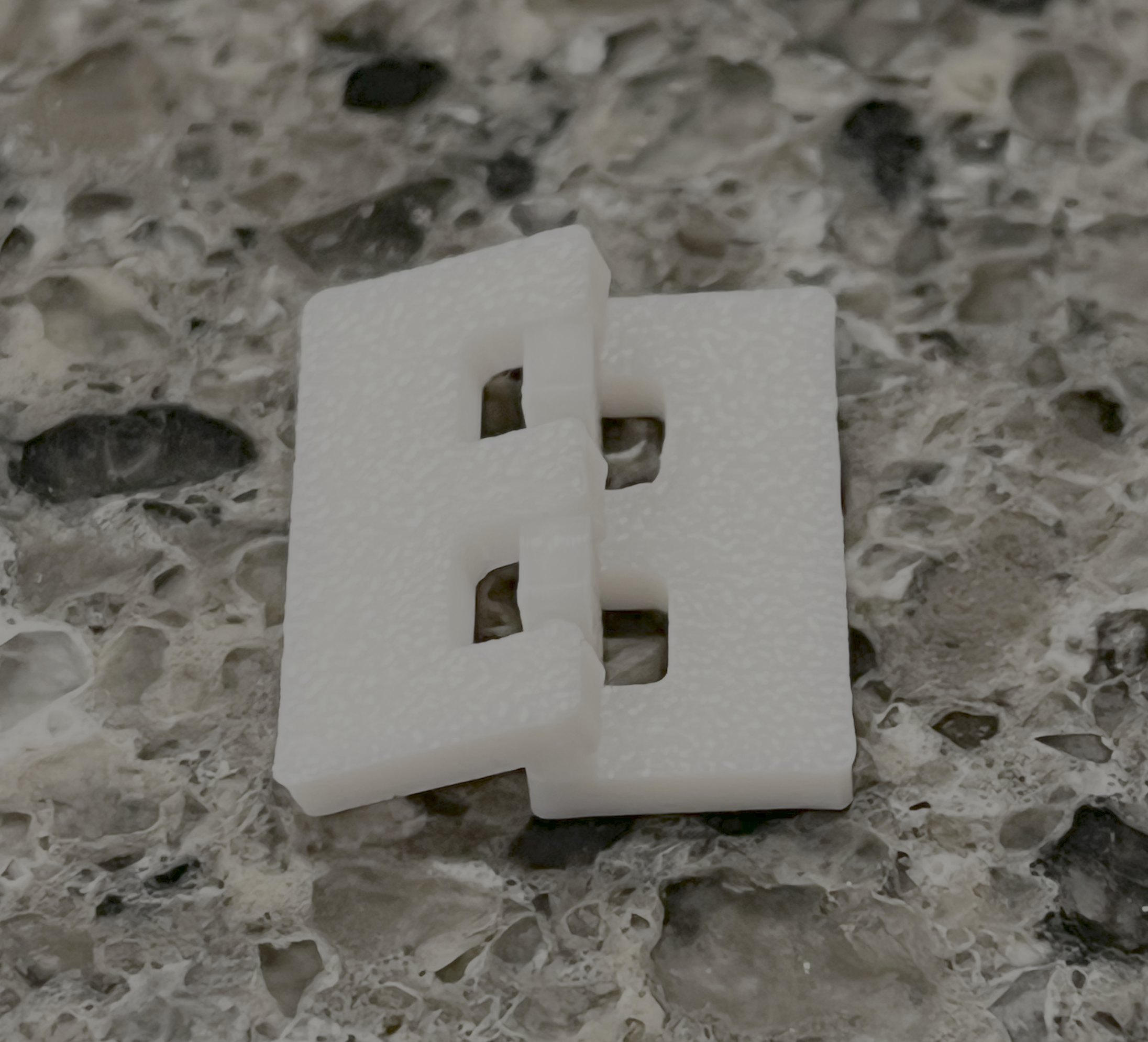
To make the hinge reversible, I needed to add a second layer of rotating mechanisms. The easiest way to do this was to first remove one side of the hinge. From there, I was able to extend out the floating pieces and duplicate the mechanisms inside to go to the other side. I then copied the entire side of the hinge, then flipped it so that it was aligned in the opposite direction. This left me with a working reversible hinge, but it did not look good, so I added one more mechanism on each side and it looked much better. Upon printing this version, found that it was indeed much better. It looked better, was reversible, and once again felt even more sturdy. With that out of the way, it was time to put the hinges to use.
Testing If It Makes a Box
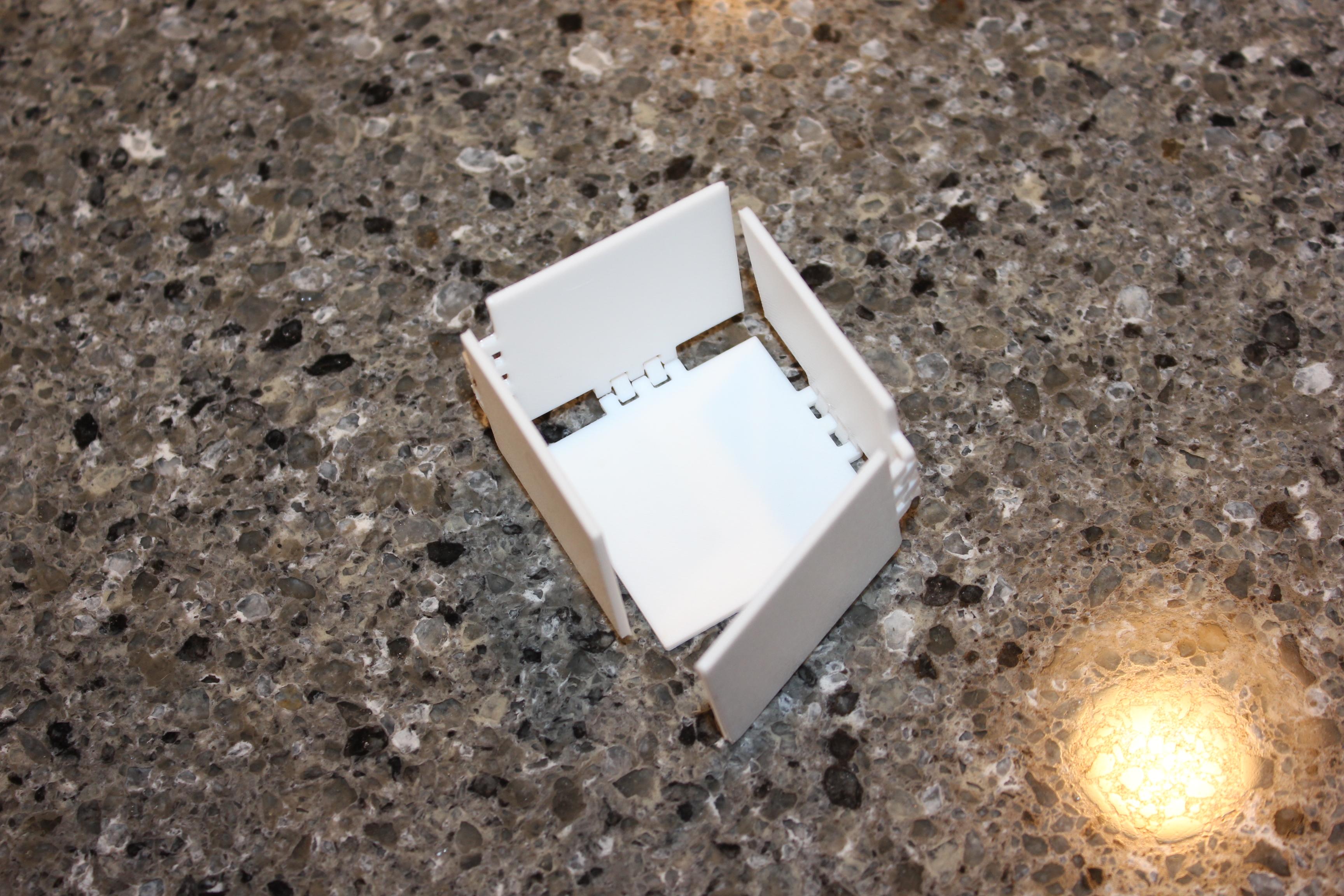
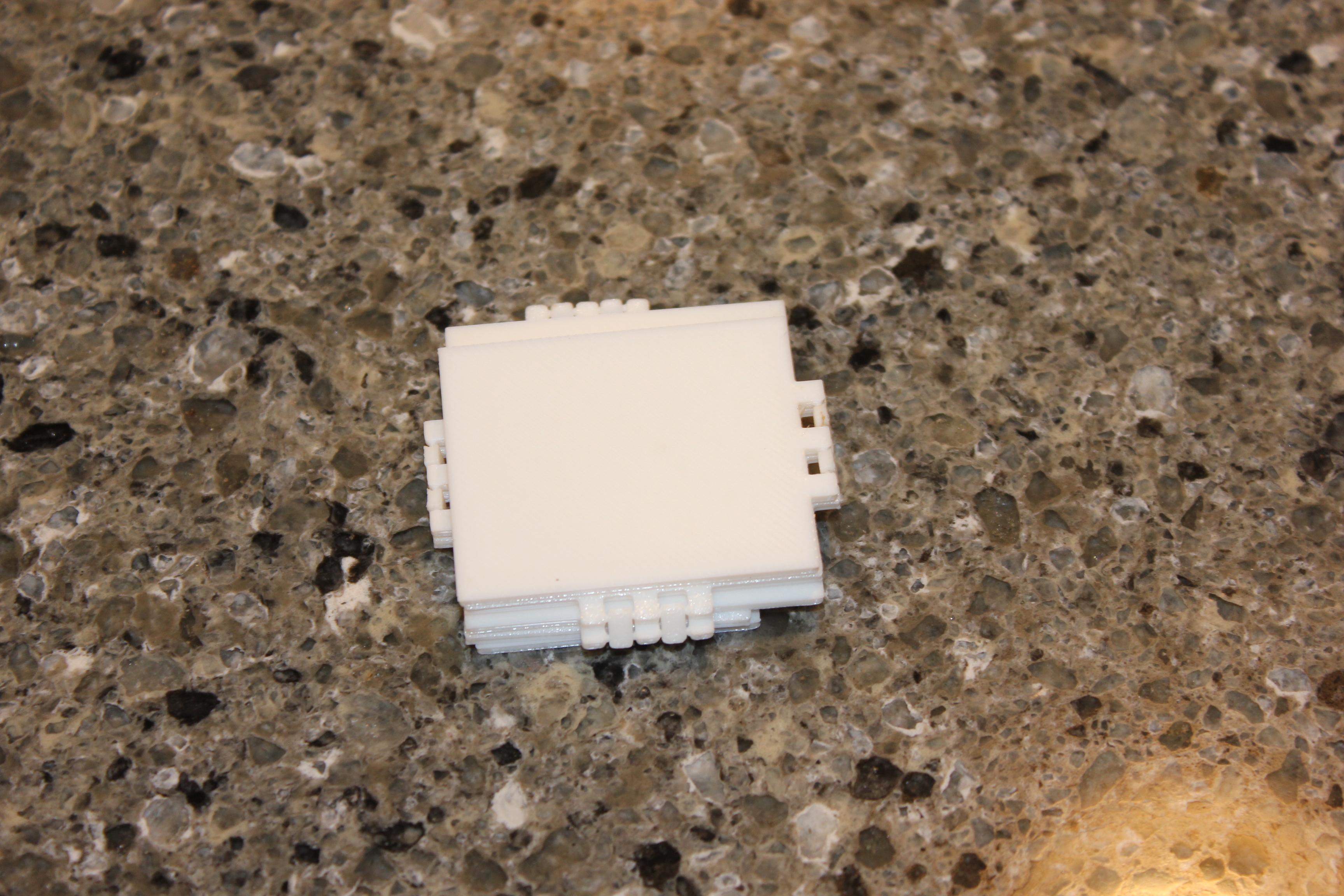
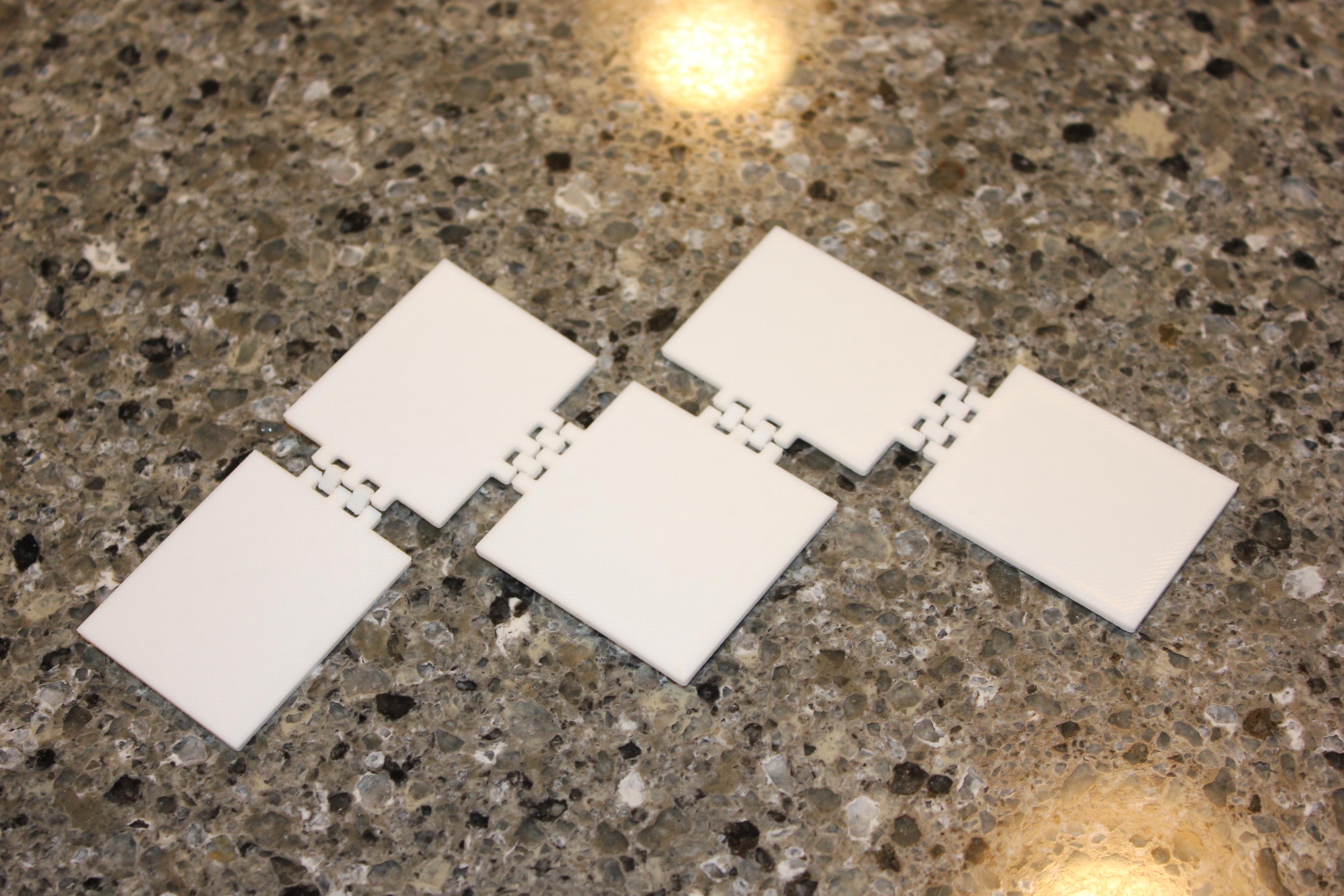

Before I printed the final house design, I needed to see if it would actually make a nice box. I designed a minimal version, with no roof or top, and printed it scaled down. When I got the print, I noticed a few things.
- It had a lot of gaps
- It was able to fold perfectly flat
- If folded with one layer in between the hinge, there was resistance to close, but forcing it did not break anything
- If folded with two layers between, the hinge would break
Improving the Box
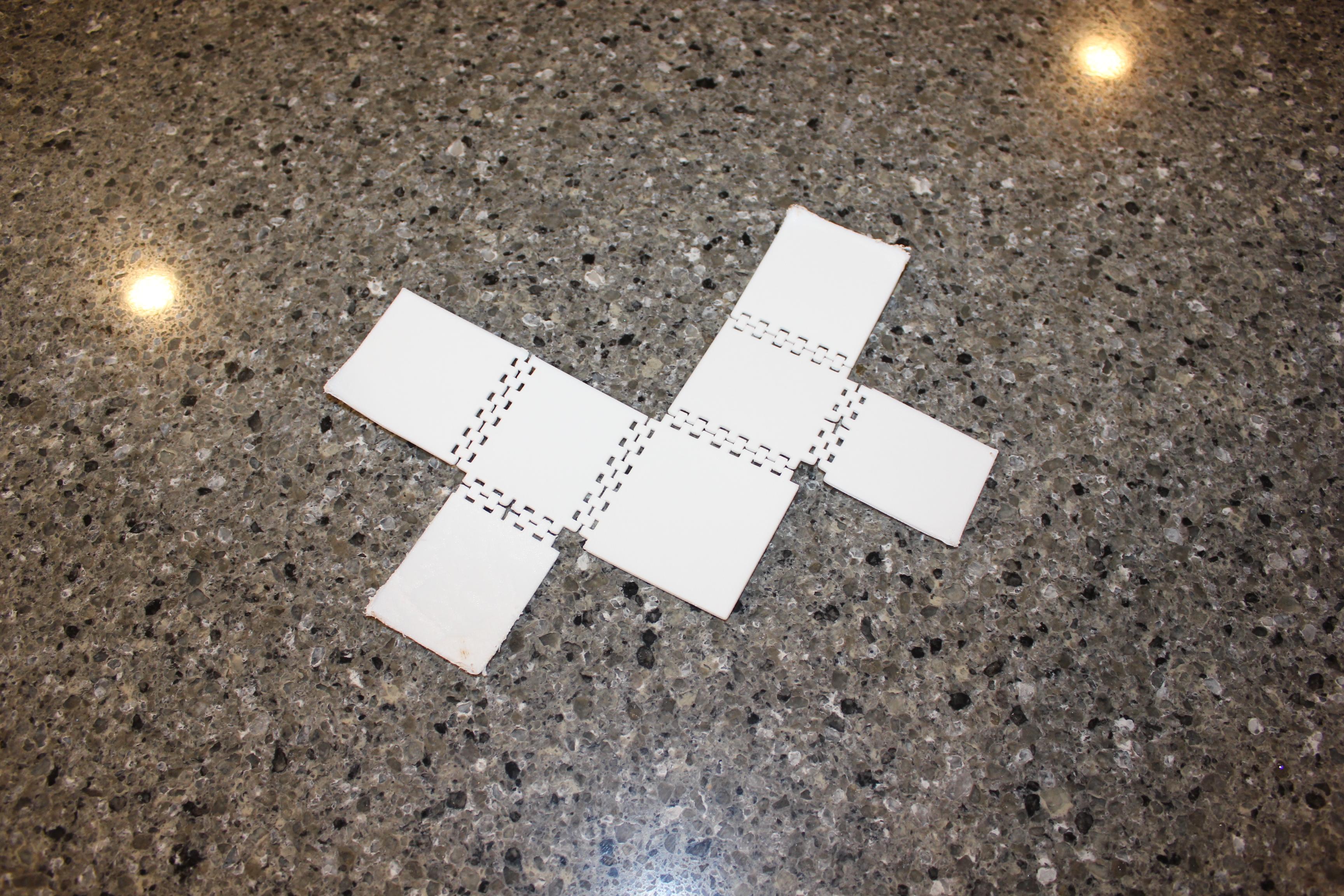

These developments in the design meant that I could easily add and fit two more layers, but adding more would prove to be difficult. In the end, I decided to do two roof parts in favor of keeping the print nice. I did two that would overlap to close any gaps. To fix the gaps where there were hinges, I just added more hinges. To fix the gaps in other places, I just extended the sides a little. After that, I sent it to be printed and waited for the final print.
Analyzing the Final Product
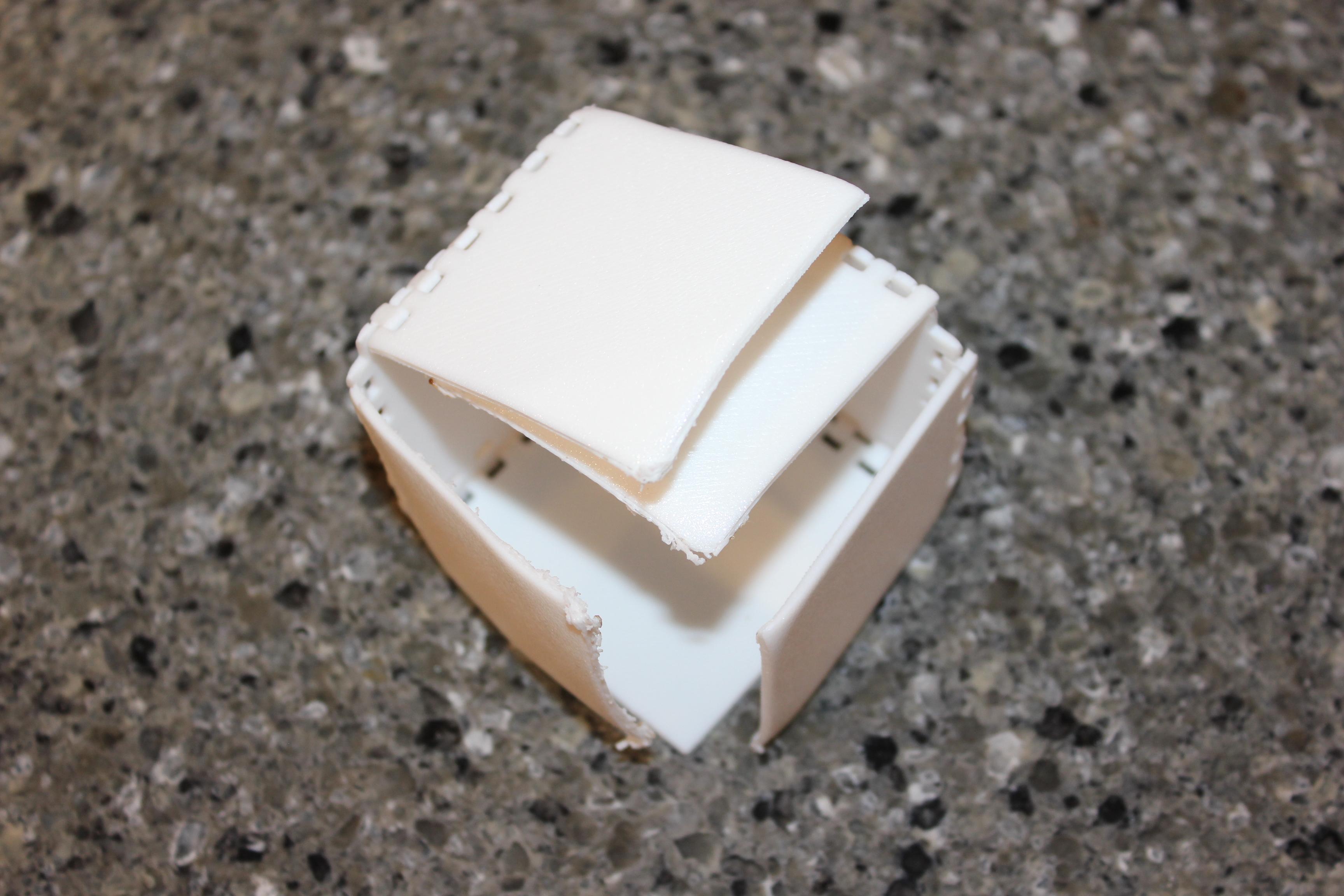
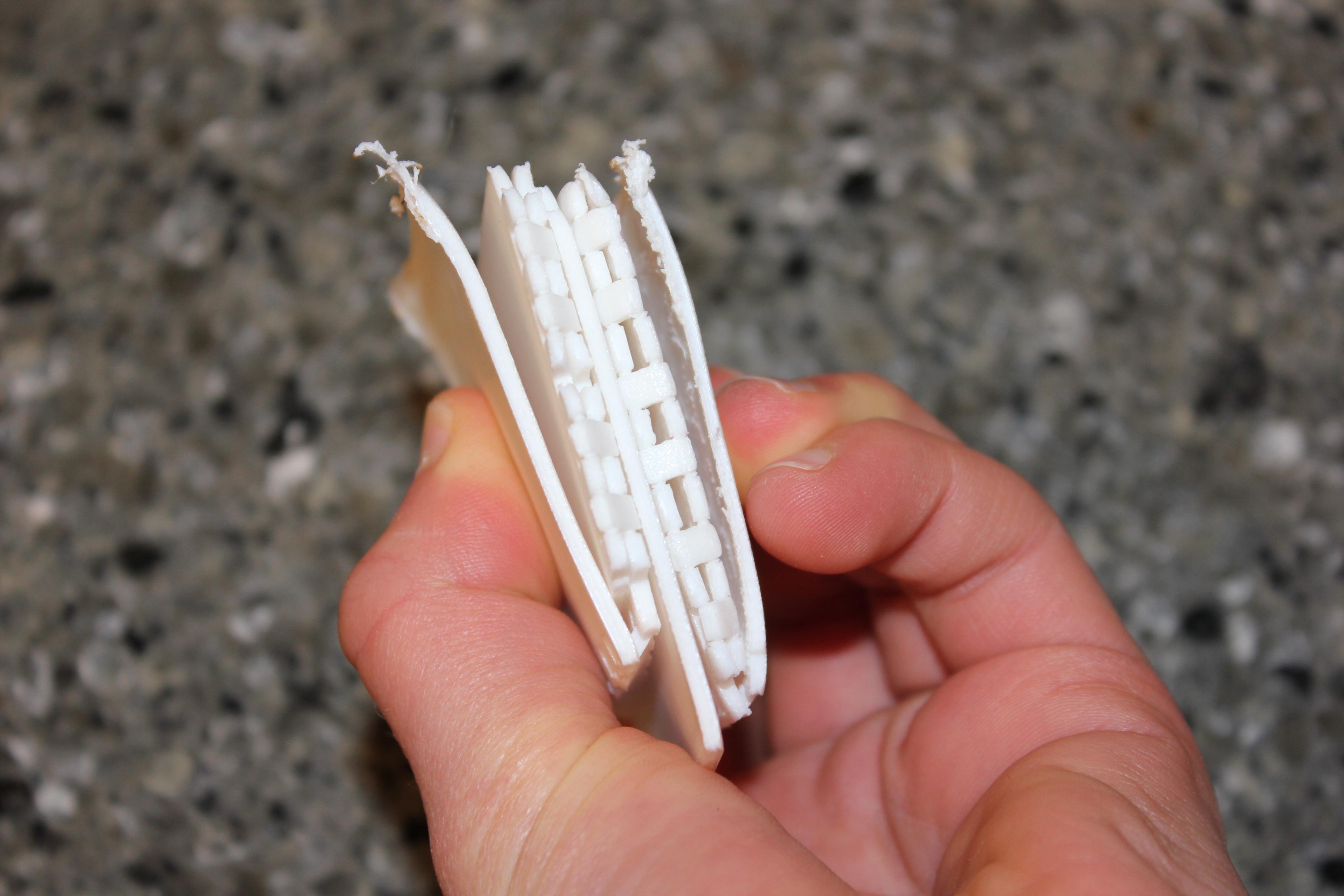
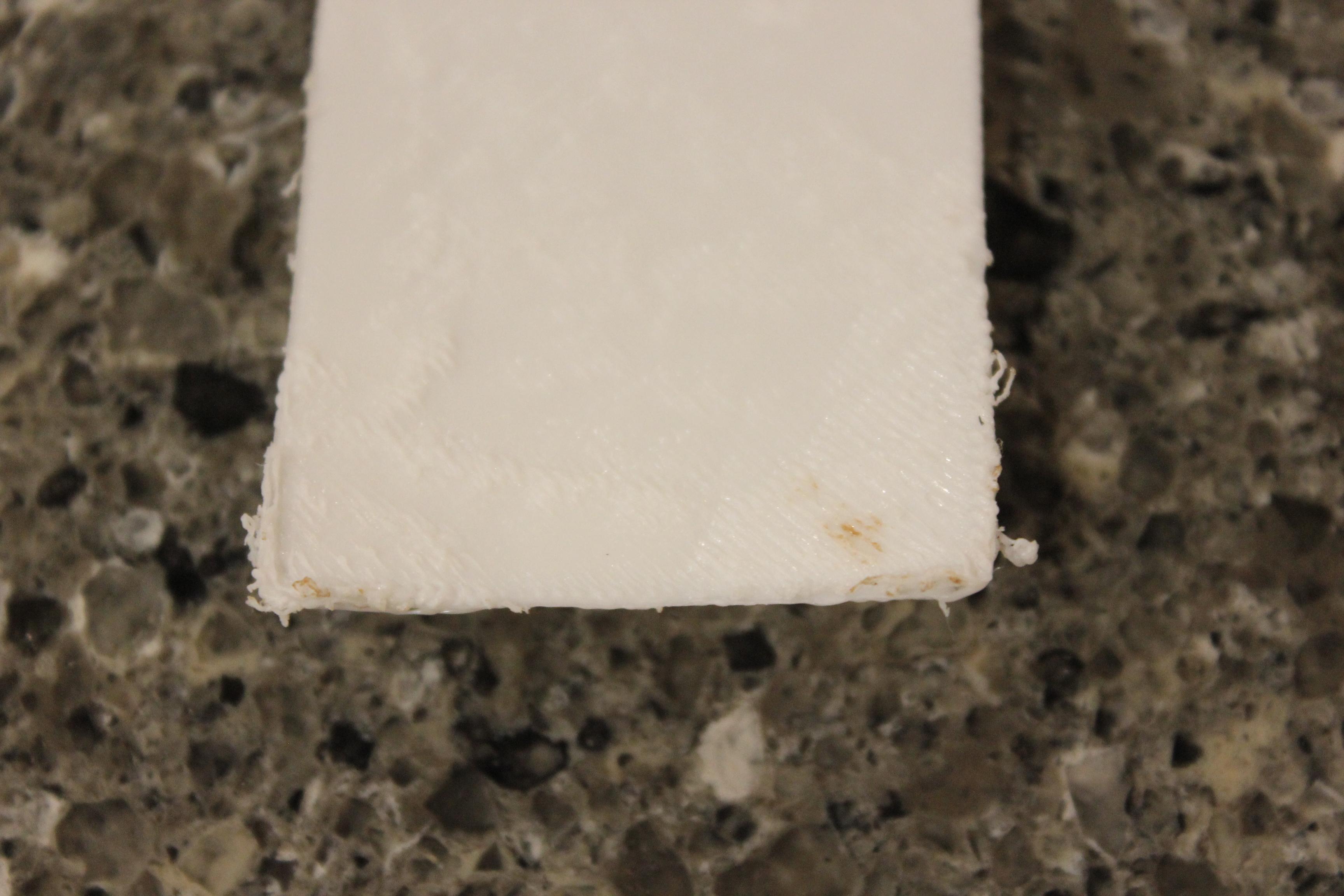
When my final print was done, I found it had gone south. Multiple portions of it had curled up and had tough hinges. Despite this, it still folded into the expected shape. It did not fold flat, but I had already proven it possible with my past design, so I decided that the print would still be okay for the necessary testing. Here is what I found:
Good:
- The holes in the side are MUCH better when walls are forced into place
- The roof when only using one board looks good, so only one pice is needed
- The extra hinges make it feel more stable in the good areas of the print
- When squished together (like it would if it had printed perfectly), the folded size is still quite small
Bad:
- It is harder to fold due to the extra roof parts and the failed print
- It does not stay folded
- The design is hard for a 3D printer to print in general
Overall, this project was a good demonstration of how 3D printers can make tiny hinges, how they can be effectively used, and the limitations of a 3D printer when printing precise, thin objects.