Transient Response of a Capacitor With Flea-Scope
by gamartEE in Circuits > Electronics
64 Views, 0 Favorites, 0 Comments
Transient Response of a Capacitor With Flea-Scope
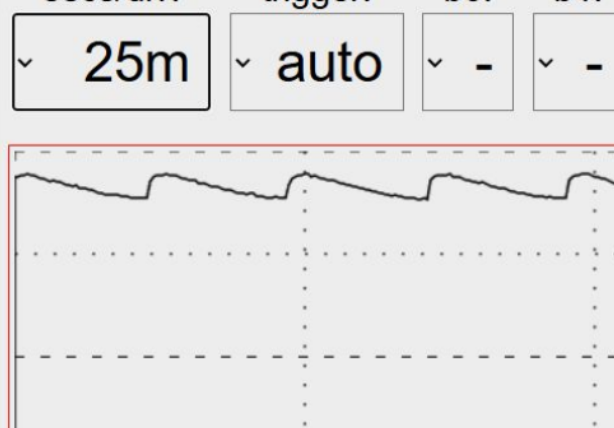
In today's mini tutorial we will be exploring the transient response of a capacitor. This topic is covered pretty extensively in circuits 1 and utilizes differential equation techniques to solve, but today we'll just be creating the signal using some simple components and gain some intuition.
Pre-Requisites: Flea-Scope: Getting Started (Instructable created by me), Completion of ECE102
Supplies
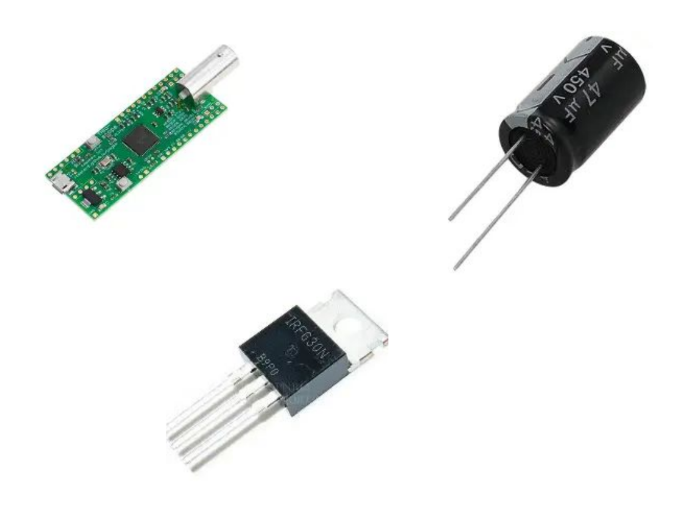
Flea-scope, Arduino, Transistor, Resistor, Capacitor, Jumper Wires, Bread Board
Some Theory
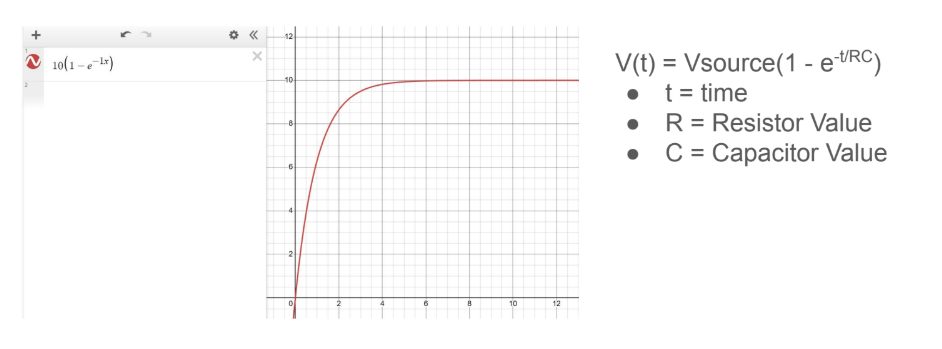
If a constant voltage is applied across a capacitor with no voltage initially across it we can expect the voltage to look like the general function below over time.
Pulse Program
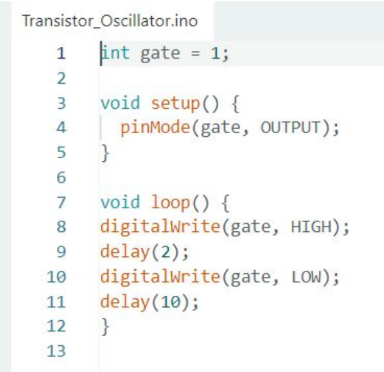
This program will act as an impulse signal which allows us to see how a capacitor will respond when a constant voltage is applied to it.
The impulse signal goes to the pin on the transistor that essentially opens the “gate” that allows current to flow.
Circuit Setup
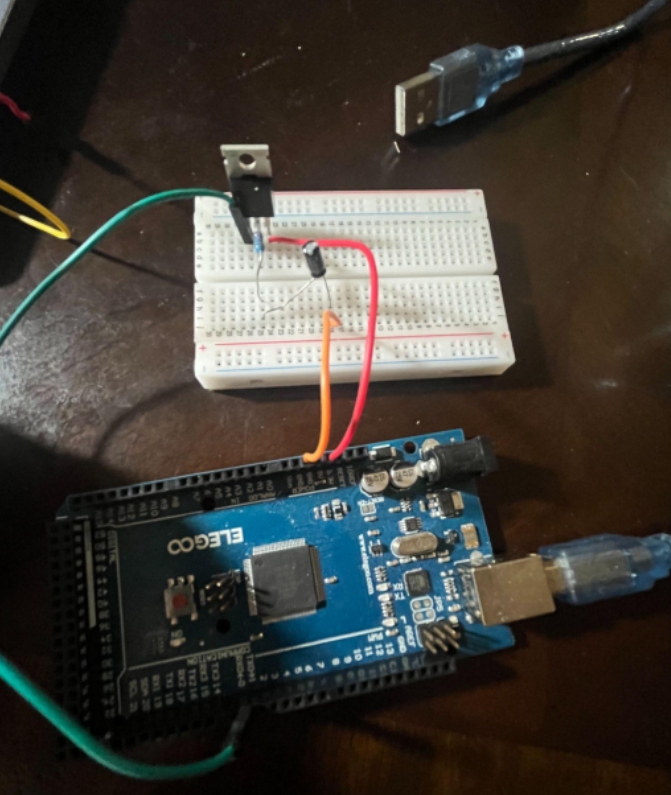
● Connect a digital pin of an Arduino
to the left most pin of the transistor
● Connect 3.3V to the right most pin
of transistor
● Connect middle pin with resistor
then long leg of capacitor then
short leg of capacitor to ground
● Reference image to the right
● Orange Wire = Ground
● Red Wire = 3.3V
Flea-Scope Setup
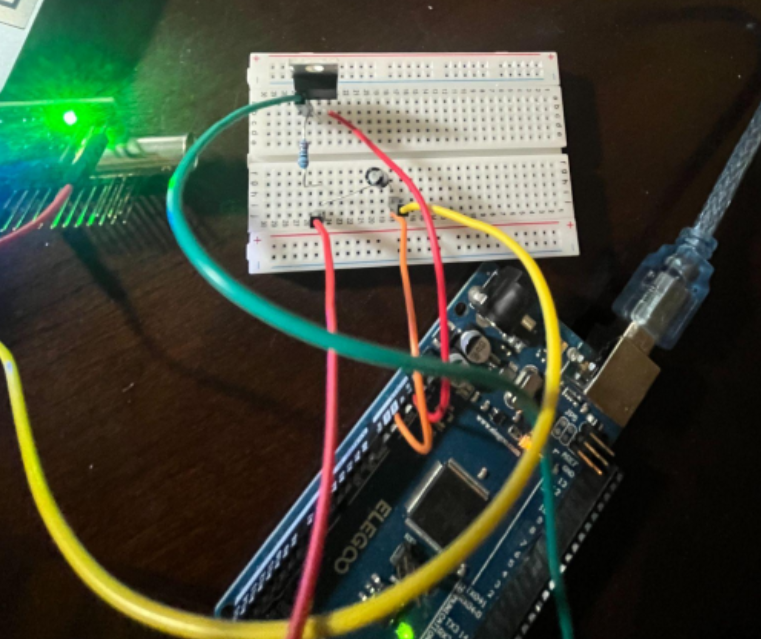
● Set up Flea Scope and connect to
Webpage
● Attach a wire to the SCOPE & GND
pins of the fleascope PCB and
connect the SCOPE wire in the
same row as the long capacitor leg
and the GND wire in the the short
leg row as seen in the image
● Observe the signal...
Transient Response Signal

Your signal should look similar to the one above, though you may notice that even though the Arduino has not output high to the transistor the voltage reading is starting above zero. Do some research why could this be? Regardless we can still tell when the Arduino write high to the transistor because of the exponential rise of the voltage signal.
Is there a way to view signal over larger period of time?
Viewing Adjustment
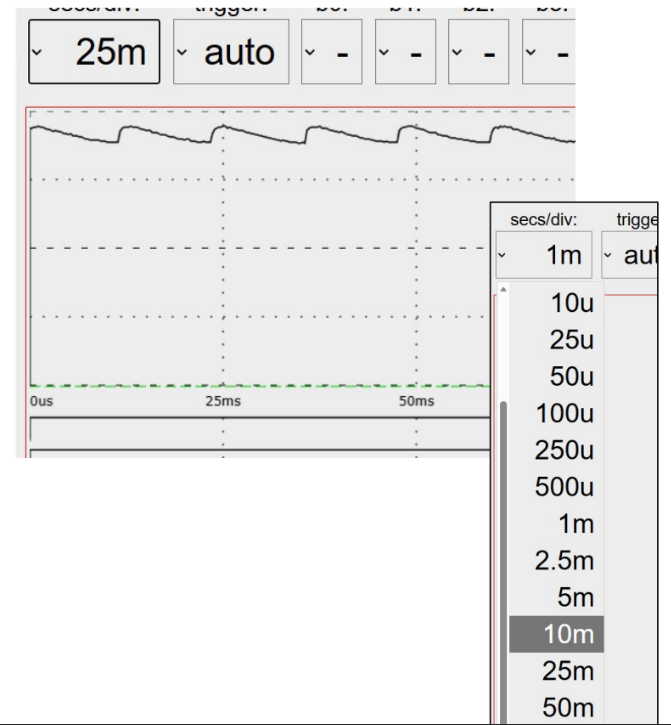
Going to secs/div on the top left of the web page allows you to view the signal over larger intervals of time. This allows you to see the periodic charging and discharging of the capacitor. Change the delays in the pulse program and see what happens to the signal.