UMT MARPEN IoT ENVIRONMENTAL MONITOR & DIY RAIN GAUGE
by s72398 in Circuits > Microcontrollers
35 Views, 0 Favorites, 0 Comments
UMT MARPEN IoT ENVIRONMENTAL MONITOR & DIY RAIN GAUGE
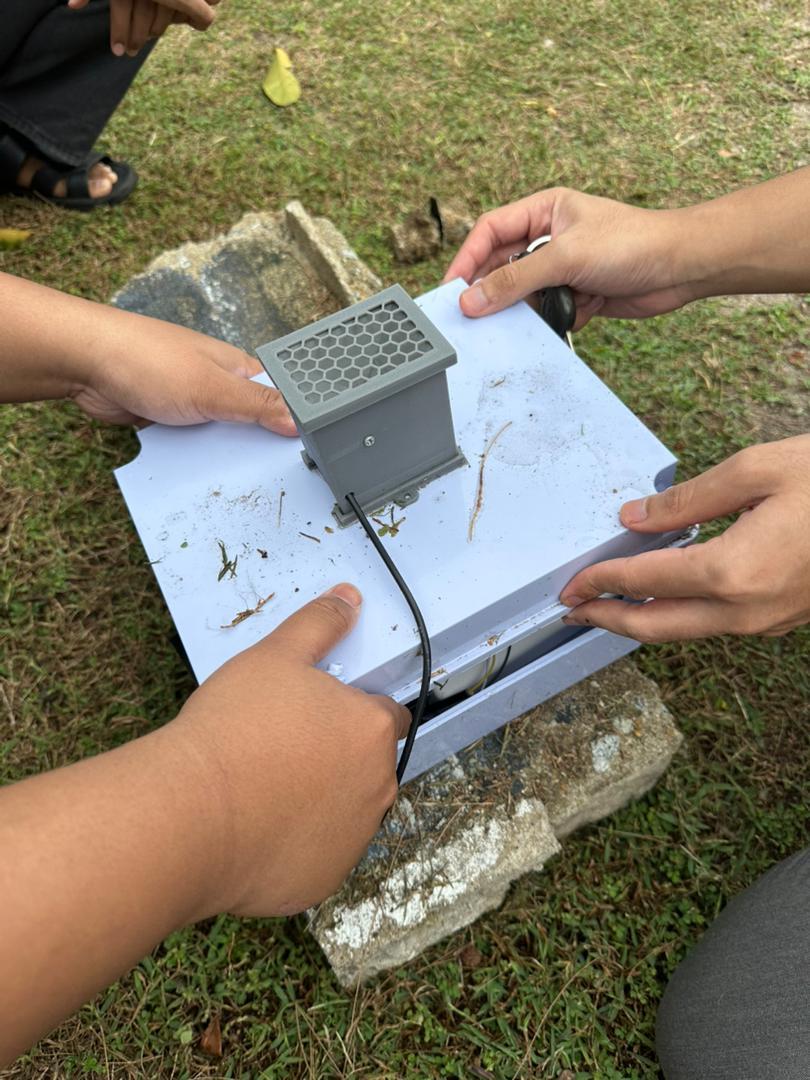
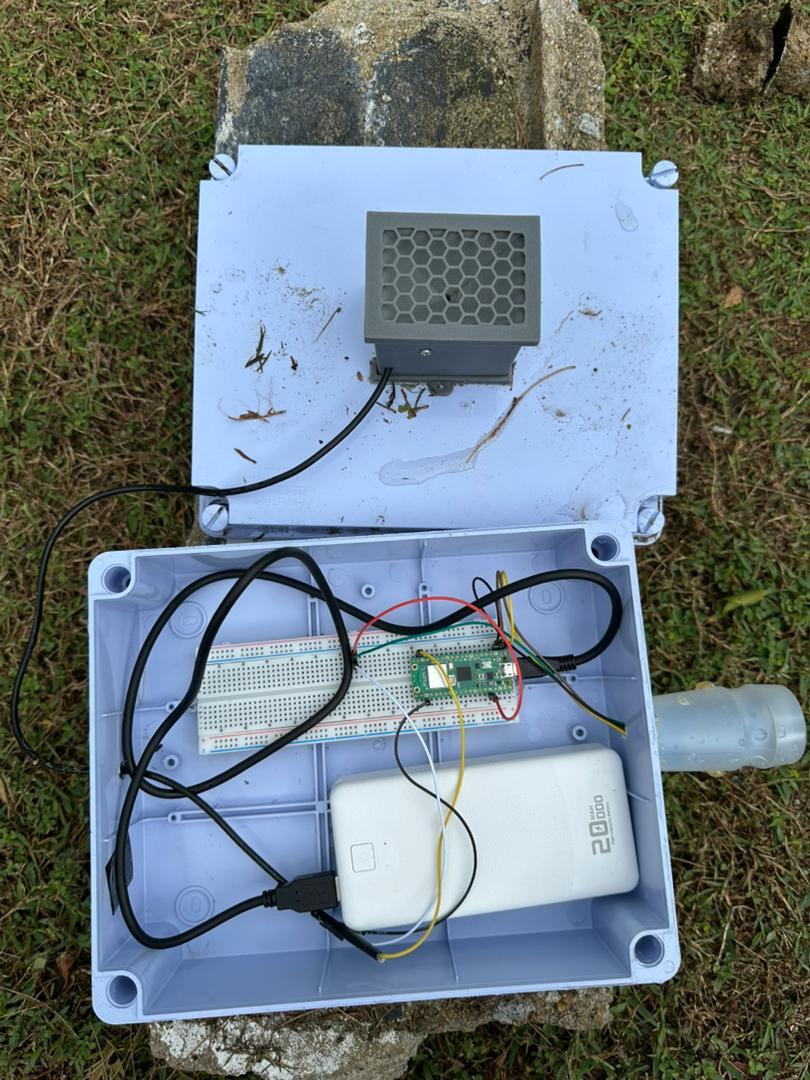
In the world of IoT, plugging in a pre-made sensor is easy. But what about building the sensor yourself? For our "IoT Computing" group project at Universiti Malaysia Terengganu, we accepted the "DIY Sensor Challenge".
Our goal was to design and calibrate a custom Rain Gauge from scratch while integrating standard sensors for Temperature, Humidity, and Air Pressure. This project documents how we bridged the gap between physical hardware fabrication and software engineering to create a robust, end-to-end monitoring station. We will show you how to build the mechanics, wire the circuit, and visualize the data on a live cloud dashboard.
Supplies
Electronic Part
- Raspberry Pi Pico W - 1 unit
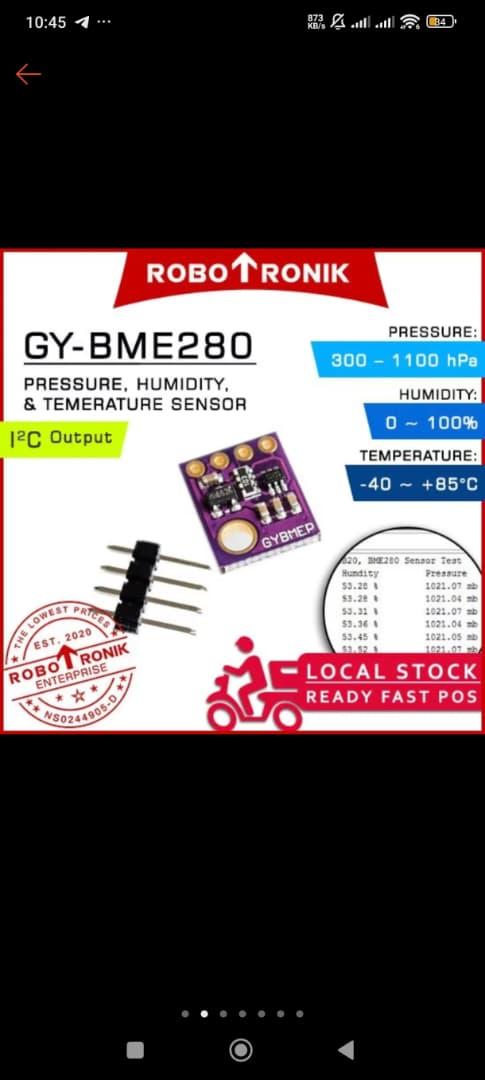
- Sensor BME280 - 1 unit
- Sensor Hall Effect A3144 - 1 unit
- Jumper Wire - 20 unit
- Breadboard - 1 unit
- Powerbank/Power Supply - 1 unit
Model Part
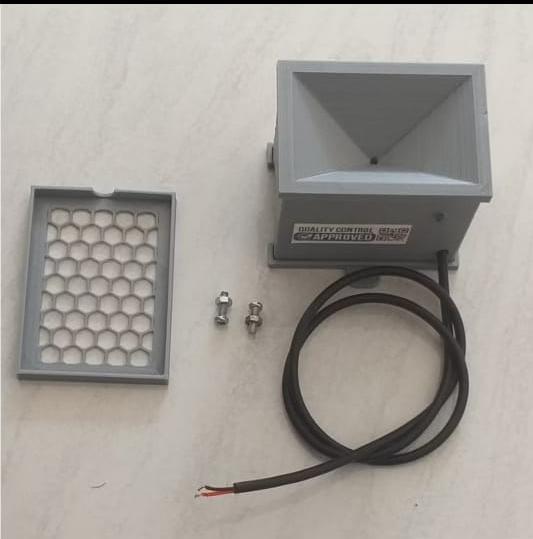
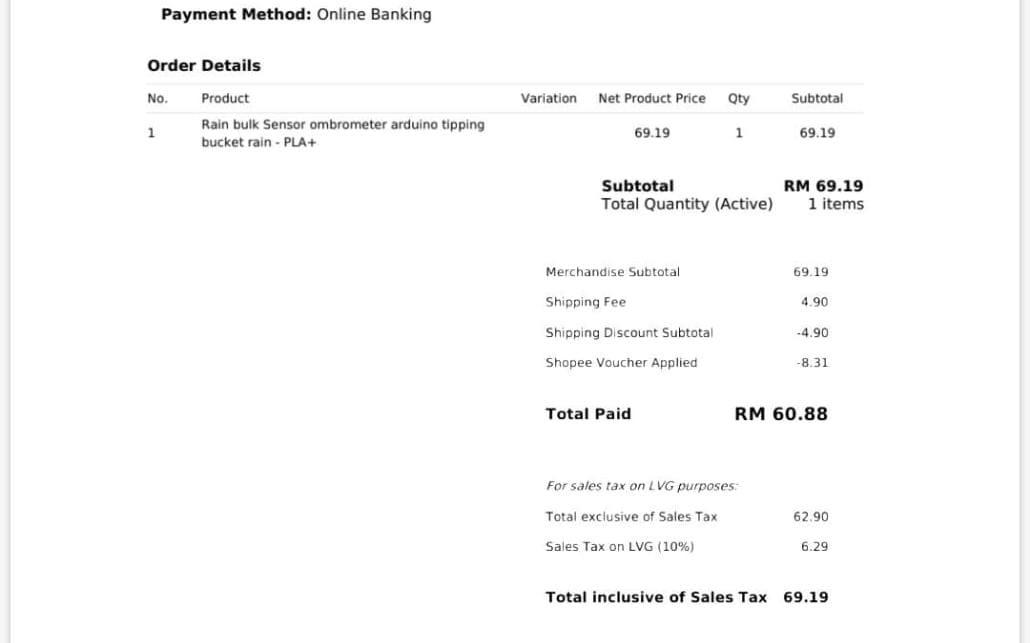
- 3D Housing and Tipping Bucket - 1 unit
- Magnet - 1 unit
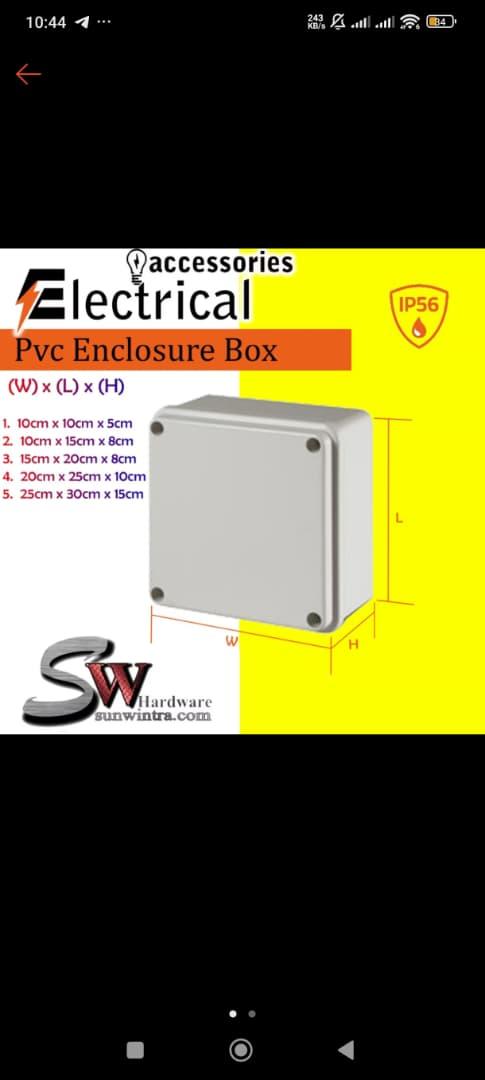
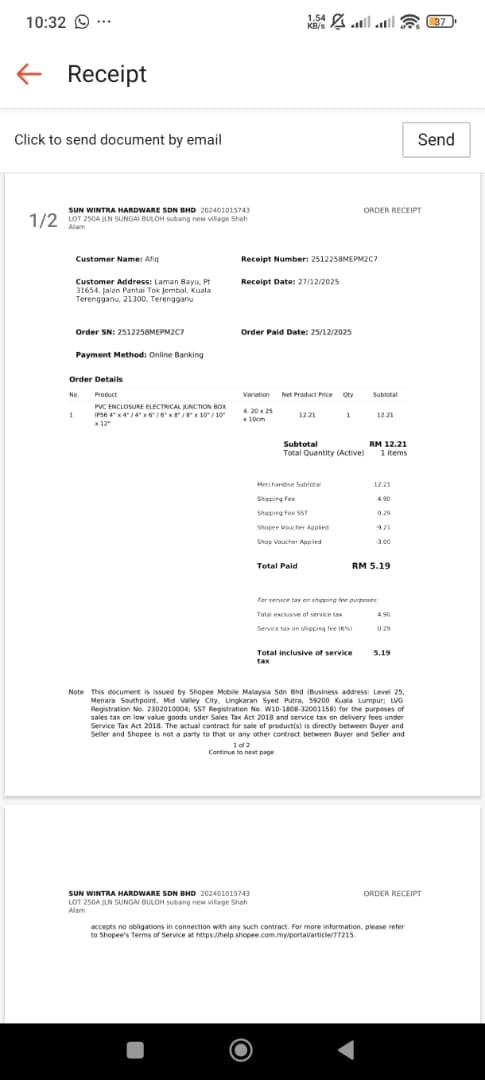
- Waterproof junction box (6x8x3) (with 4 units of bolts) - 1 unit
Tools
- Hand drill
- Mini hand drill set
- Soldering iron
- Flat screwdriver
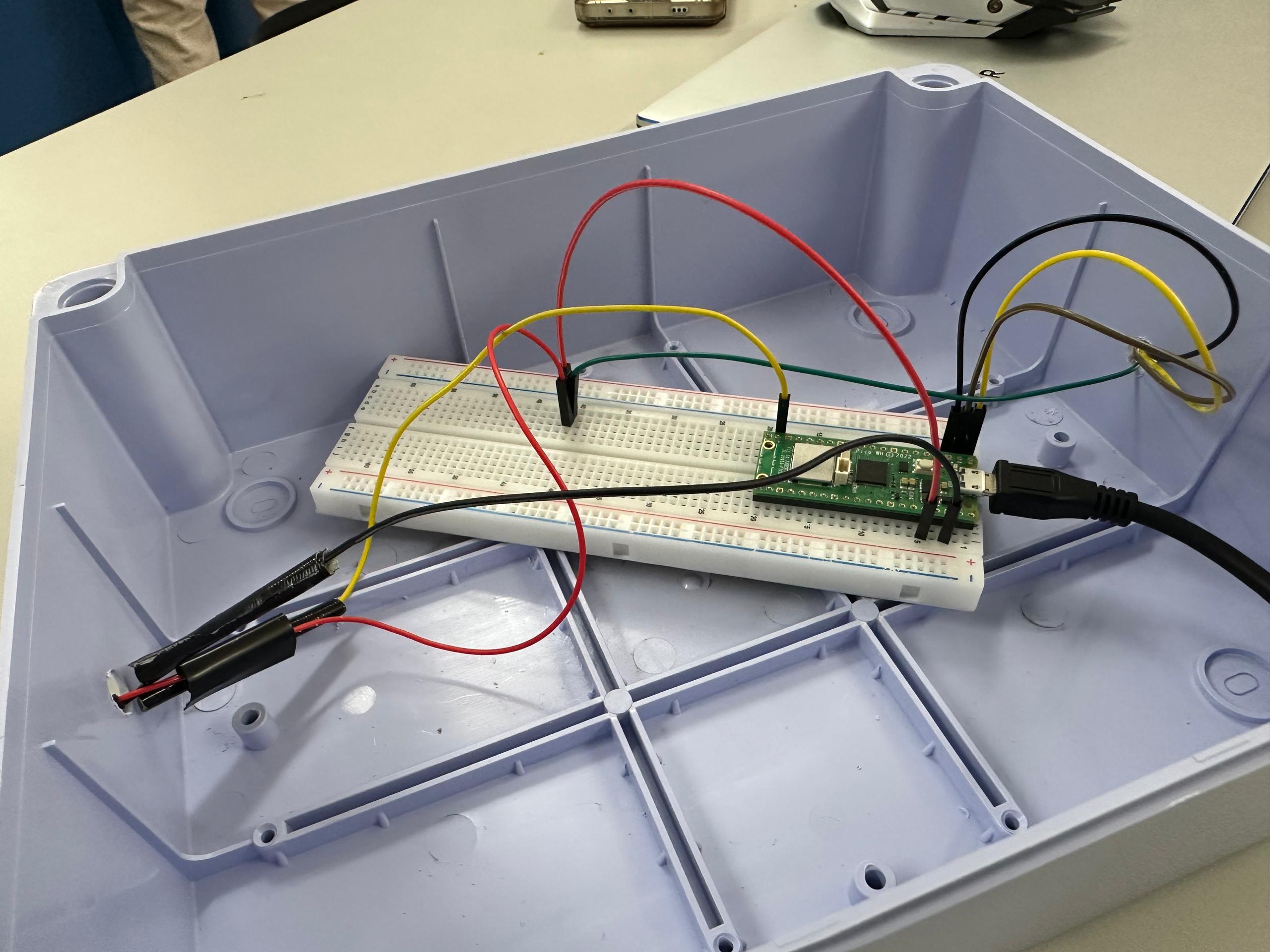
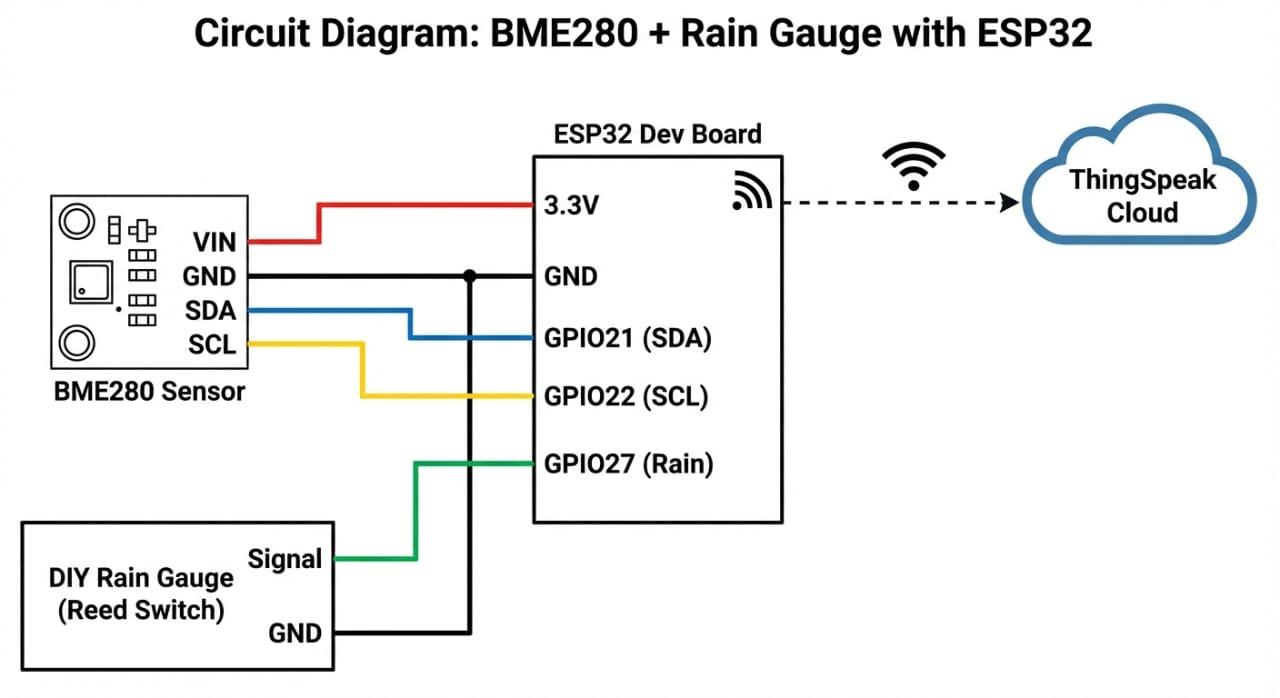
Circuit Diagram & Hardware Connection
1. The Microcontroller
We used the Raspberry Pi Pico W because of its dual-core processor and built-in Wi-Fi, which is essential for our MQTT connectivity.
2. The Wiring
We connected our sensors and power management system using the following GPIO pinout. (See the attached circuit diagram for visual reference).
BME280 Sensor (Environmental Data):
- SDA: Connected to GPIO 0
- SCL: Connected to GPIO 1
- VCC: 3.3V ○ GND: Ground
DIY Rain Gauge (Tipping Bucket):
- Hall Effect: Connected to GPIO 14.
- Logic: We used an internal PULL_UP resistor in the code, so the other side of the hall effect switch connects directly to Ground. When the bucket tips, it pulls the pin LOW, triggering an interrupt.
Power Bank "Keep Alive" Pulse:
- Pin: GPIO 15
- Why? Most power banks automatically shut off if the load is too low (like when the Pico is sleeping). We connected a dummy load (via a transistor/resistor) to GPIO 15 to send a brief "pulse" every 30 minutes, tricking the power bank into staying awake for the full 7-day deployment.
Fabricating the DIY Rain Gauge (3D Printed Tipping Bucket)
1. The Mechanism
For our DIY sensor challenge, we selected the Tipping Bucket mechanism. This design is the industry standard for digital rain gauges because it converts physical rainfall into discrete digital signals that a microcontroller can easily count.
2. The Fabrication (3D Printed Design)
To ensure our sensor was robust and precise enough for the "Living Lab" environment, we utilized a 3D printed structure (Housing and Tipping Bucket).
- Why 3D Printed? Unlike cardboard or makeshift plastic, 3D printed parts (PLA/PETG) offer consistent dimensions. This consistency is critical because the "bucket" needs to hold the exact same volume of water on every tip to ensure our data is accurate.
- Assembly: We smoothed the pivot point of the 3D printed bucket to ensure low friction, allowing the see-saw to tip freely with minimal resistance.
3. The Electronics Integration
We transformed this mechanical movement into an electronic signal using a Reed Switch and Magnet:
- A small Neodymium magnet was glued to the center of the tipping bucket.
- A Hall Effect Switch was fixed to the stationary frame, aligned perfectly with the magnet's path.
- How it works: As the bucket fills with rain and tips, the magnet swings past the reed switch. This momentarily closes the circuit, sending a signal to our microcontroller. One signal equals one "tip."
4. Calibration Process
Since we didn't just want raw numbers, we calibrated the device to measure actual rainfall in millimeters.
- Method: We poured a known volume of water (e.g., 100ml) slowly into the funnel.
- Math: We counted the number of tips generated by that 100ml. ○ Formula: Total Water Volume (mm³) / Number of Tips = Volume per Tip. ○ Result: We determined that 1 Tip = 0.40 mm of rainfall. We programmed this constant (MILIMETER_PER_TIP = 0.40) into our code to display "Real-Time Rainfall" on the dashboard.
The Enclosure & Deployment
1. Weatherproofing (The "Perception Layer")
Since the device needed to survive outdoor conditions for 7 days in the "Living Lab" environment, we prioritized robustness.
- Enclosure: We used a standard ABS Waterproof Electrical Junction Box (IP65 rated). This box is rigid, durable, and features a rubber gasket seal to prevent moisture ingress.
- Sealing: We drilled small holes for the USB power cable and the sensor wires. To maintain the waterproof rating, we sealed these openings using hot glue/silicone sealant and used cable glands where possible.
2. Power Management Strategy
To ensure the system ran for the full week, we utilized a high-capacity [Insert your Power Bank size, e.g., 20,000mAh] Power Bank. However, we encountered a common hardware challenge: the Raspberry Pi Pico W consumes so little power that most modern power banks "think" nothing is connected and automatically shut off to save energy.
- The "Keep-Alive" Solution: To solve this, we engineered a software solution in our code. We dedicated GPIO 15 to a "Keep-Alive" circuit.
- How it works: The code triggers a brief 100ms pulse through a dummy load (transistor/resistor) every 30 minutes. This spike in current "tricks" the power bank into staying awake, ensuring uninterrupted 24/7 operation without needing manual restarts.
Software & Cloud Dashboard
1. The Connectivity (MQTT)
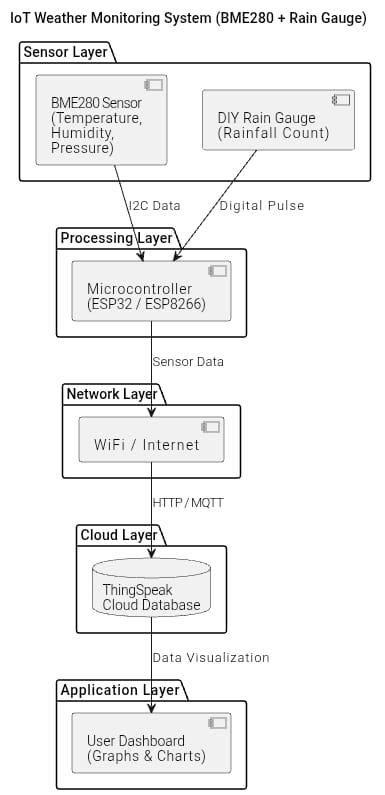
To transmit our data, we used the MQTT protocol. We chose this because it is lightweight and perfect for battery-powered IoT devices.
- Data Flow: Our microcontroller reads the sensors every 30 minutes and publishes the data payload to a specific topic on the ThingSpeak MQTT Broker. 30 minutes decision made to conserve power, ensuring we meet the 7-day battery life requirement.
- Energy Saving: Between transmissions, the device is always on active mode to ensure the project will always be on work mode.
2. The Dashboard (ThingSpeak)
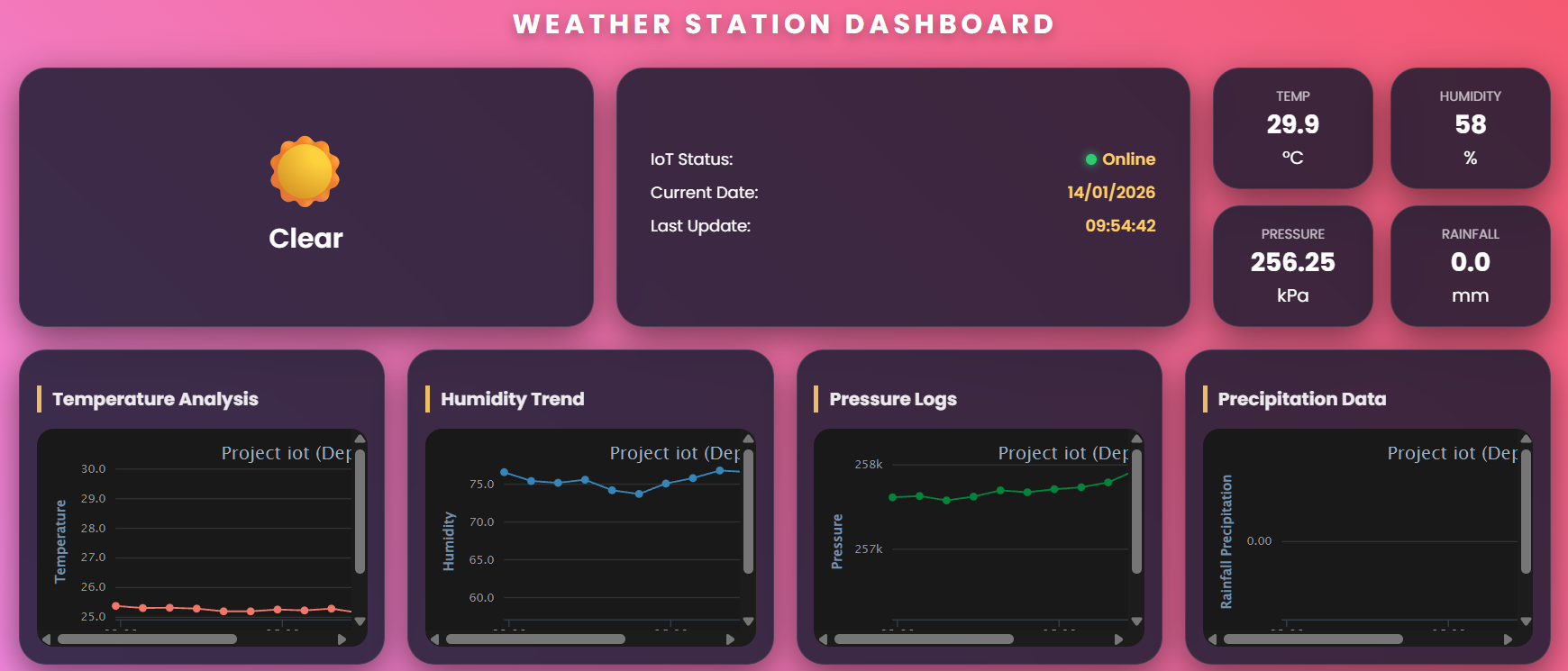
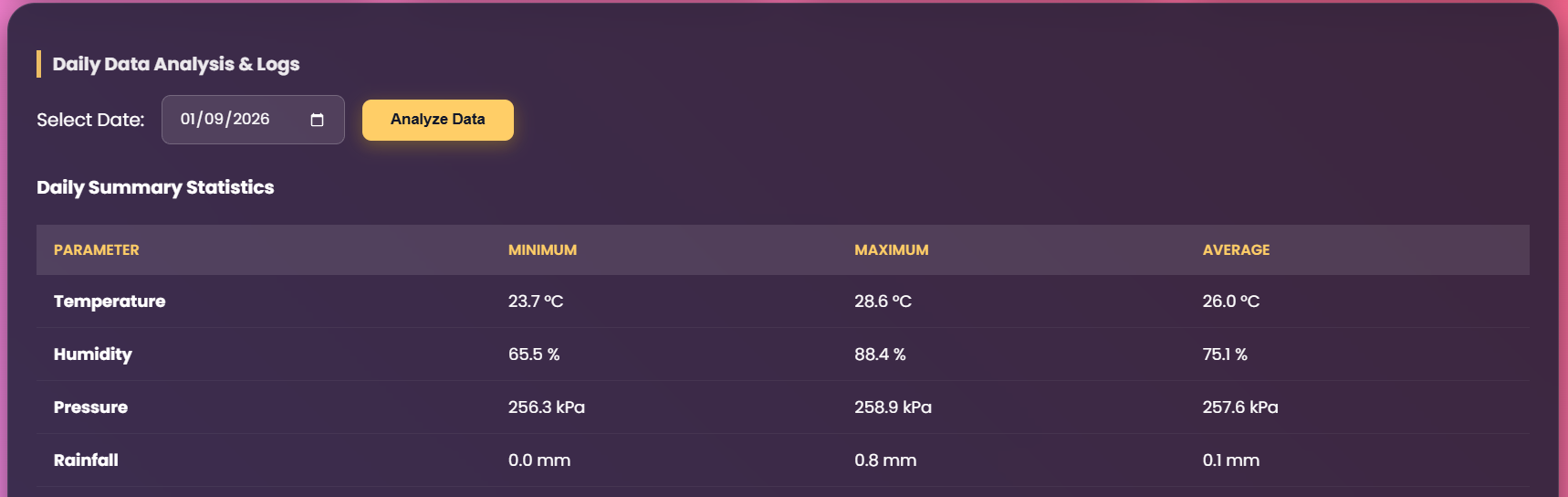
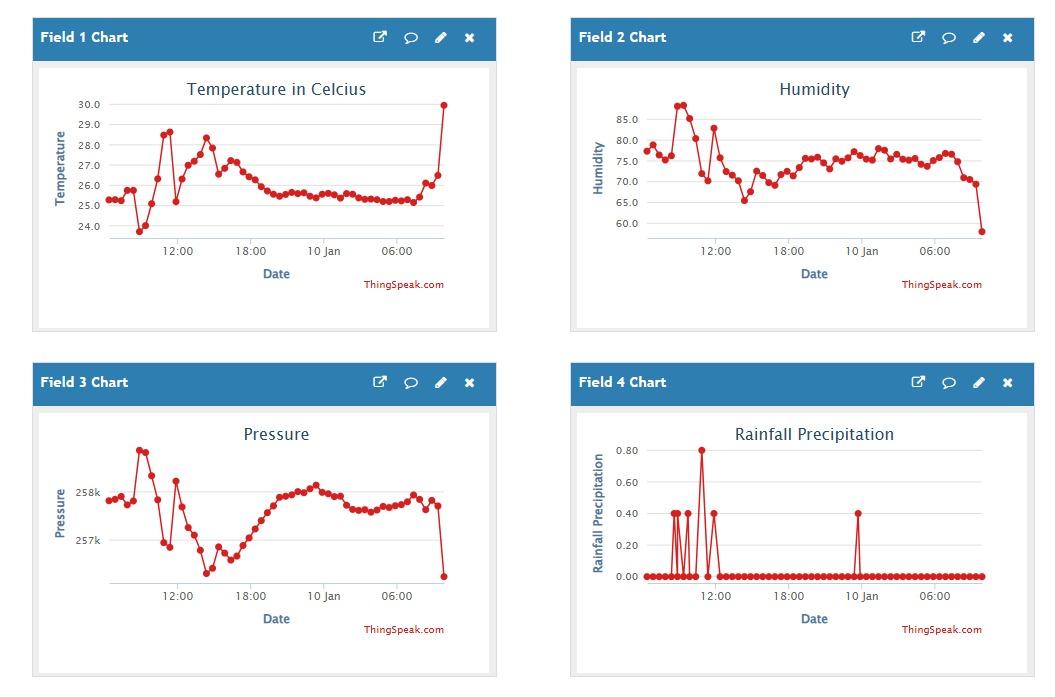
We built our "Weather Station Dashboard" on ThingSpeak to visualize the data in real-time. This platform allows us to not only see current values but also analyze historical trends.
Real-Time Monitoring: We designed the main view with clear cards displaying the live status:
- Temperature: Displayed in °C (e.g., 29.9°C).
- Humidity: Displayed as a percentage.
- Pressure: Monitored in kPa to track atmospheric changes.
- Rainfall: Shows the accumulated rainfall in mm.
Data Analysis Tools:
- Trends: We included line charts (e.g., "Humidity Trend", "Pressure Logs") to visualize how the weather changes throughout the day.
- Daily Statistics: A custom analysis panel allows us to pick a specific date and instantly view the Minimum, Maximum, and Average values for that day.
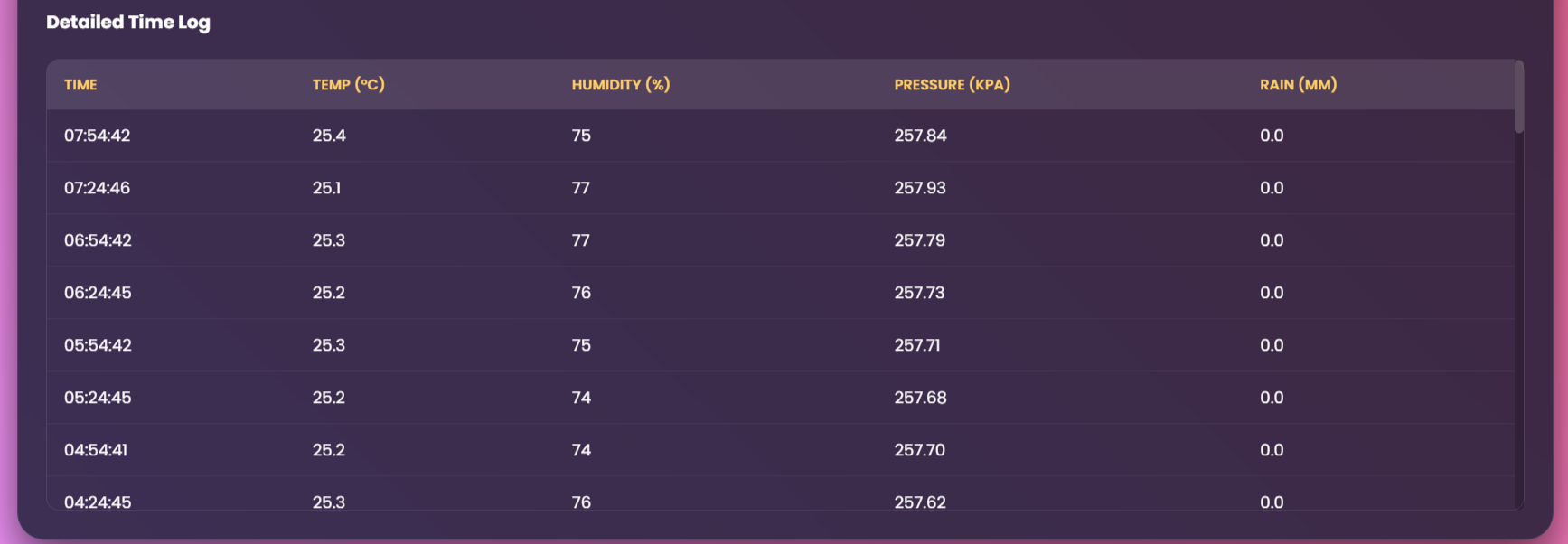
- Detailed Logs: For debugging and research, we enabled a detailed table view that timestamps every single data packet received.
Coding
final.py is the source code for Raspberry Pi Pico Microcontroller