Ultrasonic Radar System


The project is a radar system that can detect objects from up to 200 cm away from the sensor, with a full sweeping motor to enhance the radius the radar can detect.
Downloads
Supplies
.jpg)

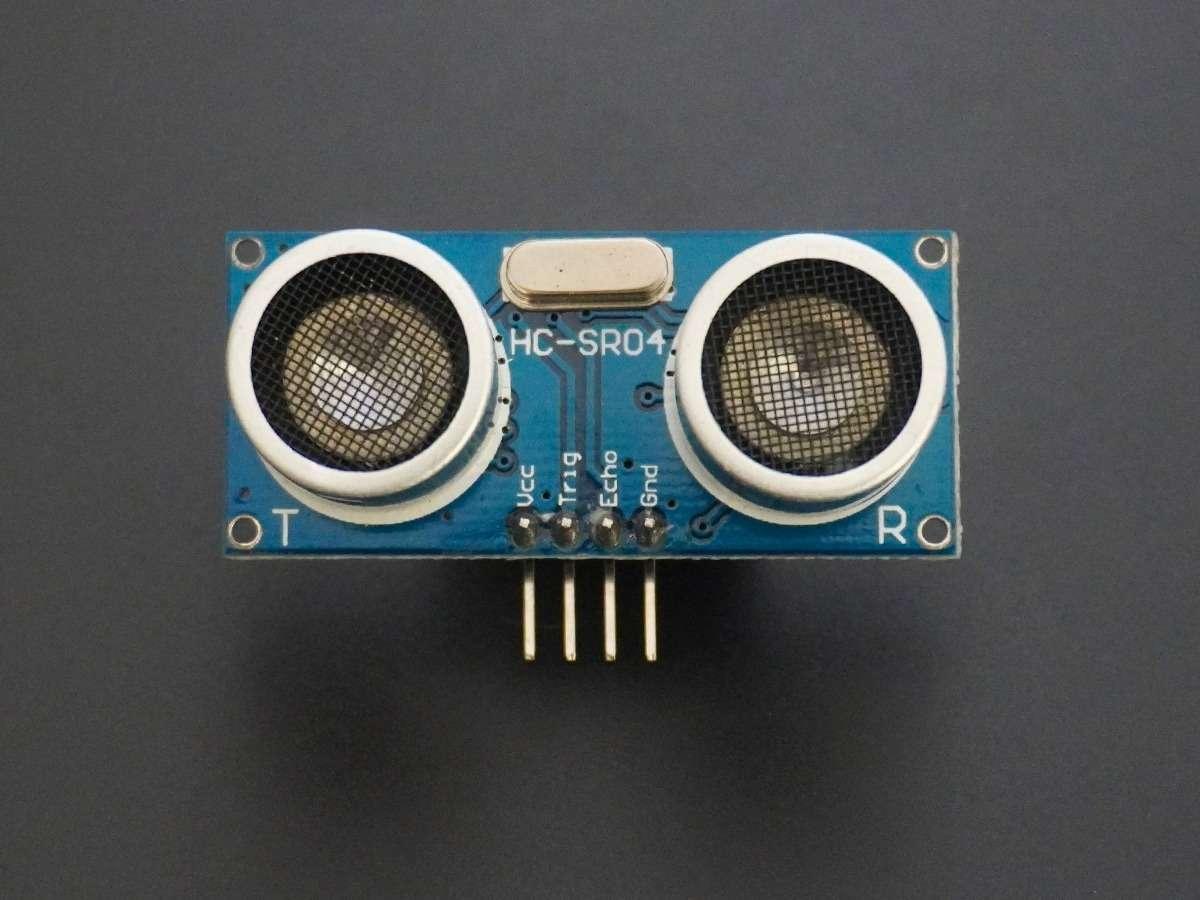


- Arduino Uno
- SG90 Servo
- Ultrasonic Sensor - SR04
- I2C Translator
- LCD Screen
Create a Virtual Circuit
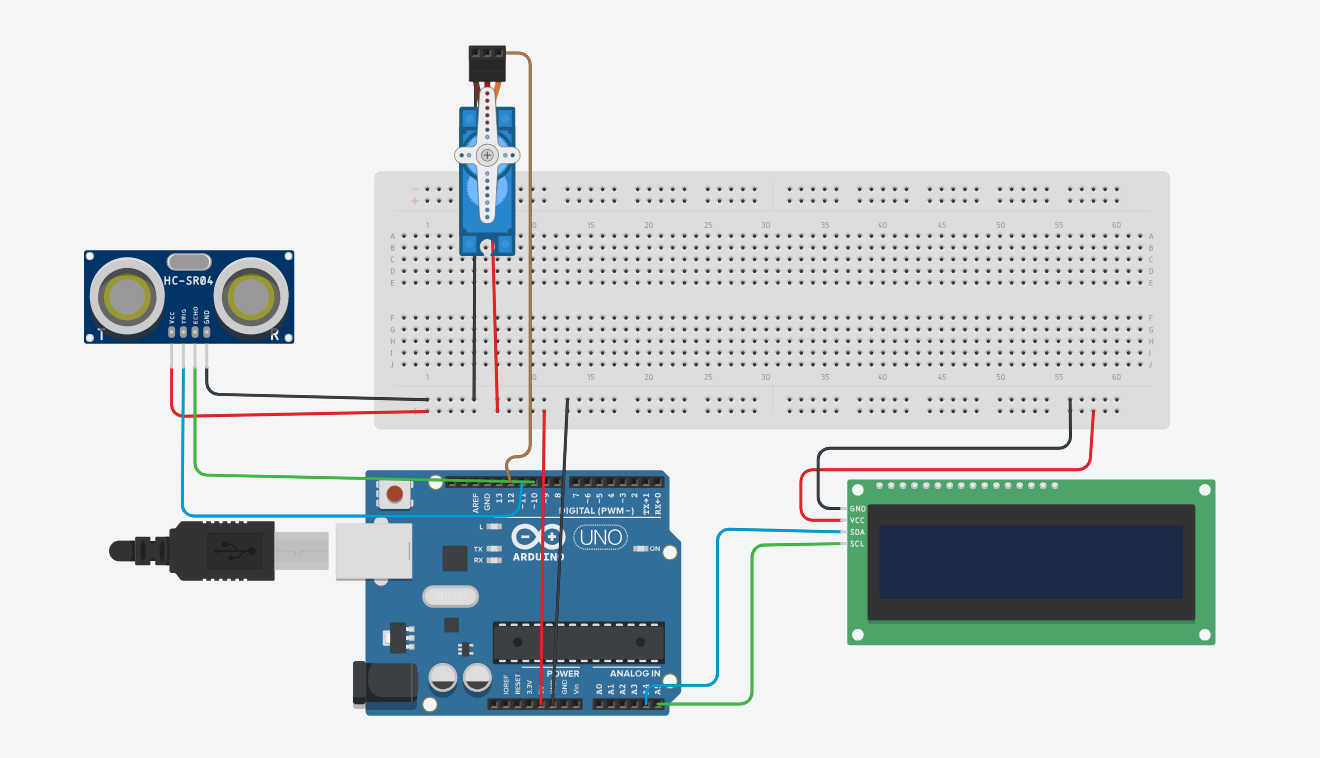
Create an online circuit on TinkerCad that outlines the majority of the components needed.
Wire the Circuit Based on the Sketch
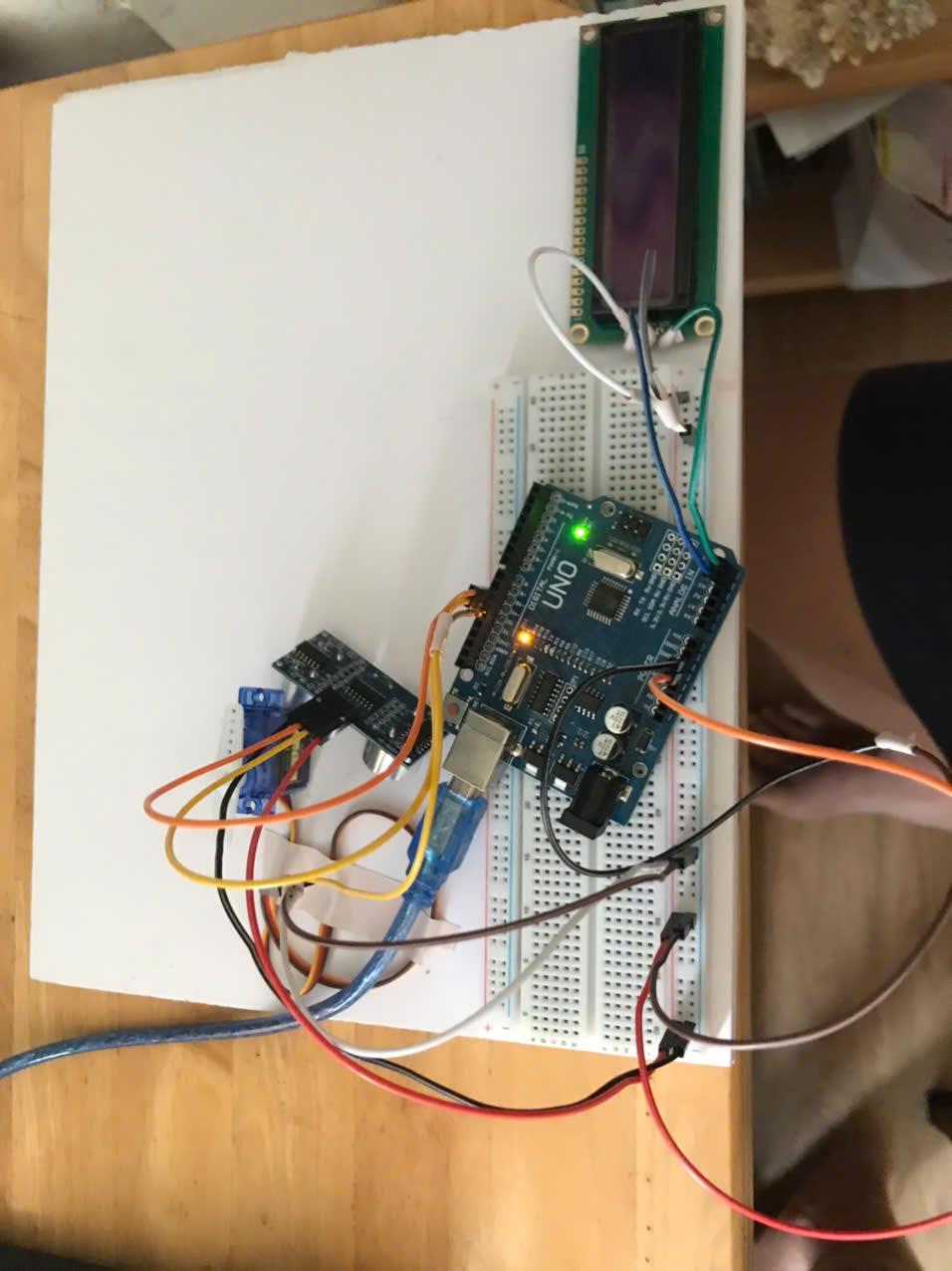
- Connect 5V pin and GND pin to the red (+) and blue (-) rails of the breadboard respectively
- Connect the VCC and GND of both the Servo Motor and the Ultrasonic Sensor into the Red and Blue rails
- Connect the Servo Motor's control wire into the Digital 12 pin
- Connect the trigPin of the Ultrasonic sensor into the Digital 11 pin
- Connect the echoPin of the Ultrasonic Sensor into the Digital 10 pin
- Connect the VCC and GND of the LCD screen directly into the 5V and GND pin of the Arduino
- Wire the SDA into A4, SCL into A5
Circuit Debugging

Essentially, the circuit couldn't support the current spikes caused by the servo motor (500 mA - 800 mA), so we inserted the MB-102 as a second power provider.
After testing, we found out that the MB-102 causes voltage dips which stops all components from finishing their task, therefore we wired the LCD screen straight into the Arduino Uno and removed the MB-102 completely.
Coding (servo Motor)
- Test code for Servo Motor
#include <Servo.h>
Servo myServo;
int pos = 0; // current position
void setup() {
myServo.attach(12); // signal pin
}
void loop() {
// Move 0 → 180 smoothly
for(pos = 0; pos <= 180; pos++) {
myServo.write(pos);
delay(15); // small delay = smooth motion
}
delay(500);
// Move 180 → 0 smoothly
for(pos = 180; pos >= 0; pos--) {
myServo.write(pos);
delay(15);
}
delay(500);
}
Coding (Ultrasonic Sensor)
- Test code for Ultrasonic Sensor:
const int trigPin = 11;
const int echoPin = 10;
void setup() {
Serial.begin(9600);
pinMode(trigPin, OUTPUT);
pinMode(echoPin, INPUT);
}
void loop() {
digitalWrite(trigPin, LOW);
delayMicroseconds(2);
digitalWrite(trigPin, HIGH);
delayMicroseconds(10);
digitalWrite(trigPin, LOW);
long duration = pulseIn(echoPin, HIGH);
float distance = duration * 0.034 / 2;
Serial.print("Distance: ");
Serial.print(distance);
Serial.println(" cm");
delay(300);
}
Downloading LiquidCrystal_I2C
Go to Sketch --> Include Library --> Manage Libraries
Then search LiquidCrystal_I2C by Frank de Brabander
Press install --> Reopen Arduino IDE
Coding (i2C LCD)

- Test code for I2C LCD:
#include <Wire.h>
#include <LiquidCrystal_I2C.h>
LiquidCrystal_I2C lcd(0x27, 16, 2);
void setup() {
// Initialize I2C first
Wire.begin();
// Initialize LCD
lcd.init();
lcd.backlight();
lcd.clear();
// Display message
lcd.setCursor(0, 0);
lcd.print("LCD Test");
lcd.setCursor(0, 1);
lcd.print("OK");
}
void loop() {
// Nothing
}
Write the Entire Code for the Radar System

#include <Servo.h>
#include <Wire.h>
#include <LiquidCrystal_I2C.h>
// -------- PINS --------
const int trigPin = 11;
const int echoPin = 10;
const int servoPin = 12;
// -------- OBJECTS --------
Servo myServo;
LiquidCrystal_I2C lcd(0x27, 16, 2);
// -------- SETTINGS --------
const int DETECTION_THRESHOLD = 30; // Changed to 30cm
void setup() {
// Ultrasonic
pinMode(trigPin, OUTPUT);
pinMode(echoPin, INPUT);
// Serial (for debugging)
Serial.begin(9600);
// Servo
myServo.attach(servoPin);
// LCD
Wire.begin();
lcd.init();
lcd.backlight();
lcd.clear();
lcd.setCursor(0, 0);
lcd.print("Radar Starting");
delay(2000);
lcd.clear();
}
void loop() {
// -------- SWEEP 0 → 180 --------
for(int pos = 0; pos <= 180; pos++) {
myServo.write(pos);
float distance = measureDistance();
displayData(distance);
delay(15);
}
delay(300);
// -------- SWEEP 180 → 0 --------
for(int pos = 180; pos >= 0; pos--) {
myServo.write(pos);
float distance = measureDistance();
displayData(distance);
delay(15);
}
delay(300);
}
// -------- FUNCTION: MEASURE DISTANCE --------
float measureDistance() {
digitalWrite(trigPin, LOW);
delayMicroseconds(2);
digitalWrite(trigPin, HIGH);
delayMicroseconds(10);
digitalWrite(trigPin, LOW);
long duration = pulseIn(echoPin, HIGH, 30000);
float distance = duration * 0.034 / 2;
return distance;
}
// -------- FUNCTION: DISPLAY DATA --------
void displayData(float distance) {
// Serial output (for debugging)
Serial.print("Distance: ");
Serial.print(distance);
Serial.println(" cm");
// LCD display
lcd.clear();
// Line 1: Distance
lcd.setCursor(0, 0);
lcd.print("Dist:");
lcd.print(distance);
lcd.print("cm ");
// Line 2: Detection Status
lcd.setCursor(0, 1);
if(distance > 0 && distance < DETECTION_THRESHOLD) {
lcd.print("Object Detected!");
}
else {
lcd.print("No Object ");
}
}