VayuMate: a Simple Device That Visualises Your Lung Health
by ayushmaan45 in Circuits > Microcontrollers
1471 Views, 12 Favorites, 0 Comments
VayuMate: a Simple Device That Visualises Your Lung Health

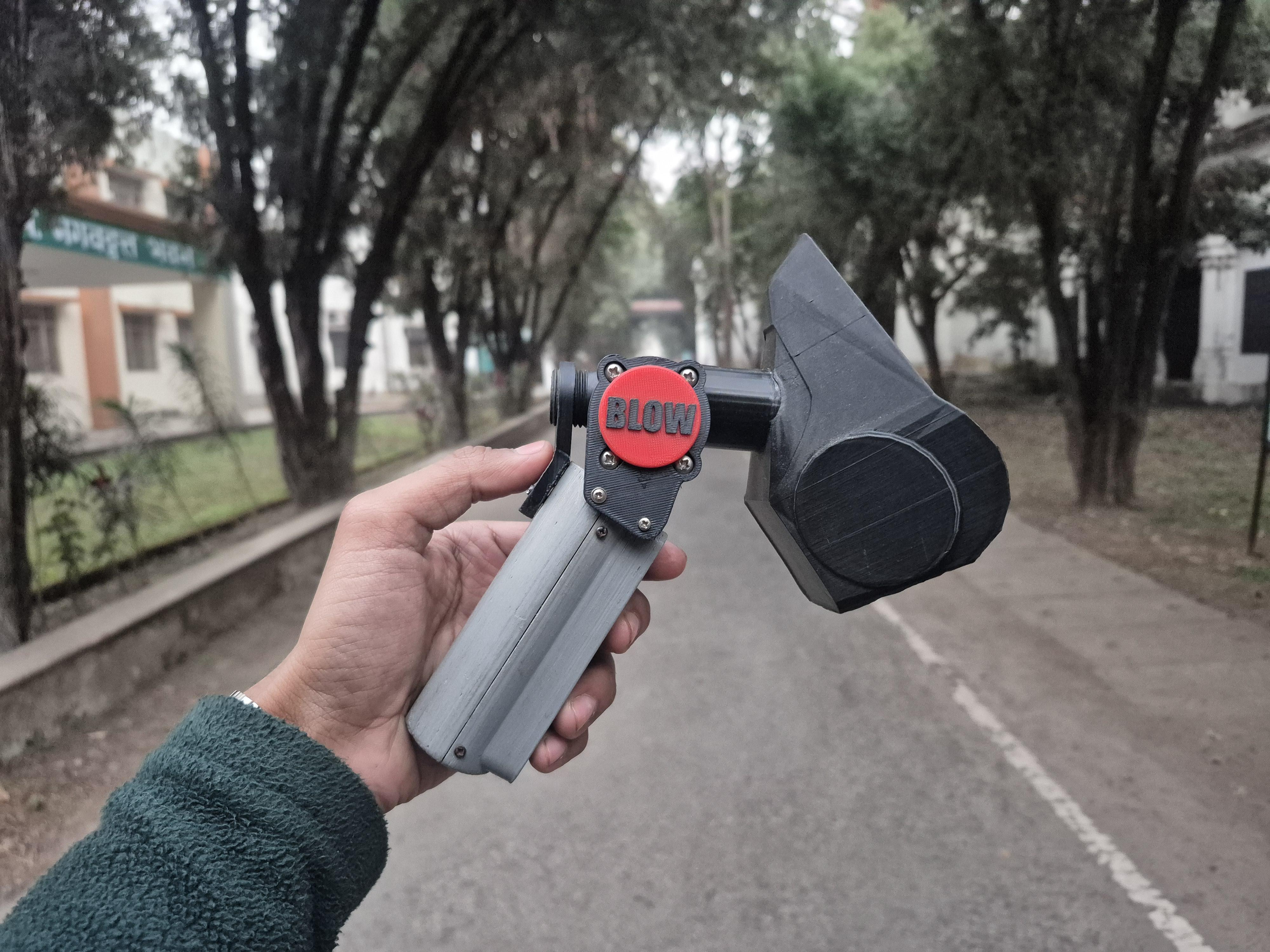
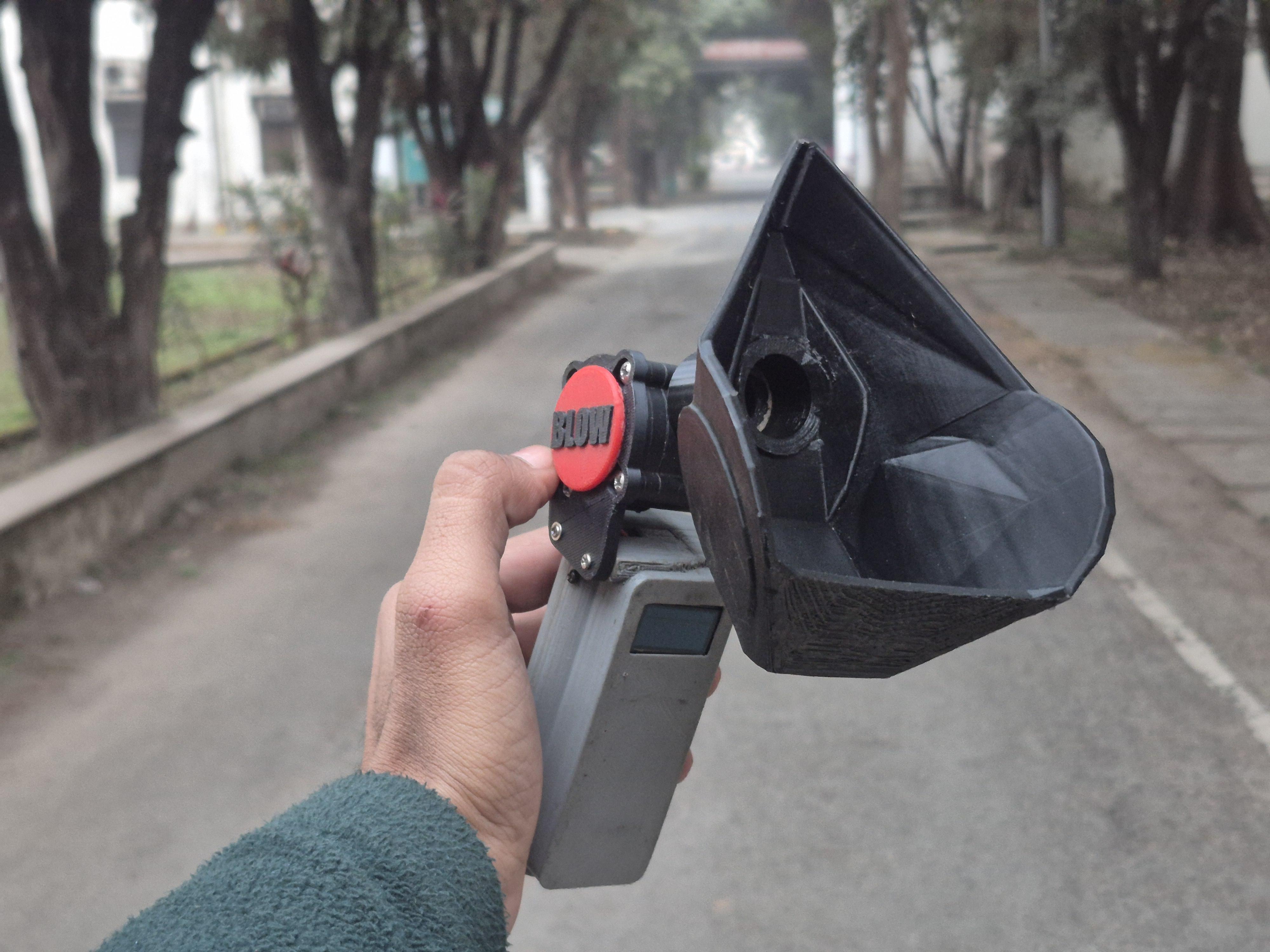
Hi, I’m Ayushmaan, a B.Tech Electrical and Electronics Engineering student from India. I love building electronics projects that solve real problems - the kind you actually see around you, not just on paper.
One problem that’s impossible to ignore here is air pollution. From traffic and construction dust to industrial smoke and seasonal smog, bad air has become part of everyday life. We hear about its impact on our lungs all the time, but we rarely get a simple way to understand what that impact really looks like for us personally.
We can feel our breathing, but we can’t see it.
And when something is invisible, it’s easy to underestimate it.
That’s what this project is about.
I built a small system using an ESP32, a YF-S201 flow sensor, and a MAX30102 heart rate & blood oxygen sensor that lets you take a short 6-second breathing test and immediately see your breathing as a live graph, a performance score, and your basic vital readings. It doesn’t try to replace medical equipment — the idea is awareness. The goal is to help visualize how your lungs behave at rest, after exercise, or in different air conditions, and to make something abstract feel real and understandable.
By turning breath into data and data into visuals, this project makes lung performance something you can finally see.
Supplies
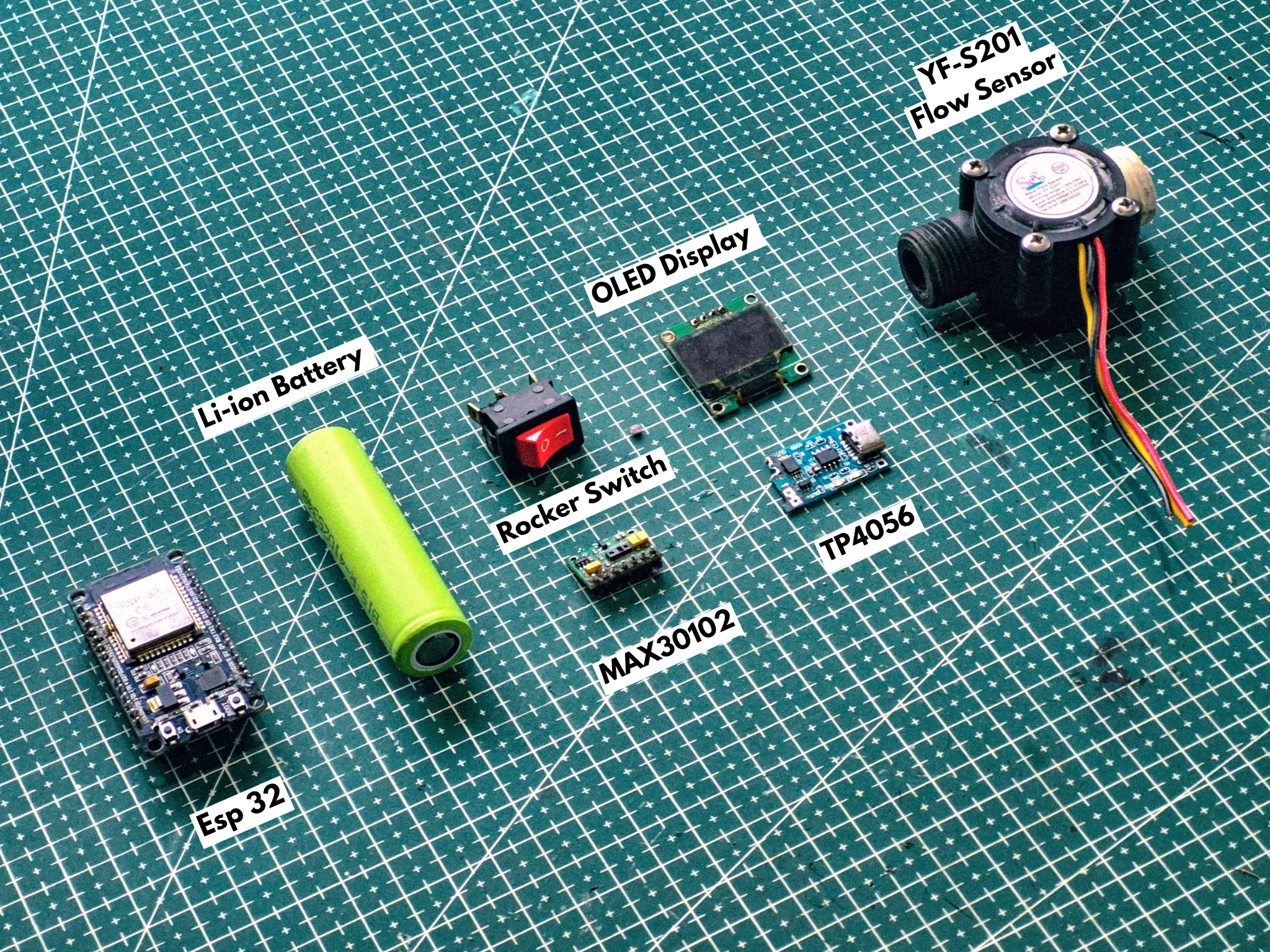
Here are the main components and tools used in this project.
Electronics:
- ESP32 Development Board
- 0.96″ OLED Display
- YF-S201 Flow Sensor
- MAX30102 Pulse Oximeter Sensor (Heart Rate & SpO₂)
- Jumper Wires
- Perf Board
- Rocker Switch
- TP4056 Charging Module
- Li-ion Battery
Tools:
- 3D Printer
- Soldering Iron
- Soldering Wire
- Soldering Flux
- Screwdriver
- Hot Glue Gun
Project Concept — Making Breath Visible
We all breathe every second of the day, but we almost never get to see what our breathing actually looks like. Airflow, lung strength, and breathing consistency are all happening inside the body, quietly and invisibly.
The idea behind this project is simple:
capture that invisible process and turn it into something you can see.
When a person exhales into the device, the YF-S201 flow sensor measures how the air is moving — how strong it is, how smoothly it flows, and how it changes over time. This data is sent to the ESP32, which converts it into a live visual graph on the display. At the same time, the MAX30102 sensor measures the user’s heart rate and blood oxygen level, adding more context to what the body is doing during the test.
From this breathing pattern, the system generates a Breathing Efficiency Score (0–100). This score is not a medical verdict — it’s simply a visual way to represent how consistent, controlled, and strong the exhalation was. Different conditions naturally produce different patterns: relaxed breathing looks different from tired breathing, and post-exercise breathing tells its own story.
By combining airflow, vitals, and visual feedback, the project turns breathing from something abstract into something you can observe, compare, and actually learn from.
Enclosure Design & Re-Engineering
.jpg)
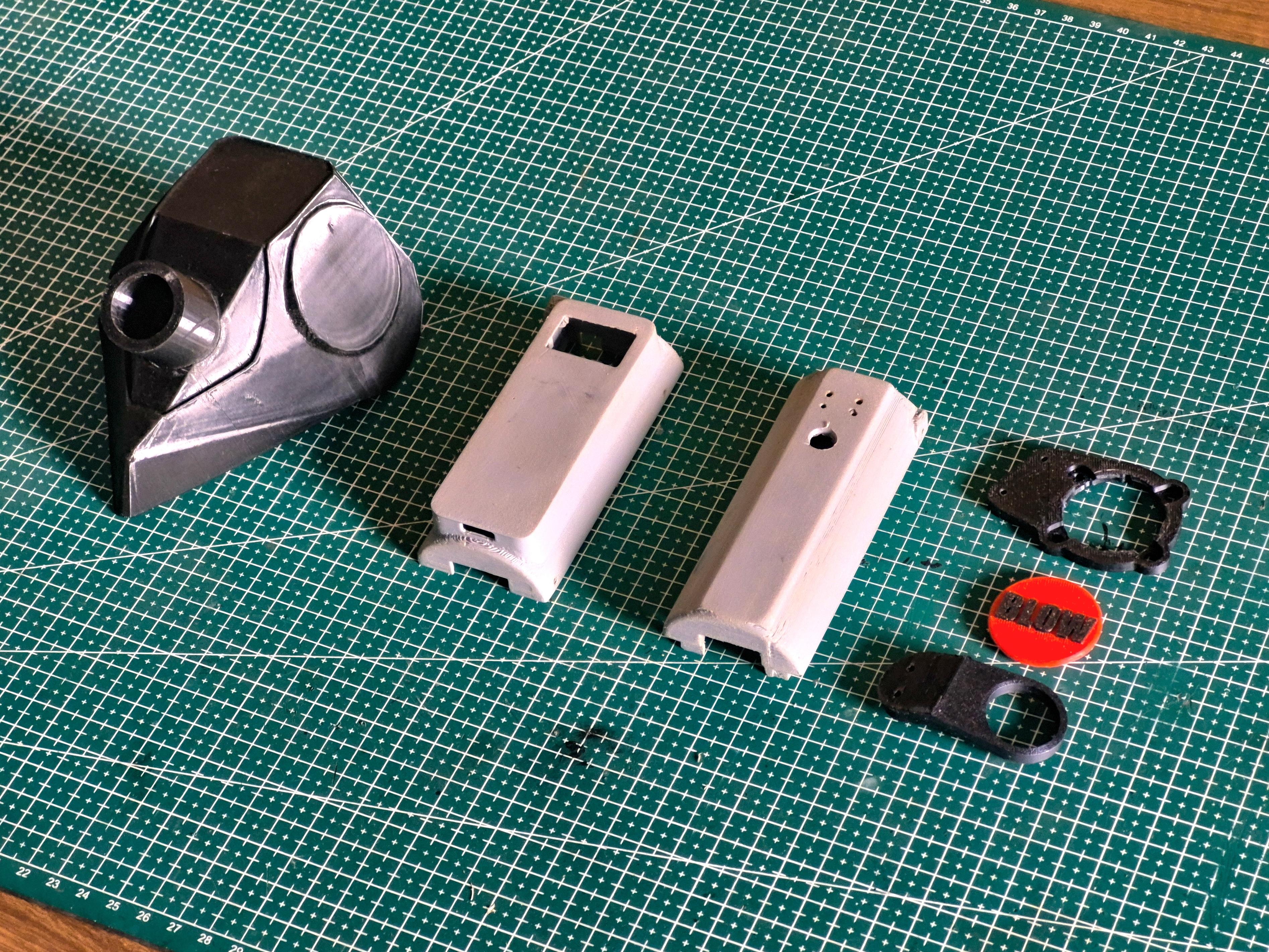
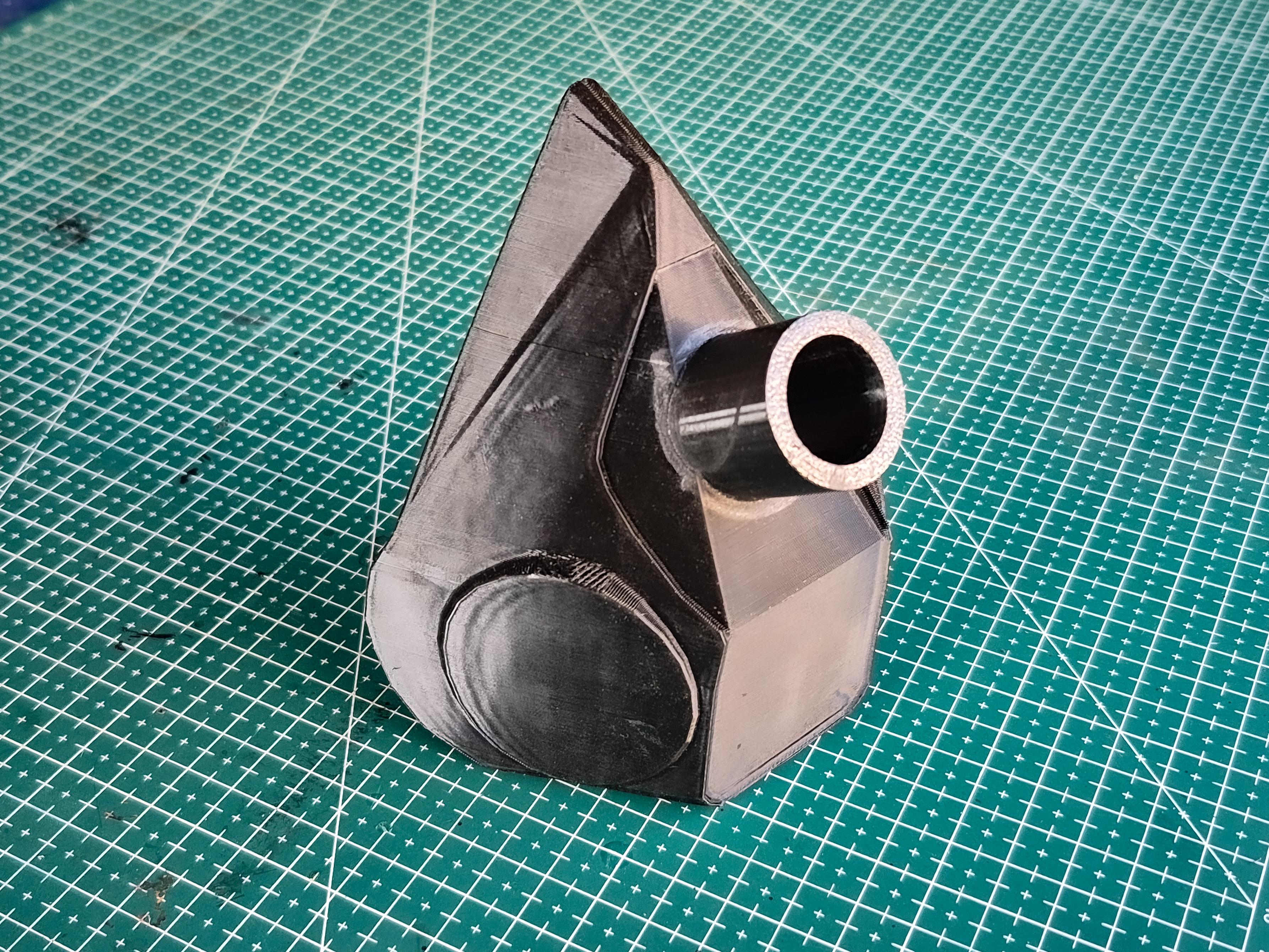
For the body of the device, I didn’t start from zero. I reused and modified one of my older projects called Pour-fect. The original version was built as a digital funnel, and the shape, grip, and internal layout already worked well, so it made sense to evolve that design instead of building a new case from scratch.
The biggest change this time was at the front. Since this project depends on people blowing air into the device, I added a mask-style attachment that sits in front of the YF-S201 flow sensor. This helps guide the air properly into the sensor and also keeps the user’s face at a comfortable distance from the electronics.
Inside, the project still uses the same core electronics from the earlier version — the ESP32, OLED display, battery, and charging module — because they were already doing their job well. I mainly reorganized things to fit the new function of the device and added the MAX30102 sensor for heart rate and oxygen measurement.
This approach saved time, reused working hardware, and turned an existing project into something new with a completely different purpose.
Circuit Design & Implementation
Instead of doing all the wiring directly inside the case, I first planned the entire circuit and built it on a perf board so the final setup would be compact, stable, and easy to manage. This approach also makes it much easier to convert the same layout into a proper PCB later.
To keep the process simple and organized, I broke this stage into the following parts:
- Step 4.1 — Preparing the Perf Board Layout
- Step 4.2 — Building the Circuit on the Perf Board
- Step 4.3 — Power System Setup
- Step 4.4 — Making the Final Connections
Preparing the Perf Board Layout
.jpg)
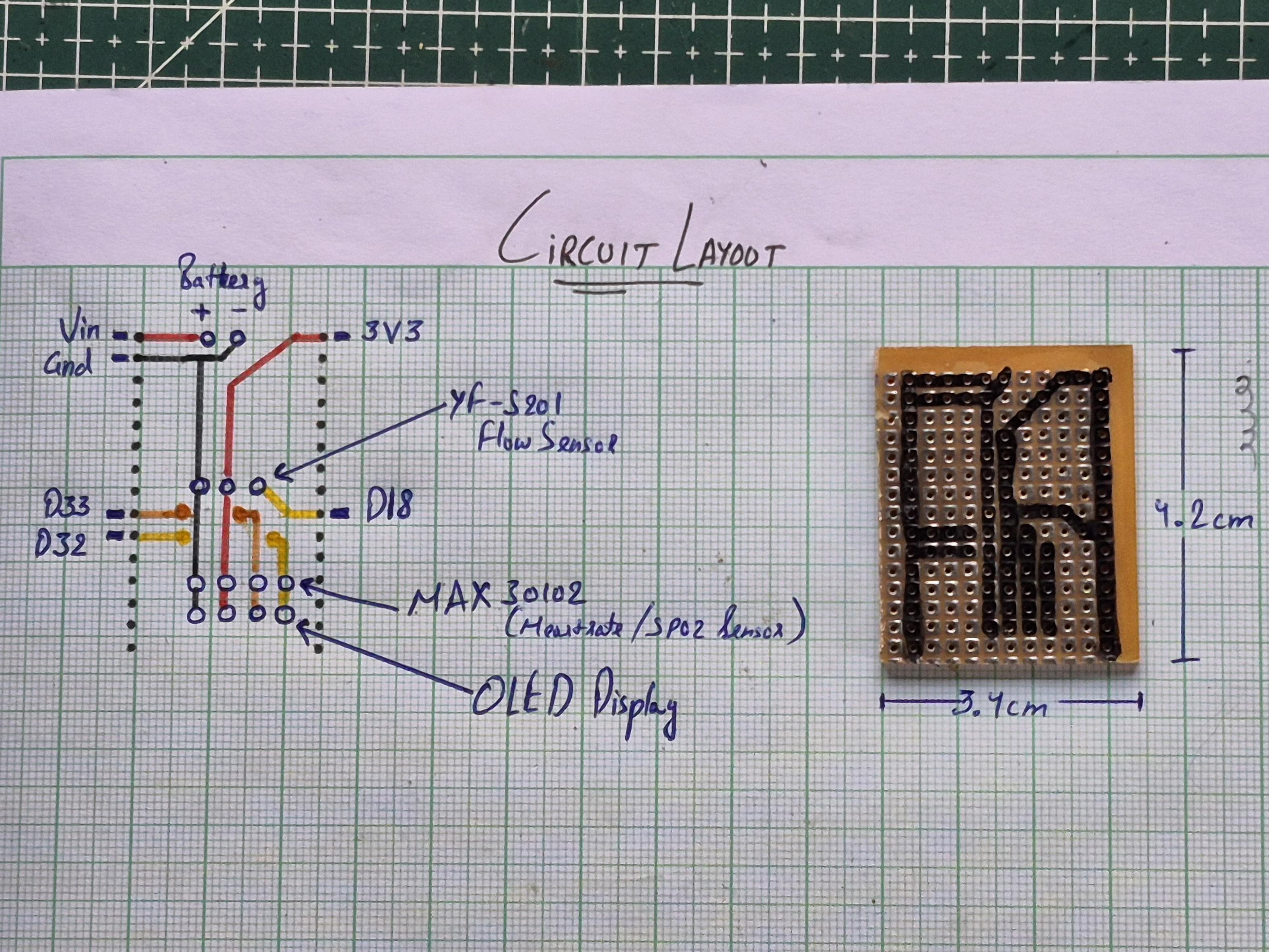
Before touching the soldering iron, I first planned the entire circuit on paper. This made it much easier to think about signal flow, power routing, and overall wire management before committing anything to the board.
For the layout, I kept a common 3.3V line and a common ground line running through the board so that all components could share a clean power supply. The main connections were decided as follows:
- Power source connected to the ESP32 through VIN and GND
- 3.3V rail distributed from the ESP32 to the sensors and display
- D32 and D33 used as the I²C pins, shared between the OLED display and the MAX30102 sensor
- D18 assigned to the YF-S201 flow sensor signal line
With these core connections decided, I drew the full routing on graph paper, placing each component in a way that keeps the wiring short and avoids unnecessary crossings. This step saved a lot of time later and helped keep the final circuit neat and compact.
Once the layout looked good on paper, I cut the perf board to size and transferred the same design onto the board, marking the position of each major connection point before moving on to soldering.
Building the Circuit on the Perf Board
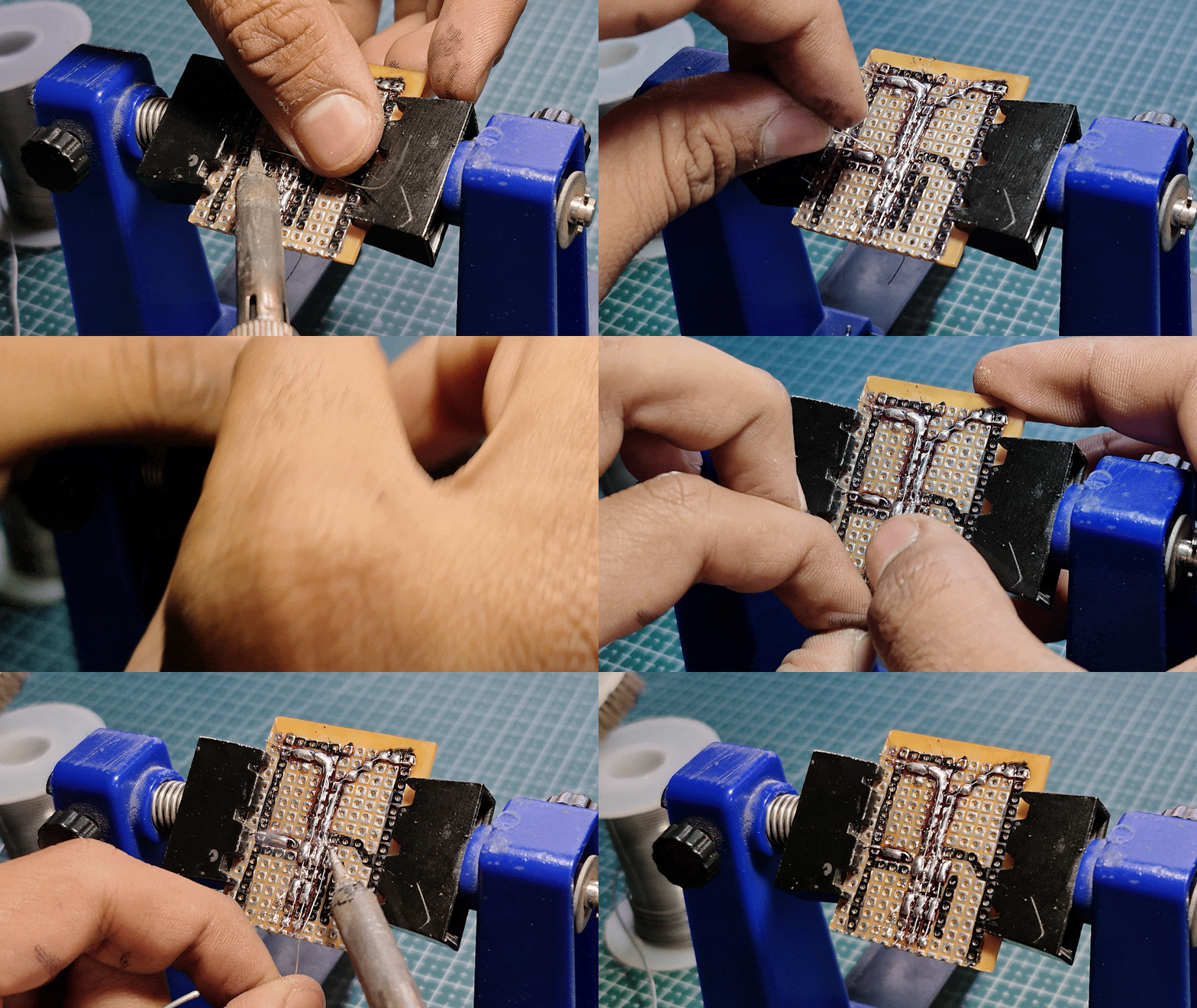
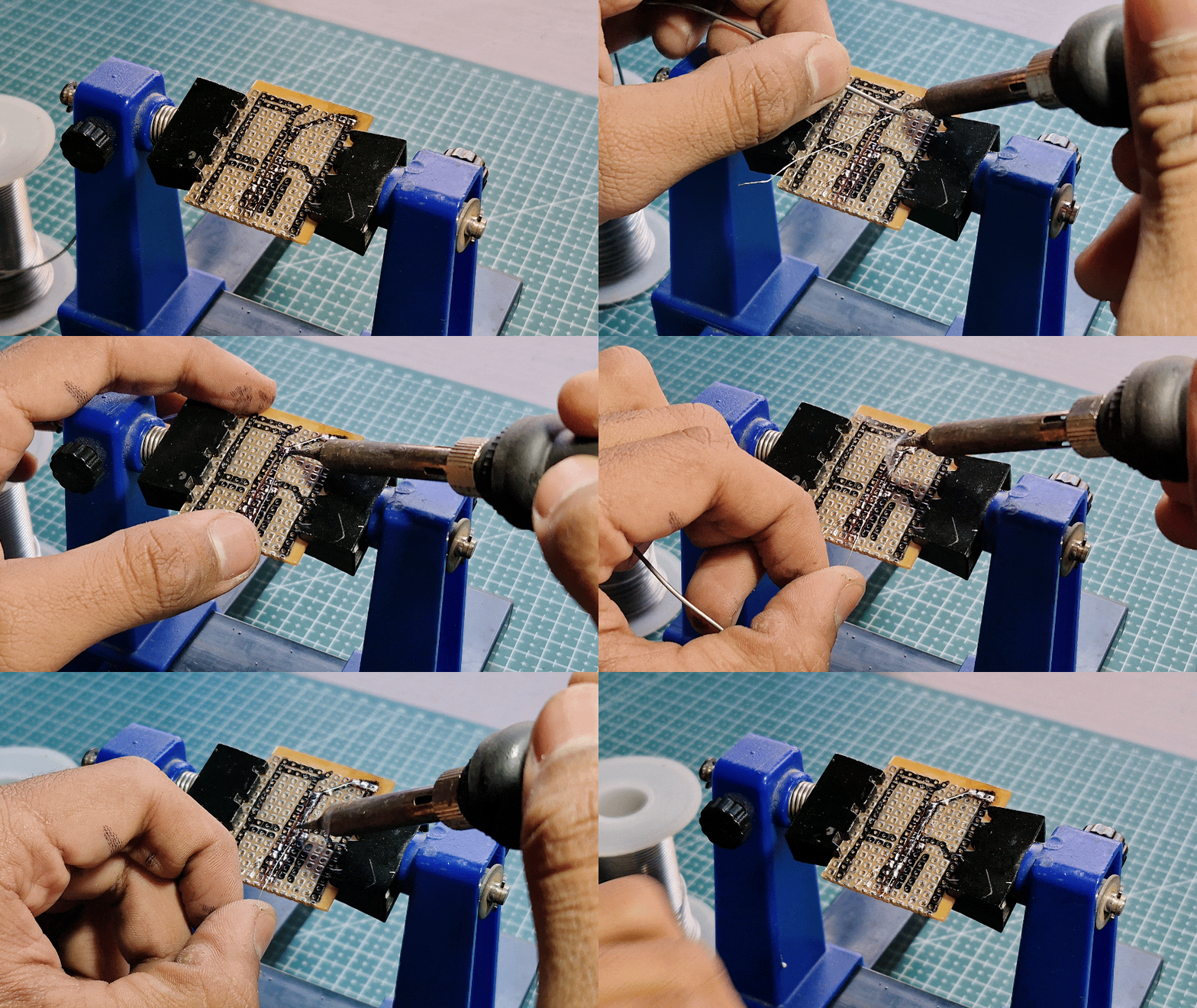
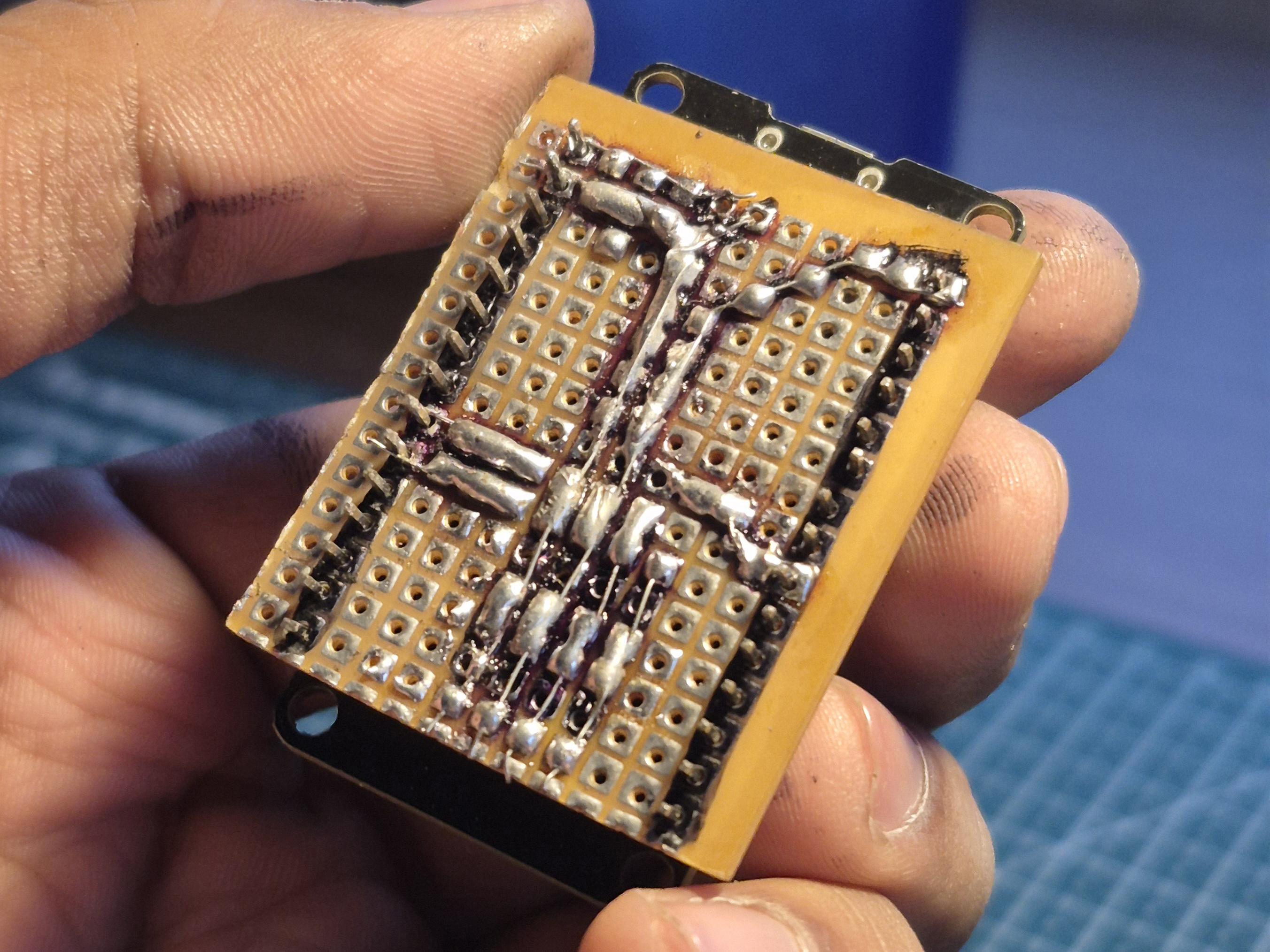

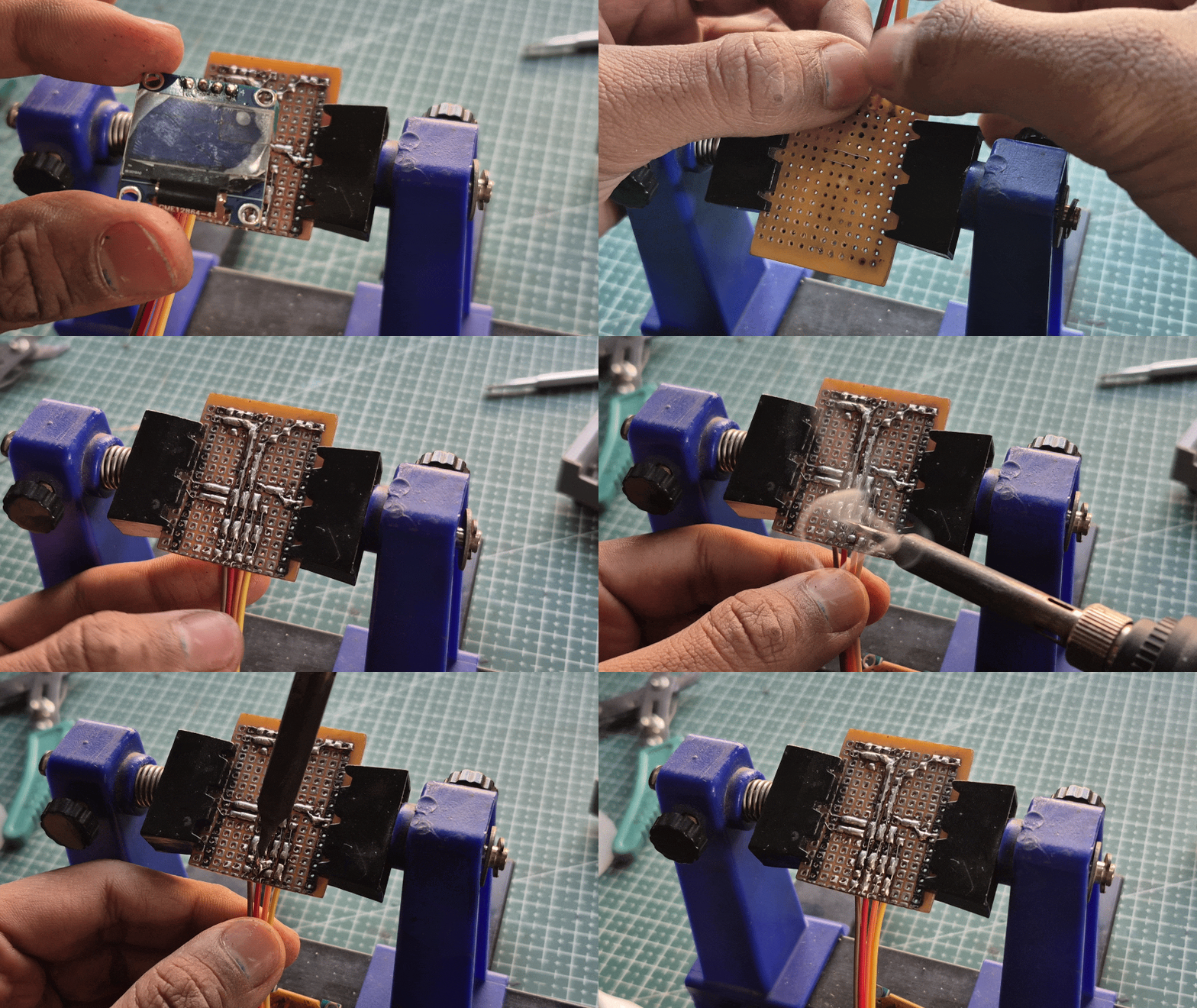
With the layout finalized, I started building the actual circuit on the perf board. I began by soldering the main power lines first - the common 3.3V rail and ground rail - since almost every component depends on these. This immediately gave the board a clear structure and made the rest of the wiring easier.
Next, I routed the signal connections according to the plan:
- D32 and D33 were connected to the shared I²C lines for the OLED display and the MAX30102 sensor
- D18 was routed to the YF-S201 flow sensor
- VIN and GND were connected to the incoming power from the battery and charging module
Instead of using long jumper wires, I created short, direct solder tracks on the back of the perf board. By carefully planning and shaping these solder paths, the board started to look and behave like a handmade PCB - compact, organized, and much more robust than typical prototype wiring.
After completing the soldering, I checked all connections for continuity and shorts. At this point, the circuit already felt solid and ready to move into the enclosure.
Power System Setup
.jpg)
Before connecting the rest of the components, I first set up the power system, since everything in the project depends on it working properly.
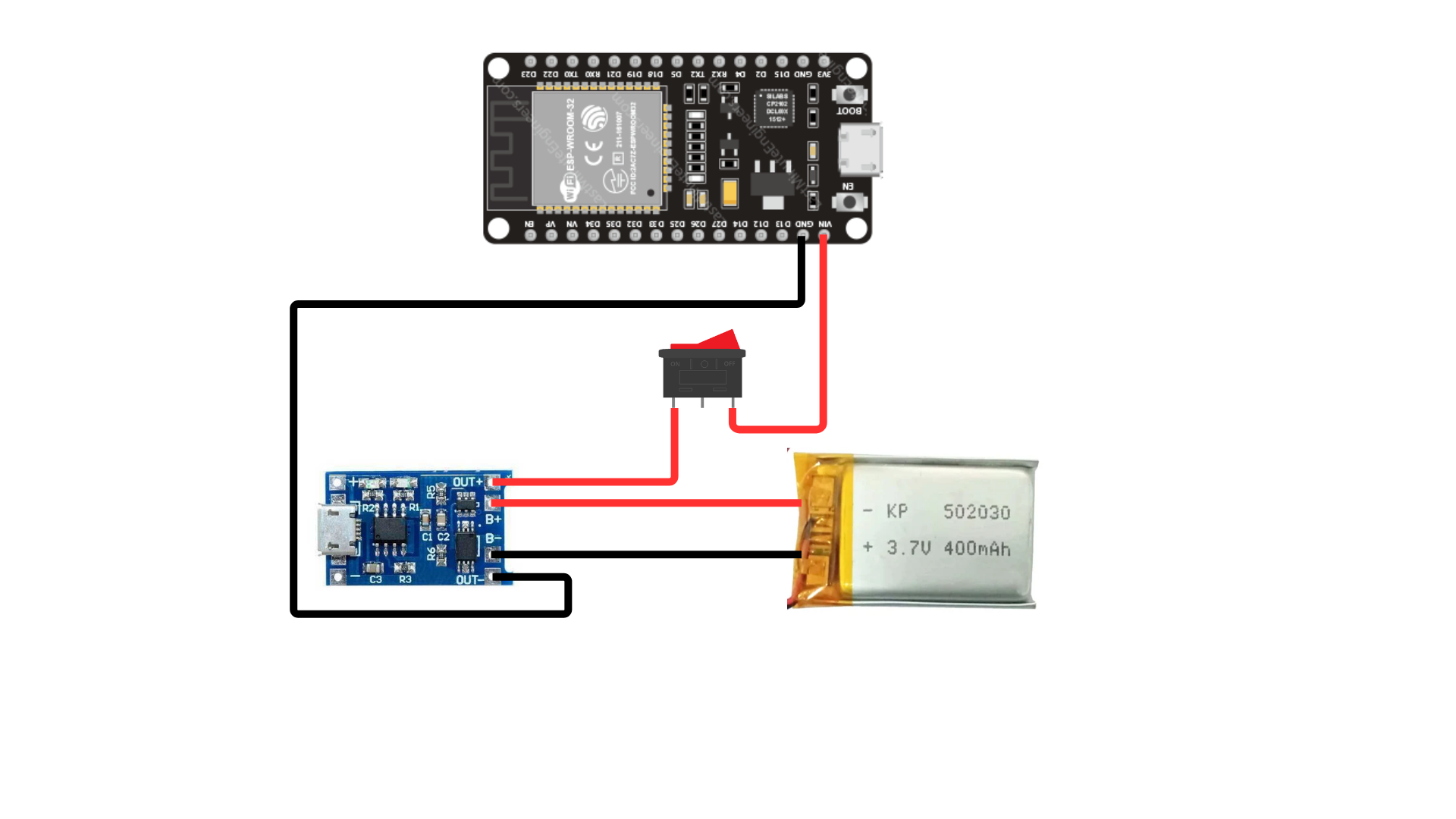
The device is powered using a Li-ion battery with a TP4056 charging module. This allows the battery to be charged safely using a standard USB cable while also powering the circuit.
The connections were done as follows:
- Battery → TP4056 (B+ and B− terminals)
- TP4056 OUT+ → VIN on ESP32
- TP4056 OUT− → GND on ESP32
- A rocker switch was placed in series with the main power line so the entire device can be turned on and off easily
This setup makes the device fully portable and rechargeable, which is important since it’s meant to be handheld and used by different people.
Making the Final Connections
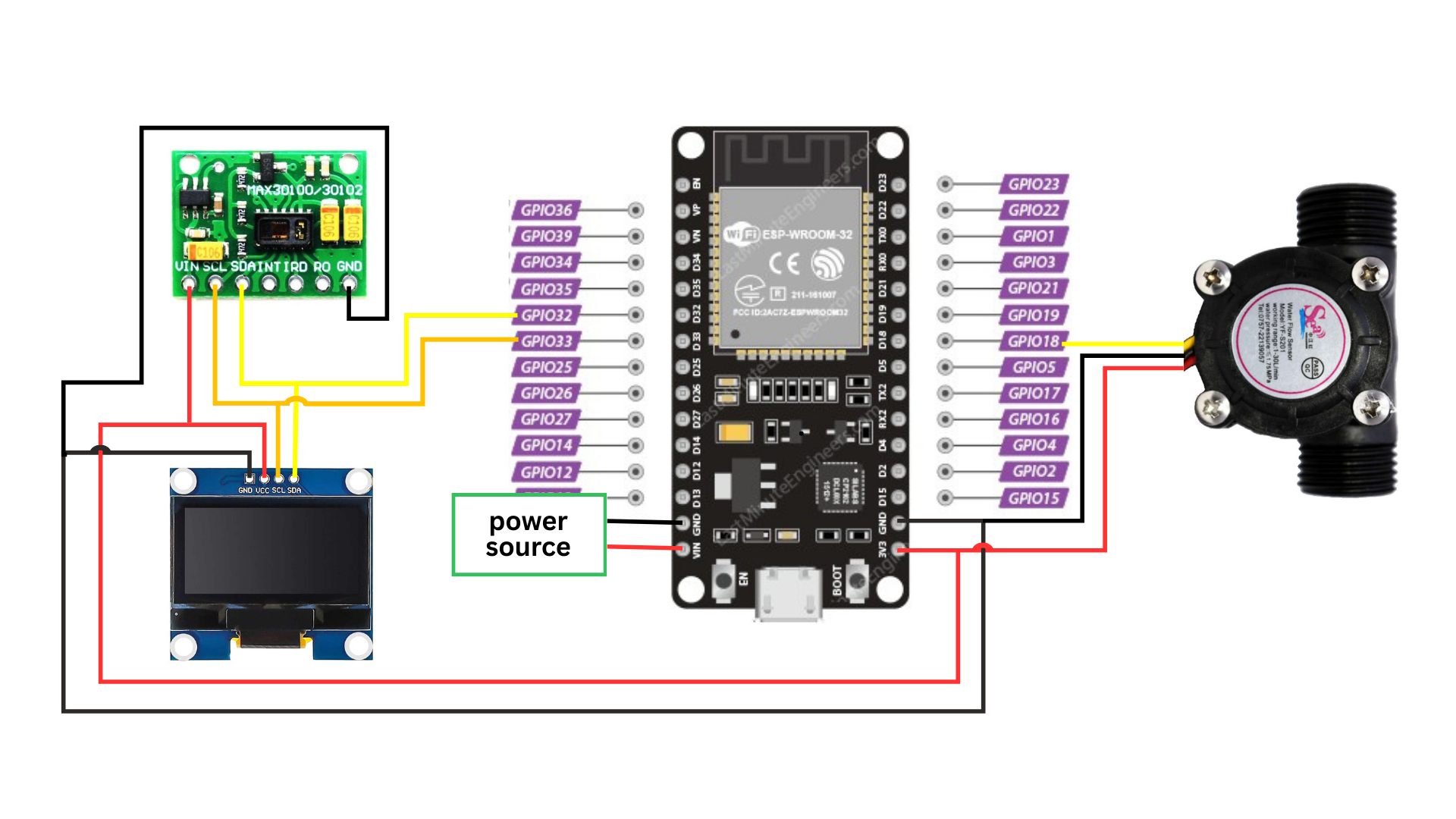
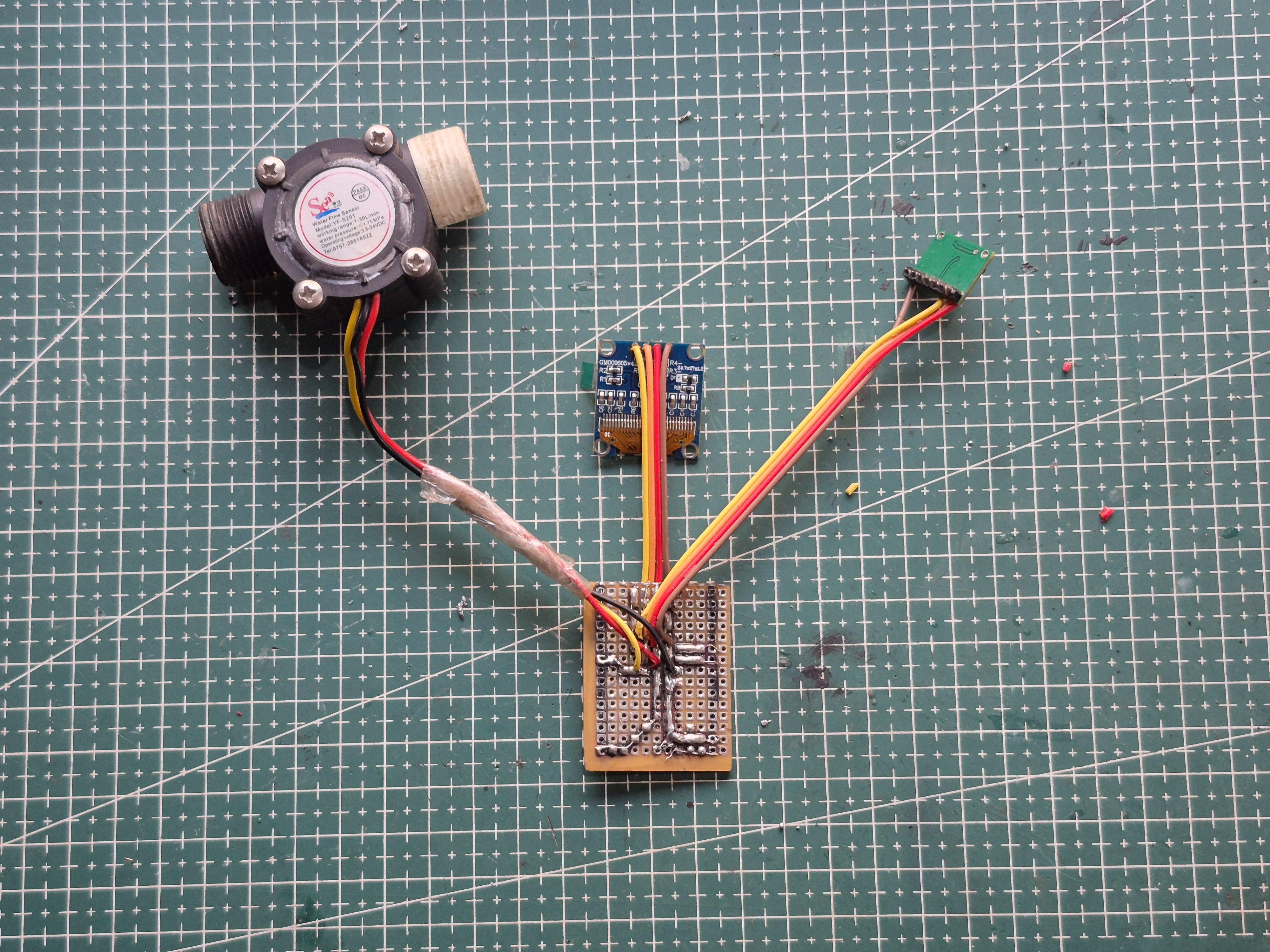

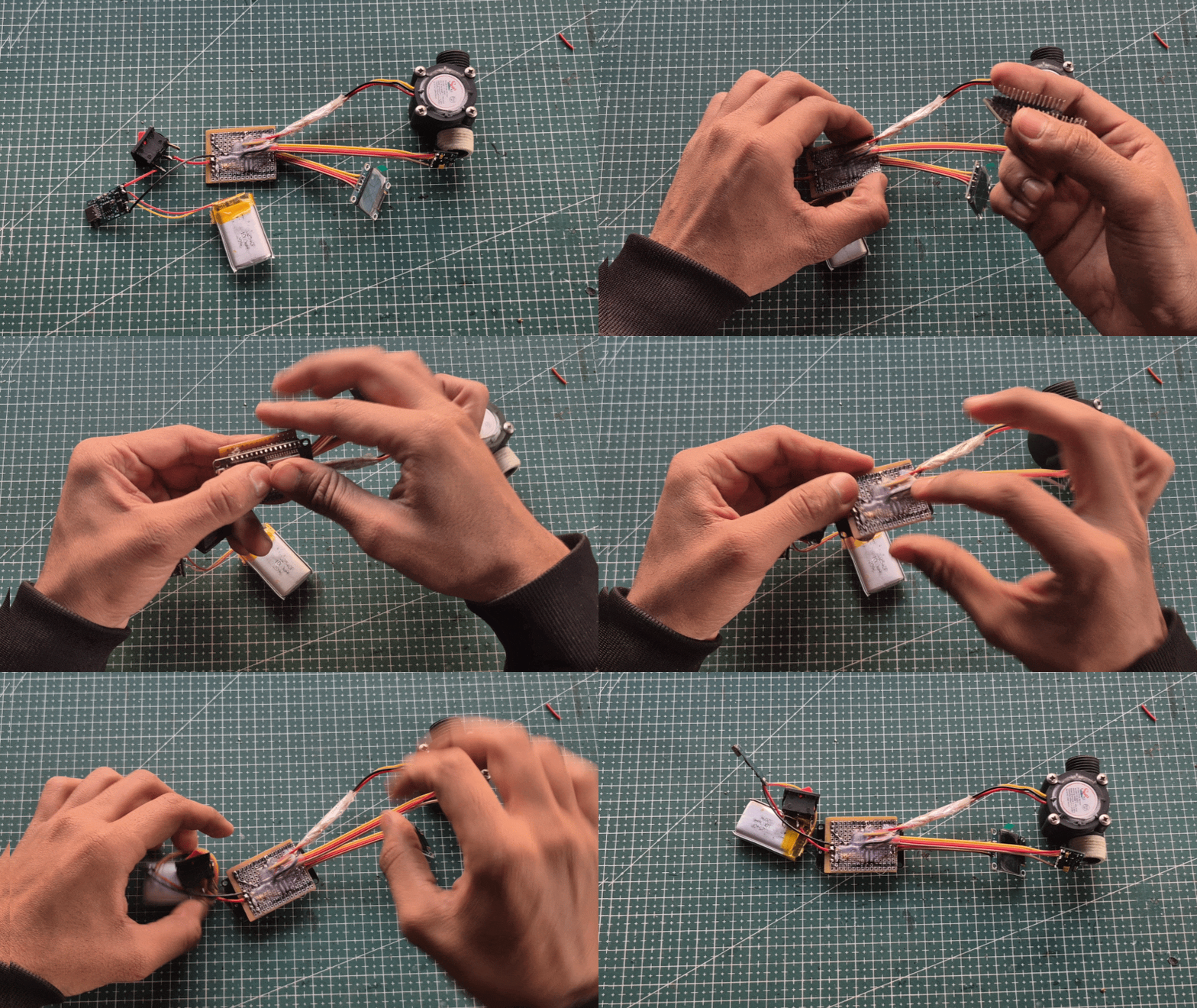
With the power system in place and the main board ready, I connected the remaining components to complete the circuit.
The YF-S201 flow sensor was connected to its signal line on D18, along with the shared 3.3V and GND rails from the board.
The OLED display and the MAX30102 sensor were connected to the shared I²C lines on D32 and D33, using the same power and ground lines.
After everything was wired, I powered the system and did a full check:
- ESP32 booted properly
- OLED display turned on
- MAX30102 responded on I²C
- Flow sensor output was registering correctly
Once all components were confirmed working, the circuit was complete and ready to be mounted inside the enclosure.
Final Assembly & Enclosure Integration
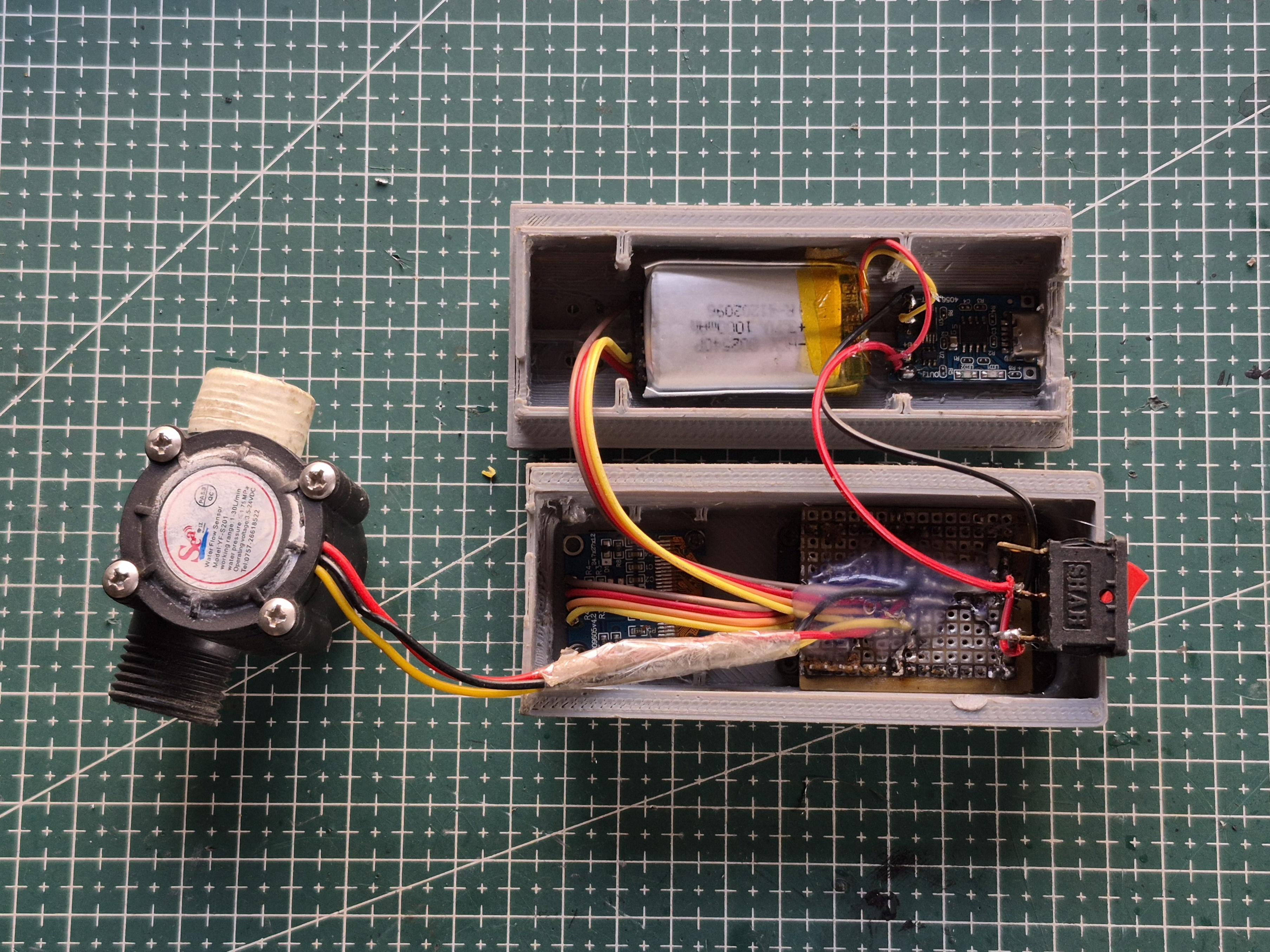

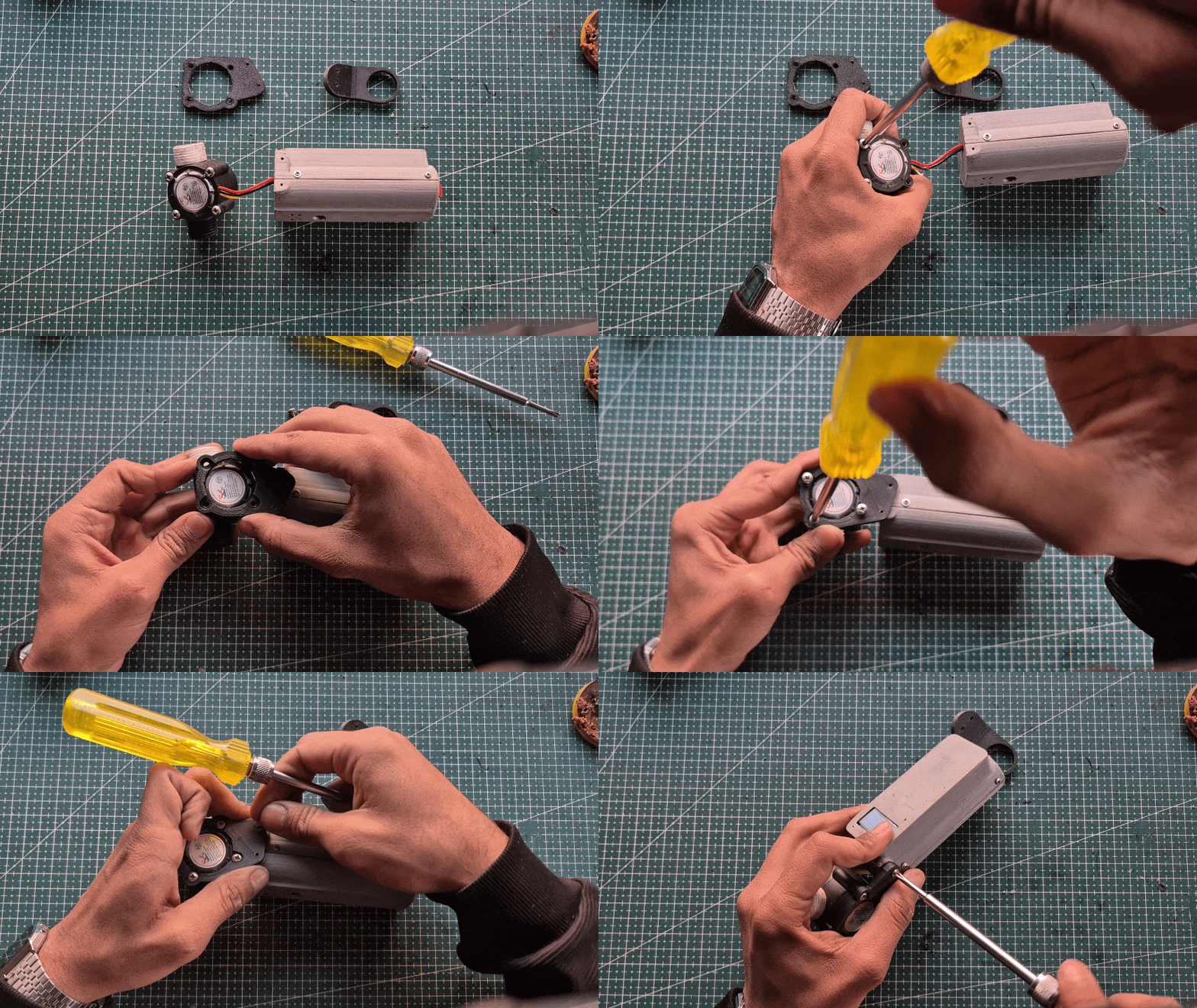
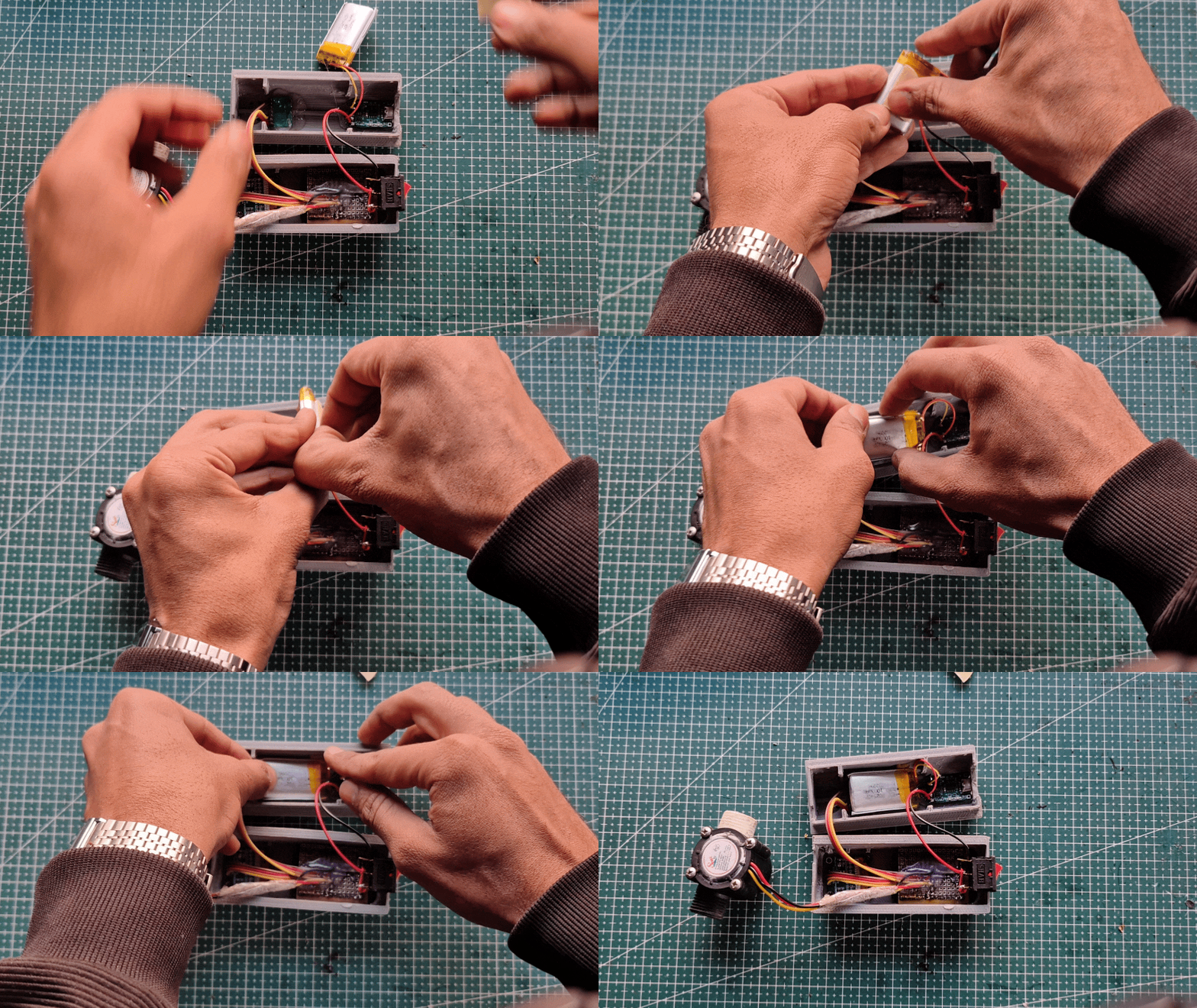
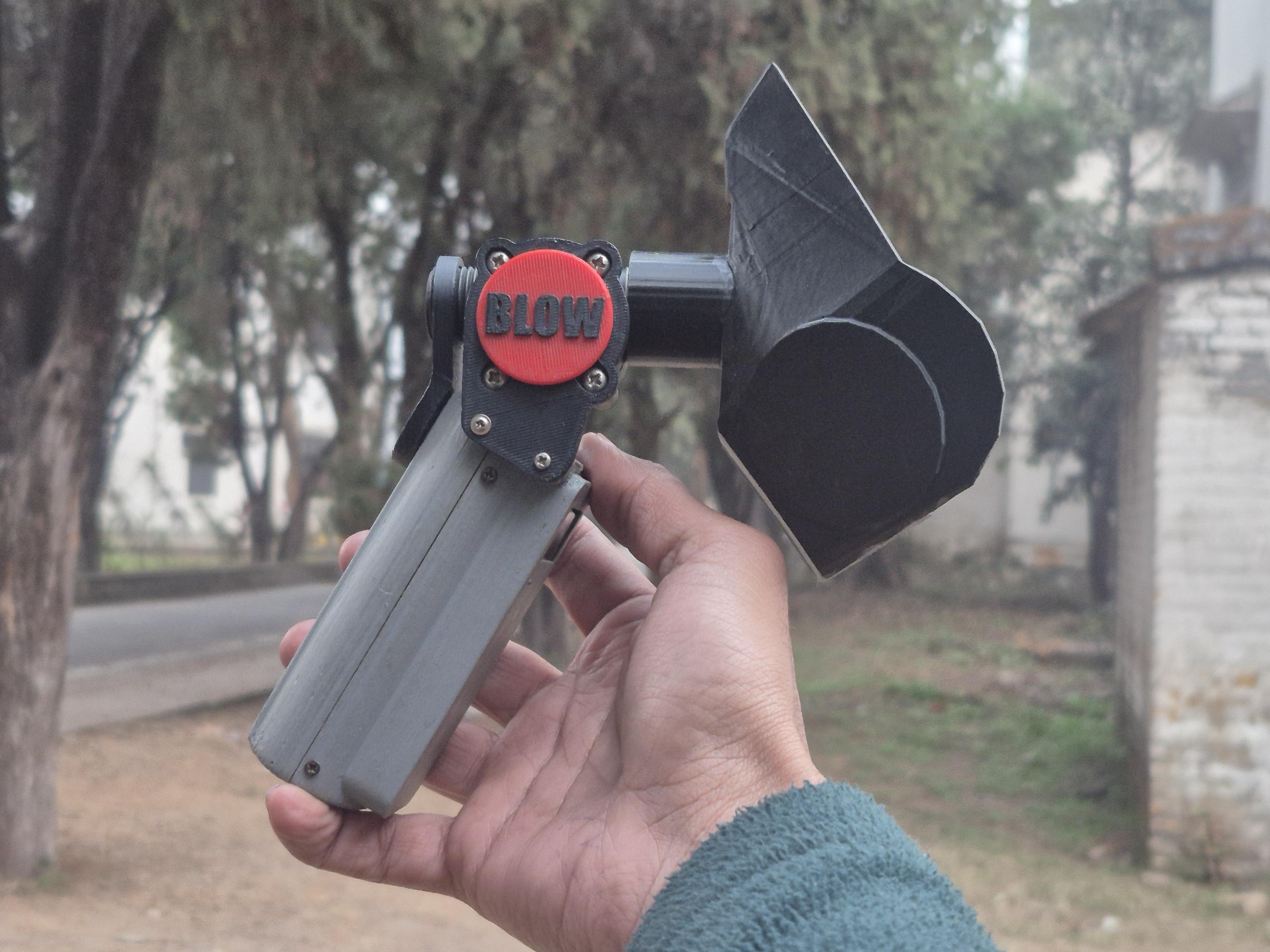
Once the electronics were working properly on the bench, it was time to bring everything together inside the enclosure.
I started by mounting the perf board into the main body of the case and fixing it in place so it wouldn’t move around during use. Next, I installed the OLED display into the front opening and secured it from behind. The MAX30102 sensor was positioned where a finger could comfortably rest on it, and the flow sensor was aligned with the front mask attachment to ensure proper airflow during the breathing test.
The Li-ion battery and TP4056 charging module were placed in the lower section of the enclosure, and the rocker switch was fixed into its slot on the side. All the wiring was arranged neatly and kept clear of the airflow path before closing the case.
After everything was in place, I closed the enclosure, powered the device on, and ran one final check to make sure:
- the display was clearly visible,
- the sensors were responding correctly,
- the airflow path was unobstructed,
- and the device felt comfortable and solid in the hand.
At this point, the project was no longer just a collection of parts — it had become a complete working device.
ESP32 Code – Sensor Reading & Score Calculation
The ESP32 handles all the sensing, processing, and display work.
The program reads airflow from the flow sensor, heart rate and SpO₂ from the MAX30102, calculates the breathing efficiency score, and finally shows the result on the OLED.
The code is organized around four main tasks:
- Reading airflow data
- Running the 6-second breathing test
- Calculating the breathing efficiency score
- Reading heart rate and oxygen data
- Displaying the final score on the OLED
Reading the Flow Sensor:
The flow sensor is connected to D18. During the test, airflow values are sampled continuously and stored.
6-Second Breathing Test Logic:
Breathing Efficiency Score Formula:
The score is based on:
- peak airflow
- stability of airflow
- overall consistency
Reading Heart Rate & Oxygen (MAX30102):
Displaying Final Score on OLED:
Only the final breathing score is shown on the device for simplicity.
This keeps the physical device clean and easy to use, while the detailed data is sent to the web dashboard.
Web Dashboard & Visualization
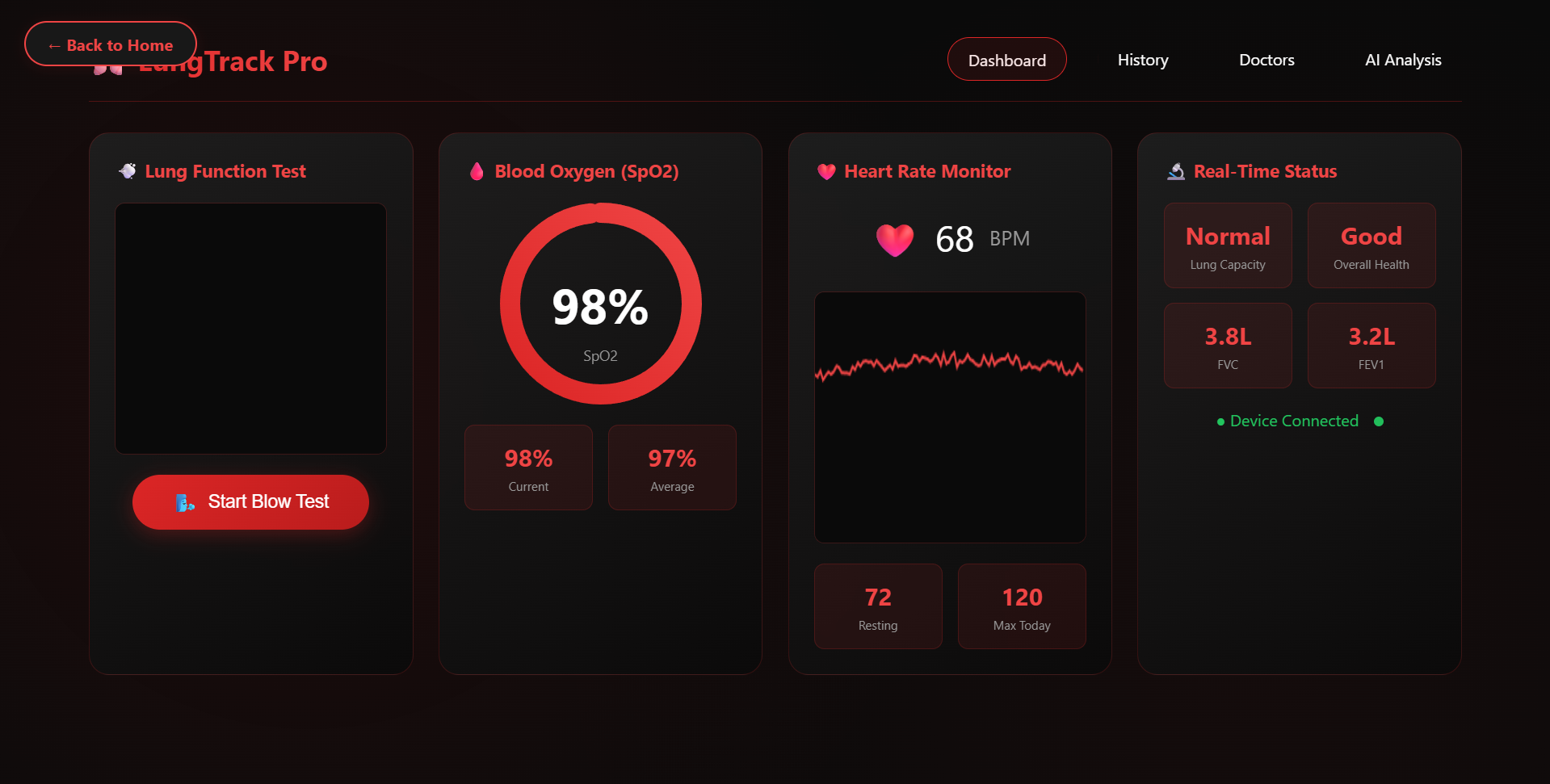
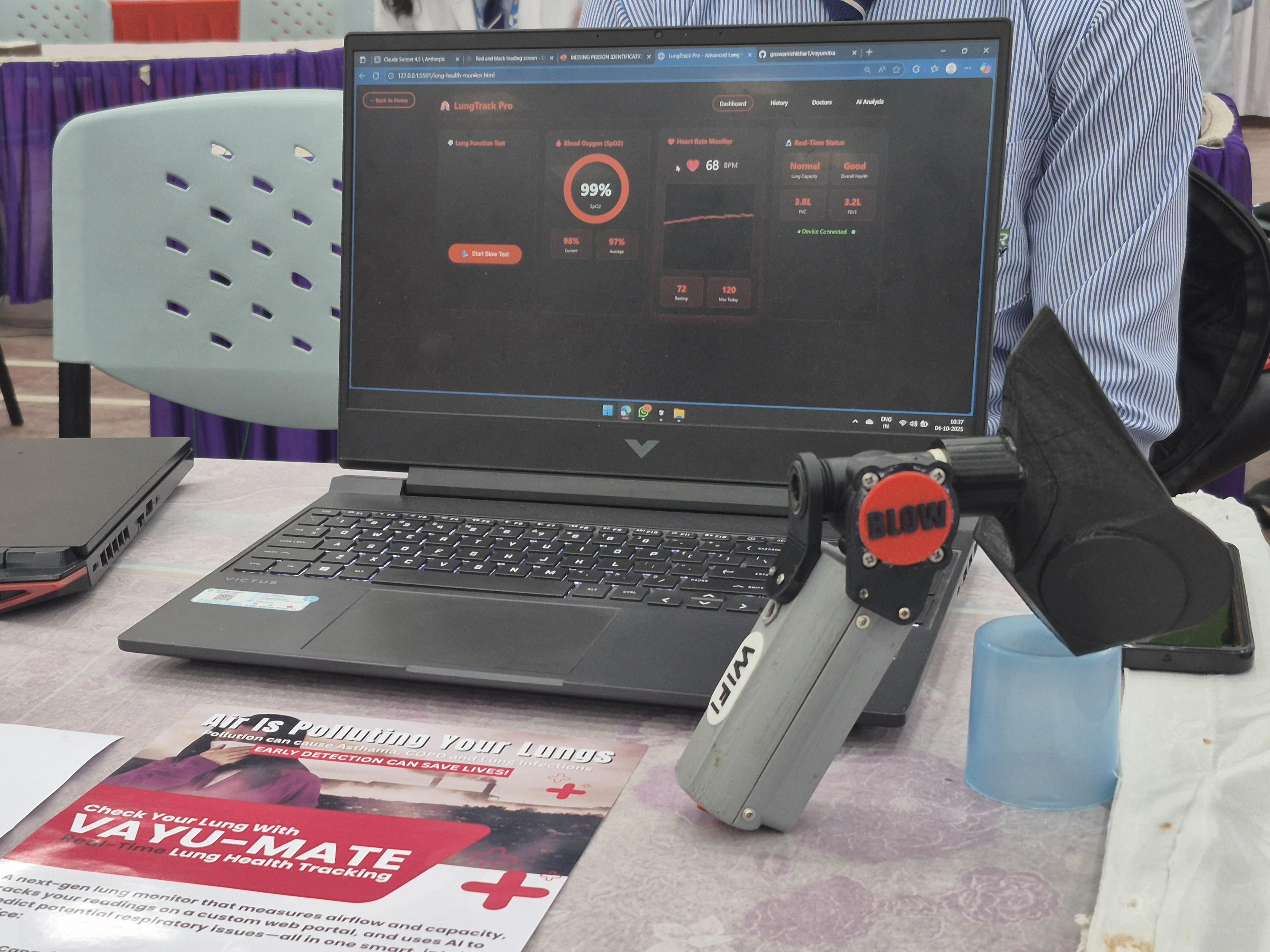
To properly visualize all the data collected by the device, I created a custom web dashboard instead of trying to fit everything on the small OLED screen.
The OLED on the device shows only the final breathing efficiency score, while the detailed readings are displayed on a web page that can be opened on any phone or laptop.
The dashboard is hosted here:
https://vayumitralast.vercel.app/
When the ESP32 is connected to Wi-Fi and the breathing test is started, the device sends live sensor data to the web interface. The page then displays:
- Live airflow graph showing the breathing pattern
- Heart rate from the MAX30102 sensor
- Blood oxygen level (SpO₂)
- Breathing efficiency score
This setup makes the project much more interactive and easier to understand. Instead of just seeing numbers, you can actually watch your breathing pattern form on the screen in real time. It also keeps the physical device simple and portable, while the phone or laptop becomes the main visualization screen.
Because it runs in a normal web browser, there’s no need to install any special app — you simply open the link and start the test.
Conclusion
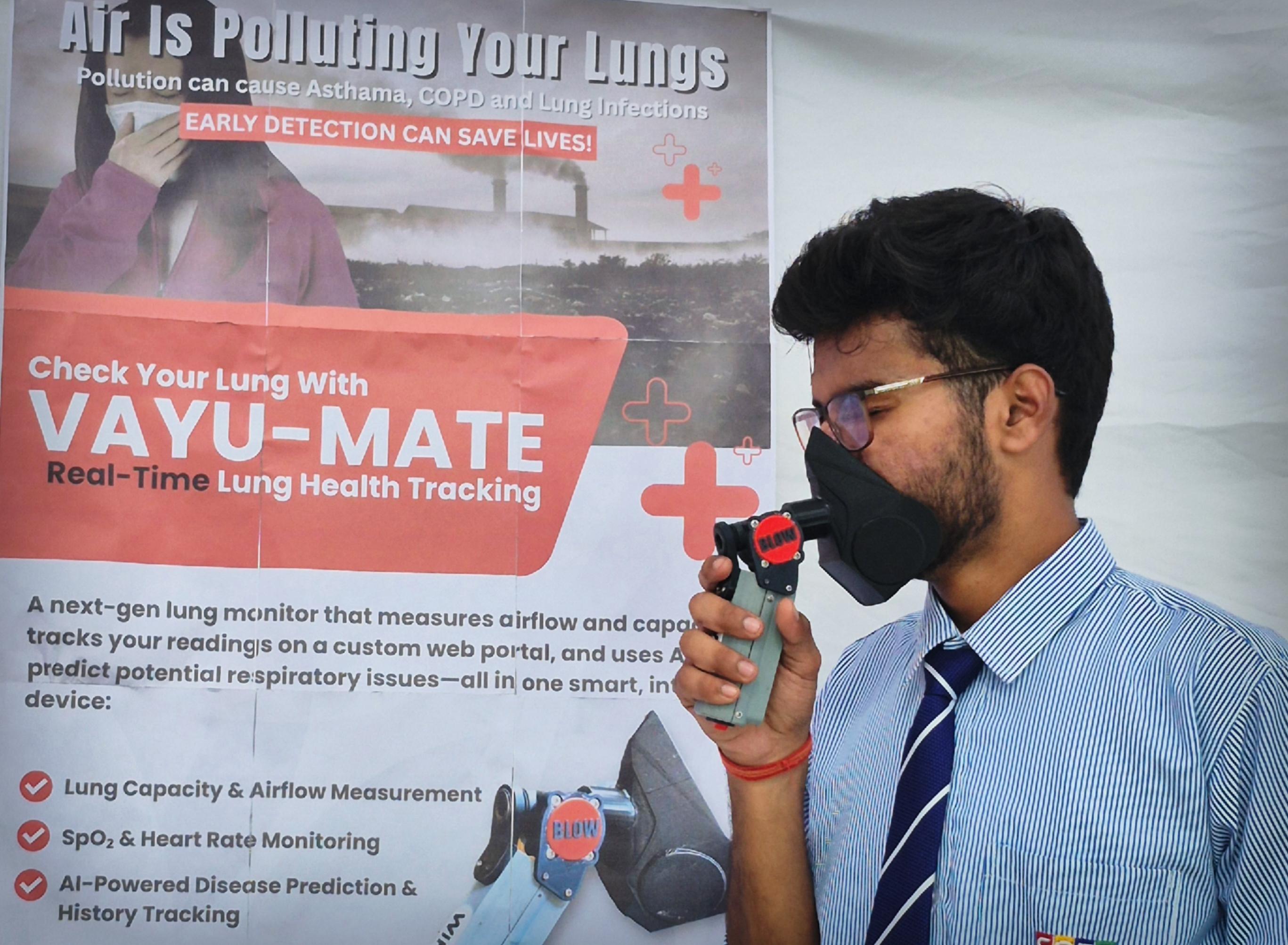
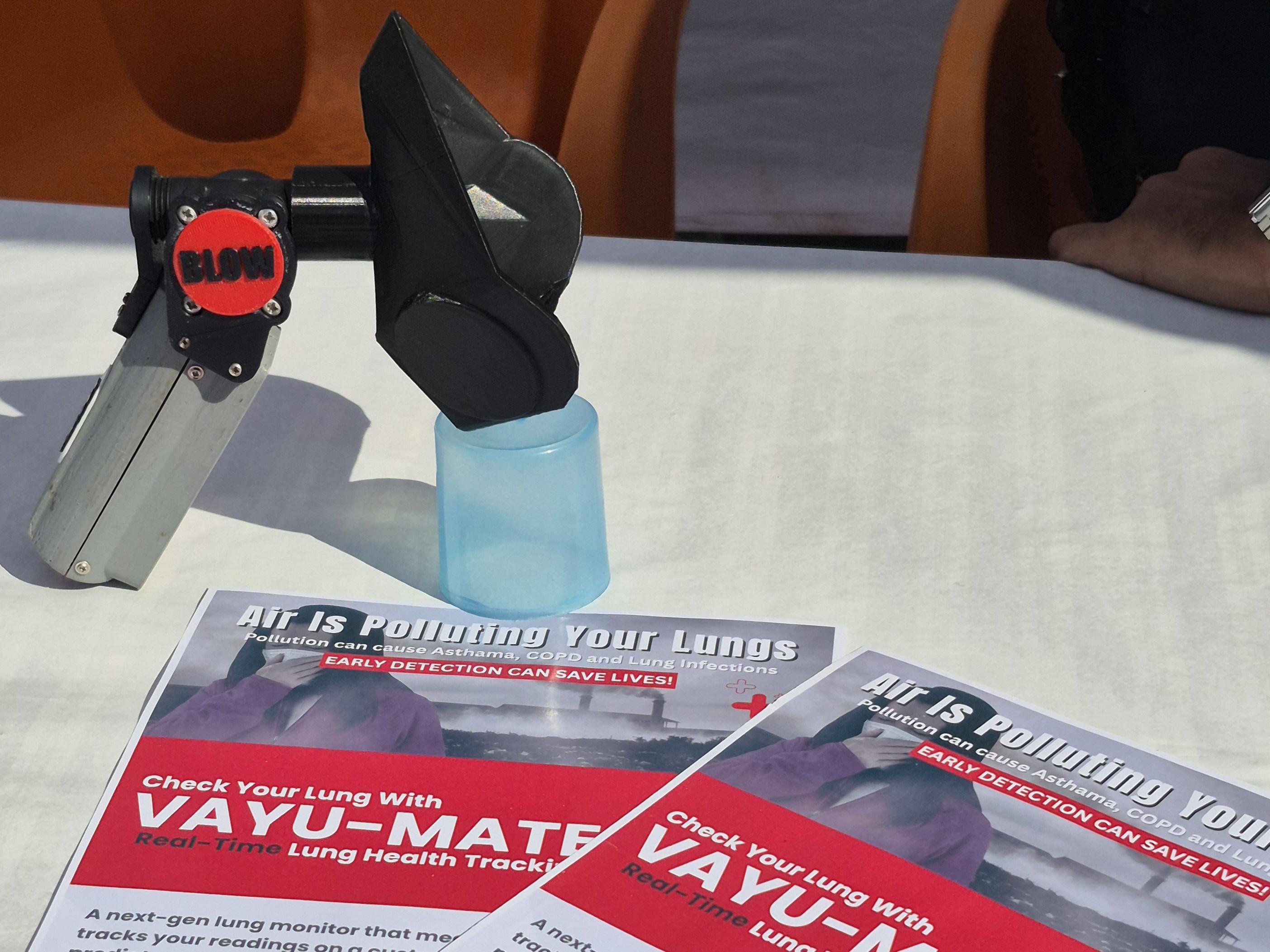
This project started with a simple idea — to make something invisible, visible.
Breathing and lung performance are things we experience every day, but we rarely get a clear way to understand what is actually happening inside our body.
By combining a flow sensor, heart rate and oxygen sensor, an ESP32, and a custom web dashboard, this system turns breathing into something you can see, track, and compare. The device gives quick feedback through the on-board score display, while the web interface provides deeper insight through live graphs and real-time vital readings.
More than just a technical build, this project focuses on awareness. It encourages people to think about their breathing habits, the impact of their environment, and how their body responds under different conditions — especially in places where air quality is a serious concern.
At the same time, making the system truly accurate and reliable would require a lot more data, careful calibration, and professional medical guidance. There is still a long way to go in refining the algorithms and improving the quality of the measurements, and this project represents an early step toward that direction.
This is not a medical device, but it is a powerful educational tool.
And most importantly, it shows how simple electronics and thoughtful design can turn everyday processes into something meaningful and understandable.