WHY You Should Add a Pen Plotter to Your 3d Printer or CNC Machine
by jkimball in Workshop > 3D Printing
22 Views, 0 Favorites, 0 Comments
WHY You Should Add a Pen Plotter to Your 3d Printer or CNC Machine

There are lots of guides on this site and others that address HOW to transform a 3D printer or CNC machine into a pen plotter.
Nearly all of them stop after showing a picture drawn in blue or black ink on a sheet of paper- but that leaves the true advantages of the technique unexplored! If you just want a black ink on a flat piece of white paper... there are better methods. But if you want to decorate a wide variety of objects with a diverse set of media- read on.
This instructable will demonstrate the wide scope of potential projects that can be made, hopefully inspiring you to move past just putting black marks on white paper.
Supplies
-You will need a 3d printer or CNC machine. This guide won't get into the mechanics of modifying your device, as that is specific to each one, and I provided a dozen links in the step above to get you started.
I will say that I have had surprisingly good results just by taping a pen to the side of the module head.
Bigger is better- more volume gives you freedom with your projects. Fortunately, large machines are dropping in cost these day, and getting bigger too.
You will need to understand how to fully control your machine via gcode or other methods, since you will not be using it in the expected fashion. Again, this will be dependent on your specific machine.
I use a Snapmaker Artisan, which helpfully has interchangeable modules. Snapmaker, if you are reading, please consider my feature request for a dedicated pen plotter module...
-Things to mark WITH
This is your media- I will use that term to refer to pens, markers, pencils, paint, etc.
-Things to mark ON
- This is your substrate or surface- the material you will be marking
Things to Mark WITH
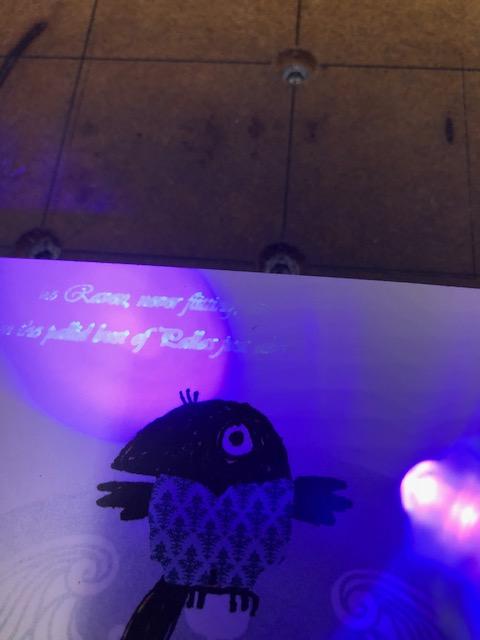
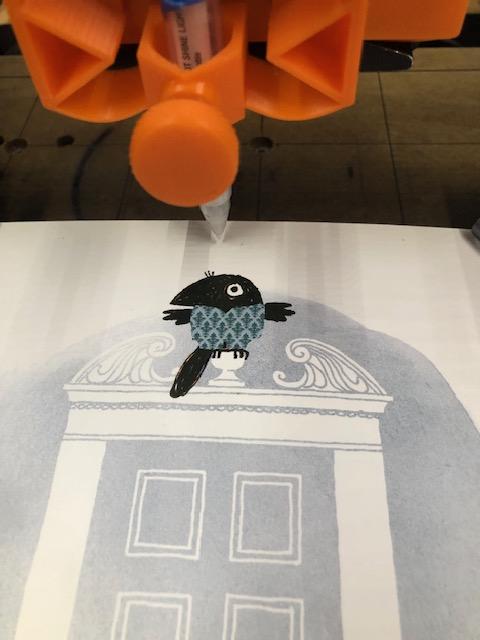
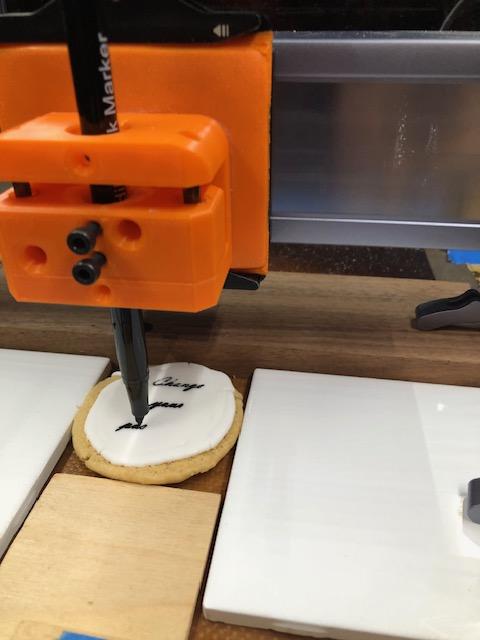
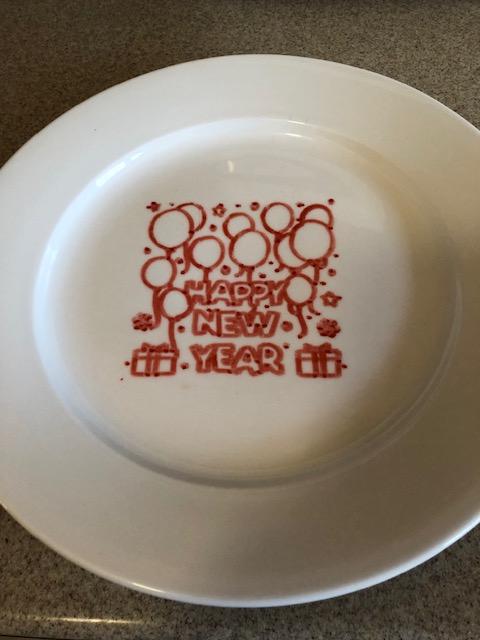
One of the most important aspects of this technique is that you can use media that would be fantastically expensive using other tools.
Here is a list of inks or markers that I have used:
- UV Ink
- Glow in the dark paint markers
- Neon markers
- Metallic ink
- Food safe markers
- Opaque Paint Markers
- Fabric Pen
If you wanted to use UV ink in your inkjet printer, you would need to have a specialized printer, and buy 200$ UV ink cartridges for it. But a simple UV ink pen from the art store is only a few dollars. The same is true for all of the other pens and markers.
I modified a child's board book about Edgar Allen Poe's "The Raven" to include a few lines from the original poem in UV ink. Under normal light, it is completely invisible- but under UV the hidden writing appears! The modern UV inks are really quite good.
Similarly, if you want to print on food, you need to have specialized equipment... or you can get a few food-safe markers.
I wrote messages on the frosting of cookies with food safe markers. I could customize each cookie individually. I also decorated a plate for New Years. You can create holiday decorations that are safe to serve food on quickly and easily. Food safe markers are very inexpensive and have more uses than buying single use edible toppers.
Something I have not tried personally are sublimation ink markers. These markers are designed to fuse with a surface to become permanent after high heat is applied. They often require a specific surface to work properly.
Things to Mark ON
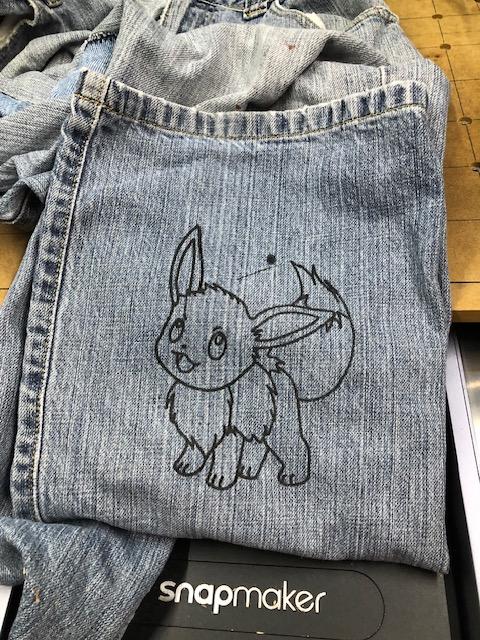
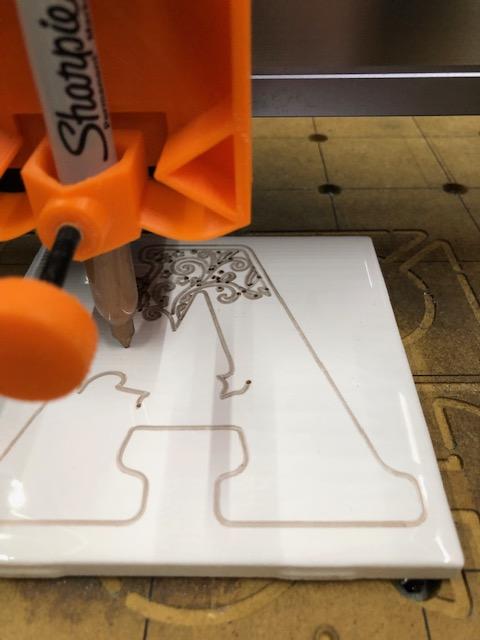
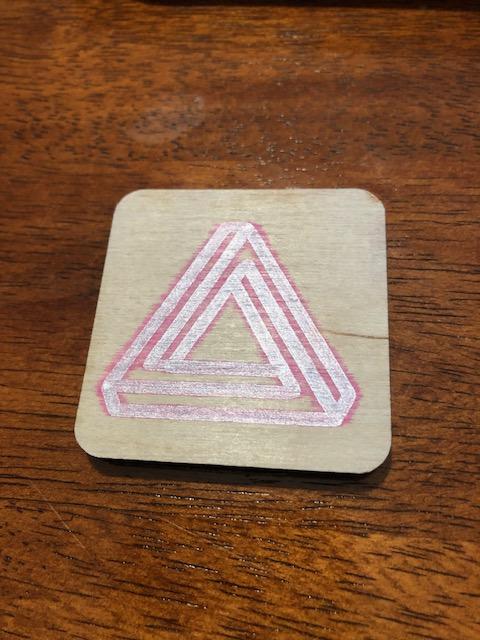
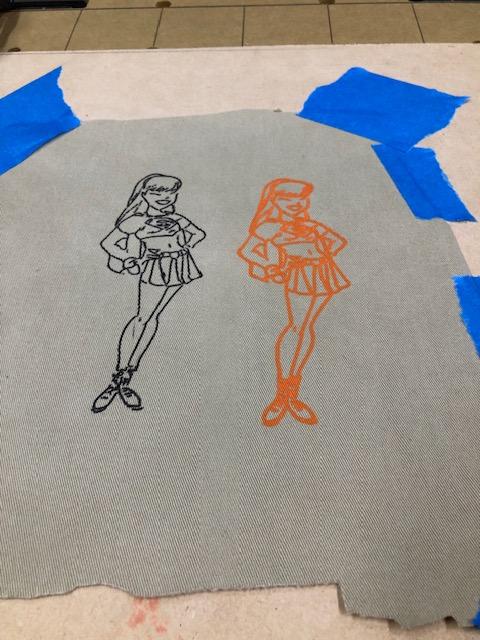
Another aspect of this technique is that you can use surfaces that would be difficult or impossible with other methods.
I have used:
- Cloth / Fabric
- Wood of varying thicknesses
- Food
- Glass plates
- Plastic of all kinds
I drew an Eevee on some jeans as a decoration. Jeans work very well because the cloth is stiff enough to easily draw on without needing to be additionally fixtured.
A white ceramic tile from the hardware store makes a fine coaster, and is very inexpensive. A metallic sharpie is equally inexpensive and together they make a good personalized gift.
Wood is also straightforward- this simple tile with a combination ink (silver on the inside of the line, colored on the outside of the line) was the work of mere moments. The woodworking community has a vast library of how to combine and layer various markings, finishes, and natural surfaces.
The khaki cloth needed to be held firmly in place, but it accepted different media well. You will need to experiment to see which surfaces can work with which media, especially if you are decorating household objects.
Sizes and Shapes

With this technique, you want to lean into the size and volume that you have available. You will probably have hundreds of millimeters in every axis, that means you can draw on big items, or oddly shaped items.
You can decorate large boxes, or wooden boards, or other items too large for other techniques. You can decorate shapes that have odd angles, as long as they fit into the volume you have available.
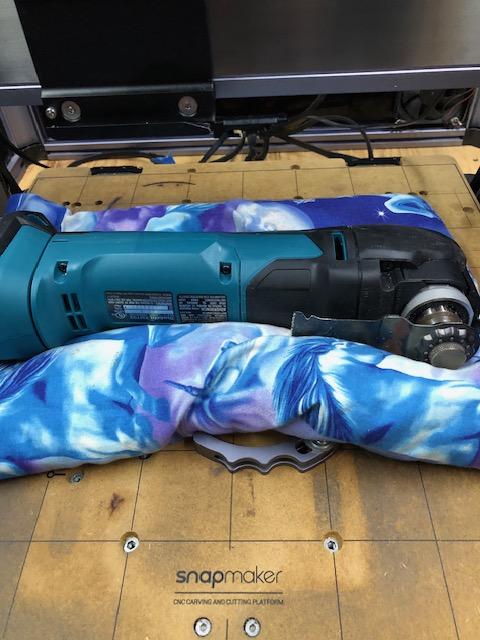
Here, I have used a paint marker to label my oscillating tool. Because the forces involved are so low, I did not need to worry about it shifting as i worked. I used a bean bag to hold it in the proper orientation.
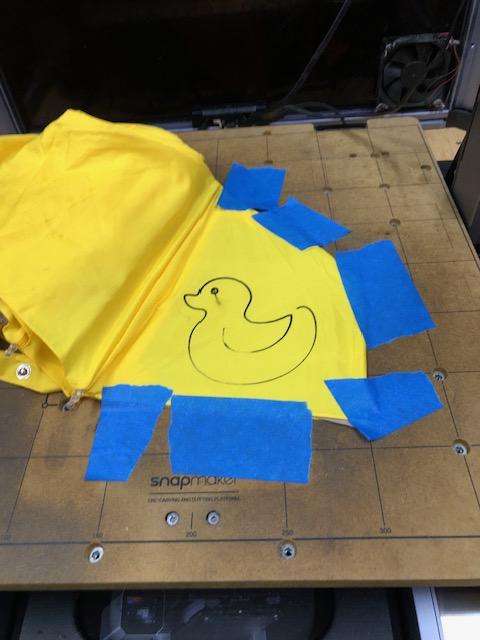
The umbrella needed to be taped into place, and I should have done a better job. The fabric shifted at the last moment and smeared a little bit.
Contrast to Other Devices
Let's contrast other commonly available devices used to "put marks on stuff". This technique has strengths, but it is important to put it in context of others so you can apply it properly.
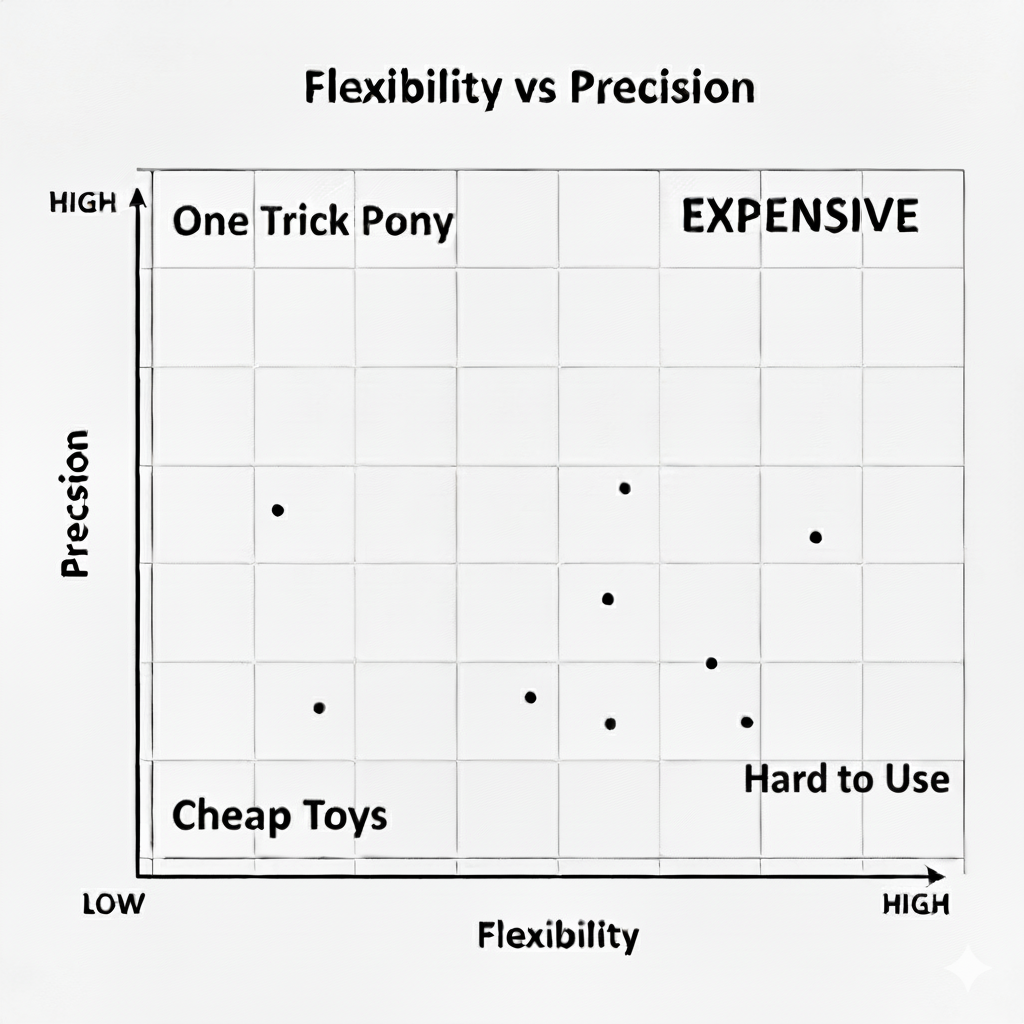
I've created a graph to conceptualize this- "Precision vs Flexibility". In this graph, precision is the ability to precisely repeat a task, while flexibility is the ability to perform many different tasks.
Putting a pen plotter on your machine moves it along the flexibility axis, but it will have trouble doing so repeatedly. You can get that repeatability at the cost of spending time and effort; moving you up into the "expensive" quadrant from the "hard to use" quadrant.
Sometimes, if you just want to focus on getting a specific result then you should just look at tools in the "one trick pony" category because they will do that one thing very well.
Regular Paper Printers - If you want to put black marks on white paper, there really is no better choice than the humble household printer. Unless you have manufactured your pen plotter with unerring precision, you are unlikely to get the high degree of repeatability of these devices. Laser printers have great economy, and inkjets can do colors quite well. However, you are very limited to your choice of surfaces.
Craft Cutter/ Plotter (Cricut) - This device is almost what we are trying to emulate. You should be able to (attempt to) replicate any project for this device if you can replicate their style of holding their surfaces. But, the greater flexibility afforded to us comes at a cost- the craft plotter will probably be more precise because it has narrower assumptions.
Laser Engraver- Depending on your engraver, you may have a lot of options for various surfaces, as well as some for the size you can work with. However, you'll almost always be limited to putting a black mark on the surface, so your media is solely "burn".
CNC Carving - You can carve a variety of sources, which gives you a lot of texture options. You can fill the cut areas with colored material, but that can be a tricky multi step process. Doing it well is generally firmly in the "Expensive" quadrant.
3d Print and Affix - You can print out a decoration, and then glue it to a surface. There are a lot of color options these days. As 3d filament and resin get more materials, I suspect this will become more common.
Label Makers - These are often quite cheap. You can get them and print out emoji stickers.
Stencil and Paint - You can create a stencil, and then apply your media through the stencil. This can be both an inexpensive and flexible technique, especially if you have good ways to make the stencils.
And lastly, you can't rule out Doing it by Hand. The ultimate in flexibility and highly variable precise repeatability.
(Don't read too much into the graph- the dots are just made up)
Tip- "smooth" Vs "flat" Vs "rigid" Surfaces
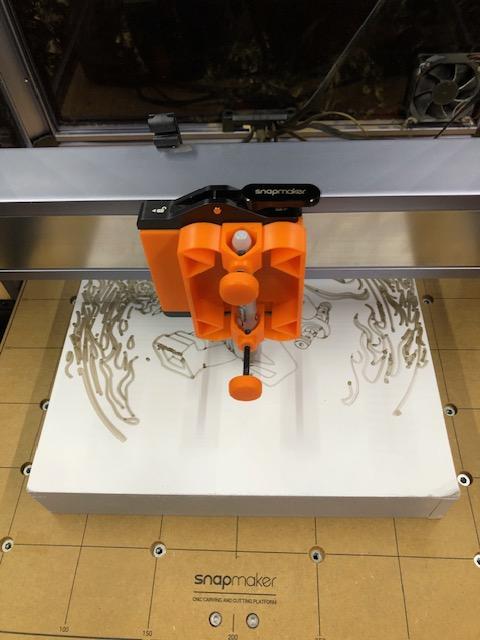
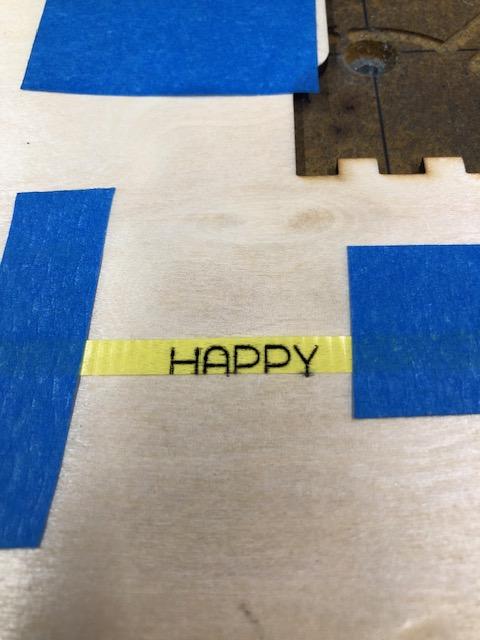
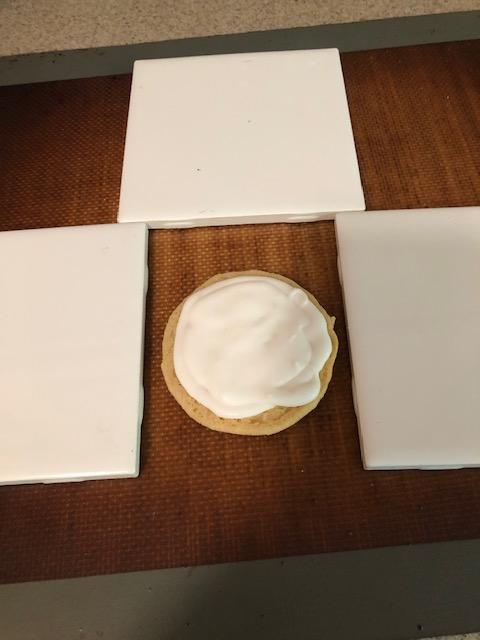
Of the course of experimenting, I found that many surfaces are not nearly as flat as they might seem to be. A difference of only a 2-3 millimeters is enough to throw off proper contact with the media and surface.
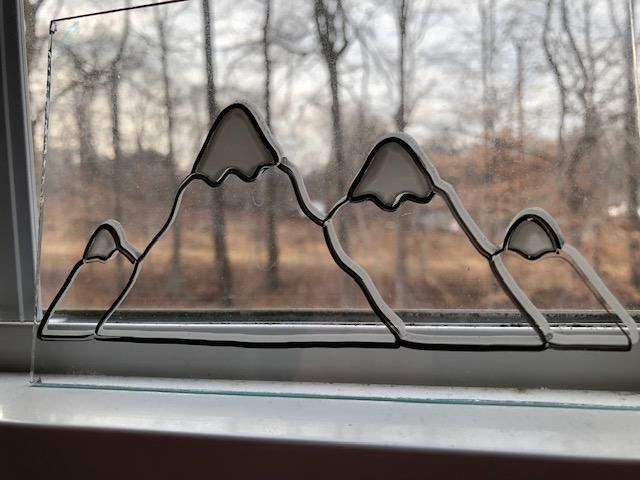
The glass plate is a good example of something that is both very smooth and very flat- it is very easy to program a tool path to travel over it.
The wooden wall painting looks like something that would be both smooth and flat, but it actually dips a few millimeters in the center. It's not as flat as expected. This means that the pen starts to press less firmly into the surface and the image gets a lot fainter. The plate also had this, but in this case I did expect it, so I used a carriage that could accommodate variable depth.
The yellow ribbon fabric is as flat as the underlying surface it is fixed to, but it is not nearly as smooth as the glass or painted wood. It has ridges, which can cause some types of media to catch or not work properly. Surfaces that are not smooth need forgiving media applicators. The ribbon is also not at all rigid, so it needs to be held securely in place to limit its ability to flex. Cloth is another example of this.
The icing on the cookie is smooth and flat- for icing on cookies. For industrial applications, it is not particularly smooth nor particularly flat. The icing has dips and hills of a few millimeters, and the cookie has a dome shape. Additionally, the icing is particularly stiff and hard- for icing. But again, for industrial purposes it is very fragile. I needed to process the cookies and icing to make them "industrial" flat and smooth, and I had to accept that some cookies would not survive the machine process because the icing is not very rigid.
I find that rocks are often not nearly as smooth and flat as you might expect, as well.
Black Ink on White Paper
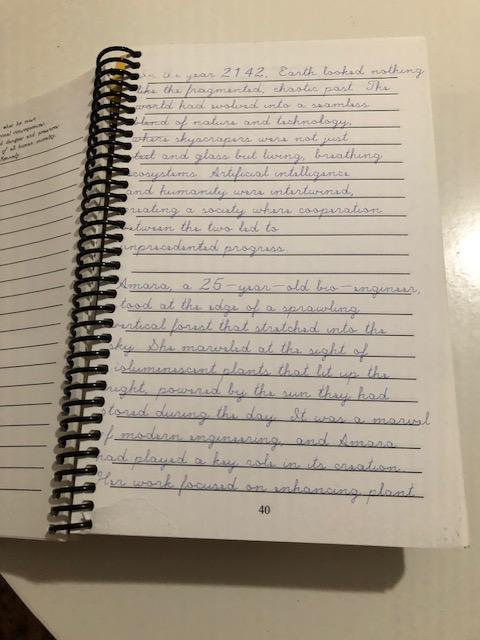
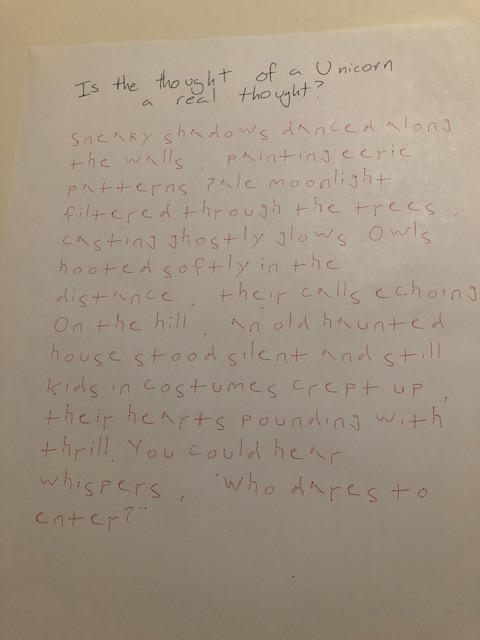
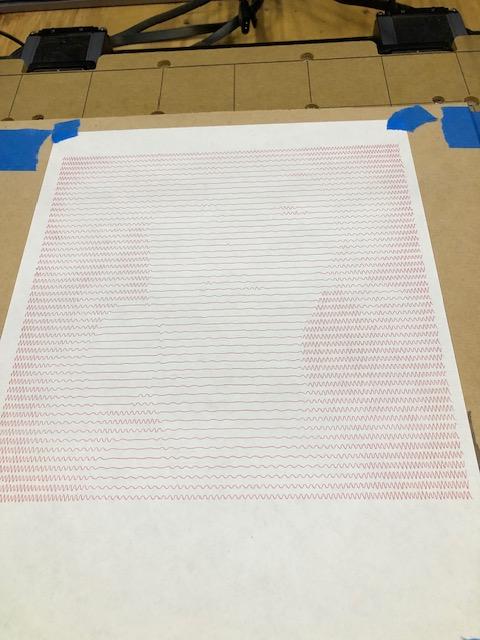
I began my discussion by saying "If you want to put black ink on white paper- there are better methods", but I wanted to show some examples of how that can be done.
Something that only this method can do is it can put black ink on white paper inside already created notebooks, which creates an interesting effect. In the first example, you can see that it has created a "journal" effect. Because this was written with a real pen in the journal, it will have pressure marks on the paper, and those will subtly show on this page and the following page. The writing will have texture in a way that a laser or inkjet can't mimic.
On the next page you can see the ink on paper is written in my own handwriting. I created this instructable to show how to make a font suitable for use in these kind of machines.
Next Steps and Advances
The most important aspect of this technique is one that I have sadly not had great success with yet- the 3rd dimension.
The machine is fully capable of working on curved or angled surfaces (non-planar). There is nothing standing in the way of decorating picture frames or ornaments- except:
- Math
- Different Math
The first math problem is that it can be very difficult to create 3d model of an existing object with sufficient resolution such that it can really be used in the real world. Real world objects rarely match their 3d models to the level that allows putting a micrometer layer of ink on it.
The second math problem is that if you DO have a model of your object that matches it exactly, it can be difficult to position it precisely enough for the machine to operate correctly.
I hope that other people, like you, who are better operators of their machines can create useful techniques for people like me.