Water Level Monitoring Sensor
by s72580 in Circuits > Raspberry Pi
641 Views, 3 Favorites, 0 Comments
Water Level Monitoring Sensor


This project focuses on the design and implementation of an IoT-based Environmental Water Monitoring System using the Raspberry Pi Pico W. The system is developed to monitor water-related and environmental conditions in real time by integrating multiple sensors and transmitting data wirelessly using the MQTT protocol.
Unlike basic water-level monitoring systems, this project measures three core environmental parameters. The collected data is periodically sent to an MQTT broker over WiFi, enabling remote monitoring and analysis. The system is designed with emphasis on robust physical deployment, low-power operation, and reliable wireless communication, making it suitable for outdoor or semi-outdoor environments such as drains, rivers, or water storage areas.
The hardware platform used is the Raspberry Pi Pico W, which provides built-in WiFi connectivity and is aligned with the lecturer’s recommended microcontroller for this course. A waterproof enclosure and external power source are used to ensure durability and continuous operation during deployment.
Supplies
2.1 Microcontroller
1. Raspberry Pi Pico W
• Acts as the main controller of the system
• Handles sensor data acquisition, WiFi connectivity, and MQTT communication
• Chosen based on lecturer recommendation and built-in wireless capability
https://my.shp.ee/QcjRGw8
2.2 Sensors
2. AJ-SR04M Waterproof Ultrasonic Sensor
• Function: Measures water level (cm)
• Advantage: Waterproof and suitable for outdoor water monitoring
https://my.shp.ee/Lx1jYoG
3. DS18B20 Waterproof Temperature Sensor
• Function: Measures water temperature (°C)
• Advantage: High accuracy and waterproof probe
https://my.shp.ee/HmYjrVM
4. DHT22 Temperature and Humidity Sensor
• Function: Measures air temperature (°C) and humidity (%)
• Advantage: Stable readings and suitable for environmental monitoring
https://my.shp.ee/2yjciRF
2.3 Power Supply
5. 20,000mAh USB Power Bank
• Supplies power to the Raspberry Pi Pico W
• Supports long-term deployment (≥ 7 days)
• Easy plug-and-play via USB
https://my.shp.ee/BUKfoLx
2.4 Supporting Electronic Components
6. Voltage Divider Resistors (e.g., 1kΩ & 2kΩ)
• Used to step down the ultrasonic sensor Echo signal from 5V to 3.3V
• Protects the Raspberry Pi Pico W GPIO pins
https://my.shp.ee/UtB7FJR
7. Breadboard
• Used for sensor wiring and testing
https://my.shp.ee/SorGmww
8. Jumper Wires (Male-to-Male / Male-to-Female)
• Used for electrical connections between components
https://my.shp.ee/gbLAdfw
2.5 Enclosure & Mechanical Components
9. IP65 Waterproof Electrical Junction Box
• Protects electronic components from water and dust
• Suitable for outdoor installation
https://my.shp.ee/WPYBz4D
10. Cable Glands
• Provides waterproof cable entry for sensors
• Improves physical robustness
https://my.shp.ee/CbveJj8
Prepare the Components

Ensure all required hardware components are available:
• Raspberry Pi Pico W
• AJ-SR04M Waterproof Ultrasonic Sensor
• DS18B20 Waterproof Temperature Sensor
• DHT22 Sensor
• Voltage divider resistors (e.g., 1kΩ and 2kΩ)
• Breadboard and jumper wires
• 20,000mAh USB power bank
• IP65 waterproof junction box and cable glands
Set Up the Raspberry Pi Pico W

1. Connect the Raspberry Pi Pico W to a computer using a USB cable.
2. Flash MicroPython firmware onto the Pico W (if not already installed).
3. Verify that the Pico W is powered on and detected by the system.
Connect the AJ-SR04M Ultrasonic Sensor (Water Level)

1. Connect VCC of the AJ-SR04M to 5V (VBUS) from the Pico W.
2. Connect GND to the Pico W GND pin.
3. Connect the TRIG pin directly to a GPIO pin on the Pico W.
4. Connect the ECHO pin through a voltage divider before connecting it to a Pico W GPIO pin to reduce the signal from 5V to 3.3V.
5. Mount the ultrasonic sensor facing downward toward the water surface.
Connect the DS18B20 Waterproof Temperature Sensor (Water Temperature)
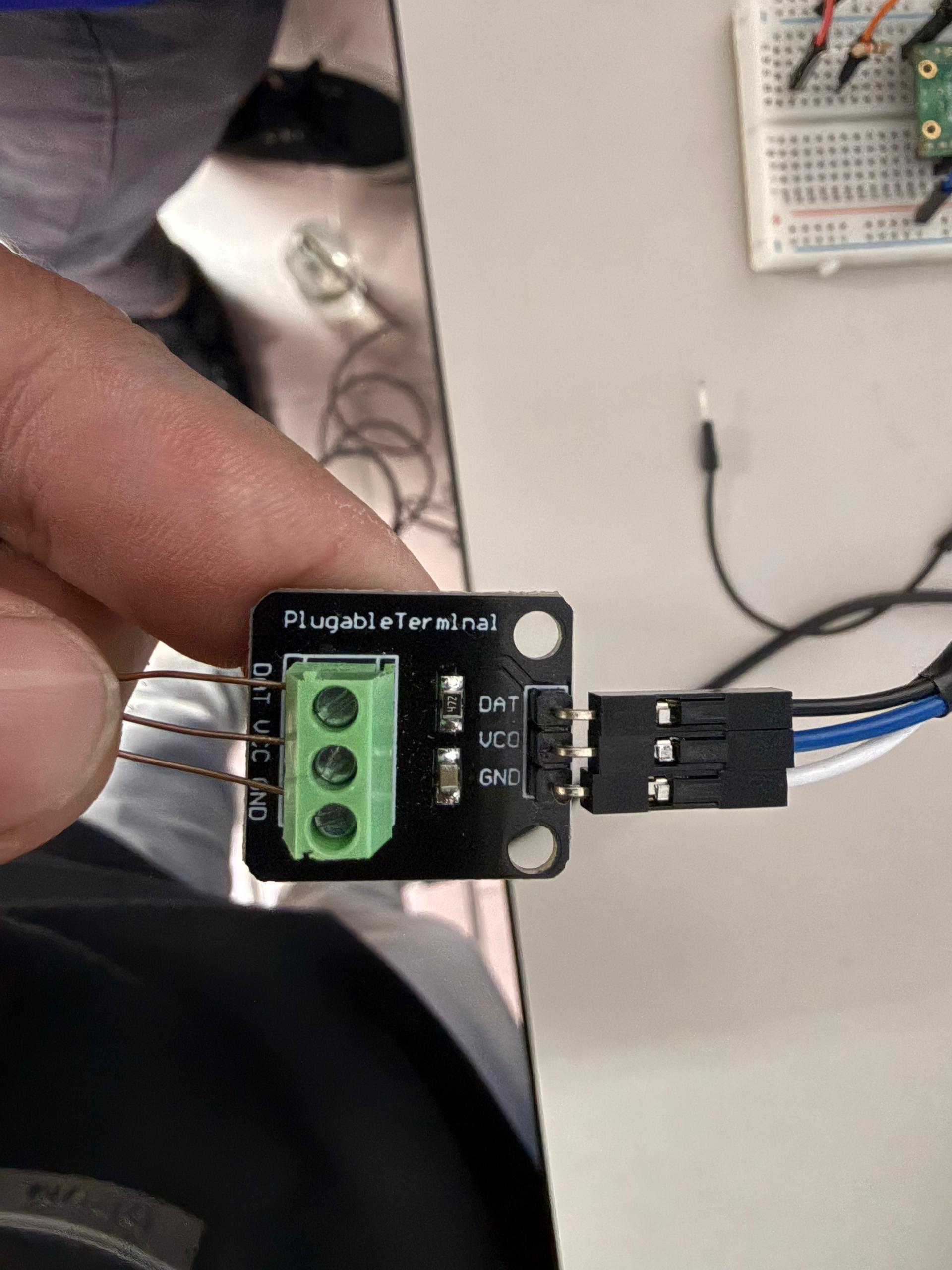
1. Connect the VCC wire to 3.3V on the Pico W.
2. Connect the GND wire to GND.
3. Connect the DATA wire to a GPIO pin.
4. Add a 4.7kΩ pull-up resistor between DATA and 3.3V.
5. Place the probe into the water to measure water temperature.
Connect the DHT22 Sensor (Air Temperature & Humidity)
1. Connect VCC to 3.3V on the Pico W.
2. Connect GND to GND.
3. Connect DATA to a GPIO pin.
4. Position the sensor outside the enclosure to measure ambient air conditions.
Assemble the Circuit on Breadboard

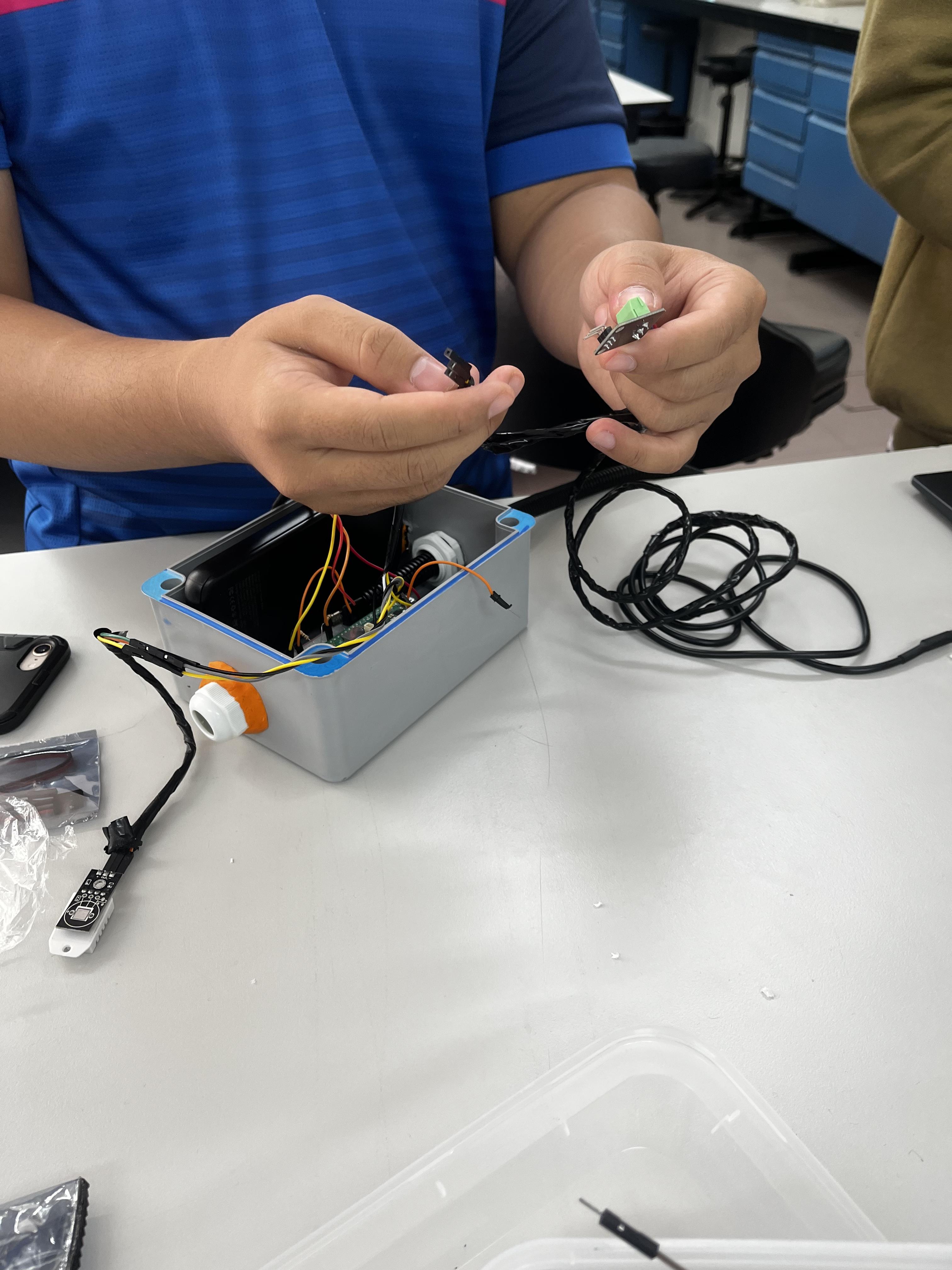
1. Arrange all sensors and resistors neatly on the breadboard.
2. Double-check wiring connections to avoid short circuits.
3. Label sensor connections for easier troubleshooting.
Enclosure Installation
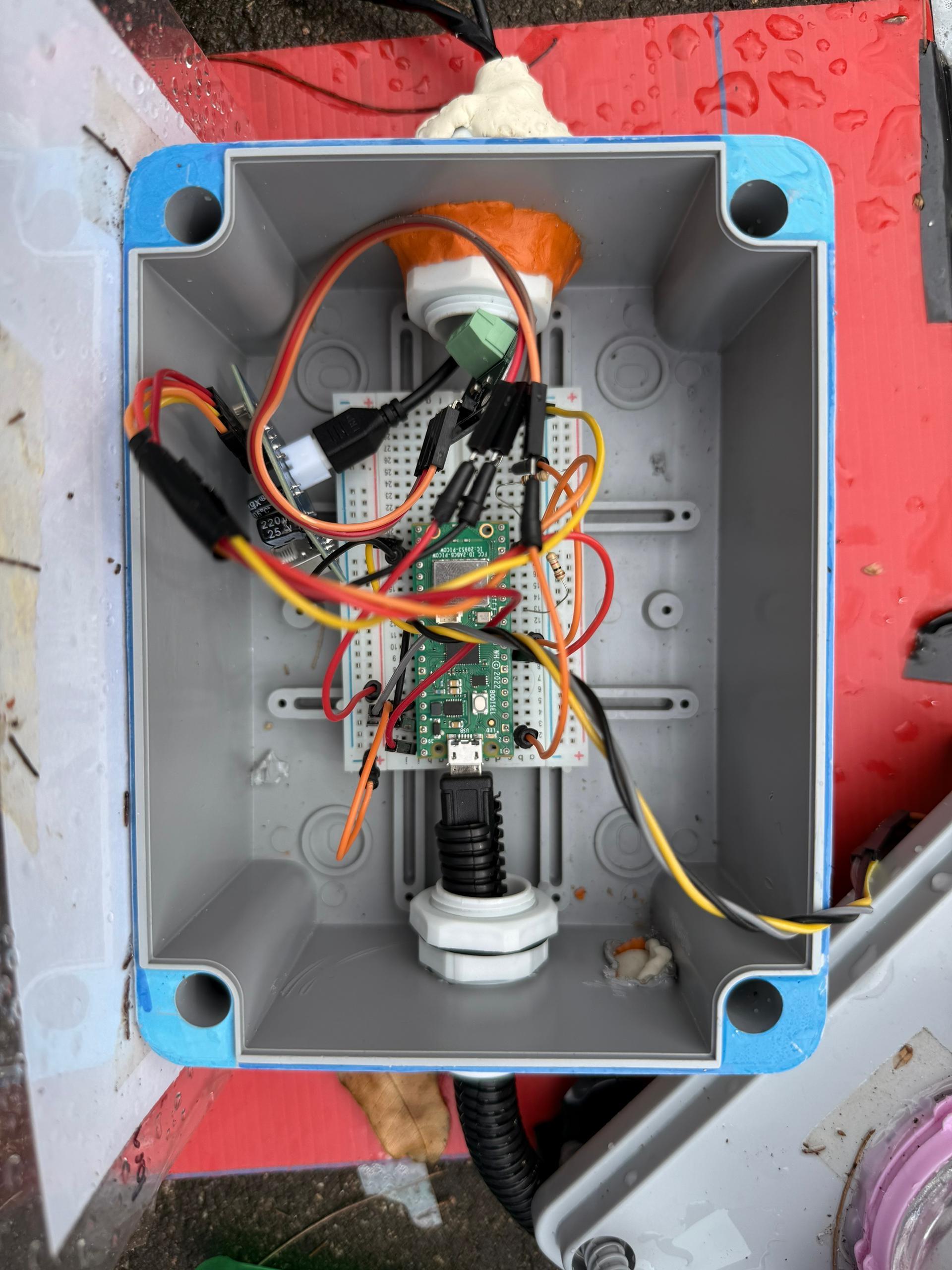
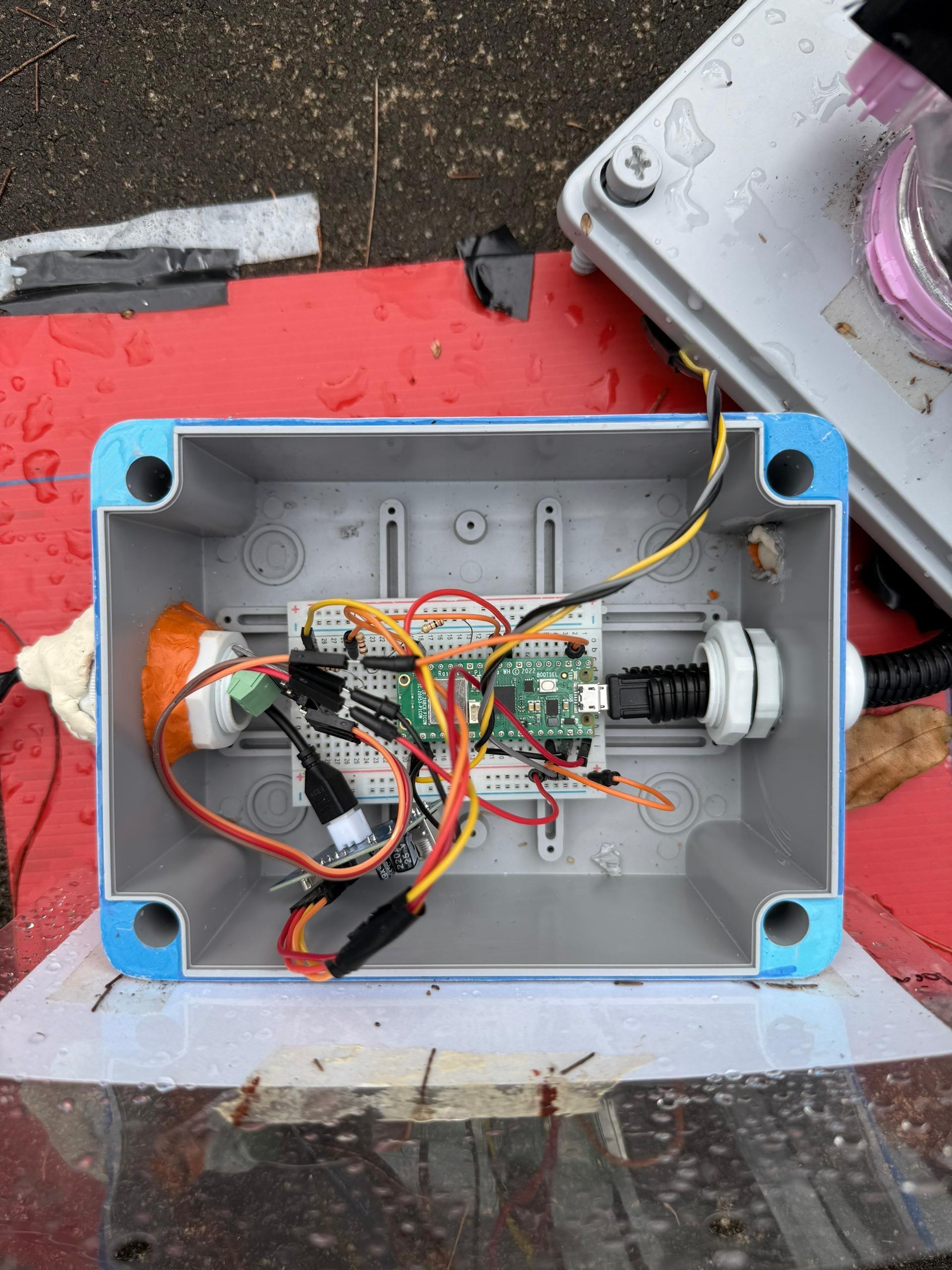
1. Place the Raspberry Pi Pico W and breadboard inside the IP65 waterproof junction box.
2. Drill holes for:
• Ultrasonic sensor heads
• DS18B20 cable
• DHT22 sensor placement
3. Use cable glands to seal all cable entry points.
4. Apply silicone sealant if necessary to improve waterproofing.
Power System Setup

1. Connect the Raspberry Pi Pico W to the USB power bank.
2. Ensure the power bank is fully charged.
3. Secure the power bank inside or near the enclosure.
Initial Testing
1. Power on the system.
2. Verify that:
• Ultrasonic sensor reads distance values
• DS18B20 returns water temperature
• DHT22 returns air temperature and humidity
3. Fix any wiring or sensor issues before deployment.
Deployment Preparation


1. Mount the enclosure at the monitoring location.
2. Ensure sensors are correctly positioned and not obstructed.
3. Confirm that WiFi signal is available at the deployment site.
Data Monitoring and Visualization

1. Configure the system to transmit sensor data to the MQTT broker at 30-minute intervals.
2. Set up an IoT dashboard (e.g., Node-RED Dashboard or MQTT-based web dashboard) to subscribe to the published topics.
3. Display real-time and historical data including:
• Water level (cm)
• Water temperature (°C)
• Air temperature (°C)
• Humidity (%)
4. Monitor the sensor readings remotely through the dashboard to observe environmental changes over time.
5. Verify that data is updated correctly every 30 minutes and stored or logged for further analysis.