MG Space | Portable Team Snake V2: an Open-Source Interactive Matrix Game Console
by JackAndMatthew in Circuits > Arduino
21 Views, 0 Favorites, 0 Comments
MG Space | Portable Team Snake V2: an Open-Source Interactive Matrix Game Console




.png)
MG Space | 便携式团队贪吃蛇 V2:基于点阵屏的开源互动游戏机
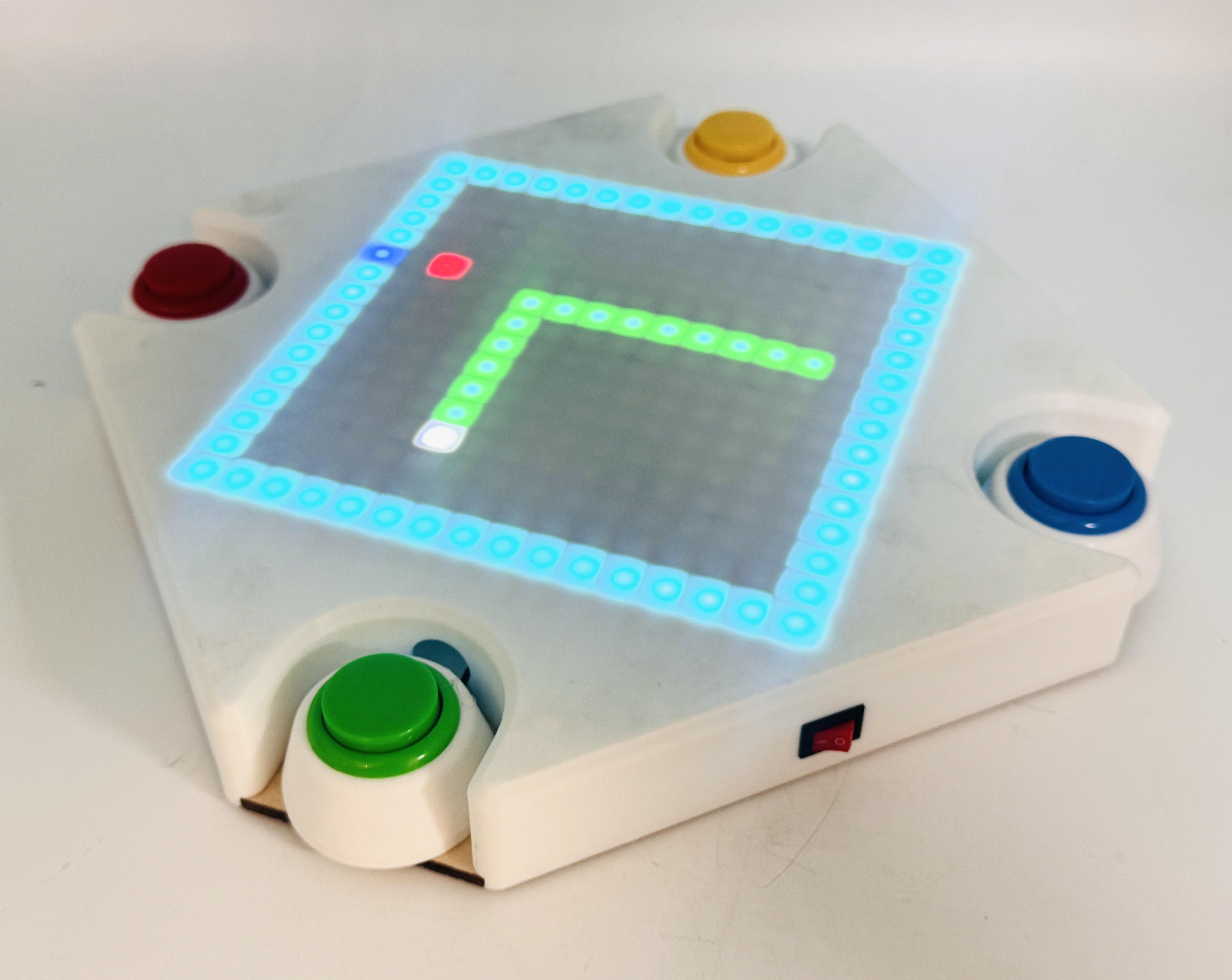
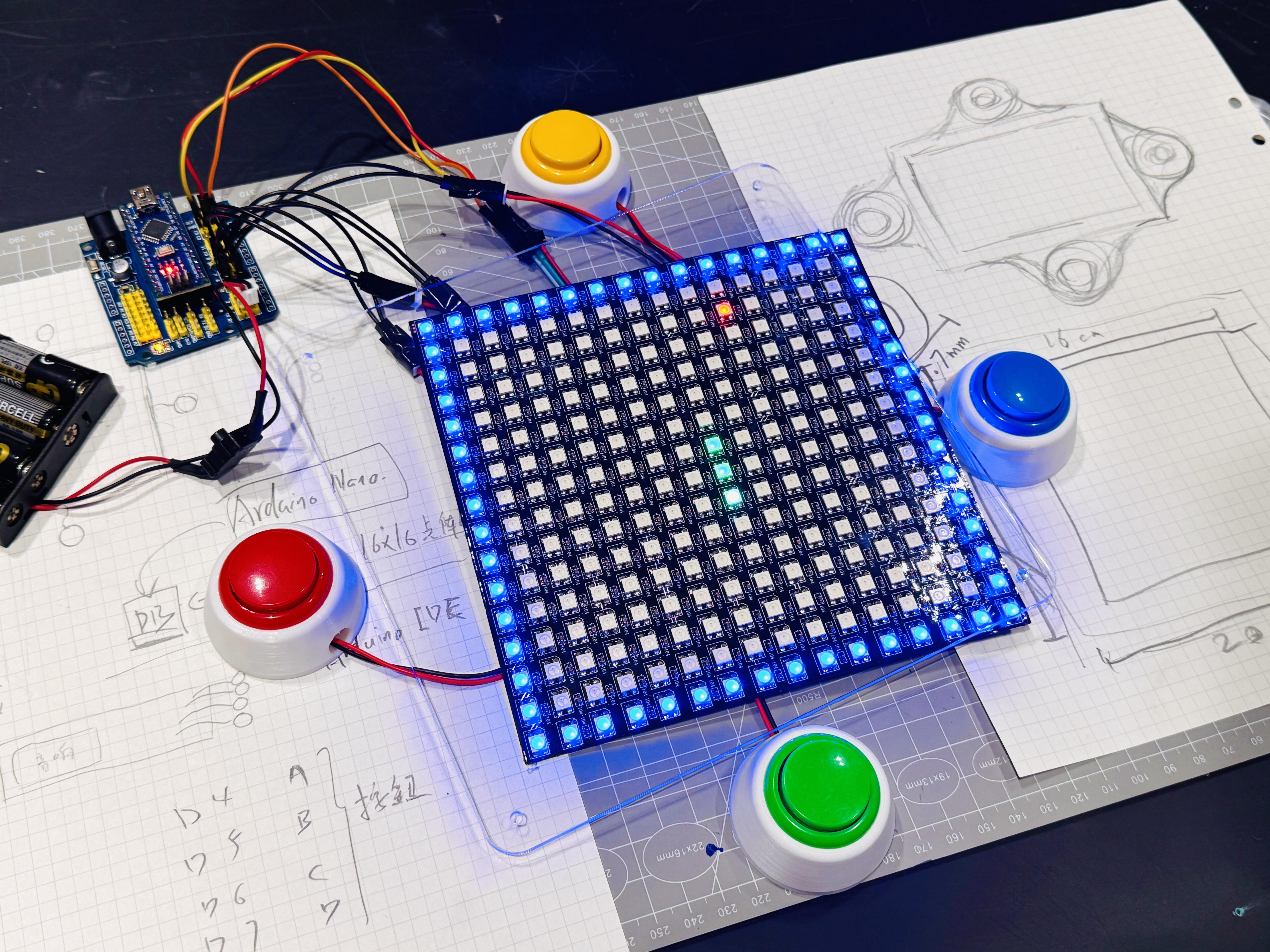
在2025年11月份的深圳MakerFaire全球创客嘉年华活动中,我们两个人一起策划了一个团队贪吃蛇的互动体验项目「团队贪吃蛇-2025MakerFaire工作坊-项目复盘文档」,摊位来体验的人很多,大家玩的都很开心,其中有一个体验者想买一套我们的装置带回家去玩,她提了一个很好的建议说:我们的产品作为一个大型的体验装置很不错,但如果用户买回家还要自己连接一个电脑电视和下载APP,就有些不方便了。
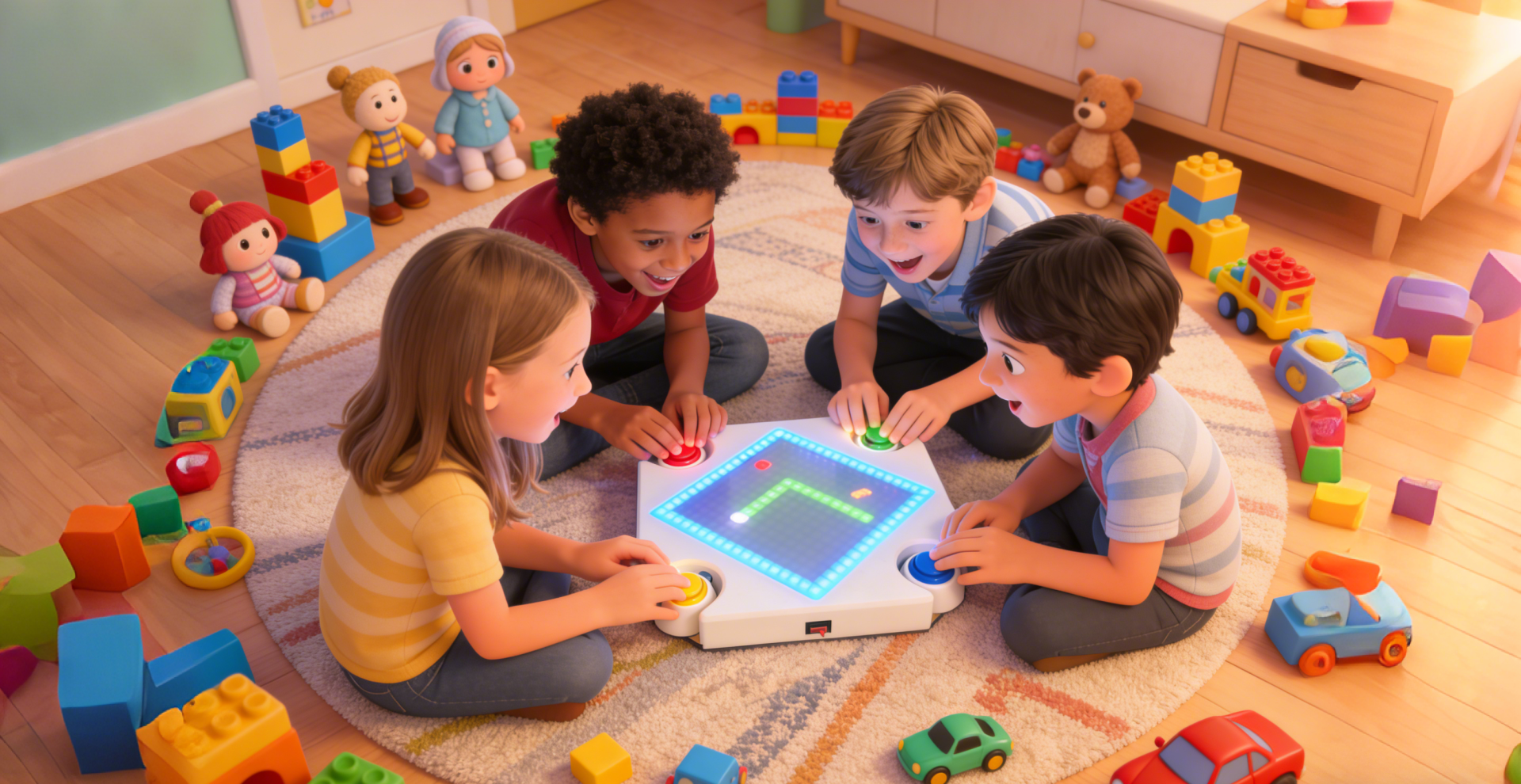
借由这个问题的启发,我们就在思考,能否迭代我们的体验项目,将我们的团队协作的游戏理念,通过一台无需连接电脑和屏幕,就能轻松使用的便携式设备呈现,这样大家就可以随时随地体验团队游戏的乐趣,因此萌生了这个产品的想法。
希望大家可以通过我们的游戏体验到团队合作的乐趣,并且通过开源文档去尝试复刻本项目,进行二次创造,给我们提出更多宝贵的建议和启发,祝你们玩得愉快!
-项目研发者:黄嘉嘉、孙昱霖
At the Shenzhen Maker Faire in November 2025, our team showcased an interactive project called "Team Snake." The booth was incredibly popular, and everyone had a blast playing it. One participant expressed interest in buying a set for her home but offered some valuable feedback: while the installation was great for an event, requiring a connection to a PC, TV, and specific apps made it too inconvenient for home use.
Inspired by this feedback, we began to rethink our design. Our goal was to iterate on the experience, condensing our concept of "team collaboration" into a portable device that requires no external computer or screen—just turn it on and play. Now, anyone can enjoy the fun of team gaming anytime, anywhere.
This is the story behind the V2 Portable Version! We hope you enjoy the collaborative fun this game brings. This is an open-source project; we encourage you to replicate it, remix it, and share your valuable suggestions with us. Have fun!
— Project Developers: Jack & Matthew
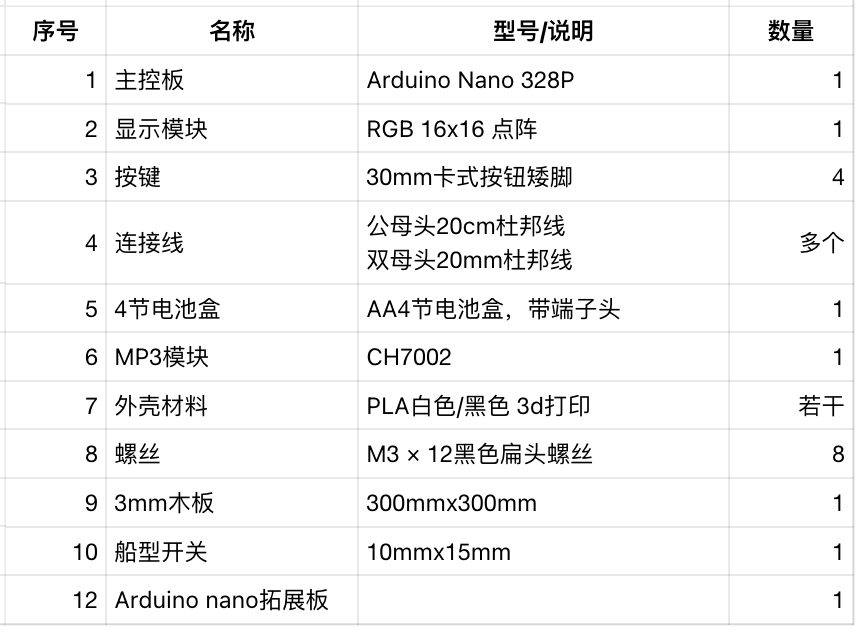
Supplies
.png)
.png)
所需工具
- 3D 打印机、激光切割机(lasermaker2.0软件)
- 十字螺丝刀
- 钳子
- 电烙铁
- 剪线钳 / 剥线钳
- 胶带 / 热缩管
- 胶枪
- MicroUSB及MiniUSB下载线
Tools Required:
- 3D Printer
- Laser Cutter (compatible with LaserMaker 2.0 software)
- Phillips Screwdriver
- Pliers, Wire Cutters / Wire Strippers
- Soldering Iron
- Electrical Tape / Heat Shrink Tubing
- Hot Glue Gun
- MicroUSB and MiniUSB Cables
Attachments:
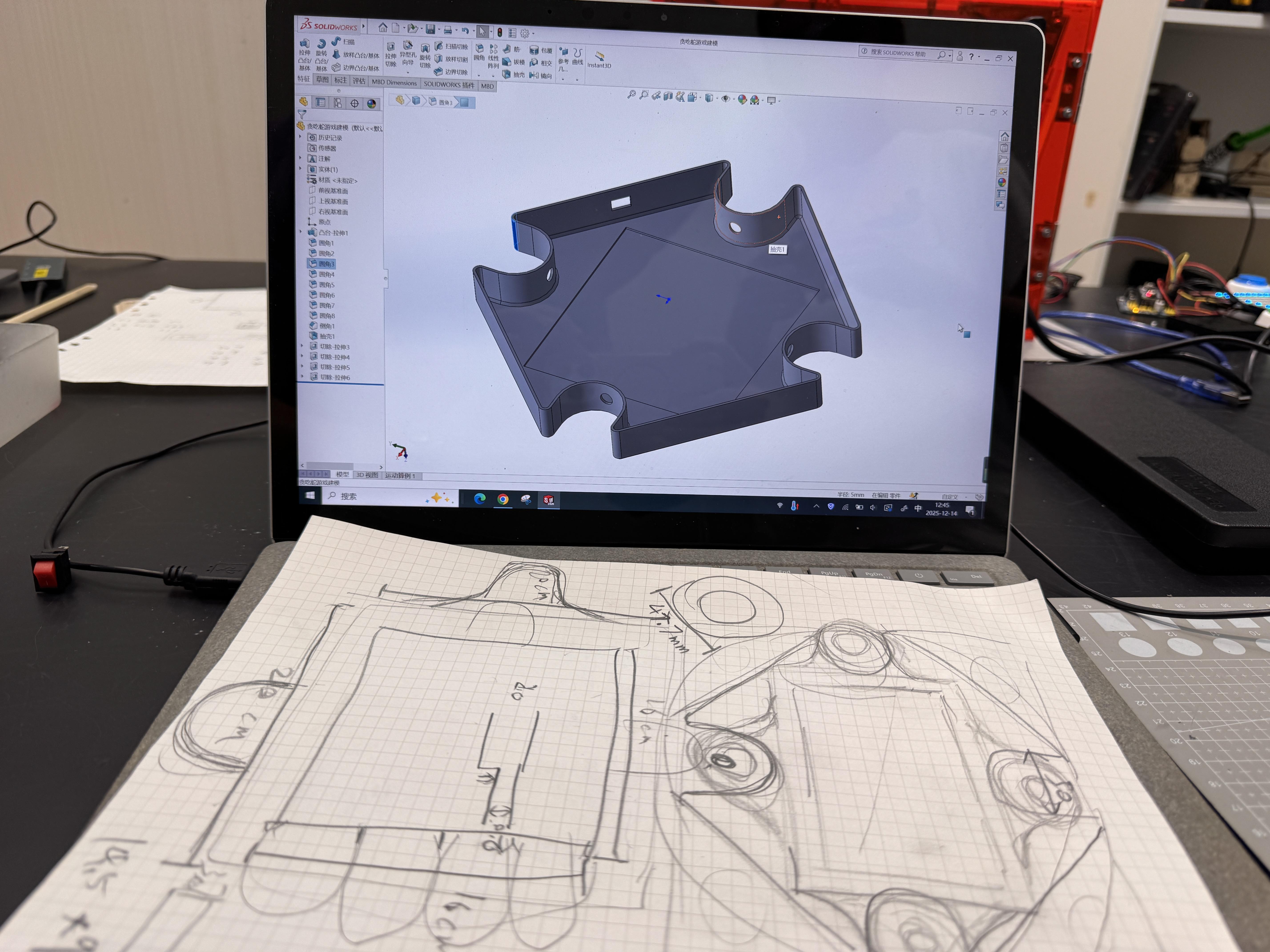
- Please download the STL and SLDPRT model files provided in the attachments.
程序及音频烧录 Programming & Audio Setup
先为Arduino nano烧录程序:
- 安装 Arduino IDE
- 下载项目代码并使用Arduino IDE打开 teamSnake-v1.ino
- 安装第三方库文件 FastLED
- 使用下载线将nano主板和电脑连接在一起,设置对应COM口与主控型号 Arduino nano
- 点击 Upload 烧录代码,确认烧录是否完成
为mp3模块烧录音频文件
- 下载项目音频文件并解压
- 使用microUSB连接电脑和MP3模块(需要windows系统)
- 电脑会跳出一个新的磁盘,在资源管理器中打开
- 删除内置的mp3文件及config文件
- 将下载解压后的文件拖入磁盘中,等待烧录完成
1. Flashing the Arduino Nano:
- Install the Arduino IDE.
- Download the project code teamSnake-v1.ino and open it in the Arduino IDE.
- Install the required third-party library: FastLED.
- Connect the Nano board to your computer via USB. In the IDE, select the correct COM port and Board model (Arduino Nano).
- Click Upload to flash the code. Verify that the "Done uploading" message appears.
2. Configuring the MP3 Module:
- Download and unzip the audio file package for this project.
- Connect the MP3 module to your computer using a MicroUSB cable (Windows OS is recommended).
- Once the new disk drive appears on your computer, open it.
- Note: Delete all existing MP3 files and Config files currently on the disk.
- Drag and drop the unzipped files directly into the root directory of the disk and wait for the transfer to complete.
电路接线 Circuit Assembly & Housing
.png)
在这一步,我们将把电子元件组装到 3D 打印的外壳中。
- 电路连接: 请参考(此处需您插入电路图)进行焊接。确保点阵屏、按键、MP3 模块与 Arduino Nano 的引脚连接正确。建议使用热缩管保护焊接点,防止短路。
- 结构安装:
- 将激光切割好的面板与 3D 打印的主体结构对齐。
- 使用热熔胶或螺丝固定内部电子元件,确保 USB 接口位置对准外壳预留孔位。
- 最后锁紧外壳螺丝,完成组装。
English: In this step, we will assemble the electronics into the 3D-printed housing.
- Circuit Wiring: Please refer to the (insert your circuit diagram here) for soldering. Ensure the LED matrix, buttons, and MP3 module are correctly connected to the Arduino Nano pins. It is recommended to use heat shrink tubing to protect solder joints and prevent short circuits.
- Structural Assembly:
- Align the laser-cut panels with the 3D-printed main body.
- Secure the internal electronic components using hot glue or screws, ensuring the USB ports align with the cutouts on the case.
- Fasten the case screws to complete the assembly.
结构安装 Circuit Assembly & Housing
.png)
.png)
.png)
.png)
写在最后|一起把项目继续“玩”下去 Conclusion & Future Improvements
🌱 写在最后:一起把项目“玩”下去
这个项目并不是一个终点,而是一个持续生长的起点。我们非常期待你在制作、使用和修改它的过程中探索更多可能性——无论是新增玩法、改进交互,还是将它应用到全新的场景中。
你可以尝试以下升级方向:
- 🔋 电源升级: 改为锂电池供电并增加充电模块,实现真正的无线便携。
- 📶 联网升级: 替换为 ESP32 主控,增加蓝牙或 WiFi 功能,实现手机互联或显示实时时间。
- 🎮 玩法拓展: 编写新的游戏代码,增加更多种类的互动对战模式。
- 🎵 视听升级: 优化声效与点阵动画的配合。
如果你基于本项目进行了二次创作,欢迎在开源社区分享你的代码、设计或反馈。你的每一次尝试和建议,都是推动这个项目进化的动力。
期待看到你的版本,让我们一起把它变得更好!✨
🌱 Final Thoughts: Let's Keep Playing
This project is not a finished product, but a starting point for continuous growth. We look forward to seeing you explore more possibilities as you build, use, and modify it—whether it's adding new gameplay, improving interactions, or finding entirely new use cases.
Ideas for Future Upgrades:
- 🔋 Power Upgrade: Switch to a lithium battery with a charging module for a truly wireless experience.
- 📶 Connectivity: Upgrade the microcontroller to an ESP32 to add Bluetooth or WiFi capabilities, enabling mobile connectivity or real-time clock displays.
- 🎮 Gameplay Expansion: Write new game code to add a wider variety of interactive modes.
- 🎵 Audio-Visuals: Enhance the synchronization between sound effects and LED matrix animations.
If you create a remix of this project, we invite you to share your thoughts, code, designs, or feedback with the open-source community. Every attempt and suggestion you make drives this project forward.
We can't wait to see your version. Let's make it better together! ✨
项目研发背后的故事:团队贪吃蛇V2.0-产品快速入门